Leaderboard




Popular Content
Showing content with the highest reputation on 10/06/21 in all areas
-
Not a Synology user but performance is night and day when you compare Emby running on HDD vs SSD/NVME.2 points
-
We need to give you more control over this, but it's just like playback, so that means the one that is closest to the conversion criteria that is selected.2 points
-
I think it should be alphabetical folders also.2 points
-
Currently version 0.1, it works but its rough. It's meant to be run by an emby server owner, as it requires a server api key. It essentially reads the room leader's location, jumps room members to 10-ish seconds ahead of the room leader, and finally unpauses roughly in sync. Tested clients: iOS, Android, Amazon Fire devices, and the web player. Also working, but only as a stream or room leader, not as a follower: Chromecast and Roku. (Supposedly these devices may work as a following player if the server is on the same local network as the player, but I have not tested this) If any client falls out of sync/halts playback, it resyncs immediately. You must log out of Emby Sync, or "leave room" to stop syncing. Sessions offline for more than 10 minutes will automatically stop syncing. To force a resync, rewind a bit on the out of sync follower. Emby clients only update the server with status info every second or so, so sync is only possible within a couple seconds in either direction. (Close enough for watching with friends online for sure!) To try it out: Easiest is to just fire up the container and point your browser at http://<containerhost>:5000 and log in using your Emby Connect username. (The Emby password is not stored, it is used against the emby API for auth only) Sorry, no local only emby accounts or emby email as logins right now. Only your clients which have been active within the last five minutes will be visible, if you don't see any clients to select, make sure the client is open, logged in, and recently interacted with. docker run --name emby-sync -e EMBY_SERVER='<emby_url>' -e SECRET_KEY='<emby_server_api_key>' -p 5000:5000 lastelement21/emby-sync:latest I've set it up in Docker Hub here: https://hub.docker.com/repository/docker/lastelement21/emby-sync It's on Github here: https://github.com/cameronurnes/emby-sync Todo: Local user support, unpause when room leader unpauses instead of waiting/resyncing, test more clients, Chromecast as follower, adjust session cleanup task, try out using session info from api for unpause during sync instead of timers, consider using stored user access keys instead of API key, better GUI stuff. I am not a frontend developer, so any help on that would be appreciated.1 point
-
VERSION 6.2.22: Download link for manual update: https://github.com/MediaBrowser/plugin.video.emby/archive/refs/tags/6.2.22.zip Release Notes: https://github.com/MediaBrowser/plugin.video.emby/releases/tag/6.2.221 point
-
Thanks. Will up from the standard 96MB and I notice that checkbox for vacuum when restarting1 point
-
I was able to test again. I upped the client quality and it did not transcode. Thanks for the help. I didn't realize the client had such settings. I also read the details of the log, which tells the reason for the transcode. (doh!) I wish "Auto" was more 'automatical'!1 point
-
The USB package is built on the Samsung developer website, not offline, so that's why the date of the USB package matters. The building process is hosted by them and that means they can change it anytime they want.1 point
-
The issue is the Samsung player which we utilise in this app. So I would say this is Samsung specific, but not something we can change in the app.1 point
-
The domain you mention does not point to any IP address. But let's assume you registry "mygreatmedia.com" and point this to your home's IP address. From the internet in a browser you would enter http://mygreatmedia.com:8096 for non SSL connection From the internet in a browser you would enter https://mygreatmedia.com:8920 for an SSL connection If you prefer to use the common ports of 80 and 443 instead you would setup your router to forward like this: WAN IP:port 80 to Server IP:8096 WAN IP: port 443 to Server IP:8920 Then in Emby Server's Network menu you setup Local http port number: 8096 Local https port number: 8920 Public http port number: 80 Public https port number: 443 You would then use port 443 in any Emby apps. From a web browser you could use either http://mygreatmedia.com or https://mygreatmedia.com because a browser knows to use 80 for non SSL connections and 443 for SSL connections if not specified. Hope that helps1 point
-
Good morning, Emby. Moving some items around in my backend, and ended up re-adding my entry for MythBusters into Emby. As it scans, it gets 99% of the episodes scanned in properly, and displays ALL episodes as they should be displayed, but also adds S08E05 as a separate entry as well. Any idea what has caused this? Any idea what could be causing this? Attached is a screenshot and a server log. There is no duplicate file, before this is mentioned. Screenshot: MythBusters Error UPDATE: This thread can be closed. I'm an absolute idiot, that is all. Thanks, regardless.1 point
-
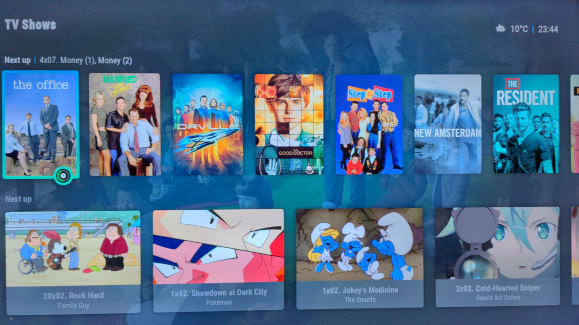
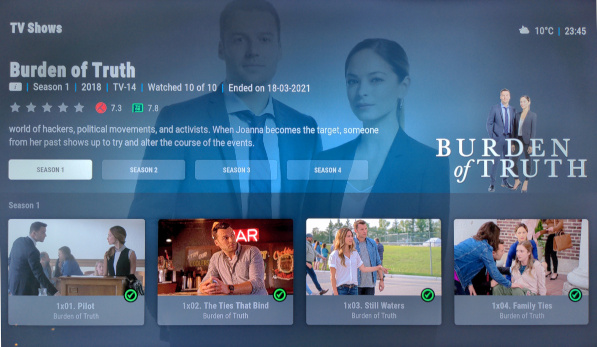
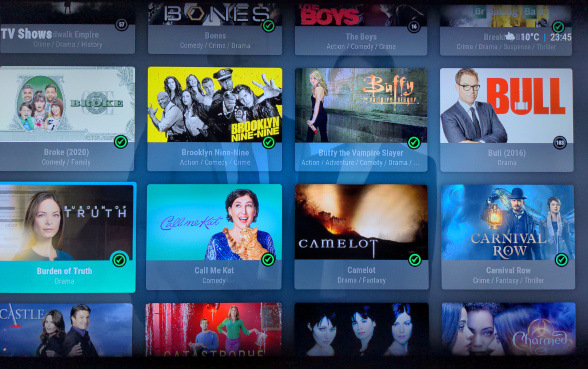
Feedback on TV show / episodes artwork mapping in 6.1.1: Everything appears to be working correctly Episode widgets in Poster and Landscape aspect ratio: TV show landscape wall: Episode thumbs, tv show backdrop and clearart: Also tried season posters and tv show banners. Only tested in Arctic Horizon skin, though.
 1 point
 -
Hi again, Do you have hardware transcoding turned on in Emby on the Synology 920+? As per our PMs I run this same box and do not have any transcode issues, even when doing tone-mapping of 4K HDR media. I use the Live TV/DVR feature a lot as well. I should add that I've added 2 NVMe SSD "drives" to the 920+ setup in RAID for read/write caching. So let us know what your transcoding setup is presently set to and we'll take it from there.1 point
-
But did you also refresh before recreating the folder. That's the step that is needed to clean the data from the database. Paul1 point
-
I released another beta version 6.1.1 There was a major bug in the previous one. sorry for the inconvenience -> new content was never added, even on init sync And there is still a but with multiversion videos... I'll fix it soon...1 point
-
Yep - Money Heist is a pig to get correct - as none of the metadata providers appear to have got this correct .. Part 1 & Part 2 (in 'Netflix' terms) are the tricky ones - as Netflix have actually sliced the original episodes. Part 3,4 & 5 should not be an issue. I ended up creating Parts 1 & 2 manually, using the metadata and images directly from Netflix themselves - and then lock the entire thing !
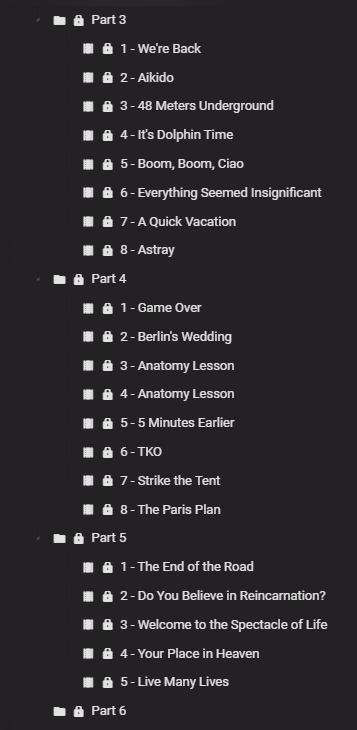
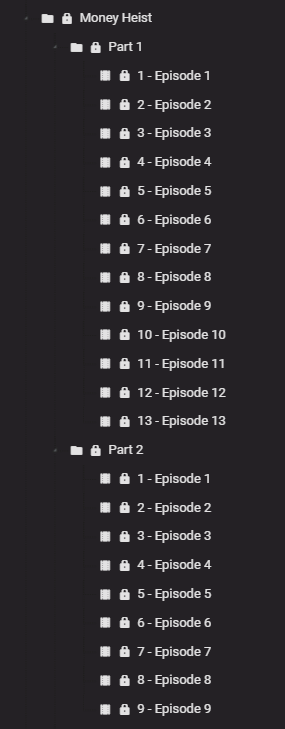 1 point
 -
Appears resolved in 4.0.38 in my tests.1 point
-
My god. It works and not only that - even better than ever before. It doesnt need refresh anymore and its in the same second deleted from the menu. Many thanks1 point
-
Will do when I get the chance. The last few day it went pretty well with my recordings so far. Keep you posted.1 point
-
I've been working on this today. Trying to stream line, otherwise complicated code. I should have something soon.1 point
-
@heula Can you please check again recordings. I also modified a few lines in that code....1 point
-
BETA VERSION 6.1.1: https://github.com/MediaBrowser/plugin.video.emby/releases/tag/6.1.1 Download link for manual update: https://github.com/MediaBrowser/plugin.video.emby/archive/refs/tags/6.1.1.zip There is still a problem with multivideo (not synced) I'll fix it soon.... Also artwork handling has changed: If you wanna try it, you have to update or repair the libraries. Support thread is this one:1 point
-
New beta version available 6.1.1 delta changelog: reduce (Kodi) DB open time to minimum to avoid (exclusive open) delays give kodi priority db access add db delete option on mandatory db rebuilds progress bar fixes fix unicode issue in native mode fix websocket updates (remove item) artwork changes fix multiple server detection improve library remove/repair fix subtitle selection ... and many more Comment: I changed several artwork handling. If you wanna try you have to update or repair the db (or fully wipe it, but not mandatory).1 point
-
Thanks, looks like another arm10tdmi cpu, I'll cook something up and push a test package when I'm done.1 point
-
https://community.synology.com/enu1 point
-
Yes, this is a duplicate of that request. Please continue any discussion in that topic. Thanks.1 point
-
Okay, so you want exactly what that other request is asking for. Please lend your support to it. Thanks.1 point
-
For some reason when I add menu entries from an add-on, even a Video add-on like Emby, it creates the action as "Music". I should probably do some research into why that happens or if I'm configuring something wrong, but it's a quick manual fix and not one I have to do often so I've never put in the time. Maybe this can be my motivation.1 point
-
So that's a bit embarrassing - not sure why I have not thought about doing this before. If I set the 'Default' to an AC3 track on my 4K Remux's (using mkvpropedit - no need to remux them) then my normal 4K TV's don't have to transcode as they play this as the Default Audio track ... thus they DirectPlay with HDR. Just need to write a quick script to change them all .. On the system with the AVR, I just need to select the THD or DTS-HD:X track manually. Per DEVICE preferences seems the obvious way to solve this easily (overriding the Default) - but for the moment, the above solution will save my server from a lot of unnecessary transcoding and subsequently poorer quality Video, Colour & Audio output vs what it is capable of. I'll share the script when I've done it ..1 point
-
Sounds good. Just put the detection on hold until the next public release.1 point
-
I think that can just be ignored for now. The latest private beta has been re-worked a number of times and I believe all errors have been eliminated. I think @chef and @Cheesegeezer may have another public beta soon, but don't quote me on that1 point
-
I had the exact same issue. It is a Chrome/Edge problem. While in Chrome type chrome://flags into the address bar. Look for the entry that reads 'Touch UI Layout' and disable it. The browser will relaunch and hopefully solve the issue. This fix may be an issue if your are using a touch screen!1 point
-
One more vote for alphabetical subfolders.1 point
-
Please, Please, Please...
 1 point
 -
Problem solved by @cayars @Luke@Happy2Play many thanks to him and the whole Emby team !! Never seen such a dedicated team1 point
-
Yes, it looks like the nodes changes so I had to reconfigure. Odd thing is that when I configure this in Aeon Knox Silvo it adds as Music instead of Videos. I changed the values in script.skinshortcuts/mainmenu.DATA.xml to Videos: <shortcut> <defaultID>halloween</defaultID> <label>Halloween</label> <label2>Custom item</label2> <icon>DefaultFolder.png</icon> <thumb /> <action>ActivateWindow(Videos,library://video/emby_movies_Halloween/all.xml/,return)</action> </shortcut> However, it still loads as if it's music with only those views available. I'm at a bit of a loss. Any suggestions? EDIT: It looks like I just had to force Skin Shortcuts to reload and now they show up like videos. Not sure if it's something with that plugin or Emby Next Gen that makes them show up at Music initially but easy enough to fix. Thanks for the help!1 point
-
Hi, yes we can add the three dot menu so that you can switch it to list view. Thanks for the feedback.1 point
-
Normalization, abstraction and modularization are important measures for higher code quality and reliable results. If you have ever looked at the earlier public code for building transcoding commands (as it might still be used by other projects that had copied it) - we don't have any of that script-style code anymore where command lines are built by concatenating strings. It's done now in an object-oriented way where you'll hardly see any string literal at all. We even have an object model that is precisely reflecting ffmpeg commands, consisting of hundreds of classes for encoders, decoders, de/muxers, protocols and filters with thousands of typed properties and enums, which ensures that command lines are always correct. There's more, but what I wanted to point out is: these things have massively evolved here at Emby and it's a totally different story like you might see in other projects1 point
-
Yes agreed, and that's one of the hurdles of doing this to make it seamless and automatic. It sounds easy until you start breaking things down into all the little pieces that also need to fall into place. Then you see how big a challenge something like this can be as there are a lot of things that need to be taken into consideration. It's surely not as simple as it may seem.1 point
-
This will help lots of users great share zip file size 6661 point
-
Thank you for this suggestion! I was driving myself nuts troubleshooting a similar issue with the No Compatible Streams Error for Live TV. This resolved my issue. My setup is running Xteve to feed into Emby (primarily to cleanup channel mapping). The M3U URL from my provider was http. Once I changed the M3U URL in Xteve to https and refreshed the tuner in Emby, then my streams have worked without issue so far.1 point
-
Absolutely. Huge amounts of folders & files in one directory is never a good idea on any OS platform. The slower the drive the more pronounced this is.1 point
-
All browsers multi process these days. Edge with 7 tabs is showing 21 process Chrome with 6 tabs is showing 17 process Just launching FF to the landing page shows 5 processes.1 point
-
Having multiple ff processes is normal. https://blog.mozilla.org/futurereleases/2016/08/02/whats-next-for-multi-process-firefox/1 point
-
HI, I guess this is a firefox question. Have you tried Chrome for comparison purposes?1 point
-
Has this advice helped?1 point
-
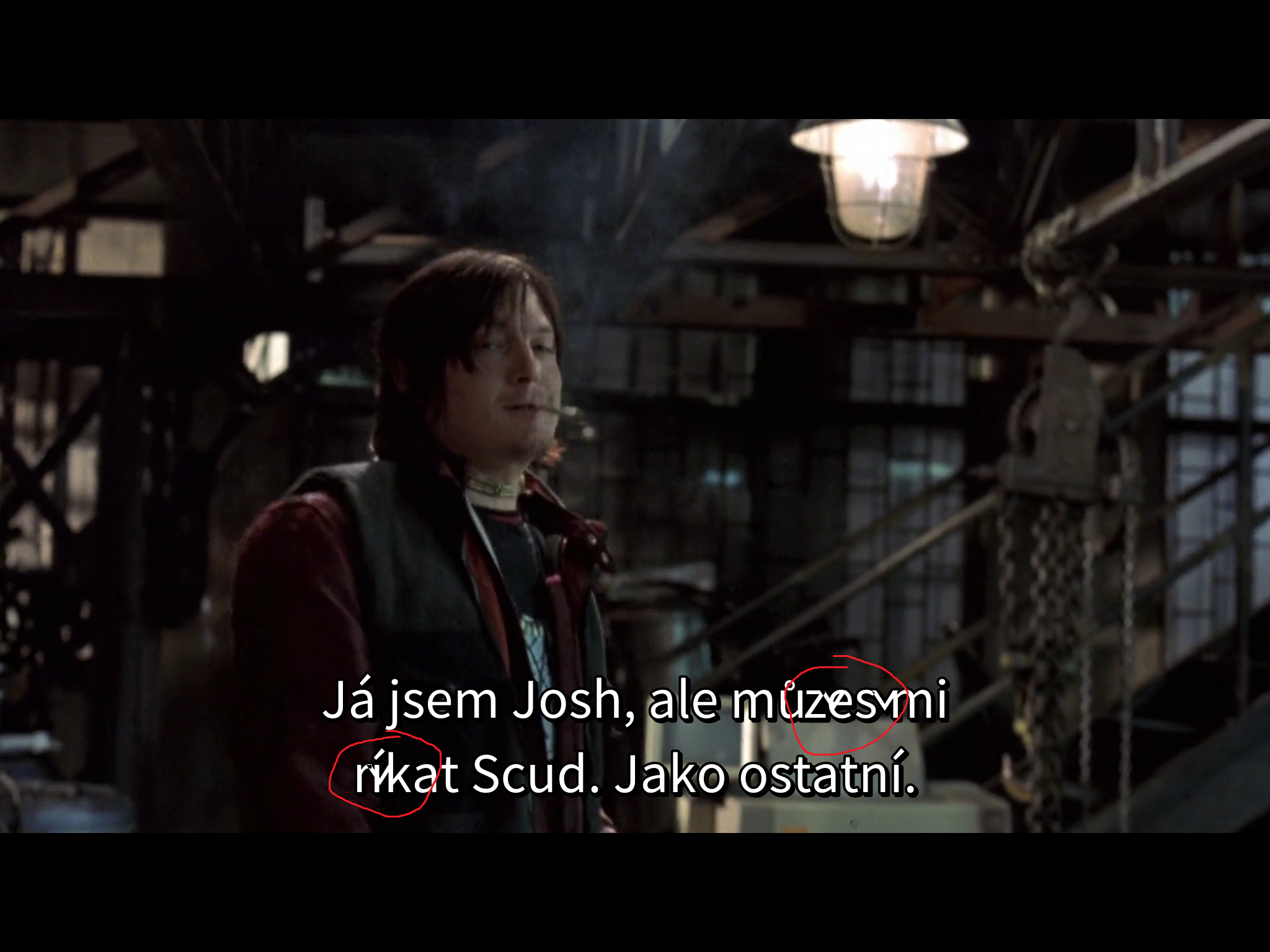
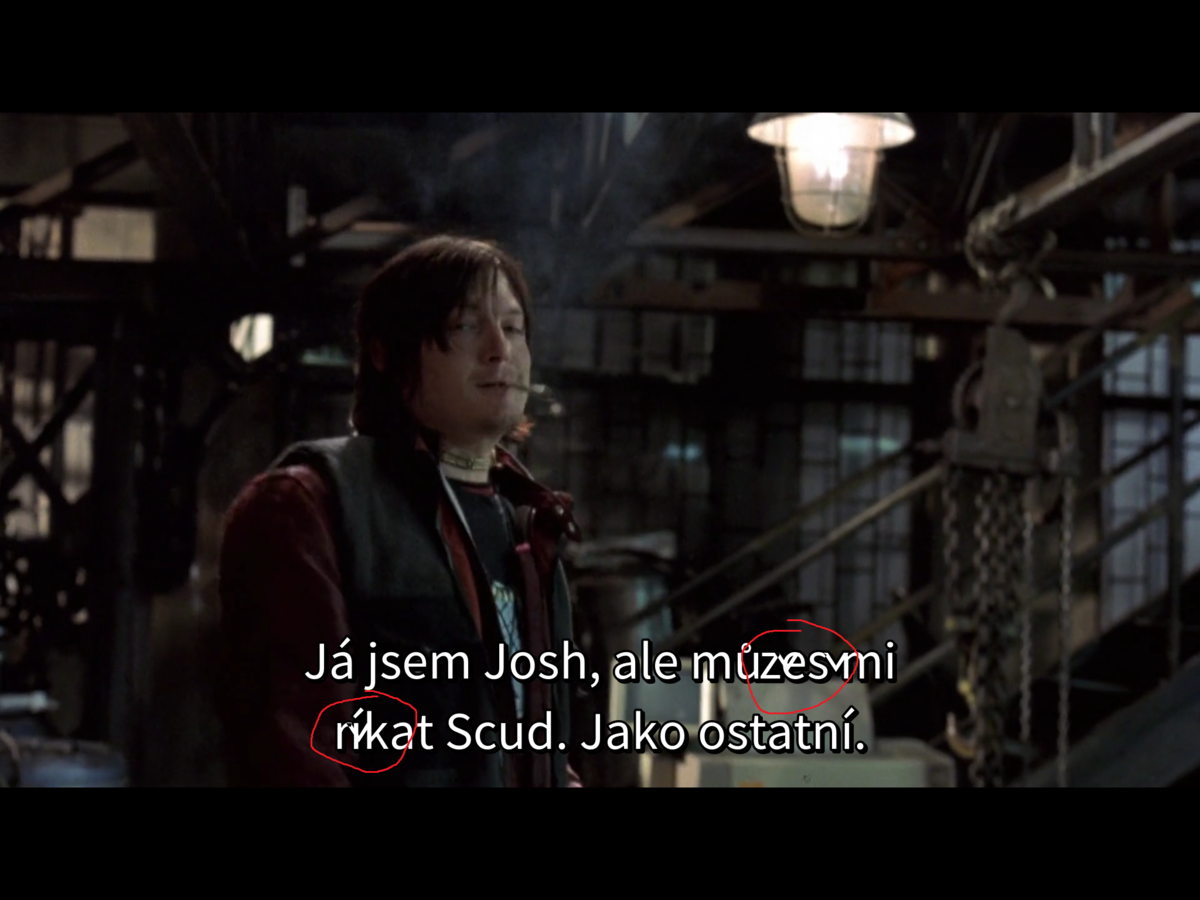
Still the same!!!! Why???????????? You haven't solved in a long time I had to reinstall emby version EMBY 3.1.73(android)...It works!!!! EMBY 3.2.05 he has a bug!!! I'm angry EMBY 3.1.73 IS BEST than EMBY 3.2.05... Who has a problem with Czech subtitles??? Only Czech
 1 point
 -
The issue isn't just cost its also getting accepted by Sony. They are picking and choosing selectively who they approve for app development. But we can try applying again.1 point
-
Hello, is there any easy tutorial on how to do this for a newcomer? Thanks!1 point
-
I'll just add switched to Infuse client and loving how it integrates with trakt. Now, all my Emby (via Infuse) rated movies / tv episodes and manually rated via trakt app shows up (such as movies I saw in the theater). Perfect for me. Far superior to Emby client.1 point