Leaderboard




Popular Content
Showing content with the highest reputation on 09/23/21 in all areas
-
Guys, I think we need to be mindful of when this would be needed. If you already have the complete show - all seasons, all episodes - then the issue doesn't exist - as you will already have more than one episode to Detect from. If you are watching a current show and have waited for the new season to start - then you won't have the DVD for it - the only option is to 'Record' it yourself or get by other means. Seasons do not run 'back to back' - so there is usually a significant wait period in-between the previous season finishing and the new season starting. So personally, hearing the Intro again for the first episode of the 'new season' is not such a big deal. Once Episode two arrives - it will be compared to Episode one and BOTH will then have the Intro's Detected for future/repeat viewing. --- @crusher11 - nothing would fail in your collection - as all seasons have more than 1 episode ...4 points
-
I assume it has something to do with the remove item bug I reported in one of the earlier postings. New version is almost finished and should be fixed. The remove bug also affects relabeled files and probably several more cases.3 points
-
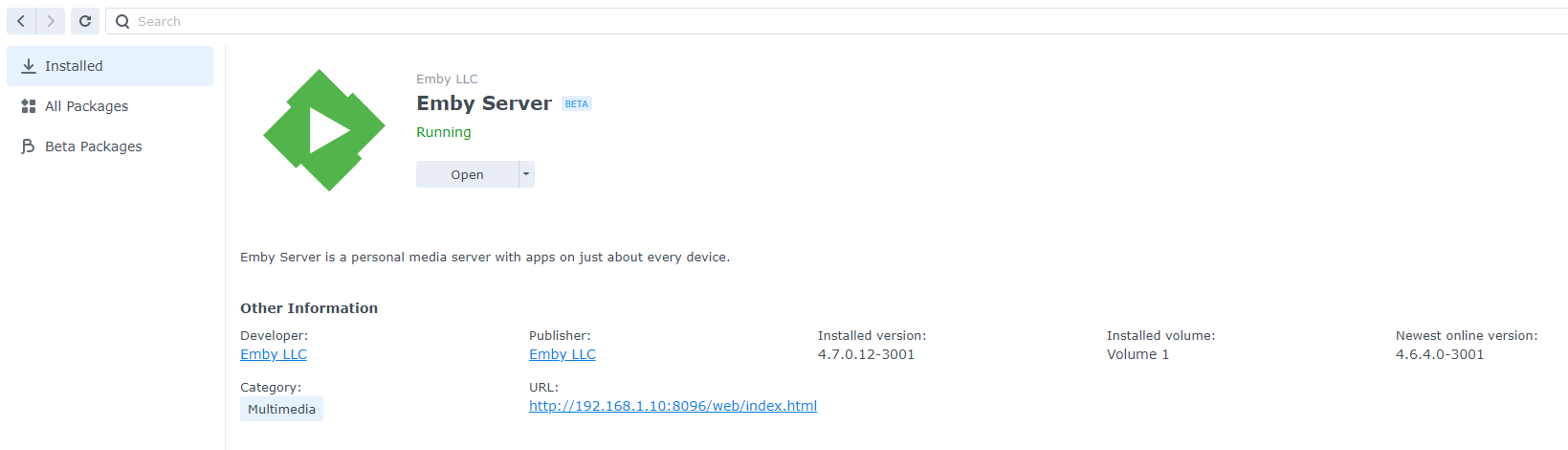
For those running the Emby Server stable release, now you can install directly from Synology Package Center: This is the easiest possible method of installation. Please note the Synology Package Center version of Emby Server may sometimes run a little behind due to the Synology review process. For this reason we'll still be making downloads available on our website for manual installation: https://emby.media/download View the full article3 points
-
For those running the Emby Server stable release, now you can install directly from Synology Package Center: This is the easiest possible method of installation. Please note the Synology Package Center version of Emby Server may sometimes run a little behind due to the Synology review process. For this reason we'll still be making downloads available on our website for manual installation: https://emby.media/download2 points
-
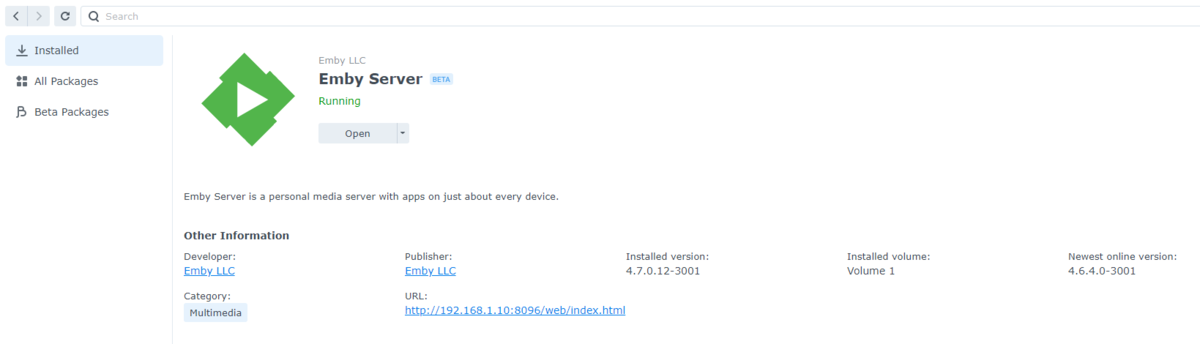
Yes absolutely. This is a pic from my system running the manually install beta. But it still tells you the latest version on the store. So it's integrated.
 2 points
 -
UK guys - please test with the beta of the TV app that just went up (2.0.44). Thanks.2 points
-
I understand why you'd want comparing episodes from previous seasons. It is extra code and logic: Is there a previous season? do we still have all the finger prints available in the database for the previous? We'd have to keep fingerprints for the entire series (not just per season, so bigger databases for longer periods of time) So it's not so simple. It's possible for the future. Thanks!2 points
-
Agree-was difficult to follow when everything was in the schedule task class. Think this may have been for our dev thread lol but very cool indeed! We can have a chat when you get up this morning, I’ve been herding cattle this morning for their pedicure lol2 points
-
When you add items to emby or remove them, we sync everything nicely. So, this is a thing too2 points
-
Similar to this old post, I'm suggesting a tab that would be titled Watchlist and could be placed in between Suggestions and Favorites. The functionality would pretty much be a copy of Favorites, just with a + symbol added next to the heart and other symbols that let you favorite a movie etc. The previous post had mentioned extra functionality such as automatically removing a movie from Watchlist after it has been watched. This would be nice, but is unnecessary because after watching a movie you can simply click the + symbol a second time to remove it from Watchlist. I would imagine this would be very easy to implement as a rebranded copy of Favorites. Adding other features could come later. Edit: added link to old post1 point
-
Could you please add a Webhook for the New content added notification?1 point
-
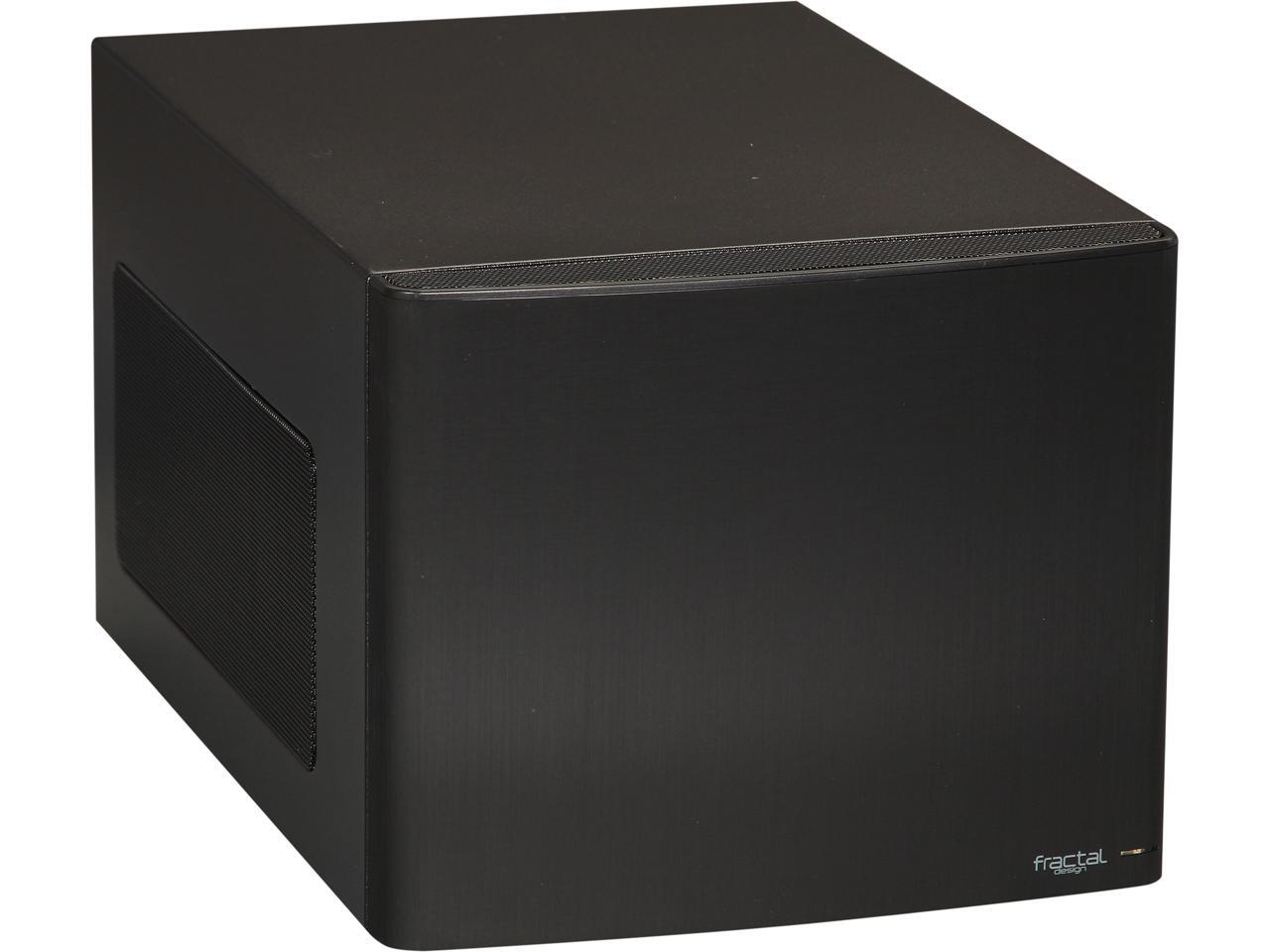
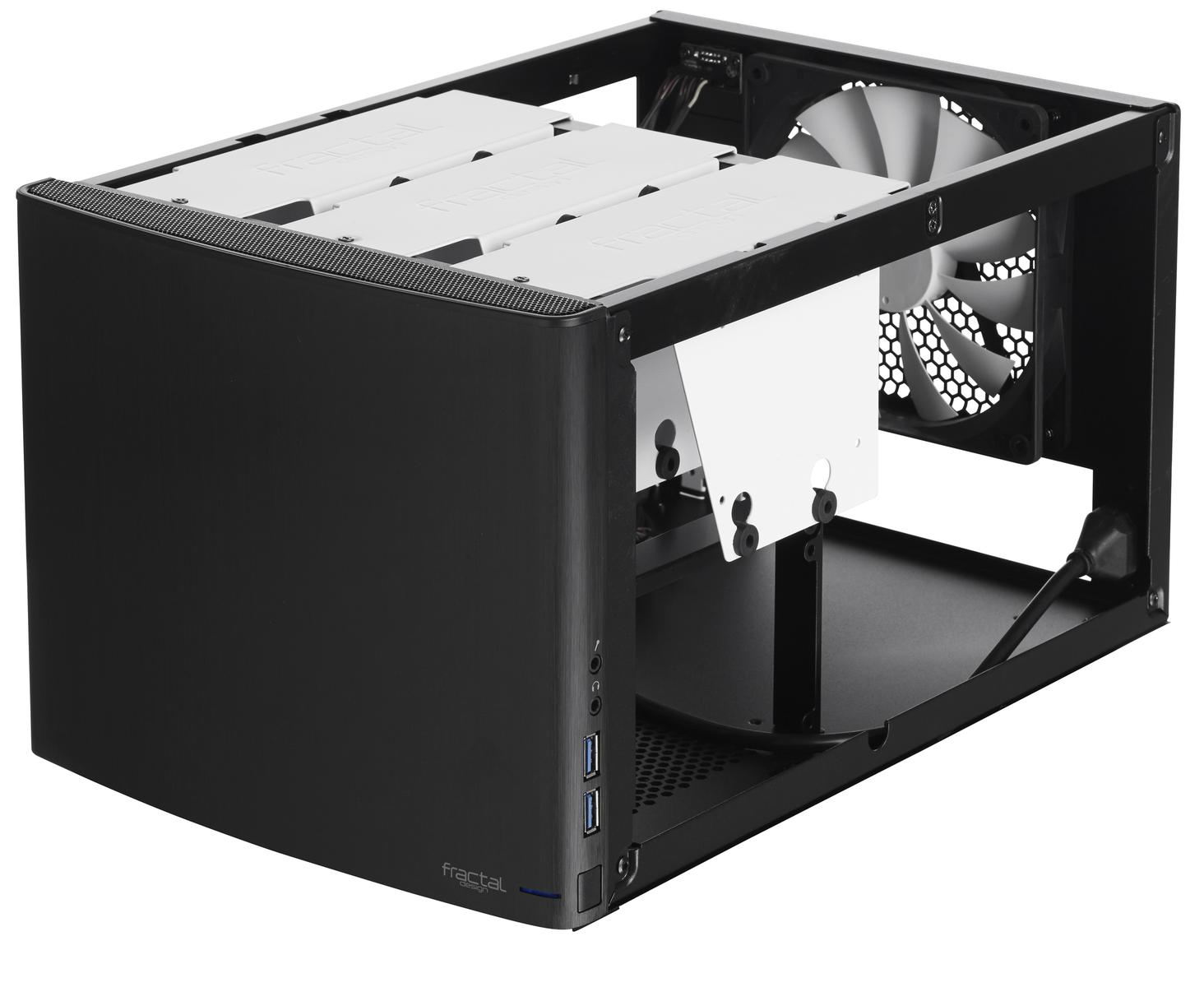
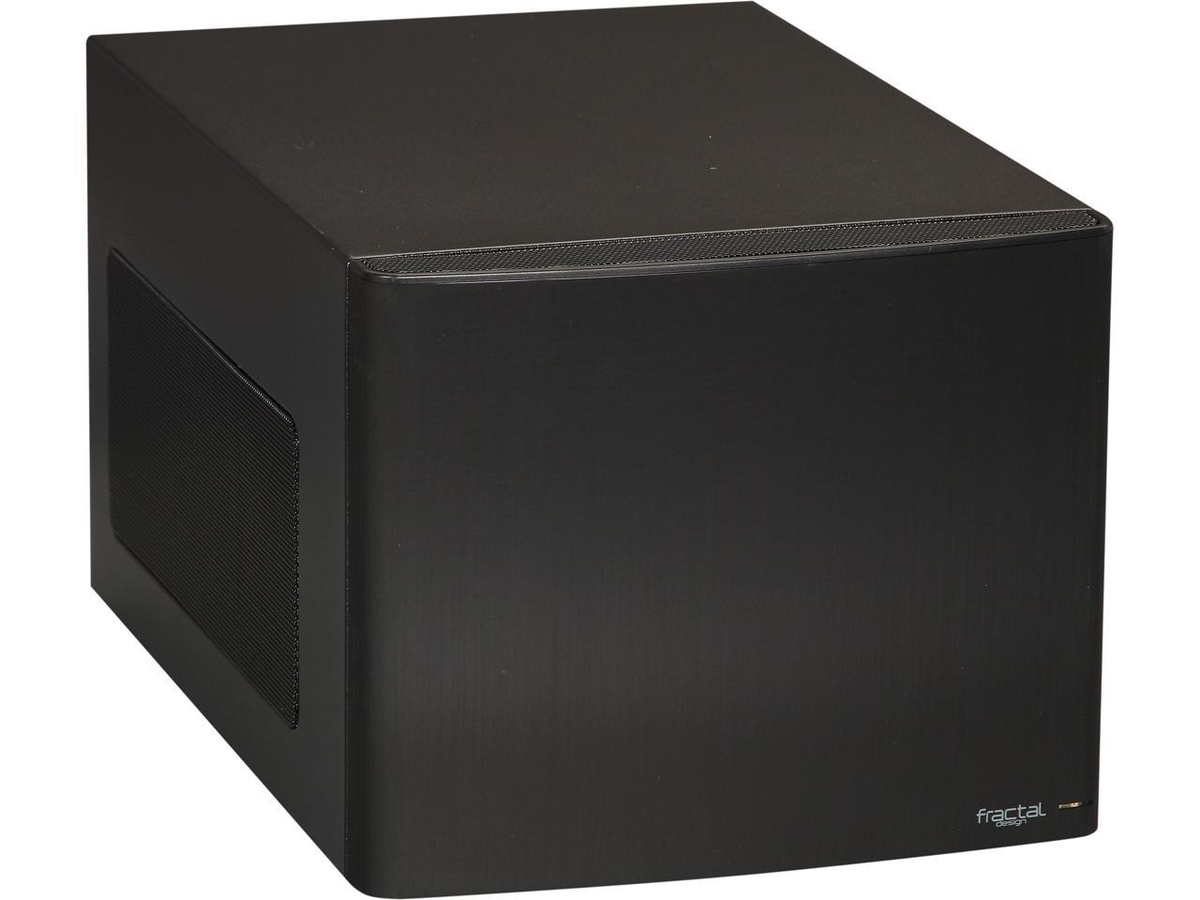
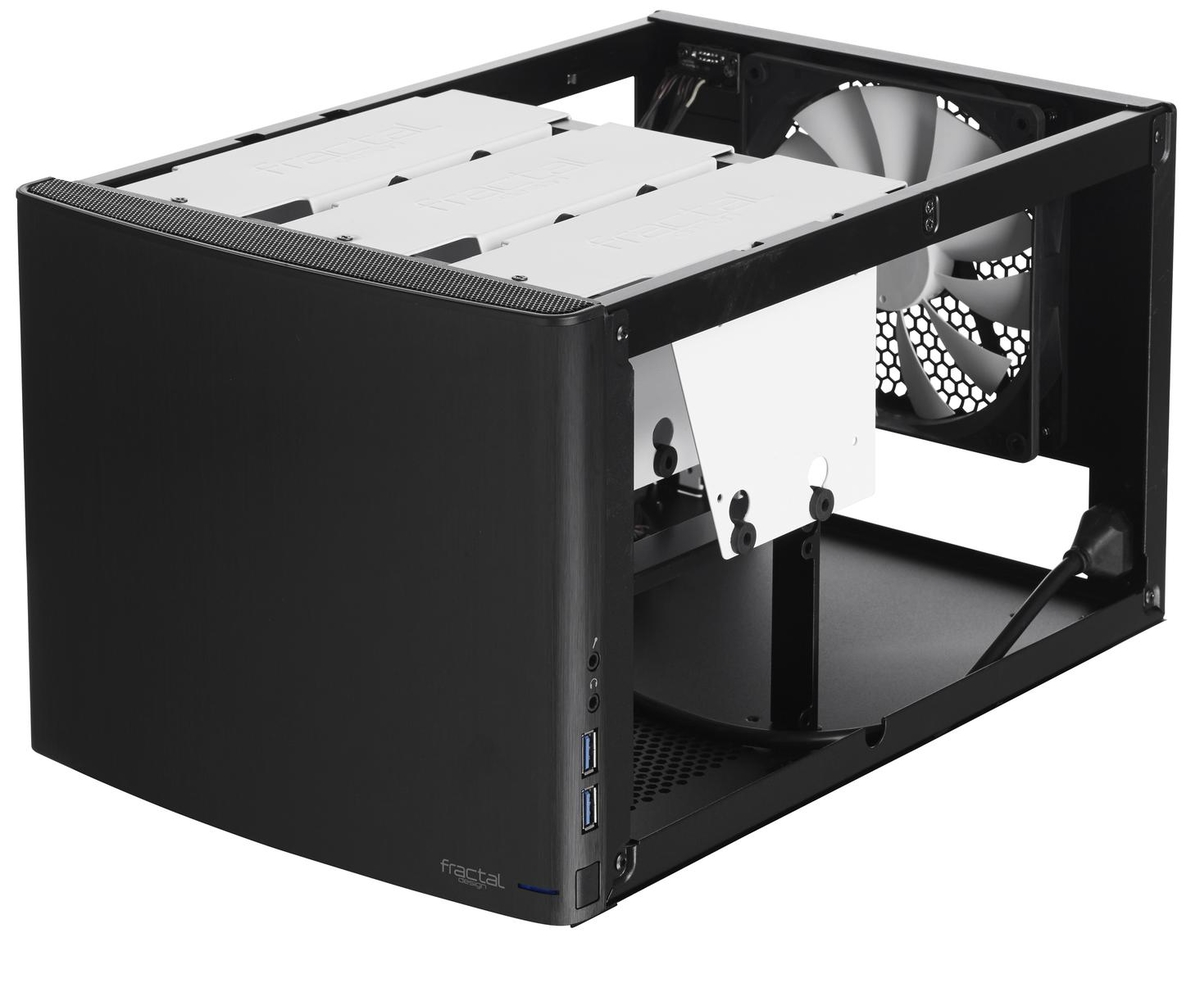
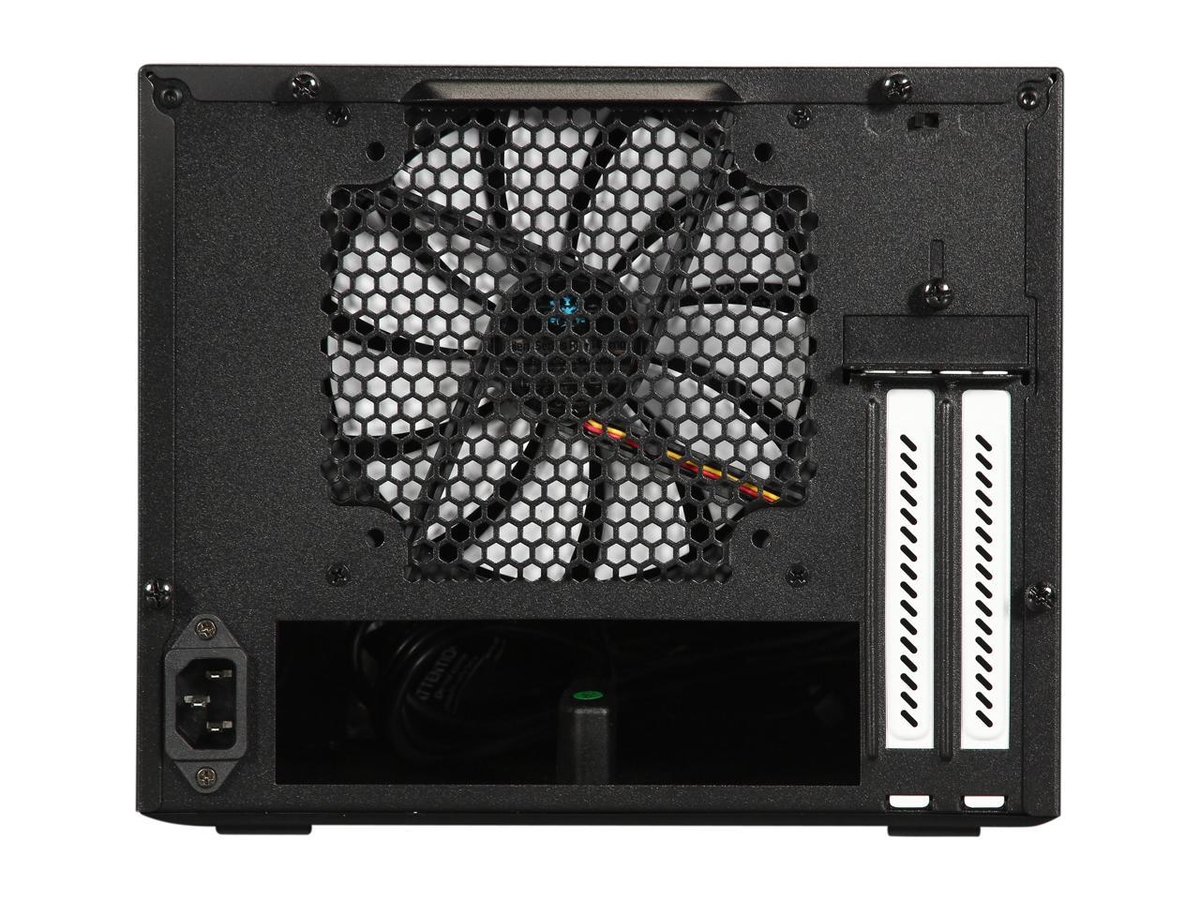
(edit: updated with latest hardware) Hi everyone, Okay, round two! My first NAS was a very inexpensive mini-pc with external hard disks. It works fine, actually. I just kind of wish all the hardware was integrated in one box, so.......... Introducing, the Emby 6000 !!! This baby is high-end with latest 10th generation Intel CPU and integrated Intel GPU, fast storage, fast memory, can hold 6 internal 3.5" drives, yet in a small mini-ITX metal chassis. Perfect for home and small businesses alike. Much cheaper than any commercial NAS and definitely a lot faster. more powerful, more advanced features, and highly upgrade-able. Check it out. Intel Pentium Gold G-6400 dual-core 4.0Ghz CPU, ASRock Motherboard, and Cooler: $198 https://www.amazon.com/gp/product/B086MHSH2Z/ref=ppx_yo_dt_b_asin_title_o02_s01?ie=UTF8&psc=1 https://www.newegg.com/p/N82E16813157996?Item=N82E16813157996 https://www.amazon.com/gp/product/B07HJ3DNX2/ref=ppx_yo_dt_b_asin_title_o02_s01?ie=UTF8&psc=1 128GB NVMe SSD (Boot/System Storage) and 8GB memory (up to 64GB): $74 https://www.amazon.com/gp/product/B07CXC32T2/ref=ppx_yo_dt_b_asin_title_o02_s01?ie=UTF8&psc=1 https://www.amazon.com/gp/product/B01ARHBBPS/ref=ppx_yo_dt_b_asin_title_o02_s00?ie=UTF8&psc=1 Compact metal (mini-ITX) Chassis and power supply: $120 https://www.newegg.com/black-fractal-design-node-304-mini-itx-tower/p/N82E16811352027?Item=N82E16811352027 https://www.amazon.com/gp/product/B07DTP6SLJ/ref=ppx_yo_dt_b_asin_title_o02_s00?ie=UTF8&psc=1 Note: This configuration can hold 6 internal 3.5" hard disk drives, but the motherboard only has 4x SATA ports. You can add more SATA ports with a pcie expansion card, but that will eat the 1 pcie slot, which I'd like to save either for a 10Gb Ethernet card, a tv tuner card, or who knows, maybe something else. We'll see. I already own 2x 10TB WD NAS drives, so I'll move one over to this box, reformat it to ZFS, then copy all my libraries over from my first Emby server to this new test server. For software, looking at the new TrueNAS Scale, which is basically FreeNAS ported to Debian w00h00!!!! I ordered all of the hardware, should be here by tomorrow! I'll be busy this weekend Cheers
 1 point
 -
I bought the set weeks ago, finally getting around to ripping it. Wouldn't you know, I'm sitting here watching all 10 hours of it so good, best war documentary ever.1 point
-
Maybe I'm misreading something here or there, but there *shouldn't* be a case of one TMDB movie in multiple TMDB collections. From the TMDB bible on Collections: https://www.themoviedb.org/bible/collection1 point
-
The metadata of the stream contains a list of tracks, however there are cases where one or more of the tracks isn't actually present, so we have to be able to handle that.1 point
-
Hi, yes we plan to improve the restriction and management features in upcoming updates. thanks for the feedback.1 point
-
Yes it is.1 point
-
It would be a nice way to point out "New" releases as opposed to Recent additions.1 point
-
I was just thinking about date added to library, but I can also add a release date rule along with it, if you'd like. I just hadn't thought of it. It will be about 1% more work to do both instead of just one.1 point
-
OK I can see how this would happen. The checkbox filter list where you select tags for filtering is currently not built for that. Essentially it loads the entire list all at once rather than doing virtual scrolling like we have everywhere else. It is on my to do list to add that to the filter lists.1 point
-
Hi. Also make sure you didn't select the option to always choose the default subtitle regardless of language.1 point
-
Hi. The list will automatically select your preferred subtitle language as set in settings now and the next release (current beta) will select the last language you downloaded automatically. Unless you are downloading multiple subs in multiple languages, this should take care of this issue for you.1 point
-
good to know, sounds like you got to where I did.... why not just start off fresh1 point
-
That's what I use currently to transcode my library, but this doesn't transcode active streams. My thought is something like tdarr for live streams instead of using my server to transcode live streams.1 point
-
Okay, thanks. I'll make another adjustment with the next beta and you can retry then.1 point
-
*** WOW *** 5 out of the 5 HD Channels Direct Play ! Wehey !! This is on a FireTV - I haven't tested the Shield yet. All channels start within a second or two, and Direct Play (H264 - 1080i/p) - with AAC_LATM being software decoded. Good job ebr ! Thankyou very much for solving this !1 point
-
Unfortunately we can't update that in the store anymore as Samsung is only accepting app updates for 2017+, but you could install the latest version via USB and see if that helps: https://emby.media/emby-for-samsung-smart-tv.html1 point
-
Not sure it will upgrade a DSM6 install. You may have to do the first one manually yourself. LOL, hopefully the Synology store is smart enough to not show a DSM7 app to someone on DSM61 point
-
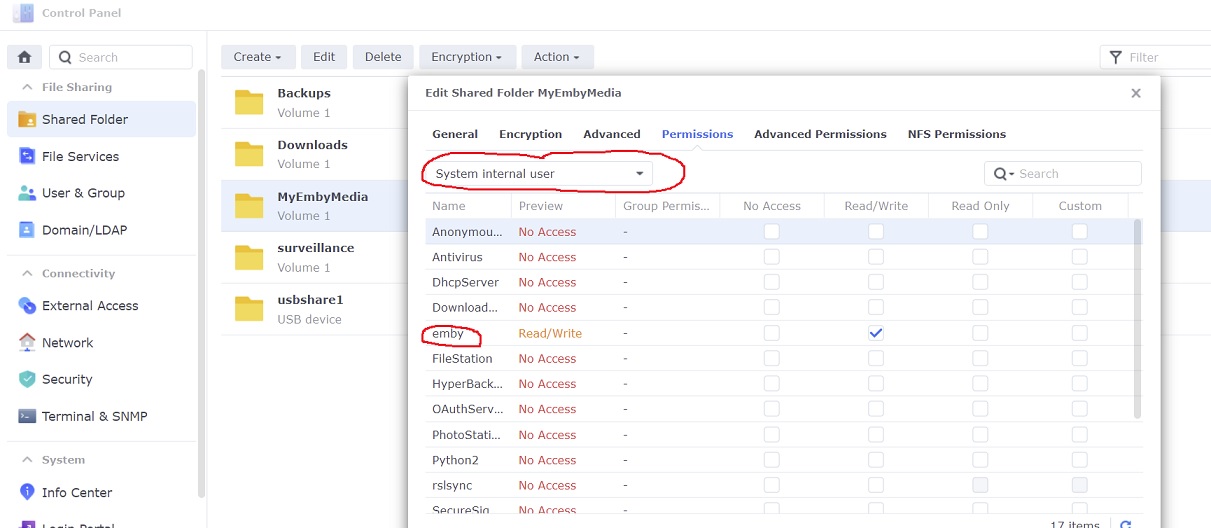
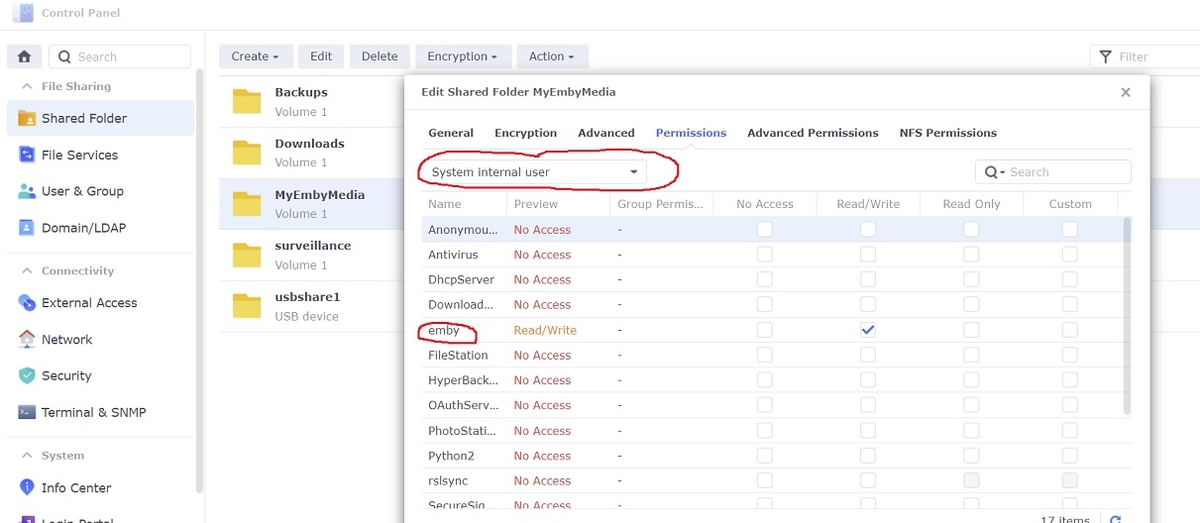
Thanks for your help. That did it! Needed to change to internal user permissions. I definitely didn't follow migration instructions. I never knew they existed or guessed I would need to do anything special. Regardless, I appreciate the help and quick response.1 point
-
Hi there, please take a look at our backup guide and let us know if you have any questions: https://support.emby.media/support/solutions/articles/44001159936-backup Thanks.1 point
-
Emby for iOS 2.0.9 has been released and now includes Apple Watch support! Enjoy the following features directly on your Apple Watch: Play music on your Apple Watch Control playback of your iOS device from Apple Watch The new release also includes improved CarPlay support, new options for control of subtitle appearance, and more. View the full article1 point
-
I tend to agree with the OP - If you strip them out (without advising that you have done so..) then you have no options to play them back, burnt in via transcoding or otherwise .. If you have chosen to overwrite the original file as part of the conversion process - then you may be in for a surprise ..1 point
-
Currently the goal of the conversion feature is to produce a streaming friendly format that can play on a wide range of devices. Since pgs is not widely supported it will either get burned into the output with transcoding, or dropped altogether depending on user subtitle preferences. We plan to add more control over this in future updates. Thanks.1 point
-
If anyone is interested I decided to start everything from scratch. Fresh installed DSM 7, SHR btrfs, 4x12TB Western Digital Reds "drives optimizing in the background" completed in 42 hours.1 point
-
Folks, is something similar to title exists? Consider this: there is a movie, opensubtitles plugin is configured correctly, but it doesn't find any matching subtitle. So I googled it up, and found something on a 3rd party website. Okay I can SSH into the NAS and upload and rename this subtitle, then it will be usable. However it would be extremely helpful if I can just have a "Manual upload" feature, where I can browse on my device and select the language. Emby then can rename it correctly and can use it from now on. What do you think?1 point
-
Yes. That is most likely what would have to happen.1 point
-
To me it sounds like you didn't use the DSM6 to DSM7 migration instructions for Emby Specifically I would say you missed the step about permissions which has changed a bit in DSM7 where you need to use the drop down box to change to a system internal user.
 1 point
 -
Thank you @ebr. With your 2 answers I figured to config my TV to "ARC first" setting, so it worked. Now DTS or DD5.1 movies play right.1 point
-
Thank you that worked!1 point
-
He is talking about getting the same effect of Enhanced Homescreen or favorites (shows plot left fanart right when focusing on items) but applied to the library views.1 point
-
I was about to suggest having a look at But see you've already been there. So I'm posting this here for anyone following so they know there is more options. In my "free time" I'm trying to configure zabbix which is an open source network monitoring solution. https://www.zabbix.com/ Once this is generally working for normal type of monitoring I'm going to work on getting specific Emby Stats incorporated which could include number of active users, number of active streams, etc. With all the normal info you can pull from a PC this would be nice to see Emby users, stream, CPU/GPU usage, HDD IO, Network IO together in one program.1 point
-
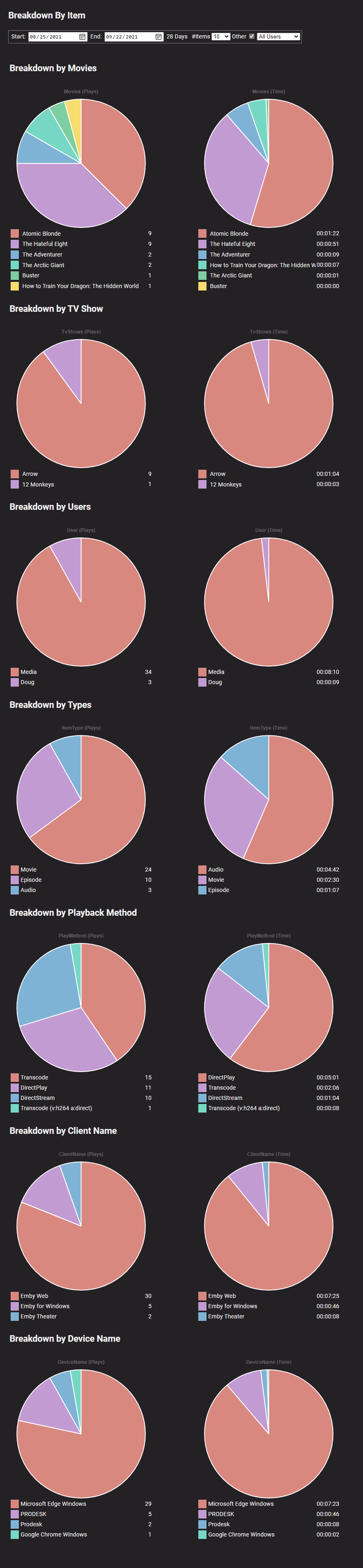
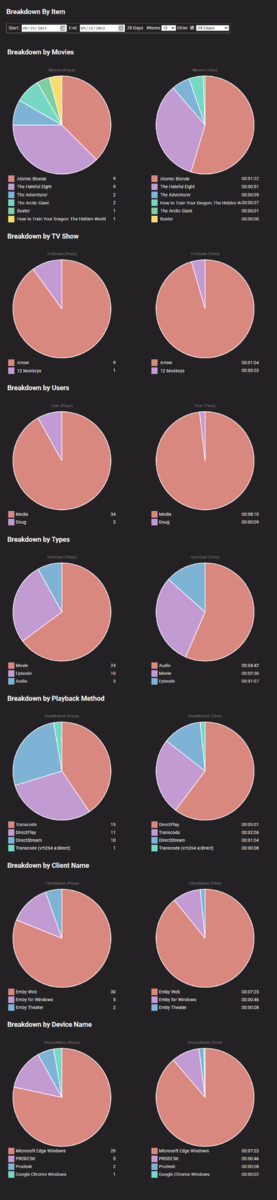
As long as your test environment has playback usage you should see the statistics you are looking for. But as mentioned it only tracks from the time of install. from a test machine, but looks to be a little hard to read when capturing the whole section.
 1 point
 -
Thanks for the offer. After study, the proxy needs me to figure out all the 'allow' rules. I prefer to go for a simple SSL option, using the 2 suggestions.1 point
-
It probably is. I'll see if it happens again. Thanks1 point
-
Have you looked at the Playback Reporting plugin? The only issue with it is it only starts tracking from its install date.1 point
-
@Luke I wasn't asking for details you can't know. I was just asking how to interpret the log entry and how that scenario might happen. With your last reply, I have a hint now. I'm starting to understand better. Thanks. @cayars Thanks for the infos!1 point
-
Terms used by 'TV's' were SD (anything less than 720p), HD (720p), Full-HD (1080p) and of course more recently UHD (4K) I'm not sure why we need resolution in this box tbh - for normal users the above description is imo more than sufficient. If you want the actual resolution (and are an admin) look in the media Info section.1 point
-
Yes, assuming your TV has an ARC or audio out HDMI port.1 point
-
Hi. The main issue here is going to be related to going through your TV with an optical connection. With optical, the app has no way of knowing what is supported to pass through. The TV has to tell it properly. Try setting the TV sound to automatic and then enter the playback settings in the app. Are there options there for DTS?1 point
-
The latest beta server should be converting the AC4 to AC3 for you. BTW - that wasn't a fumble (they reversed the call). What a game...1 point