Leaderboard




Popular Content
Showing content with the highest reputation on 09/05/21 in all areas
-
This is why I always always choose the option to store data with the media. No matter how nice something is written, eventually it's nice to do a fresh install to clean up things. Like Windows itself. Get rid of unused ophan files, database entries etc.... So when you reinstall emby, it's super easy cause all the pictures and art and meta data are all already in the media folders. Just a quick reindexing and no downloads. If you make the plugin create a singular txt file in the media directory. Call it something like Intro.nfo. And then have it put the start and end time of all episodes of the seasons episodes into it. Bam. One time scan. Future reinstalls, etc, would avoid any future scans. If you replace files with a fresh new rip, just delete the Intro.nfo file in each season folder and let it rescan. Then it's quick and short as it's a single show only. And if you use something like Filebot or your renamer of choice to rename the new rip, using the naming convention you've already created for yourself, the new rips file names will match the old ones anyway so the info in the nfo wulluld match fine.3 points
-
It would - but it has a big 'but' on the version it is using. As an example - for any episode, you may have - 1. Original air episode - likely has a 'previously' in it. 2. Edited air episode - 'previously' removed and not always started at the same I-frame. 3. DVD/BluRay version - will not have a previously in it. So while we can accurately determine the Intro length, we cannot determine when it happens just from a Tvdb ID.. ? What we can do, is verify the accuracy of the Intro length vs an online lookup - and if the Detect results are way off this, then it's likely wrong - and we can flag this. It's an interesting idea for sure, but I'm not convinced it will negate the need for chromeprints from the original source. I've added to this list !3 points
-
i have thousands of obscure things... lots of shorts, things not on imdb, alternate versions of things etc.. and every time i have to move and redo my setup/re-import everything i have to spend days identifying things in my movie library... but there is no real way to do it... have to manually add an image and name etc... with plex i can just click one button UNMATCH and it removes the usually misidentified match/metadata and replaces it with the thumbnail and filename. just finding the mismatched items that aren't on imdb is a full days work ; ) : ( i'd kill for an unmatch button : )2 points
-
You are correct - DLNA is used for devices on the same LAN - so it is not required to be on for the server hosted in the DC. Emby does not use DLNA with it's native Emby clients, so unless there is reason to use DLNA (ie no emby client), then you are not missing anything.2 points
-
Good day, The problem here, that "fixed" table width, so best to use the "editor table option" to post for table. My best2 points
-
v_2.0.2.7 Remove Season Data button works Confirmation dialogue before season data removal DB clean up switched to second task Code to implement chapter editing (disabled ATM). IntroSkip_v2.0.2.7.zip The DB doesn't change here, so if you wanted to try removing episodes, or even an entire season and running the two task again, it would give an idea of how long a processed database would take to process new episodes. Clear browser data to see the new confirmation dialogue.2 points
-
I hope I'm not speaking out of place for @chef & @samuelqwe but I believe we are at the following stages for the implementation. Note ETA's are just that, estimates, these guys are not full time Developers for emby, but progress has been rapid since the first proof of concept only a couple of weeks ago. # Item Description Stage Enhancements Needs Core Updates ? ETA 1 FingerPrint(Chroma) Creates a template based on a percentage of the Audio runtime. Ready More efficient use of dB but good enough for release when used with scheduler No Complete 2 Detection Detects the 'repeating Audio' vs other episodes and calculates the IntroStart and IntroEnd Ready Possibly more accuracy but certainly good enough at the moment with 90-95% No Complete 3 Schedule Due to the Detection needing the FP database, a schedule needs to be run to ensure the data is available. In Progress Working now but needs manual config No ~ 1 Week 4 Scaling Depending on library size, these tasks can take days, even weeks - so it's important it's broken into manageable chunks. In Progress No ~ 1 Week 5 Manual Skip The IntroStart/IntroEnd can be added into the existing chapter points without needing Core development work Design No ~ 2 Weeks 6 IntroSkip - Manual Detection of an 'IntroStart/IntroEnd (in emby Chapters?) should bring a 'Skip Intro?' button to the front of the playback screen. Concept Yes ? 7 IntroSkip - Auto Assuming accuracy is good enough, then #6 could also be automatic if given the option. Concept Yes ? Fingers crossed the Core development aspects deliver on this as well but given the interest, I believe this is reasonably high on the list but of course @Luke and @ebr will need to comment on that. edit - @Abobader - That's an interesting view when using Rich Text from an Excel table, I though it would use a scrollbar like it did when I use the editor .. ?2 points
-
What is this? You request something, then a requested been done, you explained your point, ok, then for you that the end, what next if you ask? Wait for the main Emby dev's to approve it or rejected it, or maybe to be consider in the future for feature added in a time. We done here explaining. Now, what I did not like in this thread, you attacking one of our team @cayars , then the one of the main Emby dev @ebr and that need to be stopped and never happens again in this community forum.2 points
-
@cayars is our Tech Support representative and he has a good understanding of how Emby works. He is trying to assist you, but the tone of your posts isn't helping. @ebr offered you an interim solution, but you say that doesn't work. Perhaps you can explain how/why that doesn't work and then @cayarscan help you better. Any further outbursts, could result in a temporary, or even a permanent ban. Thanks.2 points
-
Hey there, Not sure how much demand there would be for this but something I noticed scrolling through Netflix last night was how many of the videos I have in my library are now on Netflix / Prime...it made me think as I now access Emby through devices that have access to Netflix / Prime I should be able to remove the movies physically from the server and instead link through from my Emby library on certain devices. I know it's not everyone's cup of tea, but for me it makes sense to only hold the movies that I need to on physical disc taking up space and for the others to link through to the appropriate store if I have a subscription. Meaning I have one central Emby repo for all my links, whether that link is to a local share hosting the media locally or to an online repository such as Netflix / Prime. Clearly this is a little niche but is probably where we are all going at somepoint in the future... There would be a lot to work out in the logic of it I'm guessing and is probably based mainly on the client side with an "emtpy" move / tv holder being placed on the server to be ignored by clients that are told they don't have access to the streaming service. Thoughts appreciated on whether this is a stupid idea or one that makes sense? I know I can setup watchlist and in turn I can and do use the PlayOn Channel which gives me the option to view those streams, but it would be slick if they were natively in my library as is now Cheers mini1 point
-
hey what I'm really missing is support for audiobooks. Simply saving the resume point for those mp3s would be absolutely enough, no need to fetch metadata etc.1 point
-
You have subtitle language selected in download languages, correct? As I get the 0 second task if none are selected. But the manual process has its own language selector so it works.1 point
-
Awesome. Thanks for the reply. I'll def take a look and hopefully that will help. Much appreciated.1 point
-
There's no narrator support at this time.1 point
-
There are 3rd party utilities such as file renamer or file bot that can be used to rename files and create the folder structure used by Emby. This could make this task a lot easier once you configure it.1 point
-
When I try to play the recordings that are available but are still recording than Kodi crashes. kodi.log kodi.old.log1 point
-
I'd have to check, but maybe the FileSystem interface has events we can use.1 point
-
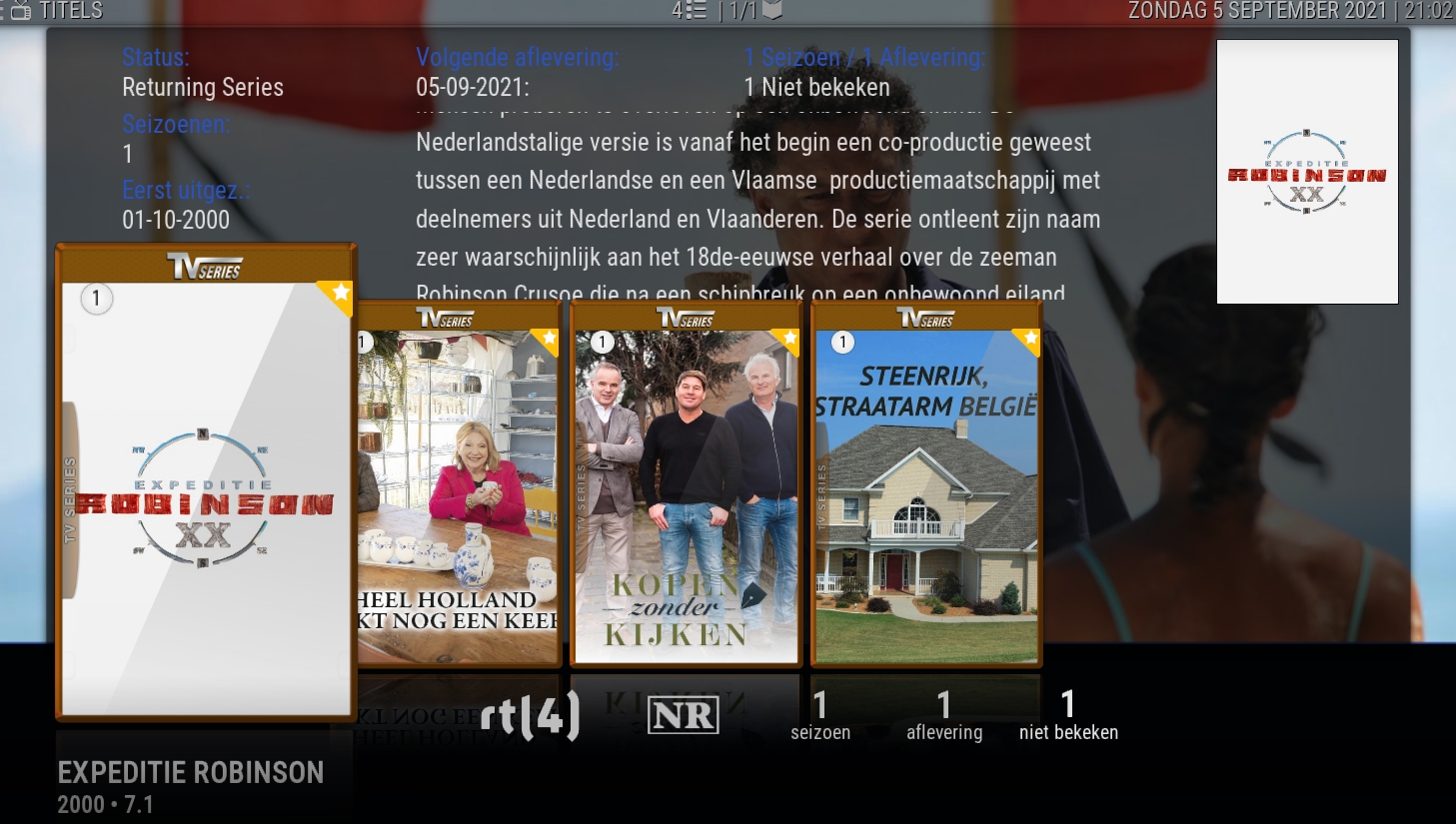
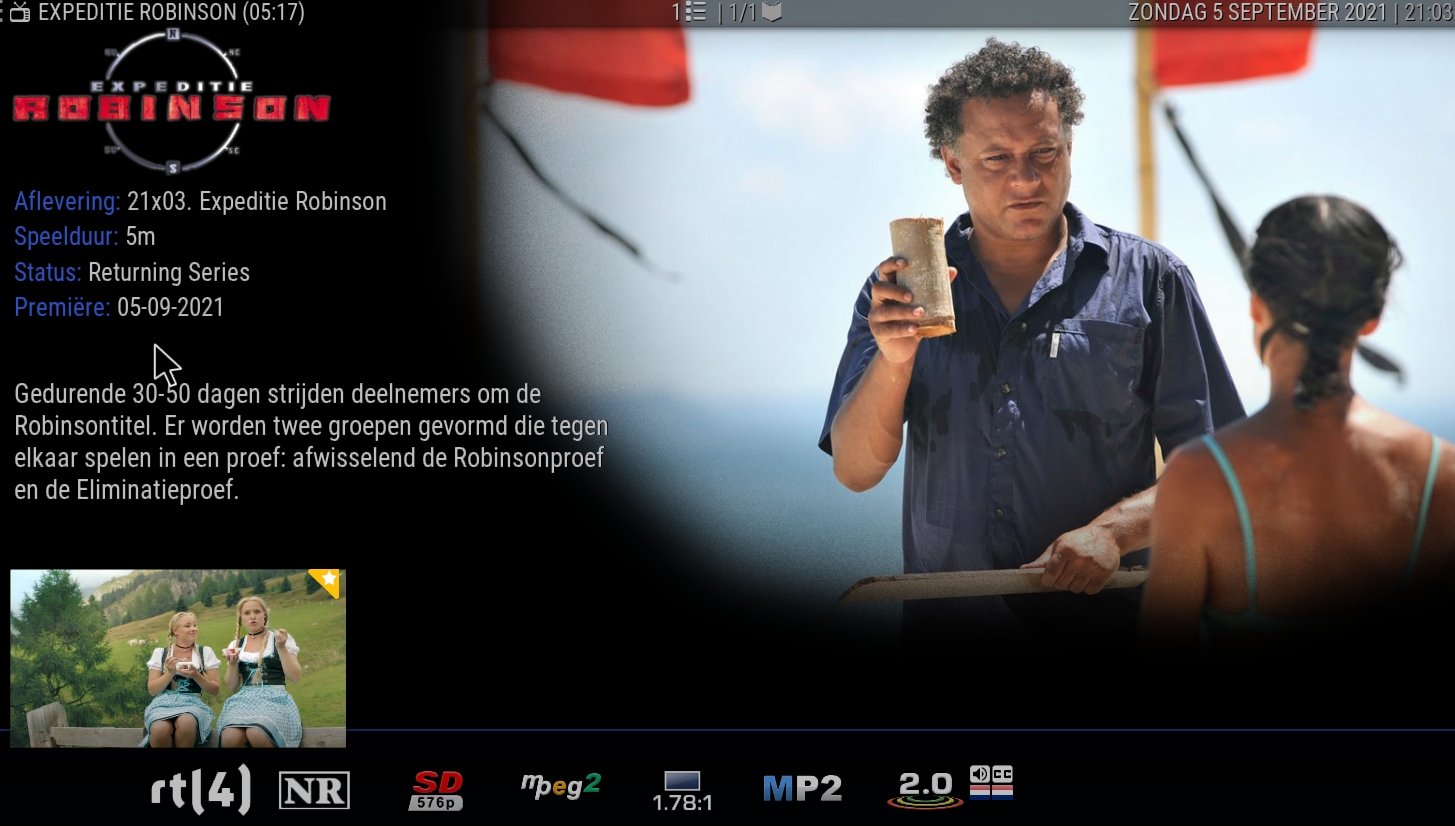
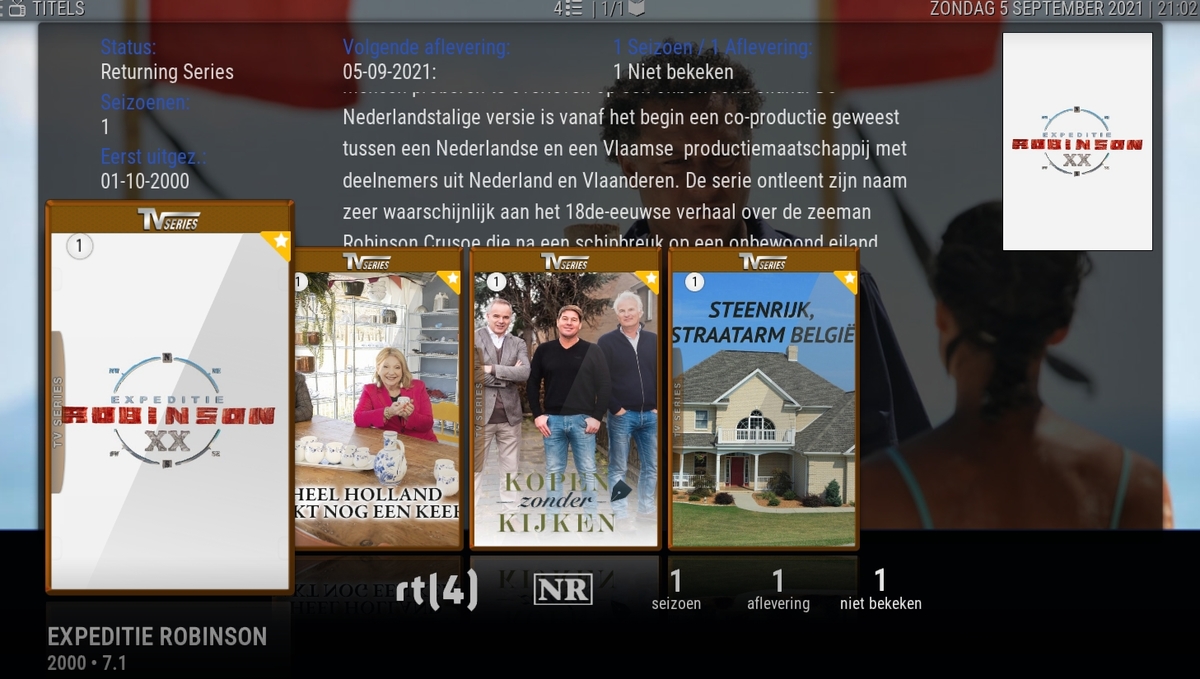
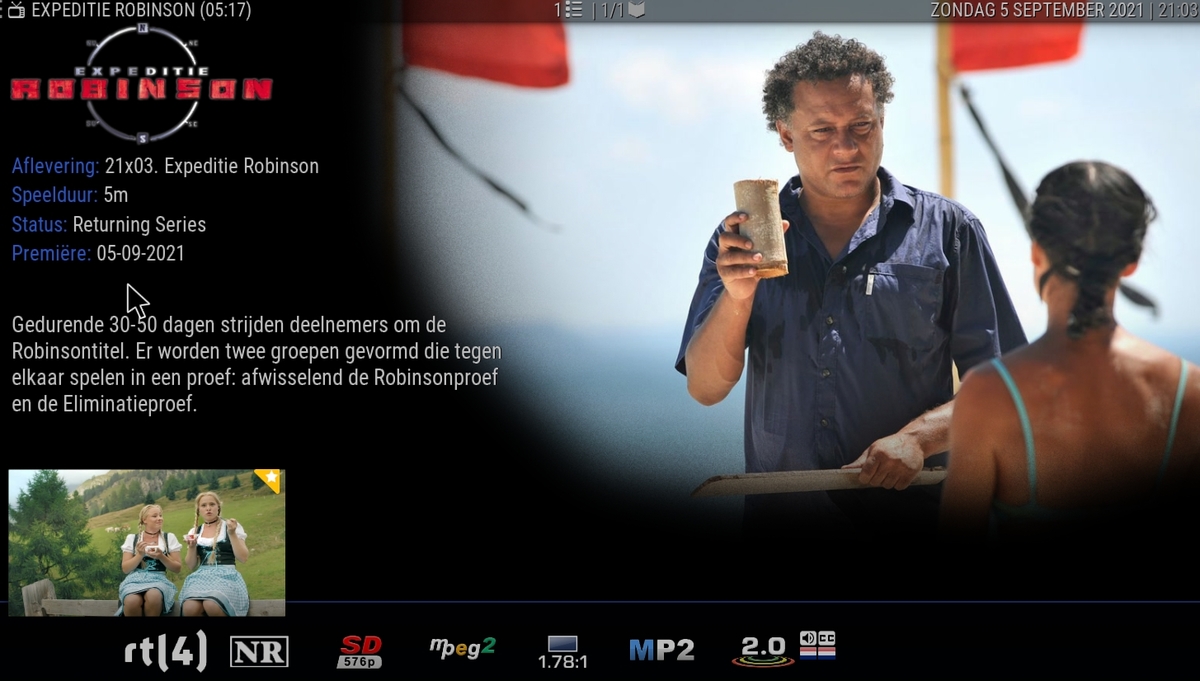
Installed and the recordings do appear while Kodi is open but only one of them has the recording visible to play. The other three are still empty. The one that is visible has more info in the tvshow.nfo than the other three recordings. Should Emby create season 0 folders for recordings without season and episode info? The recordings are now recording in the main tv show folder. kodi.log tvshow Expeditie Robinson 2021_09_05_20_01_00.nfo tvshow Heel Holland Bakt Nog een keer 2021_09_05_20_30_00.nfo tvshow Kopen zonder kijken 2021_09_05_20_30_00.nfo tvshow Steenrijk, Straatarm België 2021_09_05_20_30_00.nfo
 1 point
 -
There were defects awhile ago that was allowing Android to bypass validation, but thought all of them were fixed. The client was never designed to be free. Hace un tiempo hubo defectos que permitían que Android pasara por alto la validación, pero pensé que todos estaban solucionados. El cliente nunca fue diseñado para ser libre.1 point
-
I've got most of the library change sync'ing completed (added/removed items). It is a bit more difficult to add the ItemUpdated Event. This event doesn't really tell us enough information to make any decision about processing the file again. I suppose that if an episode changes in the library to another encoding, there would be the chance the sequence data wouldn't match. At that point, the User is going to have to remove the sequence in the plugin UI, and scan the library again. Everything else looks good.1 point
-
It only happens with 4k H265 Files files. I forgot to post this info, i tried many 4k files. Same result1 point
-
Correct removing devices that have not been accessed in x amount of time would cover it, but would have to re-read topic why that route was not taken.1 point
-
Looking at this screenshot you do not have any Series structure as these are all season or episode folders. Emby currently requires all Shows to have their own folder. Emby TV Naming : Emby1 point
-
I think a specific example is needed but with a "Device count threshold to flag as an issue" of 1, you will always have this issues as I have a Roku listed that was last used over a year ago.1 point
-
@rbjtech, I'd be wary on that front- we don't necessarily know that's the same instance of the file (similar to the centralised DB point). e.g. Emby DB is rebuilt, scans and detects "Game of Thrones S01e01. Only thing is at some point the underlying MKV was swapped out for a version without the HBO intro, and suddenly it's out of sync. Speaking of, @chef, how does / does the plugin handle file replacements at the moment? Does emby automatically assign a new ID if the file is replaced?1 point
-
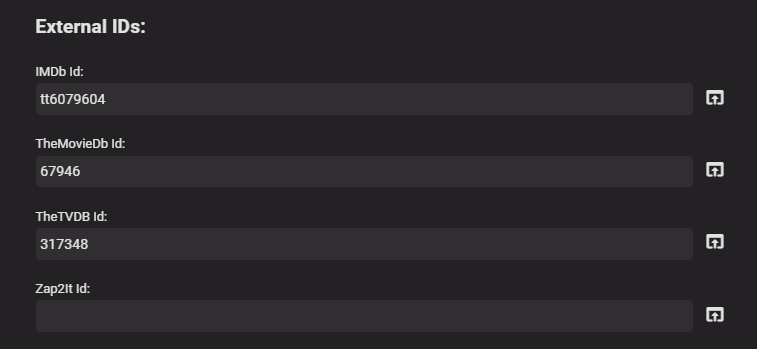
Good call - I was just going by the metadata for an Episode. If the metadata for External ID is blank - then I assume you could fallback to the embyID - but with the caveats that if this changes, you lose the link and need to recalc the FP ? Same caveat if you change the provider - ie - if you use TheTVDBId and the user removes this, then they'll need to recalc the FP again ? But all 3 external references will not change - so take your pick on which one to use I guess ?!
 1 point
 -
The horizontal list can also be improved to be able to scroll through them all.1 point
-
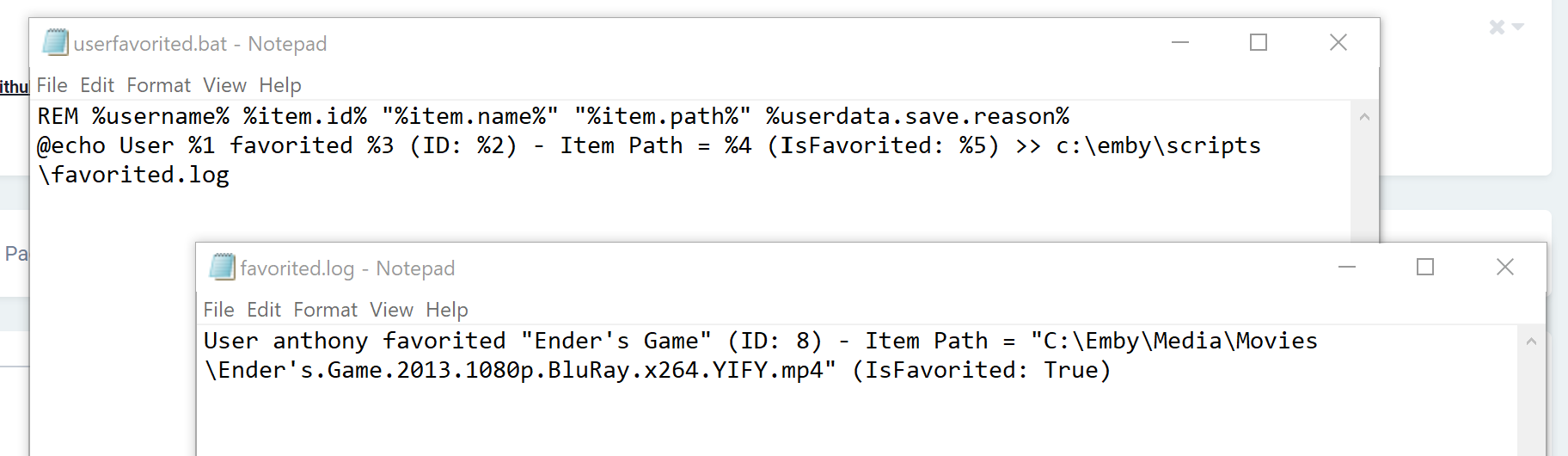
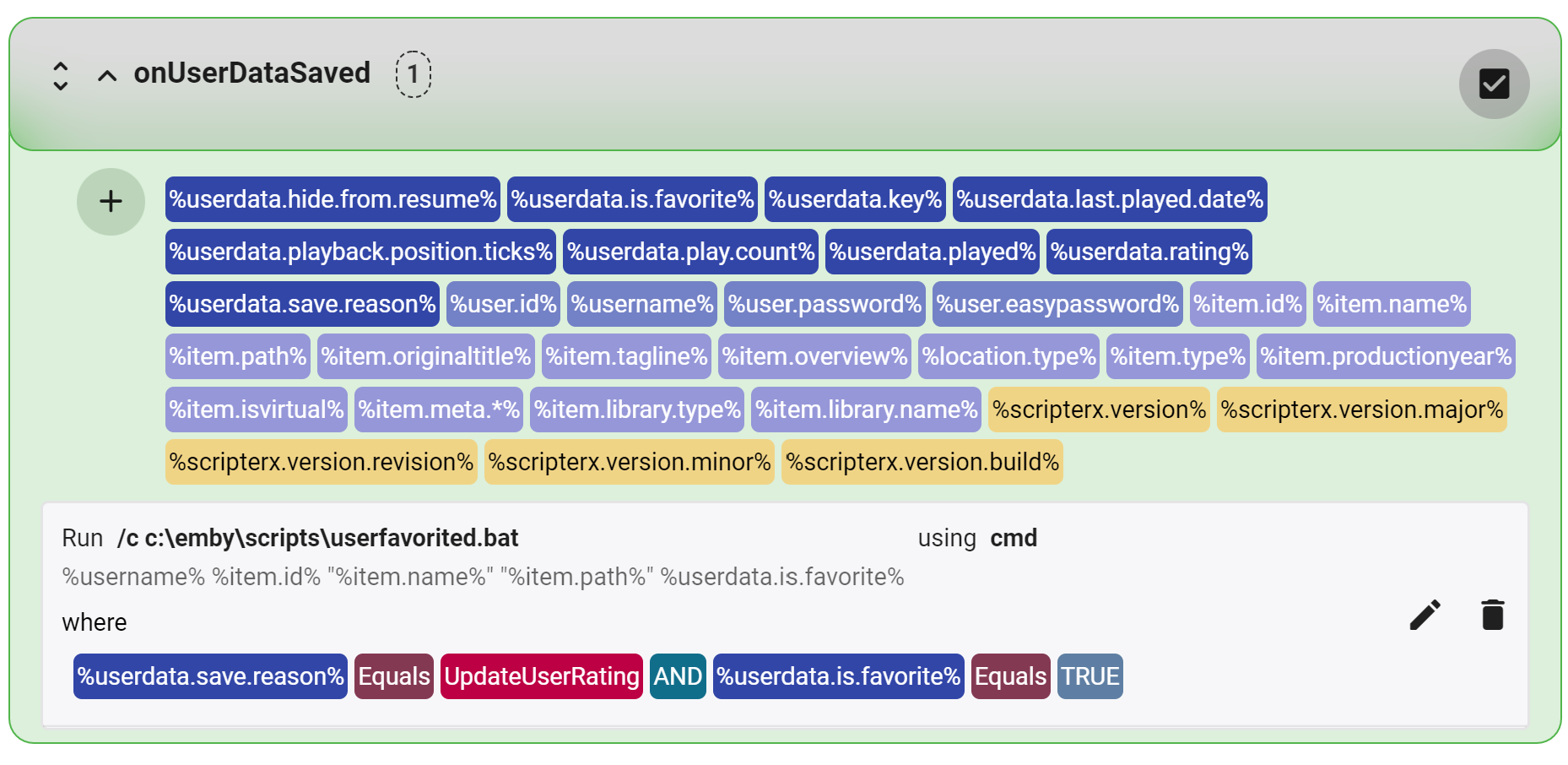
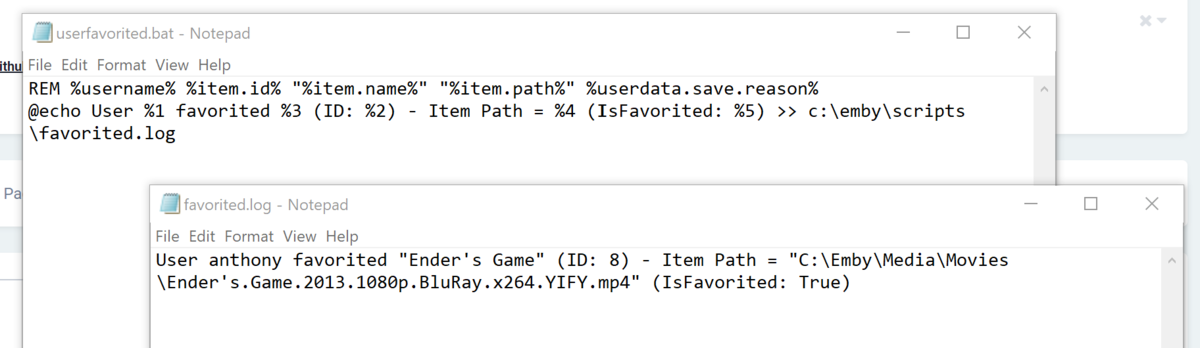
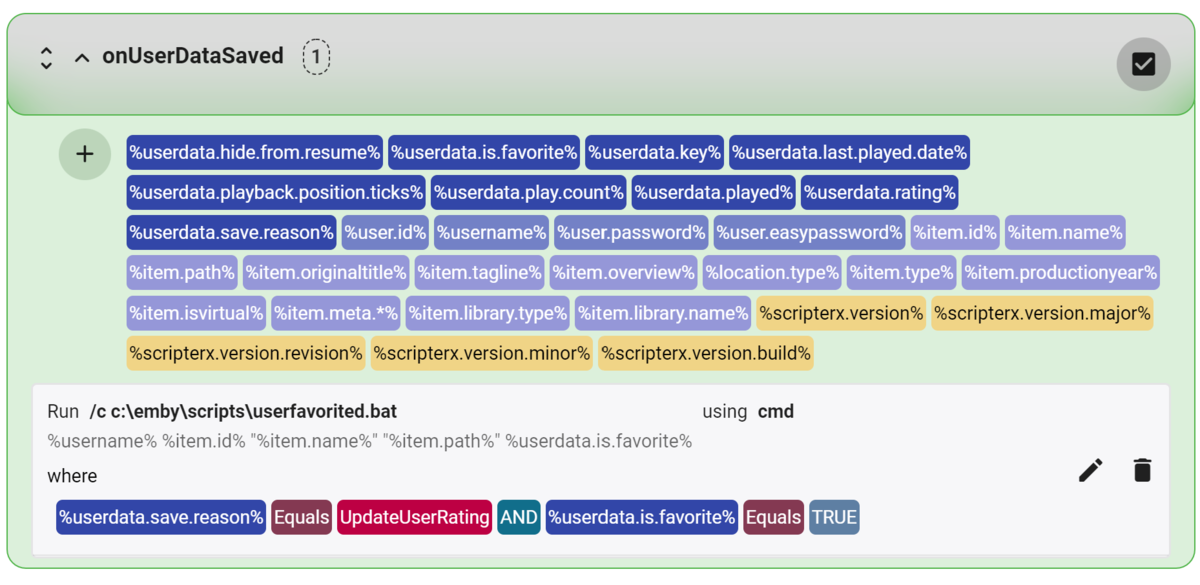
And finally, update to version 3.0.5.2, boolean datatype is now processed correctly with conditions. So the following script/yields result: note: you do not need to send %userdata.is.favorite% to the script, because the condition is set to ONLY process this action when %userdata.is.favorite% is true, therefore only processing this script when a user 'favorite/likes' a media item. This is just an example, be as creative as you like/need! and my Scripter-X action configuration is as follows :-
 1 point
 -
I've send you a test version. I hope it fixes the issue. btw, it has nothing todo with recording. The problem is, the seasoninfo is empty on recorded files. Actually this could happen anywhere not only on recordings. Now it's added season "0" if no info received by Emby server. Season "0" is usually the indicator for "Specials" in TV shows.1 point
-
Excellent thanks for the help and tips1 point
-
One other interesting point that needs discussion/agreement is the saving of the IntroStart/End data and the ability to re-create on a dB rebuild. We currently use the emby ID number for lookup - which is fine - but what happens if that ID changes. This will happen during a rename, rebuild etc ? - so while the tvdb ref will never change, the emby ID may. The chapter points are built/rebuilt from the media file (if available) - so my personal view is we also need to write the IntroStart/End chapters into either a) the original file and/or b) a <filename>-chapters.xml. This a) makes the Intro data survive a complete emby dB rebuild (assuming emby can read the chapters.xml) and b) makes the data available for other platforms. The downside of course is emby will need write access to either the media file (to modify the header) or access to the directory to write the chapter.xml. Any updates, will be re-read and saved into the emby chapter database as part of normal processing, so use of the Intro data can continue as normal. What are peoples thoughts here ?1 point
-
Well, hell yes man. Whenever I make a request that makes perfect sense, developers start laying out some stuck up philosophies and reject. Even users go out of their way to give negative feedbacks. Only through plugins we can make Emby be something more than just a movie player. I guess you are one of the rare examples of normal people in this negative community. Thank you very much.1 point
-
Hi there abegreen, Thank you for your feature suggestion! I've successfully located the core hooks for the event you've requested, along with a bunch of others. So when I 'favorite' or 'like' a media item, emby signals UserDataSaved, which gives a tonne of functionality along with some variables that I will tokenize. The event will be onUserDataSaved. You'll be able to set a condition where %save.reason% equals 'UpdateUserRating' Then you'll be able to check a token %is.media.favorited.or.liked% which will be True or False. I'll finalise the implementation and release it soon. 'Favorite': 2021-09-05 22:12:09.369 Info Emby ScripterX: UserDataSaved > ItemName=SuperTed, SaveReason=UpdateUserRating, Username=anthony, IsFavoriteOrLiked=True 'Remove Favorite': 2021-09-05 22:12:08.433 Info Emby ScripterX: UserDataSaved > ItemName=SuperTed, SaveReason=UpdateUserRating, Username=anthony, IsFavoriteOrLiked=False1 point
-
@rbjtech, I think we also had a concept about a community database based on hashes and titles etc, probably as a step 8.1 point
-
Thanks for the fast reply. I was asking cause it is working fine for me with latest 5.x (Beta) and so I assume it has something to do with the websocket approach like you mentioned.1 point
-
Yes and no, actually this was always the case or was it? Device reappears, when you play content. On the other side, I assume it's not how it suppose to be. I think the ping/keepalive is not correctly send (via websocket).1 point
-
That fine, then Luke and Ebr already answer this feature request thread of your, so no need for your to reply or explain or seeking for help any more, just simply wait hoping this may happens one day. Thanks.1 point
-
1: Communication wasn't working, this has worked in the past so didn't it check it. On second re-installation it seems to be working (tested restart of Kodi, reboot of client prior re-installing), I can now send messages and paus/stop from the server. This is my secondary setup at my other house, once I return home in the afternoon I will update at home as well. Is there a difference using local network/VPN and FQDN with reverse proxy using websockets?1 point
-
Updated to 6.0.5 Looks like the sync for in progress is still the same and not working. - On the Emby server, episode marked as played but also has a resume position. - On Kodi client, same is seen, I.E. marked as played and has a resume position after the initial sync. - On Kodi, reset resume position is triggered and the episode is removed from in progress on the Kodi client. However, this is not forwarded to the Emby server that still displays the same as before (marked as played but with a resume position). In the kodi.log there's no communication with the Emby server when it's triggered.1 point
-
Your library type likely changed to Mixed-content upon upgrade, you can check that in Dashboard>Library on library thumbnail. Follow the steps here to change it back to TV shows type and rescan.1 point
-
Let's put the vaccum in a separate task, and have it run at the end of the sequence detection. It can be hidden, and it will run automatically. It will also run on a schedule, to keep things tidy. But it won't run at the same time as our other two tasks... Just to be safe.1 point
-
Well the tone of your posts will get you warned and or banned. So tone it down as your tone to Emby staff will not be tolerated.1 point
-
Check his newest one1 point
-
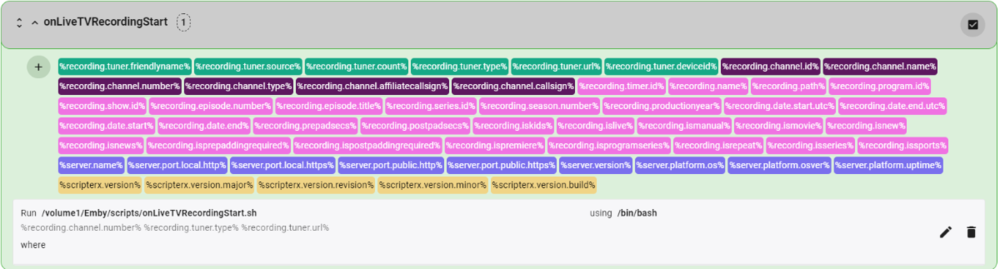
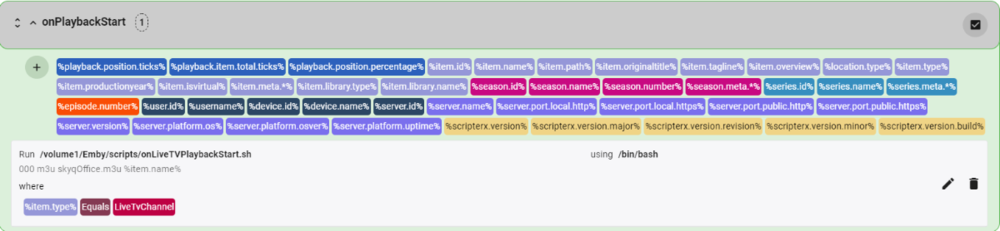
Hi CJ. Looks like you have caught up with where I am now. I started to use the RMPro devices a while back, but I found them not to be robust enough. However, my setup allows for Ethernet based channel switching so I removed them from the setup. I have also attached my scripts. I am using HassIO and the SkyQ plugin with auto-switch creation. The onLiveTVRecordingStart.sh and onLiveTVPlaybackStart.sh are wrapper scripts to call a common BASH script, which in turn calls a Python script for the actual Ethernet channel change routine. If your channel requires a PIN, then add to the variable list channel_pin in the HassIoSkyQ.sh Do you now have duplicated channels that you have from 2 sources, like BBC1 or ITV? If you have, I assume you have now ran into the Emby issue of not combining channels and the problem of auto-tuner selection with tuner priority. This has been requested in Emby for some time. Luke, any update on this? onLiveTVRecordingStart.sh onLiveTVPlaybackStart.sh HassIoSkyQ.sh HassIoSkyQ.py
 1 point
 -
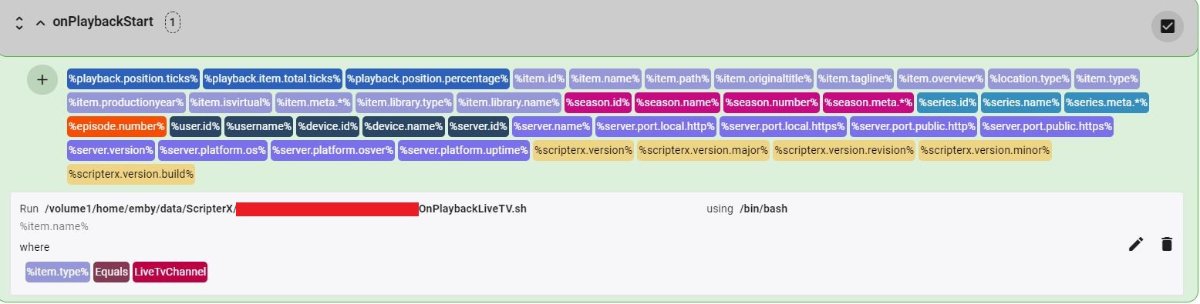
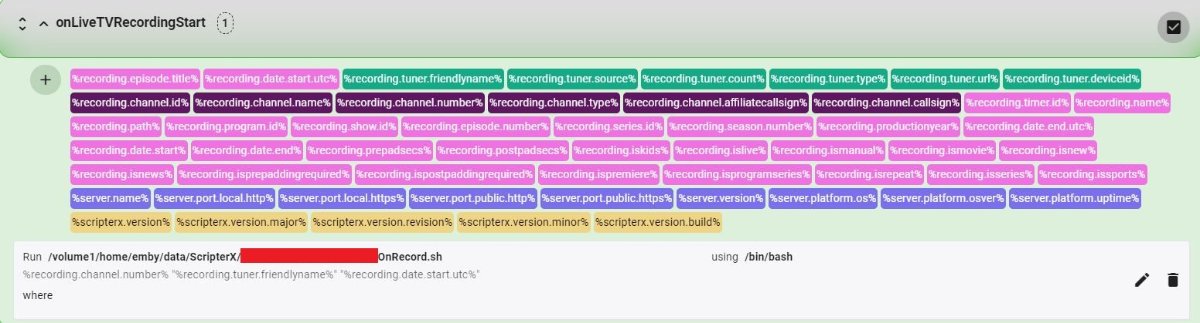
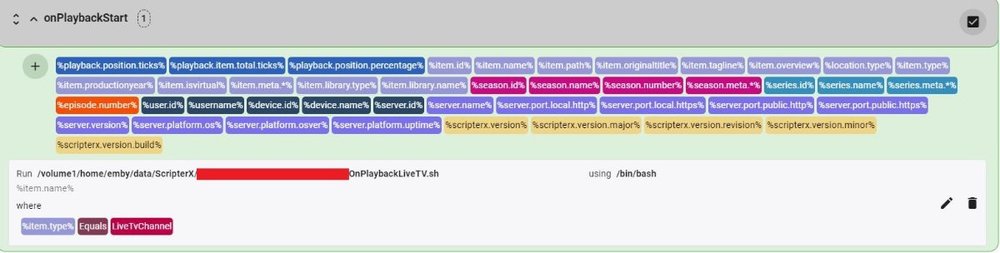
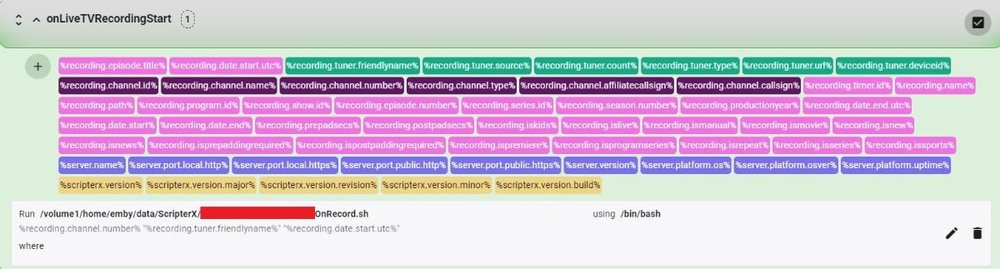
I'm still waiting on my ESP8266 hardware, but in the mean time got my solution working for 2 satellite receivers on 2 separate M3U tuners with IR control via a Broadlink RM Pro. 1. Got my BASH interpreter working with ScripterX on my Asustor NAS, to simplify my scripting: 2. Installed Broadlink Go http service for IR control: 3. In Emby LiveTV I set up a M3U tuner for each satellite receiver (see attached sample M3U files), each with separate Emby Guide data entries for the TV Guide Data Providers section. Note that I had to manually rename the tuners to a unique "FriendlyName" in \config\livetv.xml for ScripterX to properly pass "FriendlyName" and "ChannelNumber" parameters to my script. Sample .m3u files attached. 4. I used ScripterX for "OnPlaybackStart" and "OnLiveTVRecordingStart" to pass parameters to bash scripts. The scripts determine which receiver the selected channel was from and issue a IR code (via BroadlinkGo) to switch my HDMI 4x4 switch to select the correct receiver input to the HDMI to IP stream encoder. The script then would determine and send the correct channel change code. Note that I didn't have any overlap of channel number/names between the 2 receivers, which would have required additional script coding or prioritizing of one receiver over the other. Some sample scripts and screenshots are attached, I'm sure they could be more efficient if I was a better BASH scripter. This technique and bash scripts should be adaptable with syntax modifications to work with Windows cmd interpreter scripts, or to php web scripts also. OnPlaybackLiveTV.sh OnRecord.sh Sample-Bell.m3u Sample-DirecTV.m3u
 1 point
 -
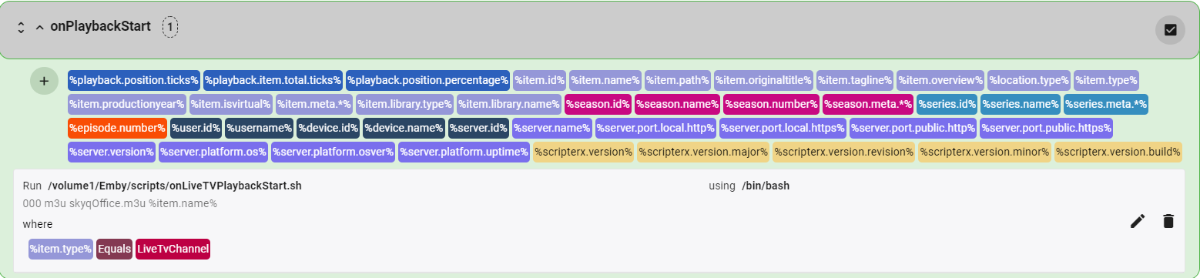
Hi CJ. Sorry for not responding earlier. I have implemented the exact same solution as you have used. I use the Emby app all around the house, and as such, don't use the channel up/down capability. So for my needs the onPlaybackStart event is used with the filter %item.type% equals LiveTvChannel with %item.name%, and for recording, I use the onLiveTvRecordingStart event. I do however, use one BASH script that calls a python script to communicate to a Home Assistant switch to change the channel on the receiver. The first parameter passed to my BASH script (via ScripterX) is either 000 (onPlaybackStart) or the %recording.channel.number% (onLIveTvrecordingStart). My script then checks parameter 1 for '000' and that determines the code path in the BASH script for the call to the Python script. Sorry if this detail it too late, and not saved you any time. If you do want any more details of my setup, then just ask.1 point
-
Success on channel changing the DirecTV receiver via Emby Live TV playback (not recording). I used Scripter-X "onPlaybackStart" (filtered by %item.type%=LiveTvChannel) to send the Channel Call Sign (%item.name%) via .json to a PHP script on my web server - similar to the "OnLiveTVRecordingStart" solution I provided previously. This time the PHP script takes the Channel Call Sign passed to it and searches my .m3u tuner file and parses the Channel number for the provided Channel Call Sign. It then uses the Channel Number to send the channel change SHEF code to my DirecTV receiver box, as previously done with the DVR recording above. Admins, maybe you want to move this thread to LiveTV or somewhere else? I don't see anything about MacOS in it!1 point
-
I don't disagree with you that AC3 is preferred rather than DTS for native playback. I've just been lazy and thought I could wait for the LG Emby app update. Thank you for the script, I'm sure someone will be happy for it, but for me personally it doesn't help much because I only run Linux I threw together this simple bash script maybe it can be of use for someone else. It will recursively search a directory for mkv files, check if it has a DTS audio stream and if found convert and add an AC3 audio stream. It will output a new mkv file and then delete the original mkv. I recommend testing it out first before running it on your library folder. #!/bin/bash DTS="Audio: dts (DTS)" find . -type f -name "*.mkv" -print0 | while IFS= read -r -d '' file; do if ffprobe "$file" |& grep -F "$DTS"; then echo "DTS audio found, converting $file" ffmpeg -nostdin -i "$file" -map 0:v -map 0:a:0 -map 0:a -map 0:s? -c:v copy -c:s copy -c:a copy -c:a:0 ac3 -disposition:a:0 default -disposition:a:1 0 "${file%.mkv}.AC3.mkv" wait test -f "${file%.mkv}.AC3.mkv" && rm "$file" else echo "DTS audio not found in $file" fi done1 point
-
It can access Emby libraries but no metadata unfortunately. The web experience and android app are fairly broken (sorry, can't remember how, it was one of the first things I sideloaded), haven't tried via Kodi yet though.1 point
-
@@gtuf1 Have you tried SKYBOX VR Video Player from the official Oculus Quest store yet? The player website has the Emby logo on their homepage: https://skybox.xyz/en/1 point
_1.thumb.jpg.d4e6a650cb4552bc437a9e6156024102.jpg)