Leaderboard



Popular Content
Showing content with the highest reputation on 08/29/21 in all areas
-
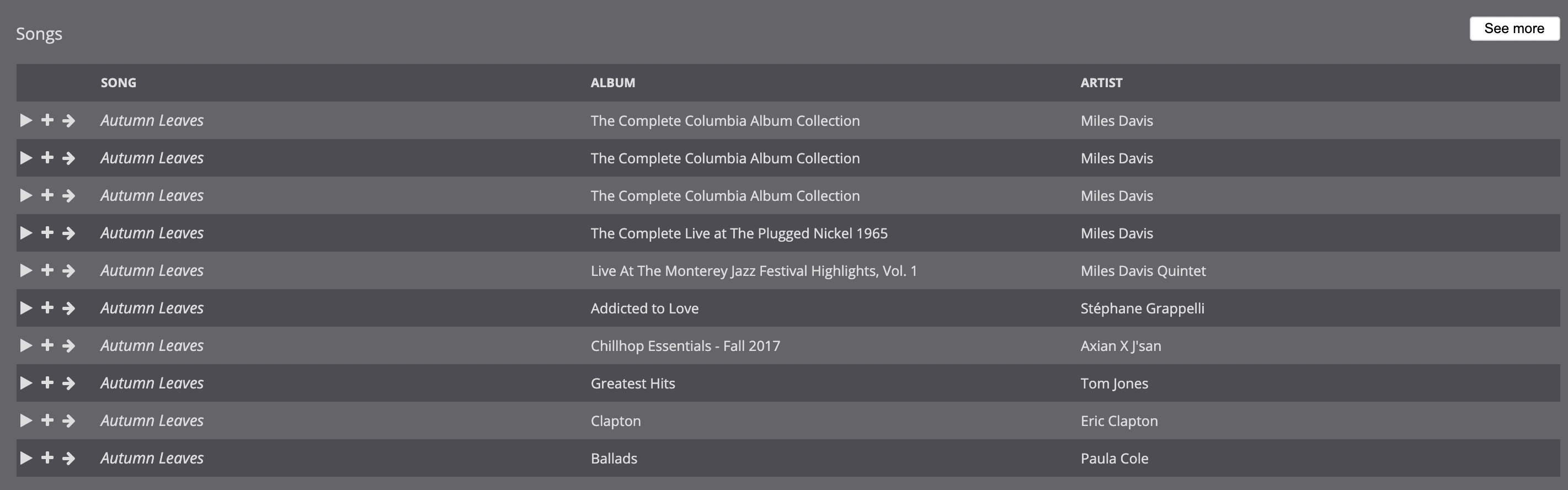
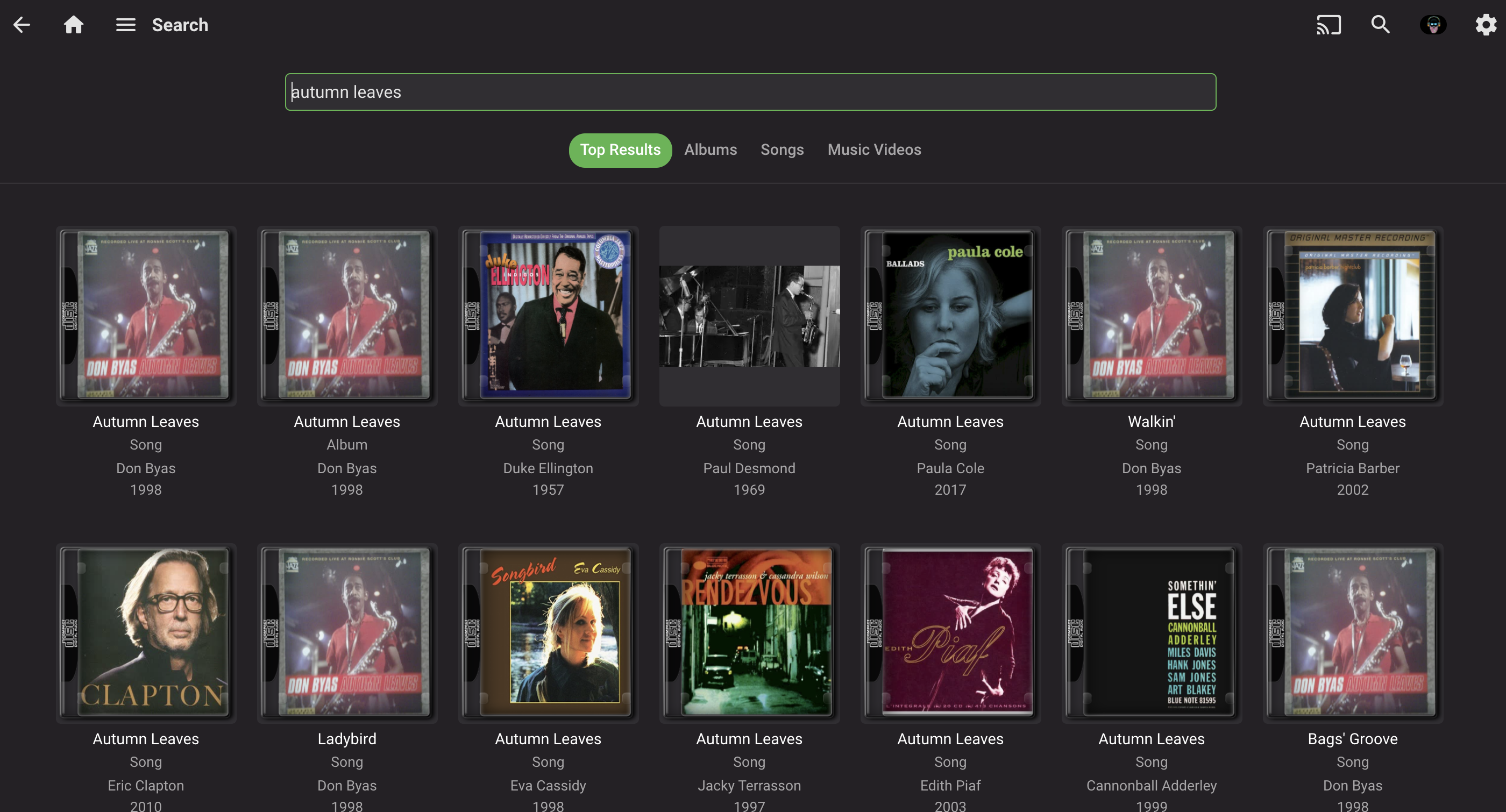
I'm trying to transition off of Subsonic because it is getting long in the tooth, and Emby is the logical choice, since I already use it for videos. While I know that music in Emby is very much a work in progress, one area I find it lacking—in comparison to Subsonic—is search, both in terms of performance and functionality: Compared to Subsonic, Emby's search is significantly slower. I actually created a separate user account in Emby that only has access to music in order to make it usable because when videos were included, it would take 10-20 seconds to search. For just music, searches take about 5-10 seconds, where Subsonic is, effectively instantaneous. The search results seem to be limited to either artist or song. When I try to combine the two, often I get no results. For example, I have a lot of jazz and many artists cover jazz standards, such as "Autumn Leaves." If I'm interested, say, in any recordings by Miles Davis, and type in "davis autumn leaves," Subsonic immediately returns the correct results (see first screenshot). When enter the same search query into Emby, I get no results. If I type in "miles autumn leaves," "autumn leaves davis," or "autumn leaves miles," similarly, I get no results in Emby, but the same results are returned in Subsonic. It's only when I just input "autumn leaves" that I get any results, which is not particularly useful as I have 50+ recordings of "Autumn Leaves." It also takes, consistently, 5-10 seconds to return these results. Again, Subsonic, running on the same server, provides instantaneous results. NOTE: 99% of my music is tagged, almost all of it with MusicBrainz. Some more esoteric recordings, bootlegs, and live performances are not always tagged. A couple of other nice features to have would be: a list view in search, instead of showing album art; I suspect this would also speed up the search results the option to include bitrate/format in the format; this would be useful for a variety of scenarios (finding lower bitrate versions of songs, creating playlists, etc.) Thanks you for your consideration!
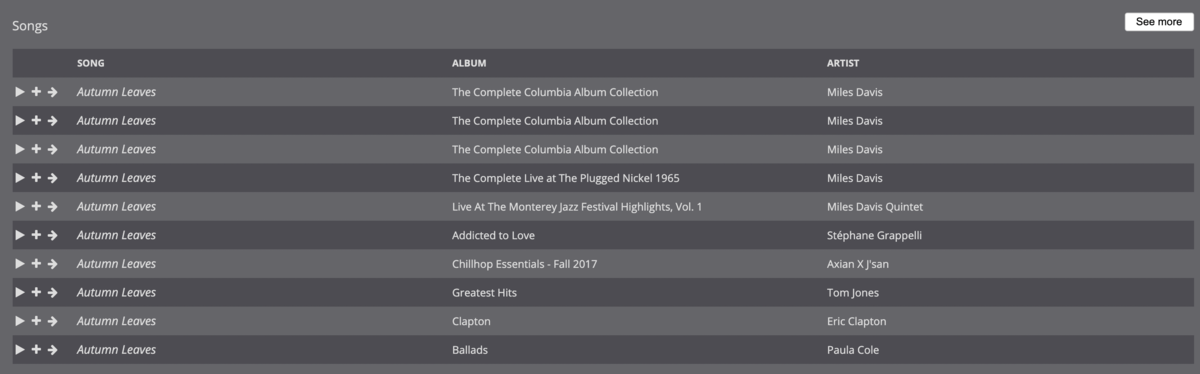

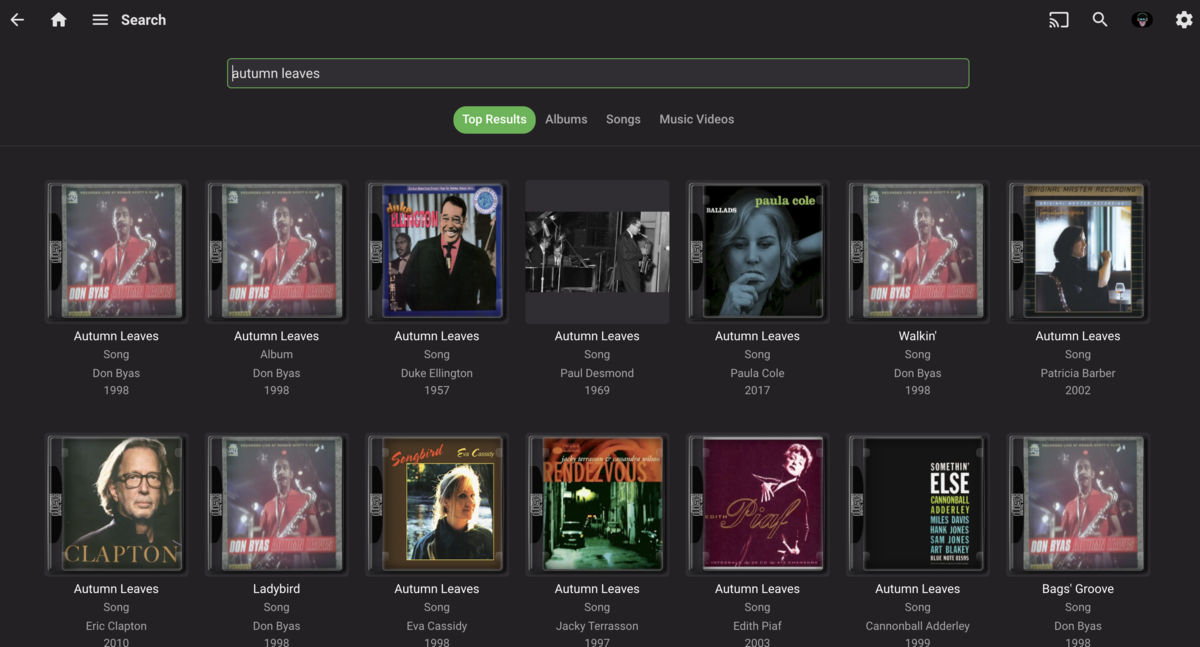

 3 points
 -
I moved from Plex to Emby and even though I think Emby is superior in its flexibility there are some things I like better with Plex, especially in terms of its looks. This theme is trying to fix that by making it a bit more similar to Plex but with some, in my opinion, improvements. The CSS is attached to this post for anyone interested and below are some screens to show it off Good to know I only use Chrome so I can't guarantee this CSS works as expected in other browsers. If you want the sidebar menu to look like in the screens, make sure to pin the sidebar. Watched badge/banderoll is inverted which means that the badge will not be shown if media have been watched, like in Plex. For desired look, please use the "Dark" theme for both Theme & Settings theme in the display settings. Emby-Stable-style-v3.6.txt





 2 points
 -
Say I have a custom collection of 56 Christmas movies. During the Holiday Season, I would like to show this on the main page as a Library. Now, I could make a drive folder called "Christmas" and put these movies in that folder. However, now we're getting away from using metadata for organization and moving back to using folders for organization. Something you've spent the last few years trying to get away from. So each collection should have a toggle to show it as a library on the Home Page. Then people can make collections for Christmas, Halloween, Summer Romance, Summer Slasher Films, whatever and show them on the front page where they are easily accessible. Don't want to show it anymore, switch the toggle off.2 points
-
Haha, not long............ Recording all the old classics becomes very addictive.2 points
-
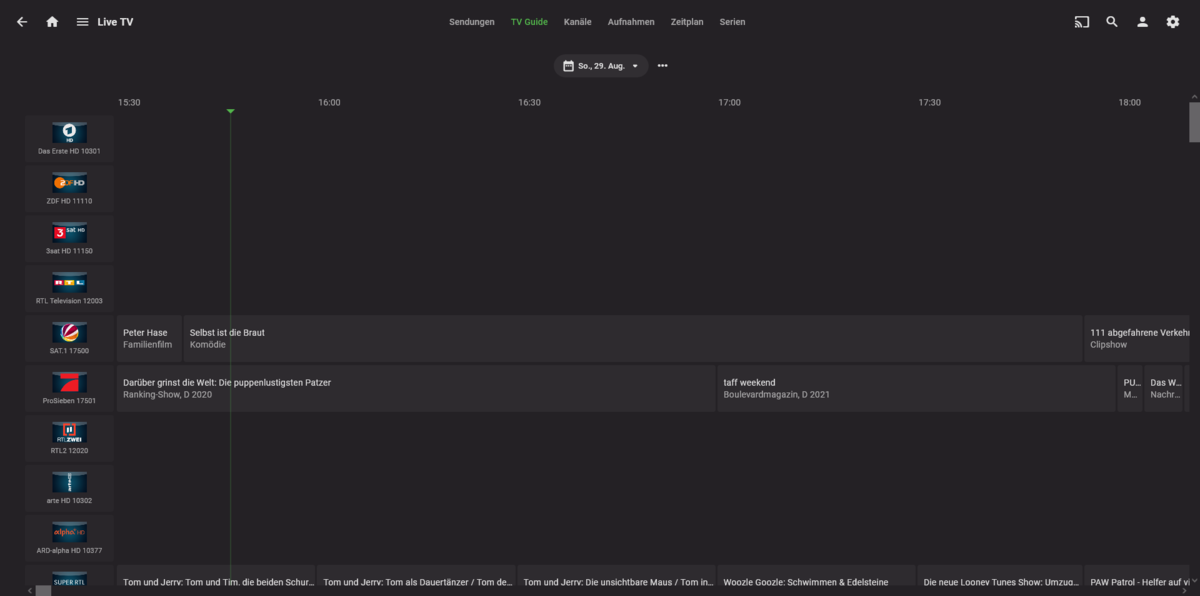
Also ich hab die vu+ Duo2 und mit der funktioniert es hervorragend
.thumb.png.5baea18b833e3b89f625da1d10d26b6f.png) 2 points
2 points -
DSM7 Upgrade for Emby.mkvEDIT: The instructions assume default Synology install volume of /volume1. If your location is different use that instead! This is based on the release version of Emby which at the time of writing/video creation was 4.6.3. The video will become dated so just use the latest DSM 6 Emby version from the website https://emby.media/synology-server.html. If you happen to be running a beta version update to the latest beta version before the DSM 7 update. The idea is to do any updates on DSM 6 first before installing DSM 7. Since the creation of the video Emby Server is now availing in the Emby Package store (release version) so you can install Emby on DSM 7 now from that. ----------------------------------------------------------------------------------------------------------------------------- Attached is a quick video of upgrading DSM 6 to DSM 7 with Emby Updates. The video will show only browser items and not the PUTTY/SSH commands but everything done in browser is recorded. The SSH commands are included below. I converted this to MKV/H.265 to make it small enough to download and view offline. DMS7 Upgrade for Emby.mkv21.57 MB · 78 downloads Instructions used were: Download and have ready DSM 7 package for update. https://www.synology.com/en-us/DSM70 (I will be downloading both a virtualDSM 7 & for 920+) Download and have ready Emby Server 4.6.3 for both DSM 6 & DSM 7 https://emby.media/download.html - update Emby Server to current release of 4.6.3. - restart Emby Server and verify your on the latest release version. - uninstall Emby - update DSM to v7 - install Emby 4.6.3 (or same version that was running above (dsm7 version) - You can now install the DSM 7 version directly from the Synology Package store! (still on our website too) - stop Emby - remove emby_pkg user and video group - enable admin account if needed - enable ssh in Synology settings (Terminal & SSH menu) Not shown in video: - connect with Putty to Synology, login with admin user and get root rights with: sudo -i - copy files from old Emby share to new data location: cp -rv /volume1/Emby/* /volume1/@appdata/EmbyServer - adjust owner from copied files: chown -R emby:emby /volume1/@appdata/EmbyServer - close putty Shown again in video: - From Control Panel go to Shared Folder and edit each share that is used by Emby Server. Click the share, then EDIT, go to permission tab, select System internal user from drop down, grant emby user read/write access. - start Emby Notes: You can now disable the default admin account as well as SSH. You may also want to rename /volume1/Emby to /volume1/Emby6 as well. This will help make sure you don't have anything referencing the old directory. If you don't notice any issues in a week or two you can delete this old folder/share to free up space. DSM7 Upgrade for Emby.mkvDSM7 Upgrade for Emby.mkv1 point
-
I'm a plex life time member, but I have been using Emby for over six years continuously, but there is a feature which I have always thought is missing in Emby which I would like and encourage the developer to consider including especially in this dispensation where families can social or commingle due to COVID 19. Today, I received a notification from Plex about it new feature titled Watch together you can read about it here https://support.plex.tv/articles/watch-together/ The feature allows friends and families at distance to watch same movies together instantly, you simply invite all your buddy, once they signed to the system which can be seeing in the server then play and pause as needed, this I think is cool feature should be added to emby. Let's here your though if Emby developer should consider adding this feature to our beloved Emby Media https://www.bing.com/news/search?q=Plex+Watch+Together&qpvt=plex+watch+together&FORM=EWRE1 point
-
Is it possible to have a banner on the front page, and/or popup to announce maintence going on with the MediaBrowser service. It would be nice to be able to announce a maintenance to family and my kids who are at their moms. Anyone else think this would be neat? thanks!1 point
-
This seems weird. Guide shows up fine on a PC using a browser on the Emby server (4.6.4.0 stable). Client is an Nvidia Shield using 2.0.33g stable. I've tried two Nvidia Shields and they have the same issue. No guide data displays. This has been working fine up until last night. Rebooted the Emby server -- no difference. Is this a known issue? [update] It seems like the Heart (favorites) got checked or has a new default since this happened on both of my Nvidia Shields. Or maybe it accidentally got clicked and it's a server setting for all Android TV clients. It doesn't exist on the web browser which explains why it wasn't affected. Unclicking it got the guide data back.1 point
-
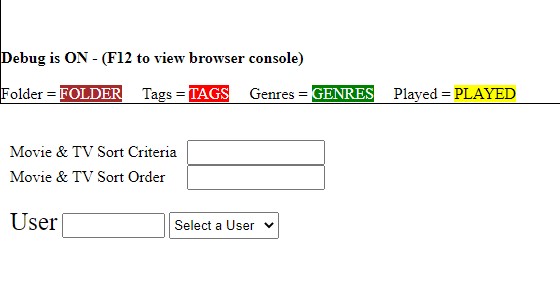
Thanks so much for the help....did as you instructed and it works!
 1 point
 -
Been tagging content manually and it's a lot of it. Been trying to figure this out but I don't know where to type in the url and api information... if anyone could show a screen shot or something it would be greatly appreciated. Thanks in advance.1 point
-
Yes ! You are the best. The account was missing O_o1 point
-
Having the same problem. Checked the permissions on the media folder under control pannel > shared folder (highlight the selected folder where your media is located) hit edit>permissions (in the picklist select "system internal user") THAT is where I found the emby server user. Checkmark the Read/Write permission under emby and hit save. Go back to the emby app and presto! I can select the file paths now. That worked for me. Hope that helps.1 point
-
Thanks, yeah I know, I'm starting to add more and more tv shows, the old classics, and the ones with a lot of seasons do eat a lot of disk space. That will probably fill the drive. For beginners like me with modest requirements, yeah, this hardware setup seems perfect. A great starter media center with a 10 TB drive. It also has 4 UBS 3.0 ports, so "technically" I can connect 4x 10 TB drives, for 40TB storage, then backup over LAN to my desktop. We'll see how long it takes me to outgrow it. Cheers1 point
-
Nothing has changed my end, it only seems to be for me the google stick will not load images if i use the URL but ok if i use IP. Others are fine on firesticks and old installs of google sticks. But any new installs no longer show images. Something is not working somewhere i thought it might be CF but its not that. Do any devs have the google Chromecast with google tv with a fresh install of emby to test at all. Or would a video call help you solve any bugs? Anything you need just ask. thanks1 point
-
Hi, it's possible for the future. People tend to get confused when we have duplicated options on both the admin and user sides.1 point
-
Emby Server embeds it into the exe, so the version you have installed on your machine won't matter.1 point
-
By the way based on your comments I did some tests and found that for very large images, encoding to webp was generally about 4-5X slower. In the beta server I've changed the encoding to not use webp when the originals are greater than 1080p.1 point
-
Yes being able to edit the metadata on these would make sense. Thanks.1 point
-
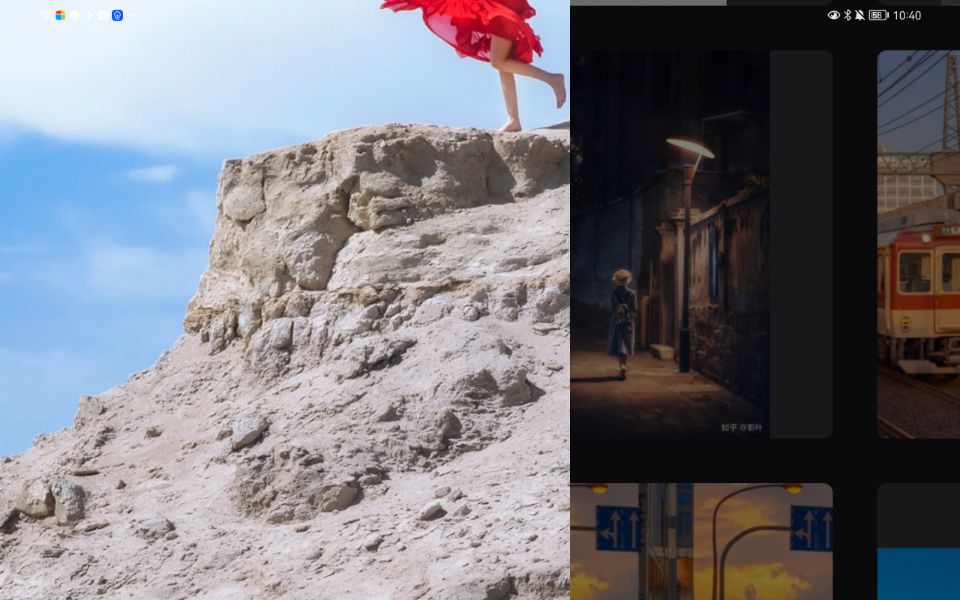
when I tilt my pad to widescreen, still have the same problem before: after
 1 point
 -
hab den fehler gefunden ,habe den cache vom browser gelöscht danach ging es wieder1 point
-
Maybe this one? it is already added to the beta.1 point
-
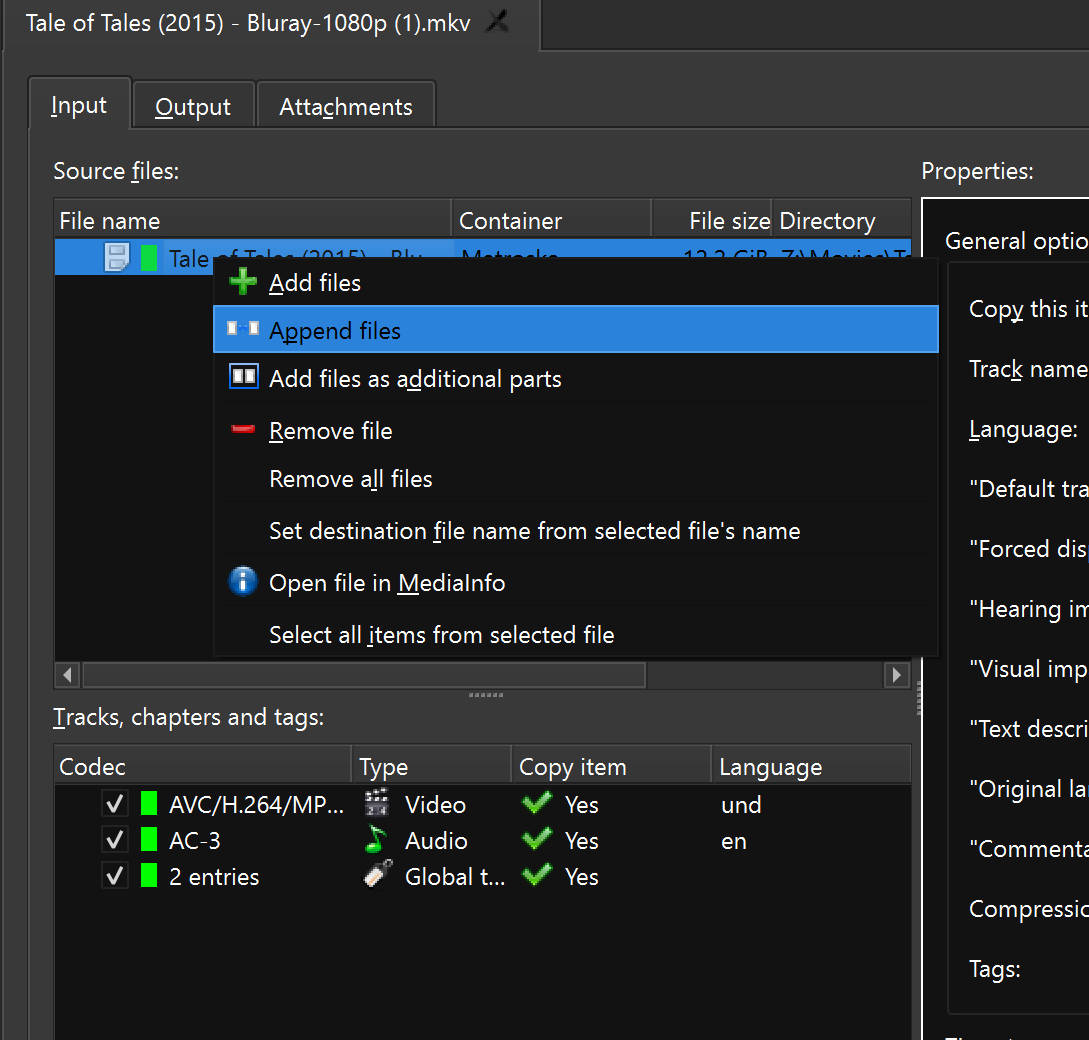
sounds like you added the second disk as a second video track rather than appending
 1 point
 -
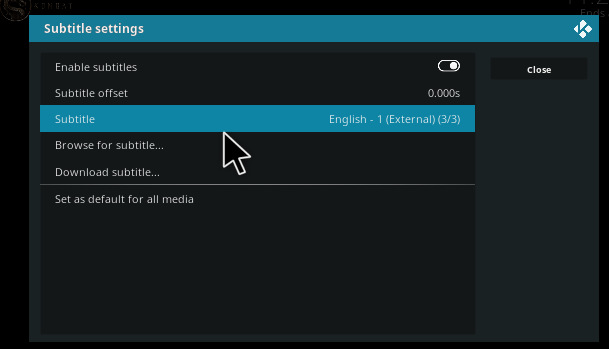
It worked!! Thank you very much! P.S. Looking at the guisettings.xml, I thought that the following one was the one which was applying: <setting id="subtitles.languages" default="true">English</setting> Maybe this one is when you select "Set as default for all media" here, in Subtitle settings, when a movie is being played:
 1 point
 -
I see the problem: in guisettings.xml: <setting id="locale.subtitlelanguage" default="true">original</setting> I'll fix it, but you can try: kodi settings -> player -> language -> preferred subtilte language -> english after that, restart Kodi and try again.1 point
-
Sent as private message. Thanks!1 point
-
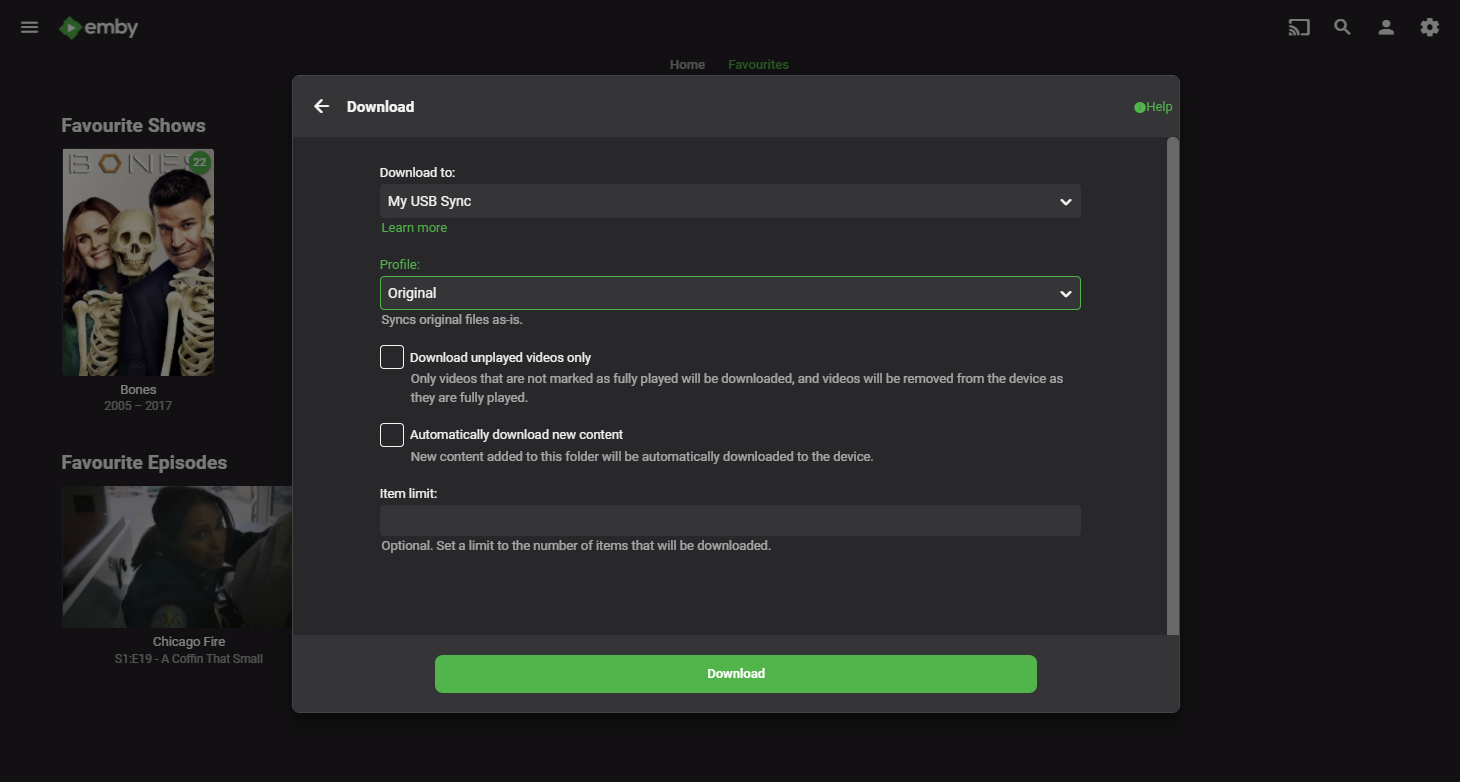
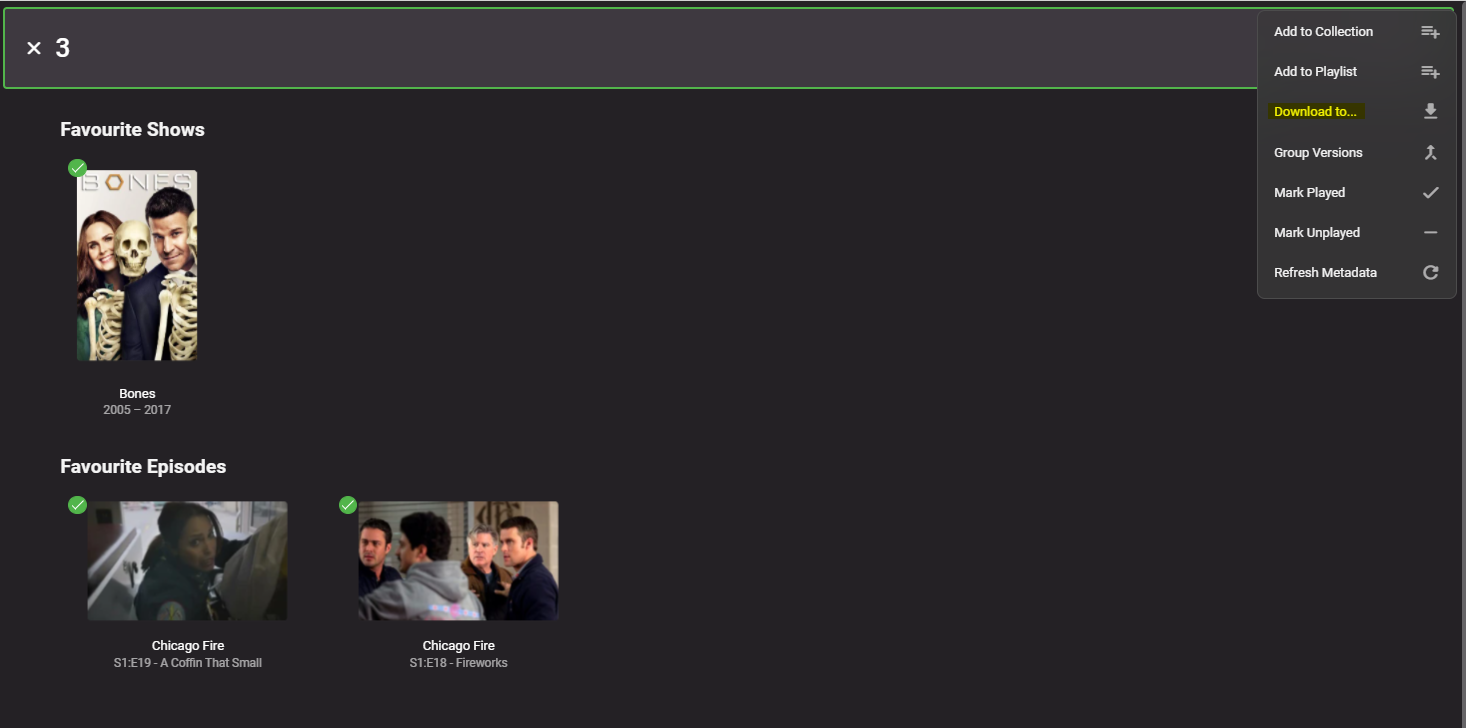
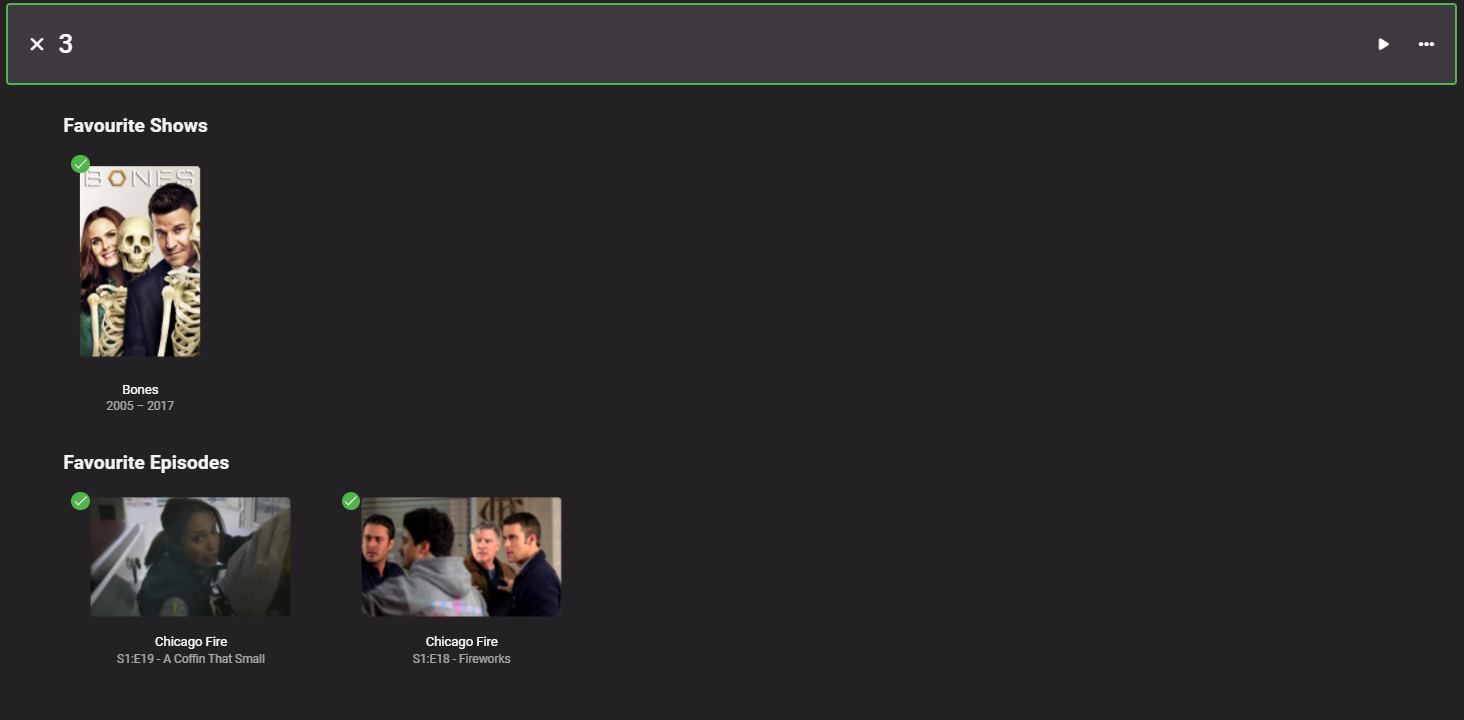
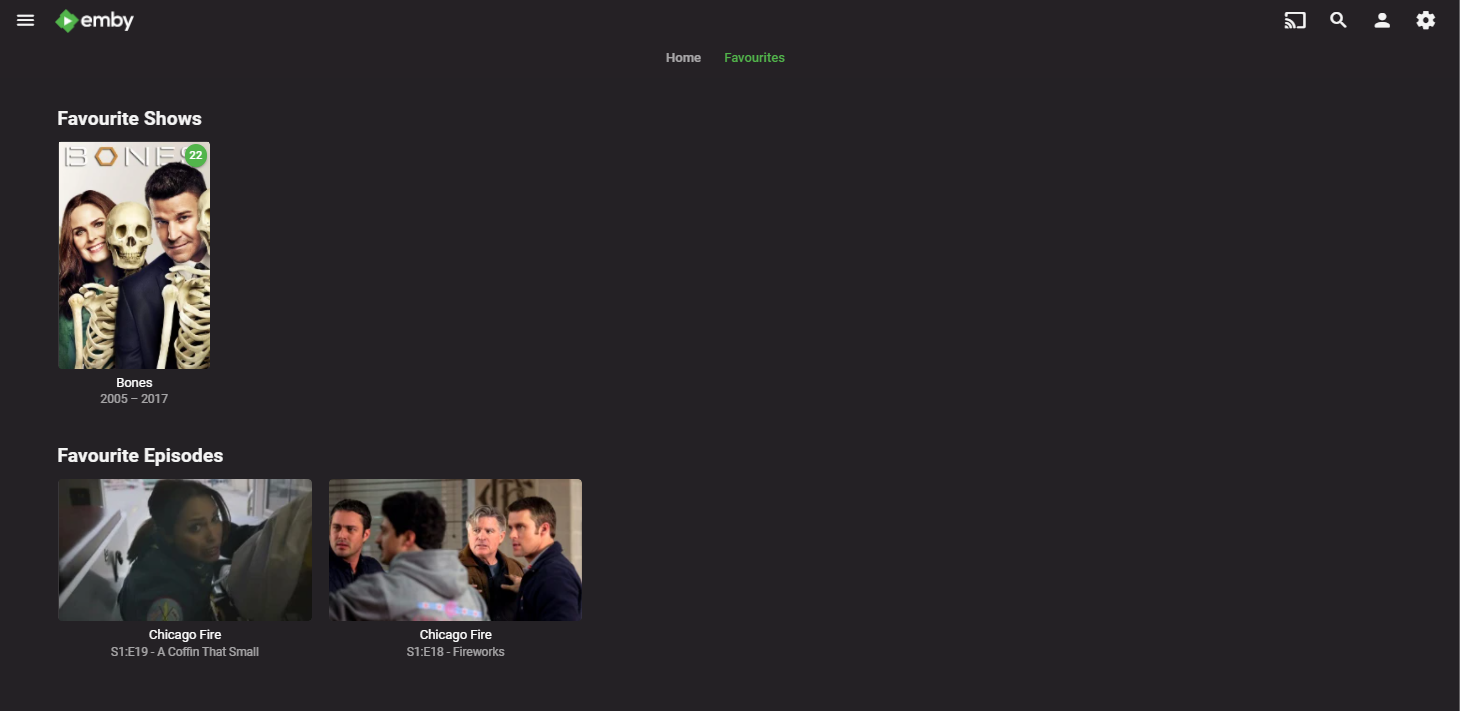
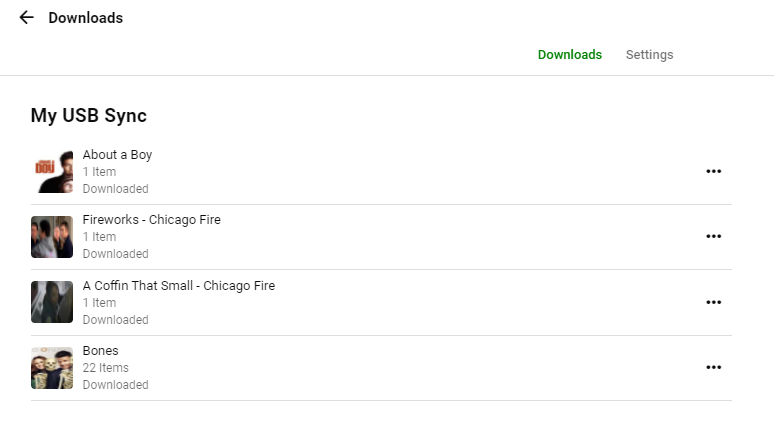
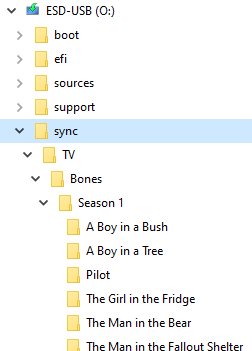
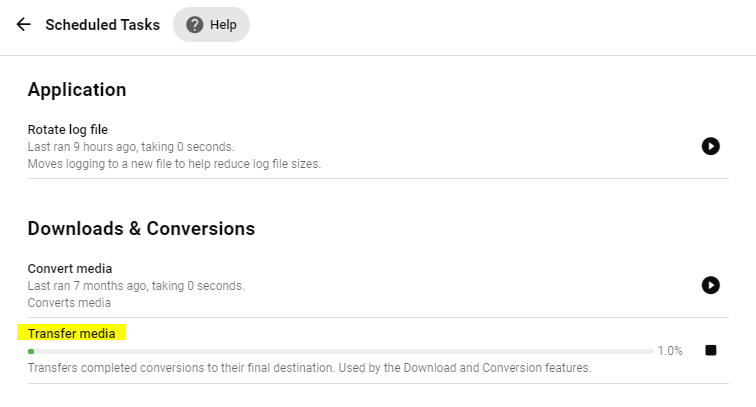
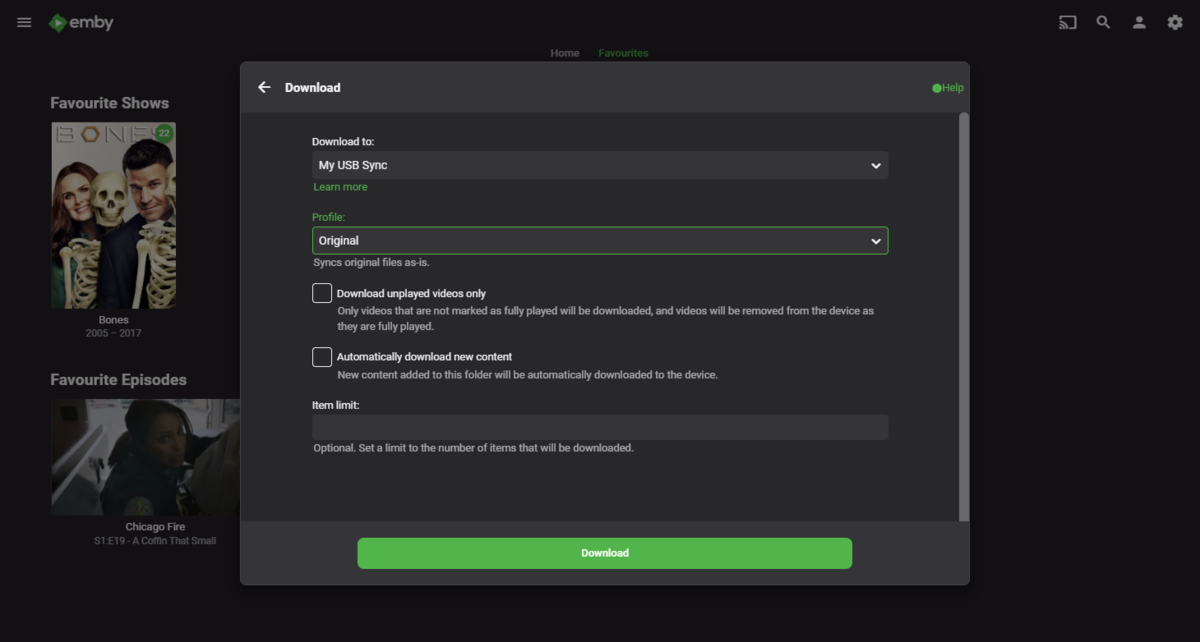
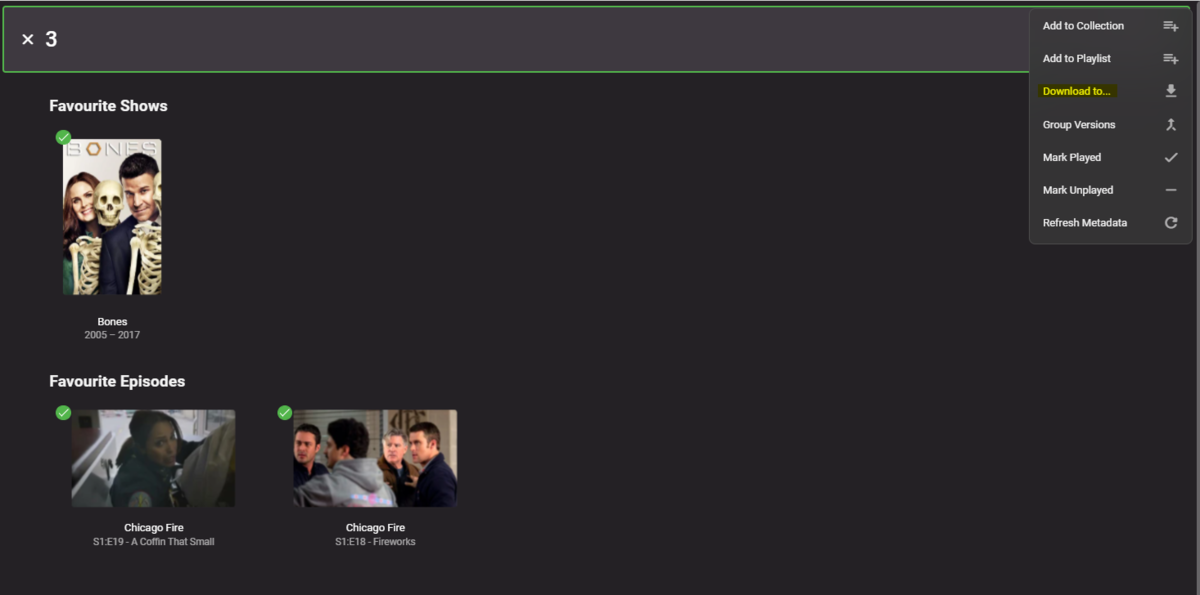
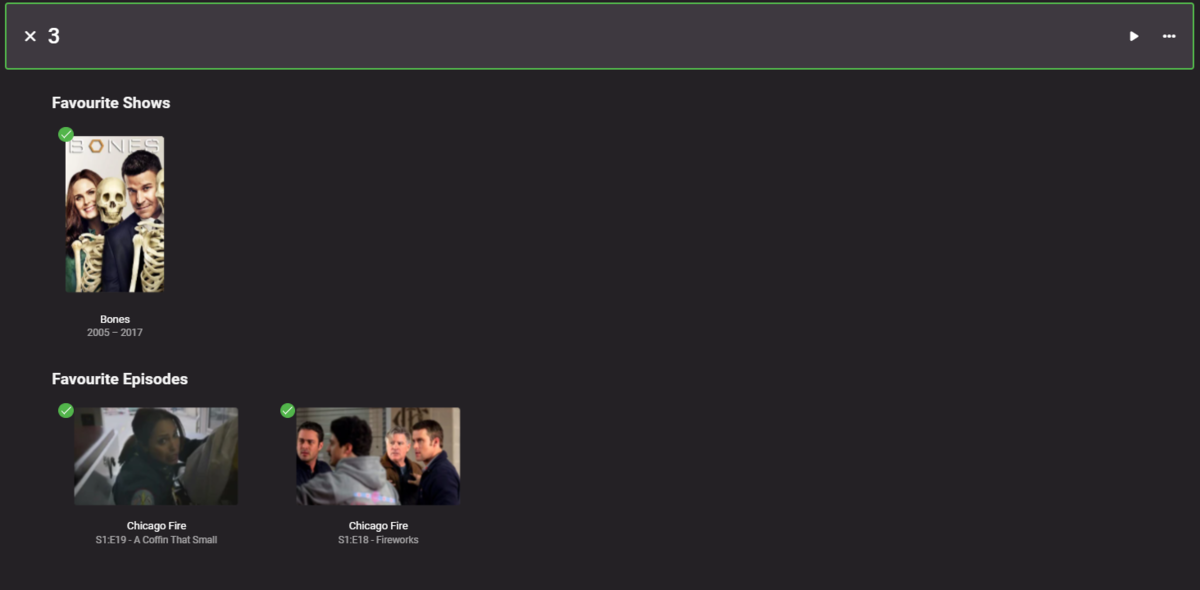
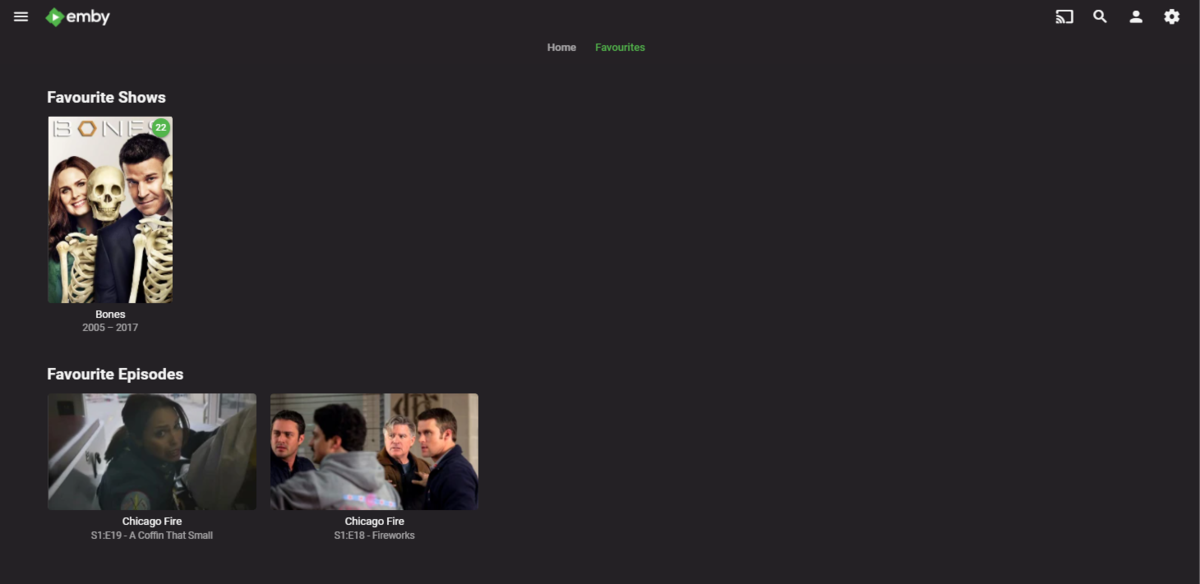
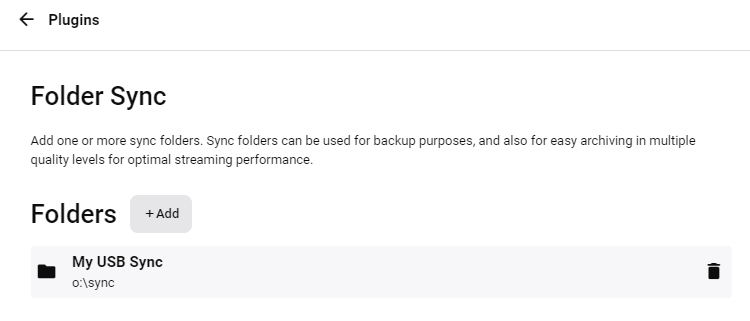
@cmittle09 Hi - Steps below - 1. Create the Sync/Download Folder on your USB device - 2. Mark all your favorites in Emby as you would do normally (the Heart button) 3. Then on the first screen, select 'Favourites' 4. Multi-select any that you want to Sync 5. Top right, select 'Download To' .. 6. Select your USB sync/download location .. 7. Emby will transfer the items - progress will be shown on the 'Scheduled Tasks' menu .. 8. When finished - structure will match the Emby folder structure. Each item will be in it's own folder (even TV) 9. You can also see the downloads in the 'Downloads' section in the menu 10. It also downloads a suitable subtitle for that item BUT it does not download the original artwork. There is however a workaround for this 11. If you create a new Mixed Content library (if you have both TV/Movies) - or just Movies if that's all you have - select your USB service as the source. The important part is to store the images with the Media folders - ie Once the 'library' has synched (force it if you like) then it will then save a 'poster.jpg' in each folder. It is unfortunately not the same filename as the media item - but it's the closest you are going to get to your original requirements. I hope this helps.

 1 point
 -
One other thing. I don't know if this is part of the reason I don't have the problem any more but I have a batch file that is set to run every hour to delete everything in the transcode-temp directory. This is something that was set up before the issue was addressed in the BETA and was only a partial solution. If your transcode-temp stops growing with the BETA but it is not deleting the temp files in a timely manner you may have to do something similar.1 point
-
That did it. <host/share> <local path> cifs credentials=/etc/cifs-credentials,rw,uid=997,gid=998,nobrl,file_mode=0664,dir_mode=0755 0 0 Emby is nice and happy now!! Thank you very much for the assistance.1 point
-
This issue has been solved with latest 2.0.38a client app on Fire TVs. Ty! But lol - I'm opening a new thread now - since update users are reporting extremely slow start times on streams - like 3-5 mins sometimes. 1 User confirmed this issue only exists on Fire and not Roku - so shes on same server just diff client app. Will open other thread.1 point
-
No worries at all mate - least you deserve for all the work you've done...I've put an english spin on and used family favourite programmes/films/bands etc where possible on the images used - looks so much nicer now!1 point
-
This should finally be working in beta 4.7.0.9 - please try and let us know how it goes! Thanks, sw1 point
-
Hi Are there any plans in the future to show extra fields when filtering songs in a music library? For example when I filter all the House songs between 1995 and 2000, I would like to see the year or the genre next to each song in the results (without having to select a specific song to view the details of all the metadata). I know the Album filter has more fields that can be shown in the results but my music collection is based on songs only.1 point
-
Hi there, I have one feature request for emyb which I didn´t find in the forums. Im missing the feature to toggle on/off "Suffle" in the current queue. Yes, I can shuffle a whole album or playlist, but I think thats not enough. My use-case (and I think many would agree with me) is building a queue (not a playlist!) from many different albums/locations/playlists, and then I sometimes want to toggle shuffle on and off. I would be very happy, if someone could implement this (basic - in my opinien) feature Thanks, Junias1 point
-
Ok, thanks for your help and quick answer. Clearly, as there is no possibilities to add a tag per album (except with .nfos/xml), this comment/review tag must be the same for all tracks of a specific album. But it is clear that one could also imagine commenting on each track of the album, although this is against the goal of directly importing the overview that appears on the album's web page...1 point
-
I'll admit I didn't read through every post before putting this here, but just some more animated posters I ran across. I use them for my movie poster screen (some of them are looping videos). http://classicgamescanada.com/motion-posters/ If you haven't seen the movie posters app, it's pretty nice and ties in with emby to show the currently playing movie. https://www.avsforum.com/forum/32-theater-room-items-accessories/1439406-movieposter-virtual-movie-poster-display-software.html Make sure you go into the later pages to get the latest version. I run it on a virtual machine and the tv showing them is vertical with a raspberry pi zero showing the display remotely.1 point
-
If anybody is interested,here is a nice little collection of Animated Movie Posters, https://www.mediafire.com/folder/331z5poy70ldv/Animated_Movie_Posters there are over 300 so far but i've got about another 600 Or 700 more i'm waiting on approval to use. Added another link,was given permission to use all the posters. Also working on webpage where they will all be in one place. Besides English some posters also available in French and German. https://www.dropbox.com/sh/evuqccdap7er3fo/AABS_PDc2dHXN2lr9QiEWDzPa?dl=0 140 in this one.1 point












.png.4449e83365e66ea33730aab5f7af32ef.png)