Leaderboard




Popular Content
Showing content with the highest reputation on 08/23/21 in all areas
-
In the upcoming beta, Windows-ffmpeg versions will have Chromaprint included.5 points
-
No need to apologise @chef - people know this is a Alpha/early Beta. We are very grateful for the effort you are putting in to make Intro Skip a reality. It shouldn't be run on any 'live' system as you have previously explained. If it is, then it's just to gather success statistics, there is no practical use of the data at this stage, so it will not impact anybody's system (other than tying up CPU I guess).4 points
-
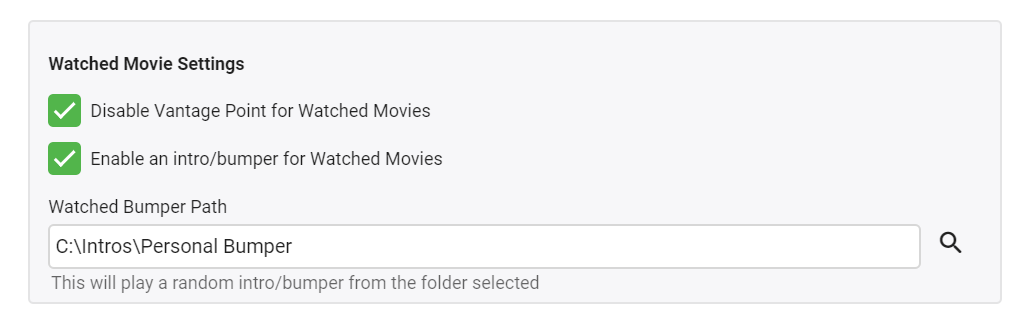
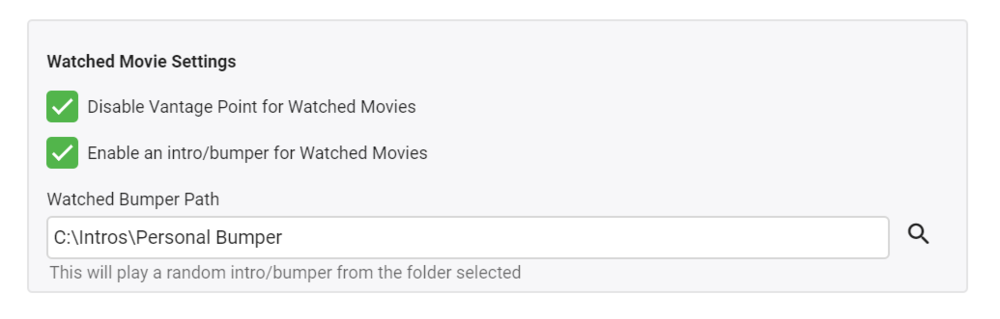
New feature added in version 1.0.0.3 Option to disable completely for Watched Movies or just have one Bumper play prior to the movie starting You will need to refresh the cache on your browser by loading up the Emby Config page and then pressing CTRL + F5 Enjoy
 2 points
 -
If any of you want to try the latest Android TV beta on systems that you think should directly support AC4, you will need to get the item to direct play as the server will not pass the stream in a remux. So, you'll need to enable direct play for TS files and then also probably set the audio option in the app to "Convert unsupported audio to AC3" (I know that may not make sense, but you'll need to do that). Let us know what you find.2 points
-
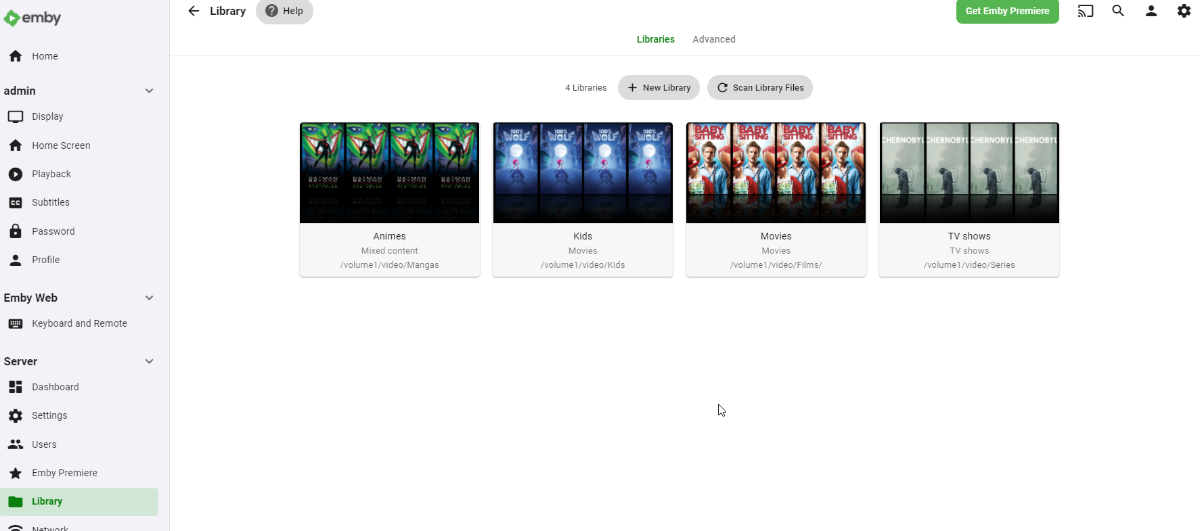
This image would suggest Collections is not a true Collections library and is actually a Mixed Content type library, correct? If that is the case it can be deleted via Libraries. But if there are collections in the library it will return as the item metadata still contains the <set> node.2 points
-
Hi ebr and MAX92, Thanks for your reply, I ordered Emby Premiere with Paypal and it works like a charm. Regards.2 points
-
Thank you very much for your help. I hadn't thought of looking at the logs. I couldn't find any information on who or what deleted the movies. Perhaps this is due to updating to DSM7 which may have deleted some logs. I'm monitoring all of this and will come back to let you know if it happens again.2 points
-
Pretty simple suggestion. I have multiple users for my Emby server. If I want to do continuous maintenance on the media, I have to tell everyone. some of them are harder to reach than others ( i.e. no Facebook or Skype chat etc. ) It would be great if say... on the admin panel, I could hit a check box that enables 'maintenance mode', where the server still runs does everything as normal, but instead of the login screen it displays a maintenance page saying the server is unavailable. Even better if I were able to directly put a reason in a text box that would then display on the login screen as well. Not really sure what others would think of this, but for me it would be quite helpful. mostly if I want to make sure no one is trying to access content I know won't work until I've done a full library scan again. Thanks for reading. -Kyle1 point
-
As most of you have noticed, there were a lot of database and metadata structure changes between Emby 4.5 and Emby 4.6. The Emby devs did a great job to make that update as seamless as possible and it least from an end user perspective, looking at the frontend all is well. But i'm not really happy with the transition that happens in the background of Emby. If you have the nfo plugin installed, for existing collections nfo files will be created under "metadata\collection", but the images in the database are still referenced under "data\collection" (boxset folders). Similar things happen to people. New people and their images will be stored under "metadata\people", while existing people images are still referenced under "metadata\library\xx\yyyyyyyyyyyyyyyy". Those things make the great goal to make Emby really portable and to simplify backup/restore processes impossible, except you've started with a new Emby 4.6 installation. Here comes my plugin into play. Of course i don't have to tell you: Make a backup of Emby's programdata folder first!!! How does the plugin work? Please read carefully! People migration There are two modes to choose from. Either the people source is Emby's database or it is an older people folder with A to Z subfolders. What happens by selecting legacy people folder as source? For every person the plugin finds in the old A to Z folders, the images and metadata is first imported into the database to matched persons. After this the same process as with database as a source is happening. For persons where no match exists, a named folder under metadata\people is created and a nfo is written that holds the legacy xml metadata. The images are copied over from the old A to Z folders to the new people folder structure. What happens by selecting database as source? For every person the plugin finds in the database, a named folder under metadata\people is created and a nfo is written that holds the database metadata. The images are copied over from library\xx\yyyyyyyyyyyyyyyy to the new people folder structure and the database references for the images will be corrected. The now no more necessary library\xx\yyyyyyyyyyyyyyyy folder gets deleted. No matter what source mode you've chosen, if the metadata\people folder still has the old A to Z folders, they will be moved to a new folder "_legacy". This "_legacy" folder will also be migrated if you've selected legacy people folder as source, even if the path input field is empty. No existing people nfo or images under metadata\people will be touched, only new data gets written. Collection migration The collection migration queries the database for your collections. For each collection it finds, it will create a named folder under metadata\collections and writes the metadata to a collection.nfo file. It will not touch existing nfo files. Further if the images of the collection are still referencing files under the deprecated boxset folders, the images are copied over to the new collection folder and the database entries will be updated. Only image files that are stored in the database will be considered! Try to recreate missing collections from boxset folders, as the name suggests creates collections in the database that were not picked up by Emby's update procedure. There's a good chance that this will restore some missing music album collections, but at the same time it can also create some unwanted collections. Write set tags to existing media item nfo where possible trys to add missing "set tags" to the nfo files of the collection items. It will not create those nfo files, only modify them. This should work without problems for movies, tv shows and tv episodes. It maybe fails for music albums or music artists. Delete old boxset folders will delete the whole data\collections folder after the plugin migration has finished to make sure Emby will not pickup images from this location anymore. Although this all worked fine for me, use this at your own risk! I'm not responsible for any damage of your Emby installation! Make a backup of Emby's programdata folder first!!! MigrationPlugin.0.2.0_Emby.4.5.zip MigrationPlugin.0.2.0_Emby.4.6.zip MigrationPlugin.0.2.0_Emby.4.7.zip MigrationPlugin.0.2.0_Emby.4.8.zip1 point
-
I would like to request a sleep timer function for the Emby app. For example, when a song is playing, it should be possible to quickly and easily set a sleep timer to shut off the song after a desired interval. Options could include 5, 10, 15, 20, 30, 45, 60, 120 minutes. If it had this, I would be happy to purchase Premiere.1 point
-
Please click "Like this" and share it if you want to support this feature. Thank you ! Hello, There is a Kodi addon call "gdrive" from ddurdle who can read videos (original and transcoding version) directly from Google Drive. Why not build on this idea to integrate Google Drive as source directly in Emby Server ? In addition, Emby could generate automatically the STRM files from one or many Drive folders. And transcodings are already available with Drive so no need to transcode with Emby server. What do you think ? ------------- Three reasons why this feature will be useful and awesome: 1. Cloud is the future and today the cost is affordable. I have a Google Drive Unlimited for $50/month (ie $600/year) and I have unlimited space that is secured against crashes. Knowing the cost of hard drive and the cost of power consumption, its a very good deal. 2. Google Drive transcode video file. This provides different stream quality like Youtube (1080p, 720p, 480p and 360p) and the "image quality/compression ratio" is very satisfying. I can play 720p video on my poor 4 Mbits DSL. 3. You don't need to have a big server. Personally, I opted for a little dedicated server (Kimsufi 2G) for the cost and I can leave it run 24/7! Furthermore, me and my friends can watch movies from anywhere! Basics features that should be included: GOOGLE APPS OAUTH2 for activation and permission playing transcoded version (MP4 360p, 480p, 720p & 1080p) directly into Emby's app playing original file (avi, mkv, mp4) directly into Emby's app import embedded subtitles porwerful script module for multiple folder scanning and STRM generating1 point
-
It does look a fraction better as the overall image is slightly bigger/wider than in the original post, we'll see what'll come out of the project images. Thanks.1 point
-
Image display posting size been increased. @GrimReaper761 point
-
We are a go. Fingerprinting running now and will start Detection when it's done.1 point
-
Also accessing remotely via SSL? It could be my first possibility - a lack of free space on the device...1 point
-
You should be able to edit your post, but I removed ip/urls.1 point
-
Yea, Luke was just letting everyone know it's on the shortlist of things coming soon that people have asked for.1 point
-
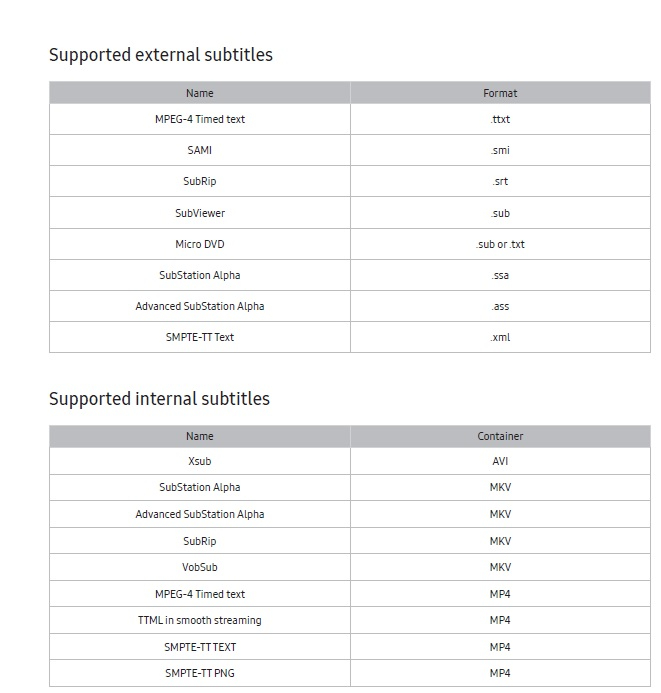
Here's the table for my 2018, but I don't think it's changed much in newer models.
 1 point
 -
This is actually an issue with your TV as Samsung has never supported pgssubs. If you look at your user manual you should see several tables, one of them lists the subtitles formats your TV supports.1 point
-
My server is running just fine but the plugin doesn't run at all. Log attached. embyserver_23082021.txt1 point
-
Ha ha, whoops. Guess it pays to read the whole thing. Sorry about that.1 point
-
I was running the latest DSM 6 version and migrated to DSM 7. Afterwards I migrated Emby according to the migration guide I found here. It worked pretty well for me. I only had some trouble to delete the old "Emby" folder. As already mentioned the deletion of the obsolete folder "Emby" could be done. I had to go via the "Shared Folder" menu item of the DSM 7.1 point
-
yes, this has helped. I tried to refresh the metadata of some movies and yes, the missing "critics rating" was shown after the refreshment. So I would assume when I do perform a refresh of the whole library it will be done for almost every movie where a critics rating is available. Thx!1 point
-
1/0 = ∞ , infinity, which a computer cannot handle under normal circumstances.1 point
-
Hm, if you look at the syntax there, it's like from a common library (Mixed-type) option text, rather than the usual virtual Collections library. Do you have more than one Collections libraries listed? Did you ever manually created a library named "Collections"?1 point
-
Dashboard>Live TV/DVR section, Setup>"Refresh guide data" or Dashboard>Scheduled Tasks>Run "Refresh guide data" task1 point
-
Why not simply rename the db file and save everybody from doing this step?1 point
-
Got a chance to remote in tonight and got this working with a change to port forwarding and using a different port. All good now.1 point
-
Fixed episode runtime average returns 0 error There is some bad news... In order to handle the new editable table in the UI, I had to edit the database. If you want to load this plugin please do the following, and I apologize a head of time. (It's going to remove all the found sequences... I know... not good.) 1. Shut down the server 2. Add the new plugin 3. Find: "Emby-Server/programdata/data/titlesequences.db" 4. Delete it! 5. Run the server again. Again I apologize, I tried to migrate the database, but it is currently beyond my understanding. I just haven't mastered SQLite yet. I'm working on how to properly change a data base structure. This should be the only time we would have to delete the db file. Very sorry. IntroSkip_v2.zip1 point
-
Yeah the addon uses the temp dir special://temp/embycon_guid To save the Client GUID that identifies the client. Depending on your client platform the temp dir can be accessed and just delete the embycon_guid file and it will auto generate a new one next time it boots.1 point
-
Okay, I know where that is. I'll grab that exception and use a default if zero is returned. It is the new duration code not finding runtimes in the metadata. If no runtimes are found for an episode we remove a value from the total count (number of episodes) of the season. No runtimes on any episodes would result in a total of zero. Computers do not like dividing by zero , at all! Infact that's how (in the future) we will defeat our AI overlords! Thanks !1 point
-
One or more errors occurred. (Attempted to divide by zero.) at System.Threading.Tasks.TaskReplicator.Run[TState](ReplicatableUserAction`1 action, ParallelOptions options, Boolean stopOnFirstFailure) at System.Threading.Tasks.Parallel.ForWorker[TLocal](Int32 fromInclusive, Int32 toExclusive, ParallelOptions parallelOptions, Action`1 body, Action`2 bodyWithState, Func`4 bodyWithLocal, Func`1 localInit, Action`1 localFinally) --- End of stack trace from previous location where exception was thrown --- at System.Runtime.ExceptionServices.ExceptionDispatchInfo.Throw(Exception source) at System.Threading.Tasks.Parallel.ThrowSingleCancellationExceptionOrOtherException(ICollection exceptions, CancellationToken cancelToken, Exception otherException) at System.Threading.Tasks.Parallel.ForWorker[TLocal](Int32 fromInclusive, Int32 toExclusive, ParallelOptions parallelOptions, Action`1 body, Action`2 bodyWithState, Func`4 bodyWithLocal, Func`1 localInit, Action`1 localFinally) at System.Threading.Tasks.Parallel.ForEachWorker[TSource,TLocal](TSource[] array, ParallelOptions parallelOptions, Action`1 body, Action`2 bodyWithState, Action`3 bodyWithStateAndIndex, Func`4 bodyWithStateAndLocal, Func`5 bodyWithEverything, Func`1 localInit, Action`1 localFinally) at System.Threading.Tasks.Parallel.ForEachWorker[TSource,TLocal](IEnumerable`1 source, ParallelOptions parallelOptions, Action`1 body, Action`2 bodyWithState, Action`3 bodyWithStateAndIndex, Func`4 bodyWithStateAndLocal, Func`5 bodyWithEverything, Func`1 localInit, Action`1 localFinally) at System.Threading.Tasks.Parallel.ForEach[TSource](IEnumerable`1 source, ParallelOptions parallelOptions, Action`2 body) at IntroSkip.AudioFingerprinting.AudioFingerprintScheduledTask.Execute(CancellationToken cancellationToken, IProgress`1 progress) at Emby.Server.Implementations.ScheduledTasks.ScheduledTaskWorker.ExecuteInternal(TaskOptions options)
 1 point
 -
Exactly. When a topic is in the Testing Area, then you know the issue doesn't apply to the release builds that the vast majority of users are using.1 point
-
This should be improved in the next release. Thanks.1 point
-
New version available: 6.0.4 build 9 (ex2) Delta changelog: - fix musicvideo track info - sync issues - minor fixes1 point
-
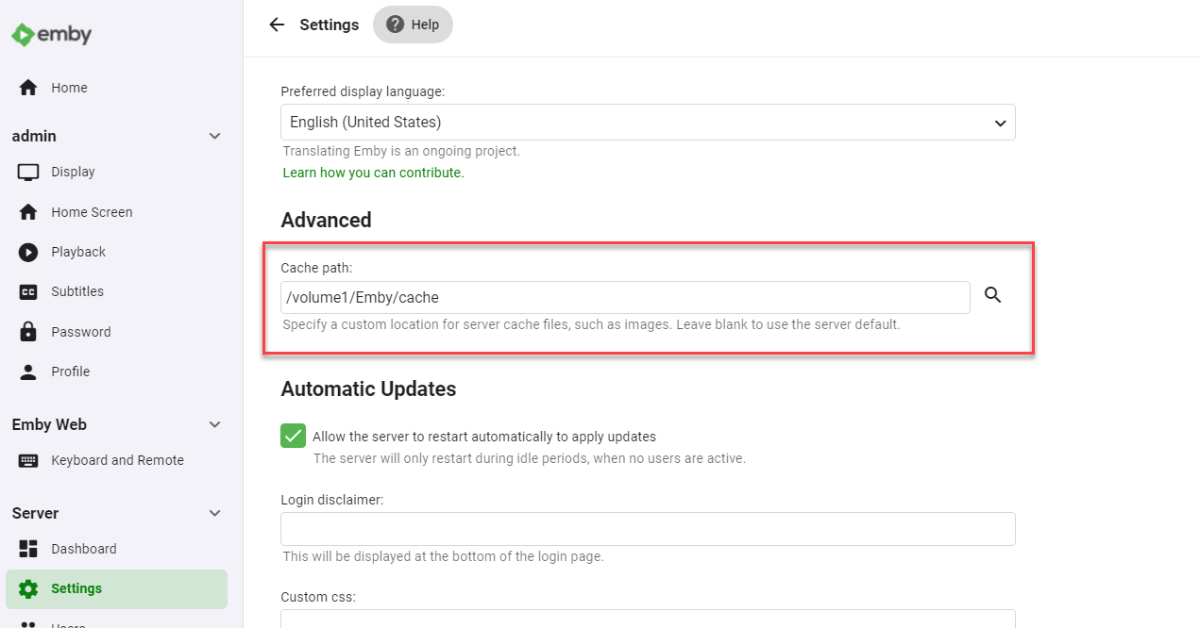
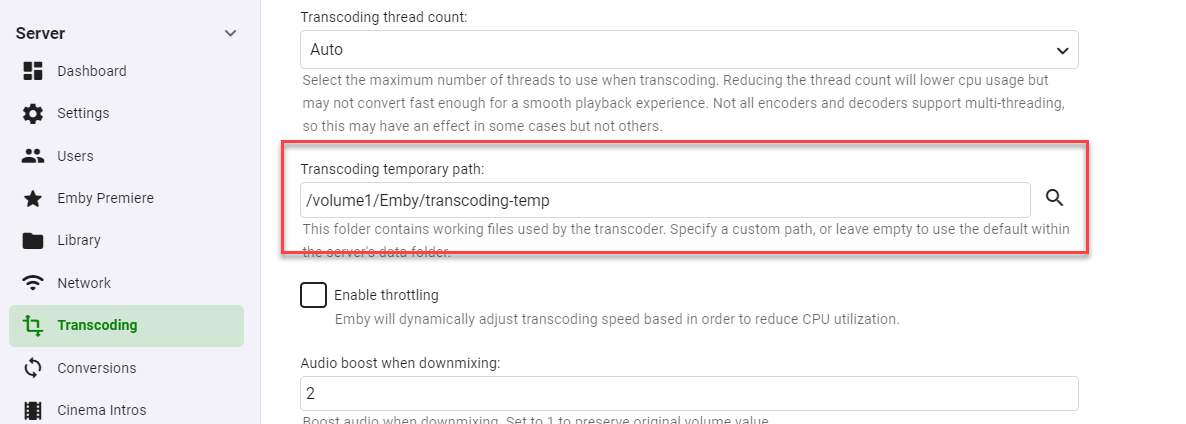
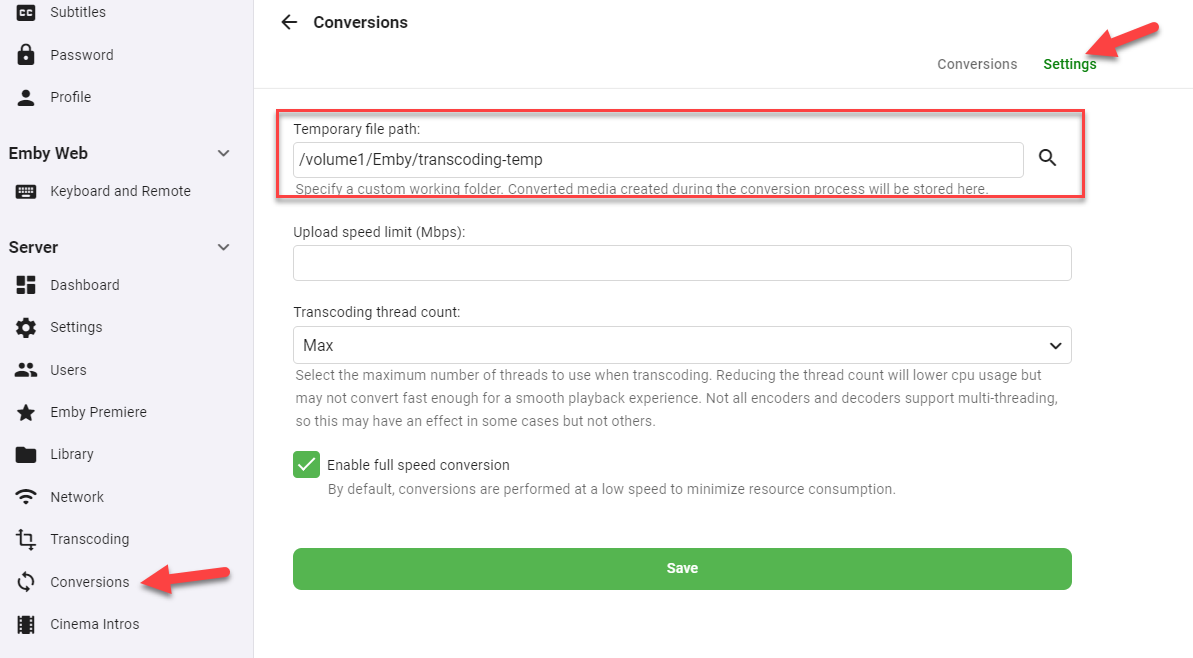
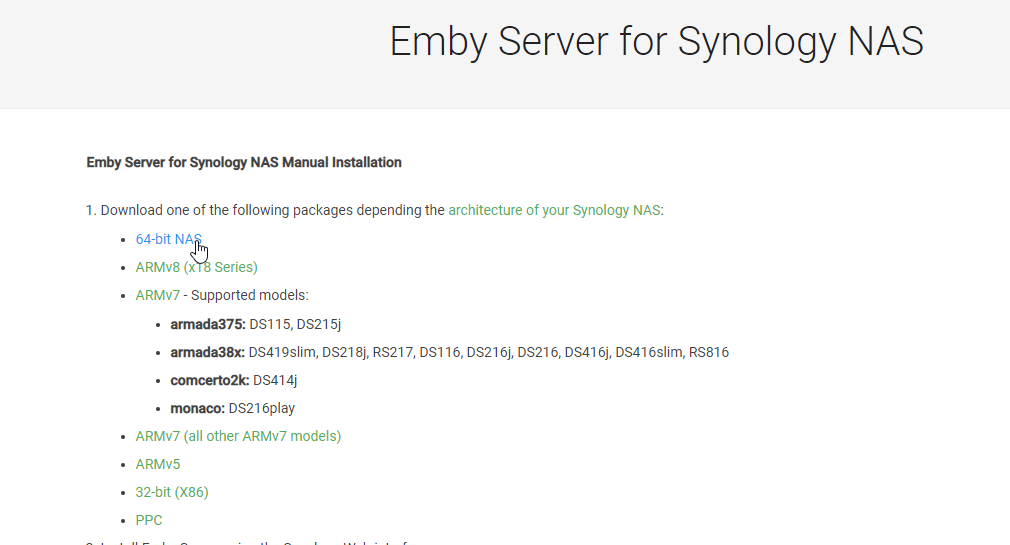
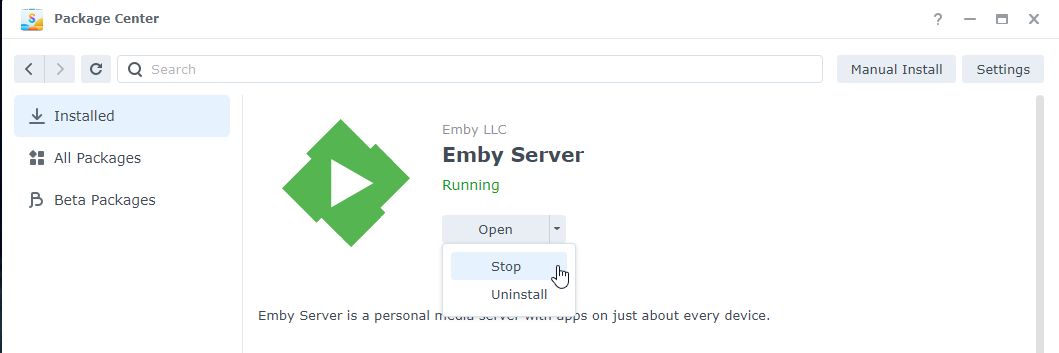
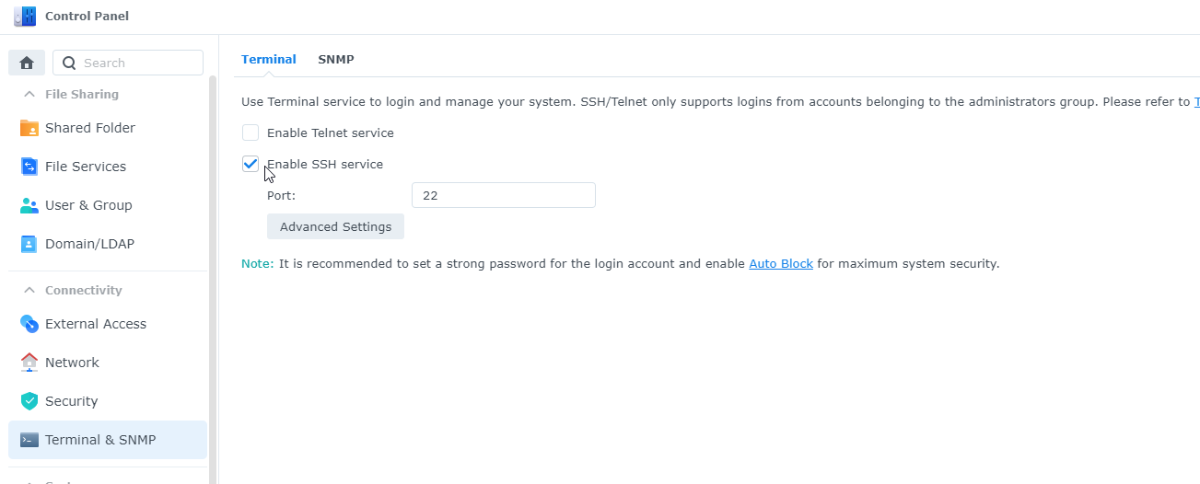
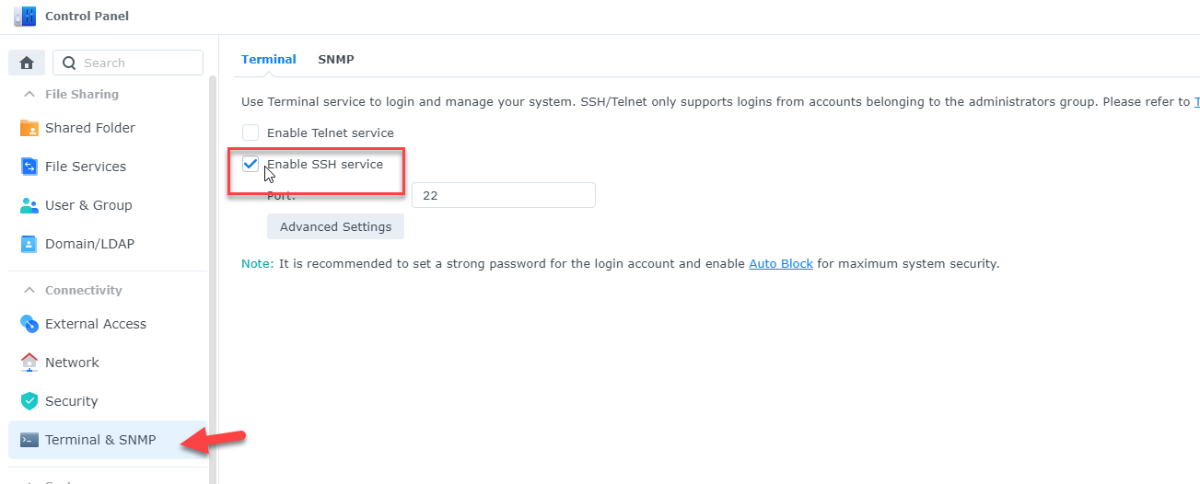
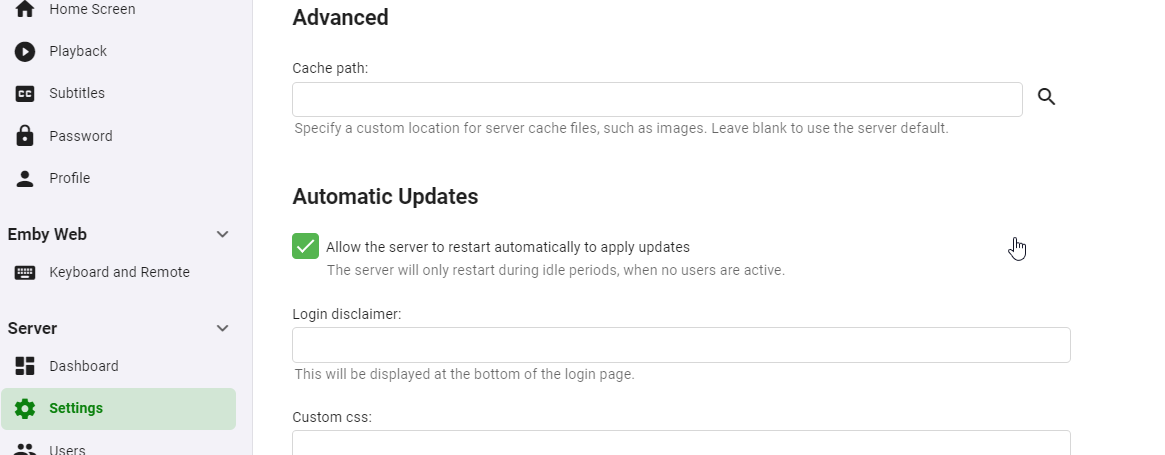
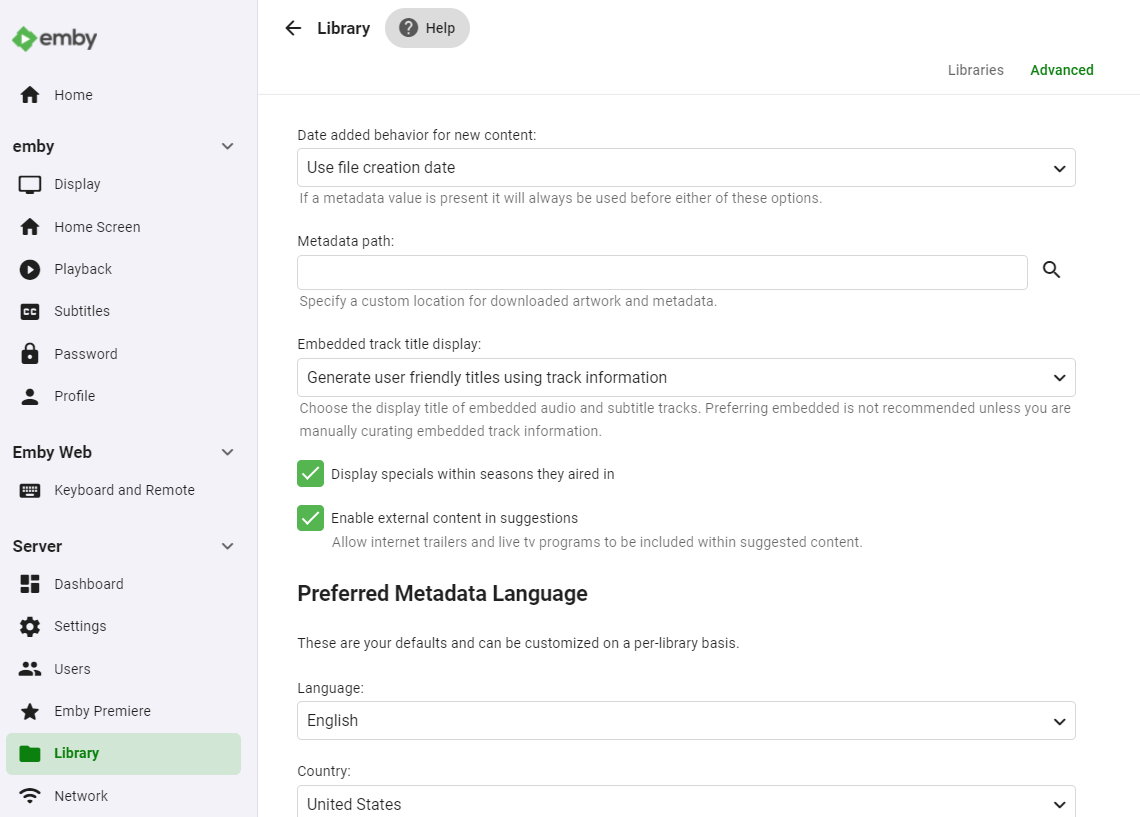
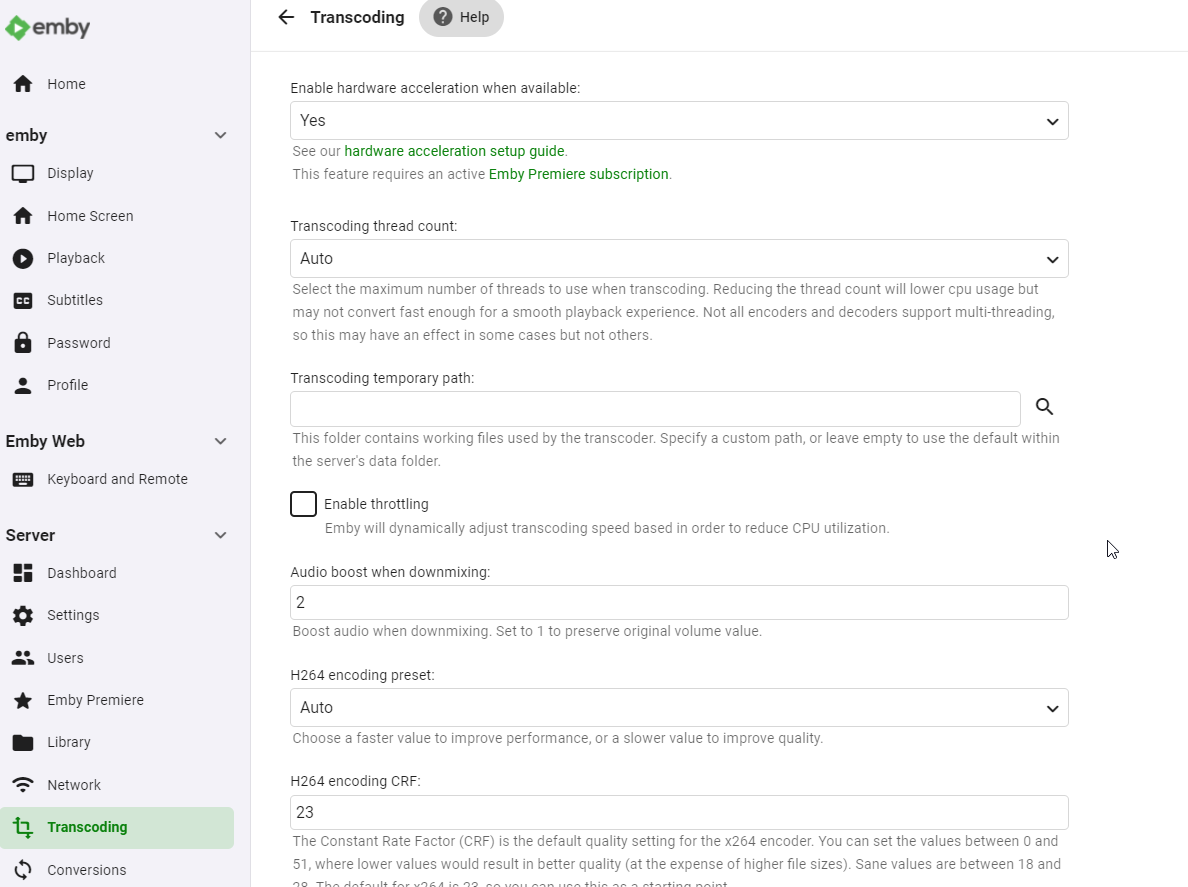
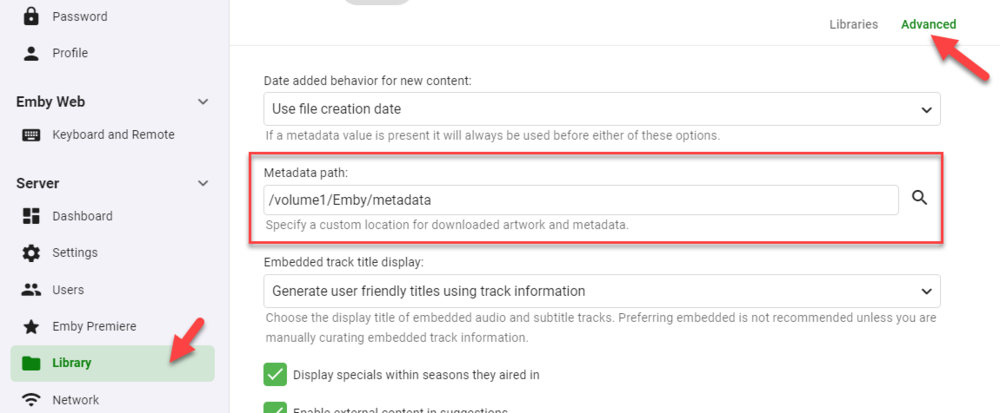
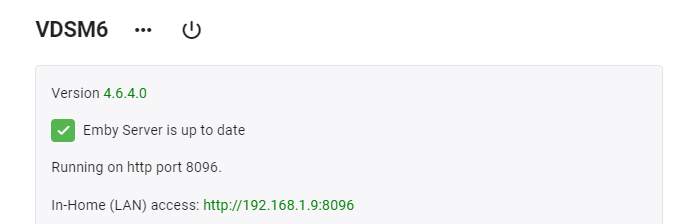
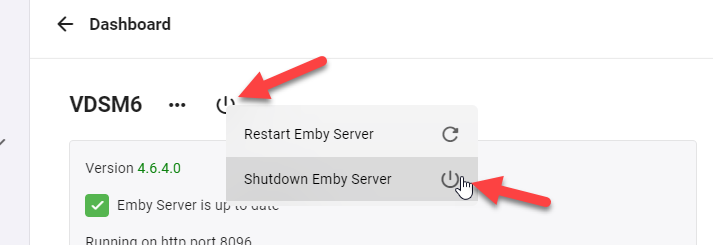
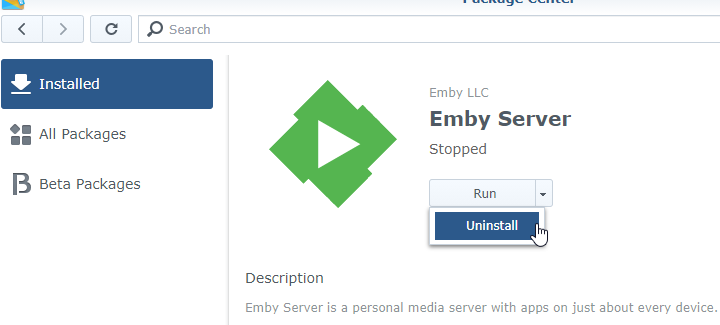
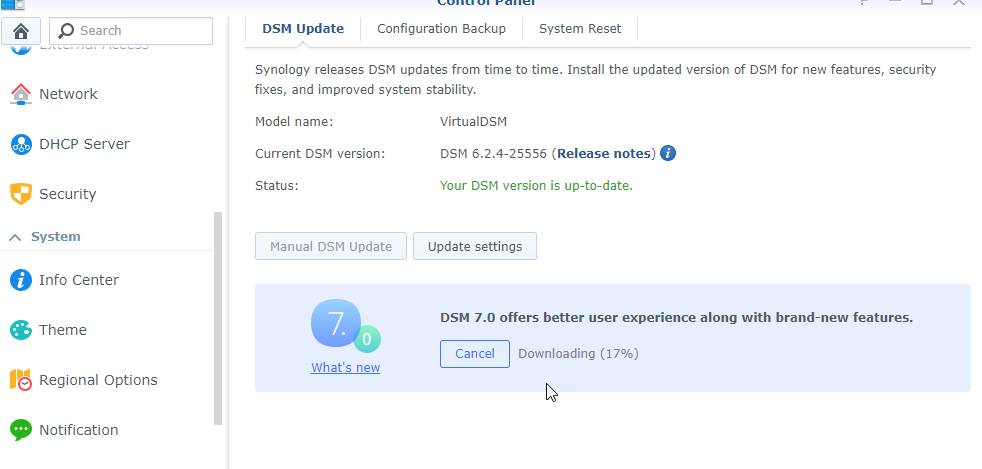
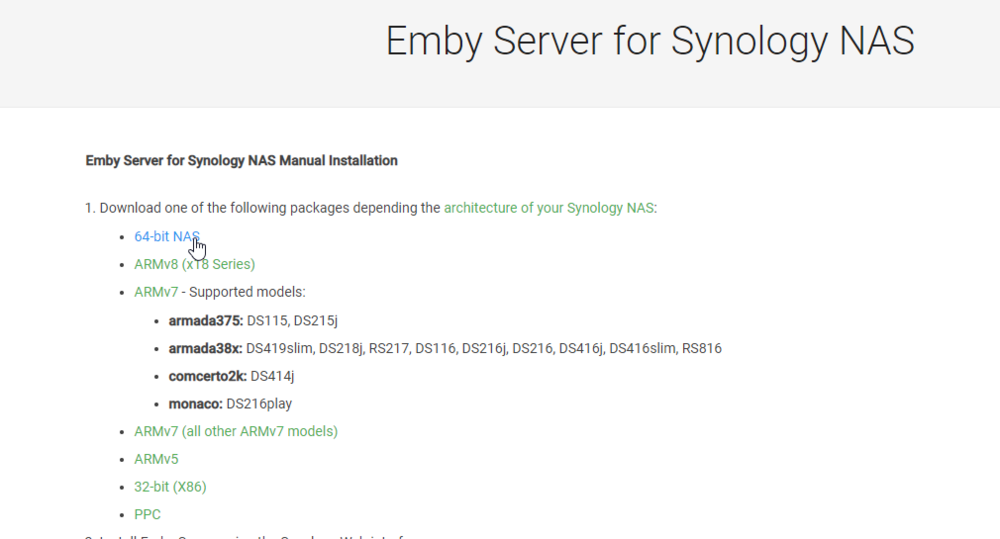
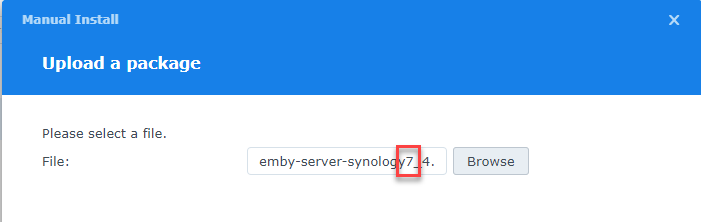
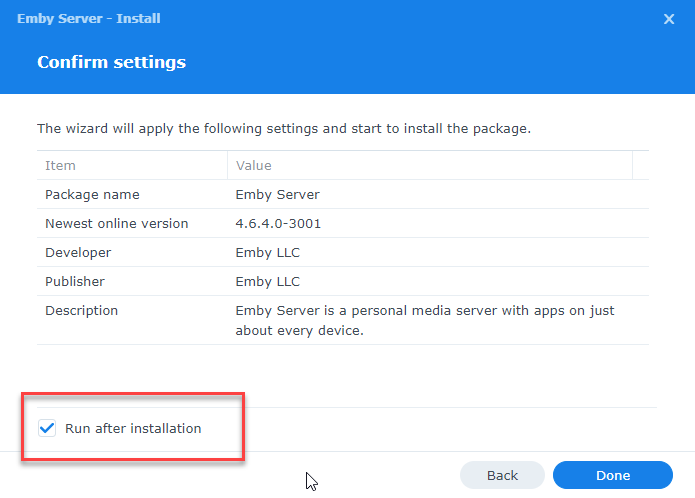
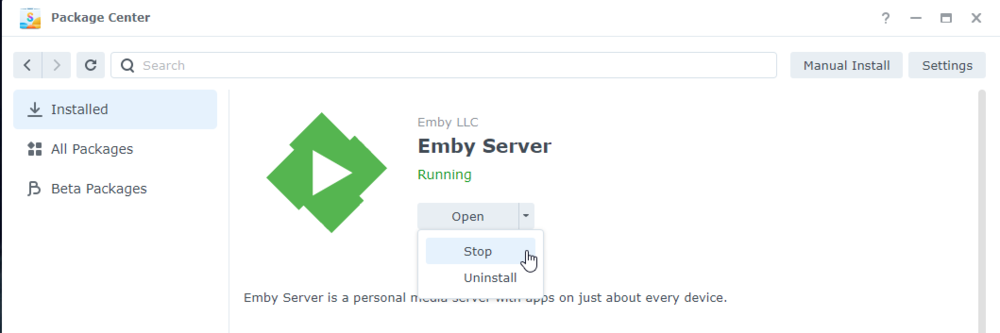
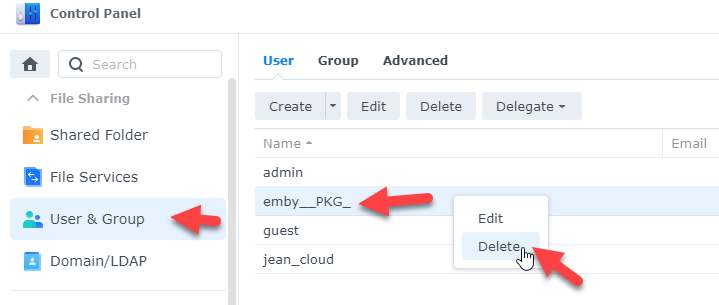
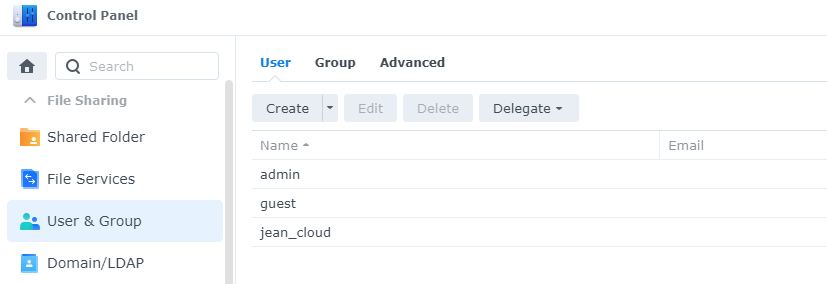
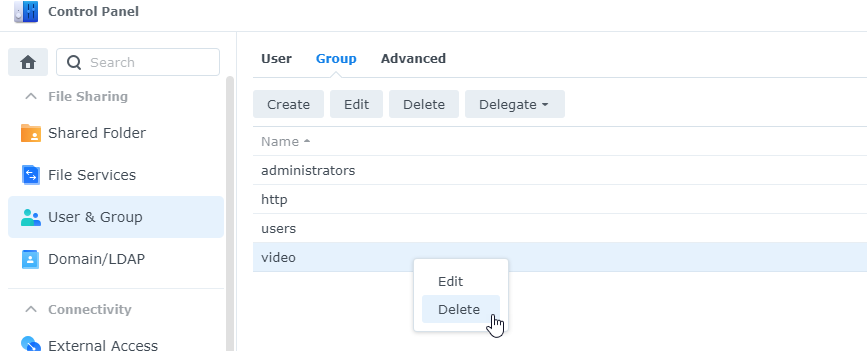
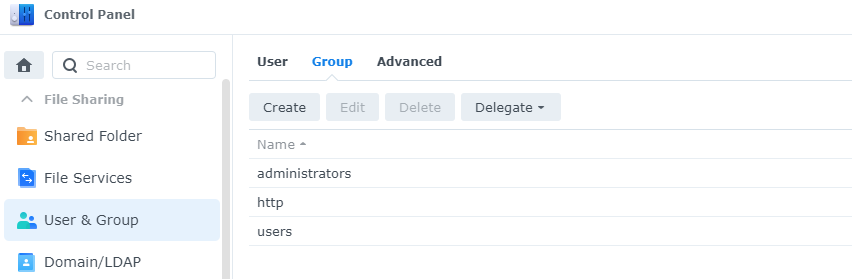
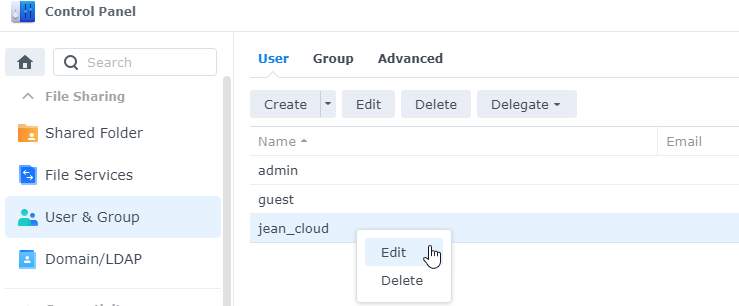
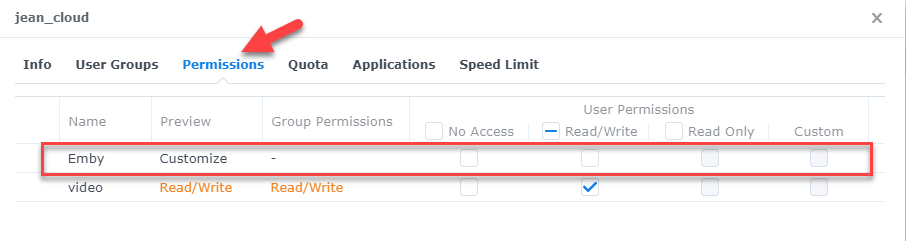
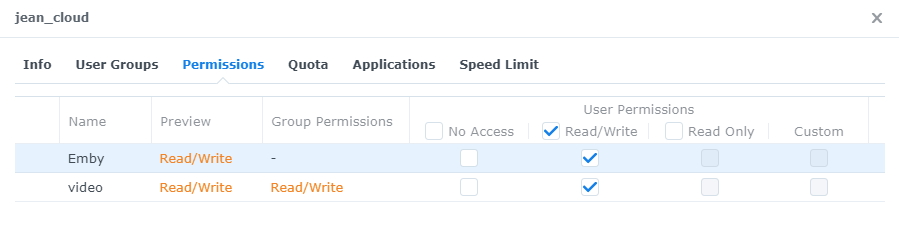
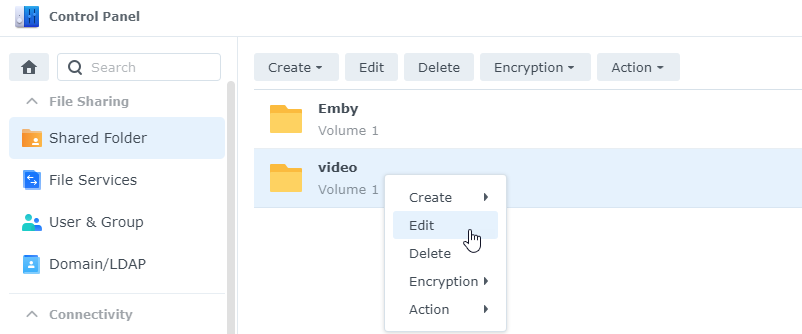
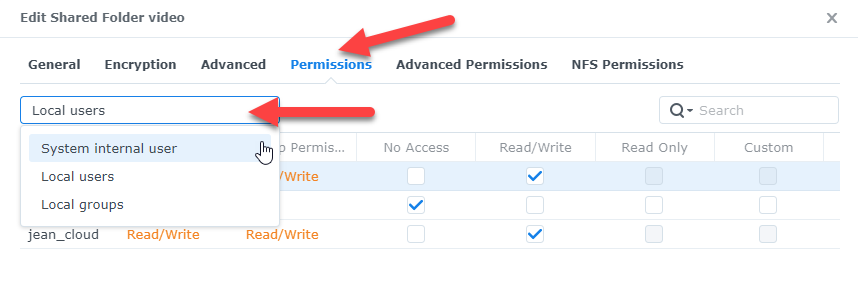
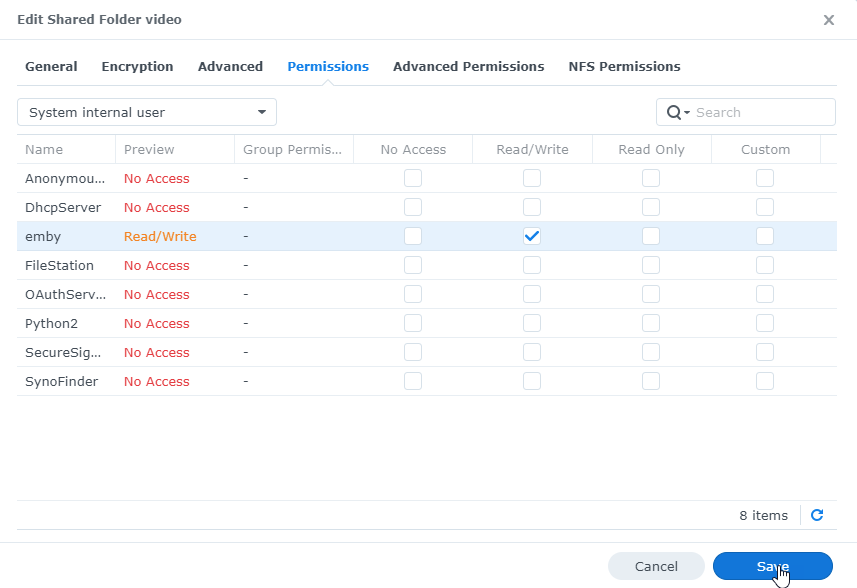
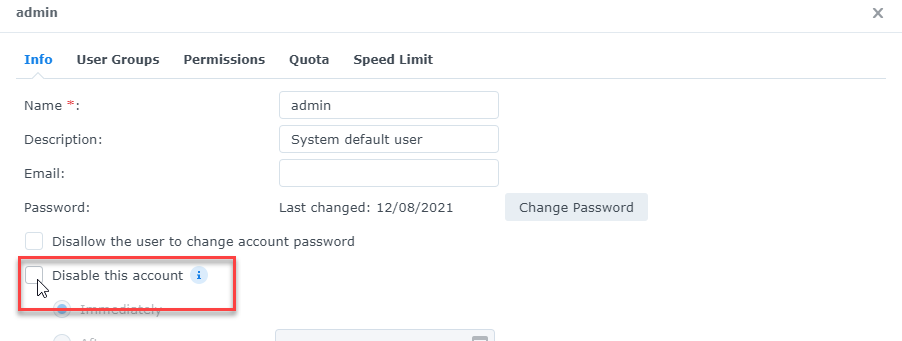
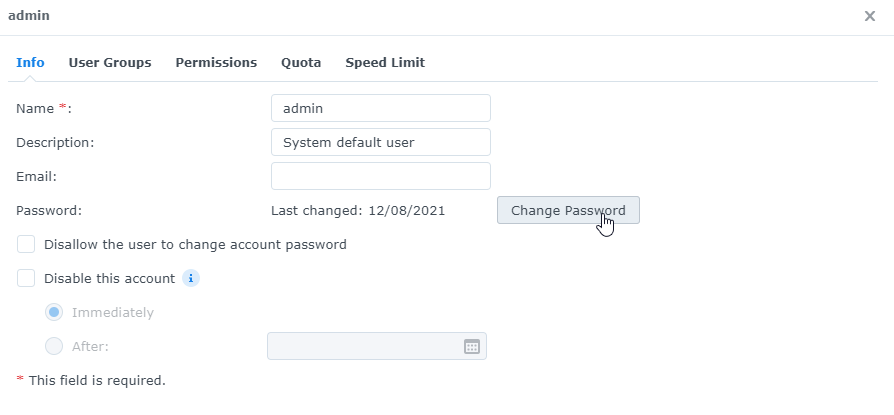
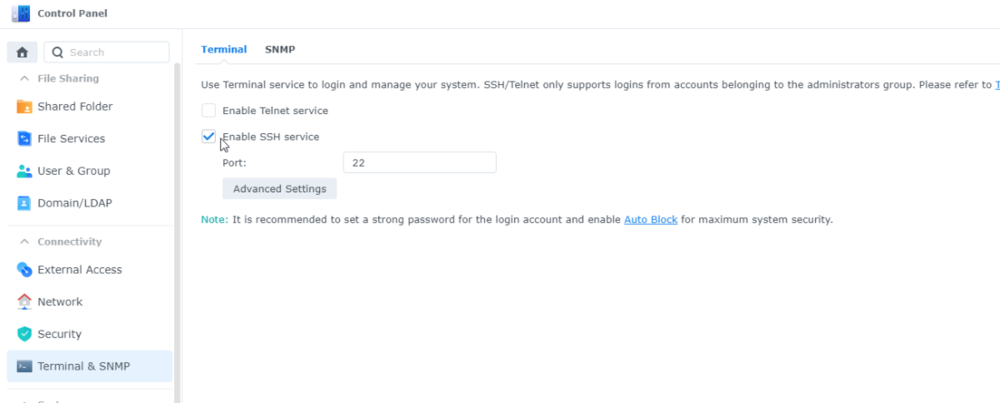
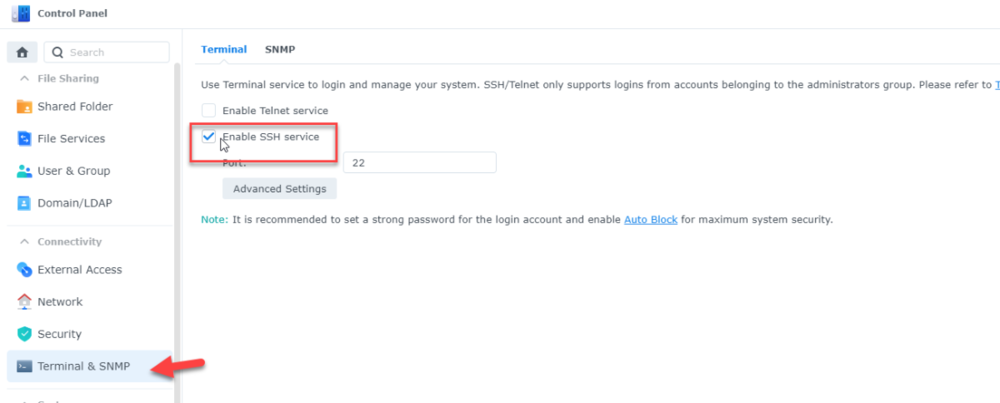
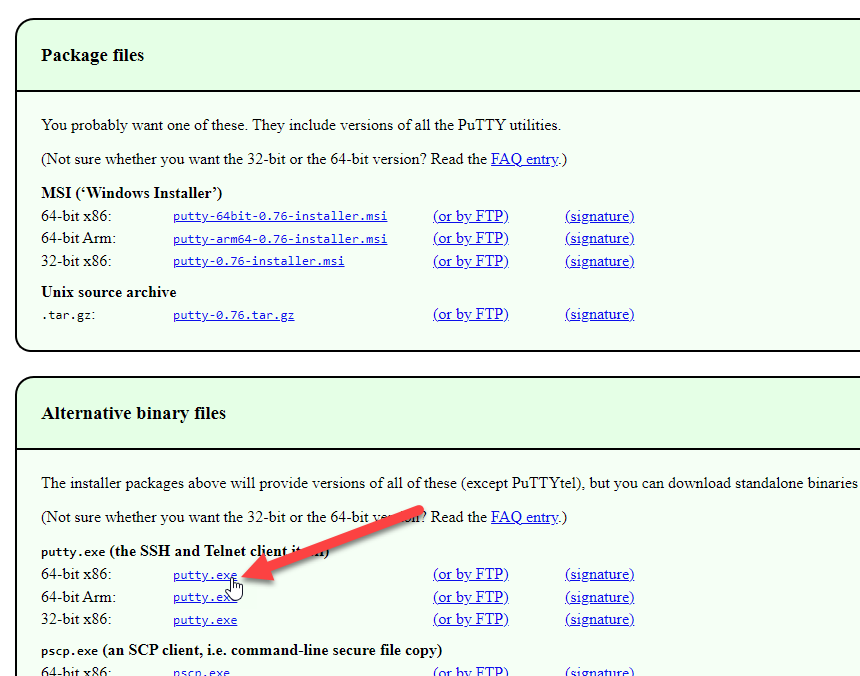
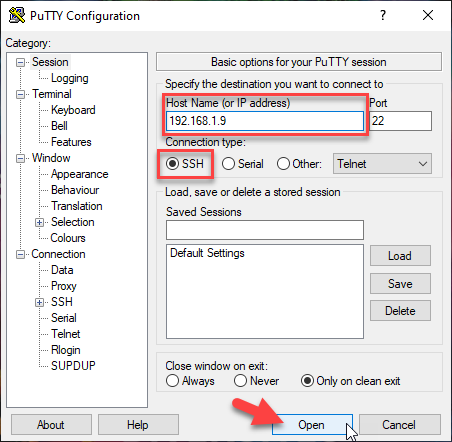
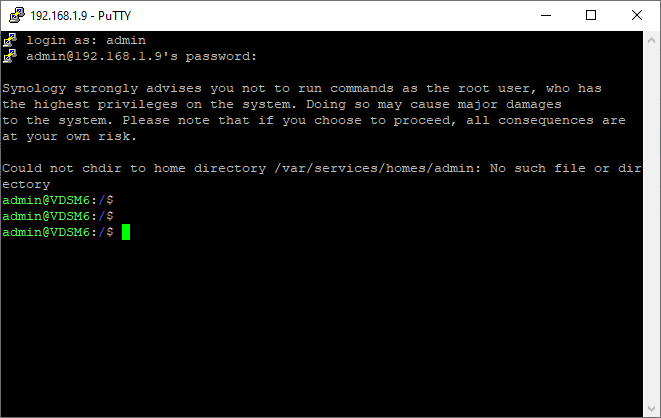
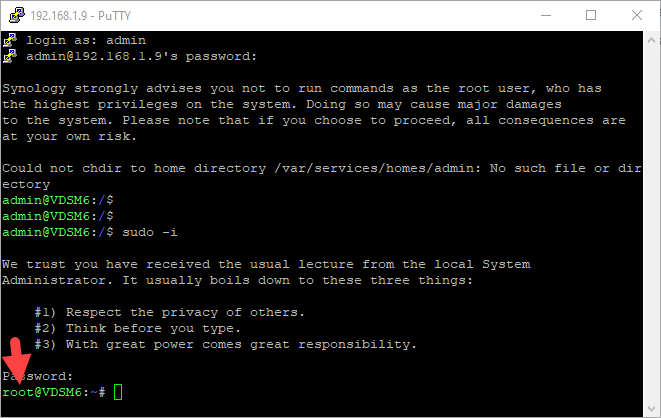
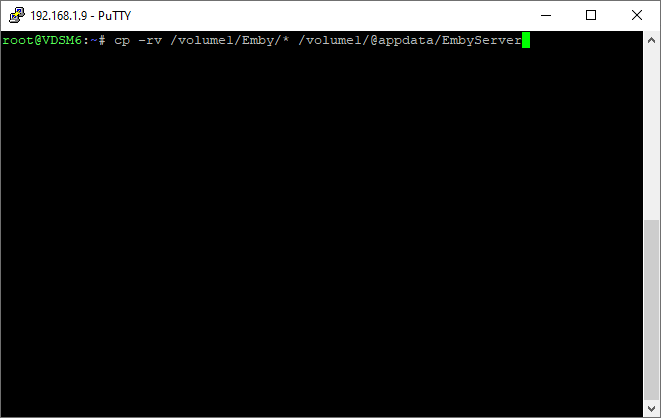
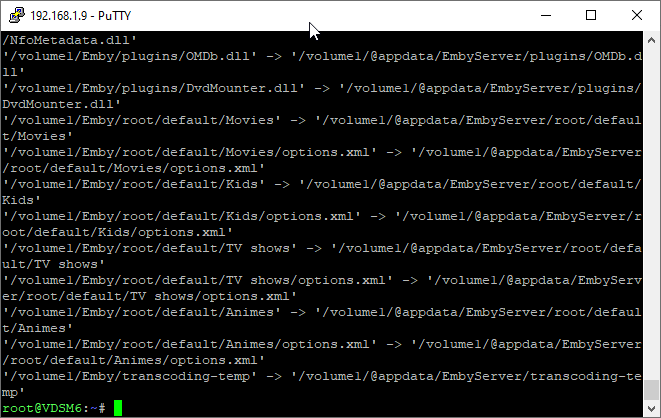
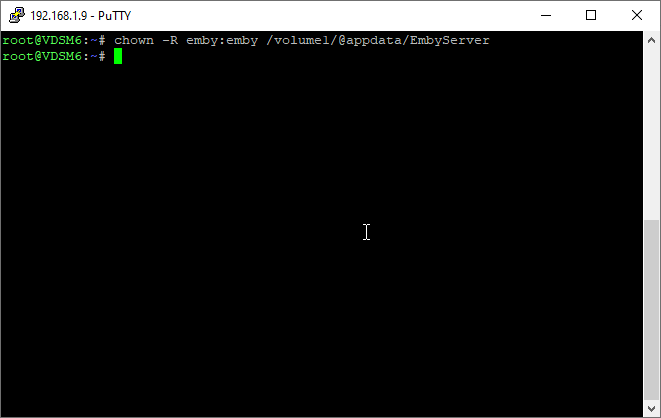
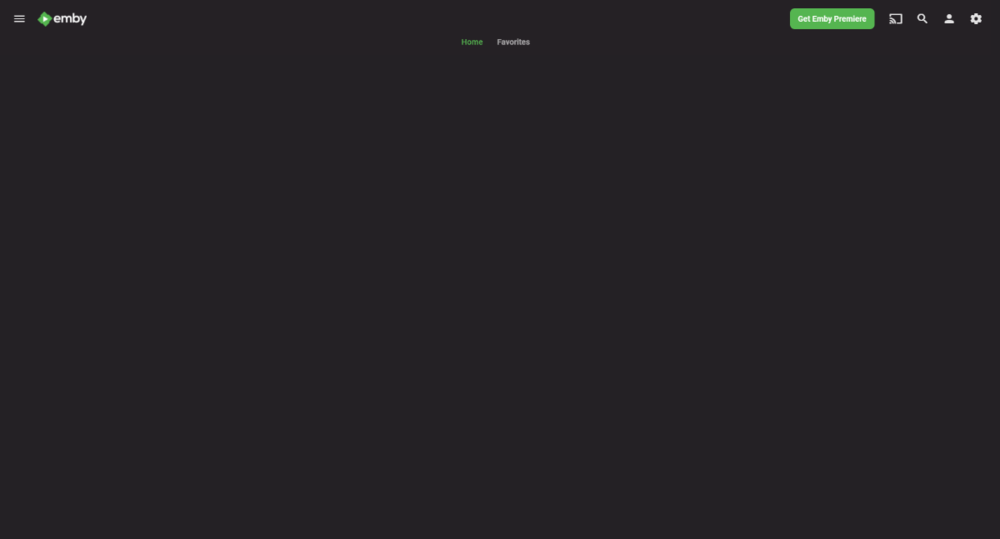
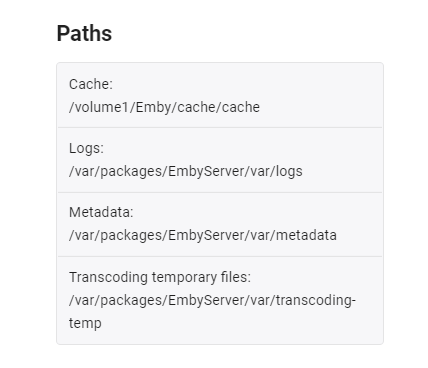
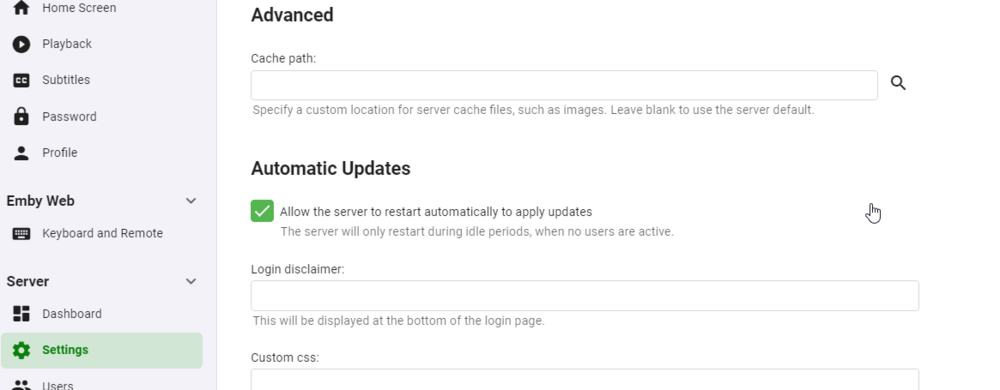
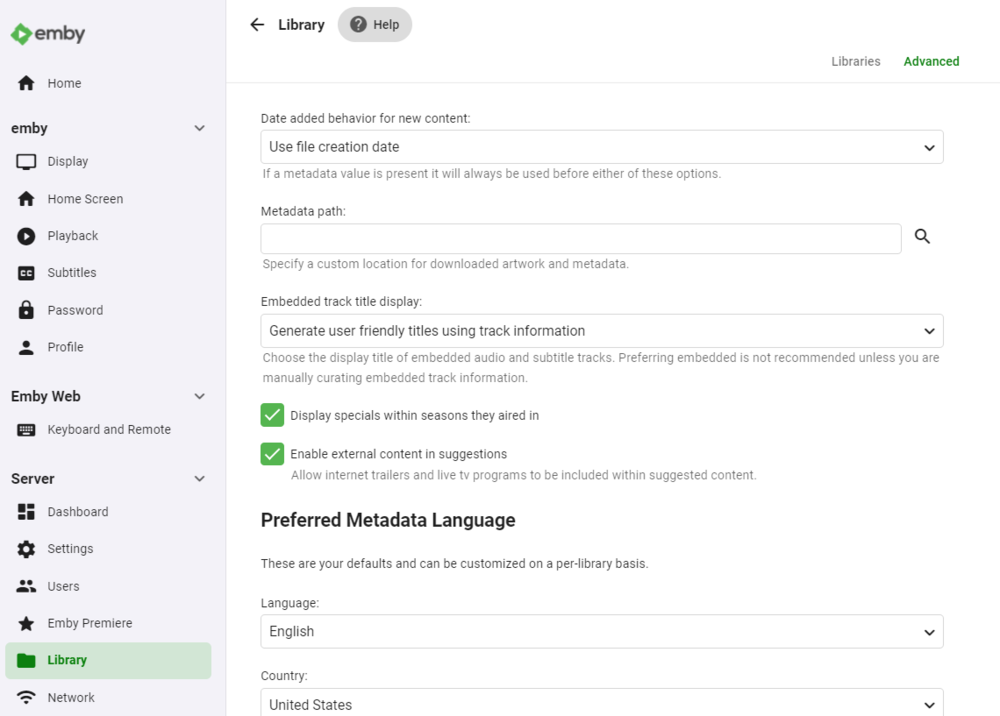
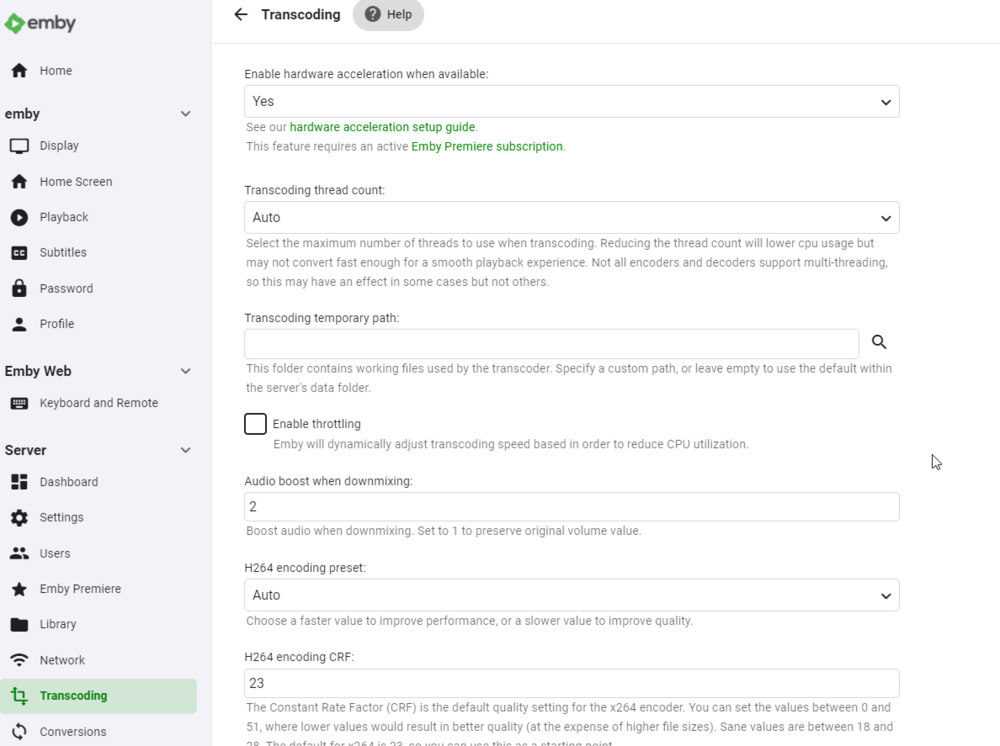
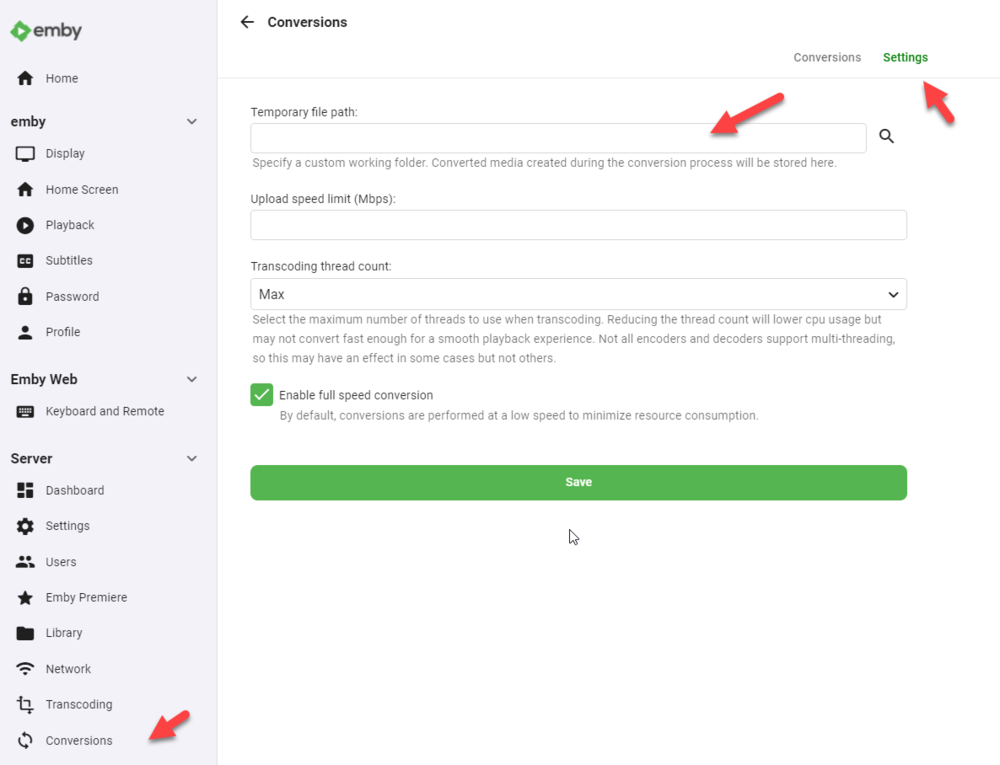
Hi guys, trying to do a complete tuto for those who don't understand what to do. hope it helps first, DSM migration is not a simple upgrade, there is a lot of changes that's why there is a DSM6 and a DSM7 version of emby ! it's not as simple as that, historically synology let devs to do some tricks to get access to some ressources that is not possible anymore in DSM7, emby guys need to recode the app. I created a VDSM6, last version, Emby last version, same configuration as I had before migration (at the difference I was in beta) : 1 share video with subdirectories DSM EMBY user full rights on it custom cache, logs, transcode files and metadatas paths some users by the way I recommand the nfo metadatas files creation for all your files and libraries... STEP 1 : DSM 6 - where are my datas ?? start by looking the paths on the dashboard then take a look on the settings go to the library advanced options then the transcoding temporary path and the conversion temp path keep in mind where are your datas ! wrote it somewhere. STEP 2 : Am I in the latest version of emby ? check it, double check, if not, stop emby, go download the latest package and upgrade. let's do a restart to be sure STEP 3 : stop and delete emby from DSM STEP 4 : leeeeeet's GO upgrade your DSM to version 7 now we can do hard stuffs STEP 5 : install emby FOR DSM7 https://emby.media/synology7-server.html choose the right package (to me 64-bit), and install it manually. the package is called synology7_4.6.4.0 let the run after installation check box, we need to let emby starts to let it create its files and stop it STEP 6 : remove emby_pkg user and video group go the control panel - user and group and remove the emby__PKG_ user no more user still in user and group, go to the group tab and delete de video group no more video group now, to be sure, go edit your user account to check if you still have all access to your shared folders. return to the user tab and edit your user, if you have multiple users, edit them all then go to the permission tab, I lost my access to the emby shared folder in the migration. check and double check your access to all your folders (if you have sonarr, radarr... you will do the same to give back the sc-xxx groups rights, but it's another subject) do the correction and SAVE for those who use the admin user, we talk about it later but yes you have to do the same with it STEP 7 : give rights to the emby user on your shared folders the emby user is a local system user, it is hidden, we need to give it the right to access the folders. stay in the control pannel and go to the shared folders, remember the paths on the step 1 ? in my case it was the shared folder called emby for the custom paths and the share called video to my libraries. edit your folders. go to the permissions tab, the emby user is not here, that's normal, click on local users and select system internal user now you can give read/write access to the emby user do the same FOR ALL THE SHARED FOLDERS emby has access to STEP 8 : technical stuff emby is still down, user rights are clean, now we have to copy/paste all the previous files from emby on DSM 6 to emby on DSM7. the reason is simple : the package is not installed in the same directory. to do that we need to go in cli (Command Line Interface) but synology is not that simple, you can't do it with your "classic" user you need to do it with the admin account and get an "elevation" to the root user. AND, the admin user is, for mostly people, disabled by default. (for those how the admin account is enable because they use it, just check if you can access all the folders, some rights disapeared with the migration) so, let's go the control pannel, user and group and edit the admin user, by default, it is disabled uncheck the box disable this account now go change password, because if you never used this account, it has no password the account is now ready to get access to the cli, we need to activate the SSH service, stay in the control pannel and go to terminal & snmp to activate the SSH service, let the port 22, don't forget to apply modification now you need an ssh client, I use mobaxterm but for you let's use putty, you can download it here https://www.putty.org/ we don't need to install the whole package, juste download the exe file then run it, check if you are in SSH and enter you synology IP if you can't access to your NAS, you did not apply on the SSH service page, go back and check.. accept the keys and log in with the admin account we now need an elevation, type the command sudo -i the password is the same as the admin account, you are now root STEP 9 : copy old file to the new location still remember the path of your files ? we have to copy them now with the command cp -rv /volume1/Emby/* /volume1/@appdata/EmbyServer it means Copy -RecursiveVerbose <old emby path/all file> to <new emby path> depends of the number of your files, the copy will take some times, when you returns to prompt, the copy is done now we have to give back the good rights to the user emby on those files, so we have to pass the command chown -R emby:emby /volume1/@appdata/EmbyServer keep putty open, just in case there is a users and library problem... FINAL STEP : START EMBY dark screen, starts good... check the paths (remember step 1..) and delete all custom, some paths keeps the old one, some paths are still in the emby shared folder settings, delete cache path library (empty, here we go...), metadata cache empty, save just in case transcoding path empty, save convertion, settings, delete path and save check all the previous old custom path and restart emby FINAL FINAL STEP : where are my users and libraries ??? now got a empty users and empty libraries, but the configuration is ok. don't panic. stop the emby server return to putty and do the command rm -r /volume1/@appdata/EmbyServer/* it will delete all the file in the new installation path of emby, don't delete file until emby is not completely down. then redo the command cp -rv /volume1/Emby/* /volume1/@appdata/EmbyServer and redo the command chown -R emby:emby /volume1/@appdata/EmbyServer start again emby and voilà ! all good ! when all done, you can close putty. you can also disable the SSH service and disable the admin account if you don't need it. remember control pannel user and group for the admin user, terminal and snmp for the SSH service
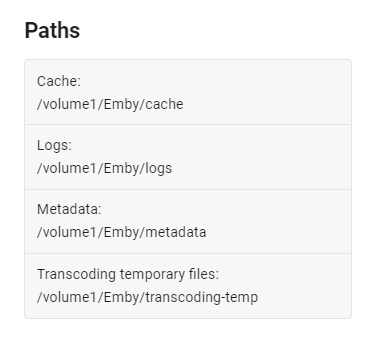
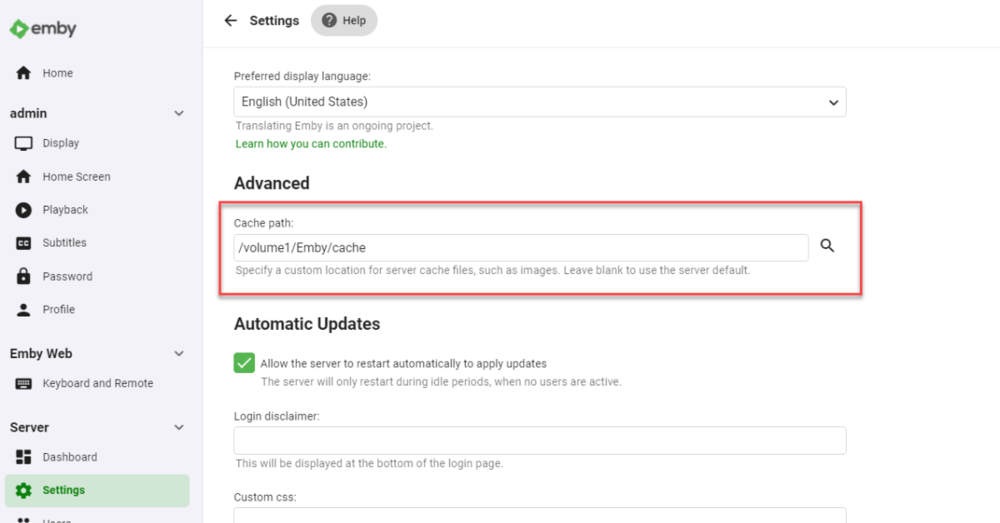
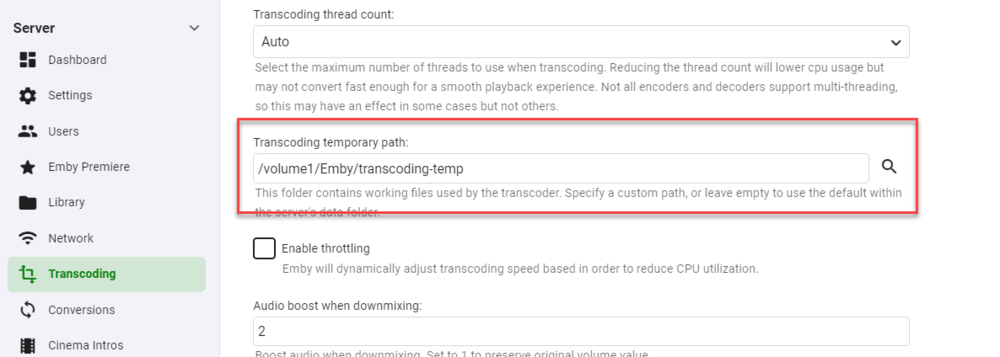
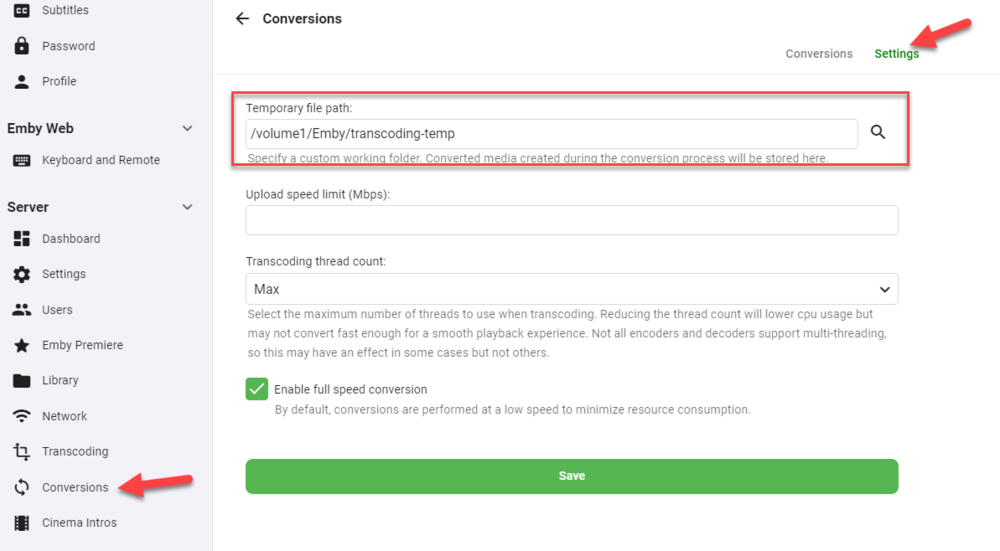




 1 point
 -
Well, no surprise there considering it's a fork of Emby from some time ago. What you should have done is simply shut down Emby instance before starting Jellyfin and then change its port number. Considering they are both self-contained instances they should not interfere with one another, might be your browser cache messing things up there - did you try clearing the cache? Rebooting the PC? Accessing Emby server instance from another browser?1 point
-
OK try this. Shut down Emby server then navigate in File Manager to C:\Users\carlo\AppData\Roaming\Emby-Server\programdata\config Change the username to your own where you have Emby installed. In that folder is system.xml Open it in notepad and change these two lines <VacuumDatabaseOnStartup>false</VacuumDatabaseOnStartup> <DatabaseCacheSizeMB>96</DatabaseCacheSizeMB> to <VacuumDatabaseOnStartup>true</VacuumDatabaseOnStartup> <DatabaseCacheSizeMB>256</DatabaseCacheSizeMB> Save the file and restart Emby Server. It may take a bit longer than normal to restart the first time. These two changes are going to allow Emby to use a bit more memory with database operations and is going to reorganize the database to make it faster. These two changes may help with guide loading speeds. Can you give that a try and let us know if this helps or not?1 point
-
Thanks Cayars! Problem solved! The only difference with what I was doing was the "*" after the original folder location for the Copy command. - update Emby Server to 4.6.3 (or latest release) - restart Emby Server and verify your on 4.6.3 - uninstall Emby - update DSM to v7 - install Emby 4.6.3 (or same version that was running above (dsm7 version) - stop Emby - remove emby_pkg user and video group - enable admin account if needed - give read/write permissions to your login ID and add Emby - enable ssh in Synology settings (Terminal & SNMP menu) - connect with Putty to Synology, login with admin user and get root rights with: sudo -i - copy files from old Emby share to new data location: cp -r /volume1/Emby/* /volume1/@appdata/EmbyServer - adjust owner from copied files: chown -R emby:emby /volume1/@appdata/EmbyServer - close putty - From Control Panel go to Shared Folder and edit each share that is used by Emby Server. Click the share, then EDIT, go to permission tab, select internal system user from drop down, grant emby user read/write access. - add emby user and emby group to your shared media folder in Synology - start Emby1 point
-
i have the Documentaries library set as mixed content but allow the shows and movies to acquire their metadata in the tv and movie libraries respectively and then manually move them across once done. its not that common i add stuff to the Documentaries library so its not a lot of admin1 point