Leaderboard




Popular Content
Showing content with the highest reputation on 08/13/21 in all areas
-
On your "movies" section there is a three dots menu available next to the "filter" tab. Click on it and in the resulting menu choose "Group items into collections" This over rides the "normal" view and will give you what you asked for.4 points
-
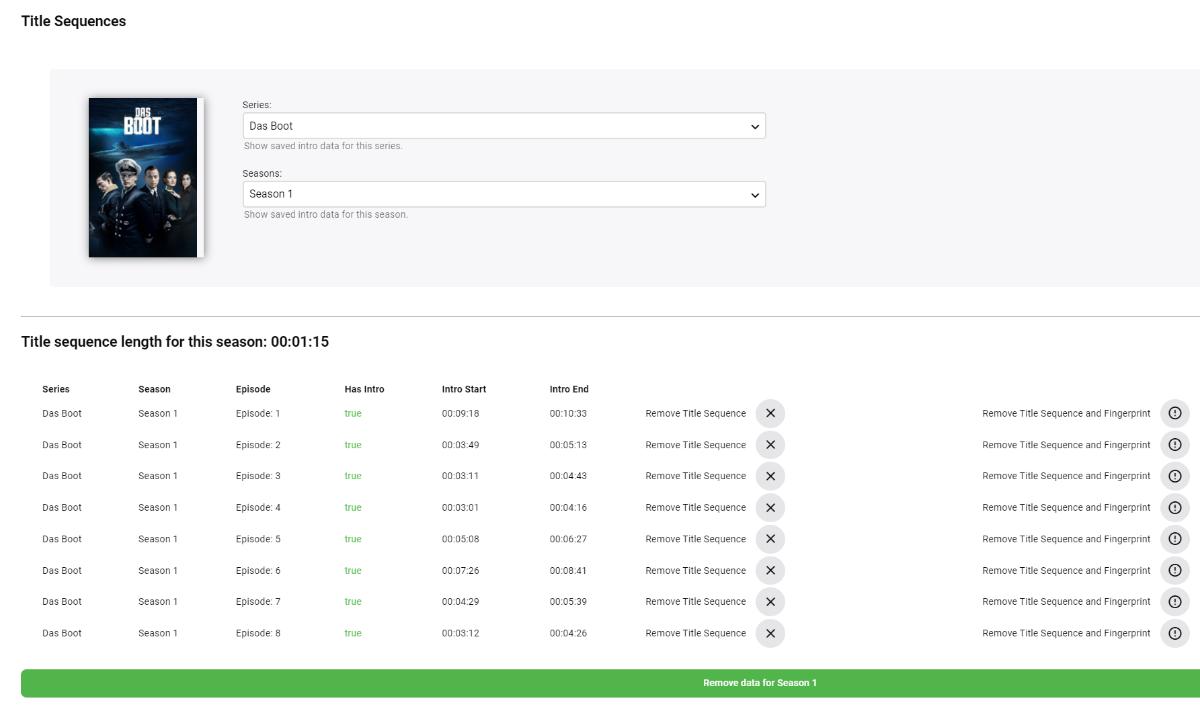
Hi again! Below is (from what I can tell) a working proof of concept for the IntroSkip Plugin. Please keep in mind, the initial scheduled task is HUGE! I mean HUGE. You'll have to run the Audio fingerprint task first. It might take upwards of a day to complete. What does it do? It will scan your entire library and take audio snippets of your tv show. The audio snippets are then compared for similarities using chromaprint technology. When similarities are found we consider these TV show title sequences. The Sequences are then marked and saved. The plugin will open an endpoint on your server for Emby clients to request title sequence data. What this doesn't do... This plugin does not actually enable "skip Intro" on any of the Emby clients. Note: higher powered machines may change the max degree of parallelism in the plugin options. This will run the task on more series at once. Please KEEP SETTINGS SANE! Probably don't do more then 8 at a time for high powered computers. Default is 5. I knew a user who ran the scan on 25 series at once... He had a really powerful server... probably don't do that, okay. Last thing, make sure the "Duration of fingerprinted audio" is set to 15 minutes. Sometimes a title sequence doesn't happen right away, like if there are recaps. DOWNLOAD: IntroSkip.zip This proof of concept plugin was created by a lot of really talented community members. So many people put a lot of time into it. A lot of thanks to everyone who had the ideas, and helped build the thing. Have fun if you try it4 points
-
Hey look at that! There is a database getting populated there3 points
-
Okay, so early is actually better than late. Because the way this would most likely be implemented is with some sort of small popup on screen that you have to press a button on to execute the actual skip.3 points
-
Hi, How many drives do you have in this computer? I ask this because DVR and Live TV playback of recordings in progress are one of the toughest things you can do in Emby IO wise at present. Being able to set the transcode temp folder to a different disc then the recording will help. If you can add a cheap SSD to use for transcoding temp folder you're IO issue will be substantially reduced and breath new life in your system.3 points
-
This seems to be similar to what we were already doing. I believe the high disk utilisation was likely due to how many shows were being processed at once.2 points
-
I would think people would complain if it is late - thinking it isn't working because they want to skip it as soon as the intro starts.2 points
-
New version available: 6.0.4 build 9 (ex2) Delta changelog: - fix musicvideo track info - sync issues - minor fixes2 points
-
Unless you refresh the metadata (by default it is not scheduled to refresh at all) then the only need for internet access is new items added and occasionally checking the emby license status. Any reasonable wifi hotspot should be sufficient for this.2 points
-
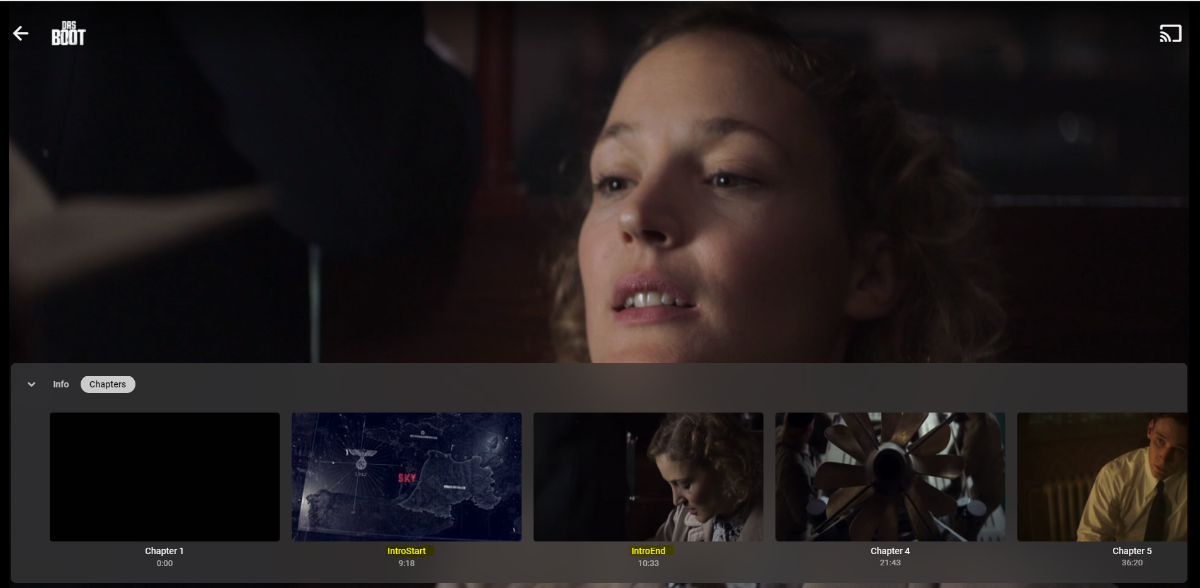
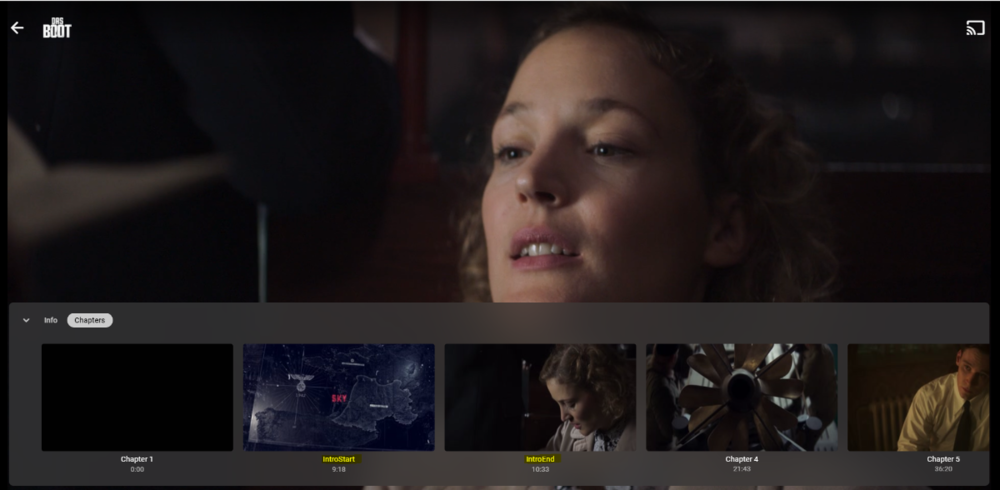
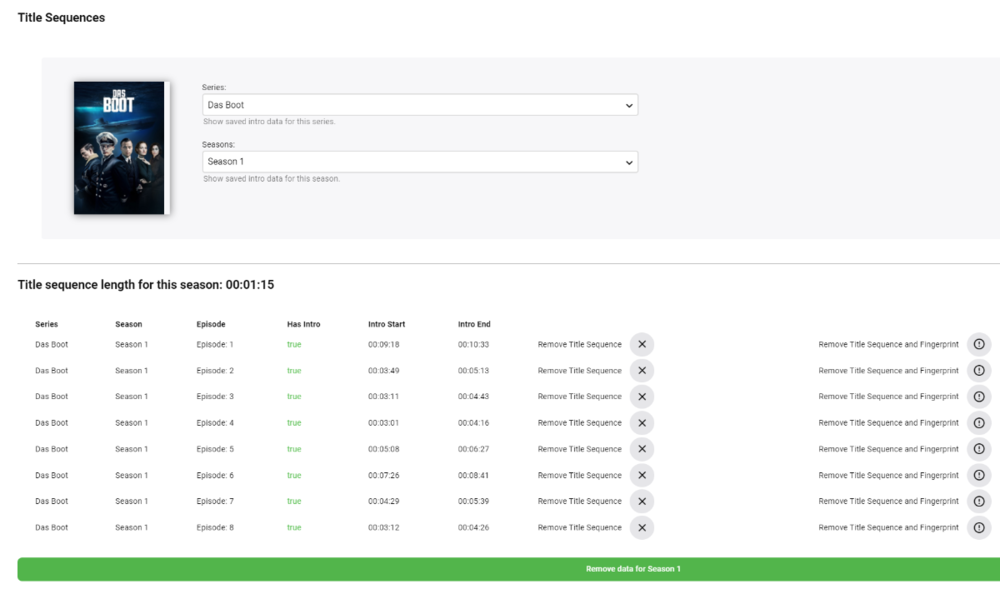
Hi @chef Had a quick play - on a local SAS disk it's taking about 30 seconds per episode to do the fingerprinting - CPU appears to be idle but the disk is getting hammered - so if there is anything we can do to keep that in memory than that sounds like a great potential performance increase. From an accuracy perspective - it's looking pretty good. I've tested on the series below as the Intros appear anywhere in the first 10 or so minutes and from checking the results, the IntroEnd is very accurate. IntroStart is sometimes maybe 2 seconds off - but that's fine with me. As a mock up - I then added the results from the JSON file into a MKV Chapter file (attached) and hey presto, I now have a jump point. tbh, unless we can Automate the Intro Skip, there is probably little point adding (or showing) the IntroStart - we just want the IntroEnd. A 'Skip Intro' (to IntroEnd) button would be useful on the OSD as well. For those that don't want to modify the MKV, then I guess you could also write these chapter points in the Emby chapter table in the main database - not sure how the item is currently linked in this Alpha (it may be stand alone at this point?) Exciting stuff. Well done to all the contributors to this ! Das Boot (2018) - s01e01 - New Paths.xml
 2 points
 -
/volume1/@appdata/EmbyServer/config I deleted my old folders with no issue. You could just rename it for awhile though if you want to be sure2 points
-
FrankGio I purchased the lifetime pass and can access my music via Alexa directly. I've had a number of issues that really haven't been resolved however. I would recommend you start with a monthly pass to try it out the skill before you commit to the lifetime one. You can get all the SSL stuff set up first before you subscribe.2 points
-
I had a bit of time to mess around with this today, but here's what I was able to figure out. To get the fingerprints I used this command: ffmpeg ^ -i "C:\Data\media\episode.mkv" ^ -t 300 ^ -ac 1 ^ -acodec pcm_s16le ^ -ar 16000 ^ -c:v nul ^ -f chromaprint ^ -fp_format raw ^ fingerprint.bin This command fingerprints the first 300 seconds of the file (this can be adjusted to whatever you want) and stores the raw binary fingerprint in the fingerprint.bin file. We could probably figure out a way to directly read the output without saving to a file, but if we save to a file we can reuse the fingerprint later. This file is just a raw binary file that we can read and then convert each 4 bytes (at least, I think it's 4 bytes) into a number/integer. I don't know how exactly this is done in C#, but I'm sure we can figure it out. Once we have converted every byte in that file to a number, we have the full fingerprint which we can store in an array. We repeat this for the second episode. Then, the process is very similar to the one used currently in the plugin, although the integers are now directly comparable and we don't require the hamming distances anymore which should speed things up a little bit. We can simply find the absolute difference (absolute value of n1 - n2) for each number in both fingerprints arrays. (EDIT 2: Turns out I might wrong about this, after further testing I believe that each integer in the array actually represents 4 bytes. Now the numbers look like the ones we had before, and hamming distance is still required to get the proper results.) As far as I can tell in my limited testing, everything else remains the same. Hope this information is helpful! EDIT: I just wanted to clarify that the fingerprints seem to be a fixed length regardless of if we analyze the first minute of an episode or the whole episode, and I have not figured how to change their length as we did previously, but it seems to work regardless as long as we make sure that we are analyzing the same length of audio in both episodes.2 points
-
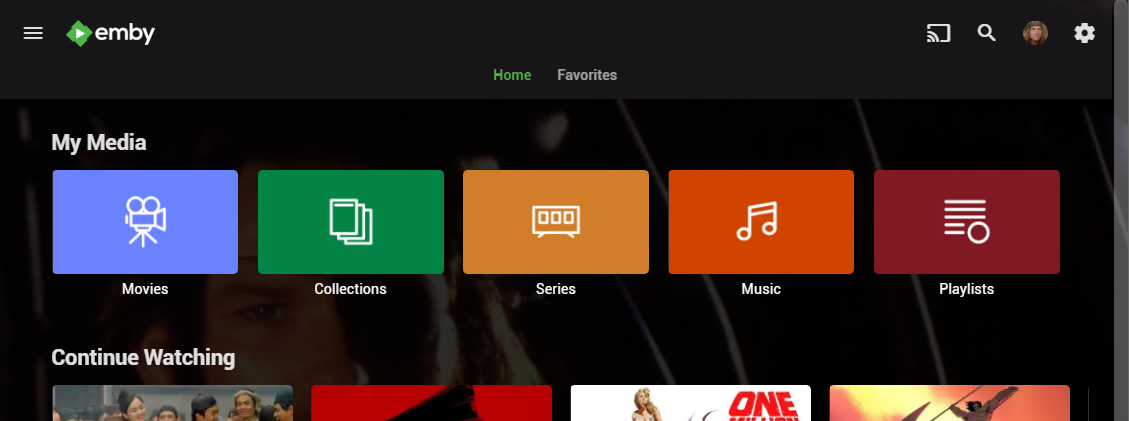
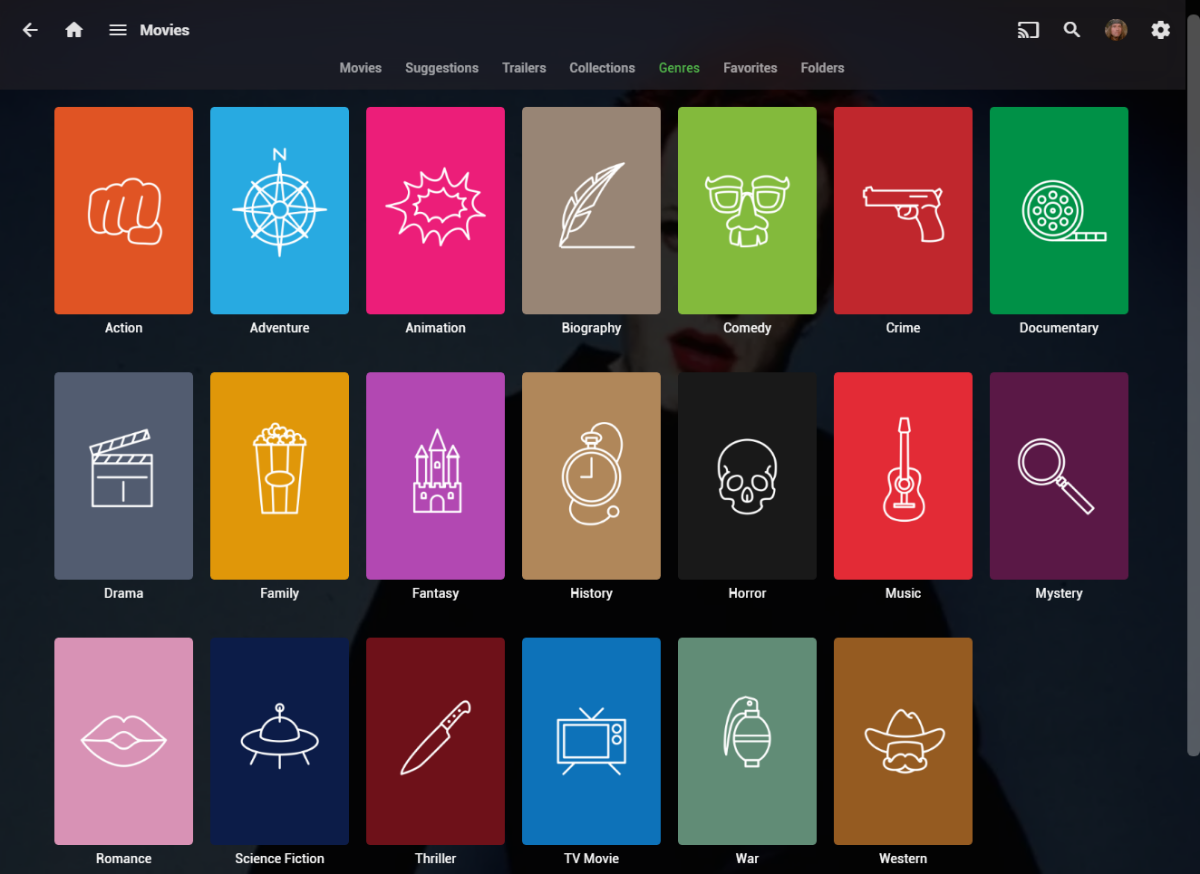
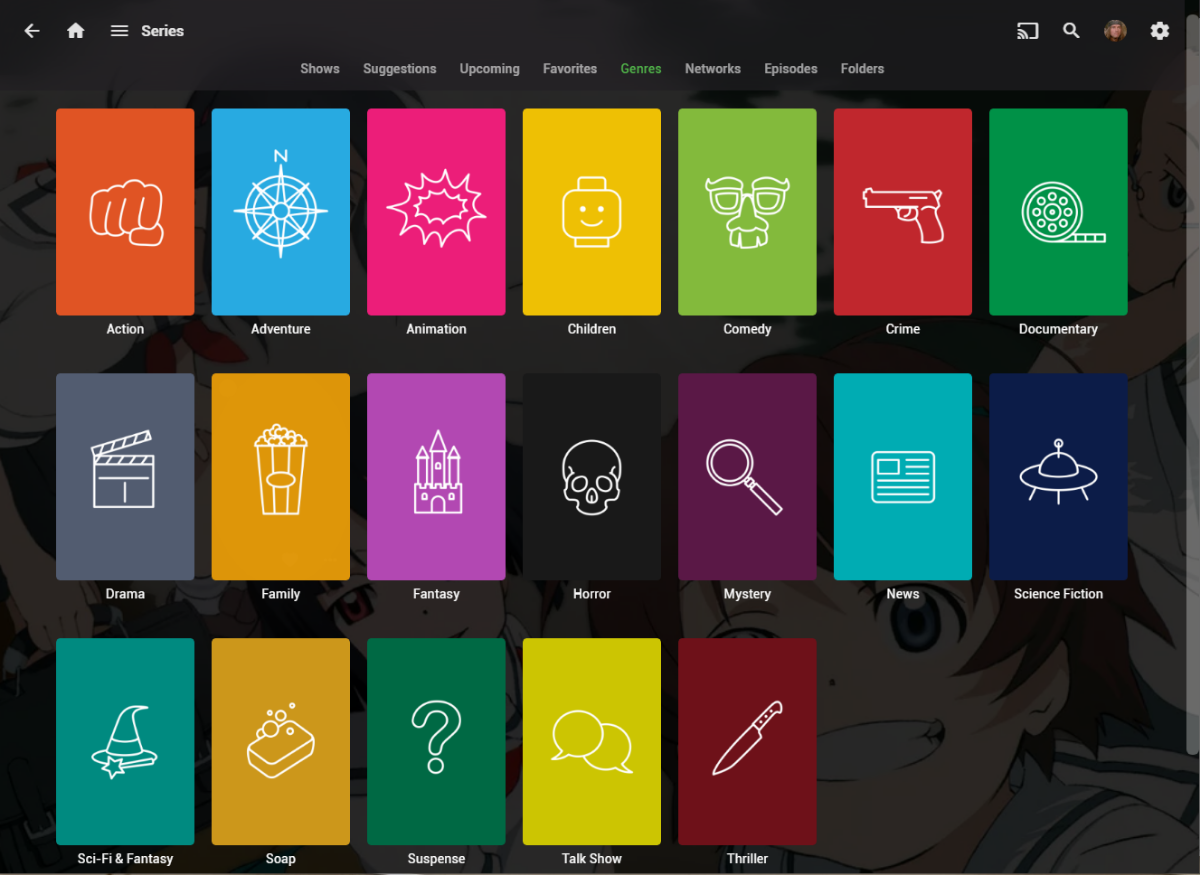
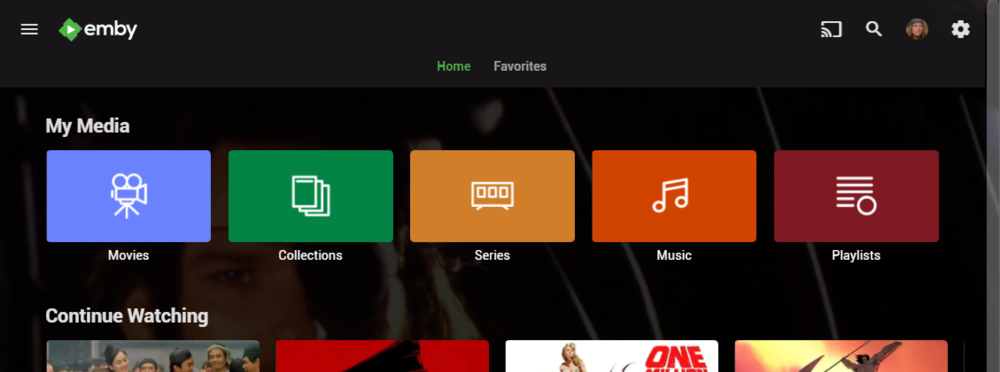
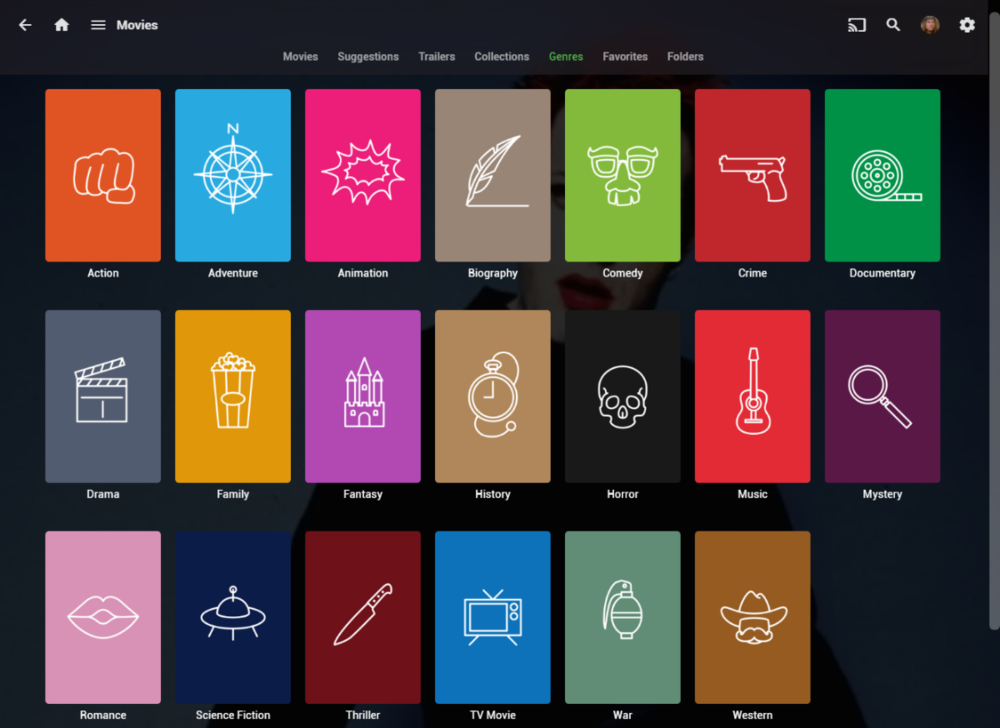
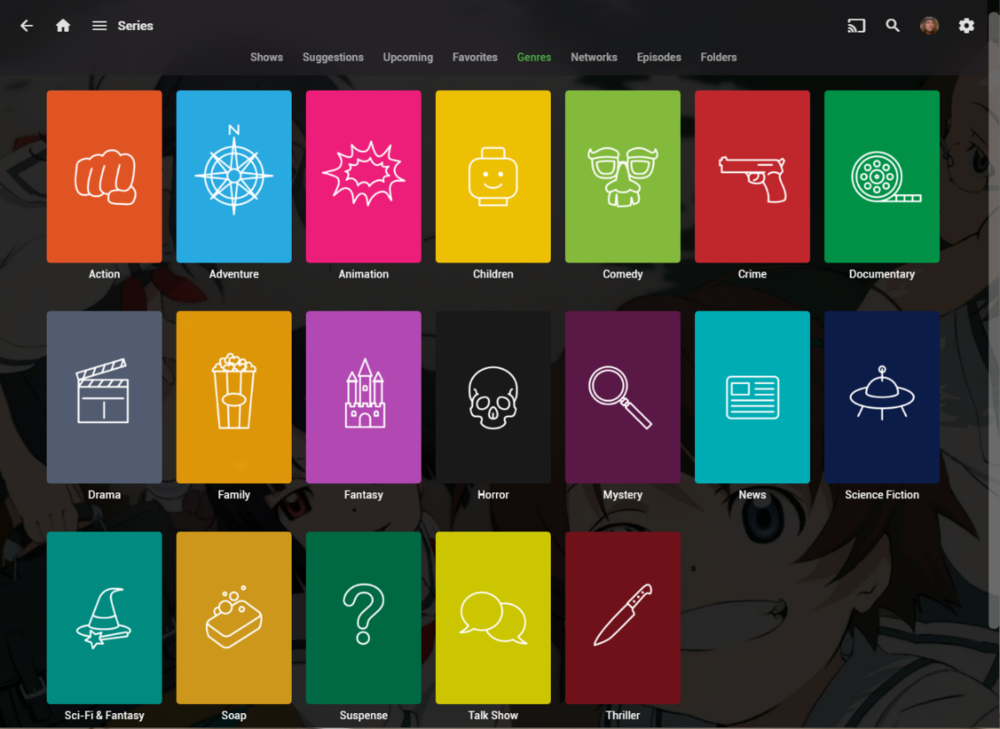
I wanted a colorful, but minimalist set of Library and Genre icons for when I'm using Emby on Roku, and something that stood out dramatically from the movie posters and thumbs. Here's what I did for the My Media set. Here's my Movie Genres: And the Series Genres RAR file attached with the full set as PNGs, and there is some in the archive not shown above (like Sports and Adult). Enjoy! -Mickey EmbyIcons_v4.rar
 1 point
 -
You've grown up with watching live tv but on television only runs garbage? You have a big library but don't know what to watch next? Then this for you: "VirtualTV" - my new live tv plugin that allows you to create custom channels based on conditions of your Emby library content. What's missing: Maybe codec conditions Known problems: Needs Emby Premier to work (Playback) Emby's live tv and playback api is very limited, so i've had to make some detours to get things working. The plugin has two general playback modes: "continous" and "playlist" playback. With "continous" mode you can also choose between "live", which bahaves like real live tv or "archive", which plays the videos from the start. In "Continuous" mode multiple videos are queued and concatenated to one big file with the help of ffmpeg. To make this happen every video in the queue has to have some common features (video and audio codec). That's why it often happens that the video also has to be transcoded by ffmpeg. For transcoding the plugin relies on Emby's internal transcoding engine. If there's a problem, not uncommon with hardware acceleration enabled, the plugin also has a problem. Nothing i can do about it. The availability of subtitle tracks is mostly dependant of the Emby user playback settings. In continous playback mode only one (the default) subtitle track can be used and this one has to be burnded into the video (transcoding takes place). In "Playlist" playback mode the videos are pushed as a playlist to the Emby clients. It's like you would play your videos directly from your libraries. This way you get all the features you are used to. Audio and subtitle selection, pause, skipping around and similar things. "Native" playback method was created by the Emby Devs. Similar to Playlist playback it will play the real library videos, but with the big difference that playback is purely initiated by the client app, without any remote command execution. This is why it also works for Roku devices on a WAN network. And although the real videos are played, the whole thing is treated like live TV. This means that channel zapping is possible and no dialogs for playing the next episode are displayed. Unfortunately, the new playback method does not yet support all features. As the name "Archive" suggests, it will currently always start all videos from the beginning. In addition, only very few Emby apps automatically advance to the next video. If you want it to be improved even further, each of you should raise your voice in this thread. To get things started install the plugin via Emby's plugin catalog and restart Emby. Setup your channels with a name and number and choose your playback mode. In the channel conditions you'll have to select an Emby account. This account is used to get library access, respect parental rating, reading watched states and selecting the stream language. At least one textual input field of the conditions has to be filled to get some program data. Fields with an asterisk are either evaluated with an "AND" or "OR" condition among each other. Finally, if you've chosen "Continous Playback" for one of you channels, take a look at the transcoding settings. Save your channel line up and manually trigger a "Guide Refresh". Now have fun! Version History: After a plugin update, always clear your browser cache. If your settings still don't load in the config screen, you have to move the "VirtualTV.xml" out of ...\plugins\configurations and restart Emby. Start from scratch. 2.0.0.0 Unlimited number of channels; New playback method "Native (Archive)"; New security concept for the Export API 2.0.2.0 Performance improvements to Guide Refresh; Preview for Add/Edit Channels; Option to disable Program indicators 2.0.3.0 Fixed missing Playlist sort order for some Content Types; Added support for Seasons with Content Source Collections 2.1.0.0 Selectively enable channels for specific users; Create copies of existing channels; Ordered unwatched episode playback 2.1.5.0 Added option to (auto)enable channels on a specific date range; Bug fixing1 point
-
Hi, I created the subtitle plugin for Subscene. Please install and let me know if there is a problem --> The problem with Subscene is resolved, Please download the latest version <-- Source Code: https://github.com/nRafinia/Emby.Subtitle.Subscene Binary: https://github.com/nRafinia/Emby.Subtitle.Subscene/releases/latest1 point
-
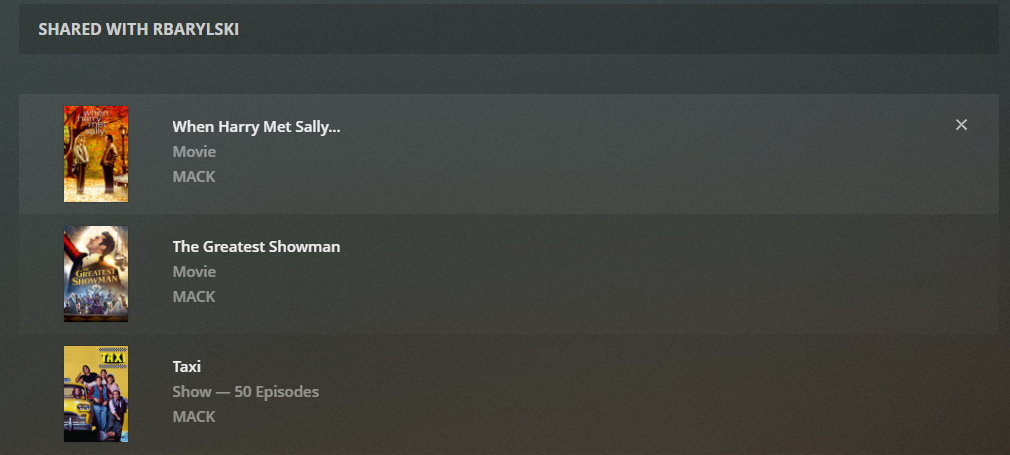
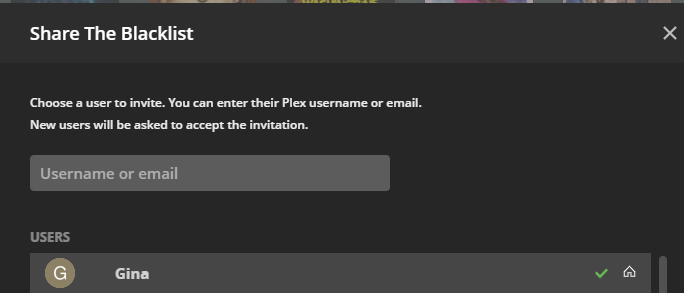
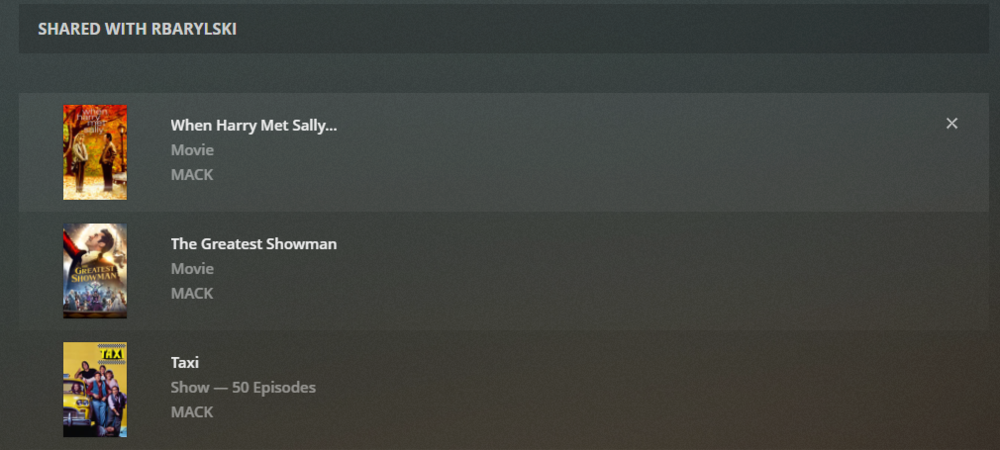
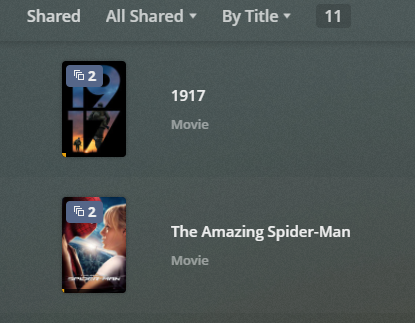
There's obviously a lot of capability to share content in Emby, but I came across a few limitations recently and would like to request a few improvements. Change Restrict Items with Tags in parental access controls to per library rather than ALL libraries. The way it is now, if I use "Restrict or Allow" I have to tag EVERYTHING, to either get it to show or hide. Some libraries I want to share everything (like photos) and others I only want to share 1 thing (like Movies). Also, parental controls actually functions much more broadly than just parental controls, so maybe splitting out the additional functionality into a different tab would be more appropriate. Change Share function in more menu to select an Emby user to share with, so the content appears on the users home page when logging in. Right now it's just a link directly to the file on the server with no way for a user to get back to it. Allow ALL versions of a video to show when tagging and using the Allow only items with these tags function. I believe some changes like this would need to be made anyways to get this feature request (Multi-Cast Support - Feature Requests - Emby Community) working. At least, to get it working in a more user friendly way. I can't imagine trying to start a Watch Party by having to send every user a URL that they need to click on in order to start the watch party. It's easier to just add shared content so the end user can just go to their home page and start the Watch Party. To borrow an example of how this could work, Plex has implemented something similar, although they stick everything in a Shared view. The function to share is good, but the function to access the shared content isn't so good. IMO, the shared content should just appear in the library. Similar to how it would show up if using Allow only items with these tags. I'm curious how Jellyfin has implemented Watch Party and sharing too, but my only reference is Plex. Here are a couple of screen shots just for example. After clicking share in Plex, users on the server can be selected to share with or outside users that aren't on your main server can be selected. Then, managing the shared media is simple as I can see everything shared to each user in 1 place. When I want to take shared access away, I just click x and the user no longer has access. And the end user see's this, which is decent, but as an end user I'd much rather see the shared content within the actual libraries.
 1 point
 -
Hi! Is is possible to handle the daily request limit into the Addic7ed plugin? Something like If we have 10 consecutives timeouts when calling addic7ed.com, then the plugin stops to try to download subtitles for the entire collection, and an error is thrown? Actually, every day my Emby tries to download subtitles, succeeds for a few at first (I guess? I hope it's not every day the same subtitles), then fails, and as it continues to attempt HTTP requests, the task takes a long time to complete (~1h30, with ~8500 useless requets to addic7ed.com, which timeout, and I have a 20mb logfile everyday). 2021-08-02 08:54:29.733 Info HttpClient: GET https://www.addic7ed.com/ 2021-08-02 08:54:30.576 Info HttpClient: POST https://api.opensubtitles.org/xml-rpc 2021-08-02 08:54:31.494 Info HttpClient: POST https://api.opensubtitles.org/xml-rpc 2021-08-02 08:54:31.583 Info HttpClient: GET https://www.addic7ed.com/ 2021-08-02 08:54:32.102 Info HttpClient: POST https://api.opensubtitles.org/xml-rpc 2021-08-02 08:54:32.203 Info HttpClient: GET https://www.addic7ed.com/ 2021-08-02 08:54:32.650 Info HttpClient: POST https://api.opensubtitles.org/xml-rpc 2021-08-02 08:54:32.852 Info HttpClient: GET https://www.addic7ed.com/ 2021-08-02 08:54:33.348 Info HttpClient: POST https://api.opensubtitles.org/xml-rpc 2021-08-02 08:54:33.424 Info HttpClient: GET https://www.addic7ed.com/ 2021-08-02 08:54:33.909 Info HttpClient: POST https://api.opensubtitles.org/xml-rpc 2021-08-02 08:54:33.995 Info HttpClient: GET https://www.addic7ed.com/ 2021-08-02 08:54:34.529 Info HttpClient: POST https://api.opensubtitles.org/xml-rpc 2021-08-02 08:54:34.631 Info HttpClient: GET https://www.addic7ed.com/ 2021-08-02 08:54:35.120 Info HttpClient: POST https://api.opensubtitles.org/xml-rpc 2021-08-02 08:54:35.194 Info HttpClient: GET https://www.addic7ed.com/ 2021-08-02 08:54:35.706 Info HttpClient: POST https://api.opensubtitles.org/xml-rpc 2021-08-02 08:54:35.780 Info HttpClient: GET https://www.addic7ed.com/ 2021-08-02 08:54:36.255 Info HttpClient: POST https://api.opensubtitles.org/xml-rpc 2021-08-02 08:54:36.334 Info HttpClient: GET https://www.addic7ed.com/ 2021-08-02 08:54:37.046 Info HttpClient: POST https://api.opensubtitles.org/xml-rpc 2021-08-02 08:54:37.123 Info HttpClient: GET https://www.addic7ed.com/ 2021-08-02 08:54:37.691 Info HttpClient: POST https://api.opensubtitles.org/xml-rpc 2021-08-02 08:54:37.776 Info HttpClient: GET https://www.addic7ed.com/ 2021-08-02 08:54:57.812 Error HttpClient: Connection to https://www.addic7ed.com/ timed out 2021-08-02 08:54:57.865 Error SubtitleManager: Error downloading subtitles from Addic7ed [...] 2021-08-02 10:25:57.672 Info HttpClient: POST https://api.opensubtitles.org/xml-rpc 2021-08-02 10:25:57.766 Error SubtitleManager: Error downloading subtitles from Addic7ed Finally, I had to deactivate the Addic7ed task for now. Thank you! Also, it may be interesting to write the requested subtitle into the logs.1 point
-
Just had a chance to take a look at this, and the stable version does include chromaprint. I was even able to test it and it worked no problem with this command: ffmpeg -t 300 -i /mnt/user/media/TV\ Shows/Brooklyn\ Nine-Nine/Season\ 7/Brooklyn\ Nine-Nine\ \(2013\)\ -\ S07E01\ -\ Manhunter\ -\ \[EAC3\ 5.1\].mkv -ac 1 -acodec pcm_s16le -ar 16000 -c:v nul -f chromaprint -fp_format raw /mnt/user/media/fingerprint.bin The path being between quotes or using escape characters like I did shouldn't matter, but perhaps that had something to do with it.1 point
-
Yes, deleting the device from Dashboard-Devices should force the device to reauthenticate with the server.1 point
-
Yup... I'm an idiot. Skipped right over it lol. Thanks for reminding me of that!1 point
-
You might want to watch what Emby does while recording. It creates a single file in the transcoding path for the incoming stream. It also creates a single file in the library directories for the video being recorded. What isn't clear without tracing or seeing the code is whether it's a write/read/write operation, but it's definitely happening. Then if you begin to watch the video while being recorded Emby begins to create the .ts chunks and the .m3u8 file also in the transcoding directory. So you end up with w/r/w for the recording and r/w/w/r for the streaming. A 5400 rpm HDD with low IOPS and sluggish seek might look pretty busy. To the OP, is there AV software interfering with your media I/O? Edit: the above is my experience with US OTA mpeg2 streams. I don't know how h.264 streams from IPTV or tuners with transcoding are handled.1 point
-
Yeah, Fast Forwarding would be really great in the Emby apps!1 point
-
@mbarylskiNow it has 3 likes @LukeAny plans to update the share feature? Just need a way to get a link to the video currently being watched. If not, then how would you recommend I / my end users document the media they are watching, for future reference? I just installed the Playback Reporting plugin, but it doesn't even log any path or link to the media being played.1 point
-
I thought that was just a repost of the previous plugin. Quick work @chef! I'll drop it in now. Thanks!1 point
-
Especially because the plugin also writes a bunch of temporary files which would add up if you were doing more than one series at a time. It should be a lot better if we can get the fingerprints from FFmpeg directly without saving to a temporary file in the process, but even then this process is more meant as a background task. Once you’ve already processed your library, any additions would scan fairly quickly, even if done one at a time.1 point
-
I was thinking we should do a percentage of the episode or something like that. That way, short series only require a few minutes at the start, and longer ones would use more. We just have to make sure it’s the same length between the episodes that are compared together.1 point
-
That sounds amazing :). What command are you using? I'm assuming doesn't work? Perhaps the following? Usually it's -fmt FORMAT | to pipe to something else but not sure with audio (and am travelling so can't check right now). https://ffmpeg.org/ffmpeg-formats.html#Options-71 point
-
There is still an issue in remove user from session. I'm working on it...1 point
-
True dat! And I learned something new today! Thanks!1 point
-
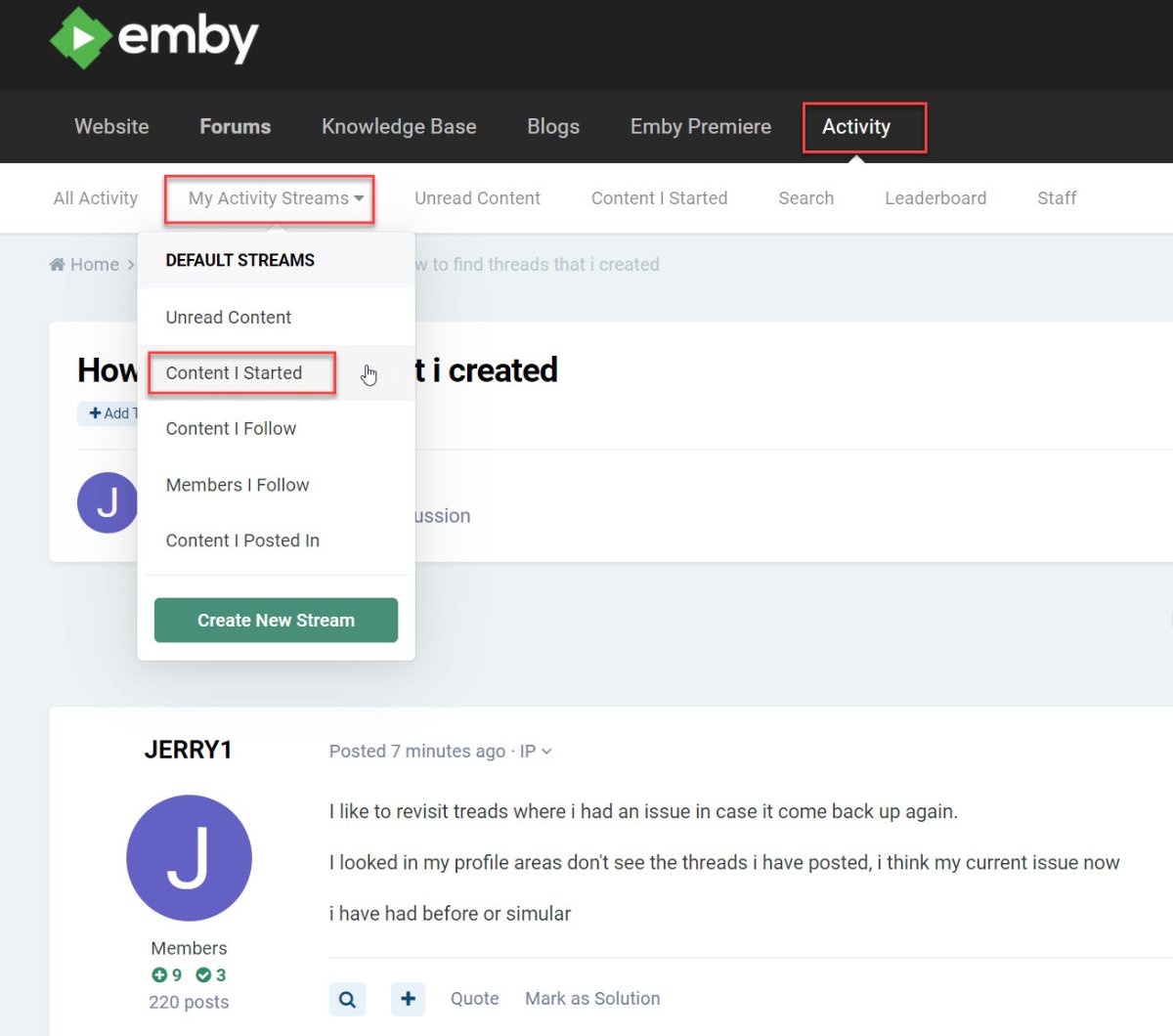
The one I post, is the fastest way Well, that what "Activity" is all about, forum activity.1 point
-
As I guess you can modify the actual timestamps calculated - then I would think you want the 'Skip Intro' early by say 2 seconds, that way it gives you time to find the remote. On the resume, then if in doubt, you want that early as well, leaving maybe 2 seconds or so of the Intro - otherwise you may chop part of an important scene - better to be early than late.1 point
-
Was reading this one earlier, no mention of high disk io, so possibly this approach works better performance wise? Uses temporary audio files though. https://jg.sn.sg/chapters/1 point
-
If that's an option, that will likely solve all your issues. The problem here, undoubtedly is in the conversions through the TV via optical. There is no handshake, no data, etc.1 point
-
I hope late, because prime and Netflix are usually a second late. Better user experience actually. But I get timestamps that are right on the intro to the second. I actually brought up that before, that perhaps we should be late on purpose by a second or two.1 point
-
I understand, but I reckon that is generalized disclaimer, hence the query "Maybe got in touch with 'em", given enough incentive, I'm sure some agreement can be reached. I can envision that being a fruitful partnership, as they could surely benefit from increased visibility from Emby's userbase, and Emby gaining a feature it's currently missing.1 point
-
Hi, I believe it is based on the default audio track, but yes we should improve that to be based on the current track that is selected.1 point
-
No, this one is actually a different show. I'll try to setup a local emby instance later, with only the problematic show in the library, to see how it behaves.1 point
-
Ah, hadn't thought about that. Thanks!1 point
-
Yes of course. It's an SD card so even if Android wouldn't let you delete things you can still put it in a PC and have access to the whole SD card.1 point
-
But why? You may want to go with this combo:
 1 point
 -
I only have three and I have two done and working again, the users are an easy part. I was glad I did not need to scan everything again because I have a big collection and it takes awhile to redo it. Thanks again Dave1 point
-
New version 0.9.9.3 in the starting post: Channels: Fixed bumper interleaving for mixed content channels Optimized general interleaving for mixed content channels Fixed a bug with Linux librarypaths that was introduced with version 0.9.91 point
-
thanks for the suggestion on mkvtoolnix. I setup a quick little script to fix the issue and will just have it run on a cron. Just saw the plugin scripter-x so might rewrite it to work with that instead of cron. I have this running on a mkvtoolnix container as my emby setup is on docker. Feel free to play with it. subtitle-strip.sh1 point
-
Like Carlo says, you will be able to play on the device if you ask Alexa to do it. The device will not show up as a cast target in the Emby Apps. Imagine Amazon selling a device everyone puts in their home that can connect to all the other devices in that home. Imagine what kind of programs (or "skills") that could be written to steal information from devices on your network. Basically, viruses for your Alexa (or thermostat, etc.). The way they make sure no one can ever create something like this is by never allowing a connection to another device on the local network.1 point
-
@Luke I noticed that the app has three options: Internal Storage // Goes into android/data. I can access this from my file manager app. External storage (disk) // This goes into android/data but on the sd card. Can't access this from other apps eg: third party file manager. External (Downloads) // This goes into the downloads folder on the internal storage. Is it possible to have a fourth option? The downloads folder on the external sd card? It might be nice to have the option to pick the location for each item so we can spread data across external sd card and internal. Thanks very much for the recent improvements. Chris1 point
-
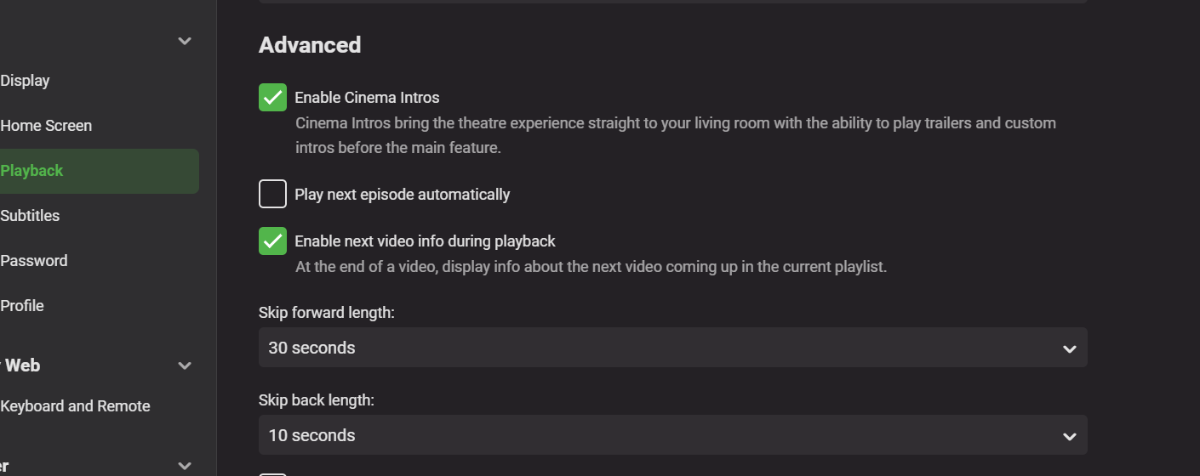
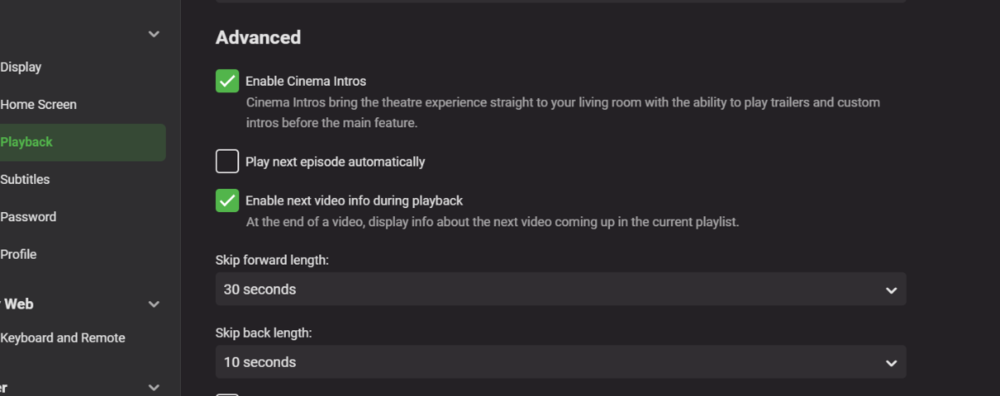
I'm fairly sure this could be implemented quite easily and would be happy to do it if i could get access to some core code. This is how i would see it working. User input for each Series for intro time - this can be set by user (because there is not database or online API to set this perfectly for each show) User Option - Enable skip intros for TV Shows (Global setting) if this is enabled, all Episodes play will automatically skip the number of ticks the user has input in setting one. A Field would need to be added to the metadata for time to skip in seconds A Check Box setting would need to be added for tv shows - probably in the Playback options below the "play next episode automatically"
 1 point
 -
Agreed on both points. A nice native skip option that works across multiple systems is what I'd like to see first, and it's great to hear Luke's on it. Later on the emby team can add additional features, or expose API calls so that others can create additional plugins if they want (e.g. css formatting, third party DBs, whatever).1 point
-
It's very doable. It's just a question of what we think the demand for this is compared to other features. Given enough demand there's no reason we can't do this.1 point