Leaderboard




Popular Content
Showing content with the highest reputation on 08/05/21 in all areas
-
The id3 tag values are not stored under those descriptive strings that you see in a tag editor. The values are stored under fields with a special id, for example TPE2 is used for "Band/Orchestra/Accompaniment", or better known as "album artist". It's up to the software to give that id a meaningful name. And unfortunately every software does it different.2 points
-
great! i updated DSM and re-turned to stable version of emby without any issue. Thank you very much2 points
-
Yea looking at it I'm surprised we don't already have it in there as a supported extension. It should be easy enough to throw it in.2 points
-
Hi, I have a question about reading subtitles. I know that the subtitles and video should be the same name from now on. And if I have 4K and 1080p version of the same video in one floder , maybe it could be used one subtitle. Just make the emby read the subtitle'name ignore the keywords like1080p 2160p...1 point
-
The new version went out on Amazon yesterday. Still waiting on Google.1 point
-
You can not really compare to what mediainfo sees as we use ffmpeg/ffprobe. Isn't this a limitation of what ffmpeg/ffprobe is seeing?1 point
-
Also maybe useful to note that what appears in the drop down isn’t what appears after the -. It’s actually the text after and including the first character that differs in the file names. So if you had the godfather - the directors cut the godfather - theatrical cut you would see directors cut and atrical cut in the drop down1 point
-
It does. Thanks carlo.1 point
-
Yep, that's what I expected. So I need a good solution for the fix. Could take a while, not so easy.1 point
-
If you want help sideloading the beta let us know. Otherwise you may have to wait for it to hit the store like Luke mentioned.1 point
-
We are working to get the fix released to the store as quickly as we can. Thanks.1 point
-
Here is a the command line example https://emby.media/community/index.php?/topic/98675-artist-tag-is-not-indexed-for-mp3-files/&do=findComment&comment=10297271 point
-
OK I do apologise - didnt show on on Title Crane but did show up on IMDB idD tt0159861 Let's pause this thread until I get a chance to click my brain into better gear, what I really want1 point
-
Well, sad to see..as it is the opposite for the other software i use for TV. Channels DVR is flagship on Apple TV and their main development focus. Has more features than Android TV version, but the devs are slowly bringing it to the same level as on the Apple. I don't see why there can't be stats for playback with Emby on Apple TV...the aforementioned Channels DVR software uses MPV as its player and it has the option to display the MPV player stats OSD. Emby can use MPV, so they should be able to add it as a option to the playback GUI, or at least, a hot key or something. I have disabled MPV in Channels cause it just does a super fast FF/RR and not a 10 sec skip forward or back when i press on the Dpad buttons. I have not had any issues with files not playing even not having MPV in Emby enabled, but i do not have any HEVC for HDR files, as of yet. But i found this player called "Infuse" that connects to Emby and seems to kinda emulate the Emby app in functions, but just with a different UI that has its own quirks and limitations. But, I find the actual Emby app to more useable and functional UI, but the actual player aspect and live playback controls are far better with Infuse. I guess this Infuse app can play anything so they claim. I still use Emby for my small local media collection, I used to use it for my TV DVR as well, but since I dumped cable tv few years ago, and moved to streaming via TVE the networks I watch, Emby sadly, as of yet, still does not support TVE as a native tuner. But at least it does well for random IPTV i sometimes use when i need to get a channel out of my country for some reason. I hope the devs of Emby will continue to improve and add features to the Apple TV. I find it a overall more polished and smooth system where the app quality is generally of a higher standard than Android TV has been...so many trashy and unstable apps on Android TV (and plenty of underpowered streaming dongles or actual TVs that try to run the OS on weak hardware). Even if Emby had to charge a few $ for their app on Apple TV, if it was to the level of the Android TV version, it would be worth it.1 point
-
That worked. Thanks Luke1 point
-
Just sideload beta apk from the link above.1 point
-
Nice to hear the beta.27 is working for some people already A clean install is at this stage always adviced since i'm still changing the database and config files a lot.1 point
-
NextPVR happens to provide a group for "All Channels" but if the tag is simply a filter no problem. Martin1 point
-
@Samkook - it's already been added to the latest beta release - so if you are eager, you can install that (with it's associated risks) - or wait for it to be released in maybe 2-3 weeks time as part of a main release.1 point
-
Thank you1 point
-
Thanks. I just downloaded it but apparently I already had a version installed on my tv and ran into the "Certain Samsung SmartTVs have an issue where the app won't upgrade from USB drive if there is already a USB version installed. If this is the case you'll simply delete the old version before inserting the USB and then repeat the same installation process to install the new version." But that fixed it.1 point
-
I thought for some reason Emby used to do this. I am not sure why but Emby UI on web or ios has been slow for the past few months for me. When I first load it up it takes a while for the posters to show up, even ones that were there yesterday. Sometimes I have to hit refresh in the browser and then they are there. If I didn't hit refresh, I would have to wait 5 or so extra seconds for them to show up automatically. I know my drives go to sleep and I have to wait for them to wake up but it never used to be slow. UPDATE: There is a chance I fixed my slow down. I did start noticing it when I upgraded my server. I gave my VM that is running Emby a total of 8 cores, up from the pervious 2 or 3 cores it had. I never touched the ram though. It was still using 6 gigs, I gave it 12 gigs just now and I believe it is running faster. I haven't used firefox in months. I loaded up the web UI and it was quickly loading posters for movies and I was scrolling on down without a hiccup besides a quick second sometimes for posters to catch up with me.1 point
-
Did something change in how the Guide data is fetched from the server? Link to the issue here: Edit: Disregard, found the issue: Android TV client defaulted to December 31, 2008 upon reboot while Offline. No wonder there's no Guide data.1 point
-
Hi. This issue really isn't related to Connect except by association. It is possible to create users without passwords and then those could be available to remote users if configured that way. We should probably have a warning shown on any local user without a password because it isn't necessarily obvious, when using Connect, that these local users are still accessible. Thanks.1 point
-
ok, perfect. I think I know the problem. I'll try to fix it and send you a test version asap.1 point
-
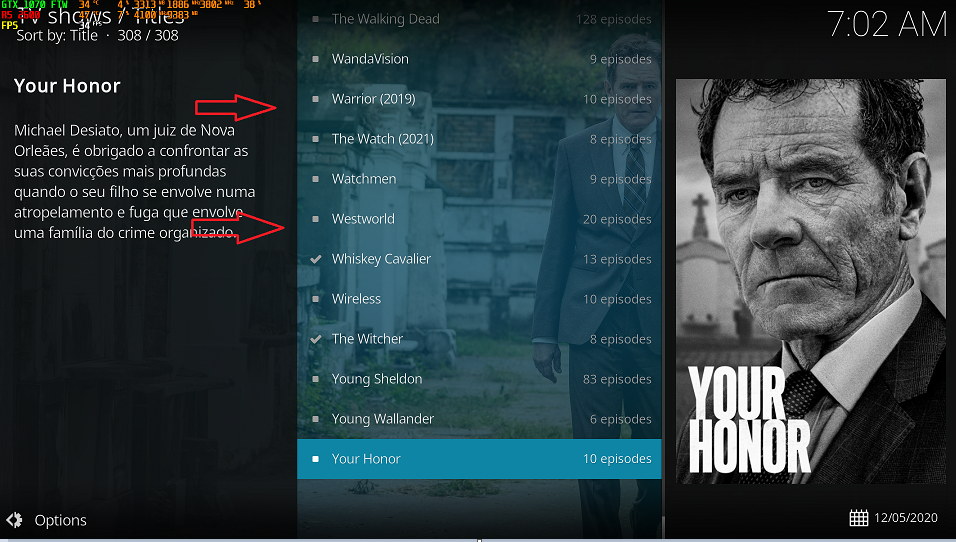
plugin.video.emby-next-gen-6.0.3-build 23 (ex3) kodi.log Another new clean install - plugin.video.emby-next-gen-6.0.3-build 23 (ex3) PC always - same Emby user It worked out of the box, without Resume Sync and with the TVShows showing up without having to restart and grouping correctly. No duplicity or error of the posters. Thanks for the help, whatever you need I'll be here to do it. If you need more logging, debugging or remote access just let me know.
 1 point
 -
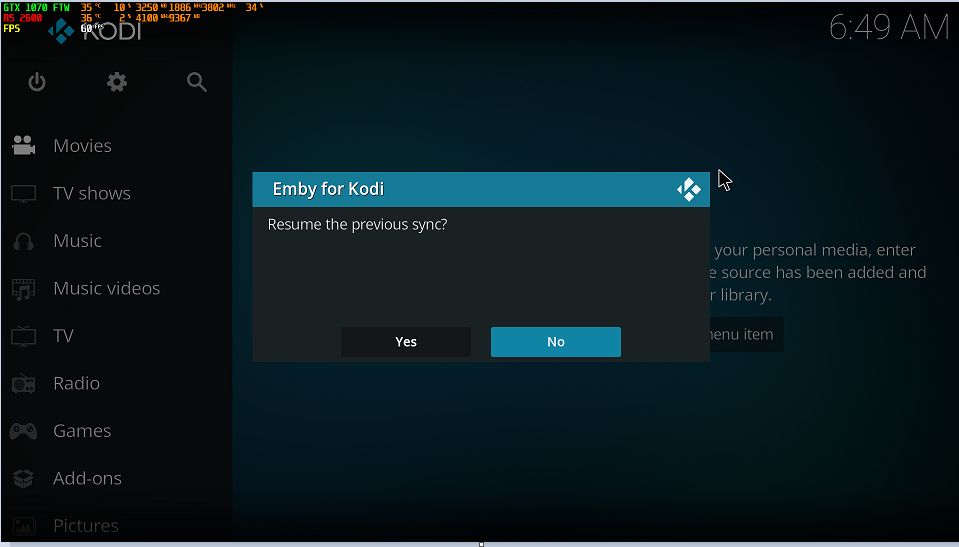
plugin.video.emby-next-gen-6.0.3-build 61 (ex9) kodi.log Clean installation - plugin.video.emby-next-gen-6.0.3-build 61 (ex9) after completion nothing appears on TVSHOW I just gave ALT-F4 and generated the log. I opened it again --> Resume the previous sync ? YES kodi.log - AFTER RESUME SYNC
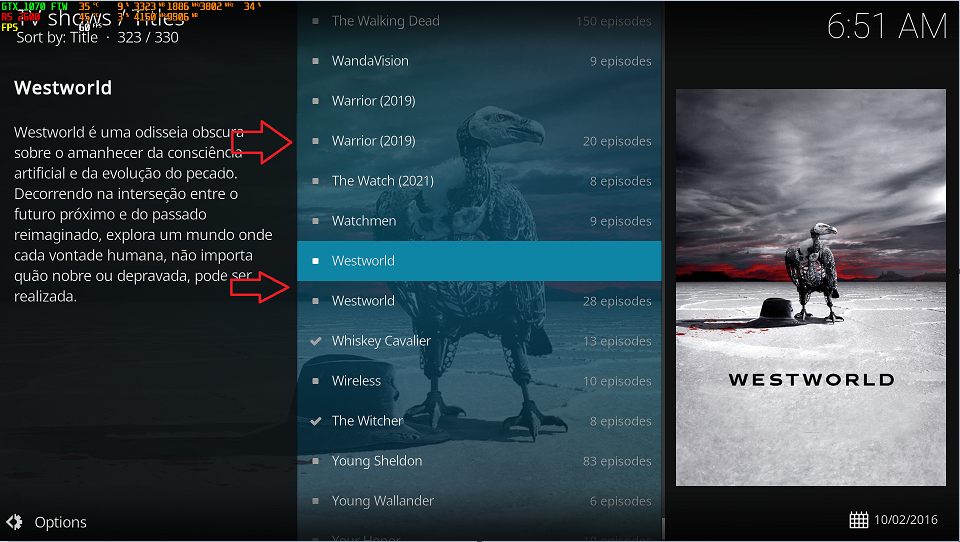 1 point
 -
Looks like corrupt tags to me. As it should not display the words. Correct, pretty sure Emby requires Album and AlbumArtist to be the same to be considered a album. But in the end you need to see what ffprobe sees on the tracks as that is what Emby uses to read track metadata.1 point
-
My problem is solved. I ran cp -rv /volume1/Emby/* /volume1/@appdata/EmbyServer again and now all is visible and working again.1 point
-
You could install Radarr to keep track of your movies. It's used for other purposes, but has a good UI for you to look at your content.1 point
-
You can configure Windows Firewall to allow what you need. The ports and address you need to configure are shown on the Emby dashboard, and instructions for Windows Firewall are widely available, e.g.: https://www.thewindowsclub.com/how-to-configure-windows-7-firewall Paul1 point
-
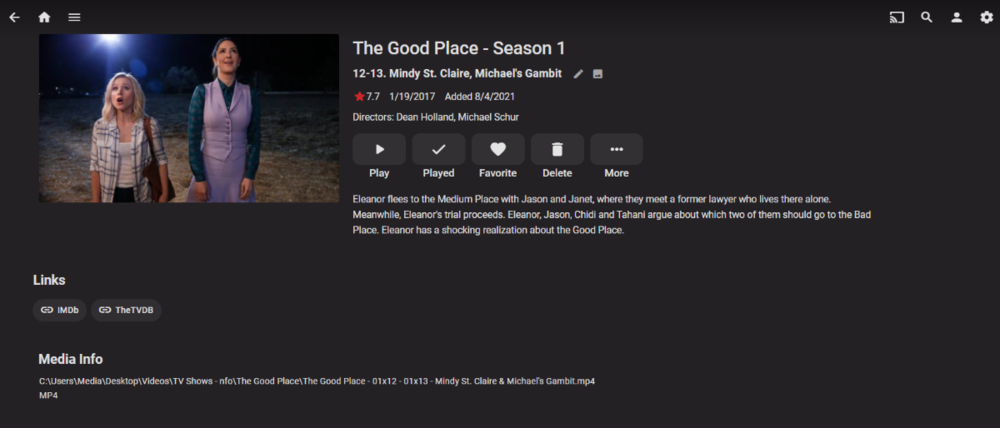
Worked fine in my test. Could this be a provider order? No Emby clears logs older then 3 day. This is configured in your system.xml. <LogFileRetentionDays>3</LogFileRetentionDays> What is the configuration of that library, enabled providers and provider order?
 1 point
 -
Testing with version plugin.video.emby-next-gen-6.0.3-build 61 (ex9) gives the same error of not mounting the Database first, I have to log out and log back into Kodi, just like the double folders without the kodi.old.log poster and without joining TVSHOW when they are on different HDs. The log of this version is attached. The version plugin.video.emby-next-gen-6.0.3-build 23 (ex3) works perfectly, without the resume sync errors and the tvshows all correct.1 point
-
kodi.old.log This is with the version that is working correctly.1 point
-
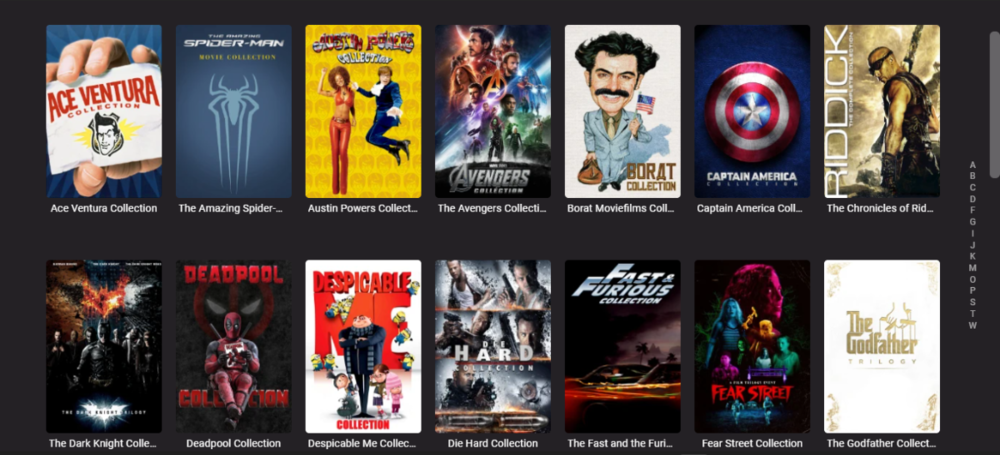
Much nicer now, thanks again @cayars
 1 point
 -
its the "Dynamic image provider" one i didnt like; i disabled it. yes, this works thank you1 point
-
They look fine. Try selecting a few of the posters using multi-select and then Refresh Metadata with image replacement. Does that update the posters?1 point
-
oh, maybe i should put fanart at the top, eh?1 point
-
Check your collection library settings to see what meta-data providers are setup to pull from.1 point
-
Did it direct play in Edge? Microsoft has an open defect related to hevc stuttering in Edge.1 point
-
Thank you1 point
-
I noticed a bit of a problem I am having. On Emby for Android TV. The guide doesnt populate the EPG completely the 1st 6 channels come up with no data. If I switch to the Emby app for just android it works perfect. Is there a bug causing this problem on the Android TV app ? Mook1 point
-
If you have no need for anything that's still in /volume1/Emby/ you should be able to delete it. May I suggest however to rename the folder first and run Emby as normal for a couple of days just to make sure nothing is being reference from the old location? I suggest this because some people have actually stored media in that location and deleting the folder would cause an issue. Doing the rename trick will help find any oddities like this. But at your own discretion when you have no need for /volume1/Emby feel free to remove it.1 point
-
While I fully respect both of yours preferences and you advocating for it (do continue, btw), I'm obviously on the other end of the spectrum and just voicing it, as I reckon Devs will need as many user input as possible before deciding on the course of action. I DON'T want my app to look like YouTube. I DON'T want it to look like Netflix. I want it to have its own charm - which, to me, it currently does. I like having a Home Screen which doesn't look like any other library view. I like the distinction between My Media, Continue Watching and Latest Section. I like nice custom folder images on my libraries. I don't feel removing a single row of images would make any difference - for what, to see one extra Latest row? For me, that trade ain't worth it. I don't feel Sidebar would reduce number of clicks in some drastic manner, and I detest things popping-up or sliding-out (and sliding-out again) on my TV. But that's just me.1 point
-
Note that it very possibly was a collection on TMDB in the past. If you ran a library scan with the plugin installed when TMDB had such a collection it would have been created. The plugin wouldn't have deleted the collection when TMDB later removed that entry but someone starting from scratch wouldn't have that same collection recreated.1 point
-
Hi, thanks for reporting. It's resolved for the next update to the Emby iOS app.1 point
-
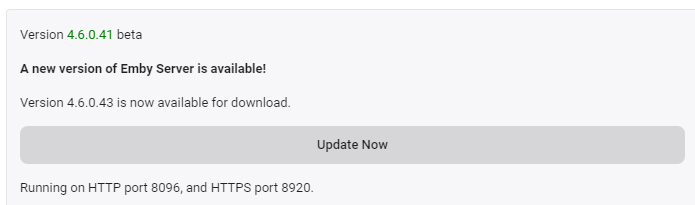
Please could you include a hyperlink to the release notes in question for a new release ? - ie the same as the current version (in green) So in the example below - 4.6.0.43 is also a hyperlink to - https://github.com/MediaBrowser/Emby.Releases/releases/tag/4.6.0.43 This way, for those with manual updates on the beta channel, we can see what is included in the next release without having to go and find the release notes ourselves. This also serves as list of what has changed so we can provide feedback on that change as necessary as opposed to guessing what has changed .. Ideally, following the install, it should also display what has changed as a one off notification. ie Fix : Fix repeated unzipping in xmltv provider, causing excess disk space to be consumed Fix : Enforce min collection size option when importing from nfo Change : Rework display of locked fields in metadata editor Add : Support multi-select remove from playlist/collection Thanks.
 1 point
 -
Yes there is.1 point
-
I've been using Media Center Master for over 10 years for videos and movies... it seems the developer has lost interest though. The tool is still updated and if configured properly, it works well, but i haven't really seen new features for a few years... For music I've been using MP3tag. This requires some figuring out how the tool works, but once you've got the hang of it and setup your preferred way of naming your files, it's really fast... and the best thing, it's under active development and it's free1 point
-
For #2, yes the mobile app is available for download on our website: https://emby.media/download.html1 point