Leaderboard




Popular Content
Showing content with the highest reputation on 07/29/21 in all areas
-
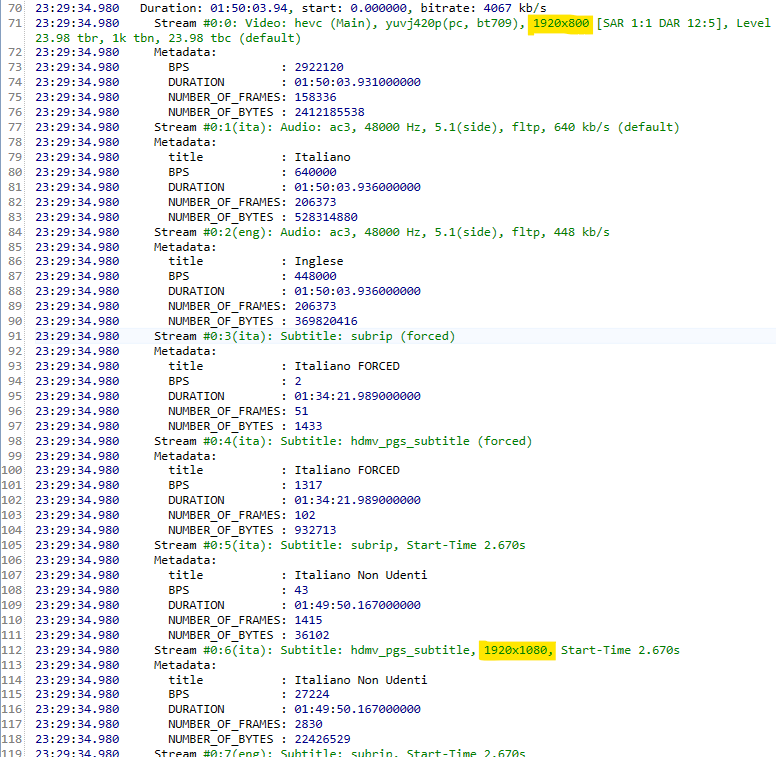
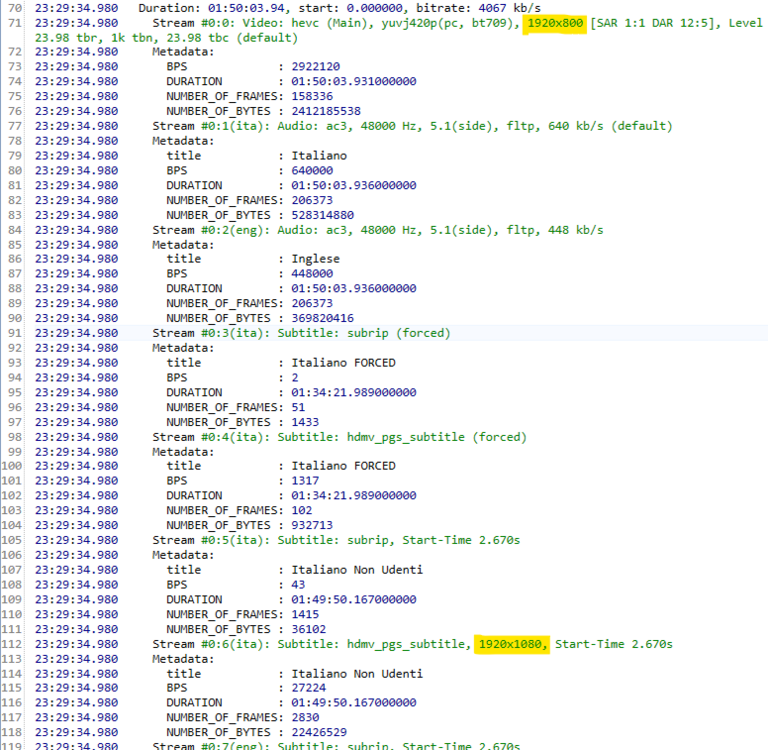
OK - thanks again for your patience and your investigations! I hadn't spotted it earlier, but now it's clear what is happening. Like I had suspected, it turns out that there's an error in your media file: The video is 1920x800 and subtitle stream #0:6 has a size of 1920x1080. Most likely, the subtitle stream was ripped out from elsewhere and has been amateurishly muxed into your file without taking care of resizing the subtitles. The subtitle stream's height is bigger than the video's height. That's just not valid. A height that is lower than the video height is not unusual though, as it reduces the encoded file size. That's why Emby is always scaling subtitles to the full output width and to a height that will preserve the aspect ratio. The result is then aligned to the bottom of the video, because when the subtitles area is just a bar of smaller height, the subtitles are still supposed to be positioned at the bottom. In the case of your subtitle stream #6, that procedure causes a part of the subtitle area to be outside of the visible are, that's why you can't see subtitles that are positioned at the top of the subtitle frame. The next beta will have a fix for that situation.
 3 points
 -
Hi I noticed that unlike the web app. The Fire TV app does not have a Tags Tab, that you can click on view of all your tags for that content type and then drill down. From the web. Can this be added to FireTV? Thanks, -vicpa
 2 points
 -
For people who likes to use Customized images for libraries, playlists, genres it would be nice to have an option to select a Folder containing the custom images for a specific library/playlist/genre and the a setting with interval specified by user to make this custom images rotate and have some fresh look on those images from time to time.2 points
-
Yup, hence the link where he can pickup pre-made nfos where someone populated correct metadata and graciously shared for cases exactly like this.2 points
-
2 points
-
Hi, Since I am using more and more TMDb, (since tvdb is more and more a mess), I am missing a very important feature. tvdb had the feature of grouping stuff into aired, DVD and absolute, which is supported by emby. TMDb had also this feature. See this example for "La casa de papel" (Money Heist, Haus des Geldes): The Original Order is allways the "aired order" of the original country. "La casa de papel" was originaly released by "Antena 3" and was taken over by Netflix, which results in different episodes ordering, which is a mess. They solved it in episode grouping. This feature is missing from emby, but it's integrated in their API and is allready supported in other apps, like kodi. At least, Banana a TMDb Mod claims it, that it's supported by Kodi: https://www.themoviedb.org/tv/71446-la-casa-de-papel/discuss/5e7032d84f9a99001152704f?page=1#5eb76872ca7ec6001f7c53cb Is it possible to add this feature into emby? It is the last scraping feature, I really really miss for TMDb on emby. It adds much flexibility and is overall a much better solution, than on tvdb with their aired, dvd and absolute order. Another great example is Dragonball Super: As you see, it adds much more flexibility for different regions over the world. It's in my own eyes a must have for emby!

 1 point
 -
Say I have a custom collection of 56 Christmas movies. During the Holiday Season, I would like to show this on the main page as a Library. Now, I could make a drive folder called "Christmas" and put these movies in that folder. However, now we're getting away from using metadata for organization and moving back to using folders for organization. Something you've spent the last few years trying to get away from. So each collection should have a toggle to show it as a library on the Home Page. Then people can make collections for Christmas, Halloween, Summer Romance, Summer Slasher Films, whatever and show them on the front page where they are easily accessible. Don't want to show it anymore, switch the toggle off.1 point
-
@ringzer0 @hstamas Instructions for VirtualTV and EmbyCon: You have to install either the Emby beta repo in Kodi and use the latest EmbyCon addon or just take this one for Matrix: In the EmbyCon addon set your Emby connection details and an Emby user. Make sure in the EmbyCon addon settings under Services, Enable Emby remote control is active! Disable the Play Next and On Playback Stop Events in the addon. In the Emby VirtualTV plugin under the Export Options, set an export folder path and activate EmbyCon addon paths for streaming urls. Run Export VirtualTV Channels & Program under Emby Scheduled Tasks. Use the generated channels.m3u and guide.xml file in Kodi's SimplePVR addon. Alternatively you can also use the direct links in the SimplePVR addon: Channels: http://{Hostadress}:{Port}/emby/VirtualTV/Channels?User={SomeName}&UseEmbyCon=true Guide: http://{Hostadress}:{Port}/emby/VirtualTV/Guide In Kodi Matrix there's currently a bug that makes starting videos very slow. As a workaround, create an advancedsettings.xml file in Kodi's userdata folder: <advancedsettings> <network> <curlclienttimeout>2</curlclienttimeout> <curlretries>0</curlretries> </network> </advancedsettings> For playback i highly suggest to set "Playlist" as playback mode for the VirtualTV channels. For a nice integration in Kodi you should then create a custom keyboard.xml under Kodi's userdata\keymaps folder: <keymap> <FullscreenVideo> <keyboard> <c>ActivateWindow(TVGuide)</c> <menu>ActivateWindow(TVGuide)</menu> </keyboard> <remote> <menu>ActivateWindow(TVGuide)</menu> </remote> </FullscreenVideo> </keymap>1 point
-
Final post on this one hopefully! I've been recording the nightly news all week and watching it with a delayed start and haven't had any corruptions so it certainly appears that the new HD Homerun has made a big difference for me. I also tried recording the news on 2 stations at once one evening and having a friend watch the other channel with a delayed start. Both recordings played fine with someone watching while recording... although he did have issues with not being able to FF or rewind on his Samsung Tizen TV. From what I've seen in other threads however this appears to be an issue in the Samsung client rather than at my server so we counted that as a win as well. Cheers1 point
-
By the way, from Emby’s experience point of view, this is a step backwards.1 point
-
Do yo say that the item cannot be played from the "Continue Watching" row but if you look for the item in the library you can? It seems that it is due to the changes of the application for server version 4.6. I can't test because I don't have a 4.5.x server.1 point
-
That is excellent to hear. Thank you for such a great product! And for listening to your users!1 point
-
Oh! My bad. I logged into the server, enabled admin privileges for the user, clicked save. Open Kodi, enabled the plugin and entered the server connection details including the user (now elevated to admin) account details. All looks good, clicked "add user to session" and no error message. Disabled the plugin and re-enabled the plugin. Kodi / the plugin prompts for the connection details Sorry, am I missing something?1 point
-
Really professional and great. Thank you.1 point
-
Oh my.. so sorry. This is the one that fixes the DB. I apologize. Yes the log was exactly what i needed. Thank you. DOWNLOAD: Emby.AutoOrganize.zip1 point
-
i am pretty shure i did this. well with the update i have the same error, maby the log could help?embyserver.txt1 point
-
Said by the coding Terminator. LOL1 point
-
@LukeGood news, I've been able to reproduce the issue with a lot more accuracy. Here are the steps: 1. Add a movie to library with a url only nfo (in my case 2 urls, one for imdb and one for tmdb) 2. Auto scan picks it up correctly and retrieves all metadata correctly (confirmed in the gui) 3. Add an external srt file 4. Auto scan picks it up and refreshes, most of the metadata disappears. Only the title, images and the external links remain. The only files in the media folder are the mkv, url only nfo and the newly added srt subtitle. $ ls -al total 3886350 -rw-rw-r-- 1 aptalca aptalca 82887 Jul 29 12:06 'Happily (2021) Bluray-720p (Happily.2021.720p.BluRay.x264-JustWatch).en.srt' -rw-rw-r-- 1 aptalca aptalca 3979538800 Jul 29 08:47 'Happily (2021) Bluray-720p (Happily.2021.720p.BluRay.x264-JustWatch).mkv' -rw-rw-r-- 1 aptalca aptalca 76 Jul 29 08:58 'Happily (2021) Bluray-720p (Happily.2021.720p.BluRay.x264-JustWatch).nfo' $ cat Happily\ \(2021\)\ Bluray-720p\ \(Happily.2021.720p.BluRay.x264-JustWatch\).nfo https://www.themoviedb.org/movie/673319 https://www.imdb.com/title/tt9849004 I hope this is enough info for you guys to reproduce as well. EDIT: Just confirmed with two more movies. Initial scan, all is well. After external sub is added, auto scan removes most of the metadata. FINAL EDIT: I can also repeatedly reproduce it by adding more external subtitles. Each time I add a new subtitle to an existing movie, metadata disappears and a manual metadata refresh brings it back.1 point
-
Tbh never even checked, just grabbed nfos and artwork (IIRC same guy uploaded it to Fanart.tv), serves the purpose well enough. Of course, OP is free to populate all metadata manually, was just giving him an alternative which might work for his needs atm.1 point
-
I did, I even used a different browser with which I had never been to the emby instance before ..1 point
-
Sometimes it is a little bit ahead in terms of video player updates.1 point
-
@ebr is talking about this app: Emby for NVIDIA Shield - Emby1 point
-
Hi, it depends on if those files have been previously successfully uploaded or not. If they haven't, then it will upload them all.1 point
-
If you are running the Emby for Android TV app, then there is a bug playing trailers via YouTube. This is being investigated by the developers. You can try the Emby for Android app on your device if you want.1 point
-
This is something I'd like to see implemented as well. On my server for example I have no need for anything other than English and don't really want clients to be able to download any but what I want/allow. Not a big deal, but would be nice.1 point
-
OK, thanks. No it's OK, I'll live without trailers until you get a fix available, as the other app is nowhere near as user-friendly or eye-candy rich as the ATV app.1 point
-
The fix is rather simple: If the aspect ratio of the subtitles is smaller than the video's aspect ratio, then we scale the subtitles to match the height of the video instead of the width.1 point
-
I really appreciate the support! Just had a remote session with @cayars who helped me resolve some other issues beyond my understanding Emby is back up, safe and sound!1 point
-
Hi, there isn't any such plugin. @cayarswill update the help article. Thanks.1 point
-
The main version of the app supports dv.1 point
-
We are actively working on it. Thanks.1 point
-
Hi there, yes it's planned for the future. Thanks for the feedback.1 point
-
Hi, yes it's not a bad idea. Thanks for the feedback.1 point
-
Based on naming of your files, I'd say you have following TMDB episode group, "two seasons Netflix released internationally (outside of Spain)": https://www.themoviedb.org/tv/71446-la-casa-de-papel/episode_group/5eb7353b0cb3350020ce402e However, no scraping possible in that case, you can lend your support here: In the meantime, you can rename your episodes to 4-part Netflix order (as those Seasons are actually 2-parts together each, 13+9 and 8+8 episodes) and pick up nfos & artwork here: https://forum.kodi.tv/showthread.php?tid=351738 Edit: I just read the entire thread and saw that @Happy2Playalready wrote most of that.1 point
-
Simply because there is no E16+ in Season 1. The files you have are named incorrectly. You need to match it to a metadata provider. https://www.thetvdb.com/series/la-casa-de-papel Look in 'Seasons' on the above link - you'll note various 'Orders' - you need to match the files and name the Season and Episode accordingly - you may have the Neflix 'cut' or you may have the original Spanish broadcast 'cut' - both having a different number of episodes ...1 point
-
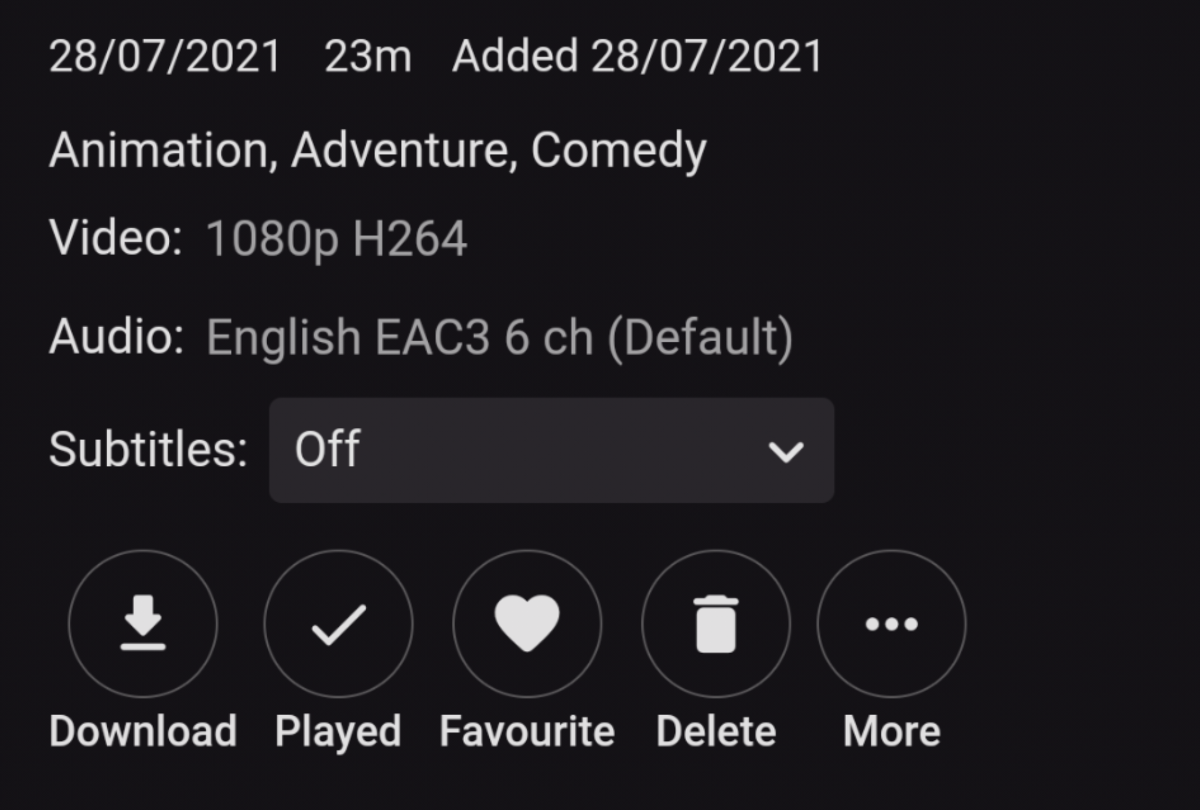
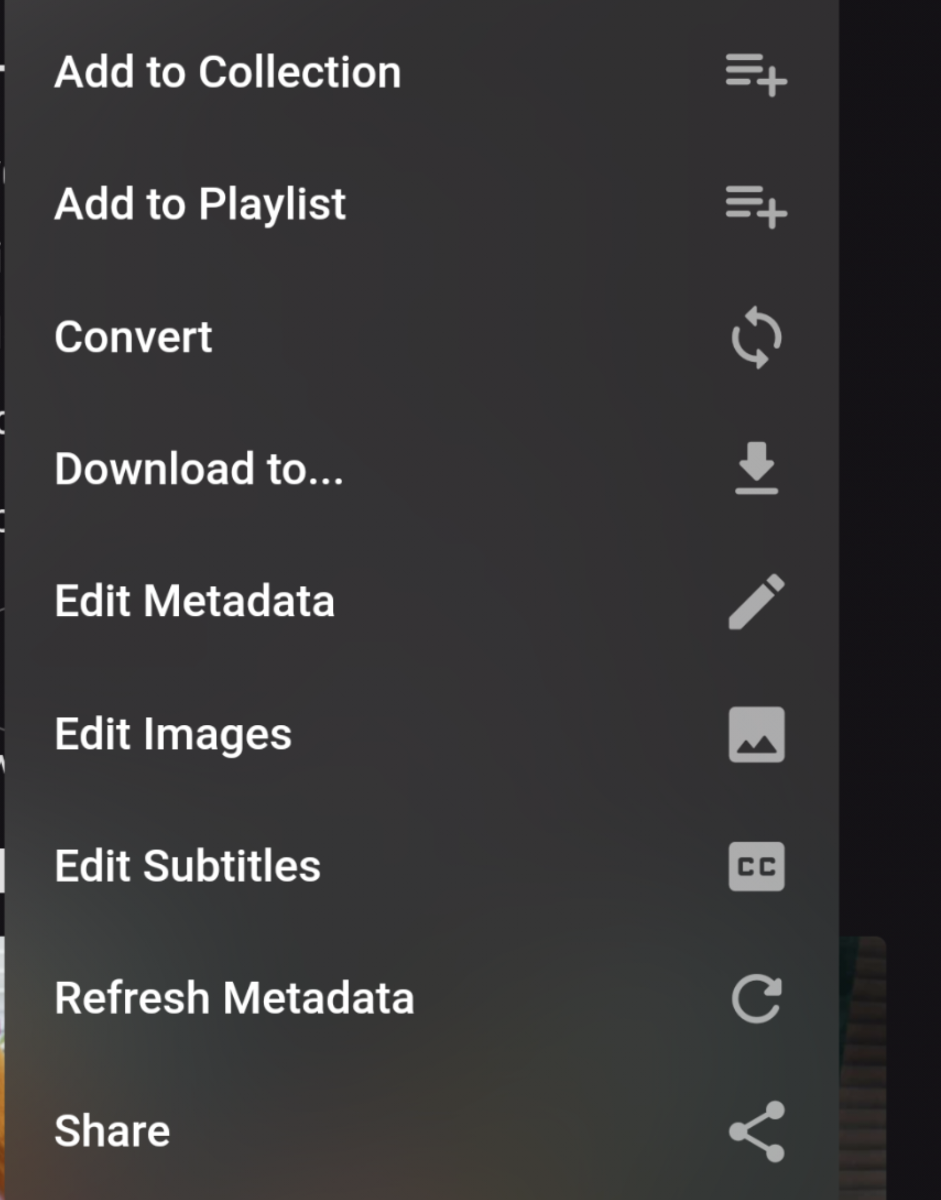
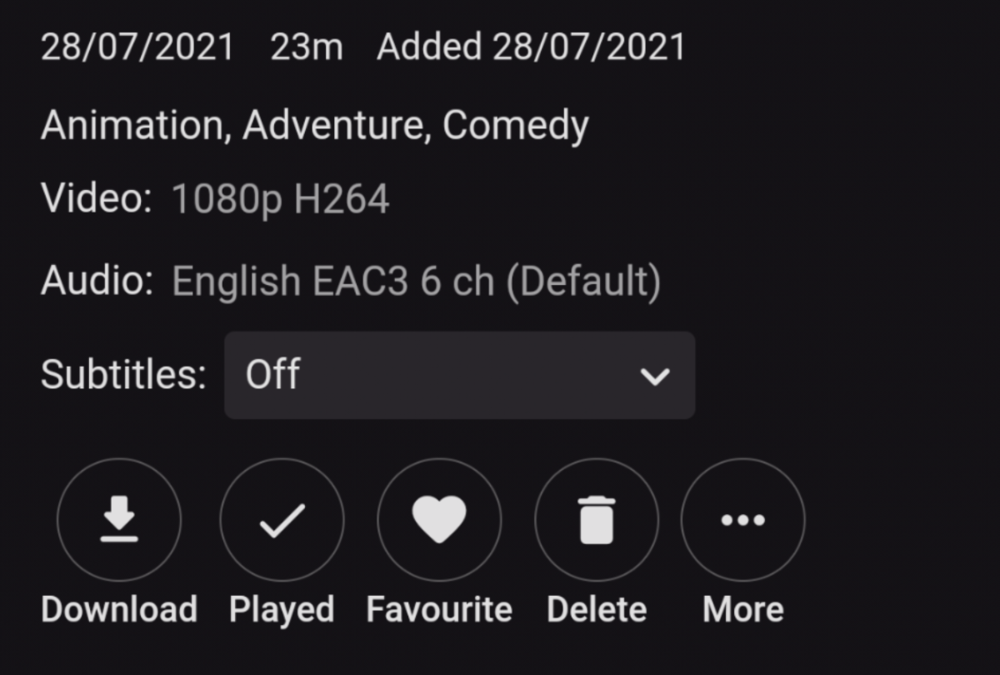
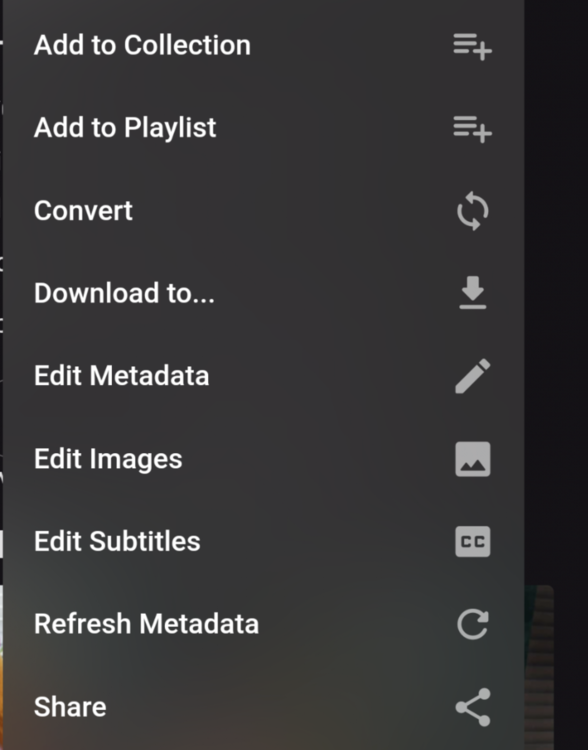
No, "Download to "available in the Android mobile app as well, under the 3-dot menu, along with other options. Download itself is another option. Download: Download to:
 1 point
 -
OK, thanks (as Nvidia has started to use those 'RX' letters, I had assumed that RX 480 was just a typo.. ) Next steps: Please download DxvaChecker from here: https://bluesky-soft.com/en/DXVAChecker.html Run it Check whether it crashes or shows some useful information . Please activate debug logging in Emby server Restart Re-Activate your GPU and reproduce the error (now with a much bigger log) Thanks, softworkz1 point
-
Got it. I found what I think you mean under the Admin interface off of the 'Guide Data Provider' .. . 'Map Channel'1 point
-
After having added season and episode tags to each .nfo file and removed & re-added the series from the media folder (scan was not sufficient on its own to update) and then re-scanning the library, all episodes are now ordered correctly.1 point
-
Send me a PM and we can arrange a remote session. I should hopefully be able to help you fix this.1 point
-
Agree, but trailers still work in ET for Android app on my Shield so the two apps must be handling trailers differently and the Google Android changes only caused ATV to stop working1 point
-
@neik I have fixed the naming issue in the javascript which caused the "spinner of death". Also, from what I have been testing this will group all the subtitle file paths together in a list and add it to the result object in the database. There a couple things! 1. I'm not sure if, by adding new columns to the fileorganizer.db, we have to migrate data to a new table...because... I dunno. LOL!. I think my 'pay-grade' is about to increase though. LOL! 2. If we are reading files in the source folder recursively, and the source folder IS the parent folder for a bunch of movies and subtitle files, then that is a can of worms. A really big can of worms. Thank so much for taking the time to be here and checking out these changes! remember to clear your browser cache.1 point
-
Hi, we'll take a look at it. Thanks.1 point
-
This will be in the next release of the server.1 point
-
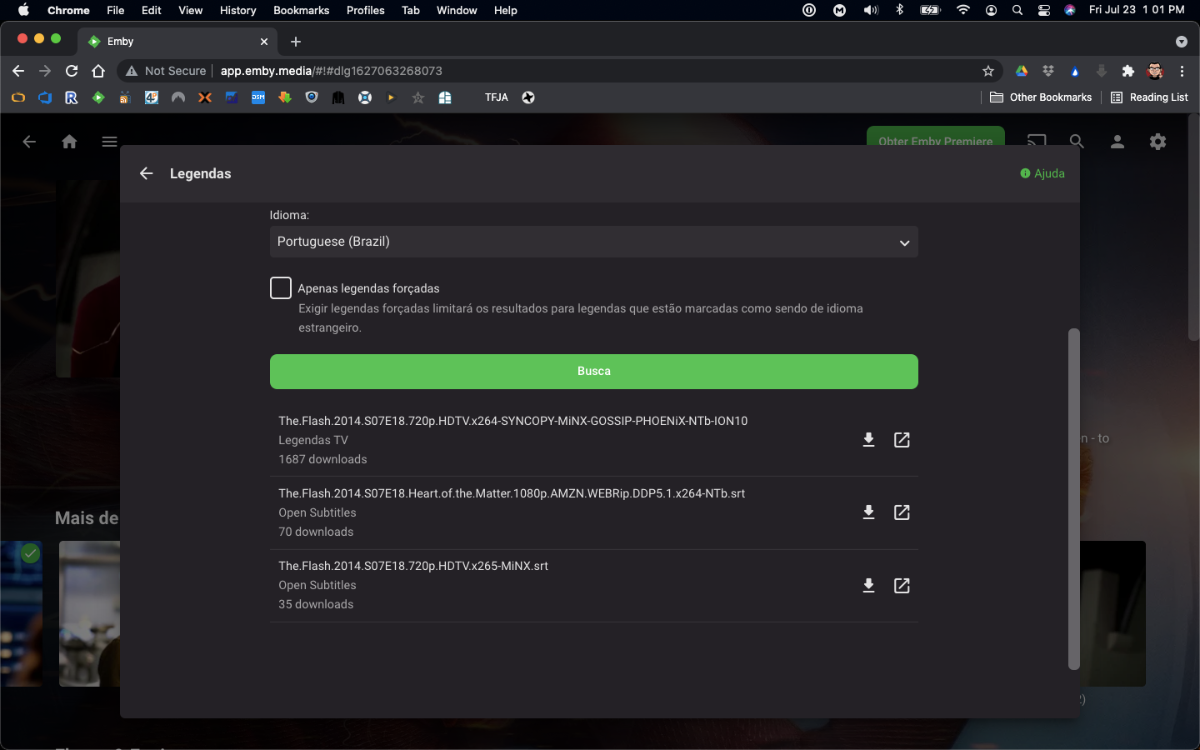
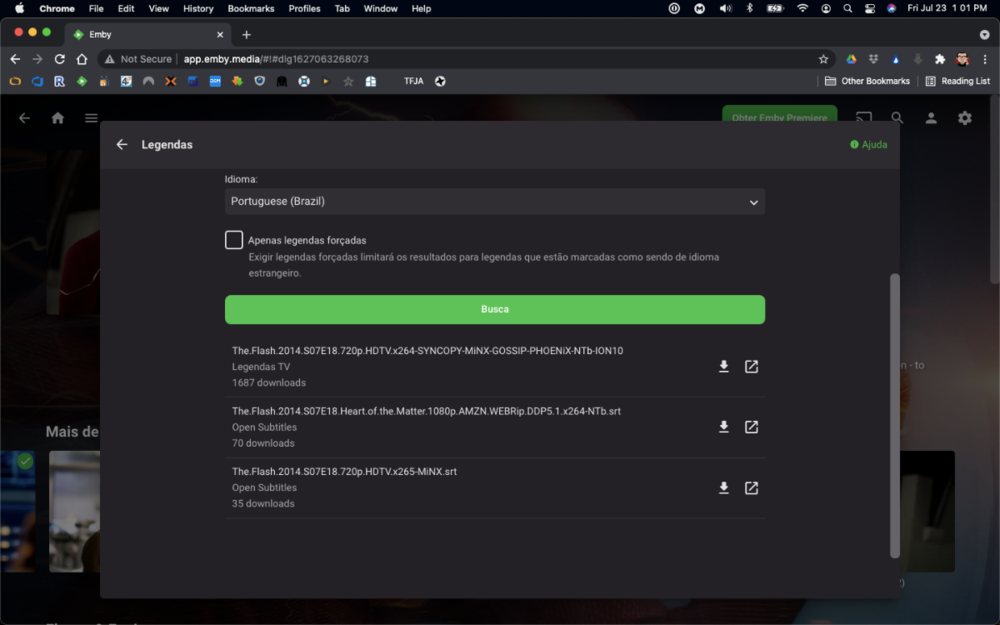
I took the liberty to update the plugin to latest MediaBrowser.Server.Core version, which was the one causing the issue. As it seems the original author is not maintaining the plugin anymore, I've forked the solution and made available for download @ https://github.com/denis-ali/LegendasTV-Emby. Attached a screenshot of v0.2.0-beta working, although (as the previous version) for me it does not bring results from Legendas.TV on first try (but no errors on log either). No promises from my part to fix it or keep it updated, but I'll try if life allows it
 1 point
 -
macnb and Daicon thanks for filling me in on what you're looking for, and making some very valid points, all of us LG users on this thread share in the same frustration that you do. My heart was in the right place when I said we should do this together instead of being divided. But, after reading what both of you said, maybe we need to break this down before we can build it up. You both have some valid points that should be addressed. Asking for transparency isn't too much to ask for. This is what I know from reading this thread, the Emby Dev team submitted the app to LG, it got kicked back for some reason and then it was resubmitted and accepted by LG, however, now we have to wait for LG to release it on their own end. That's sounds pretty transparent to me, however, I think what you're seeking is proof, and that's a messy subject, questioning another person or persons integrity is a touchy thing. I think we certainly have the right to ask, however, this should be done with dignity and poise. Simply throwing around statements that they are hiding things and being disingenuous isn't going to get us anywhere, let's ask them specific questions for your proof you seek. Let's ask a direct question. I think what your looking for is rejection letters, correspondence, and submission paperwork, however, that might be prohibited by Emby Legal. I'd say join the submission team, but then you'd be subjected to the same gag-order IF one existed. Luke, ebr, and chef: Can we please see any of those documents? Maybe redact impertinent and sensitive information?1 point