Leaderboard




Popular Content
Showing content with the highest reputation on 07/25/21 in all areas
-
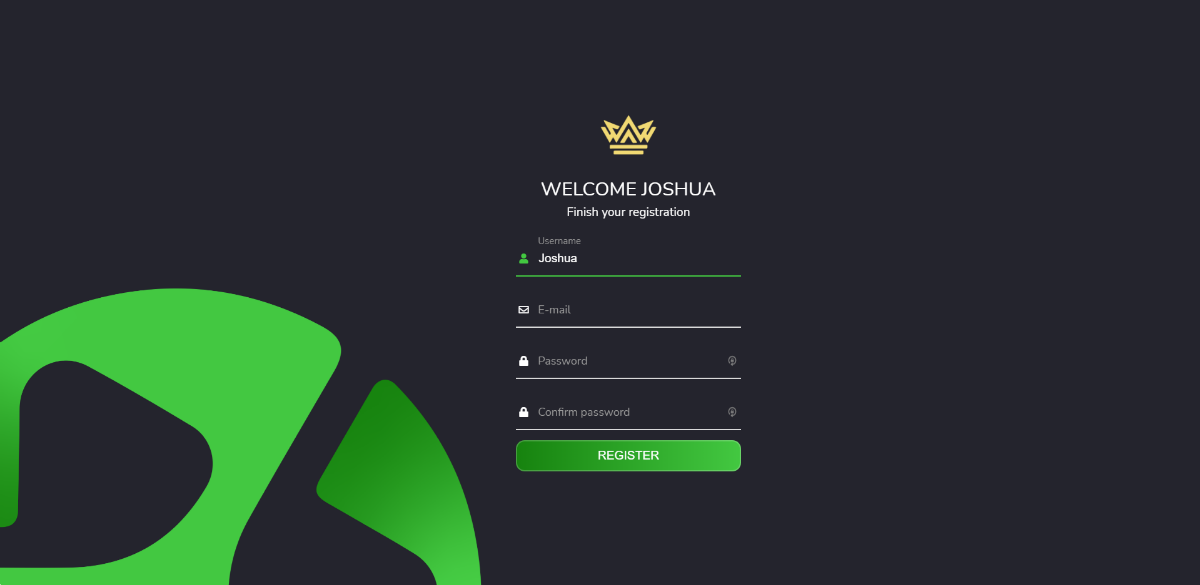
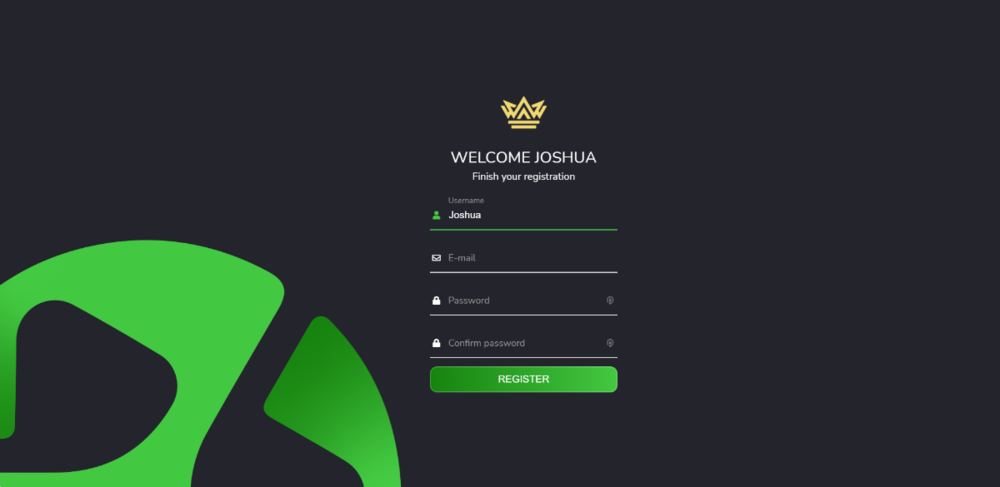
A small update for the interested users, we have designed a logo for this project. We already tought about a name, the name wil follow later. What you see here is a user friendly registration system. If there is a "emby server" connected to this system, the "owner" can see an list of their emby users, and can click easely on an invite button. Then a link will be created, and the owner can send the link to the user he want's to register. (since there is no possible option to get the user email by the emby api). We are trying to create it as simple as possible for the users We decided this project will be a webapp on itself, because we want this to be as user friendly and remote-ish as possible.
 4 points
 -
We developing a dashboard (web) to watch movies or series together. Our proof of concept was successful and works as we wanted. Proof of concept: We have tested the proof of concept and are now continuing to expand the platform, which is of course linked to Emby. Tested functionality and implemented; Connect users with external dashboard (connect uid's) Link devices to user Make groups / invite other users Sync video with each other or group Resync in group Groupchat Possible ideas Discord connection (chat, sync, profile pictures) Discord auto voicechannel (only users who are in the group) Share this dashboard with the community Dashboard: Join room (select device): Active group session with chat: Will be updated!2 points
-
It's on my to do list since the first version. I will try to get it ready this year. No promises though. The next evolution of Emby's live tv engine has this, but i don't know when we will see a first public beta. A like here and there is enough.2 points
-
Can be done via Kodi nodes, no need to tag or relabel anything. I'll add something in next version.2 points
-
2 points
-
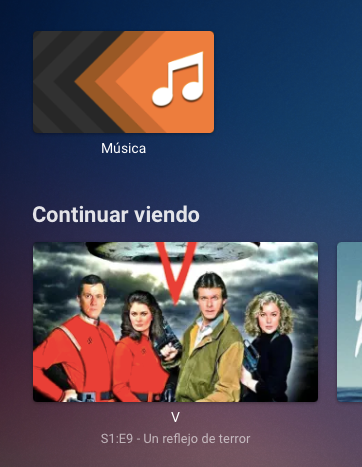
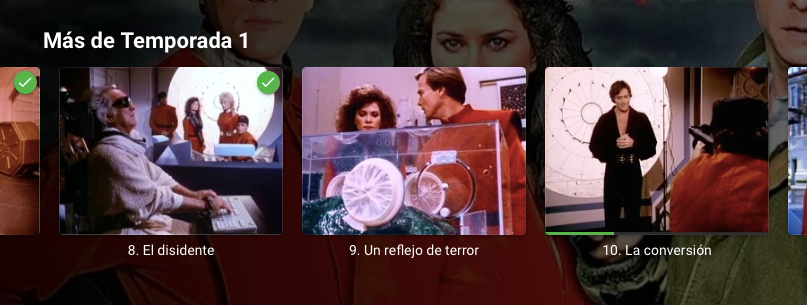
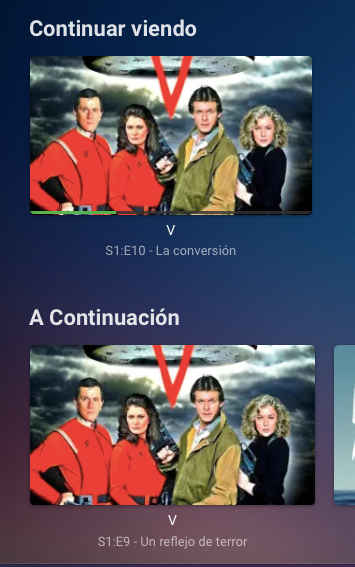
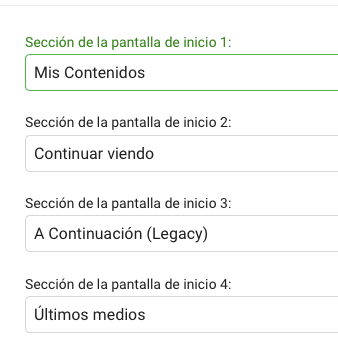
Look at this show. Episode 9 is unwatched and Episode 10 is partially watched: Merged Continue Watching row is like this. Episode 9 is first unwatched episode. If you enable Continue Watching (Legacy), then you have Episode 10 in Continue Watching and Episode 9 in Next Up: Legend: Continuar viendo = Continue Watching A continuación = Next Up
 2 points
 -
Next up is merged with continue watching. Next Up shows next unwatched episode after latest watched episode. You can try to enable "Continue Watching (Legacy)". Then you will have: - Episode 6 in Continue Watching - Episode 5 in Next Up2 points
-
Sorry Guys, I just factory reset my shield and it started working.2 points
-
You've grown up with watching live tv but on television only runs garbage? You have a big library but don't know what to watch next? Then this for you: "VirtualTV" - my new live tv plugin that allows you to create custom channels based on conditions of your Emby library content. What's missing: Maybe codec conditions Known problems: Needs Emby Premier to work (Playback) Emby's live tv and playback api is very limited, so i've had to make some detours to get things working. The plugin has two general playback modes: "continous" and "playlist" playback. With "continous" mode you can also choose between "live", which bahaves like real live tv or "archive", which plays the videos from the start. In "Continuous" mode multiple videos are queued and concatenated to one big file with the help of ffmpeg. To make this happen every video in the queue has to have some common features (video and audio codec). That's why it often happens that the video also has to be transcoded by ffmpeg. For transcoding the plugin relies on Emby's internal transcoding engine. If there's a problem, not uncommon with hardware acceleration enabled, the plugin also has a problem. Nothing i can do about it. The availability of subtitle tracks is mostly dependant of the Emby user playback settings. In continous playback mode only one (the default) subtitle track can be used and this one has to be burnded into the video (transcoding takes place). In "Playlist" playback mode the videos are pushed as a playlist to the Emby clients. It's like you would play your videos directly from your libraries. This way you get all the features you are used to. Audio and subtitle selection, pause, skipping around and similar things. "Native" playback method was created by the Emby Devs. Similar to Playlist playback it will play the real library videos, but with the big difference that playback is purely initiated by the client app, without any remote command execution. This is why it also works for Roku devices on a WAN network. And although the real videos are played, the whole thing is treated like live TV. This means that channel zapping is possible and no dialogs for playing the next episode are displayed. Unfortunately, the new playback method does not yet support all features. As the name "Archive" suggests, it will currently always start all videos from the beginning. In addition, only very few Emby apps automatically advance to the next video. If you want it to be improved even further, each of you should raise your voice in this thread. To get things started install the plugin via Emby's plugin catalog and restart Emby. Setup your channels with a name and number and choose your playback mode. In the channel conditions you'll have to select an Emby account. This account is used to get library access, respect parental rating, reading watched states and selecting the stream language. At least one textual input field of the conditions has to be filled to get some program data. Fields with an asterisk are either evaluated with an "AND" or "OR" condition among each other. Finally, if you've chosen "Continous Playback" for one of you channels, take a look at the transcoding settings. Save your channel line up and manually trigger a "Guide Refresh". Now have fun! Version History: After a plugin update, always clear your browser cache. If your settings still don't load in the config screen, you have to move the "VirtualTV.xml" out of ...\plugins\configurations and restart Emby. Start from scratch. 2.0.0.0 Unlimited number of channels; New playback method "Native (Archive)"; New security concept for the Export API 2.0.2.0 Performance improvements to Guide Refresh; Preview for Add/Edit Channels; Option to disable Program indicators 2.0.3.0 Fixed missing Playlist sort order for some Content Types; Added support for Seasons with Content Source Collections 2.1.0.0 Selectively enable channels for specific users; Create copies of existing channels; Ordered unwatched episode playback 2.1.5.0 Added option to (auto)enable channels on a specific date range; Bug fixing1 point
-
Guys, The ebook side of Emby/MediaBrowser has been long stalled or rather stagnated. I would like to offer up a couple of suggestions. Many people use calibre as an ebook/comic book tool for scraping data and general management of their collection already. This program is absolutely astonishing in its ability to pull metadata from post calibre scans, as well as draw in metadata from the file source and/or directory structure. http://vaemendis.net/ubooquity/ Its a self contained .jar server/reader combination. And honestly I am very impressed by it's small footprint and wide range of abilities. The other option is COPS , which was written specifically with calibre in mind. It is open source, so making it work with emby I would think would be fairly easy. https://blog.slucas.fr/projects/calibre-opds-php-server/ Ever since the original release of MediaBrowser's bookshelf I have always wanted something that would allow me to 'read' my collection, rather than being basically nothing more than a place-set for images of books I own. I am sure that those who mainly have audiobooks are thrilled with bookshelf , but it's nothing more than an extension of the music library IMHO, not new features. We can have both right? Here I give you two suggestions free of charge.. Just because I love you, and Emby Personally I plan on running the Ubooquity Server along side of Emby from now on, just because of it's massive functionality and tiny footprint. But I sure hope that someone decides -- "yeah, ebook support should be in here too" and do something about it - rather than allow this now very very ancient issue to continue to remain an issue. And so I don't have to have 20 different ports open, some with SSL support - some not, because Emby isn't delivering the 'complete package'. (Please take some of this with humor, I know you have your hands full with improvements/bugs/suggestions/requests)1 point
-
This is a simple one line script to highlight duplicate files - By NAME How to use the script Very briefly - I am assuming you know how to run a PS Script - if you dont Google it. Run this script from the root of say your movies directory via the powershell console window (not the Powershell ISE if using PS5) - script is recursive so will find all movies It may take a few seconds or minutes to look through all directories - depending on the number of files and speed of the pc. File types searched for mkv, mp4, avi and ts - but if necessary you can add others It will produce a txt file called ... drum roll ...Duplicates.txt - the file will be located in the same location as the script file and will get overwritten with each run. If the file is empty after the script completes - then no duplicates found - otherwise it will contain the duplicate movies (by name) example output of a duplicate with a duplicate "count" will be 2 or higher etc - "Group" will attempt to list the paths to each duplicate but if you have many files it will get truncated eventually. If like me you have numerous extras - some are likely to be named the same - e.g. Behind the Scenes - so you will get false positives. I have not filtered the search to exclude trailers, extras directories as you could have genuine duplicates there or misplaced files etc but it can easily be done. Also the search is case insensitive Duplicates.zip Unzip the above and find your duplicates! Have Fun PenkethBoy 15/10/2020

 1 point
 -
One thing that I would like to see implemented is the abilty to display lyrics in all of the apps. For those of us who have libraries with lyrics embedded in the actual files, it would be trivial. Simply scrape the lyrics from the lyrics tag and display them. As far as scraping from online lyrics databases, I don't see that working very well as just about every app that I have seen use it either doesn't get the correct lyrics or they are truncated with an add for the website.1 point
-
It would be cool to allow Emby server users to comment what they think about a media piece. This could be shown on the top portion of a media info's page. Perhaps right under description, to encourage more user engagement.1 point
-
hey what I'm really missing is support for audiobooks. Simply saving the resume point for those mp3s would be absolutely enough, no need to fetch metadata etc.1 point
-
A small update to our 4.6 release is currently rolling out to address a few minor issues that came up. Here are the highlights: Resolve cause of sporadic database locked errors Fix graphic subs burn-in with tone mapping on qsv You can learn about the original 4.6 release here:1 point
-
You could likely achieve what you want with junction points. That would allow you to put the same content in two different libraries but Emby should see it as two separate locations with different rights.1 point
-
These are samba shares? If so then try adding the nobrl mount option. This thread has more info:1 point
-
1) You can't. Emby uses the folder and file names to make the metadata lookup, and your names provide incomplete information (e.g. no season when there are two to choose from, so the lookup fails). Your insistence that name changes aren't allowed is also an insistence not allowing a solution. However, if you can at least put your files into show/season folders, even without changing the names of the files themselves, then that might be sufficient. 2) Try the Folder View tab on the show page; otherwise... Windows Explorer? Paul1 point
-
Watched 2 episodes tonight, both time the delete after watch worked1 point
-
Opposite side of the spectrum here, no issues playing trailers. Every now and then it takes few seconds (too long) to start, but in general all playable. Beta 2.0.31.1 point
-
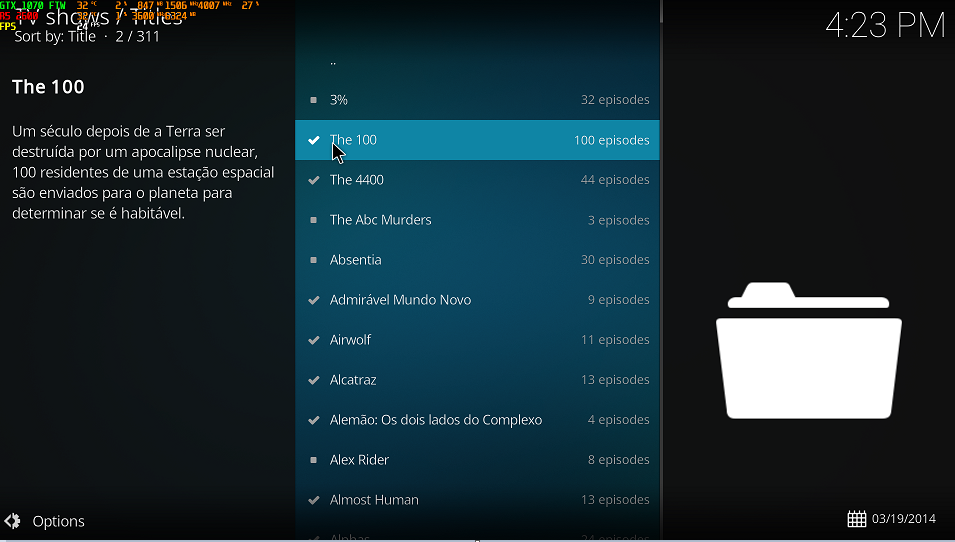
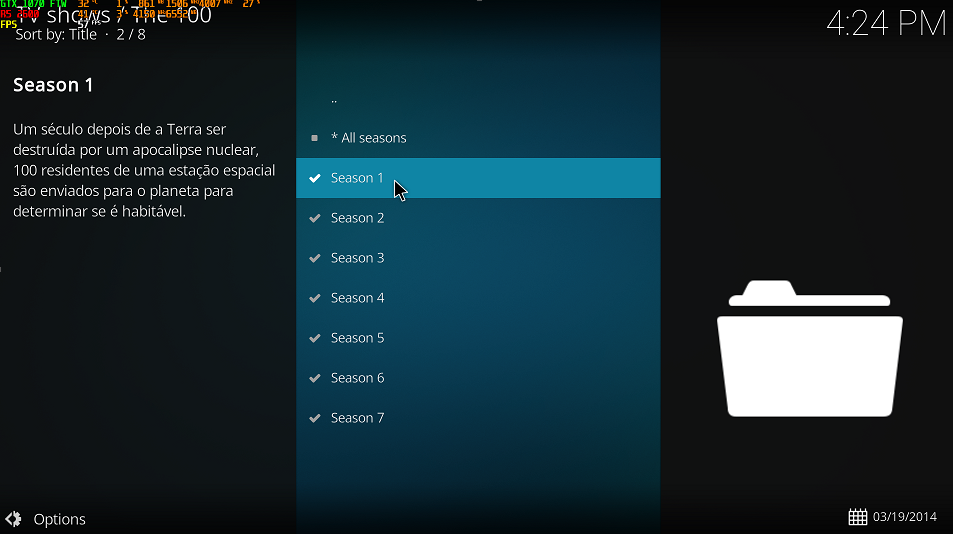
Let's get to the feedback. Duplicate show names, an empty folder and an episode folder no longer appear. Before, the empty one appeared with the poster of the series and empty and the other one without image but with the episodes. Now all seasons are grouped neatly, but without the poster. Neither the main nor the internal seasons appear, only the archives. Always available to send the log or whatever it takes to help improve and thanking you in advance.
 1 point
 -
In your Android TV app: Settings>Playback>Enable 'Use External Player for Videos'. VLC, MX Player, mpv or whatever your favorite flavor is.1 point
-
Not, if it's the same movie in different versions. Single movies can be selected via nodes, yes.1 point
-
You can created whatever node you want and playlists too, and assign filtering by resolution, thats the beauty of using a local database with kodi.1 point
-
just mean when you go into the addon and select movies...you get choices like by year, by studio and so forth i would like to have a 4k resolution available i have all movies (HD, 4k) under one node and it would be great to select just the 4k. in Kodi then you could have a submenu under movies for just 4k not sure if that explained it any better1 point
-
This will be in the next release of the server.1 point
-
You can do a feature request like "When merging "Continue Watching" with "Next Up", for a show that is in both two rows, "Continue Watching" episode must prevail." and see what users and developers think.1 point
-
We plan to add more detailed status information in future updates. Thanks.1 point
-
@RealTenaciousC I sent you a PM for info.1 point
-
Afaik they have as they incorporate the time stamps. Thanks for the effort, I think lots of people will be thankful for that.1 point
-
Thanks for that. Totally different situation than what I was thinking! I'll back out and let the devs give you the info you're looking for.1 point
-
I noticed when I do a search in Emby it searches all the libraries instead of the library I'm currently browsing. I'd like to know if it is possible to have it where Emby only searches the library you are currently browsing? Thanks1 point
-
awesome work, i was just looking for something like this.. is it going to be implemented in emby apps or will it be an app itself? i would prefer something very user friendly1 point
-
new experimental version uploaded: Delta changelog: - livetv stream init changed - livetv epg fix - fix item removal1 point
-
I found the problem, it's not actually related to delete after watched option. It's a general bug in the remove items code no matter if delete via Emby server or via Kodi's options. I'll fix it soon, I just perform final tests..1 point
-
Let me start from scratch. Probably you know, I'm the developer of emby for kodi. The question asked are all about "syncing" LiveTV content from Emby server to Kodi. Kodi has per default two sorts of livetv content -> Radio and TV. So my code needs to know, what's what to feed Kodi with proper information. As radio content is not tagged by Emby I use workarounds. My current workaround is: If a channelname is labeled like "My Radio broadcaster channelname (radio)" it detects Radio content. Sure I can rape "group" as indication as well (losing the actual grouping functionality for Radio broadcasters).1 point
-
Looking at that it's telling you it's going to remove the folder.1 point
-
@zenobit06 we need to improve this and offer a way for you to hide the library globally. In the meantime, each user can hide it individually in their home screen settings. Thanks for the feedback.1 point
-
They probably both end up pointing to the repo zip, you need to install the repo zip first and then install which addon you want from the repo in kodi.1 point
-
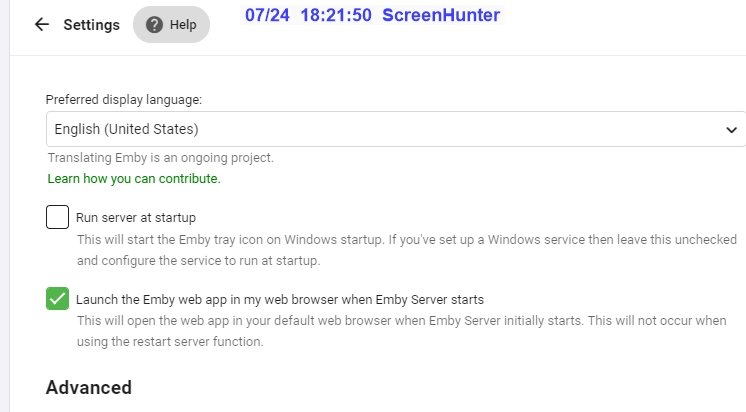
Never mind, found it in settings - literally the very first check box in the setup menu. LOL. I unchecked this box, rebooted my system, and the issue is resolved - no more dual instances running, and no more library scan errors.
 1 point
 -
delete after watched is not fixed, watched 5 episodes tonight, all 5 where deleted in Emby but still appeared in Kodi. Again a db repair was needed.1 point
-
1 point
-
Try to disable hardware acceleration in MS Edge: https://winaero.com/disable-hardware-acceleration-in-microsoft-edge/1 point
-
I'm thinking about maybe adding some handling subrip text files. It looks like we could handle .srt if they exist in the original media folder, as well as .sub files too. Perhaps first and foremost having some kind of indicator in the activity log that signals the fact that the media item has a subtitle file in the folder. Dunno.1 point
-
Awesome! Great work!1 point
-
We'll look into it, but i think the app is already presenting you with all options that it has access to write to.1 point
-
Thanks @chef It's a pretty simple concept tbh - I use an XML parser to extract the file path\location out of a normal playlist.xml file (stored in ..\programdata\data\playlists) and dump it to a .txt file which is just a list of unc filepath/names. This is then used as the input for the strm file creation (link to the real file) and it copies the necessary metadata along with it into the pre-created 'User Recommended' subfolder as part of the 'Recommendations' library. So you just permission up the relevant subfolder for that user - add the Recommendations library' to the top of their library list - and bingo, out pops user created recommendations based on whatever was in that playlist. The beauty is the STRM files match the watched status of the real file - so as they are watched, they drop off the recommendation list It probably should also remove it from the playlist, but doesn't currently. The script to create the strm files runs on a windows schedule. recommendations.zip My early (poor) proof of concept code plus xml.exe is in the attached zip if you want to see if you can rescue it into something workable lol - I am no developer haha. In sequence - the xml_to_txt file parses the playlists, then pl_to_strm creates the files in the correct library. Emby does the rest. I'm not sure if smart playlists or this functionality is on the Horizon but this sure would make a good plugin in the interim but I don't have the skills to do this - thus resorting to batch files .. If you like the idea and want to run with it for a proper plugin - then you certainly have my blessing.1 point
-
Glad to hear it's still on the roadmap! And from your "amount of info displayed" perspective, I get why this seems like an small thing. Thanks for asking for more info. For me, even if there's fewer titles displayed with a list, I'm able to browse through the library much more quickly and efficiently with this view -- much easier for my eyes to skim down a list on the left side than go left to right and back again for three rows through a bunch of tiles, truncated titles, and my brain not recognizing cover art as quickly as it does words. I guess a list just works better for my brain/eyes is what it boils down to for me.1 point
-
For me, I prefer list view since it's just easier to use and faster to browser through. Even if there are fewer items on screen than in grid view, they're easier to quickly scan than a bunch of pictures are, and they usually show more text, i.e. the full movie name instead of part of it with the rest being cut off (honestly don't know if Emby does this, since it's been so long since I tried it because of this feature being missing). Just like how I typically prefer list or detail view in Windows Explorer instead of thumbnails view.1 point