Leaderboard




Popular Content
Showing content with the highest reputation on 07/24/21 in all areas
-
It must be enabled both server-side and in the Android TV app. You did enable both?2 points
-
Fixed in 2.0.32. Thanks!2 points
-
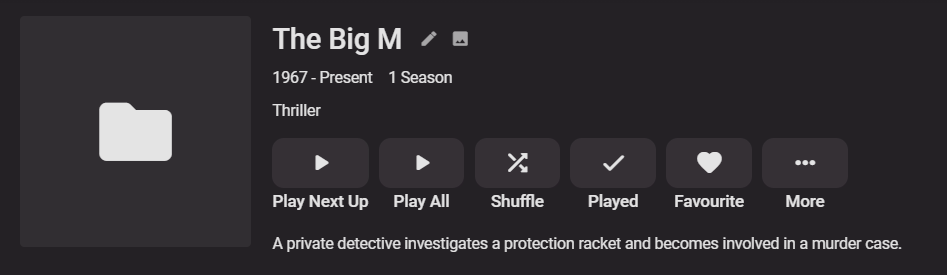
Have you tried enabling OMDB as a data source? OMDB can use the IMDBid provided I just added a test of 'The Big M (1967)' and was able to successfully pull back info
 2 points
 -
DSM7 Upgrade for Emby.mkvEDIT: The instructions assume default Synology install volume of /volume1. If your location is different use that instead! This is based on the release version of Emby which at the time of writing/video creation was 4.6.3. The video will become dated so just use the latest DSM 6 Emby version from the website https://emby.media/synology-server.html. If you happen to be running a beta version update to the latest beta version before the DSM 7 update. The idea is to do any updates on DSM 6 first before installing DSM 7. Since the creation of the video Emby Server is now availing in the Emby Package store (release version) so you can install Emby on DSM 7 now from that. ----------------------------------------------------------------------------------------------------------------------------- Attached is a quick video of upgrading DSM 6 to DSM 7 with Emby Updates. The video will show only browser items and not the PUTTY/SSH commands but everything done in browser is recorded. The SSH commands are included below. I converted this to MKV/H.265 to make it small enough to download and view offline. DMS7 Upgrade for Emby.mkv21.57 MB · 78 downloads Instructions used were: Download and have ready DSM 7 package for update. https://www.synology.com/en-us/DSM70 (I will be downloading both a virtualDSM 7 & for 920+) Download and have ready Emby Server 4.6.3 for both DSM 6 & DSM 7 https://emby.media/download.html - update Emby Server to current release of 4.6.3. - restart Emby Server and verify your on the latest release version. - uninstall Emby - update DSM to v7 - install Emby 4.6.3 (or same version that was running above (dsm7 version) - You can now install the DSM 7 version directly from the Synology Package store! (still on our website too) - stop Emby - remove emby_pkg user and video group - enable admin account if needed - enable ssh in Synology settings (Terminal & SSH menu) Not shown in video: - connect with Putty to Synology, login with admin user and get root rights with: sudo -i - copy files from old Emby share to new data location: cp -rv /volume1/Emby/* /volume1/@appdata/EmbyServer - adjust owner from copied files: chown -R emby:emby /volume1/@appdata/EmbyServer - close putty Shown again in video: - From Control Panel go to Shared Folder and edit each share that is used by Emby Server. Click the share, then EDIT, go to permission tab, select System internal user from drop down, grant emby user read/write access. - start Emby Notes: You can now disable the default admin account as well as SSH. You may also want to rename /volume1/Emby to /volume1/Emby6 as well. This will help make sure you don't have anything referencing the old directory. If you don't notice any issues in a week or two you can delete this old folder/share to free up space. DSM7 Upgrade for Emby.mkvDSM7 Upgrade for Emby.mkv1 point
-
That ffmpeg error is going to keep this from working properly as nothing will be able to remux or transcode properly.1 point
-
Además, también hay este error mas grave, que parece que falta algún componente crítico. Quizás el Servidor Android no soporta tu Galaxy Tab A. @Luke Can you confirm if Galaxy Tab A is supported using Android Server? 2021-07-24 12:33:31.086 Error FfmpegManager: ProcessRun 'ffmpeg -hide_banner -version' Error Output: CANNOT LINK EXECUTABLE "/data/data/com.emby.embyserver/files/ffmpeg/ffmpeg": cannot locate symbol "__trunctfdf2" referenced by "/data/data/com.emby.embyserver/files/ffmpeg/ffmpeg"...1 point
-
We are not talking about decision making at the point the video is created the first time! The video already exists after some initial encoding. Every further transcoding of the same video means loss in quality, especially when transcoding to lower resolutions and/or lower bitrates. Of course if you watch that 1080p video on a 5 inch, 720p smartphone display you won't notice the quality decrease. But it still happens. That's a fact!1 point
-
It doesn't cause any problems! I just wanted to point out that what @cayars argued as your problem root cause, "HLG" is not true.1 point
-
Take a look at this: https://support.emby.media/support/solutions/articles/44001173135-is-there-a-limit-to-emby-premiere1 point
-
Settings>Playback>Enable Cinema Intros1 point
-
The idea is to be the same or close to same version. If a person was on 4.5 on DSM 6 and upgraded to DSM 7 and used 4.6 it would likely still work but just throws in complications of an Emby upgrade in the process which makes diagnosing pure DSM upgrade glitches harder. Hope that helps1 point
-
We plan to save the audio delay in future updates. Thanks for the feedback.1 point
-
Right now this is normal. The server doesn't know up front what media type the stream is.1 point
-
First of all sorry for my english but I'm not a native speaker. It would be great if there were a playlist do over. For example - if I want to add a movie to a playlist all my playlist are shown. Even the music and the audiobook playlist. It would be great if only the playlist were shown that containing video files. Or that audio and video playlists were separated. It would be great as well if you could import your trakt.tv watchlists to emby playlist. It would be great, if you could directly add movies to your last used couple of playlist without having to choose the specific playlist from the playlist page. In the main overview with all playlist it would be great if there were devided by movies, series, mixed video playlist, music, audio books, etc. Right now it's ok that there is a playlist feature but it's kind of not realy useable because your movieplaylist are mixed up with music and audio books.1 point
-
It's 8bit SDR!1 point
-
Nope, best you can do right now (source dependent) is use something like xteve as a proxy and generate dummy epg1 point
-
Y:\TV Shows\TV\Jupiter's Legacy\Jupiters.Legacy.S01E01.mkv Y:\TV Shows\4K TV\Jupiter's Legacy\Jupiters.Legacy.2160p.S01E01.mkv1 point
-
@cayars thanks a lot I’ll look later again at these1 point
-
New beta and new experimental version available Check info on page 1 for beta changelog Experimental: Delta changelog: - TV-Show pooling (should fix empty shows) - Fix artwork issues - xsp playlist optional (configuration menu) - LiveTV via iptvsimple sync support (configuration menu: sync -> manage libraries), manual Kodi restart is required after sync - compatibility mode (DON'T USE IT IF THERE IS NO REASON) - delete after watched (I hope it's fixed, needs some testing) compatibility mode: changes the pluginID back to "video.plugin.emby" (4.x versions used) instead of "video.plugin.emby-next-gen" Uninstall ALL 4.x components if there are any left on your device. Automatic plugin updates will NOT work in compatibility mode and NEVER EVER UPDATE MANUALLY in this mode. THIS WILL BREAK THE PLUGIN AND PROBABLY YOU MUST CLEAN KODI MANUALLY / START OVER WITH A FRESH KODI INSTALLATION. The compatibility mode can be toggled so you can disable the mode, update and switch back. Also this mode is not fully tested! Take full a Kodi backup!1 point
-
Hi. Please press that button and you will get to another screen with more options.1 point
-
So, today I finally got the time and chance to go our and buy new powerline ethernet adapets to try to replace the ones I have cause they're kinda old and you guys said it something that might be connected to the errors I get, plus I don't have any other way to connect my desktop PC to the router except a really really long cable or buy a Wi-Fi adapter cause it has no Wi-Fi, but anyway I got those new TP Link powerline adapters and for now since I started using them like an hour ago, everything seems to work find like in the old days, so I'm really hopeful that it resolved the problem, though I would feel stupid that I've been trying everything and bugging you guys about those errors and all and in the end it's something that has to do with my network equipment. Still haven't tried that cursed Workaholics episode that started all those problem, though, so I need to see if it is a cause for problems or not, but for now I tried a few episodes of shows and it worked fine. Anyway, I'll update if it continues to work properly. Thanks1 point
-
Subtitle Edit is the main go-to free subtitle editor; it's aimed at SRT, but can handle SSA/ASS files as well; it's actively developed. Note that with your problem subs, just reading them in to Subtitle Edit and writing them out again corrected the issue. Aegisub is the go-to for ASS formatting, though its many years since it was updated, and it's a bit cranky; there's a later beta than the linked version around, but it's a bit more cranky. Both can adjust timing in a range of ways. Paul1 point
-
You don't have to pay again as the unlock is tied to your account, there is "Restore Unlock" option in Unlock dialog.1 point
-
Yes we need to improve the resilience here so that this doesn't happen. In the meantime, try deleting that file, then run a library scan. That should allow you to play.1 point
-
Okay I finally managed to get rid of all of it. So far so good. No new collections.1 point
-
Great job. My local Get TV channel guide listings are NOW correct............... Let the recordings begin...........1 point
-
Hi, we're looking into this. Thanks.1 point
-
A small update to our 4.6 release is currently rolling out to address a few minor issues that came up. Here are the highlights: Resolve cause of sporadic database locked errors Fix graphic subs burn-in with tone mapping on qsv You can learn about the original 4.6 release here: View the full article1 point
-
The error is in the first timestamp in line 2 - the milliseconds are delimited with a colon instead of a comma or stop. Subtitle Edit opens it without comment, but Aegisub reports the error and its location. Paul1 point
-
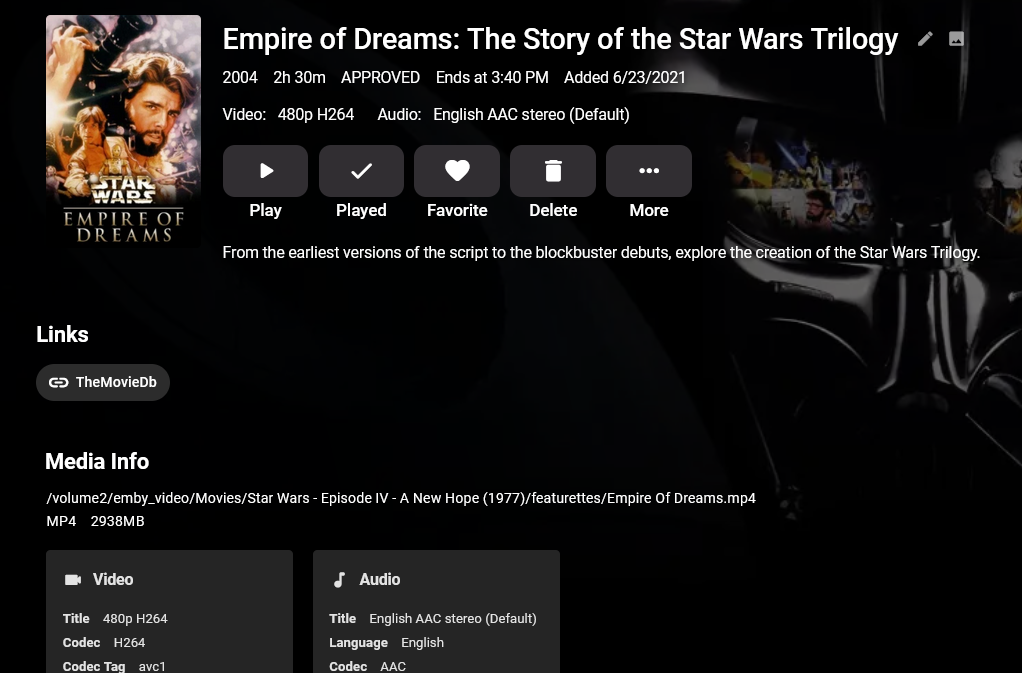
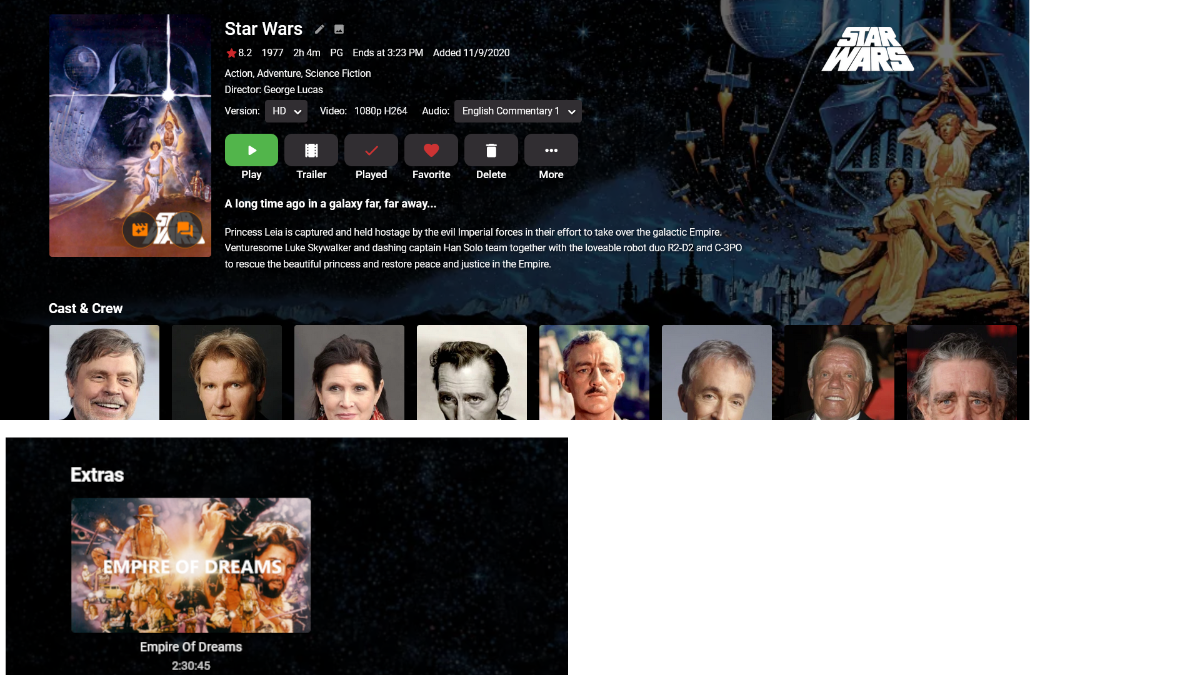
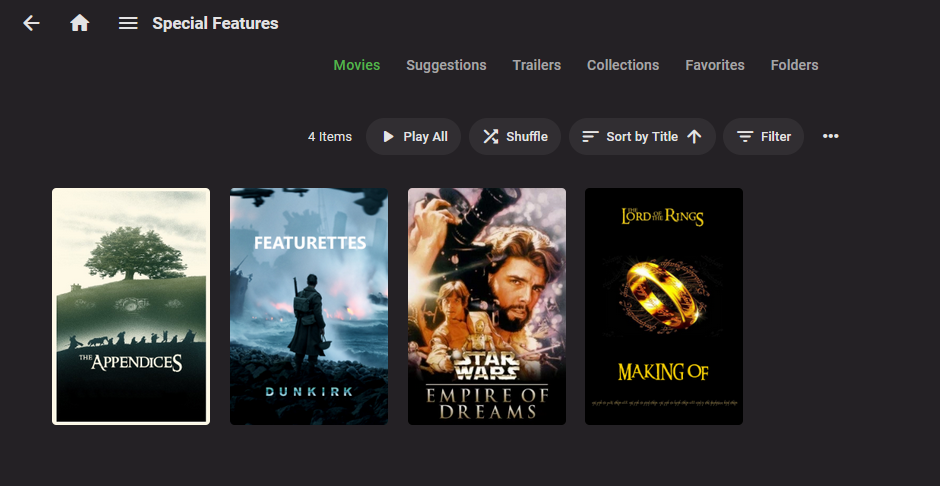
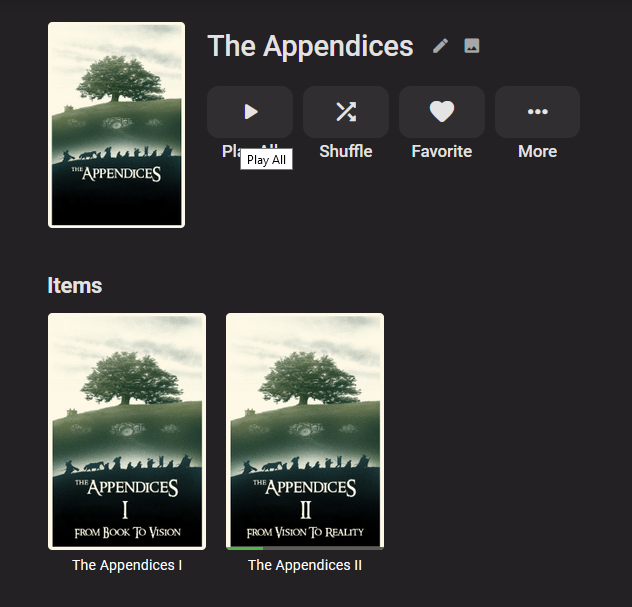
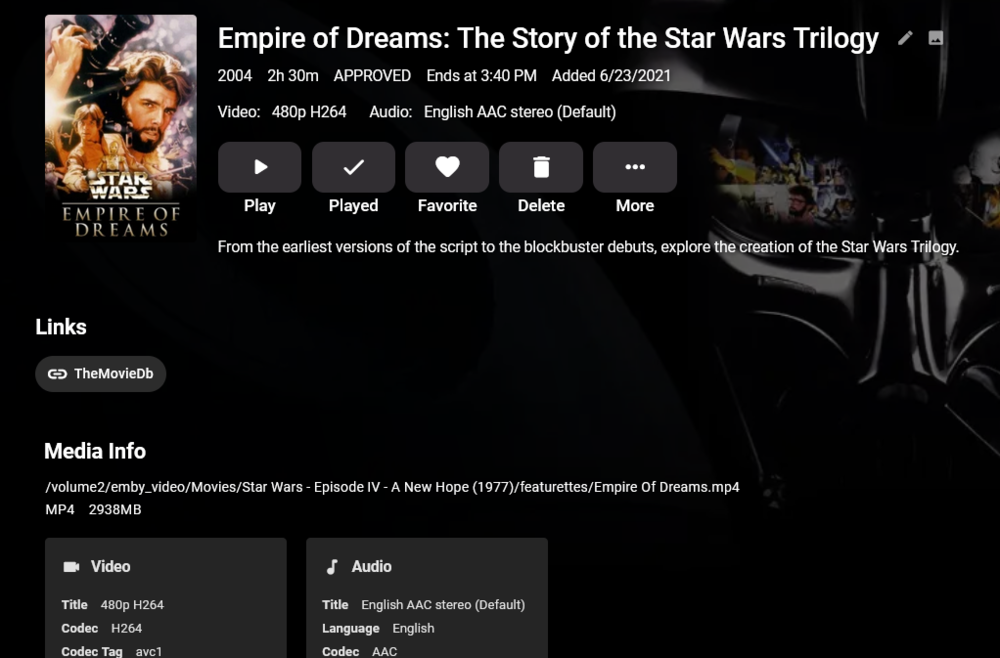
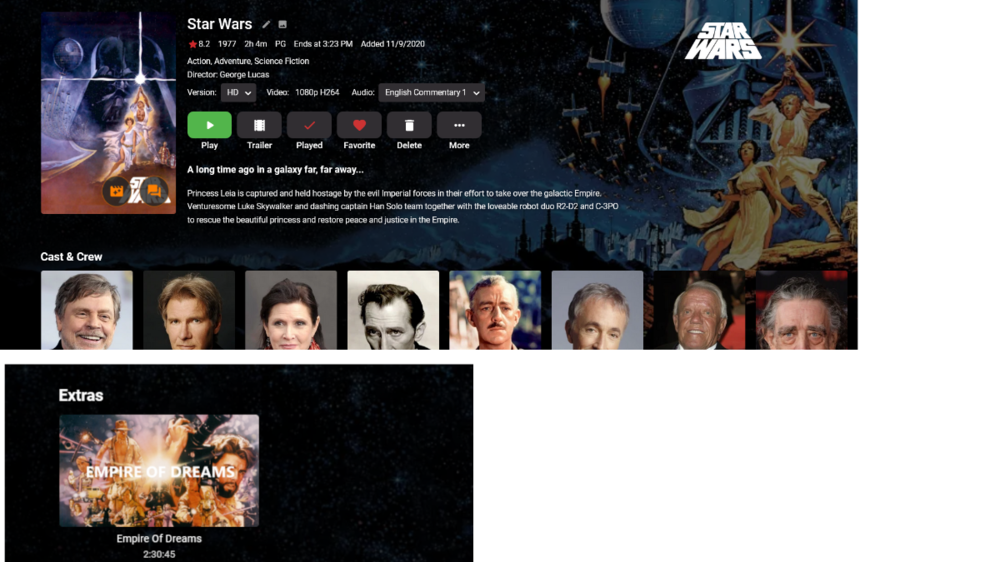
A while back, I requested that special features under movies be enhanced to give each supported extras folder name its own listing. But, since it looks like further extras development is a very long way off or never going to happen, I spent some time to come up with a workable solution for my needs. My goal was to make the best special features, like documentaries, easily discoverable without losing access to less watchable things like deleted scenes or concept art. My requirements were: 1) Only use officially supported Emby features so I can avoid any future headaches 2) All special features for a movie should continue to exist under that movie 3) Ability to group sets of special features by associated movie or their own siblings (ex. LOTR Appendices). 4) Don't duplicate video files. The solution I've come up with (maybe others found it first, but it's new to me) is to continue curating special features normally and placing them under the corresponding movie using the various extras folders Emby supports. What's new is that I've created an additional library I call 'Special Features'. I've made it a movie library, but turned off all external metadata sources. Instead of actual video files, though, this library only contains STRMS pointing back to the extras from my Movie library that I consider to be worthy of standing on their own. I manually curate the images and metadata for these STRMS and group them into standard collections in ways that makes sense. Now, users can find the special features under the movie they're interested in, or they can just browse a curated set of the best special features available on my server. The drawbacks I've found so far is that I can't stop special feature collections from contaminating the main 'Collections' grid view. I'd prefer that this view contain only movies. The other is that because the video file and STRM entries are independent, I need to maintain two separate nfos and image sets for each special feature. I hope this helps anyone who likes special features as much as my house does. Some of my libraries, including my new 'Special Features' library: The grid view of my curated special features 'movie' library: The collection view for a grouping of related special features (I'm still curating the rest of the Appendices): A single item view for the special feature library. The key here is that this is just a STRM pointing to the real file which lives in my Movie library under A New Hope. Here's that same Empire of Dreams special feature under its true location under A New Hope:

 1 point
 -
I know maybe 4 people care about this including myself but... As I've been chugging along building up my strm based special features library, I've discovered that quite a few of these features exist over at TMDB, but I still don't want to risk turning on any metadata sources since so much of this library could trigger bad matches. For these cases, I create my movie folder and strm structure first in my main movies library to let it populate the nfo and images with the TMDB source metadata. Once that scanning is finished, I mv the movie folder over to my special features library. https://www.themoviedb.org/movie/510714-the-director-and-the-jedi https://www.themoviedb.org/movie/336592-the-science-of-interstellar https://www.themoviedb.org/movie/529107-inside-interstellar https://www.themoviedb.org/movie/201025-the-burly-man-chronicles https://www.themoviedb.org/movie/703363-ending-the-knight https://www.themoviedb.org/search?query=The Matrix Revisited https://www.themoviedb.org/movie/125231-the-batmobile https://www.themoviedb.org/movie/729605-rise-of-skywalker-making-of1 point
-
They come below because everything is loaded on-demand as it is needed. Nothing is loaded if it's not going to be used. Yes that can make custom css a little more difficult and require you to use !important, but I have to pick one or the other to prioritize, and I'm prioritizing good performance practices over custom css files.1 point
-
It works with each user on a server (invisible option should standard be disabled), in your situation your father watches on his Android tablet, mother on her iphone, and you at home via your browser. I post a example video below. With connect we connect this dashboard user_id and emby user_id's. We have not yet decided. Whether it will be an online service (one hosting) or a service that you have to install on your own server. Yes! TLvnB3PRlf.mp41 point
-
The double % thing is a sticky issue but I think I've worked around it. Thanks.1 point
-
work like a charm don't forget to change custom cache, temp sync folder etc, I got a shared folder called Emby and the migration process deleted it from the share folder list1 point
-
Thanks. Ya, I've discovered the media info scanning limitation for strms. But, since I'm already stuck with manually curating the metadata and creating custom images for these custom special features one by one, clicking the play button after adding an entry doesn't really add too much to the workload.1 point
-
Hi Guys I am new on Emby and I would some help to get off from this issue. I am just another one struggling with remote Access, I have not problem at all to get server location when on /local but as I try to establish a connection from outside my local eth it looks blocked. So after a research around, I have to dealing with port forwarding and all that staff, because Upnp not seem to works on my case... However I ve two router on my local, 192.168.1.1 and 192.168.3.1, the xxx.xxx.1.1 is the ISP modem wired to xxx.xxx.3.1 which is a linksys 3200 running DDWRT firmware and open vpn client who provide the service to all my lan/wlan devices connected to the 192.168.3.1/xx including my home server which is behind that too and..... now as I said on /local there are not problem I ve set all rules on server firewall and its working, but not that easy when my attempts are from outside, (wan) I ve open 8096/tcp port for an unsecure connection but not lucky with it, UpnP is active too on both router but if I disable that nothing change, tried to uncheck the UpnP box on Emby server , still "cannot locate it" also tried to sing up for an easy remote access, you know, just avoiding to get lost dealing with address location, but I don,t think is that the problem. IMG. https://pasteboard.co/J8VsSKU.png Now after rebooting, open/close Ports and UpnP I decided to try in a easier way to understand where I get blocked... so I ve temporary connected my server On my ISP modem (which has not a port forwarding options/ only UPnP port mapping is available on that router) and with UpnP active it finally works on both /local and remotely perfectly.... so with this done we got a clear idea that is not my first Modem/router the reason. (192.168.1.1) Now my question are... It could be by the firewall may provided from VPN? because all my network its behind that, including the server, as I get back connected to my linksys (192.168.3.1) it back to not working, also from Open VPN client settings I ve disabled the Firewall protection by VPN side, rebooted and no works, well I suspect that the IP when I try to connect remotely is that VPN gives... But to do just one more attempt I ve Used my real one too, used easy remote access, still not lucky from /local on Emby Server setting all Users have "allow remote access" checked, only the Admin user who has the right to change server settings haven't got the option active but I don't think its that the problem, otherwise I couldn't even connect remotely using My ISP modem on step before. All right, this is it, Hopefully some sweet could help me, I m sure is just about ports, but opening from the port forwarding seems not working Also I ve launch a port scanning inside and outside and well inside its okay, outside even opening 8092 port, the only port showed open are the common such as domain, http/s mails excc exc... and I don,t know why SSh port too is opened, ( talking about internet side) I don't use SSH and I didn't open it from outside, but if I check my vpn/proxy's IP, that ssh port and common service ports are opened, not the 8092 whatever I do on the router, that ports won't change I thinking to try to open that port using command line instead the GUI router interface, you know some times linux like the old way but I m not sure if with IPTABLES stuff will do a miracle Waiting some professional advice Thank you all1 point