Leaderboard




Popular Content
Showing content with the highest reputation on 07/20/21 in all areas
-
We developing a dashboard (web) to watch movies or series together. Our proof of concept was successful and works as we wanted. Proof of concept: We have tested the proof of concept and are now continuing to expand the platform, which is of course linked to Emby. Tested functionality and implemented; Connect users with external dashboard (connect uid's) Link devices to user Make groups / invite other users Sync video with each other or group Resync in group Groupchat Possible ideas Discord connection (chat, sync, profile pictures) Discord auto voicechannel (only users who are in the group) Share this dashboard with the community Dashboard: Join room (select device): Active group session with chat: Will be updated!9 points
-
Hello! I don't know how interested people are in this in general, but I'm sure I am not the only one who wants to pull metrics off of Emby. Since I use Prometheus for a lot of other things, I figured why not make this a thing! I actually used to have a separate exporter for this, but this just seems neater. Anyhow, this will create a /metrics endpoint, which means you will just need to point Prometheus to your regular server address (e.g. https://my-emby-server:8920) and it will know what to do. Currently, the metrics produced are: - Emby info: - emby_info{instance="my_emby", version="4.6.4.0", id="41ca63b088f92613efaa969943df0f0d"} - Library counts: - emby_movie_count{instance="my_emby"} - emby_series_count{instance="my_emby"} - emby_episode_count{instance="my_emby"}) - Active sessions: - emby_sessions{instance="my_emby", user="me", type="Episode", state="Playing", name="Cowboy Bebop - S01E12"} - emby_sessions{instance="my_emby", user="me", type="Movie", state="Playing", name="Fire in the Sky"} Have a go if you're so inclined, and let me know if there are any other types of metrics you'd want to include. These are the ones I've found most useful for my own dashboard, but I'm sure I'm missing something. Emby.Metrics.dll3 points
-
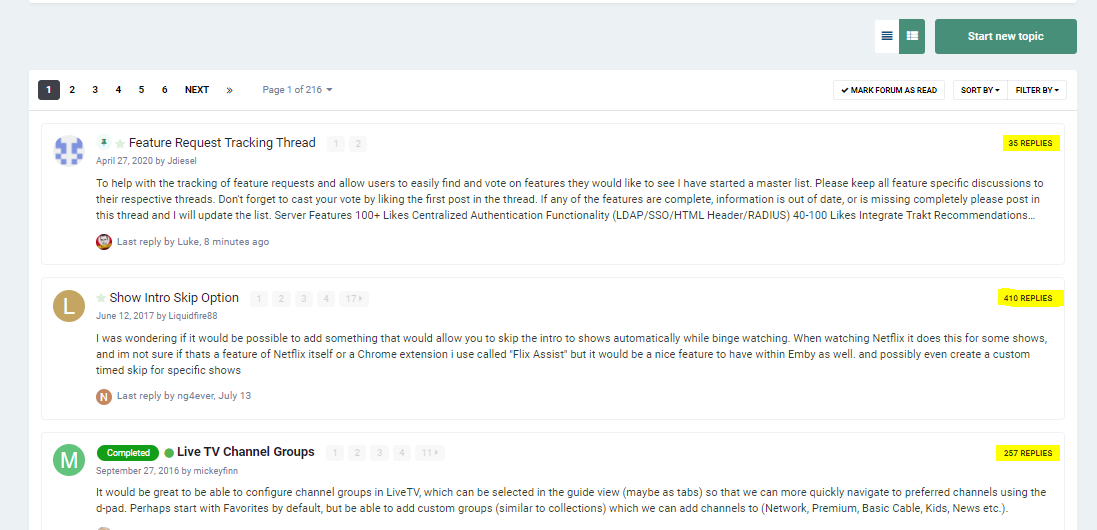
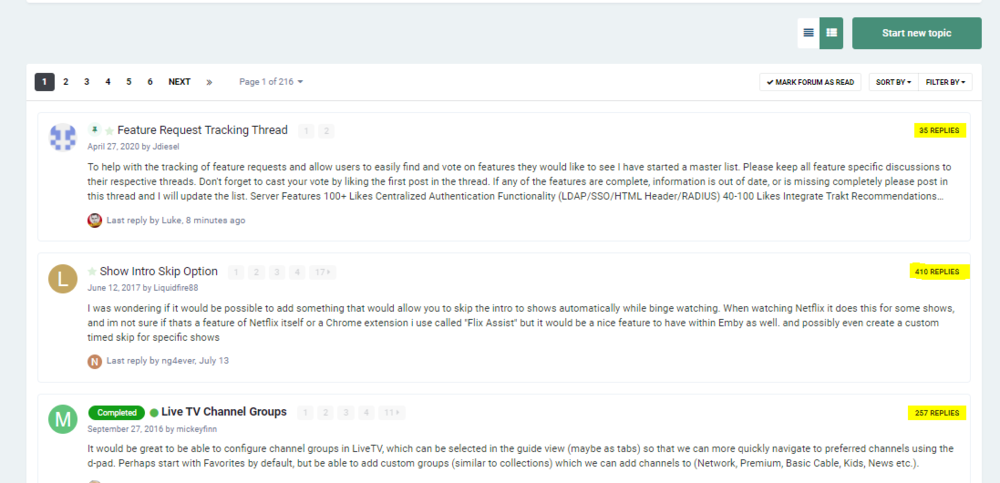
But there is no sort by most votes. Aren't users supposed to like the 1st post in a thread? I don't see any option that will sort by the most likes of the 1st post in a thread. How are you sorting to find out which feature requests have the most votes?3 points
-
@Fabian2101 Sending a log from the Android TV app after crash may help. You have to enable debug options in the Android TV app. After app crash, open app again and immediately afterwards send a log from the user menu. Provide your user name, server name and the time to make it easier to locate the log.3 points
-
Has there been any progress on automating this list ? @Abobader It seems a pretty basic requirement of forum software - I'm surprised it's not available out the box .. I'm sure it will also save @ebr a ton of work adding 'duplicate' into new requests - if people see their idea in the top 20 pinned to the top of the forum, then they can just add their support instead.3 points
-
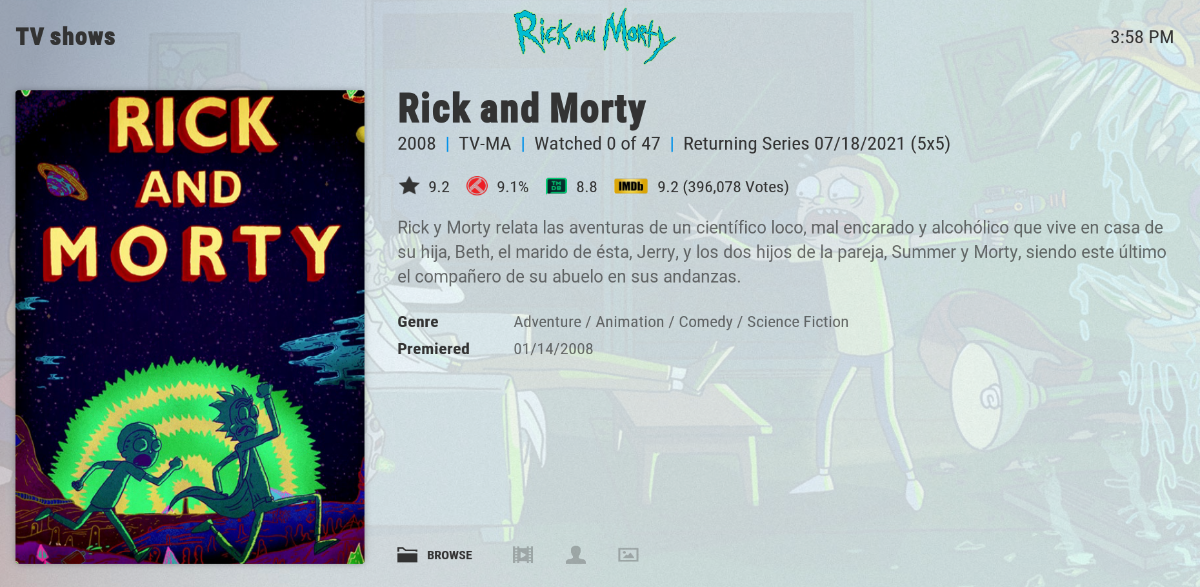
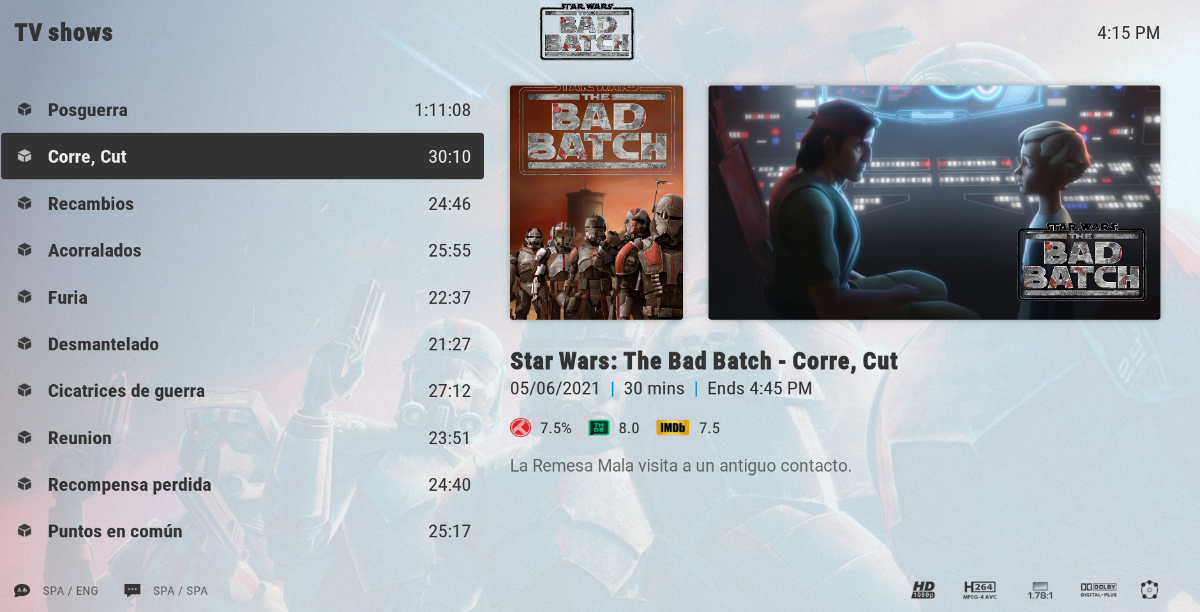
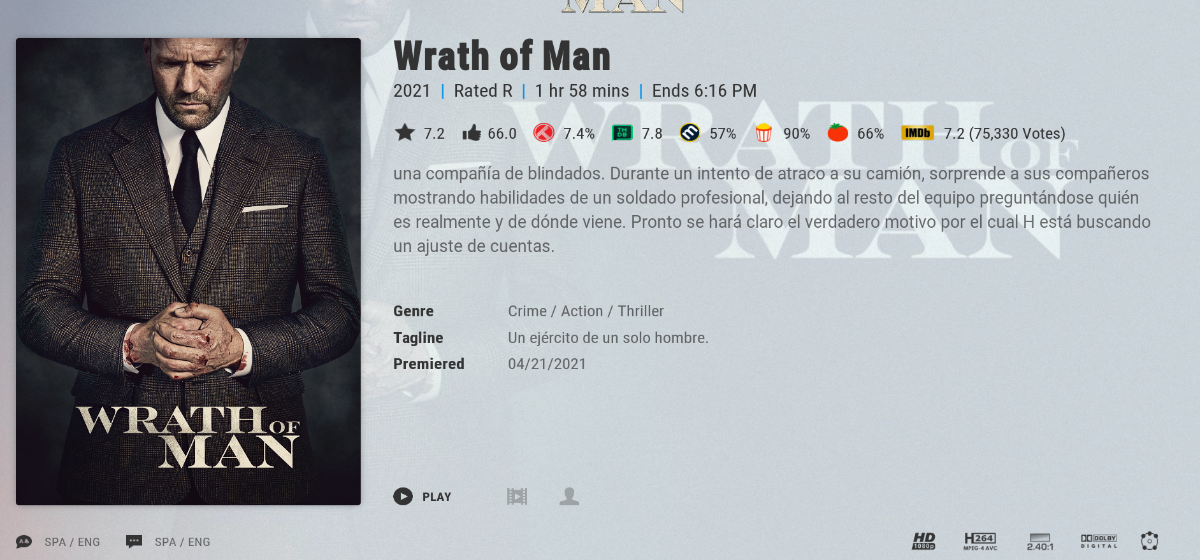
Sorry if something like this was posted before, I saw something about omdb ratings but this one is more encompassing I believe. It would be nice to have emby the fields to show this type of information, if available, in the case of local nfo files or the online provider of course. To be more specific metadata fields for: Movies: All the ones specified on a local nfo file All the ones given by omdb (except already existent tomato meter) TheMovieDB Trakt Metascore Tomato Audience TV Shows: All the ones specified on a local nfo file TheMovieDB Trakt Episodes: All the ones specified on a local nfo file TheMovieDB Trakt Examples using Kodi connected to emby through embycon using addons to show additional online ratings not available through emby. The star is Emby's Community Rating and the Thumbs-Up is Emby's Critic Rating (is what's embycon is feeding to to kodi from emby's database) TV Show Movie Episodes
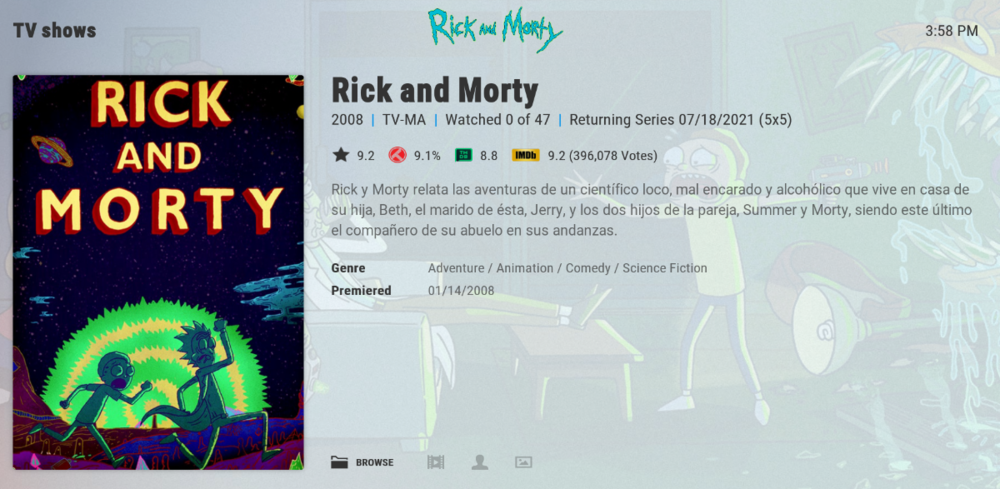
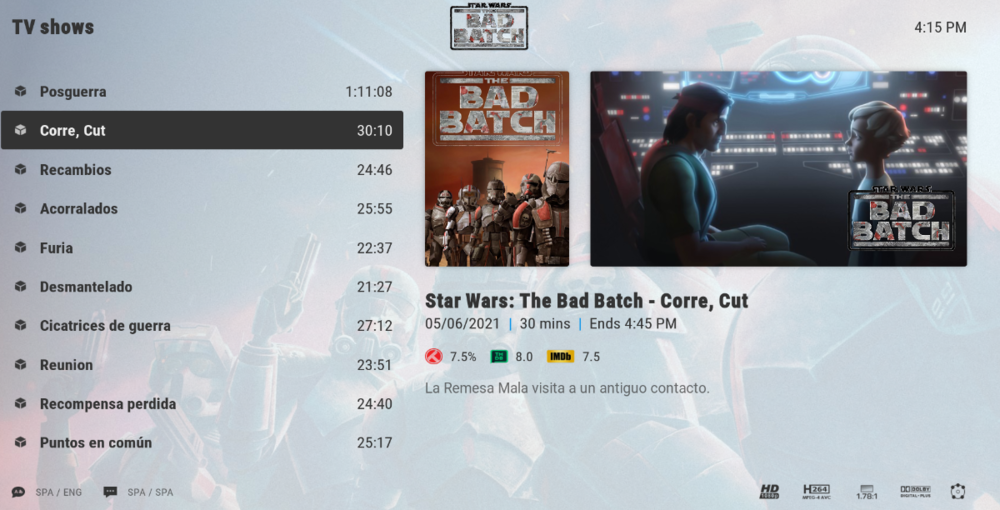
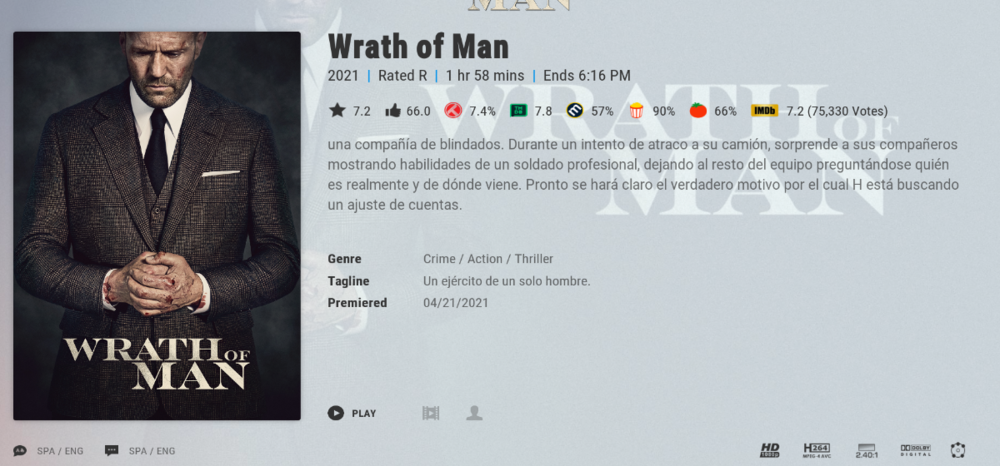 2 points
 -
I don't believe the OP is keeping this list up to date - and while I commend them for their efforts doing this manually - in 2021, this is a little sad that something like this cannot be fully automated. 'Top likes' is all we need for this forum - and then pin them as the top post - is that really too much to ask for ?2 points
-
Very nice, thanks for the effort put into it. Edit: When you say "we", who are you referring to? I assume this particular project is not being developed by the Emby devs, right?2 points
-
2 points
-
@Lukethis is reproducible on a User account, does not appear on Admin account.2 points
-
We're hoping to get to this soon. Thanks.2 points
-
DSM7 Upgrade for Emby.mkvEDIT: The instructions assume default Synology install volume of /volume1. If your location is different use that instead! This is based on the release version of Emby which at the time of writing/video creation was 4.6.3. The video will become dated so just use the latest DSM 6 Emby version from the website https://emby.media/synology-server.html. If you happen to be running a beta version update to the latest beta version before the DSM 7 update. The idea is to do any updates on DSM 6 first before installing DSM 7. Since the creation of the video Emby Server is now availing in the Emby Package store (release version) so you can install Emby on DSM 7 now from that. ----------------------------------------------------------------------------------------------------------------------------- Attached is a quick video of upgrading DSM 6 to DSM 7 with Emby Updates. The video will show only browser items and not the PUTTY/SSH commands but everything done in browser is recorded. The SSH commands are included below. I converted this to MKV/H.265 to make it small enough to download and view offline. DMS7 Upgrade for Emby.mkv21.57 MB · 78 downloads Instructions used were: Download and have ready DSM 7 package for update. https://www.synology.com/en-us/DSM70 (I will be downloading both a virtualDSM 7 & for 920+) Download and have ready Emby Server 4.6.3 for both DSM 6 & DSM 7 https://emby.media/download.html - update Emby Server to current release of 4.6.3. - restart Emby Server and verify your on the latest release version. - uninstall Emby - update DSM to v7 - install Emby 4.6.3 (or same version that was running above (dsm7 version) - You can now install the DSM 7 version directly from the Synology Package store! (still on our website too) - stop Emby - remove emby_pkg user and video group - enable admin account if needed - enable ssh in Synology settings (Terminal & SSH menu) Not shown in video: - connect with Putty to Synology, login with admin user and get root rights with: sudo -i - copy files from old Emby share to new data location: cp -rv /volume1/Emby/* /volume1/@appdata/EmbyServer - adjust owner from copied files: chown -R emby:emby /volume1/@appdata/EmbyServer - close putty Shown again in video: - From Control Panel go to Shared Folder and edit each share that is used by Emby Server. Click the share, then EDIT, go to permission tab, select System internal user from drop down, grant emby user read/write access. - start Emby Notes: You can now disable the default admin account as well as SSH. You may also want to rename /volume1/Emby to /volume1/Emby6 as well. This will help make sure you don't have anything referencing the old directory. If you don't notice any issues in a week or two you can delete this old folder/share to free up space. DSM7 Upgrade for Emby.mkvDSM7 Upgrade for Emby.mkv1 point
-
At the moment on a TV especially (but applies to all devices), if you select Zoom to crop the picture and remove the black bars instead of zooming in "just enough" until the black bars are gone, it seems to "zoom" in by some constant amount. This is quite frustrating because sometimes the aspect ratio is such that you only need a little crop "little zoom". Instead Emby goes waaay too far zoomed in and ruins the picture. Suggestions: 1. Set Zoom function to zoom only until black bars are gone (variable based on content) OR...ideally: 2. Allow users to manually adjust zoom/crop factor1 point
-
I'd imagine this one will probably be a little to tricky to implement any-time soon Heck I'm not even sure if there's a suitable codec available that's opensource/free to use But it would be a really awesome extension to sync if you could transcode into multiple bitrates and then use adaptive streaming between the emby client and the server to pick the highest quality possible at any given moment. I would think this would be especially useful for mobile clients where the network performance can be all over the shop. I thought i'd suggest it on the off chance it was feasible.1 point
-
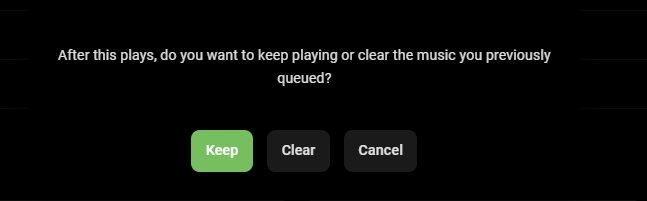
when playing music if i change to different Trak i get this constantly message, is there a way to disable it complete, thanks
 1 point
 -
Yes exactly: https://support.emby.media/support/solutions/articles/44001159147-strm-files1 point
-
Wow nice work, watching with great interest. UI looks very slick1 point
-
I had a rant about Emby and ratings in general relatively recently, lemme find it. Edit: Here.1 point
-
Whoa! That is cool. Does it work with each user on a server? So, for instance, my mom and dad could watch from their house at the same time as me at my house? Or, When you say it is using Connect users, does that mean you're connecting users at a server level? I like the glassmorphic design of that UI. That's very cool.1 point
-
Nice. Glad that works for you.1 point
-
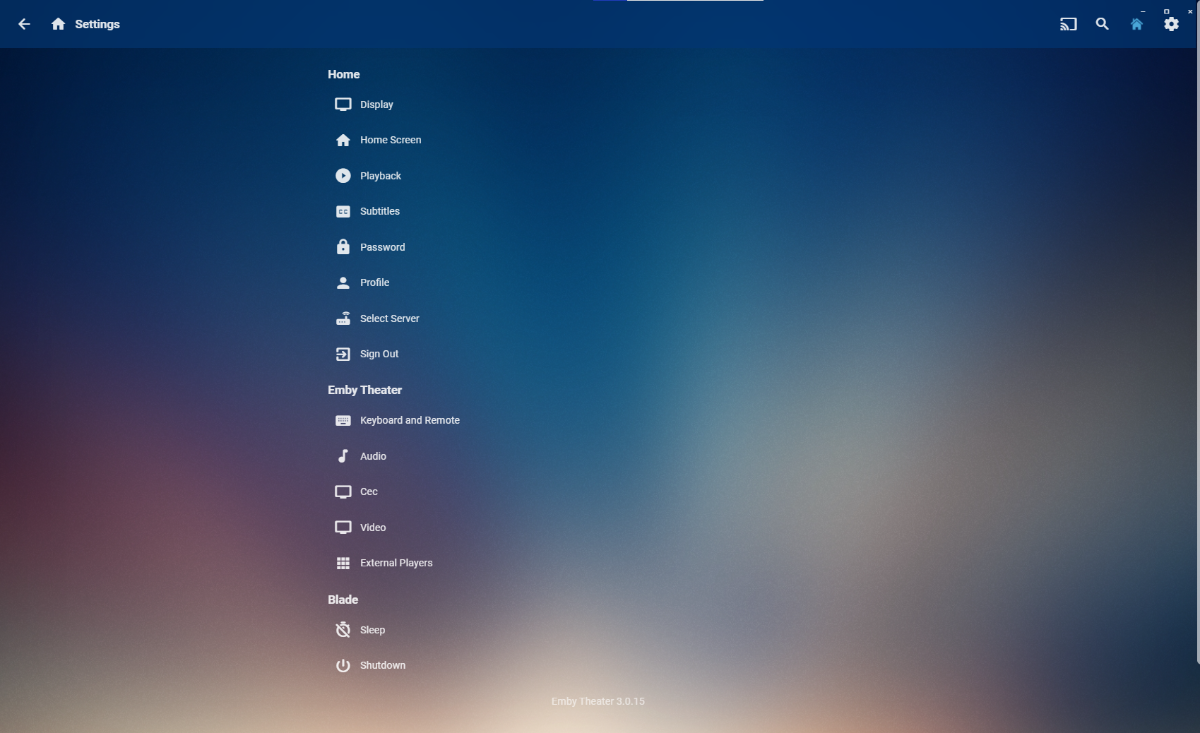
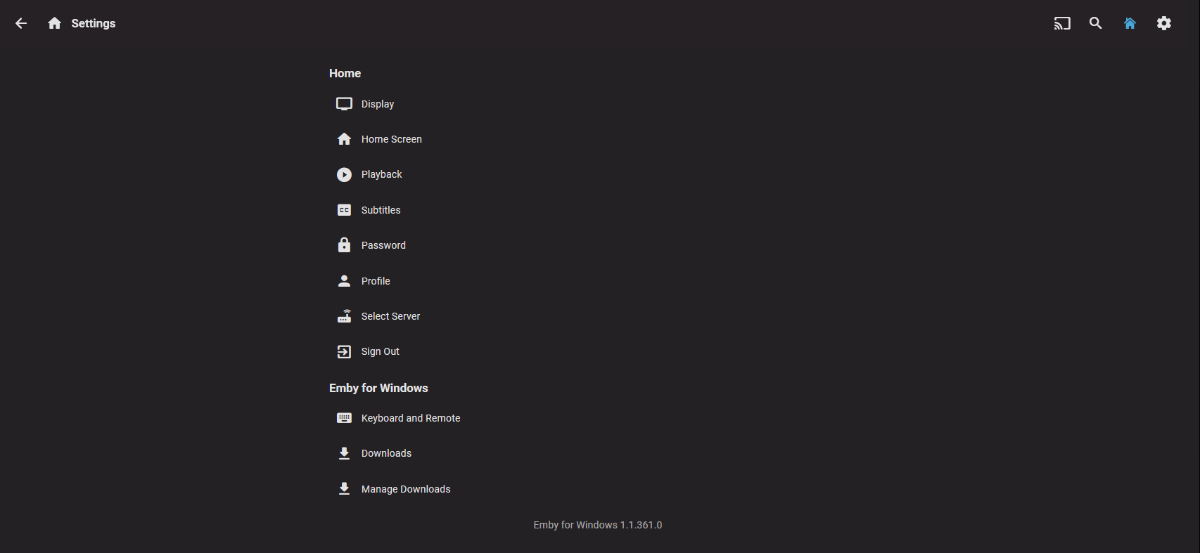
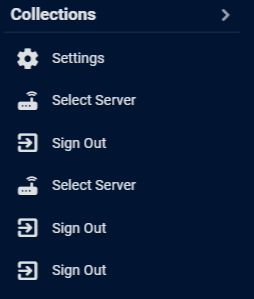
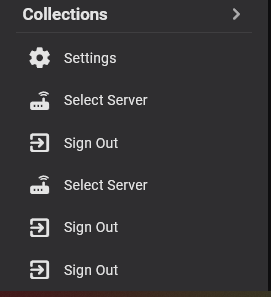
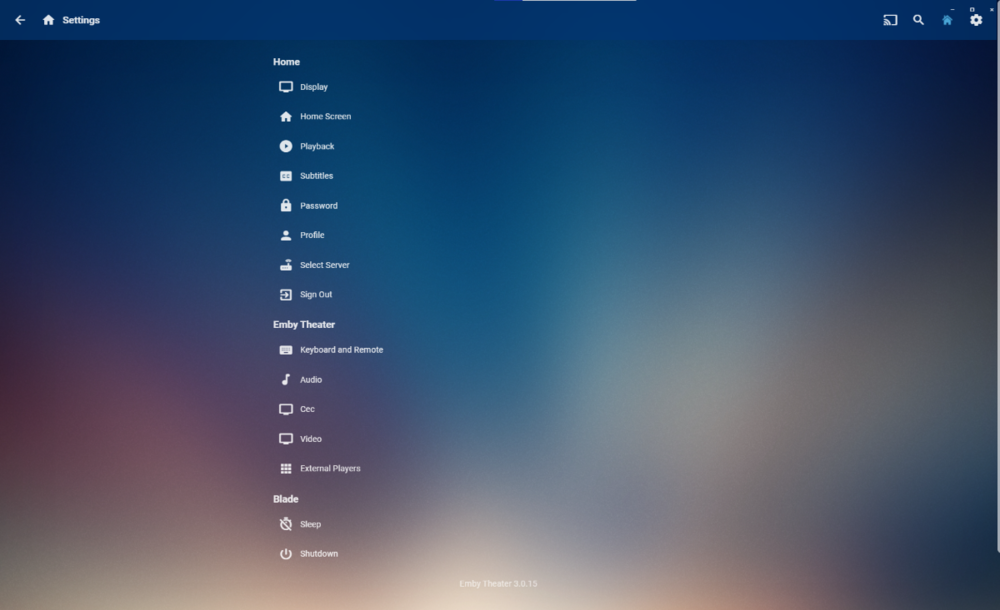
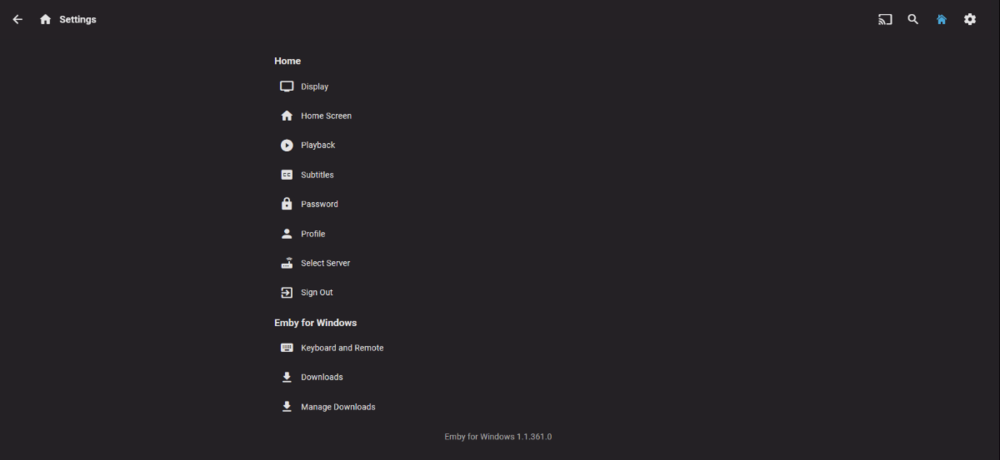
Getting this on both ET 3.0.15 and ET-UWP 1.1.361. Settings page on both shows normal.
 1 point
 -
Yes and only for non admin accounts from what I've seen.1 point
-
Support is limited based on what the .net core runtime supports: https://github.com/dotnet/runtime/issues/24655 https://github.com/dotnet/runtime/issues/24271 However it appears there has finally been some movement, so following the release of .net core 6, that hopefully means a future version of Emby Server should be able to more easily support them.1 point
-
That's not how we've been told "votes" work in this forum. A vote is only when the first post in an FR is liked. If the vote were simply the most replied to items then we could simply spam the thread to increase votes.1 point
-
i did offer to take over this thread to keep it up to date but was shot down while being told it was a waste of effort, but fully agree with you that something needs doing1 point
-
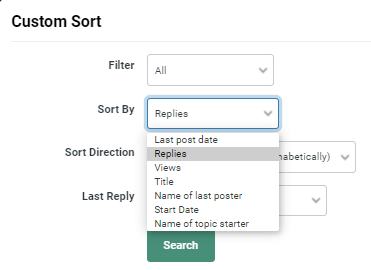
ok - not sure we are on the same wavelength here.. maybe you have a lot more sort options than we do. We do not get the option to sort by 'Likes' - thus even if we sort by 'Replies' (I'm assuming here a 'like' also qualifies as a reply..) then should it not sort the entries with the highest/lowest at the top ? Instead I get 216 pages of unsorted items ? This is using Edge - maybe it works with Chrome .. or maybe it's broken..
 1 point
 -
Indeed this project is not developed by Emby's dev team itself. By "we" I mean a group of enthusiastic Emby users who want to extend the functionality. Of course we are still testing and trying to make the project as complete as possible.1 point
-
That's my thinking as well. You either need a lot of cores or access to the GPU of the machine to use for hardware based transcoding. The only other alternative is to have a "lite" version of each file that can be played back on almost any client.1 point
-
If you want that many simultaneous transcodes with a vps you will have a hard time, thats dedicated territory1 point
-
The show was only deleted in Kodi1 point
-
@cayarsMy media format is mostly H264 and of high quality which doesn't need transcoding but most of my users will transcode them because they have bad internet. Plus, users will mostly use Emby Web app. Some companies like Hetzner provide 1Gb/s internet speed and allow unlimited traffic which is good for streaming from emby. I know Google drive has daily limit and it's okay for me. I just want to know some VPS or dedicated server recommendations which is good for running emby for 10 or more users1 point
-
This is a different issue. Kodi only removes the episode after callback from emby server and it's not on the "skip update" list in Kodi. One of the cases triggered the issue. Emby was not reporting the delete (I highly doubt, that's the problem) or the "skip update" list was not updated correctly. Anyway, I'll update the code so the item is removed directly from Kodi db, not waiting for callback from Emby server. This will solve the issue, but not the previous bug. I'll check the season issue asap.1 point
-
Watchlist and more coming to Android TV1 point
-
I figured an alternate way making a python script to make strm files for all the files in the directories and it works now. Thanks for the idea.1 point
-
Yes, once your migration is good/verified and you need to free up space you can remove the old location. If you're not pressed for space, you might want to leave it around a bit, sort of as a complete system backup that could be used in an emergency.1 point
-
The only pattern I see is both times it happened with the same series, Suits.1 point
-
OK, please follow along here: Thanks.1 point
-
Hi, and this only happens when you start playing something, right?1 point
-
Hi, welcome, and thanks for the support. It really comes down to personal preference and which app you prefer to use to connect to your Emby Server with. The Kodi add-on is meant to provide another option for those that prefer that.1 point
-
I would say no benefit.1 point
-
Hi, thanks for the info. We haven't looked at iOS 15 yet but this is on our list of things to review once we do. Thanks.1 point
-
Yes, I just reported it on their Bug tool, I hope they'll read it1 point
-
You would have delete the activitylog.db or manually edit it.1 point
-
Good morning rbjtech... The one HTML file that you have is the complete tool. It contains HTML, CSS, JavaScript and jQuery. I dont think you can launch it from within Emby. That's something the Emby programmers would have to allow you to do. As for portability. The HTML file is very portable. By the way, thanks for your kind words... After this post I will be posting a new version of the tool that lets you sort movies and TV series. Vic1 point
-
@quickmic just had an issue for the second time in 2 days. After watching an tv episode, i manually stopped it during the end credentials. Delete after watch came up, hit yes and the entire serie, 2 seasons with 24 episodes left was gone from the Kodi library. Needed to do a db repair to get the remaining episodes back in Kodi. This is the log taken immediately after it happened. Hope you can find the cause. https://paste.kodi.tv/elubexaqel1 point
-
So can this be done pretty please EBR / Luke? My request is perfectly valid view type, that if done the way I indicated above, would not affect what you think should be your default view, but flexible enough for a lot of us who prefer a view prior to 4.6.x where we prefer GENRE > ARTIST > ALBUMS view rather than your change to GENRE > ALBUMS. (Music/Music Videos/Audiobooks library types) As I said the reason is, often the family want to watch something by a GNERE type eg. Pop Music, and then see the artists under the genre and then the albums collected together by that artist. You changed this in the music library to go from Pop Music in this example straight to an alphabetical list list of albums not sorted and grouped by artist. Everyone in household is moaning about this. The ID3v2 tags for GENRE chosen determine the ARTIST tags shown for the ARTIST and then ALBUM tag to show albums.1 point
-
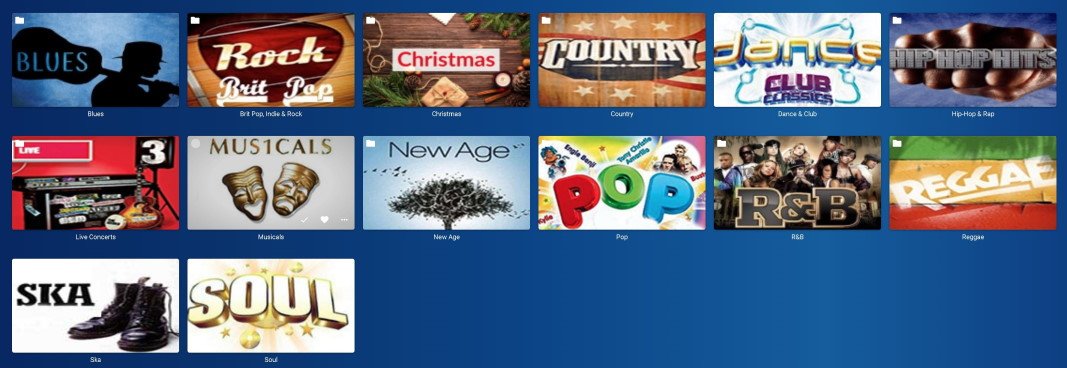
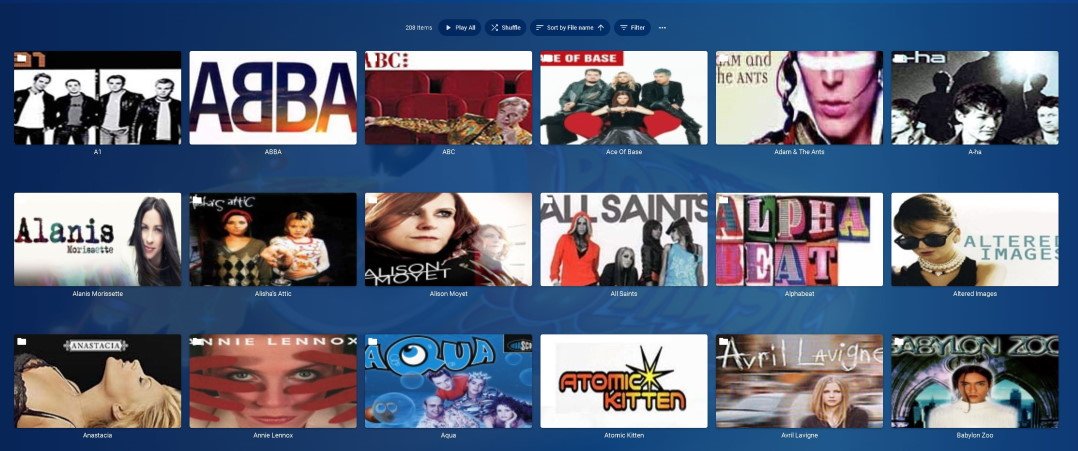
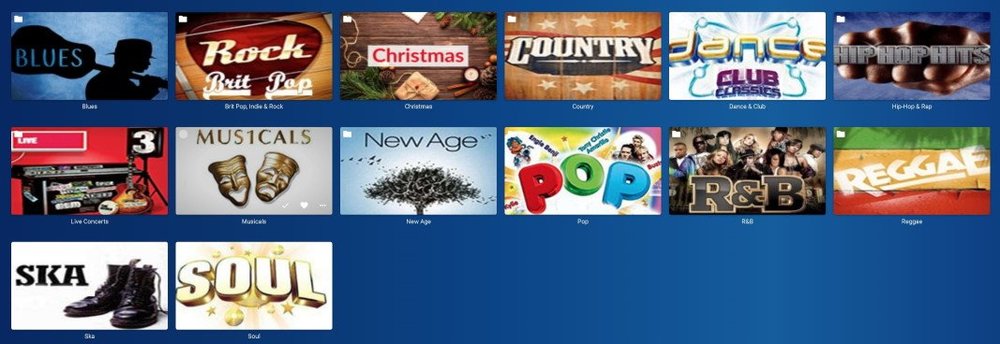
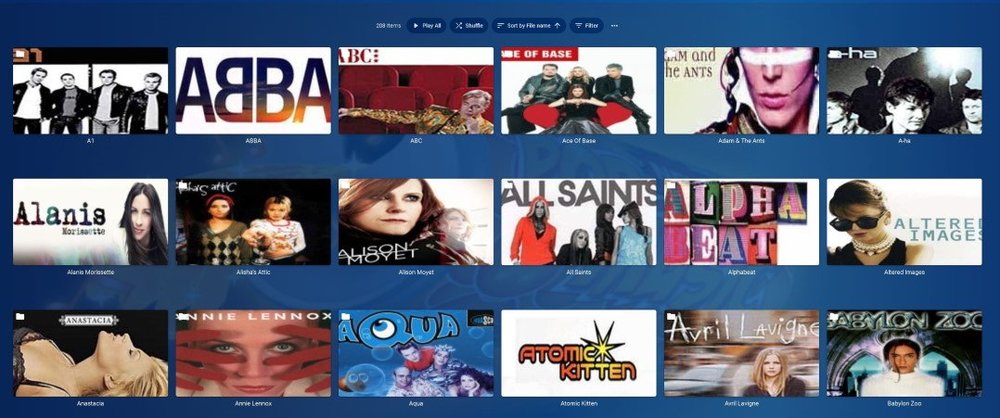
That's what I meant. The Album has the genre. At the moment, emby just spews out a useless list of albums to wade through, not grouped under any artist. It knows the artist, because that's in the embedded meta data where it read the genre tag for the album. Here's a picture or two to describe what I mean. Ignore the fact that the picture is actually a folder view - and pretend the images for each genre could be generated by Emby based on embedded genre tags. I'd expect this when going into the menu option of GENRES and then selecting 'Pop' for this example. Clicking on any artist would then show the albums for that artist tagged with "Pop":
 1 point
 -
Music Library used to be this way? Its the embedded tag GENRE of the file so of course it would work. It would show the ARTIST that has any tags for the genre in the file. If the artist is in other genres then that file appears there under the artist in the other genre. If I go into Music Videos browsing for videos to watch, I think to myself, I'd like Pop Music. I go into GENRE Pop Music, and sensibly, Emby would display the ARTISTS that had "Pop" set as their genre. You dont get a messy list of random Albums strewn across the screen because they are grouped under each artist that has a genre of "Pop".1 point
-
agreed, emby plus nginx, SSL and even cloudflare is incredibly easy and can be free to set up. The tutorials out there should just be adapted into the KB1 point
-
Hi. I don't think there is a bug here. My guess as to what happened is you accidentally triggered the shortcut to show that information. That is done by long-pressing the select/ok button on the remote. Could be a case of you leaning against or sitting on the remote...1 point