Leaderboard




Popular Content
Showing content with the highest reputation on 07/01/21 in all areas
-
Brilliant guide. THIS NEEDS TO BE A STICKY AT TOP OF SYNOLOGY SECTION SO PEOPLE DON'T WASTE HOURS! External access by nginx reverse proxy all kept too after doing the instructions. I used WinSCP app (free) to copy the files from old Emby to @appdata/EmbyServer and then run the owner permissions change command line from the command prompt icon in WinSCP. I only give Emby internal system user READ on my Multimedia share though where my media libraries are and not READ/WRITE (I still use XML metadata not NFO in there) Now to delete the old Emby area that Emby has no access to, and has started successfully using new area. THANK YOU FOR THIS GUIDE 'CAYARS', MUCH APPRECIATED....3 points
-
Attached is a quick video I made of upgrading DSM 6 to DSM 7 with Emby Updates. I had instructions off to the left but the screen capture program only recorded the browser. So you won't see me downloading or PUTTY/SSH commands but everything done in browser is recorded. I converted this to MKV/H.265 to make it small enough to upload. Let me know if this helps or if you think I missed any crucial steps. DMS7 Upgrade for Emby.mkv Instructions used were: Download and have ready DSM 7 package for update. https://www.synology.com/en-us/DSM70 (I will be downloading both a virtualDSM 7 & for 920+) Download and have ready Emby Server 4.6.3 for both DSM 6 & DSM 7 https://emby.media/download.html - update Emby Server to 4.6.3 (or latest release) - restart Emby Server and verify your on 4.6.3 - uninstall Emby - update DSM to v7 - install Emby 4.6.3 (or same version that was running above (dsm7 version) - stop Emby - remove emby_pkg user and video group - enable admin account if needed - give read/write permissions to your login ID and add Emby - enable ssh in Synology settings (Terminal & SNMP menu) Not shown in video: - connect with Putty to Synology, login with admin user and get root rights with: sudo -i - copy files from old Emby share to new data location: cp -r /volume1/Emby/* /volume1/@appdata/EmbyServer - adjust owner from copied files: chown -R emby:emby /volume1/@appdata/EmbyServer - close putty Shown again in video: - From Control Panel go to Shared Folder and edit each share that is used by Emby Server. Click the share, then EDIT, go to permission tab, select internal system user from drop down, grant emby user read/write access. - add emby user and emby group to your shared media folder in Synology - start Emby3 points
-
Yes something like this is possible. Thanks.2 points
-
I have seen issues on Samsung TV's with files that have lots of sub streams. You didn't mention if the file was mkv or mp4, but can you copy the file to a new container with less subtitles? If it's an mkv then MkvToolnix works well for this2 points
-
How to Contribute https://translate.emby.media1 point
-
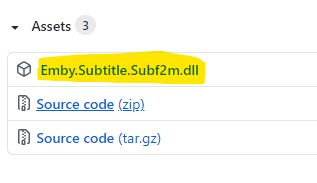
Hi, I created the subtitle plugin for Subf2m.co. Please install and let me know if there is a problem. subf2m.co is a subtitle site, The database of this site is acceptable Source Code: https://github.com/nRafinia/Emby.Subtitle.Subf2m Binary: https://github.com/nRafinia/Emby.Subtitle.Subf2m/releases/latest
 1 point
 -
I sometimes enter my movie library with the desire to watch a movie but no real idea about what movie I would like to watch. Currently I can browse from a-z or z-a or by date added or by genre or by date released or maybe a few other choices but that means I am limited to seeing my movies in just a few orders and I see the same movies first in each sort every time. While that may seem like a good variety it really limits browsing and also means that some movies are always late in the browse. I have a library of well over 3000 movies and it sometimes takes a long time to find a movie to watch. What I would like to have is the option to present the movies in a random order that is different each time I browse. That way movies that I usually do not get to browse might show up earlier. I do NOT want random play I just want to be able to choose to browse my movies in a random order. I would really like this on the Roku client but I believe if it were implemented at the server then it would be easier for the clients to implement it.1 point
-
I Think adding Karaoke and CD Graphics support to Emby would be great for parties :) What do you think ?1 point
-
@ebr I think the request is to have this configurable server side so a user isn't inadvertently using up all the server's resources. I'd like this too.1 point
-
Yes please do and we can investigate. It could be with only 2 cores there isn't enough muscle to handle everything. I know the 920+ can do it as I've got that NAS.1 point
-
Anyway. Found the solution: Download Handbrake for windows, transcode the files to the size you need, copy them to your device and don't use emby for it.1 point
-
I can tell you that it's not possible on the Chromecast directly and would require server transcoding.1 point
-
Sorry for any inconvenience, I decided to start over the server and get all DSM 7 improvements and a fresh emby setup. So all good now.1 point
-
Hi, Emby doesn't run a cloud service. But there are other ways to backup to other cloud services with Synology plugins. If you can make it fit your budget I'd try and save up to get the Synology 920+ instead of the DS 200+ as it would offer you twice the storage, is more expandable and would be able to do transcoding as well as tone-mapping for HDR to SDR content. It will cost you about $250 more but it's a much better investment IMHO. 5400 RPM drives will work but IMHO aren't really fit for use in a NAS. To really get the best use from a NAS generally speaking you would populate it with drives and one drive is your parity drive (more or less) and also protects you from a single drive failure. With Synology this can be done on the fly so you could start with a single drive, then drop in another and either double the storage or have one as the parity drive, then add a 3rd or 4th drive which are pure storage as you already have the parity drive. The thing is when you start "ganging" drives in the box and they work together the slowest drive can bring down the overall speed of the box so the faster the drives the better. 7200 RPM drives don't really cost much more but are worth it. So I know you said you were on a budget and I just basically doubled what you were planning to spend but you would be much happier in the end. If funds are tight I'd try to put the $300 aside you were going to spend and keep using what you have now and put aside $50/week or month until you have enough to get the better NAS box as well as 1 7200 RPM drive made for NAS use. BTW, you can plug external USB3 drives into the Synology box like my 920+ and use them via Synology as well which is nice. If this just won't work for you then get the DS220+ between the two you mentioned and call it a day without buyer remorse as it's a nice little NAS but without much expandability.1 point
-
Agreed. I use "Season 1" for all my series, including Loki, and it has always worked.1 point
-
Hi. Music is not supported in the "Mixed Content" library type. You would want to set that library to type "Music".1 point
-
It has been resolved.1 point
-
Interesting as it looks like that image was showing Mixed Content not TV Shows. But glad everything is working again.1 point
-
Thank you all! I'm back up and running!! I was just thinking I had to add the emby user & group to local users again. After adding just the internal emby user it worked. Thanks again!1 point
-
Not if you add the group to the current listings. A channel can belong to more than one group. IE it's typical to have a "US" and a "Sports" group for some channels. You could try this manually modifying 5 to 10 lines of a M3U file just to see how this world work.1 point
-
omg I'm a dork, didn't see the "set default tab" LOL Working now, thanks!!!!! btw gratz on Emby, it's amazing, I subscribed to premiere, even though I don't need those features1 point
-
C'mon, are you really asking me how copy images in a file explorer? Copy them elsewhere, refresh the guide, move them back and refresh the guide again. That's all!1 point
-
Yes, for this set of release that is perfectly fine. You could switch either way as they are basically the same version for all practical matters. That would allow you to choose the RELEASE or BETA track.1 point
-
Ha. I bet the tag is being restricted by its own rule .1 point
-
Your IP is listed on Censys due to your SSL cert you are using on your origin server.. It probably mentions your domain name DO NOT use the cert cloudflare gives you for your origin and do not create a self signed with your real domain name. So what Censys does is goes out and finds every HTTPS response, logs the SSL cert and what IP that SSL cert responded on. does not care about the domain name it used to find that cert. So now Censys has all of these ssl certs, they all contain domain names they are to secure, Censys links those domain names to the IP the cert was found on. Even though you have certs through cloudflare that are protected and link back to their IP's, you created a back door by using an origin SSL cert that also contains your real domain name, and that cert can be served up over your real ip, leaving bread crumbs. To fix: So since Cloudflare will accept any SSL Cert from an origin server I suggest you make your origin SSL Cert something fake. like make the ssl cert for coolbikes.com or lkjfdslkjfdslkfdslkjsfd.com something like that. so when Censys logs that SSL cert it will be associated to your real server ip, but people and Censys wont be able to link the lkjfdslkjfdslkfdslkjsfd.com SSL cert to your actual domain name. For example my site: https://notallmine.net bet you cant trace that domain to my real internet IP. its hidden, no back-doors no leaks. That said... you still have a problem with hiding your origin IP.. and that is if you EVER had a DNS entry for your domain name that pointed to that ip, its already on the internet. The only way to truly hide a server is to use a fresh IP address that has never been tied to a domain name, or exposed an SSL cert linking that ip to a real domain name. Give me a domain name I can get you a list of every IP that has ever been tied to that domain name, even if that ip is dynamic, I can tell you your ISP and general location, which is usually not good, gets you one step closer to finding who owns the server. But back to your original question, yes using nginx you can prevent direct IP access a few ways.. In NGIX reverse proxy: server { listen [::]:80; listen 80; listen 443 ssl http2 default_server; listen [::]:443 ssl http2 default_server; server_name "PUT YOURE REAL SERVER IP ADDRESS HERE"; return 444; ssl_session_timeout 10m; ssl_protocols TLSv1.2 TLSv1.1 TLSv1; ssl_certificate ssl/kjfdsjlfd_com_pub.pem; ssl_certificate_key ssl/kjfdsjlfd_com_pvt.pem; ssl_session_cache shared:SSL:10m; } Also you will want to use the cloudflare feature shown here: https://developers.cloudflare.com/ssl/origin-configuration/authenticated-origin-pull and you do that in nginx like this: ssl_client_certificate ssl/special_CF_Cert.crt; ssl_verify_client on;1 point
-
In the upgrade to 4.6, either the possible settings changed and were set to off by default, or the upgrade wiped out my existing library settings. In the music library settings, under 'Song Image Fetchers", the 'Image Extractor' option needs to be on. N.B. that setting being off doesn't affect the display of any CD artwork that was in emby prior to upgrading to 4.6. Once that was turned on, touching (`'touch [file]` in linux; `copy /b [file] +,,` in windows (backticks are just for quoting) one file from each affected album (to update the file's mtime to now), then rescanning the library, caused emby to load the embedded coverart as expected, in both track and album contexts. Adding a new CD to my collection now picks up the cover art first time around. Many thanks to @Happy2Play for finding the root cause of the problem. If you're ever in Dallas, I owe you a beer. Edit: Since I marked this as solved, it shows I solved the problem. But is was @Happy2Play that really solved it.1 point
-
Sweet thank you. Ivacy has us, static, and port fowarding.1 point
-
Did you update to NextPVR v5 by any chance ? That's the old v4 addon. The error you posted would be expected if the NextPVR server was not running on the port you have configured. Martin1 point
-
My reply wasn't to you but to anyone having trouble with the upgrade of DSM 7 and Emby Server for DSM 7. It also shows what you mentioned in the video.1 point
-
Yes, devs will have to look at this but this doesn't look quite right to me with the path.1 point
-
You would have to go over an example of a item that created a Collection and show or post the nfo for that item. example for my Ice Age movie, it contains <set> so Ice Ace Collection is made. <set>Ice Age Collection</set>1 point
-
It isn’t impossible. It just takes effort. If someone can set up and populate a server, or even set Emby up to run it as a service, they can install and update 4 files on a tablet with zero first hand experience. I just did it. It can be done. I ain’t even smart. The Amazon store (or any store) can pick and choose what they host, so we have to use a work around via google play….on a damn fire tablet. But, it works. I never did it before in my life and I just accomplished it in 15 minutes just a few days ago. I see it as a minor inconvenience as you can run Emby on phones, laptops, desktops, iPads, just about anything. Anyhow, for most tablets it works. It is what it is. Not their fault.1 point
-
Thank you for your help. It started working all of a sudden.1 point
-
I deleted the port forwarding on my router and firewall. Changed the network setting in Emby settings. And started from the beginning. I think the most recent update caused it1 point
-
Everything keeps changing as they keep changing their plans. We will continue to adjust and react to that in the best way possible.1 point
-
OK, so if I understand correctly, you disabled all of the options and then wondered why you weren't getting images.1 point
-
Not being able to truly block downloading of server content.1 point
-
doesnt wrok for me unless i refresh the screen in the dashboard either. Windows server, latest beta. been this way a month or so1 point
-
For the people how are struggling to find the internal users: go to Shared Folder -> select your volume -> edit -> Permissions -> select "System internal users" instead of "Local users"1 point
-
You have a Shield in a box somewhere and would rather use a totally different system than the best streaming device on the market?1 point
-
When you changed the emby UID/GID did you also fix the ownership of the Emby data in /var/lib/emby? Check for mismatch and to fix stop the server, recursively chown to correct user:group and start server.1 point
-
Was just wondering if easier access to the app unlock on Mobile Apps (ios and android) and Apple TVos was in the works for the next app updates? As mentioned before, the app unlock feature is easily accessible in the Android TV and FireTV OS versions, but not existent without removing the premiere key on the server side (an undesireable way of allowing users to unlock the app for themselves). Thanks.1 point
-
@cayarswith the official release of DSM 7 in the next few days, I think there will be many many posts like this. The testing thread doesn't really explain how to update without losing all your previous settings. I suggest some sort of sticky post with real instructions on how to back up, install and restore previous settings and libraries.1 point
-
you'd gain the ability to stream to more users simultaneously, you'd get a higher electricity bill, thats pretty much it.1 point
-
Hi, I saw this post after installing Emby 7, so did not follow the steps and thi is why I assume I did something wrong . For some steps It's not clear for me : Move anything that users may have created in the old emby share elsewhere => not clear for me. Libraries? Install the DSM 7 package : Ok Delete the old emby share => not clear for me Delete the emby__PKG_ user => Ok Delete the video group => not clear for me At this point, my opinion is that the simpliest way is to do a clean install and recreate my libraries, but when I reinstall the "corrupted" configuration is used. Thanks1 point
-
Why would album view not simply use the album tag, and why is emby filling in the album artist tag when none exists? What am I supposed to put in the album artist tag when no album artist exists?1 point
-
Hello New version updated for Emby compatibility https://github.com/nRafinia/Emby.Subtitle.Subf2m/releases/latest Emby.Subtitle.Subf2m.dll1 point
-
Hi. I wouldn't think this as a new feature to be requested, but a good way to properly complete the multi-version functionality, so everything makes sense when a given version is selected: duration, audio, subtitles... I hope developers agree with this. Meanwhile, I will go on looking forward to it. Thanks!!1 point
-
My apologies if there is already a feature request for this, I searched but couldn't find anything. My experience is with the Roku and Android TV apps but it may apply to other apps as well. With the "Up Next" and "Recently Added" rows on the homescreen one almost never needs to dig down deeper to find something to watch. A view I think is missing is a random unwatched movie view which would allow more spontaneous selections when you can't decide what to watch. I am an indecisive person and when given a choice of a 1000 movies I will never decide on one, but give me a choice of 20 movies and I will find something quick. I realize this would be a personal preference having this view so if it could be made an option like how the "Show Premieres Row" currently works in the Android TV app everyone would be satisfied. Yes I am aware of the filtering options but the point is to take as much user intervention out of the process and help one pick a movie they might have not otherwise chosen.1 point
-
Hmm.. I added a shortcut to test and it was listed as disabled and simply as "program" as you stated. I enabled it in the Task Manager manually. I then rebooted the computer and Emby Theater loaded up on Startup. Just like Steam, Battle.net and Skype and a couple dozen other utilities. After the reboot, looking at the Startup Tasks it changed from Program to Emby.Theater. I suggest deleting your current shortcut and re-adding it by dragging the emby theater executable into the Startup folder using the right-mouse button. You'll get a menu that has create shortcut on it.1 point