Leaderboard




Popular Content
Showing content with the highest reputation on 06/07/21 in all areas
-
Hi I would really like to be able to send some custom notifications to my users For example, i would like to be able to send a notification like : -"What content would you like to see added on Emby this week ? https://www.strawpoll.me/#####" -"Blabla Season3 is coming next week !" -"Server will be down for maintenance tonight" A little notification icon on the top right corner would be awesome. I looked in the Feature Requests list but i did'nt find anything like that. Thanks for reading, and for this amazing software.2 points
-
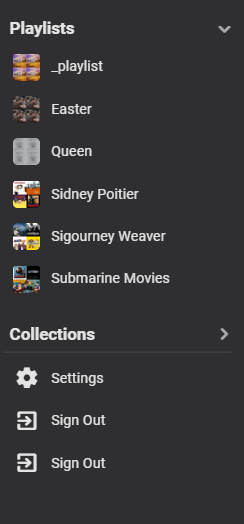
How about this in chrome You nailed it. Doesn't happen on the admin user but does with other users. @Luke
 2 points
 -
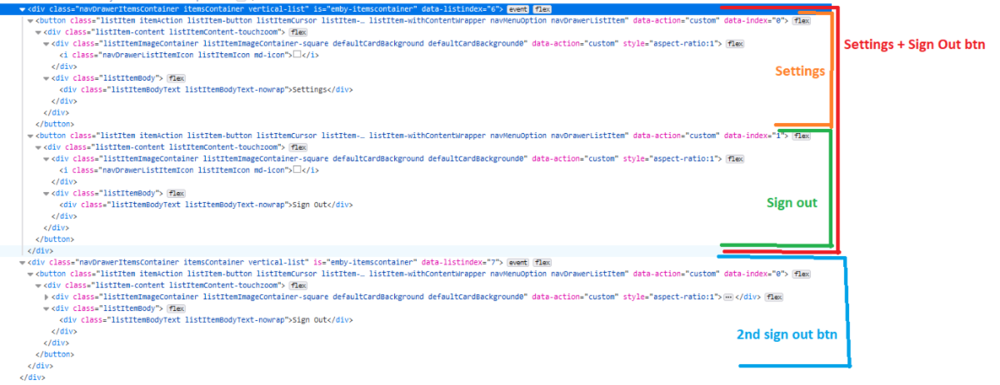
Same issue with other users but NOT happening with the admin login. Also happening in other browsers. Maybe the attached info is helpful to you.
 2 points
 -
HI, it's planned for a future release. Thanks.2 points
-
A small update to our 4.6 release is currently rolling out to address a few minor issues that came up. Here are the highlights: Fix incorrect season 0 content showing in series next up list Fix queries by album ids not respecting user library access Fix sessions getting dropped from active devices display when the server admin has restricted their own remote control access of other devices Fix detail screen for light themes Fix legacy next up not respecting library access Fix incorrect horizontal scroll position after using metadata editor Fix year not showing in search results Fix special episode sorting Fix sporadic duplicated backdrop image Improve support for following redirects when downloading xmltv Improve release date sorting You can learn about the original 4.6 release here: View the full article2 points
-
This post is probably intended mainly for @Luke but I will appreciate comment/upvote or anything else that would benefit the discussion I'm the dev behind Bazarr and currently having discussion with the devs teams of major media servers/players (eg: Plex, Jellyfin) and I would like to bring Emby to the discussion table to get all the major teams to adopt a mutual standard regarding those subtitles. So, would it be possible in Emby to interpret correctly the language name for subtitles filename that would look like this? Film.en.hi.srt Film.en.cc.srt Film.en.sdh.srt They should be detected as English subtitles and it would be nice to see a custom tag to make the user aware of the hi/cc/sdh content. Thanks for joining the discussion. I hope will reach a consensus for that standard!1 point
-
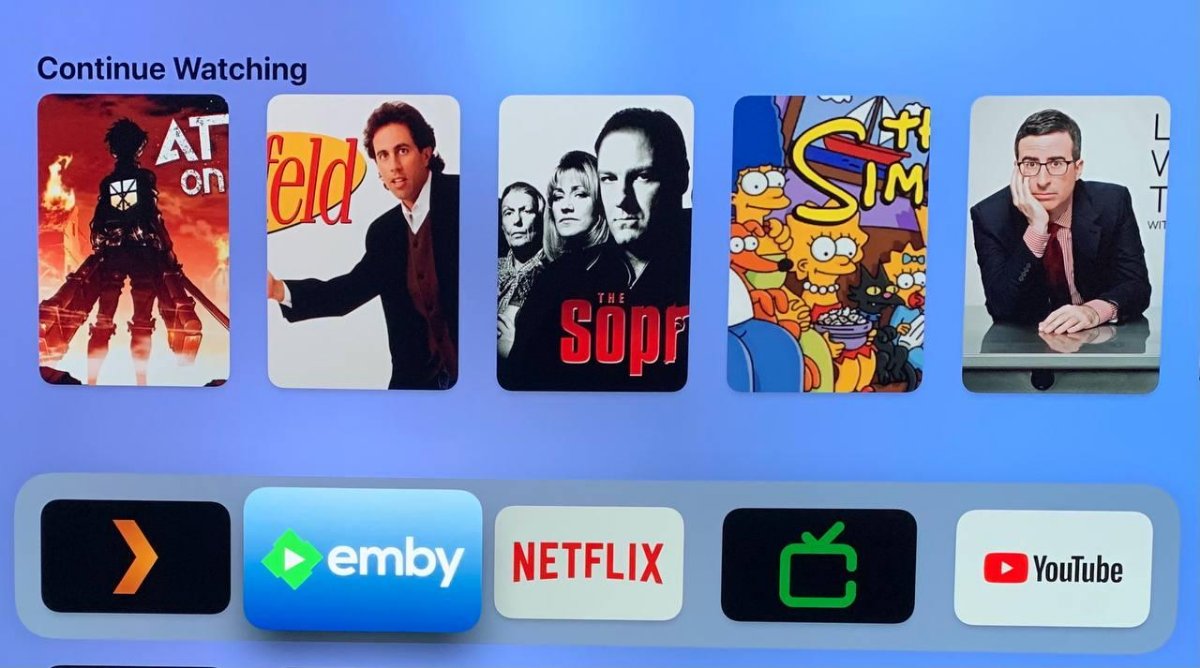
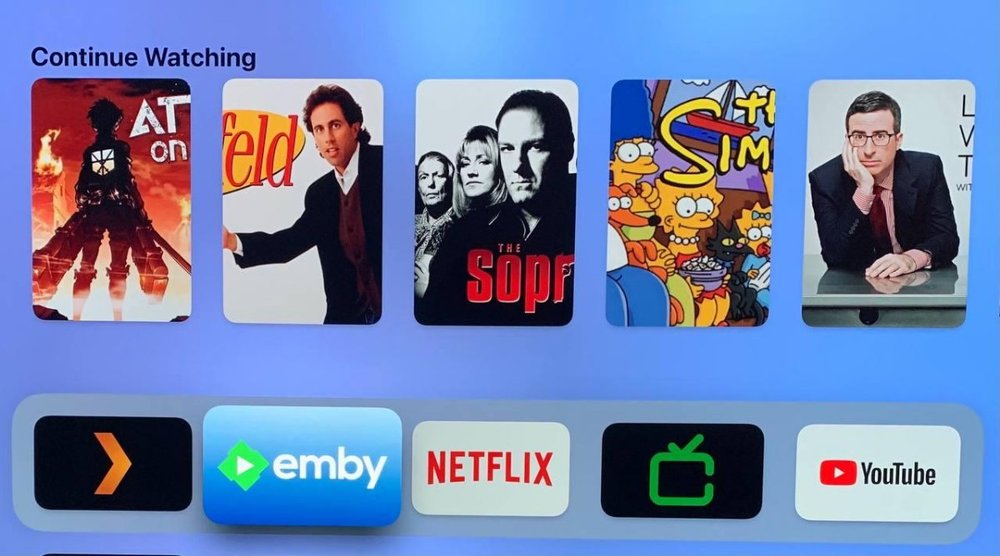
Continue watching in the home screen, the so-called Top Shelf shows the posters of the TV shows zoomed(?) or with the wrong aspect ratio. Emby server version: 4.6.2.0 Emby Apple TV version: 1.5.3 (0) Also, is it possible to show the thumb-image instead of the poster? (As shown in the official page Emby for Apple TV)
 1 point
 -
There is no way to order the version drop down list. Emby tries to guess with version will play the best in the client.1 point
-
Yeah, it says “Status: you have a lifetime Emby Premiere Plan and your device usage is well within your limits”. Maybe the logs are referring to the plugin registration? If so, I want to make it work before purchasing it.1 point
-
Cog icon top right of home screen. First option is "Startup", first option there is "Login Behavior"1 point
-
So after rigorous testing, it seems this issue has been resolved. Thank you to everyone on the Emby team for all your work on this new release. Well done!1 point
-
I think in my case, I'd rather not have groups imported, but I understand, that unless there is more demand from end users for a 'do not import' option, then it might not happen1 point
-
Thanks, we'll take a look.1 point
-
Doesn't seem to have prevented it from playing. Deleted the meta data after renaming the file, recreated the meta data and also restarted the server. File seems to be playing normal. I think I'll just keep the file deleted as I have no need for subtitles in this movie and will keep an eye on future events like this happening and see if it's the subtitles file causing the issue. Thanks for the assist!1 point
-
Will do. Cheers.1 point
-
@cayarsThanks for taking a look. No, I only recently ripped 4k content and all those files have been absolutely fine. If these logs just confirm something is wrong with my use of MKVToolNix to append 2 parts of a film together, that's good to know. It's not a show stopper if that's all that's going on here and I'll be glad to be sure the server to client part is A ok. Only other issue I've had with playback has been 3 MPEG2 files on a Roku 1 (which does not support MPEG2) , so I converted to MP4 but they still won't play on that Roku 1 device. Probably something faulty with the conversion. I can live with that not working; it's not a big deal.1 point
-
Unfortunately sometimes the display can be wrong about how it's playing. Next time you see this happen look on the server to see if an ffmpeg file is generated. If so we can look at it to see how fast it's transcoding or if something is not working correctly. If there isn't an ffmpeg log file then we need to explore other things to see what might be causing this.1 point
-
Yea, catch up on the Zs.1 point
-
isn't the DV layer some proprietary thing Dolby wants licensing for? The hardware in the Television should handle it but it needs to play direct for that to happen otherwise it will fallback to the HDR layer if there is one. That is why they have dual layer DV.1 point
-
Yes and no. In my vnc I found a button that allows me to scroll hidden parts of webpages (I would have expected a scrollbar, but maybe I'm just old-hat). So should now be connectable. Now Emby connect just doesn't connect to my server. But I'm being discharged today so not really worth trying to fix it remotely, I'll worry about it when I'm home. After 3 days of sleep. Thanks.1 point
-
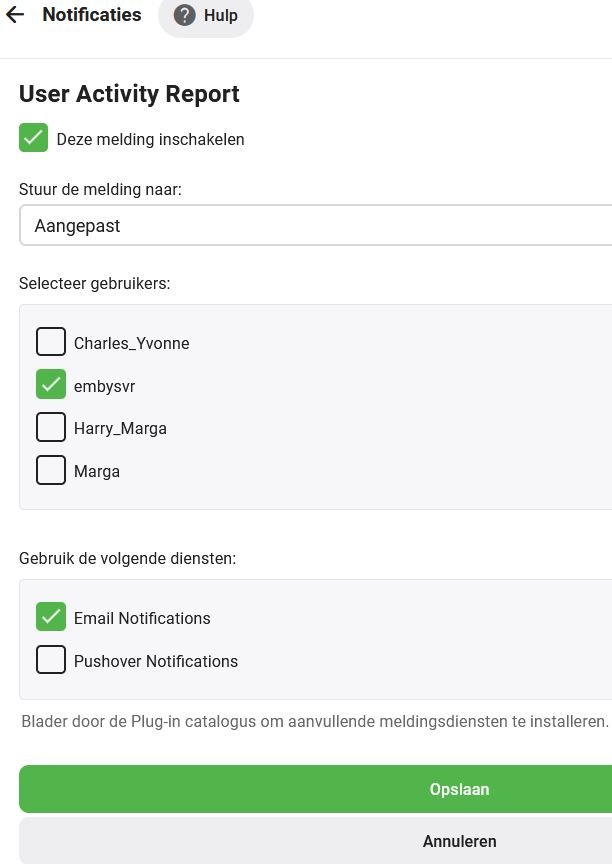
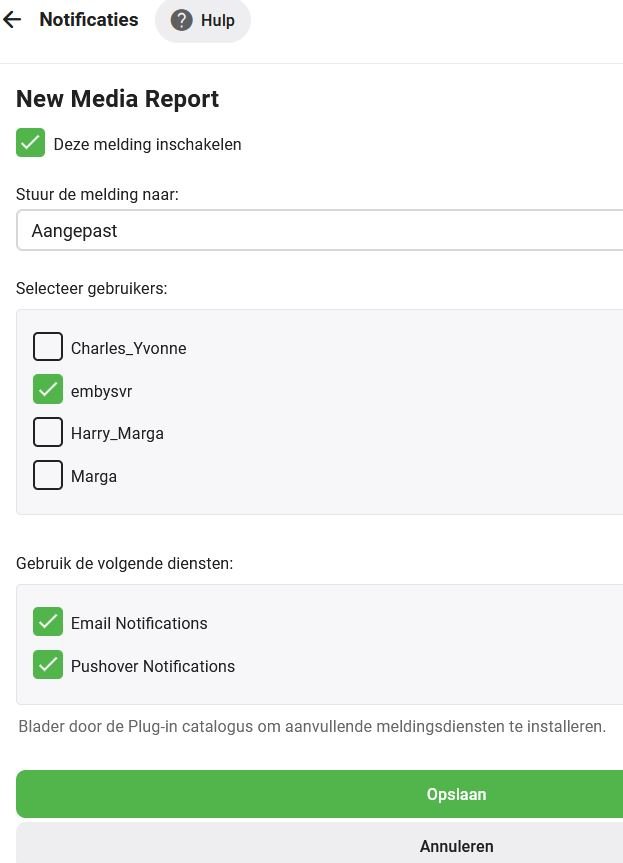
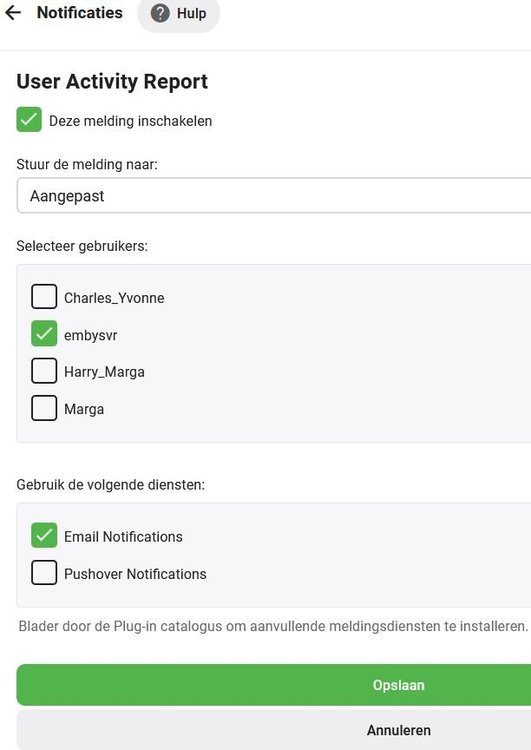
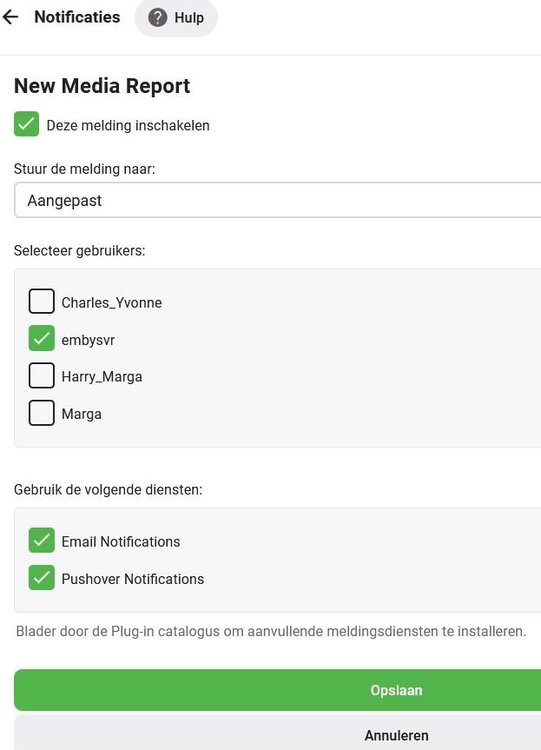
Hi Neik, I use 2 Emby options for this: Menu item Notifications > Playback Reporting > New Media Report and User Activity Report (Reports and e-mail plugin) New media is also reported to the family members through Pushover messages (Pushover plugin).
 1 point
 -
Hi, that's strange. What browser are you using when you do this? Please try using a different browser and let us know if that works.1 point
-
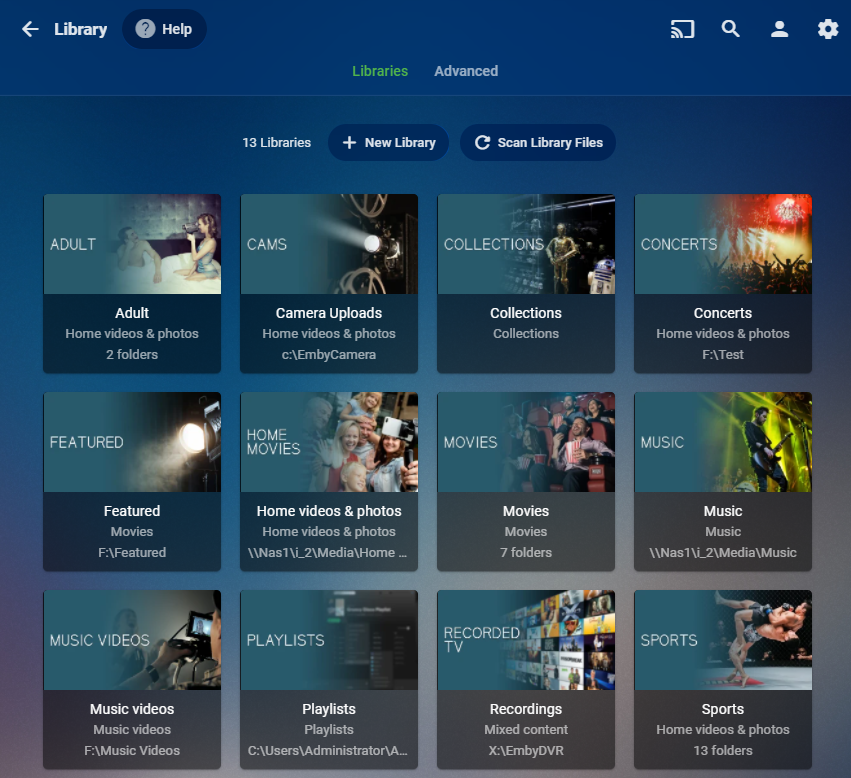
Hi, looking at your tab bar up top, this doesn't look like a TV Show library. If the library type isn't correctly set it won't have the proper meta-data providers to use which can result in what you see above. Can you show us what your library setup looks like? This screen"
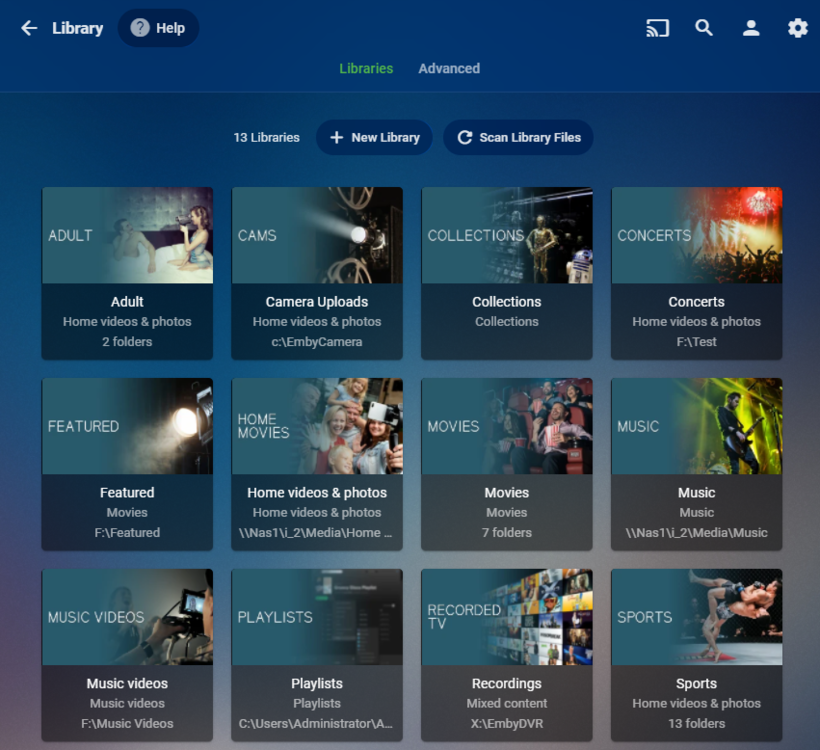 1 point
 -
Using read only cloud storage does make editing files harder. You should only need to edit the compilation albums.1 point
-
Thanks for your response. I am using addon - just updated to 5.3.2 and it looks like the issue isn't present for me any more. Just tried 3 movies and 2 TV shows and both started instantly.1 point
-
I see something similar happening on my Fire TV. After starting Kodi it takes at least 10 minutes before E4K starts to sync. I always blamed the slow Fire stick. No issues on Shield or Win10. I will try setting a delay on that device and report back if anything changes. Edit: set a 30 seconds delay, now wait and see.1 point
-
Hi Luke everything appears to be back and running normally, can't test it all at the moment due to my NAS doing its monthly RAID resync/Check, I will mark as solved once I can play around with it a bit, thank you all for the help thus far1 point
-
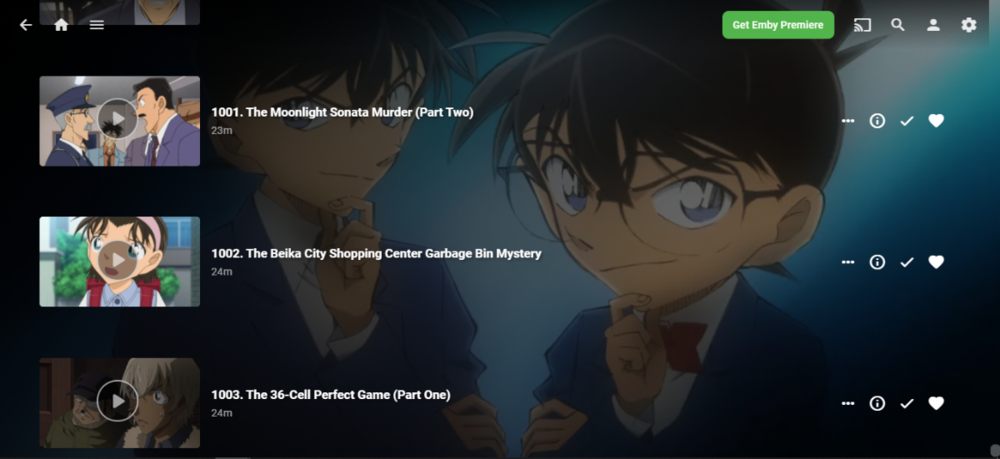
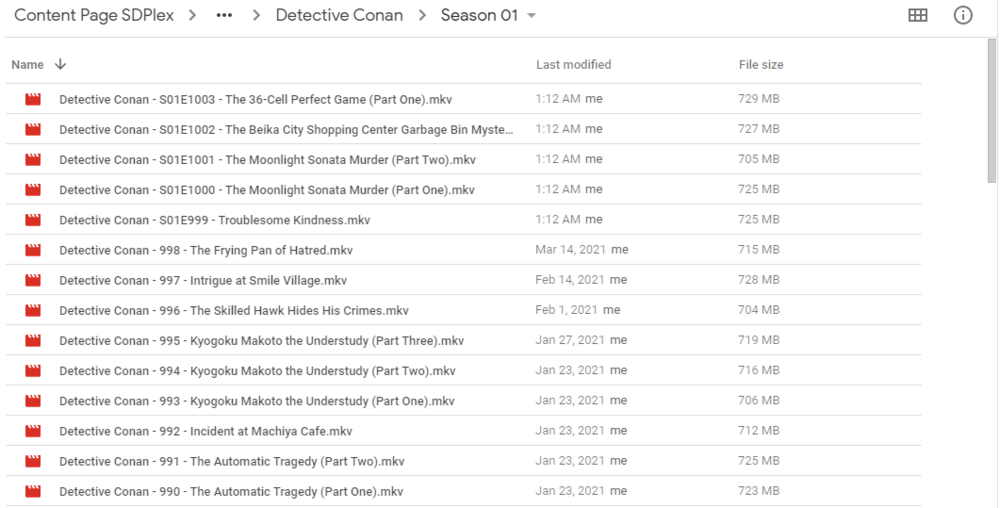
This has solved the issue. Perhaps, we should indeed follow first the standard, my bad. Apologies.
 1 point
 -
Looking at your log file, the media itself has a lot of issues. My question to you would be if you have issues with other media?1 point
-
When you do things that aren't intended by the designers they may work or they may not. When they do work it's often temporary as the code that allowed that is improved in some future update, wiping out the bug or design oversight that allowed it to work in the first place. You're going to either need to change your expectations and work with the online metadata or change your methods to use your own take on what should be in each season. What you're doing now was never intended to work.1 point
-
I would recheck the setup following the KB article and the things to check at the bottom. Likely you may have been using UPnP and you router see's it differently now and is pointing to an old location or something. https://emby.media/support/articles/Connectivity.html1 point
-
Yes regarding the subtitles, we are looking into that.1 point
-
Jesus...I must be blind today. I totally glossed over the private channel link earlier when @speechles mentioned the beta and I glanced the site for it. Thank you. As an aside, thanks for all you folks do with Emby! I'm a long time Plex convert that finally got sick of their nonsense. I was thrilled to see that Emby has matured considerably since the last time I gave it a try. I jumped ship immediately. Please don't ever become Plex (withholding rant). It's such a bag of garbage now.1 point
-
Ich hatte bisher noch keine Zeit. Ich teste sobald als möglich und melde mich dann mit dem Ergebnis zurück. Kann aber sein das ich erst nächstes Wochenende dazu komme. Ich gebe Rückinfo ASAP.1 point
-
yes congrats @lucian801 point
-
Hi, hover your mouse over the library name in your home screen and you will see a 3 dot menu appear. Click on it and then choose the metadata refresh. You should be able to just search for missing meta-data and don't need to overwrite graphics. Let us know how you make out doing this.1 point
-
The long way, Luke is making it harder to target areas. body > div.mainAnimatedPages.skinBody > div > div > div.vertical-wrap.centered.itemsContainer.padded-top.padded-bottom.padded-left.padded-right > div > div {margin-bottom: 0em!important;} Did a quick look but don't know if and unwanted affected area. Your other option is adding page id to login.html.1 point
-
We're looking into it. Thanks for reporting.1 point
-
I was able to fix it on my own now. A rescan of the library didn't change anything but doing a metadata rescan fixed it for 2 of my 3 playlists. The 3rd one was still empty so i remembered i use the backup tool and so i restored a backup of only the playlists from 5 days ago and did a metadata scan again after restoring the backup and restarting the emby server. Now all 3 Playlists are there with songs.1 point
-
Hi, Can this be fixed soon so the other apps the support Kodi-compatible metadata can start using the metadata? I am waiting on this to get fixed before upgrading my main servers. Thanks.1 point
-
This is the short list of reasons why I use Emby instead of Plex, even though I am an Apple TV user. User management and library sharing Responsive web server Metadata management Plugins and Customization, important for the Infuse sync plugin Live TV Support I acknowledge that the Emby app for Apple TV is a long way from the Plex app, but I make up for its shortcomings with Infuse.1 point
-
Ich habe das bei meinem Neffen vor 4 Wochen gemacht, kann nächste Woche mal beim Ihm vorbei schauen und mir die Menüs ansehen. Vielleicht hilft dies: https://support.unlocator.com/article/67-how-to-change-region-on-a-samsung-smart-tv1 point
-
Hi, can you provide us more info on what the problem might be?0 points