Leaderboard




Popular Content
Showing content with the highest reputation on 06/04/21 in all areas
-
Luke, Problem seems to be gone now. Before 4.62, just got fed up and nuked my entire computer profile starting from scratch. Thankfully, a fast system so did not take too long, but it was still missing only a handful and odd thing too, was that when I finished an episode it disappeared, had to go into the server to uncheck it (even though hide it was unchecked). I had not noticed that before the first updates. That too is fixed. Now with 4.6.2, seems issue is in the past. I am happy. Thank you for getting back. Robert2 points
-
Thank you all! Refreshing the metadata did the trick!2 points
-
thanks guys ile give these ideas ago the new cds i am ripping with foobar2000 all have artwork so i think i can work it out. Alan2 points
-
By thumnails - do you mean poster images ? I would put 'Screen Grabber' at the top of the Movie Image fetchers as that will be the only option for home video. If by thumbnails you mean the images every 30 seconds etc - then have a look in the ..\programdata\cache\thumbnail-failures.txt file - as this contains all the files that emby could not extract the images from and has put in an ignore file. You can delete this txt file and it will try them again - but many older home video formats don't work with this feature. (I have a few myself). It's also worth clearing out any .nfo files for this home videos folder (if you use them) and do a metadata refresh (not just a library scan). If after all of that it still doesn't grab the poster images - then it's probably worth refreshing the log, do a full scan and then post the log here so we can see why this is not working for you.2 points
-
I think he just means installing the latest version again on top of itself.2 points
-
https://emby.media/community/index.php?/topic/75510-42032-vacuum-database-config-switch2 points
-
I set a different browser as default, and got in. It was something in the old (firefox) browser. I think i'm okay now. cheers2 points
-
Could you please add a Webhook for the New content added notification?1 point
-
A small update to our 4.6 release is currently rolling out to address a few minor issues that came up. Here are the highlights: Fix incorrect season 0 content showing in series next up list Fix queries by album ids not respecting user library access Fix sessions getting dropped from active devices display when the server admin has restricted their own remote control access of other devices Fix detail screen for light themes Fix legacy next up not respecting library access Fix incorrect horizontal scroll position after using metadata editor Fix year not showing in search results Fix special episode sorting Fix sporadic duplicated backdrop image Improve support for following redirects when downloading xmltv Improve release date sorting You can learn about the original 4.6 release here:1 point
-
Ah yes filters, they are persistent in web client so I would expect them to be in all clients.1 point
-
It should redirect but what do you get if you use http://10.0.0.86:8096?1 point
-
musicbrainz_artistid: 382f1005-e9ab-4684-afd4-0bdae4ee37f2/405528df-2632-4730-80fc-83e775a97651/f90e8b26-9e52-4669-a5c9-e28529c47894 musicbrainz_recordingid: 9f5e5053-360b-40bb-9ffc-20dc97fbf31d musicbrainz_albumartistid: 382f1005-e9ab-4684-afd4-0bdae4ee37f2 musicbrainz_releasegroupid: e2621417-9236-36b4-9f9e-376c416dc4b0 musicbrainz_albumid: 23bf456f-c05c-4738-b675-062f57396fa8 musicbrainz_trackid: 32d91ebe-7cbe-48d4-9f7c-1129519b82331 point
-
Thanks for this. I stripped all the tags and ran it through Picard again and it's matching what you show. So it looks like the Discogs tagger was setting Artists wrong, not Picard.1 point
-
Do you see the same when you login with your friends account? Easy to do locally by toggling Local network sign in mode: don't require password on LAN. But this would have to be a access/parental control issue to me. Maybe a client issue, what client is friend using?1 point
-
Webhooks is great if you understand it, still need another piece of software(generally not free). personally I’m not a fan, but for the geeks it’s great, I’ve programmed home automation software for my whole house and that was easier than webhooks. Demopad setup My Demopad interface1 point
-
thank you! It seems to work... Could you or would you explain why this happend?1 point
-
Thanks for the feedback !1 point
-
I kinda feel stupid. I figured out the issue. A few months back I had a drive that started to fail so I shifted all my 3D/UHD/Christmas Movies into folders on drives that were already assigned to my "Movies" category. So Emby saw the new folders and recursively checked for movies in the child folders. I do apologize for being so stupid. But...I guess posting here still solved my issue. I simply created a new folder an plopped my SD movies in there and reassigned the path for "Movies" I would like to take a moment to thank you folks for being here to help. It is greatly appreciated.1 point
-
Hi, what did you try to identify on? The series folder, or one of the episodes? For TV you should identify based on the series, and the episodes will get their information from that. The TV content type is recommended for better results, but if you really want to use mixed content, then I would highly suggest using season folders. Try making a "Season 1" folder, and putting the episodes underneath that. Then run a regular library scan. Does that help?1 point
-
Any ETA for the availability of the 4.6.2 Server for the Mac? The download link is still 4.6.11 point
-
Hi, I should have it up by tonight. Apologies for the delay.1 point
-
We should look at adding this into the user interface.1 point
-
Yes, when I transcode it to 5-10 Mbps it works. However, it's still strange it is so much lower than direct streaming slightly lower bitrate movies. However, I guess the answer is either a hardwired connection or just encoding them like everything else. Thank you!1 point
-
If the screen grabber is enabled on the library, then try refreshing the metadata on one of those videos and see if it helps add an image. if it doesn't, then please attach the emby server log. thanks.1 point
-
Hi, those boxes are for the programs, not the channels. Since you have no program images, that's why you see the icons. But we can look at improving this and use the channel icon in this situation. Thanks for the feedback.1 point
-
Thanks for your attention friends In the latest version the vulnerability does not occur.1 point
-
It works great! Lovely on my 4K 49" desktop in desktop mode full screen or smaller windowed. Next I'll have to try it on my 13" doesn't scale in-betweener. The only thing that is still a problem in this build is how it won't maximize truly, it is draggable still. This scaling though is superb!1 point
-
I'm highly doubtful that it's a performance issue like stated earlier. And just because you can't envision a use case doesn't mean it doesn't exist. I'm not clear on why the users can't be given a choice as to what is displayed on the screen. Let the user decide.1 point
-
OK understood. Yes you can change several directory entries in Emby to help with storage requirements like this. Settings->Cache path: Library->Advanced Tab->Metadata path: Transcoding->Transcoding temporary path: Those would be three main ones to change. If using LiveTV/DVR then you would also want to change the storage locations in the DVR menu. Let us know if you have any other questions.1 point
-
Unfortunately LOCAL trailers have to be retrieved manually for every item (or I haven't found another way) because they aren't provided as part of the main response. That certainly slows things down considerably because it will result in a lot more queries than necessary to just retrieve all media items. I could make it optional similar to retrieving collections so speed things up. But you obviously lose some information in Kodi as an Emby client.1 point
-
In my case it was a few TV episodes. Neither the home screen nor the actual library view shows the new content unless I restart. I havent been watching much TV lately so right now this seems to be happening when coming out of a sleep state (Sony TV with built in Android TV - turned off for the night). I havent had any new shows added while I was actively using Kodi to test to see if it happens while its active. I will test tonight and get you some logs.1 point
-
Let us know how you make out after doing what @rbjtech mentioned.1 point
-
@2ombieboy have you checked the embedded information within your audio files? Each track of an album needs to be tagged consistently with the same album and albumartist values. A tool like Picard can help automate this process for you Please let us know if this helps.1 point
-
Should be soon.1 point
-
Hi, it's possible to consider, it's just that it would be very slow sure to the large size of backdrops.1 point
-
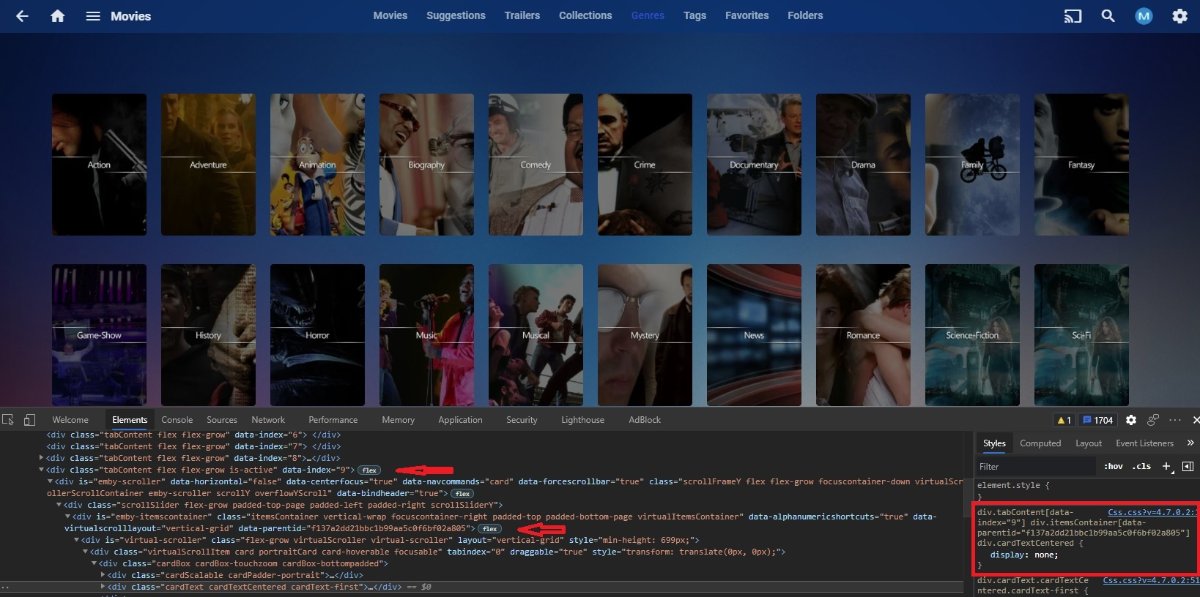
With lots of work finding your data-index and parent-id you can target specific tab and library. example for removing cardtext from genre on my Movies library. div.tabContent[data-index="9"] div.itemsContainer[data-parentid="f137a2dd21bbc1b99aa5c0f6bf02a805"] div.cardTextCentered {display: none;}
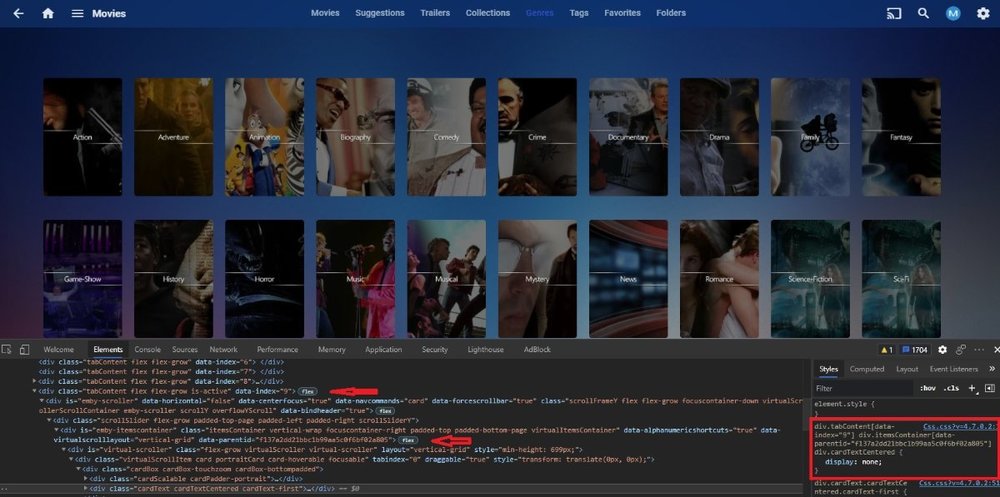 1 point
 -
Give your user R/W permission for the EmbyServer folder....1 point
-
Hi there, you will get a response. thank you for your patience.1 point
-
Hi, the purpose of this is to prevent you from accidentally clicking something and wiping out your current play queue. we plan to add to add options to allow you to control this in an upcoming update. thanks for the feedback.1 point
-
A small update to our 4.6 release is currently rolling out to address a few minor issues that came up. Here are the highlights: Fix incorrect season 0 content showing in series next up list Fix queries by album ids not respecting user library access Fix sessions getting dropped from active devices display when the server admin has restricted their own remote control access of other devices Fix detail screen for light themes Fix legacy next up not respecting library access Fix incorrect horizontal scroll position after using metadata editor Fix year not showing in search results Fix special episode sorting Fix sporadic duplicated backdrop image Improve support for following redirects when downloading xmltv Improve release date sorting You can learn about the original 4.6 release here: View the full article1 point
-
I pushed an update to the nfo plugin today so that it's able to understand the newer format for that.1 point
-
Hi, yes certainly this is something that I expect we will eventually have as well. Thanks for the feedback.1 point
-
TA-freakin'-DA! [small tear in my eye]1 point
-
Going on four years later, and I've found the AppleTV Emby player to be the least of the options I've got. The Emby app for Shield is the best, IME. The Emby app in my LG TV is also much better than the AppleTV. Last I tried, the AppleTV emby app couldn't play music right -- songs restart halfway through playback. And of course, Atmos isn't available. I'm an Apple user for my home computing, and use the AppleTV for all regular streaming services. But as an Emby player, it's pretty mediocre for me.1 point
-
So any updates on this? The app on LG TV's is still a pain in the butt to use sadly.1 point
-
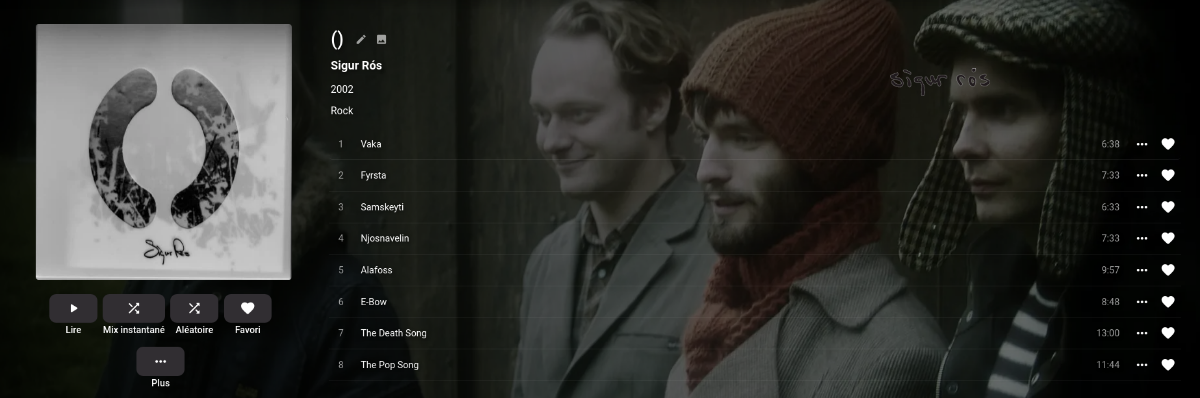
Please disregard my previous message. I put back the MP3 tags with the album "()" and came back correctly The subject is closed. Thanks to @Luke and @cayars
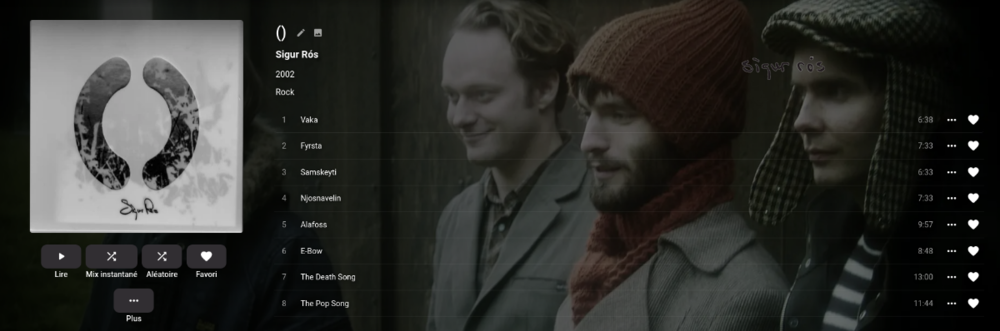 1 point
 -
Unfortunately like I said above, as much as I love Emby... the Apple TV player isn't nearly as important as some of the other players to the Emby development team at this point. At least that's how it seems. I love Emby and run it as my main media server, I just have to use Infuse as my media player on the TV's that use Apple TV. Live TV is another issue but for media playback that's my set up. Not ideal, but it does work.1 point
-
in consequence to the latest change (https://emby.media/community/index.php?/topic/72089-41019-delete-to-recycle-bin/), where, for windows users (with the lookout that this will come for other OS too), the possibility to direct delete was removed and they are now only able to delete files to the recycle bin, here the requested feature request as different users have different needs hopefully this will finally lead to, that we users can control how emby deletes our media1 point
-
https://github.com/MediaBrowser/Wiki/wiki/How-do-I-cancel-an-Emby-Premiere-subscription1 point
-
Exactly it's not near instant access there's still at least 1 2 second gap with a stutter stop thrown in. I have 60 percent of my music is flac. So I know the file container isn't the problem1 point