Leaderboard




Popular Content
Showing content with the highest reputation on 05/28/21 in all areas
-
From Nvidia website:2 points
-
Where in the world are you getting popcorn at a theater for only $5...?2 points
-
Well crusher - i guess you have that name for a reason - you really sap the life out of anyone trying to better the project. But to answer your question- Yes.2 points
-
That was exactly the problem! The paths were the one from my local hard disk, i didn't think of that. Thanks!2 points
-
Adding options to control this is on my to do list, so stay tuned.2 points
-
They are linked to the series so for example everything is gotten for the entire series from TVDB. Can you go over a specific example, as alternate orders have the same itemid so id can be problematic also.2 points
-
For multiple movie versions in the same folder, make sure to follow the Emby file naming convention Multiple versions of the same content can be stored in a single movie folder. /Movies /300 (2006) /300 (2006)/300 (2006) - 1080p.mkv /300 (2006)/300 (2006) - 1080p-trailer.mp4 /300 (2006)/300 (2006) - 4K.mkv /300 (2006)/300 (2006) - 720p.mp4 /300 (2006)/300 (2006) - extended edition.mp4 /300 (2006)/300 (2006) - directors cut.mp4 /300 (2006)/300 (2006) - 3D.hsbs.mp4 Each version must begin with the folder name, followed by " - ". https://support.emby.media/support/solutions/articles/44001159102-movie-naming2 points
-
Whoever has a friend has a treasure2 points
-
2 points
-
Be able to create playlist based on a certain criteria, like genre and or year, in order to create a dynamic playlist that it refreshes automatically when new content is added. This way you can for example, create a tv comedy playlist from the 90's, or a new sci-fi Movies playlist. Some other criteria for rules could be the rating, watched/unwantched, score, tags, language, audio codec, etc The possibilities could be endless1 point
-
Similar to this old post, I'm suggesting a tab that would be titled Watchlist and could be placed in between Suggestions and Favorites. The functionality would pretty much be a copy of Favorites, just with a + symbol added next to the heart and other symbols that let you favorite a movie etc. The previous post had mentioned extra functionality such as automatically removing a movie from Watchlist after it has been watched. This would be nice, but is unnecessary because after watching a movie you can simply click the + symbol a second time to remove it from Watchlist. I would imagine this would be very easy to implement as a rebranded copy of Favorites. Adding other features could come later. Edit: added link to old post1 point
-
It would be useful if the server (or perhaps clients) could cache most (if not all) content images (posters, backdrops, logos, etc) for movies, TV series and seasons. This would mainly be of benefit when a portion of someone's content is offline but the users would still like to view the content to know what exists. I think caching on the server would be preferable, then all clients could make use of the same cached images. if you think this would be a useful feature, please click the "Like This" button on this post.1 point
-
Is there anyway to set a default action for the "After this plays, do you want to keep playing or clear the music you previously queued?" question that pops up every time I click a song to play? I like to jump around my music and this is really annoying to have to click clear or keep every time.1 point
-
Version 2.0 of our popular Android TV and Fire TV apps are rolling out to stores now. This version brings many internal improvements for playback and also supports the new features in the upcoming 4.6 release of the server. Your device should update automatically when available. Improved Subtitle Support These apps can now natively render most types of advanced subtitles (Dual Layer PGS/SSA etc.) with full formatting and multiple sub placements without requiring the server to transcode or burn in. With supported external subtitles you can also adjust the placement and time offset of the subtitle display. Improved Playback We've implemented several customizations to the Google player the app utilizes that provide us with even more direct play in more situations and also simplified some of the playback options to allow you to choose how your media plays. Tags View You can now see tags for movies and albums on their detail page and also view other items with the same tags by clicking on them. Tags are also returned in search results. Artist Songs Directly view and access songs right from an artist page. 4.6 Server Support Version 2.0 of these apps fully support some of the new features coming in the 4.6 server release like channel grouping, improved channel logos and an improved Continue Watching display. Other Enhancements and Fixes In addition to the above, many more improvements and small fixes have been made. Including: Fix play from grid when folder browsing music Increase size of cast on OSD Tweak default background Update translations Fix stream copy for interlaced content (requires server 4.6) Increase playlist and album limits to 1500 No longer try to auto play from "Play Next" channel Fix series date display in folders Fix bad price display in purchase screen Add send logs to video playback menu Force player interface to LTR presentation Group by tags in channel grid (requires server 4.6) Implement filter by tags in TV guide (requires server 4.6) Simplify filter selection (fewer clicks) Fix shuffling video playlist Implement playlist and collection tabs in library for 4.6 server Remove collections from individual genre display Align EQ animation with other apps Improve list screen in Apple TV theme Allow screen saver during pause (except for live TV) Implement new search Improve hi-res flac audio Add a default poster size setting Make library prefs a popup for better navigation (can back out) Make library cog button a menu for app or library settings Add "All Items" button to Collection screen Add music videos to Artist view Allow converting dts-hd and not plain dts Indicate https in SFN when using SSL Implement play options from music genre Improve spinner layout Adjust home screen layout settings for server 4.6 Fix DTS HD badge not always showing properly Indicate in SFN when software audio decoding is occurring Clarify display HDR support labels RTL fixes Fix play first unwatched on some series Implement subtitle offset (external subs only) Improve play next up button when no next up episode Improve usability of DTS options Simplify audio option Fix crash on startup on non-standard boxes Add new "Extra Info" option and reduce clutter by default1 point
-
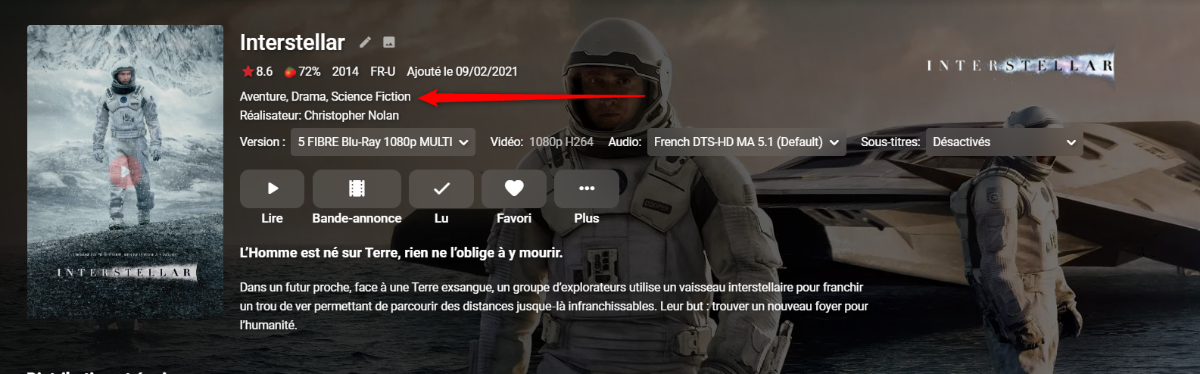
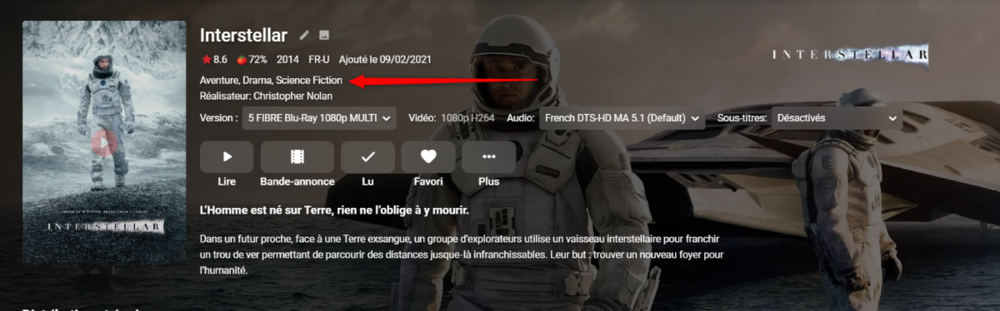
Ok like this (see attached file) and when i refresh the metadata of the movie thats works @Happy2Playi try to refresh my movies library. I let you know asap thanks men

 1 point
 -
@ebr Thank you, sounds like nothing recently changed that would have caused this to behave differently. I'm adding a cell modem to the house network for backup internet. So, this shouldn't be a problem next time. @cayars the result was the same on Roku, Firestick, Android and Chrome. My emby server definitely wasn't happen about not having internet.1 point
-
Yes - he just needs to follow our HWA setup instructions for AMD1 point
-
Bumping this old topic to find out if we're any closer (or already at the point of) this being an actual feature. There have been recent improvements in guide data, grouping, sorting, channel management, etc. However my guess at this time (can't test, not football season) is an NFL team is going to be the program name of "NFL Football" (as it was previously) and a series recording by team is still not possible. If not... Can we get some priority to complete this prior to the football year kickoff in September (its the only reason I keep HDHR DVR hanging around at this point).1 point
-
yea sure i send you pm thx man1 point
-
It is already fixed. The End1 point
-
Ohhh ok that makes sense. And yeah I've backed up all of the db files. Thanks again!1 point
-
TMDB is classifying it as a movie, not a TV show. So is TVDB. Guess it's early days.1 point
-
Oh Bill, you poor thing!! I'm hoping to get onside with @chef for vera and the webhooks plugin creator(s) to look at implementing these. I'm so rusty with the coding. If i pop it up on Github, there could be some help for me and it could be pretty cool and full featured.1 point
-
Sorry, that is not true. The app will choose the best version based on its format and the capabilities of the device.1 point
-
Thanks for the update! Glad it solved your problem.1 point
-
Similar to how it says Video:1080p H264 Audio: English AAC 5.1 (Default) under a movie or tv show title, would be nice if we could have Audio: flac so as we can easily see what format we are listening to.1 point
-
@quickmic To follow up on Observed this behavior again today, pretty sure it has something to do with the Next Up addon. Episode 1 playing, when completed Episode 2 started automatically by Next Up (2 qualities available, I was not prompted to select quality prior playback) Once Episode 2 was completed player "completed" and returned to Home menu. No odd behavior observed - all looks normal. I try to start episode 3 thru the Next Widget, nothing happens on the screen and when I push my remote nothing happens except I hear the GUI sound from button pushes (I have no keyboard connected). After I restart Kodi (normal systemctl restart kodi) the status looks like Restart1.log Then I do another Kodi restart in the same manner and the errors are gone, Restart2.log , the first restart takes longer than the second one - that's the only reason I checked the log there. After the second restart I tried to start playback from the Next widget and nothing happens, Playback from Next Widget.log Kodi restarted in same manner as above Started playback from the normal TV Shows menu and it's working fine (Playback from TV Shows.log). As you can see on row 181-187 there's something that doesn't look normal with the Next Up addon, the addon is also not working very often after the latest updates (to the server). My theory is that when a playback is triggered by it, the next episode will fail. Once the playback of episode 3 has been started from the TV Shows menu I can stop it, go to the home menu and start it again from the Next widget. EDIT: I've now disabled the Next Up addon to see if the problem disappears. EDIT #2: It happened again although Next Up was disabled, so my theory isn't valid. Restart1.log Restart2.log Playback from Next Widget.log Playback from TV Shows.log1 point
-
If it were me, I'd pull the Radeon and set it aside. Then test Emby using Intel QuickSync which I think you'll be happier with as your main GPU. Once satisfied you can use that card for something else if needed and of course you now have a free PCI slot.1 point
-
That's pretty cool. But my kids and wife moan now because I have one 30 second intro that plays before movies. I'd have a mutiny on my hands if I had that many Using a lighting plugin like the philips hue one along with this would make the theater experience pretty complete. Only thing missing is the $5 popcorn1 point
-
Cross-posting: “Even after removal of Trakt on Kodi the issue still remains. I have sent a Kodi log earlier, I hope you can take a look at it and fix the issue that way.“1 point
-
I don't have Trakt installed on Kodi. It happens every time I finish watching an episode/movie. After that in Trakt I have one entry on the time I started watching and one entry on the time it finished. I run Emby version 4.6.1.0, Trakt plugin version 3.5.0.0 and Emby-next-gen 5.3.0 on Kodi 19.11 point
-
We'll take a look at it. Thanks for reporting.1 point
-
You can send a PM to @ebr asking for a Testflight invitation. Remember to provide him you App Store login mail.1 point
-
Emby multi-versioning requires specific naming scheme, but there is a plugin in the plugin section of the forum. Emby Movie Naming : Emby1 point
-
A server log will say whether it is a Busy: database is locked or Corrupt: database disk image is malformed.1 point
-
Sounds like a good idea. Maybe a checkbox "Always transcode hevc"1 point
-
I can see the images now. It looks like it was because of the fanart outage.1 point
-
There are. We have more than one option for just about everything.1 point
-
1 point
-
Thank you I already bought my premium subscription and everything excellent.1 point
-
added support for a new version of Emby server1 point
-
Possibly. I'll add it to the list to investigate.1 point
-
Well done to the team for the new tag driven music library! It works perfectly and my Asset uPNP and emby DLNA library tags match though, of course, the browsing trees are different.. I had been having problems with my Music Library as per the below topic but all these spurious issues have now vanished. The Composer tag is also much appreciated for classical music and jazz standards lovers like me. Well done again.1 point
-
As you discover little issues or have questions on things, try and use the wiki/KB for answers but don't struggle on your own if you are not getting the answers/results you need - just ask questions in the forums and somebody will gladly help you out.1 point
-
Thanks for the feedback. Apologies for the disruption.1 point
-
I'm currently on Fedora 34, and I've tried all sorts of things to get Emby Theater to work, among other things converting the deb file and compiling the program from scratch. But I haven't been able to make it work. Any chance you could publish a flatpak, or an app image for that matter, so we can use Emby Theater on just about any distro, not just Ubuntu or Pi? Or could you at least give detailed instructions for compiling the program on current distros? Apart from that, great work! R.1 point
-
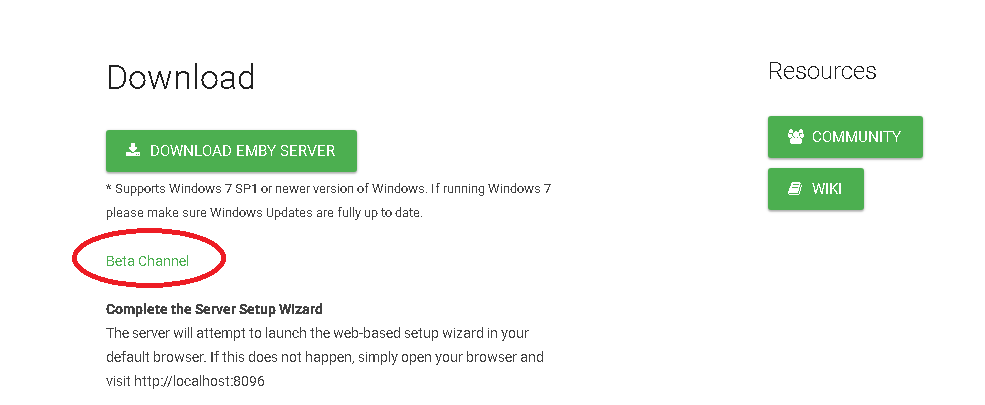
If running Windows
 1 point
 -
Any updates on this. I just tried 3.0.15 and it also stutters horrible on native h.264 files, and navigation is really slow. By comparison, Kodi is very smooth, no playback issues.1 point
-
Hi, you currently can't but you can expect there will be options to manage this in future updates. thanks for the feedback.1 point