Leaderboard




Popular Content
Showing content with the highest reputation on 05/20/21 in all areas
-
As much as Emby's UI kicks my cable boxes ass, it does have one useful feature that Emby does not. They call it "Reminder". When you click on a future program in the grid guide, now in Emby you get the option to record. The cable box has a additional "Set Reminder" in that context menu (a "Remove Reminder" option appears if a reminder is set for the selected show). When a reminder is set for a show and the time is 1 minute before the show starts, a dialog overlay appears at the bottom of the screen offering the options to either stay on the same channel, or switch to the channel that has the show with the reminder set. If nothing is selected in 45 seconds, the channel is changed automatically to the channel that has the show with the reminder set. With the reminder set, it is much harder to miss the beginning of a show or sporting event that you want to see2 points
-
I've created a plugin that will copy all collection and people images from the old to the new location and update the database entries. It will also create nfo files if needed. Will post it at the end of the week.2 points
-
Hmmm, it worked this time. No idea what I did wrong before.2 points
-
Assuming this will come sometime in the future, can I suggest a feature from Channels DVR that I haven't seen on any other EDL supported player? This should be an option, not forced though. What Channels DVR does (again, optionally!), is when a cut point is reached in a video file, a button will pop up to skip the commercials. I really like this, because a lot of the times, my cut points are a couple seconds before the commercials actually start, so I can wait to skip until they start. I know this wouldn't be for everyone, but for me, I almost always have the remote in my hand, and I found this feature to be extremely helpful!2 points
-
They are sorted by episode title and that is the series name. I'm pretty sure we've gotten to the bottom of this and we just need to change the sort on that list.2 points
-
In addition to what crusher11 just mentioned, this info in now in the database vs being read from XML files. Previously the XML file had the path hard coded to the media which meant if you ever converted it (new extension) or moved it, the collection was broken until you manually edited the collection XML file. You can now move any of these files just like other media and after a scan or refresh will get updated and still be part of any collections. During the update the old style XML files were read in and converted to the new/better format as a one-time only job. Migrations are much easier now because this info is much more "portable" and doesn't rely or specific media paths in the XML file. Hope that helps2 points
-
Collections are now in metadata/collections, but it's just an NFO file with the collection name, overview etc and any collection artwork. Items are linked to collections via the NFO file for each item, there's now a <set> tag which contains either the TMDB ID of the collection, or the name of the collection, depending on whether it's a custom or automatic collection.2 points
-
Double press "Home" and select the app you want to kill.2 points
-
Would be great if Emby integrated bookets (PDF files, etc) for Music. For example, CD's usually might contain a booklet with liner notes etc that come with the CD, just like albums might have back the days of vinyl. I have most of these in PDF and the ONLY place I have ever seen it integrated into a music server type platform is Roon Labs. Roon is great, but can be expensive. Here is a link on what Roon does to see what I mean: https://kb.roonlabs.com/Gallery Hope this can be added to Emby!1 point
-
It makes sense why Emby doesn't support playing blurays in a normal bluray manner, but its still a format many people like to archive their content in (i.e. keep it 1:1). However, even without supporting blurays in a normal matter with menus and all, emby should be able to stream a bluray playlist as a single movie much like it streams and mkv or any other container format. Now, blurays contain lots of playlists (and some contain obfuscated playlists), so it wouldn't be the best ui experience to just enumerate every playlist. What would be nice is if one culd drop a metadata file into the dir containin gthe BDMV file structure or the iso that basically enumerates which playlist one wants emby to know about and simple metadata to enumerate what it is (i.e. movie name, extra name, tv episode). I would say if this could be done, the next step would be to do the same for DVDs (though their playlist mechanism is less user friendly) thoughts?1 point
-
Hello, I just upgraded to Emby 4.6.0.50 and am running on Windows 10. After the upgrade, I no longer see the language for any audio track as I did before on my MKV files. It now says AAC Stereo where before it would say English AAC Stereo or Spanish AAC Stereo. I can no longer see the difference between between the tracks. Please fix. This one is a big deal. Thanks.1 point
-
When you're logging in, have you tried logging in directly to the server and not via emby connect? So on the host machine, just opening up localhost etc and going there? As the admin/creator of the server, you should definitely have the ability to delete etc.1 point
-
OK. I see what you mean. I see it now and also looked at the thread about this by @crusher11. I do agree with @crusher11 and prefer how it was done before. It looks redundant to have 2 description lines for each track and then after the track is selected, you no longer see the tag's name of the track. But at least you have both in the pop-up menu so I can tell the difference between regular, music only, commentary or descriptive audio tracks. Because my tags are perfect, I would rather have the previous behavior when you say to prefer the embedded info and have the language prepended. It wouldn't be hard to do: if language exists and embeddedTitle does not start with language, title= language + space + embeddedTitle.1 point
-
Different subnet and not accessible. Installed the new version and I could start playback, couldn't see any error messages relating to the issue in the log now.1 point
-
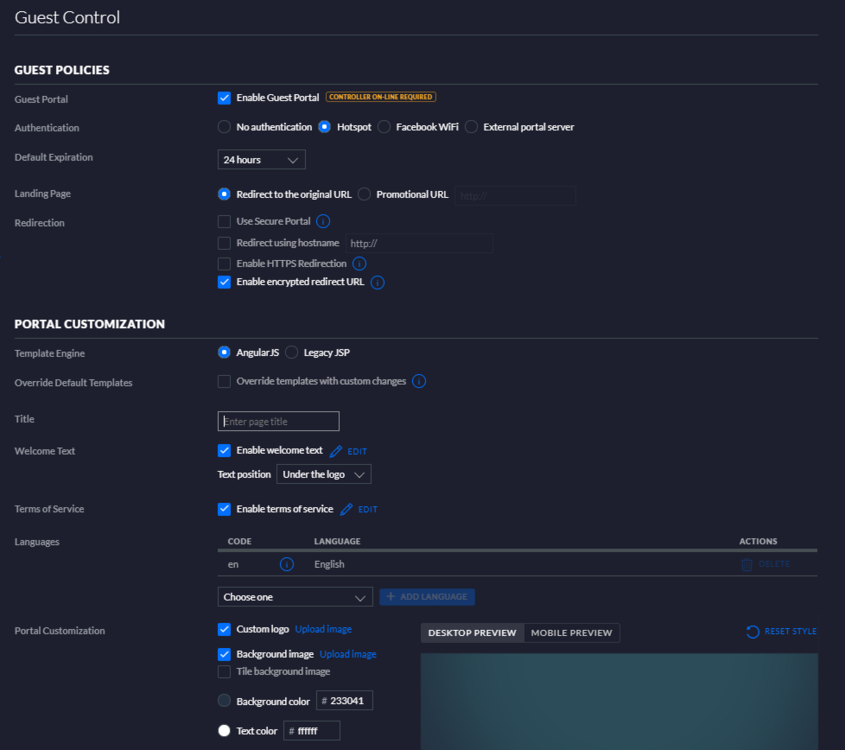
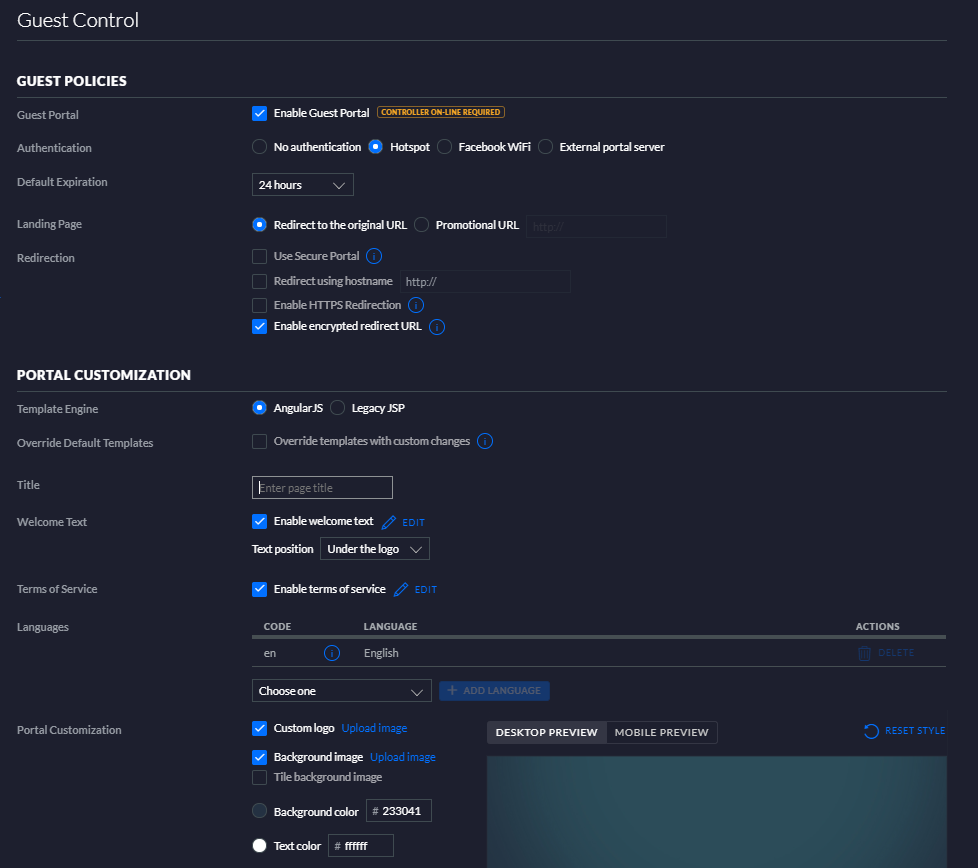
Agree with @cayars - emby is the easy part - the work and $ will be in the network / wifi. Something like a Ubiquiti Unifi Access Point already has the ability to create a Guest 'Policy' which re-directs you to a URL - I see no reason why this could not be used to direct to the emby server. An anonymous login will then take you into the videos screen for example. All access will be via a standard browser on the mobiles - on the Kiosks - it would be better to use the App but not essential. If decent 4G/5G is available - then you could host emby in a cloud provider and just provide the internet URL's to the users. The kiosks could get the internet via 4G dongles.
 1 point
 -
@cayarsI really have to get some sleep right now, work in the morning and after midnight here but happy to do it tomorrow night if you're available. In the meantime though i did another restart on the server after installing some updates, did another library scan that completed, still no love on album covers. Tried taking a group of albums out of the library and scanning, put them back, scanned again, they showed in latest but no covers. Logs from all that are attached. embyserver.txt embyserver-63757152000.txt1 point
-
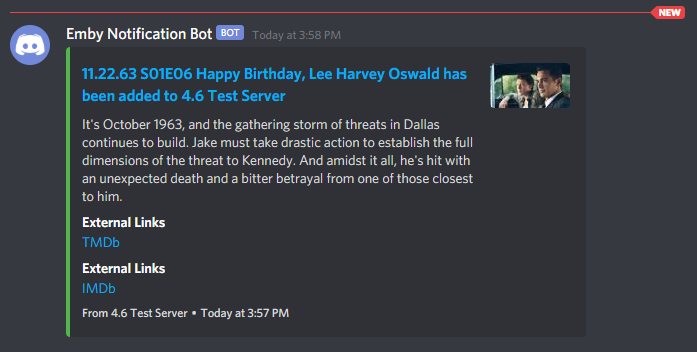
Yeah, all peachy.
 1 point
 -
Hi. Why not create versions of them that won't need to be transcoded? Our convert feature could help you do that. That would make allowing people to view on their phones a much more likely possibility.1 point
-
Ahh, Episode title, not Series/Episode, got ya.1 point
-
This smells like anti-malware trying to "protect" you...1 point
-
I already said that:1 point
-
Will check and send the screen shot Yes, my receiver does support TrueHD, Atmos, DTS X, etc etc. Within the Shield Pro its set to pass everything to the receiver (recommended setting).1 point
-
Possibly that very problem. I would try running a full scan and then let's reevaluate after that. Thanks.1 point
-
The server version is 4.6.0.50. Looks like the library is scanning to. I'll let you know when it's done. Thank you1 point
-
Wouldn't time make more sense?1 point
-
Ahh, ok this might make sense because Collections are handled differently in 4.6 then in 4.5. Your server did a one-time migration to the new collection method which may have generated those message. Now that the migration is over, you shouldn't be receiving these messages again so let us know how you make out moving forward now that this migration is done.1 point
-
Yes baby ! Great I can confirm Running kodi 19.1 + this build runs bdmv format ! Thanks guys ! Edit: There are slight audio hickups though, strange But probably this has nothing to do with emby next gen (no where else audio problems) And no, its not the file..1 point
-
@cayarsIt is the Upcoming episodes screen linked to from the top of the main TV screen. Episodes are sorted by title on that screen. Series name, season number, and episode number are all ignored when sorting. So not only are the episodes listed out of order for a given series, episodes for other series airing the same night are inserted in between episodes based on title.

 1 point
 -
Please do follow up and let us know how you make out!1 point
-
With the new Emby Server update, going to do more testing on my Xbox Series X (I've upgraded since I originally made this post) to see if there's any issues. I'm also not on an Xbox Insider build anymore either which I was before at the time but didn't think that could possibly cause issues. I will report back in hopefully a week or so regardless of whether it happens again, sooner if it does.1 point
-
Thanks again for your help this morning. I'm impressed with the support. This by far exceeds the competitors!1 point
-
As with the Movies and TV libraries, they can be sorted and filtered in numerous ways. I was hoping with the 4.6 rewrite that this would be a new feature. Could we get sorting WITHIN a collection, please?1 point
-
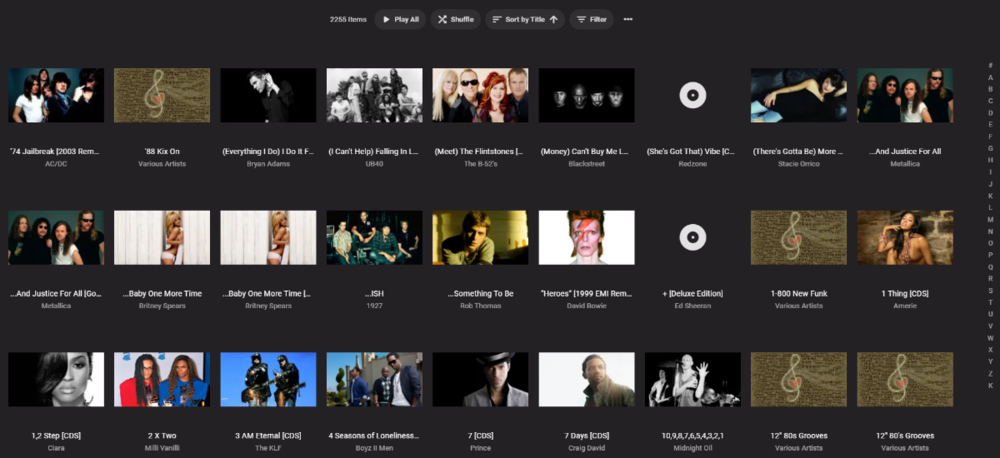
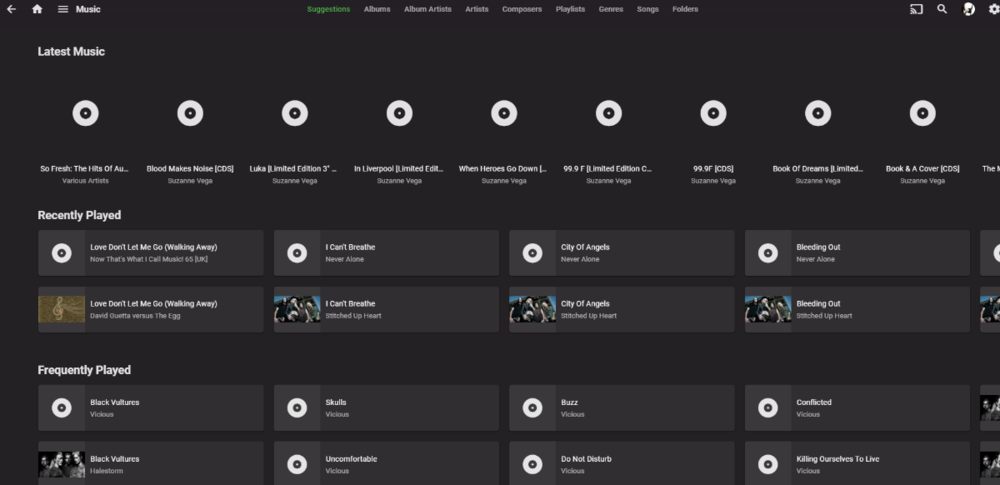
Yeah tags are perfect on my music it's something i put a lot of time into making sure is right, after a scan they have corrected, however i now have no artwork for albums, the folder.jpg is not being picked up?
 1 point
 -
Thank you very much to both of you, I appreciate the information. I think that answered all my questions.1 point
-
Dude, seriously? It's the exact same thing as my thread in the testing area, which you've been participating in. C'mon.1 point
-
1 point
-
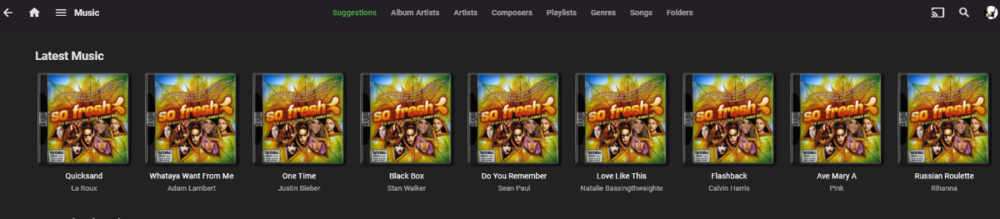
Mine is broken too, compilation albums are all broken, also i cannot get to 'albums' at all, it's missing from the navigation menu.
 1 point
 -
There are only some EQ Presets to choose, like Movie, News, Standard etc. but from what i hear there is no much difference in it. And you can choose what output to use, the internal speakers or maybe a Soundbar etc. Thats it, not more to configure.1 point
-
Updated to latest stable (it was newer than the version for my beta so it worked out). Updated to the latest discord notifcations dll and it's now fully working for me. Thank you for all of those that put work into making this work.1 point
-
I checked the Github and I did not see any pull requests open. I looked for your fork and was unable to find it in the list (privated repo?) I noticed some people were having trouble getting images embedded into Discord. If you have strict firewall rules, your firewall may be blocking requests to the image proxy (https://i.memester.xyz). I believe someone here had that issue before and they were able to resolve it with a new firewall rule. It's also possible that the server I'm running the image proxy on was off for a couple of hours for some maintenance recently. This image proxy is used under two circumstances: 1) Remote access is disabled on the server 2) You have the ExcludeExternalServerLinks option checked on the config page (Hides direct links to server)
 1 point
 -
Yeah seems that way thanks. Just waiting for the github update and "official" release. Thanks!1 point
-
Completed the Emby server update to version 4.6 and was able to successfully tune to 18.1 with Emby Theater, Nvidia Shield and my Android phone. Ran a test recording & playback of the channel without issue as well. I will test other stations to see if the issue persists elsewhere. So far it appears that the update resolved my issue! Thanks for all your help @cayars!1 point
-
Please send an email to billingsupport@emby.media with your information.1 point
-
I donated as well. I appreciate all the support both here, and on the NPVR forums.1 point
-
That worked! I'll probably still keep my current setup until I have a chance to play around with it to see how it works.1 point
-
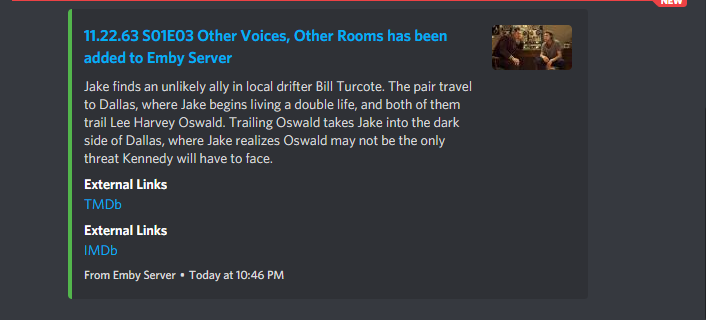
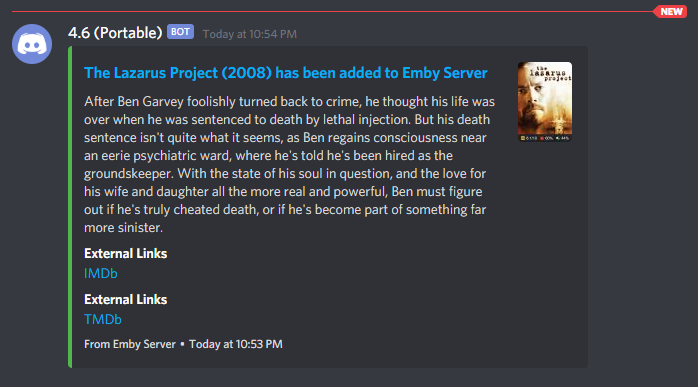
I think it’s just that before Discord was trying to access the images but couldn’t because his server wasn’t remotely accessible. Once he enabled remote access, Discord could finally reach the server and get the images.1 point
-
What's weird @GrimReaper76 is I didn't change the code. So something in the server changed on the upgrade? But glad you figured it out! I submitted that change to the owner so there should ne a official release soon.1 point
-
Sorted. Looking at the code you posted, Remote Access needed to be enabled and port forwarded. Kinda like images get pulled instead of pushed. Edit: And one for Movies. So, all sorted.
 1 point
 -
Woah, awesome. Didn't realize Fred had released an update. Thanks!1 point
-
Port forwarding; an overview This is an overview not an in depth discussion of IPv4 networking The basic’s IP addresses have to be unique on a network if they are duplicated then data may not be delivered to its intended recipient. You could think of this like a postman delivering mail on your street, if there are two houses numbered 12 then which does he deliver mail addressed for number 12 too, probably the first number 12 they get to. Needing a unique IP address causes a problem. Due to the way IPv4 works there are simply not enough of these addresses available for every one or device in the world to have a unique IP address. To overcome this limitation of IPv4 two mechanism’s are employed 1. Network Address Translation (NAT). Translates public IP addresses to private ones and vice versa. More info here http://en.wikipedia.org/wiki/Network_address_translation 2. IPv4 addresses are broken into 2 types, termed a. Public, those which can be routed across the internet b. Private, those which can’t, your LAN NAT is a form of firewall. The fact we have to use NAT to overcome the limitations described above when connecting to the internet creates two separate networks, your LAN, which is private and the internet, which is public. This added layer of complexity does offer you a benefit; your first layer of security as nobody outside of your network can access it. Well not without help but that’s another topic. Now NAT is fine if you only need to translate one public IP to private IP address (1 to 1 mapping) or vice versa but what if you have multiple devices on your LAN? You would need one public IP address for each of the devices you needed to access the internet. Fortunately, NAT has another trick up its sleeve in the form of Port Address Translation. Port Address Translation is where a single public IP address, for this discussion, the one assigned by the ISP to your internet (WAN or outside) interface of your router is prefixed with a port number. This means that one public IP address could actually allow 65,536 private devices simultaneously access to the internet. It may simplify things to think of NAT like this. If your computer was out on the street then anyone with a mind too could just walk up to it and start using it. Not very secure. But take this computer and put it in a room with many closed doors (65,536 to be exact, each door individually number) which can only be opened from inside this room (port forwarding) and now you have a more secure computer. Port forwarding Port forwarding = Game & Application sharing As mentioned above port forwarding is the process of opening up a port (a uniquely numbered door) in your router (the room) to allow traffic to access your private network from the internet. For port forwarding to work you need several bits of information · Your WAN or outside IP address. This is the IP address on the connection, connecting your router to the internet. · The port number you wish to open · The IP address of the device on your network (LAN) which you want to forward traffic from the internet too The way in which you use this information to forward a port is down to the manufacture of your model of router but this site http://portforward.com/english/routers/port_forwarding/routerindex.htm is a good place to start if you aren’t sure. It has guides on how to port forward for many makes of router. Bare in mind these guides aren’t necessarily accurate. Further complications DHCP. Dynamic Host Configuration Protocol is designed to help us with IP addressing but in the case of port forwarding it can be a hindrance, Why? You set up port forwarding as shown below to map traffic from the internet hitting your outside IP address with destination port number 999 to be forwarded to a device on your network with IP address 192.168.0.1 listening on port 3389. Protocol TCP Outside Port 999-999 Inside Port 3389-3389 Inside IP 192.168.0.1 This works great then suddenly without warning it stops working! The reason. The device on your network with IP address 192.168.0.1 got this address via DHCP. When the DHCP lease is up this device requests another IP address but this time DHCP issues this device 192.168.0.13. Unfortunately, no one told the router of the IP change to 192.168.0.13 so the router is still trying to port forward traffic to IP address 192.168.0.1. To get this working again you would have to change the configuration setup in the router to match this new IP address as the original configuration is no longer correct. Static IP the way to go Luckily there is something you can do about this. Assign a static IP address to the device you need to port forward traffic to. Static in this context means it won’t automatically change. Now the way you accomplish this will depend on how you have your network setup and the equipment in use and isn’t covered here (in most cases your router will be a DHCP server) but there are two important things to remember when assigning static IP addresses. 1. Two devices can’t have the same IP address on the same network 2. When assigning static IP addresses on a network with an active DHCP server remember to configure the DHCP server NOT to use the IP address you have assigned statically. If you don’t you can end up falling foul of point 1 It’s round about here you remember your ISP saying something about them using DHCP to dynamically assign your Internet IP address. What’s that all about and won’t that cause the same problem we just discussed above? Again, this is DHCP at work. In the UK all ISP’s I’m aware of will assign a DHCP IP address to the Internet connection (WAN, outside interface) on your router. You can get Static IP’s but they’re not free. Yes, it will cause a similar problem as just discussed and again there are way’s around this, DDNS is one. Dynamic Domain Name Service (DDNS) is a way in which you can access from the internet a device on your network when you have a dynamic IP address on your routers internet connection, using a domain name. Unlike the previous problem with dynamic IP addresses and the issue with port forwarding rules dynamic IP address changes on the internet connection don’t affect the port forwarding rule. They affect the ability to contact your router from the internet. Generally this IP address doesn’t change frequently (unless you have technical issue’s) but it does change and again it won’t tell you. DDNS services (free or paid) work by assigning the IP address issued by your ISP to a domain name automatically. Your router, if it has the functionality or a client app monitors the internet connection for IP address changes. When it sees this change sends an update to your DDNS service so the domain name has the new IP address. This way when you use the domain name instead of an IP address to contact your router it will regardless of the fact your IP address changes. Do I need DDNS? Nope, but you will still need to know if your internet connection IP address has changed. You would then have to reconfigure any apps you use to use this new information. So it’ll probably easier to use DDNS. How to find my Internet IP address There are various ways to accomplish this and Google can help but this site is good http://whatsmyip.net/. Example Media browser 3, port forwarding Hopefully you now have a better understanding of what is needed to get port forwarding to work with your router or a better idea of what to search for on Google to find your answers but just to finish off here are the steps for configuring a widely used router in the UK, a BT home hub 2. 1. Open a web browser and type the IP address of your router. In this case the HH2 default IP 192.168.1.254 2. Login 3. You should now be on the home page. Click the Settings tab 4. Click advanced settings. 5. Click Continue to advanced settings 6. Click Application sharing 7. Click Supported Applications 8. Now Click Add new game or application 9. In the Game/Application name field name the rule, MB3 for this example but you are free to choose the name 10. Choose TCP for the protocol 11. Some routers like link Linksys have different pages whether you are configuring a single port or a range of ports. HH2 routers use the same page regardless. So just enter the same port number in both of the fields for Port range and Translate To. For MB3 the default port is 8096 12. Leave the other fields as they are, then Click Add 13. Click Apply That’s it, the port forwarding rule is configured. Now we have to bind the rule to the IP address of the device we want to reach from the internet (our MB3 server). 1. Click Configuration, to the left of Supported Applications 2. Click the Game or application drop down and find MB3 which we just created 3. Hop across to the Device drop down and either select your device (the one you want to reach from the internet) from the list or scroll all the way to the bottom and select user defined 4. A new field will be displayed called Device IP address. Enter the relevant IP address, then Click Add, then Apply That’s it your done configuring, now a basic test. Hang on; what about port 8945? Yes, I know we have only configured port forwarding for port 8096 and haven’t done the same for port 8945. The reason being is you only need port 8096 to access MB3 from the internet. From a device that is out in the internet (not on the LAN) fire up a browser and enter the following. If you have a functional DDNS service http://YourDDNSname:8096/mediabrowser/dashboard/login.html If not just use your Wan IP address http://88.123.1.11:8096/mediabrowser/dashboard/index.html If all is well you should see the MB3 Login page, if not you need to check the steps above and carry out some trouble shooting. Basic trouble shooting From a device on the internet or ask a friend, get to the command prompt on this computer and issue the following (Telnet is not enabled by default on newer operating systems so you may have to “install” it). Here we will just use the IP address to rule out issues with domain name resolution or DDNS. telnet YourWanIPAddress 8096 then press enter. If you don’t see a blank black screen with a flashing cursor (this means port forwarding is working) or get a message stating “couldn’t open a connection” then port forwarding for some reason is not working. This could be for many reasons such as · Windows Firewall · AntiVirus software with firewall capabilities · Port forwarding incorrectly set up Just whilst you are investigating the problem disable any of the above which may be running on the computer you are trying to reach from the internet and re issue the command above. Once it works you can re enable any of the above one at a time, checking with the above command and dealing with any configuration of these programs Final note Some routers such as those manufactured by Zyxel require a two stage configuration of port forwarding due to their more sophisticated functionality. The P-660HN-T1A may require you to disable the SPI firewall function under the security tab whilst AMG1202-T10A will require that you also create an IPMacFilter rule, found under filter, which is under the security tab. Another Final note Way back at the beginning of this long post you mentioned that NAT was a form of security, blocking un invited advances from the internet. Surely leaving ports open is a security risk? Well, yes and no. Whilst it is true that having ports open is a risk, I say no because the open port has to have an active program at the other end (a listener) for any hacker to take advantage of the fact we have opened a port. More than this there has to be known exploits within the program listening on the open port for them to exploit. So, it’s not really the fact the port is open which is the risk. Please remember, it is good practice to have all ports closed by default, only opening those ports which are needed, thereby minimizing the surface area for attack. Finally Bearing in mind you have now made your media collection available from the internet, by you. Use strong passwords. If you don’t, you may find others accessing you media from the internet too!1 point



















.thumb.png.225edb9636a79b10cd220c27f59990f3.png)