Leaderboard




Popular Content
Showing content with the highest reputation on 05/04/21 in all areas
-
@SamES, @Luke Sam, 1 month already since this last comment, and no news? Honestly, I don't get it. And I find it hard to believe that LG takes a month to release a version, (or even more from your comments), since you didn't specify when you sent the latest version, nor did you say so. I feel a bit disappointed and frustrated. I don't get it. Couldn't you be a bit more transparent? You said LG was very tough on revisions, ok, I understand that. But a year for a new version? Multiple apps have been updated several times in this time in the LG store. You have updated versions for other platforms and TVs countless times. If a review gets cancelled, you could at least say so. Some people are paying a premium subscription, just for the LG.... version, what less than a little more information. Isn't there an LG forum where the community can lobby? Regards Translated with www.DeepL.com/Translator (free version)4 points
-
Can we have an option to flatten series if there are XX episodes or less. Just provides the ability to eliminate one frustrating click. I wouldn't want it on my 1,000+ episode Looney Tunes series. However, when you only have one or two seasons in a series, it helps drill down easier.2 points
-
2 points
-
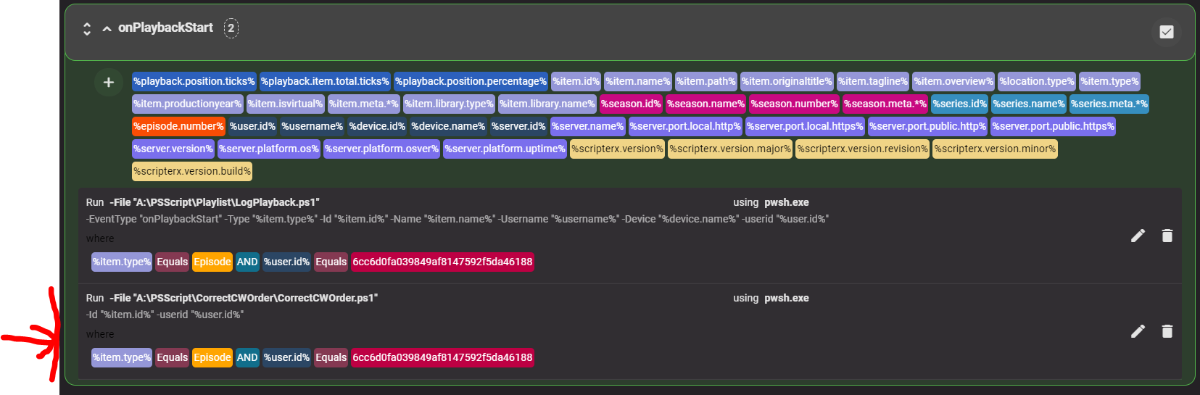
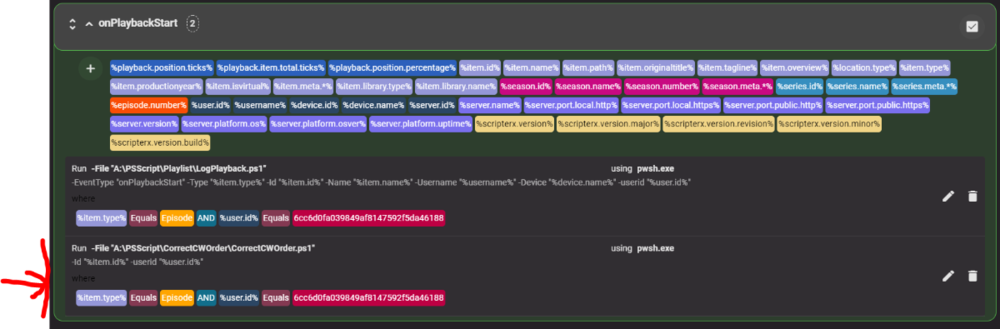
For 4.6+ Currently if you play an episode half way it will not move to the beginning of the continue watching ribbon. This script alters that behaviour. Its a big fudge as it sets the "lastplayeddate" of the last watched (previous) episode in the show to now(), to achieve its ends; which may have unforseen consequences/undesirable outcomes. current status: initial build very limited testing. should work on all platforms which support Powershell 7 windows, linux etc. Installation: Install Powershell 7.0 on OS Install Scripter X plugin on Emby unzip to folder enter apikey values in config file. set ScripterX parameters for event onPlayBackStart Interpreter: pwsh Script File: -File "A:\Example\CorrectCWOrder.ps1" Parameters: -Id "%item.id%" -userid "%user.id%" Conditions: %item.type% equals episode CorrectCW v0.0.0.1.zip
 2 points
 -
@ebr That's another interesting subject for hypothetical discussions, as I don't currently have such a metadata API made public, let's play a math and legal game with a popular API that is already on the market. The OMDb API is created by 1 person, has 2.214 patrons and should be presumed to generate ~$11.070 per month. (based on it's Tier prices) The Rotten Tomatoes API costs $60.000 per year, the IMDB API (as of their last official statement) has annual fees ranging from $15,000 to higher depending on the audience for the data and which data is being licensed, Metacritic (which did not have an API until late sept 2020) does not state their price, but lets presume the minimum of $15.000 per year. That totals up to $90.000 per year, in the best possible case. (data which OMDb makes use of) Now OMDb published some articles on some of it's costs to it's patrons (of which I am one for $5 per month for many years). In 2017 he stated that his monthly costs were of ~$446 for running his service, within the same year he posted a Cloudflare invoice of $1.248 for one month, after which he stated that he is enabling Argo in Cloudflare that will cost him an extra $1.000-$1.500 per month. So let's round this sum to around $3.000 per month for tech costs only. (this is old data though, he stopped posting completely in 2019) He also mentioned hiring a person part-time as a goal (the goal passed) some years ago, but for the fun of it we won't take that into consideration on pricing. So OMDb makes ~$11.070 per month from which Patreon takes 15%, so that leaves ~$9.409 of which his costs are ~$3.000, which leaves him at ~$6.409 This would mean that OMDb has a yearly profit of ~$77.000 while the costs of the service providers he would need for it would be a minimum of $90.000 per year. On his site, under the legal page he states that his data is submitted by users (although there is no way to submit such data), and that he accepts DMCA requests. On Patreon, when removing Rotten Tomatoes ratings (which he brought back a few years after) he stated, and I quote: Without ever mentioning which these other service providers are, but I could guess quite accurately if necessary as I am well accustomed with all such existing services.. although this would be a completely different discussion all together and a fun hypothesis of it's own. Emby is a sponsor of the OMDb API, and pays $360 in donations per year to it, while OMDb is quite clearly not paying for the ratings it provides. But the OMDb plugin, which I believe is an official plugin as it comes pre-installed in Emby, is not enabled by default for Emby users. The one enabled by default is the TMDB plugin, which means that enabling and making use of OMDb's IMDB and Rotten Tomatoes ratings is a user choice. Now, who is to blame, legally, for this entangled web of scrapped data distribution? How did OMDb justify "the origin and acquisition method of that data"? And how is Emby (in general) even liable for any legal action while using a payed API for data that is used solely on user choice? Edit: rephrased last question2 points
-
This is an interesting idea. There is an open feature request for this. Lend your support to it ("like" the first post).2 points
-
Sounds as if your new (update) installation is in a different directory from your old one. There are ways to transfer the database and metadata, but I'd say you'd be far better of ensuring that you update the original installation in place. Paul2 points
-
@cayarsfor sure that would make sense. But we all know about Emby's development speed because resources are tight. So we can't really expect one of these features in the next months, probably not even in years. The features you were referring to already came up years ago and didn't make it to Server yet. This development is nice and gives us very valuable info. I'd personally love to see this added as a third party metadata provider, so we can also sort and filter by the ratings and I do not expect the features provided here being added to emby server natively within the next 2 years. So if there's any chance about some kind of collaboration, is it good that @jaruba told you to be willing to.2 points
-
I made this plugin exactly for this reason. The existing ones were unmaintained and didn't work anymore. As for why it's not in the catalog, it's because it's not popular enough and there is a certain need of assurance the plugin will remain maintained, which very few developers can commit to as most do this in their free time for free. Because guess who the users will turn to if a plugin in the catalog doesn't work for lack of maintenance? The Emby team and not the actual plugin developer. Consider the plugins in the catalog as "Official" while the ones here on the forums as "Unofficial".2 points
-
I mentioned it in another thread, but thought I'd put it here since this looks like a new section--just for posterity. Would like to have a bulk meta data editor function. For example, if I have 750 videos whose producing studio is the same, I want to select those videos and apply the name of the studio to those videos. Similarly, if there is a custom tag I want to apply to a subset of those movies, I want to be able to select them in bulk and apply the tag to those videos (instead of selecting them one by one).1 point
-
CURRENT STABLE VERSION: Changelog: https://github.com/MediaBrowser/plugin.video.emby/releases/tag/6.2.11 Introduction: Emby team is glad to present a new addon for Kodi media center. It's available in our Kodi repository labeled as "emby-next-gen". The new plugin is not just an evolution of the previous "Emby" plugin version, it's a complete (70%) rewritten code. Design flaws of the previous version are now fixed and covers a lot of issues and incompatibilities. Most 3rd party Kodi plugins are supported by default. System requirements: Emby server: 4.2.0.23 or higher Kodi: 18 or higher Migration: The old "Emby" plugin supports up to Kodi 18.X. "Emby-next-gen" plugin supports Kodi 18.X and higher. Migration mode is available in "emby-next-gen". It keeps the "Emby" settings for "Emby-next-gen" however, a full database resync is still mandatory and not reversable after migration was initiated! Recommendation is a complete wipe of Kodi and its addons and begin with a clean installation. Kodi backups are recommended before migration. Limitations: Even if "emby-next-gen" is declared as stable there are still some limitations. - Sleep mode/hibernate is not supported - Multi (Emby) server not supported - Playlist (Dynamic) Artwork not supported - Distributed TV Shows over multiple Folders/Hard drives not supported We are still working on those limitations and will be fixed in the next releases... Installation: There are two options available: Native and Addon mode Addon-mode is highly recommended! Even if you used native mode in past, don't use it with "emby-next-gen" unless you have a very special case. Most of the drawbacks of native mode with the "old" plugin are covered. Addon-mode supports all "emby-next-gen" features, while native mode doesn't. e.g., multi-video, trailer, 3D, transcoding support etc. Finally: If you still use Kodi 18, you can choose between "Emby" or "Emby-next-gen". Kodi 19 requires "Emby-next-gen". If you are happy with "Emby", keep it a bit longer and wait a few weeks. Even lots of people participated in testing (many thanks for all the feedback), it's still quite new.1 point
-
Please read this post first. I was wondering if it would be possible to add something that would allow you to skip the intro to shows automatically while binge watching. When watching Netflix it does this for some shows, and im not sure if thats a feature of Netflix itself or a Chrome extension i use called "Flix Assist" but it would be a nice feature to have within Emby as well. and possibly even create a custom timed skip for specific shows1 point
-
It would be possible to implement a chat on emby or the opportunity to comment on the film?1 point
-
I've been comparing these videos. It's definitely interesting to see tone mapping applied to a different subjects in different lighting situations. https://imgur.com/a/2Dr1spO For my setup I think Reinhard with Tonemap Parameter 0.7 worked best. It would be interesting to see what others think and to see what other hardware will produce? I didn't bother to include software tone mapping since it is quite intensive for most systems. In my opinion software bt.2390 is better than all of these. For reference the demos I used were: Sony New York Fashion Sony Swordsmith LG Cymatic Jazz Samsung and Red Bull See the Unexpected Note: Samsung demo was insanely bright and had some strange colours going on (almost like 3D?) so maybe not relevant... It was the only one that looked interesting with the Native VAAPI HW option since the scenes were so bright.1 point
-
It is a tangled web, indeed. The night is dark and full of terrors.1 point
-
Nice idea, but i don´t think, that the emby team has focus on the Apple TV. I migrated my database to Plex already and use the native Plex App on the Apple TV. It works great inkl. Dolby Vision in MP4 and MKV Files. I canceld my empy premium account.1 point
-
your smb fstab entry has to allow emby, the kernel falls back to the pid/gid in fstab and ignores local permissions on the folder you're trying to mount. give emby access via the fstab command and you're fine. if that means adding emby to the pi group then fine, but the right way to do this is to create a group called 'something" that has both pi and emby in it, and use that group in your fstab. alternatively you can switch to NFS and not worry about this dinosaur of a protocol . also, there are *tons* of users here using smb, so no, it's not an emby issue.1 point
-
There's a new option in playback settings, "Convert unsupported audio to dolby digital", disabled is similar to the old option downmix enabled.1 point
-
I hope the both, but she "share" (I'm not certain it's the word to use) me the fire stick for a job travel. So I wait to burn my mother in law! But after...1 point
-
But why? Clearly your avatar is of a Jedi Master. The force is strong with @Abobader.1 point
-
Ticket reopened...1 point
-
Did you connect a keyboard, mouse and screen and run emby server directly (without using RDP) - just as a test ?1 point
-
Yes, will be fixed in next beta.1 point
-
I can add a toggle option to disable userrating sync. That's not a problem. The plugin is just syncing data from Emby server to Kodi. From that point, Kodi is in charge. If there are any issues after sync, there is nothing I can do. I'll fix the digits in userrating and add a toggle option. I hope this helps.1 point
-
We would need to know the origin and acquisition method of that data. To my knowledge, most of the large rating providers consider this proprietary information and they charge for it.1 point
-
@cayars I think u might have missed my comment before his..1 point
-
Editing the "primary" picture of a folder is currently cumbersome. There is an option to edit the picture. This only offers to upload a new picture. However, the desired pictures already exist in the folder itself. So I'll have to download it, and reupload it as folder picture. Instead would it be possible to add: a context menu option "Use as folder thumbnail". This would be easier I suppose. optionally, allow to select an existing picture instead of the "upload" button? Thanks in advance. This is a wonderful product which is a treat to use.1 point
-
Hi. Does this answer your question? The "*" button is the standard Roku settings button.1 point
-
Was just a hypothetical friendly conversation only and not meant in any way to say don't use this plugin and wait for Emby, as that could take a long time (if ever). That conversation was only about how I thought they would do this if the did, not how they ARE doing this. It only came about when a few people questioned the value or cost. Yes it can seem high compared to the base premiere license but infrastructure isn't free especially for the 1st item. What we do have is a solution NOW that just seems to work and do it well from day one. I really should try it myself first hand which often times gives a different perspective then playing from the "side lines". @horstepipe you mention you would like to see this added as a 3rd party metadata provider. Isn't that more or less what adding the plugin does for Emby?1 point
-
@Przemeksimply use my Telegram Plugin.1 point
-
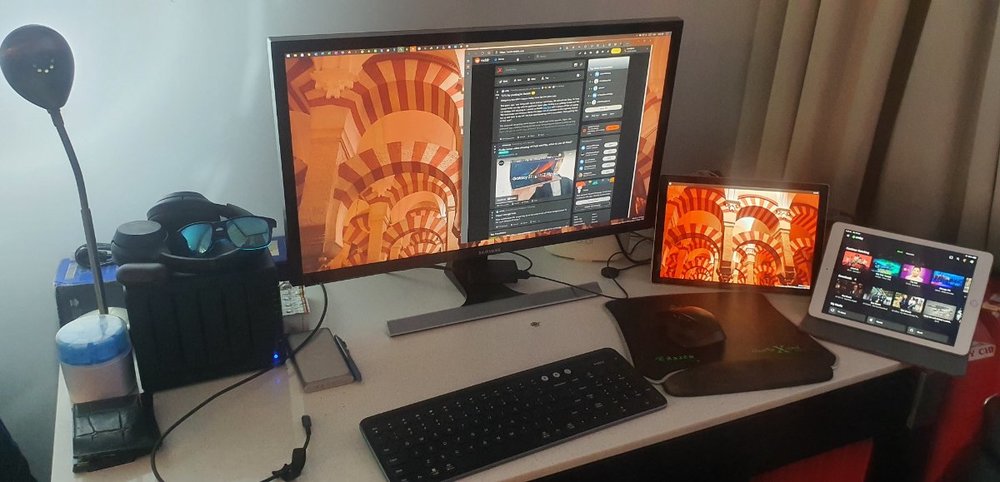
@cayarsYes, thank you Been out a week or so now. I'm not sure if I watched a lot more than usual, definitely a bit more though. The best thing was having the familiarity of having my own system, so Synology, Orbi, laptop and my Nvidia Shield. And finally had time to watch all 4 hours of Justice League!
 1 point
 -
ok, will have a look. btw, the option has no effect. Currently it's disabled and was also in 5.2.06. Must be something else.1 point
-
No it's https://embydata.com/downloads/addons/xbmb3c/repo-install/Public testing/plugin.video.emby-next-gen-5.2.07-build 165 (ex24).zip You can find the latest experimental version on page one of this thread: https://emby.media/community/index.php?/topic/90781-embyforkodi-5xx-preview/#comments1 point
-
Thanks Cayars. I had chosen limits on the download speeds / quality on my tablet in previous efforts to fix this. Setting both back to Auto and it is direct playing. It still doesn't explain why transcoding would cause the issues I'm seeing, but at least I can use it again. I'm going to explore this issue in a bit with my Firesticks and come back to the forums if I still have an issue. Thanks again.1 point
-
You should replace that old Mi Box with something better, like the new Mecool KM2, with Netflix and Prime Video certifications, S905X2 SoC and Android 10: https://www.mecoolonline.com/collections/mecool-km2/products/2021-mecool-newest-android-tv-10-box-km6-powered-by-amlogic-s905x4-av1-supported-4gb-ram-32gb-rom-11 point
-
I don't know about others' use cases, but in my case having the playlists visible across all users would just make the playlist "screen" bogged down and crammed with too many playlists. Especially as, in my mum's case, she won't want to be wading through all mine and the wife's playlists to find hers. There's a certain level of hassle that she'll just say "forget it" with. Even just a dozen playlists per user, with 3 users, that's 36 playlists to scroll through to find the one you're looking for. Not to bad on a TV or computer but a pain on a phone.1 point
-
I would check the option set in the Android app then as something doesn't sound right.1 point
-
As an ex-emby premium user, I grew tired of paying monthly just to use Emby Theater to watch my own content on my TV. That's all i really did, sometimes using the mobile app as a remote control but usually not. My usage case did not warrant £4 a month for that when there are numerous free options that we could have used. I like Emby, but my God the development at times is slow. Some of the basic bugs and features I experienced and reported never got fixed or added, and I think you'll find, that of you go onto the Jellyfin forum, or now reddit page, you'll find this was one of the many complaints about Emby. I tried Jellyfin last year, it was a waste of time. I tried Jellyfin 2 months ago and have now dropped Emby and moved over to Jellyfin permanently. Maybe much has changed since the OP created his post, in fact I know it has. The speed at which Jellyfin devs are implementing features and fixes bugs is bizarrely fast and in a different league to Emby devs. Is Jellyfin as good as envy? Not at the moment, but in the space of a year they have gone from unusable (for me) to very usable and comparable to Emby. There are still lots TV s of bugs, but they get fixed. They have just released Jellyfin Media Player which replaces Emby Theater just fine for me, and thank God it gets rid of that horrid Electron crap which I always had issues with. The android Jellyfin app is working fine 95% of the time for me, but once in a while certain media crashes it and I need to restart the app. Library scanning works fine for me and is equally as capable as Emby I have found. Everything else is much the same as Emby but with a few more bugs. Jellyfin devs seem more than capable of writing and developing their own software and are not just blagging their way through. If I were Emby devs, I'd be very worried about Jellyfin to be honest, another year and I really can't see what Emby will have to offer over Jellyfin. I will say this, Emby is a bit more polished and I rarely had an issue with it other than the horrid electron and the windows 10 theater app which was a crash waiting to happen, again, and again, and again. I still prefer Emby, but not at £48 per year.1 point
-
At this point we're not sure. Whatever the issue is, it's something specific to these models. Is it possible to provide remote SSH access? If you're willing to do that please send me a PM. Thanks.1 point
-
Version 2.0 of our popular Android TV and Fire TV apps are rolling out to stores now. This version brings many internal improvements for playback and also supports the new features in the upcoming 4.6 release of the server. Your device should update automatically when available. Improved Subtitle Support These apps can now natively render most types of advanced subtitles (Dual Layer PGS/SSA etc.) with full formatting and multiple sub placements without requiring the server to transcode or burn in. With supported external subtitles you can also adjust the placement and time offset of the subtitle display. Improved Playback We've implemented several customizations to the Google player the app utilizes that provide us with even more direct play in more situations and also simplified some of the playback options to allow you to choose how your media plays. Tags View You can now see tags for movies and albums on their detail page and also view other items with the same tags by clicking on them. Tags are also returned in search results. Artist Songs Directly view and access songs right from an artist page. 4.6 Server Support Version 2.0 of these apps fully support some of the new features coming in the 4.6 server release like channel grouping, improved channel logos and an improved Continue Watching display. Other Enhancements and Fixes In addition to the above, many more improvements and small fixes have been made. Including: Fix play from grid when folder browsing music Increase size of cast on OSD Tweak default background Update translations Fix stream copy for interlaced content (requires server 4.6) Increase playlist and album limits to 1500 No longer try to auto play from "Play Next" channel Fix series date display in folders Fix bad price display in purchase screen Add send logs to video playback menu Force player interface to LTR presentation Group by tags in channel grid (requires server 4.6) Implement filter by tags in TV guide (requires server 4.6) Simplify filter selection (fewer clicks) Fix shuffling video playlist Implement playlist and collection tabs in library for 4.6 server Remove collections from individual genre display Align EQ animation with other apps Improve list screen in Apple TV theme Allow screen saver during pause (except for live TV) Implement new search Improve hi-res flac audio Add a default poster size setting Make library prefs a popup for better navigation (can back out) Make library cog button a menu for app or library settings Add "All Items" button to Collection screen Add music videos to Artist view Allow converting dts-hd and not plain dts Indicate https in SFN when using SSL Implement play options from music genre Improve spinner layout Adjust home screen layout settings for server 4.6 Fix DTS HD badge not always showing properly Indicate in SFN when software audio decoding is occurring Clarify display HDR support labels RTL fixes Fix play first unwatched on some series Implement subtitle offset (external subs only) Improve play next up button when no next up episode Improve usability of DTS options Simplify audio option Fix crash on startup on non-standard boxes Add new "Extra Info" option and reduce clutter by default View the full article1 point
-
The monthly price for bigger systems is roughly 150% of the monthly price of Emby Premiere which unlocks numerous features and clients. So using that comparison alone, it's a very steep price. But this is something unique and may not have mass appeal so the devs have to cover costs and dev.1 point
-
The plug-in is almost the same price as Emby for lifetime subscription. It’s a bit over priced. imho.1 point
-
Here is a poster I made for a 4k movie collection. I used this tutorial for the gold effect on the 4K text. I'd be glad to customize the text for you, otherwise the psd file is attached here. Enjoy. 4K ULTRA HD.psd AGENDA BOLD.TTF
 1 point
 -
They will just use a flavour of OpenVPN - I'd stick to that as opposed to proprietary protocols as we know that is tried, tested and trusted. Have you thought about a segmented network design at all - ie the use of VLAN's - keeping media traffic off your main network for example ? If your switches support 802.1Q (I seem to recall you have netgear switches?) which should be compatible. This is another important aspect of network 'design' that gets overlooked and of course adds a very important layer of security as well.1 point
-
An update to Emby for Apple TV is currently rolling out. Here are the highlights: tvOS user support. App data is now stored per user on Apple TV MPV is now the default player when the app is freshly installed Filtering by favorite Live TV Channels is now available in the Channels tab of Live TV You can now sort Live TV Channels in the Channels tab of Live TV Live TV, Movies, Shows, Music and Home search screens have been updated to align with the webapp. You may see additional item types returned on these screens now TV Channels and Songs now display on the Home favorites menu Improved handling of Genres, Studios and Tags in search results Native Player Audio content in M4A containers should direct play Program information when playing a channel is displayed in the OSD Live TV Info in the OSD refreshes automatically If you're controlling the app remotely you can now mute / unmute MPV MPV now uses "bwdif" for when playing interlaced content. Program information when playing a channel is displayed in the OSD Live TV Info in the OSD refreshes automatically Tabs in OSD now match the orderding of the native player Tabs in OSD are now hidden when appropriate instead of disabled to match native player Look and feel updates to OSD and transport/seek bar to match native player Bug Fixes Fixed a bug that prevented Live TV Series recording settings from being changed Fixed a bug in MPV where the menu button would not work to stop playback Fixed a bug that stopped playback when using MPV when invoking Control Center Fixed a bug that prevented the ability to change music quality settings1 point
-
Just a little bump to say I'd love to see this feature arrive at some stage It would be nice if you could manually toggle a series to be flat. I think this would work well for dailies, news programs like '60 Minutes' or talk shows Graham Norton or Jimmy Fallon where there's not really a need for all the seasons to be separated. I'd usually have episodes for the latest 2 or 3 seasons and don't need to drill down into seasons when viewing them.1 point
-
Hi Luke -- there were three so I'll include them all. Sorry if it's too much. embyserver-63740613434.txtembyserver.txtembyserver-63740613464.txt1 point
-
And the emby server log?1 point
-
Hi Luke. I deleted all recordings on my Synology package EMBY 4.4.3.0 except for one small mkv (converted by EMBY from the original recording). I did this because the same Bigscreen player can play these files just fine. With docker, it's actually not too bad. I map an external share, convert my files into mkv, and then mount that share from the Bigscreen client. That works. OK. Mkv files work. A bit earlier, you suggested that maybe when the EMBY server responds with media types that the Bigscreen player doesn't recognize, maybe that messes things up. These files here are the logs when I tried Bigscreen to EMBY 4.4.3.0 with just that one mkv file. It didn't work. output_log.txtoutput_log2.txt Thanks for the help and ideas Luke.1 point
-
It would be great to watch the same program as your other family members and friends that you have given access to your library. On the Emby Homepage, it could highlight, what others on your server are currently watching, and give the option to "join-in" (at approximately the same point), or watch the same program from the beginning. Also when others start watching something, there could be a pop-up dialogue to ask if you want to join-in. There could also be an option to sync play/pause/seek states for all users watching the same program. I realize that "sync playback" has long been asked for to have several TVs in the same house play simultaneously, but due to issues in getting things in proper sync is an issue. Please ignore the urge to dismiss this feature under the same pretense. My mother in Ontario will not notice is my PC in Alberta is 30 milliseconds out of sync with hers.1 point