Leaderboard




Popular Content
Showing content with the highest reputation on 04/28/21 in all areas
-
If you go to an individual Movie or show, and click on Edit subtitles, there is an option to return only Forced subtitles. This option is not available in subtitle configuration in the Library section. Would be great if this could be added there, so only download forced subtitles for shows/movies. Or better would be to add it as an option of "Forced subtitles for language matching audio language". Seems most of this functionality is already in place, just needs to be linked up. If it helps, I would like to offer a bounty on this option. I can personally add $100 to bounty for it.2 points
-
Client-side options for this are always possible for the future, yes.2 points
-
So I've looked in the FR's for 'Search' tag and can't see this anywhere obvious. I was surprised that External ID's (IMDB, TMDB etc) are not included in the search results ? ie if I put 'tt0088763' in the search box, I was expecting to get 'Back to the Future' listed .. but I get back no results at all. The local metadata clearly has the ID's listed and available - so can we please include this in a global search ? Thanks.1 point
-
1. Search by letter function (A, B C) Currently when selecting "Music" users get their whole library. This is very difficult to navigate, especially while driving! Bizarrely, this function already exists for playlists. When you pull one up in Android Auto that has a lot of tracks, you do get a "Search by letter" function at the top. Why does this not exist for the library as a whole? 2. The option to restrict the library to only those artists that have tracks downloaded This would solve streaming problems and make it easier to navigate the library because it would be a smaller selection of artists. Currently using Embly Server 4.5 and Android Auto 6.0.6153334 and Emby for Android 3.1.73.1 point
-
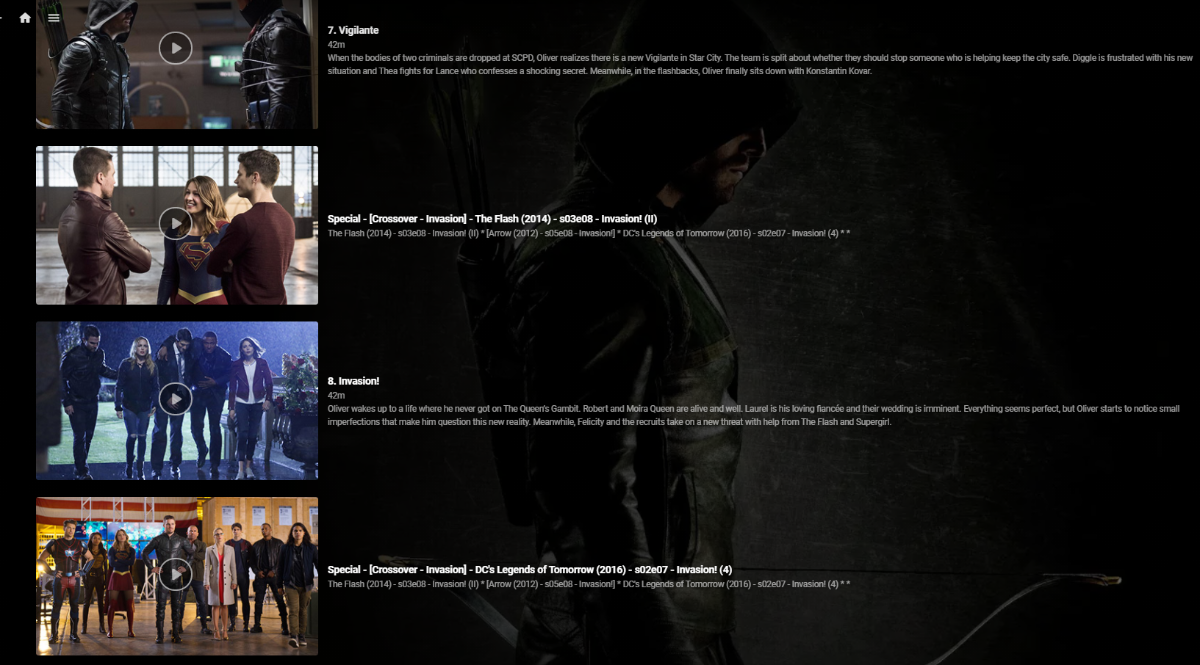
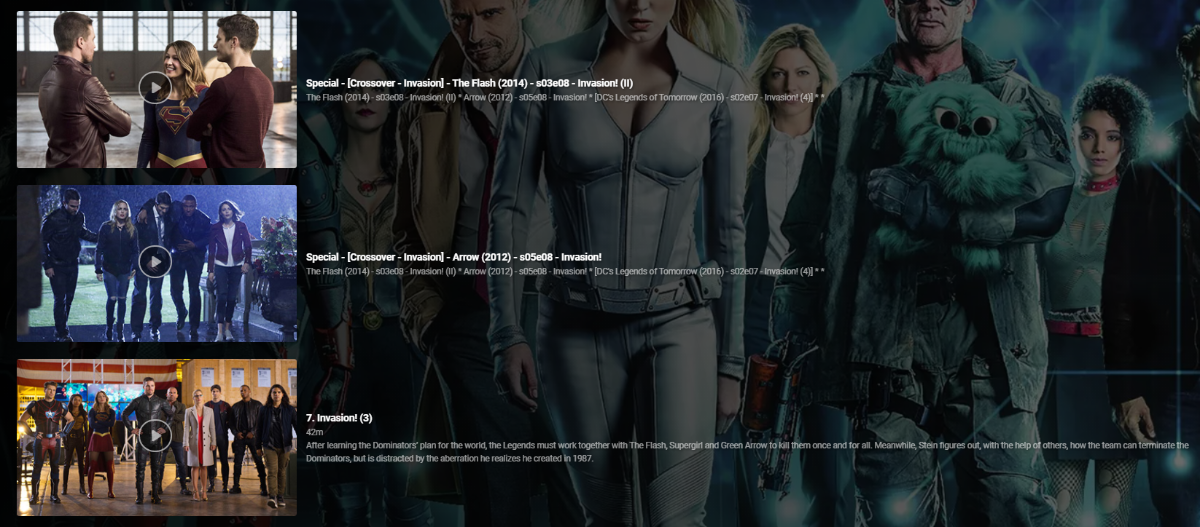
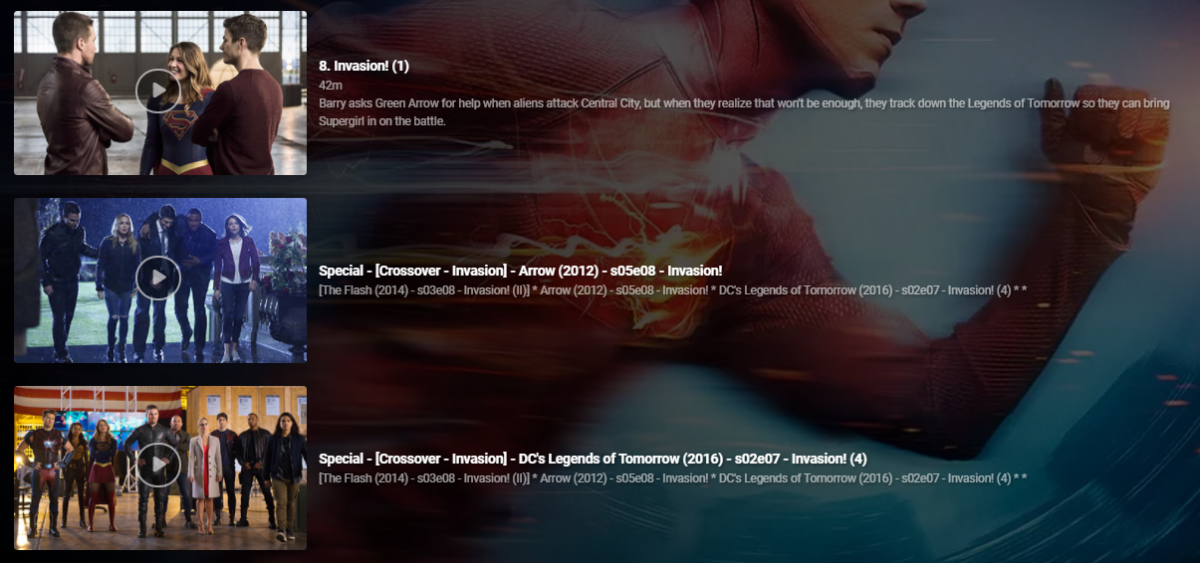
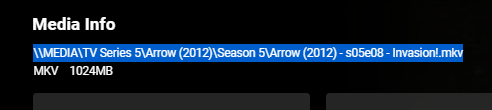
So up until this point I've been manually hacking together 'Crossover' episodes using 'Specials' - a very manually intensive and frankly laborious task. I soon realised that this is not only wasting my time, but nothing was consistent and I would lose the lot during a database rebuild or metadata refresh etc. So I thought i'd put together a script to automate this to make it - Repeatable Consistent Accurate What does it do ? Creates a .strm (link) file in the 'Specials/Season 0' folder - linking to the real media file. Copies the associated jpg file Creates a relevant nfo file - used for naming and placing the 'Special'. It does this for each member of the crossover and for all combinations. So in a simple 2 way crossover, it will create 1 'crossover' per show (2 crossover links created). You can have a maximum of 5 crossover events - so in this extreme example, each show would have an extra 4 'Specials/Crossovers' per normal episode (20 crossover links created). The reason for doing this is so it doesn't matter which show you are watching, you will always see ALL members of the crossover. So taking an example - Arrowverse Invasion ! (a 3 way crossover) The first part of the crossover is 'the Flash' so that appears as it would do normally ... (episode 8 ) .. .. the script has inserted the two 'crossover' episodes after ep8 - they are named accordingly (Arrow, then DC Legends) and the plot also details all the members of the crossover in order - with the current 'real' member in square brackets. .. Arrow is next in the crossover, so in that show, it is listing the crossovers as 'the Flash' (before) and DC Legends (after), with the Arrow episode being ep8. Finally, in the 3rd show - DC legends, it has put the two 'crossover' episodes before the DC legends Ep7. So it doesn't matter what show you are viewing it from - you always get the correct crossover sequence. Pre-requisites - The metadata nfo/artwork needs to be stored alongside the media file - this will not work if this option is not ticked (ie your metadata/artwork is held within the emby subdirectories instead). What is the script ? Unfortunately it's just a Windows based batch script that does the work (yuk, yes I know..) but it's been developed over time when I was just mucking about getting the concept correct and it works just fine, so I have no real inclination to convert it to Powershell or Python etc as speed is not really an issue here. Run it from a Command prompt - you do not need any elevated permissions but will need permissions to write to the media directories. What is the input file ? It's just a semi-colon delimited text file, listing all the crossover data. My exact file is attached, but you'll obviously need to generate your own in the format :- <special number>;<crossover name>;<show1 path to file>;<show1 season>;<show1 episode>;<show2 path to file.... blah blah <special number> is just a unique number sequence for each franchise, 10 will start the episode numbering at 101 - meaning it should not interfere with any existing specials. List of the episodes should match the crossover sequence - ie unc file 1 will show first, unc file 2 will show second etc.. Media File location ? Grab the media file location from the 'Media Info' section in a web browser - just copy and paste it into the input file. Testing I have only tested with UNC file paths (shares), but there is no reason it should not work with drive letters and folders. For your system, I suggest just creating a single crossover (or modify my file) and check to see what is has done before adding others. Nothing on the script deletes or modifies existing files in any way - it only creates new or copies existing files. Execution speed depends on your system, but for all the crossovers I have listed, it takes about 30 seconds to generate them all. Improvements Many things haha - I need to sort out creating the nfo files in a more elegant way .. I would also like to have each show listed as a new line in the 'plot' text, but could not get this to work. Down the line, I'd also like to get the input list created from the media ID's via the Emby API rather than UNC links, but one step at a time. Also - Read the Season and Episode from the UNC filename rather than add in the input file - should be easy enough to do, I just haven't got around to it yet .. Suggestions welcome Other things to note .. The crossover episodes are 'backdated' when they are created (year 2000) - they will therefore not screw up any 'new items or next up' lists. When created, you'll have to find them in the shows in the relevant season - or a quick check in Season 0 will list them all. 'Next Up Special Playing in sequence' - will only work in the Beta release - the current 'Release' does NOT honour the special sequence playback numbering. As soon as the long overdue Beta is promoted to Release, this will be fixed. (or run the beta).. edit 21/05 - 'Next Up' Special Playing sequence now works with the current Release - 4.6
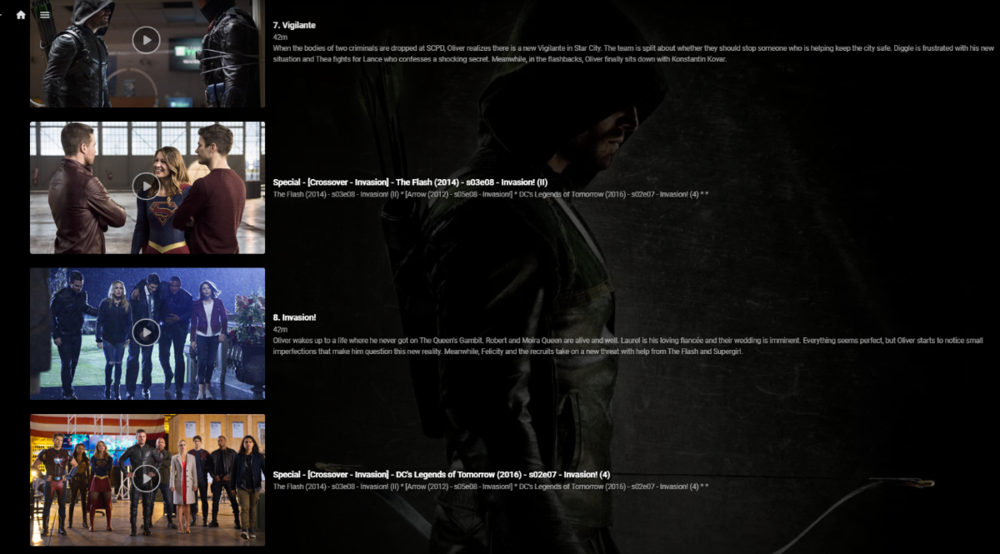
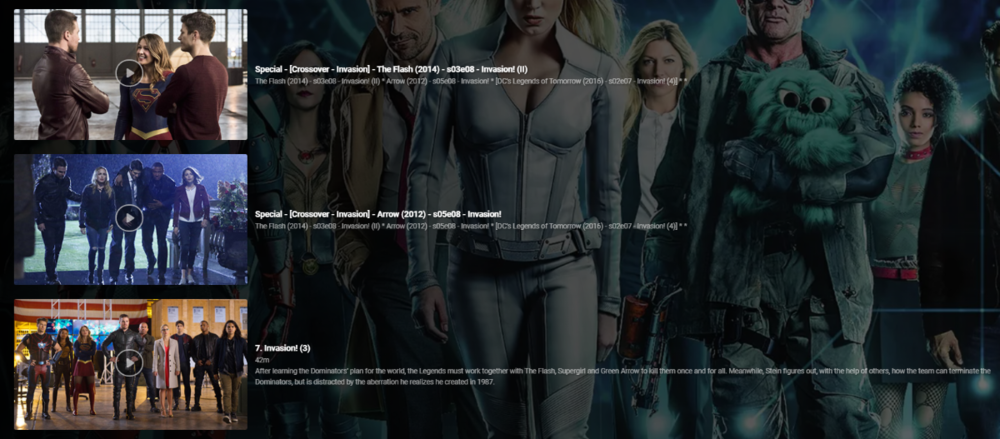
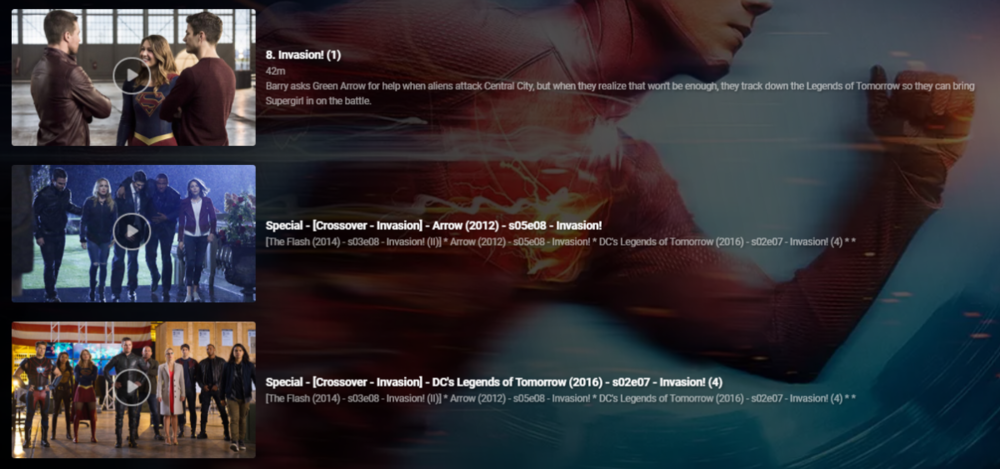
 1 point
 -
Is there anyway to set a default action for the "After this plays, do you want to keep playing or clear the music you previously queued?" question that pops up every time I click a song to play? I like to jump around my music and this is really annoying to have to click clear or keep every time.1 point
-
FROM THE OFFICIAL REDDIT THREAD Thought I'd share. This is a great resource for Emby and hopefully in the future it can be implemented automatically.1 point
-
Need extra settings for media content that don't have available primary posters. Emby will pull a screen grab from the video file if the meta data doesn't include a primary image. This is all done in the background with no options to change the behavior. No Poster content Option for using a generic placeholder Specify user-defined image to use Provide more options for screen grabs. Specify a location in the video or random location Also please don't take 5 years to implement thanks1 point
-
No is should be transparent, but you could always make a backup of your C:\Users\username\AppData\Roaming\Emby-Server folder. As that is your current install.1 point
-
Just run the beta installer to convert your current official release to current beta. You can not downgrade after doing this. Once 4.6 is released you have to manually run the installer for official version to revert to official release cycle. https://embydata.com/downloads/server/beta13/setup.exe1 point
-
What platform is your current install?1 point
-
Unless this is something you need now, I would wait a little longs as my understanding is 4.6 it getting really close to release. ما لم يكن هذا شيئًا تحتاجه الآن ، سأنتظر قليلاً لأنني أفهم أن 4.6 يقترب حقًا من الإصدار.1 point
-
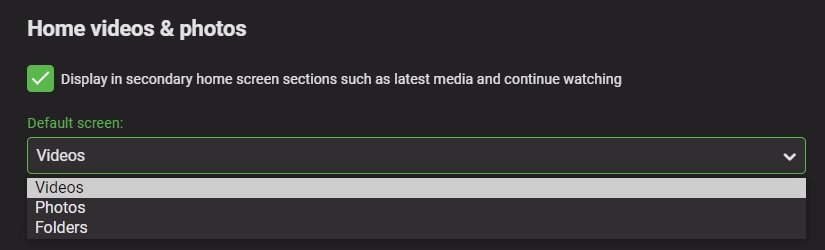
Yes, this option will be available in the next server release 4.6+.
 1 point
 -
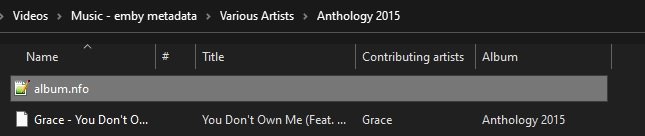
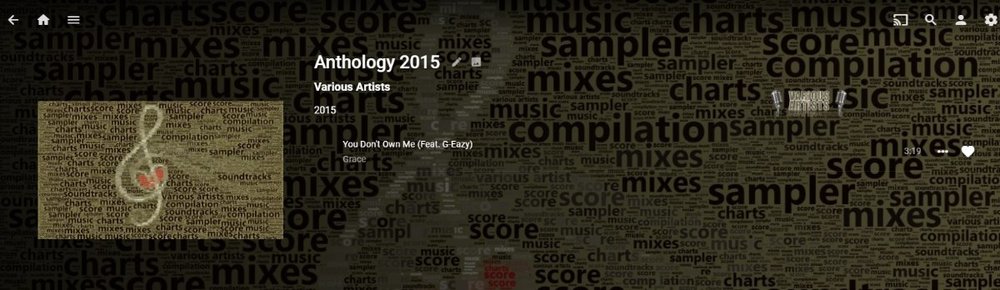
Testing the one track mention in 4.6 worked fine for me.
 1 point
 -
Hi. That isn't really correct... Disable the screen grabber image provider in the library and that's what you'll get. You can do this now via "Edit Images" This is the only one not possible now. I thought there was an existing FR for it but I cannot find it...1 point
-
Hi, it looks like you just answered your own question?1 point
-
Hey, So maybe Luke or another dev can comment on this. Is there a progress report on audiobook support? are you actually working on audiobook support? We have been begging for this for years, a little feedback from a dev would be nice.1 point
-
You know that on the server you can change these for each user fairly quickly. Otherwise, look in config/users on the server where Emby is installed. Each user folder has a policy.xml file with these settings. You must shutdown the server before changing these and I would recommend taking a backup first as you can easily make a mess. This is not a recommended way of making changes. To be honest, I think it is quicker to do this on the server in settings (tick three boxes and hit save) for each user than editing lots of text files and possibly making a mistake.1 point
-
The automatic download of forced only subtitles (and to the name as .forced) is something I've been battling with for sometime. The best solution I've come up with thus far is to use Bazarr - but even that doesn't seem to pick everything up properly. I think the key issue is the quality of the 'forced' tagging by the sub providers - it seems very hit and miss. btw - I believe there is a Feature Request for this to be included within Emby .. edit - here it is - https://emby.media/community/index.php?/topic/81395-add-forced-subtitles-only-option-for-automatic-subtitle-downloading/&tab=comments#comment-830248 please 'Like' to add your support..1 point
-
Kodi will be using this directplay method - so if this works for Kodi, it should work for Emby..1 point
-
Yes - the fact 8096 is responding is good - it means your port forward is working and emby is responding. The other good news is you do not have CGNAT. To note - You cannot test an external emby connection internally - unless you have setup some loopback networking. As you have found out - the best way to test is from a 3G/4G/5G phone with wifi turned off - ie a real WAN internet connection provided by your mobile. Enjoy ps - 8920 will only respond if you have setup HTTPS.1 point
-
I don't want to discuss the cause of the problem, as maybe I'm wrong. But the fact is, there is a problem when HEVC HDR content requires remux or direct streaming. It doesn't affect all content, I haven't been able to find the pattern, but a lot of HEVC HDR content shows green artifacts when remuxing or direct streaming. I don't know if it's the container, the demuxer or whatever, the fact that this has been a problem for years. Nothing to do with transcoding using HEVC as target, I don't ask for that. I'm just talking about remuxing and direct streaming.1 point
-
I'm trying my best not to get all surly...but this has already been documented in probably a dozen threads. The earliest thread is probably this one, but I first brought it to light a long time before that. And nobody paid attention to my talking about it (I can't find that thread). It's been reported in Android section, the server section, the roku section and the apple tv section, and probably others that I haven't seen. Seriously, I don't get paid for this. Go find them all. Most of them have screenshots. Maybe @Happy2Playcan collate them all? He's very good at tracking threads down.1 point
-
For Shield TV have you tried this? https://support.emby.media/support/solutions/articles/44002058112-shield-tv-direct-file-access1 point
-
What do you mean by if the metadata is with the media, doesn't that mean its stored locally?1 point
-
1 point
-
Hi. The Android TV app should be released fairly soon - depending on how long Google takes.1 point
-
So lets get down to the bottom of this problem. Everyone is asking that we have a way to disable the camera feature completely on server side. Which i also agree should be an option. I live in Canada but my family is down in NJ. But its not like i can drive there and show them how to disable that feature on their phone or tablets. And my dad is not very tech savvy at all. It would make it very easy to have this feature server side. Yet i still don't know why in 2 years of yes we will add that it still hasn't been put in. Seems like a very easy feature to add/or maybe even remove completely. Please feel free to explain.1 point
-
The issue is (at least for me), which I made in the first post, that having a link that goes directly to the music section is not a solution if you can find your way out of the music section. This is an issue of getting family members who aren't au fait with technology getting frustrated because they've ended up inside "some location" of the app and can't find their way back to music. Once this happens, they simply stop using it. This is where Plexamp actually kicks ass, it's a music player, it plays music, it doesn't do anything else. It's hard to get lost inside the app, and if you do, you know that the user is lost in the music section because there is only a music section. Emby is a complete no go as a music player app in our household. I'll admit, when plexamp first came around I was a plex user for video and music and I was a bit peeved that they'd "wasted" time on a standalone music player, but i was wrong, it was one of the few feature "hits" that they got right. It's very simple to use and it's very pretty. I was very wrong on my first thoughts about the application. I'm a software developer, I have been professionally for 30+ years. What I might think is simple for people to use is not necessarily true, programmers tend to think differently. how many times have you as a developer discovered first hand that end users use software differently to programmers. How many times have you fully tested a feature to exhaustion and given it to a user only for them to find a bug in a manner of minutes.1 point
-
The problems of HEVC streaming that remux requires would end and we could have support for MKV HEVC direct streaming in the native Apple TV player.1 point
-
Please don't post list of public hdhomeruns in the forum.1 point
-
1 point
-
Gracias, me estaba volviendo loco buscando por los menús y ya lo solucioné gracias a vosotros.1 point
-
This is a big problem, so I advise my family and friends not to buy Samsung TVs. From time to time I have to go to my sister-in-law's house to update the application manually in hers Samsung TV because it has expired and in times of pandemic this is a problem.1 point
-
Go to your guide or channels tab in web browser and edit the channel. IE 3 dot menu on the channel in channels tab. Edit the metadata for the channel and add a TAG (kids, news, sports, movie, etc) that you wish to use. After adding these tags you can filter by them to only show NEWS channels, movie channels or sports channels or whatever tags you setup. Let us know if that makes sense or if you need a better explanation and pics to show this.1 point
-
Live TV is presently going through a a drastic rewrite as we speak and some parts of it are in testing with a few alpha testers. This new Live TV does many things differently and most people using 3rd party tools will not need them. This new version when released will do a lot (if not all) of what you need.1 point