Leaderboard




Popular Content
Showing content with the highest reputation on 04/10/21 in all areas
-
Why not pull a log in the current not synced state, reboot Kodi and pull a second log after Kodi is synced and send them both. That way @quickmiccan check and compare both.2 points
-
Personally, the lack of this feature made me switch to plex with a broken heart after 5 years of Emby and a lifetime license. But for tv shows, skipping intros is mandatory once you are used to it.2 points
-
Hi there, thanks for the feedback. We are working on improving the store app and unifying the experience between the two.2 points
-
I am looking to see if a SAML2/OAuth plugin is something others would use. I myself would love this feature to share Emby publicly with family members and friend and worry a little less about insecure passwords that some may use. I personally am a big advocate for security as I work in IT and see how a lack of good security can cause havoc. I love Okta and what it offers. Anyone can sign up and use it for free under 1000 users if you sign up as a Developer. That is just plain awesome. Let's see who else is interested. I am excited to find out! Thanks1 point
-
I know the answer to this is probably going to be no..... ...but.... A standalone music player for iOS would be very useful. Trying to get the wife to use the full client for music is just not happening. Something that was simple and intuative and quick and easy to use would be killer, something like spotify. The simpler the app is to use, the better. If all else fails, I have a project that's on the back burner that was an iOS music player for subsonic, but I could always target emby as well. It had an spotify a-like interface. Screenshot from as far as I got with the UI, it was playing back music from the server.1 point
-
Hi, I'm one of (I presume) many people using emby from a bi/trilingual background, and as such have TV Shows that often have more than one audio track (German / English / Japanese in my case). You can set your preferred languages for Audio Tracks in emby of course, but I would like to see this expanded a bit: It would be awesome, if you could set the default language for a Movie / TV Show / Season seperately on a per-user basis. For example, I might have a show with a German and an English Audio track, and our defaults are set to German (the language spoken in our household), but I personally might prefer to watch this particular show in English and my Wife and kids in German - right now I have to change the language every time I start a new episode, and it would be awesome to be able to save my preferences for the whole show attached to my user. Also, this could (and should) be extended to subtitles and display of the same - it would be awesome to have Anime shown in German to my family, but to me, in Japanese with enabled subtitles (embedded in the video), but disabled for them watching in German. Just my 2cents to make emby more enjoyable for a broader target audience - and thank you for your hard work!1 point
-
VERSION 6.2.22: Download link for manual update: https://github.com/MediaBrowser/plugin.video.emby/archive/refs/tags/6.2.22.zip Release Notes: https://github.com/MediaBrowser/plugin.video.emby/releases/tag/6.2.221 point
-
How do I make it so that each user has their own DVR TV Recordings folder/library. I have a separate user setup for my mother to use via Roku in tv in living room, want to give her ability to record shows...however, in my testing, it appears that their is only one global Recording path/folder. So any thing ever user set to record, shows up in that single folder/library, for all to see. I need to have her recordings separate from my own....I don't to see all her soaps...nor do I want her(or any other user) to see my recordings.1 point
-
So, I know Emby already has some multi-user settings and such, but one that would be useful to me is in the arena of recordings. I have multiple people who record shows in the house and for the most part, I don't care to see their recordings and they don't care to see mine. I would like to see an option to have recordings be user aware. For example... User one records "The Big Bang Theory" User two records "The Cool Kids" Users one and two both record "New Amsterdam" User One would see "The Big Bang Theory" and "New Amsterdam", but not "The Cool Kids". User Two would see "The Cool Kids" and "New Amsterdam", but not "The Big Bang Theory". "New Amsterdam" would only be recorded once using one tuner as the system would recognize them as the same. Now, User One watches "New Amsterdam" and then deletes it. They would no longer see it, but the file would remain on disk and would remain in User Two's list of recorded shows. User Two watches it, then deletes it. Now it is gone from both users recorded show lists, and because there are no references to the file on disk, it is now deleted as well. I'm sure this adds complexity to managing recordings and conflicts, but I think it would be useful.1 point
-
Emby for Windows Store is very light, consumes little battery (about 7% to view a 45-minute video), accepts Windows 10 touch gestures, is fully usable with touch commands but has some problems: No AC3 audio, the video is silent HEVC 720p videos often freeze Emby Desktop is good at displaying videos that Emby Windows Store cannot display smoothly but has some problems: it is very heavy consumes a lot of battery (about 25% to view a 45 minute video) has many problems with touch commands, you have to press several times to get the commands received the only interface that can be used on Surface Pro and Surface Go is that TV, if I use the PC or Tablet / Phone interface, all the text and icons become tiny it overlaps with all other programs and it is not possible to switch from one program to another or close it with touch gestures in Windows 101 point
-
i recently made some changes to channels in xteve and could not get emby to pick them all up. emby retained the channel groups of the old channels for a number. the only thing i could do was to completely remove the m3u and xmltv file, refresh the guide to clear it all out and add them back again. the good thing about using xteve is that none of my series recordings were disrupted. when i have previously done that through a manually built m3u i have had to re-setup all series recordings1 point
-
But it is not a Private address so it should never be Local. So this field is never honored? Not true as it works for 192 and 10 networks. So 172 is a problem network and needs work as there a two topics saying it is broke.1 point
-
Confirmed, only on TV-Shows. I'll fix it on next update.1 point
-
I have seen this issue only with TV Shows.1 point
-
i don't fine hdmi cec to be as reliable as that i will be buying another harmony elite to keep in reserve in case either of mine die1 point
-
nope, only stable version works... I'll try later on tablet.1 point
-
Thanks, I'll review it asap. I'm still working on nodes. It's a toughy1 point
-
The Emby server loads the index.bdmv file in the DB and therefore also reports this file to next-gen (and the old plugin). I haven't tested plugin in native mode, but the only difference would be the index.bdmv will be loaded in Kodi DB via native filepath. If Kodi can deal with a index.bdmv, there is probably a chance it could work. However, please perform tests yourself, or you have to wait. Frankly this edge case has very low priority and if I should do all the testing here, it will be queued.1 point
-
Bon j'ai réussi autrement, J'ai renommé le dossier de NARUTO autrement. Du coup EMBY l'a ajouté sans savoir ce que c'était. un dossier dans EMBY sans aucune métadonnées. Du coup j'ai mis "identifier" et j'ai donné la référence TVDB et c'est tout bon. Mais pour ton aide !1 point
-
Well now it turns out that it didn't find the new episodes even on a restart. I can see 3 shows (Blue Bloods, B Positive and Clarice) that have new episodes that haven't synced to Kodi. 1.log is before the restart. 2.log is after. 2.log 1.log1 point
-
Lol...you beat me to it!1 point
-
Yes it was a fresh installation of Kodi and emby-next-gen beta. I tried another time, but this time I used Emby standard repo (non-beta) and it works! There must be something wrong with beta version (it required Kodi restart and there was no wizard on first start). Standard version (5.1.17) works just fine. Thank you for your help.1 point
-
Hi. These aren't "dual layer" PGS subs - they are multiple PGS subs displayed simultaneously. This is still an outstanding issue.1 point
-
Hi. Where did you send that message and from what email address? We're sorry you are not able to subscribe any more. Do you feel you should get all the features for free because you once subscribed? We work very hard on Emby and it costs quite a bit every single month to keep it going. We appreciate all of our subscribers' support.1 point
-
Sorry, I'll fix it! I see what I did. EDIT: I believe this has been fixed now1 point
-
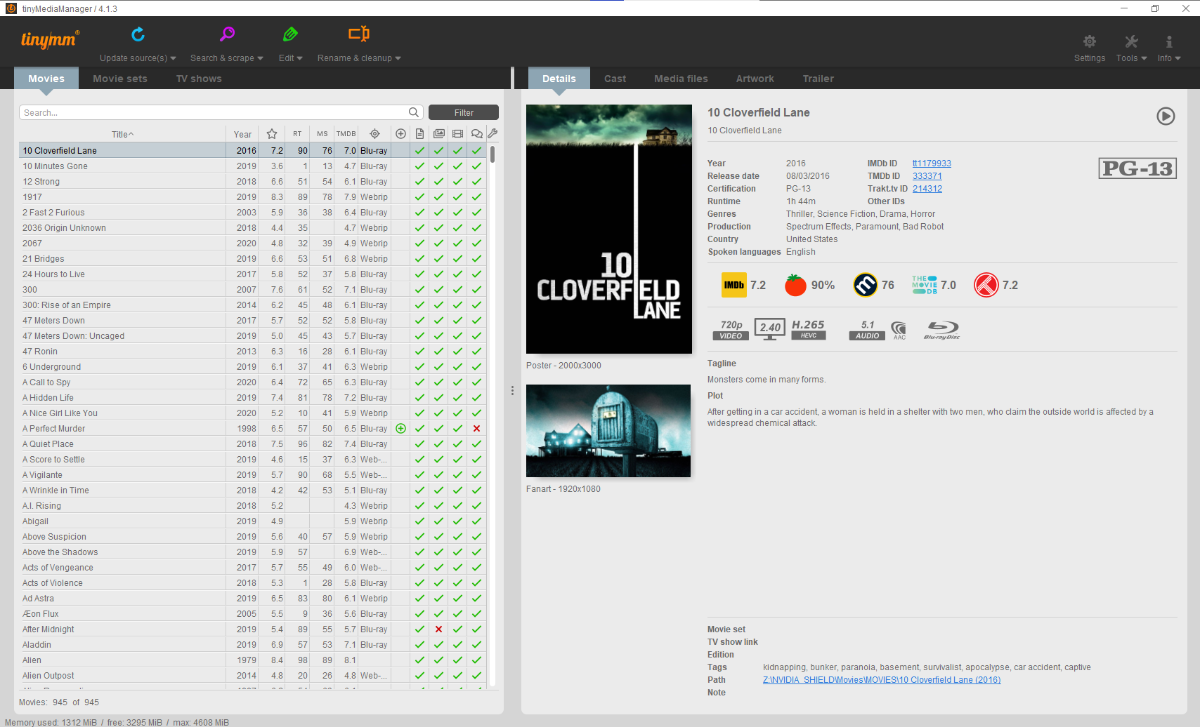
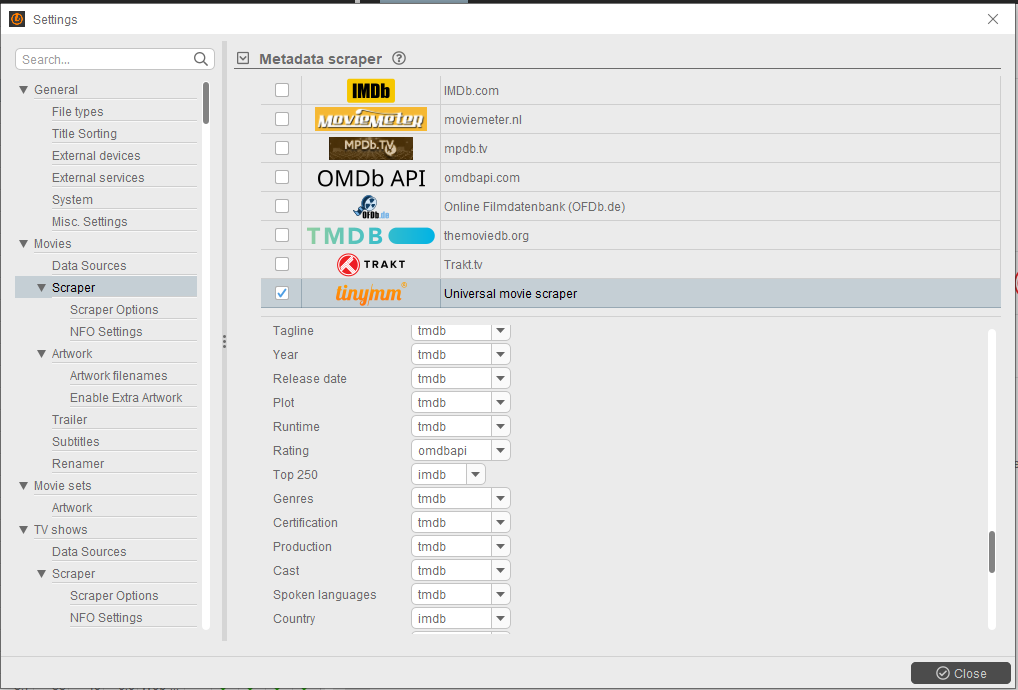
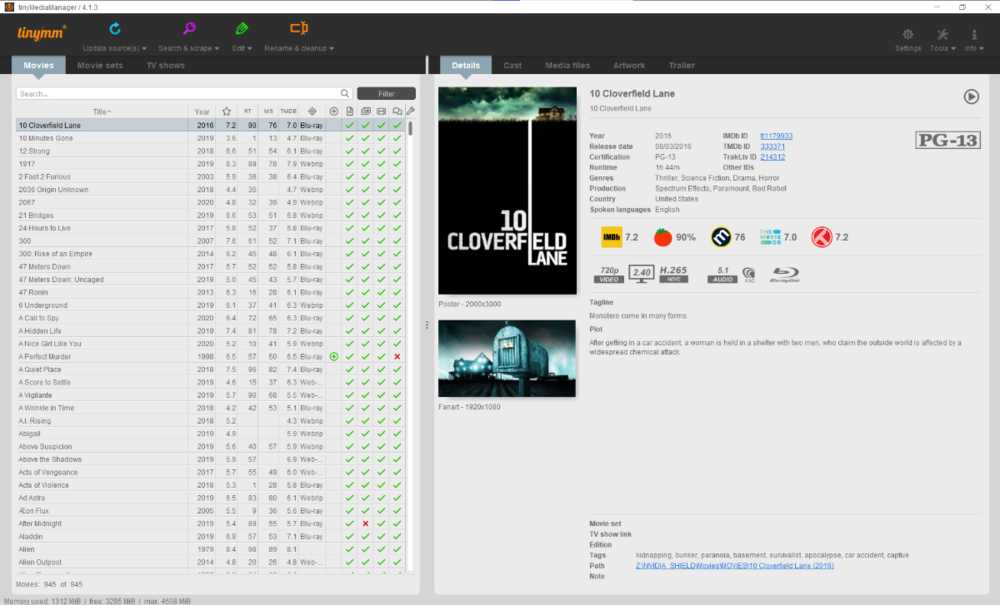
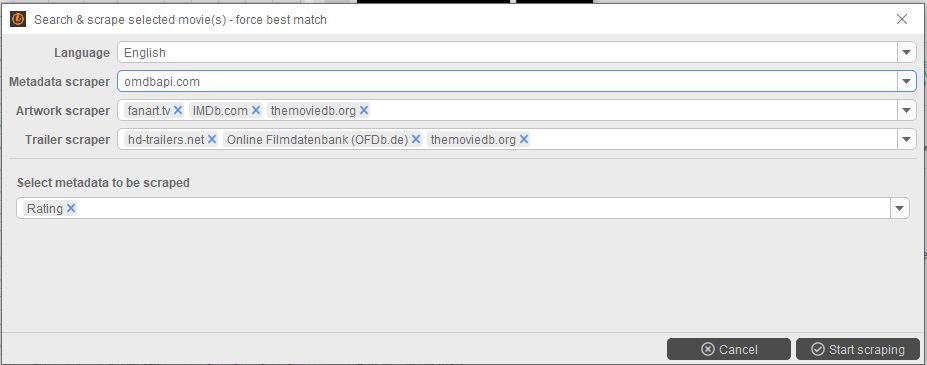
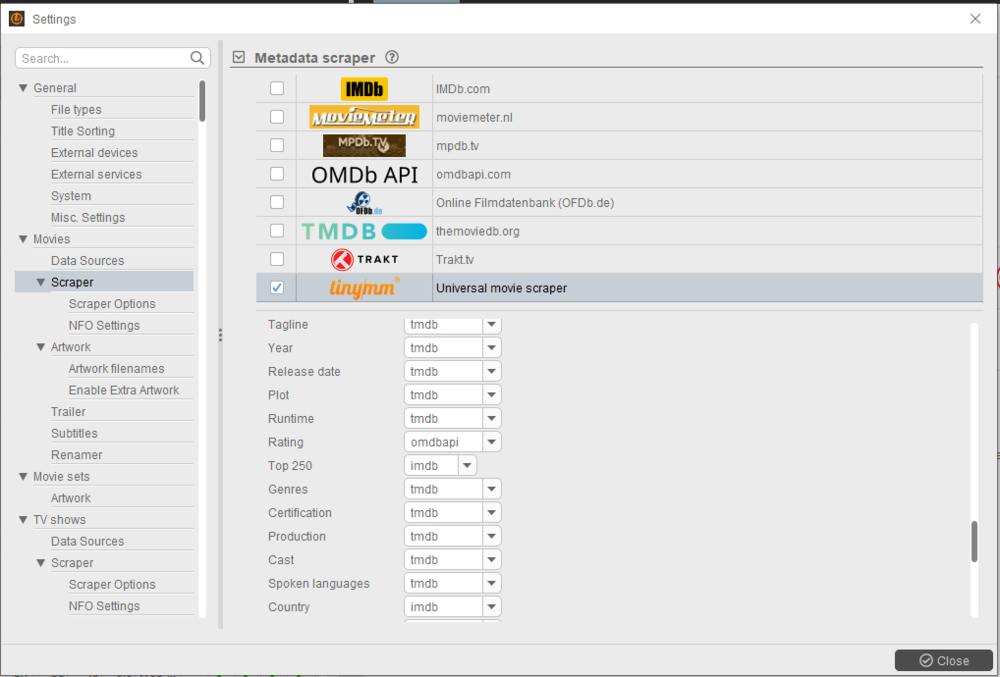
It surely does, via OMDB Api. Either scrape only Ratings via OMDB: Or scrape with Universal Movie Scraper in which you can fine tune each category provider:
 1 point
 -
Really, really badly want this feature. For some reason Plex selects the correct subtitles for my anime series. But Emby always selects the wrong ones. I.e, two subtitle choices are "English Signs" and "English Dialogue", Emby selects "English Signs", meaning I have to change it for every episode. Plex however, for whatever reason, appears to pick English Dialogue. I'd love to be able to universally select subtitles for an entire series or in the automatic selection tab, be able to specify "Dialogue" tracks over others.1 point
-
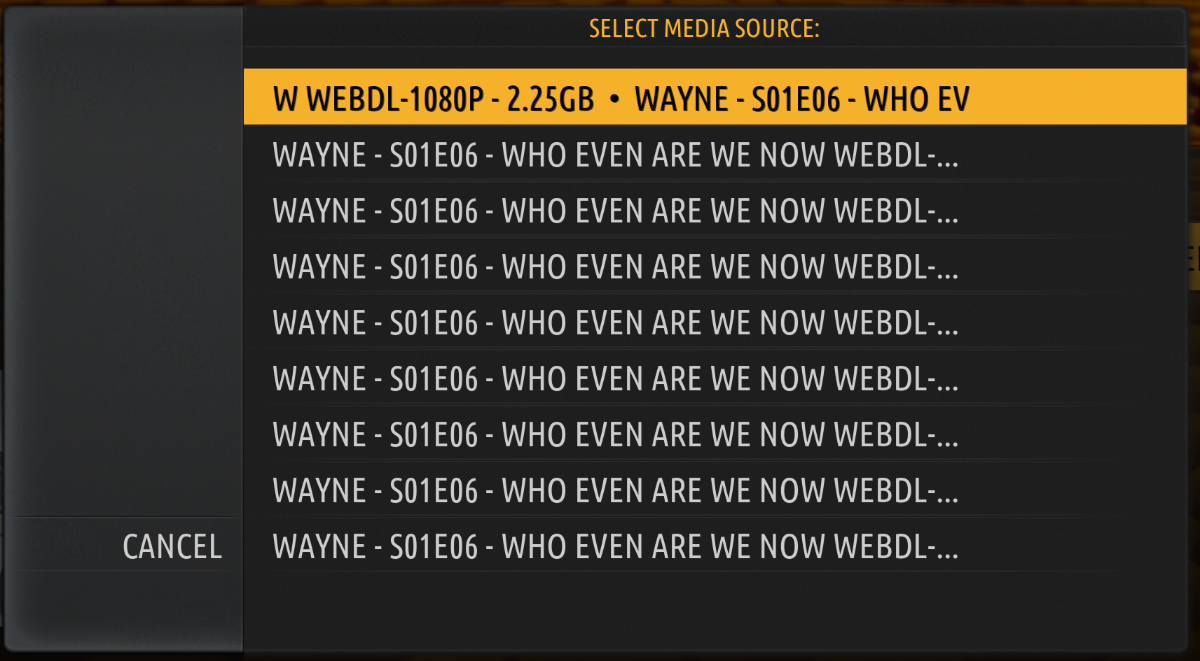
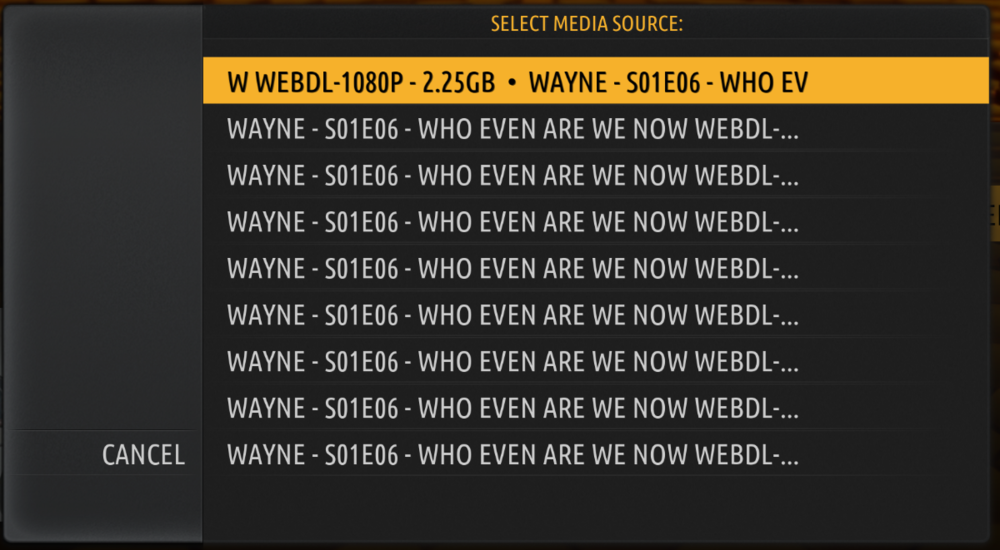
Its a very strange problem. Is it reproducible, yes, in a way. Right after I read your message, I manually updated my library, and went back to the show. It did not prompt me to choose a media source. I then closed Kodi, opened it back up and then I had two sources to choose from. I did a repair, and I had three sources, I did another repair, and I had four sources. I did yet another repair, and I was back to two sources. *Shrugs* The show plays fine no matter what source I use. I initially noticed this after manually updating my library, but now that I see it being fine and then two sources after the restart, I am not convinced an update is doing this. A repair is definitely doing this though. I also want to add that while the Killing Eve was not prompting me that one time, other shows were still showing up to four nine sources. Its very random.
 1 point
 -
That is how I would interpret this also. But as ebr mentioned it can only be done in a specific sort order.1 point
-
Shutdown Emby and go to C:\Users\username\AppData\Roaming\Emby-Server\programdata\config\ScheduledTasks (path will be platform prevalent), delete its content as that is all your customized scheduled task. Start Emby and it will utilize its original scheduled tasks.1 point
-
Just a quick note about browser support: It seems that (at least in my case) "direct playing" videos with very high bitrate (>37 Mbps, such as "THX Genesis UHD" h.264 376MB video) don't work either on Edge nor on Chrome. No problem whatsoever playing same very high bitrate videos on Firefox. I also tried on Android Chrome vs Android Firefox to rule out a problem with my computer or with Windows, and same result (stuck on Chrome, OK on Firefox). Seems that browsers have some work to do: much audio work pending on Firefox, partly also on Chrome video work pending on Chromium based browsers Let me know if you find the same problems! Anyway... either way, there's not much that you can do on your side, other than recommend using the native Apps, though the WebApp can be pretty handy on some occasions. Cheers!1 point
-
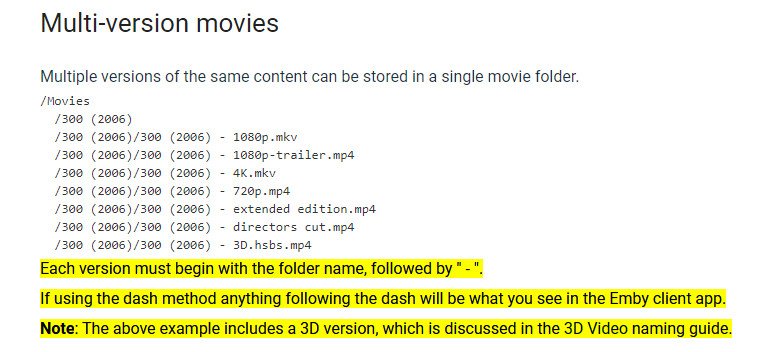
This is covered in the movie naming guide. In summary, your file names (before the extension) must be the same as the containing directory name, followed by a dash and then the text you want to distinguish them by: There is a similar convention for episodes of series, but it is not identical - only text from the first character that differs is used in that case, which can be a pain! Paul
 1 point
 -
The last post in that thread was less than a week ago: Paul1 point
-
OK je confirme, j'ai réinstallé la même version sur le Synology et tout est rentré dans l'ordre. Donc conclusion pour le moment : En cas de mise à jour du DSM de SYNOLOGY, il suffit de réinstaller la même version (qui doit redonner les bons droits) et tout est à nouveau fonctionnel pour l'accélération matériel.1 point
-
No, sorry I was very busy this week. I'll check it on weekend.1 point
-
Roku does not have a web browser. We cannot launch an intent correctly. For YouTube video to play within Emby on Roku would violate their TOS which states that you can only "embed" their video player (which contains their content) into your application. It is usually easy to do this if the application supports javascript. The Roku does not. This makes it impossible to embed. The only way is to pass the user into the YouTube application and launch YouTube into the trailer requested and begin immediate playback. After this trailer is finished playing the YouTube app does not return the user back into the Emby application where the user previously was. The user is now inside YouTube. That does not provide a seamless experience. It is clumsy at best. That clumsy behavior increases the "bounce rate" for Emby. The bounce rate is when users leave your application before playing any video. A high bounce rate is a sign of an application that does not attract users. It lowers your value to search having a high bounce rate. This puts you lower on the search results farther down in ranking. We do not want this to occur. The fact you are stuck in YouTube along with the bounce rate issue means this would hurt Emby more than it would promote it. Hopefully everyone understands.1 point
-
I would really appreciate to have a Director filter in the movie filters. Thanks.1 point
-
But what do you mean by a leak? A port being visible doesn't mean that it's vulnerable - only that it's necessary to ensure that it's secure. Paul1 point
-
How would this explain the same issue occurring for those already on beta having to update to a newer beta version just to remedy this problem? The common denominator is clearly DSM updates impacting Emby's ability to see Synology's hardware. Allow me to illustrate using my timeline: Emby server 4.5.4.0 working fine on DSM firmware 6.2.3-25426 Update 3. Update DSM firmware to version 6.2.4-25554. No changes to any Emby settings before, during, or after the DSM update. Immediately notice CPU spiking to 99%. Find that all hardware encoders/decoders are missing from the Transcoding screen. Update to Emby server beta version 4.6.0.30. All encoders/decoders return to normal, without any other intervention other than updating to Emby beta. Update DSM firmware to version 6.2.4-25556. No changes to any Emby settings before, during, or after the DSM update. Immediately notice CPU spiking to 99%, again. Find that all hardware encoders/decoders are missing from the Transcoding screen, again. Update to Emby server beta version 4.6.0.36. All encoders/decoders return to normal, without any other intervention other than updating to a newer version of Emby beta. Just as a means of showing that the DSM update is the culprit, I also updated to Emby server beta version 4.6.0.37 today and none of these issues arose again. I am by no means a developer of any platform, but I am unsure why these DSM updates, both major and minor, are not being highlighted as the culprit behind these problems that other users and I are experiencing.1 point
-
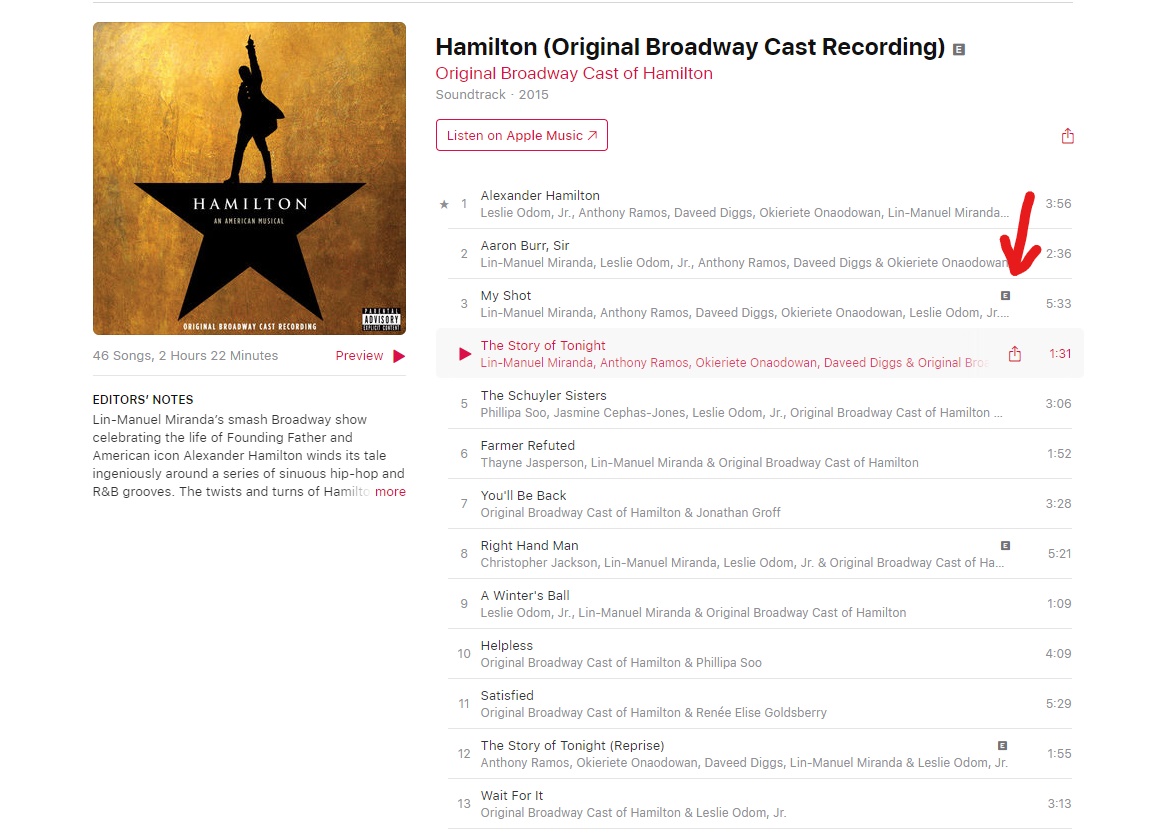
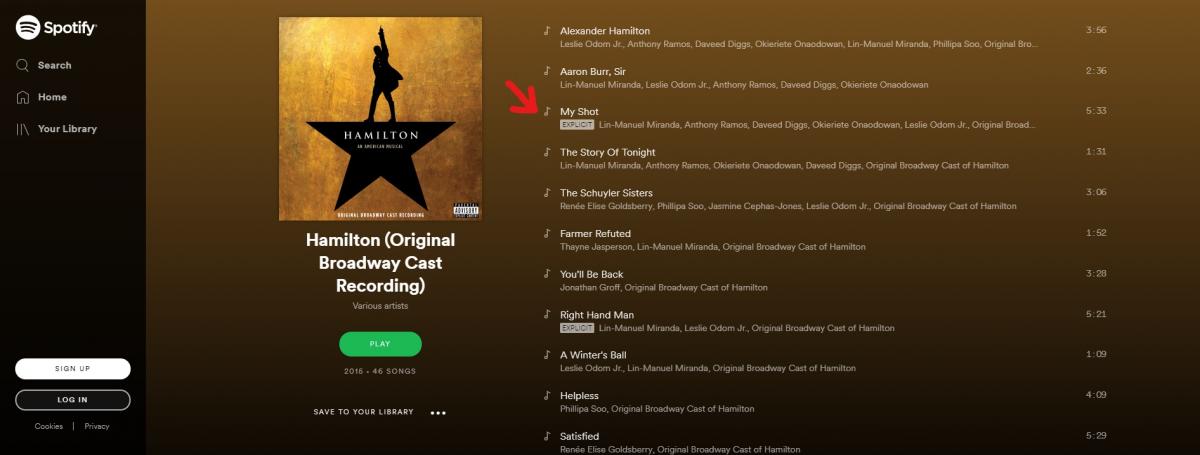
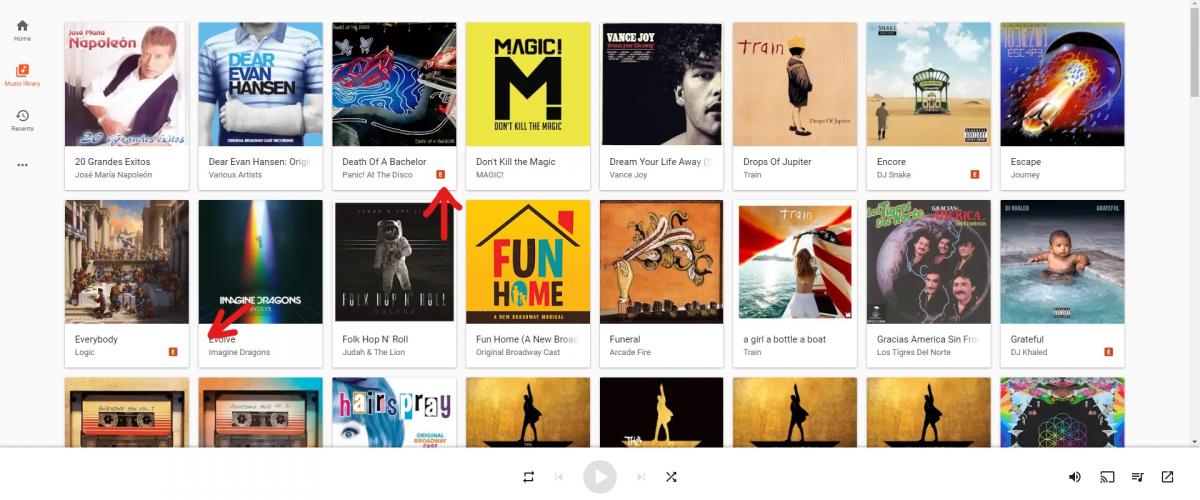
hey so i noticed that in most streaming sites like Spotify, Apple Music, and Google Play Music it has a small "E" icon (see images) by the album name and some songs marking if they are explicit. I was wondering if this feature could be added to Emby. Like either you mark it manually or the metadata scraper automatically adds it. This would help when knowing what songs might not be safe to play at all places and this could be an option when it comes to parental controls. Like if you don't want your kid or a user to listen explicit music then you'd be able to check not to allow explicit music. Anyway is there a way to add this?


 1 point
 -
I very much doubt that Emby will serve your needs.. There are multiple reasons for this: 1: 100 streams will tax most any reasonable network. 2: Few computers are strong enough to even simply direct play 100 streams at the same time. 3: Disk i/o will be maxed out. 4: If many of the streams are to remote computers even high upload speeds will probably be more than maxed out. 5: The Emby TOS does not allow commercial use and this "sounds" very "profession. There are professional streaming systems that will do the job BUT even those will hit some limits and you may need multiple upload slots to even make professional systems workable at this level.1 point
-
Hi, currently, no, but this will be possible in the future when we add a smart views feature to let you design your categories.1 point
-
There is only one provider so the only come from TMDB. I will test but have never seen this issue you are describing, I have never seen anything besides Trailers.1 point
-
Since some people can be both singers and actors, it would be great if the artist and person could be linked so we can see all of that 1 persons songs, movies, tv shows, and anything else that they've done in their careers.1 point
-
This is a known issue with CUVID HEVC decoding. It is fixed in the latest beta channel, where you're able to choose between CUVID (like in current release) and NVDEC (fix).1 point
-
I mentioned yesterday in another thread that I see this on the iPhone with the current beta. Paul1 point
-
Guess it's a no...1 point
-
3 years bump! Hi, I opened a feature request about the exact same thing yesterday but the ticket was closed because this one is still opened from 3 years ago. I'm currently running Emby Linux 4.5.0.20 beta and this feature doesn't exist. Is there any plan in the pipeline to have this feature? We need to be able to pre-select audio/subtitles for a whole series or season in one shot and have these preferences saved instead of these preferences only being remembered after you've selected them individually on each video file. Please give an update on whether this idea is being considered or not and why. Thank you!1 point
-
Im using the community plugin version now and the error is gone.1 point