Leaderboard




Popular Content
Showing content with the highest reputation on 04/05/21 in all areas
-
Not really all that strange. You have to consider that many of the contributors to these add-ons do so of their own volition, as part of a hobby or professionals who just decided to make a little improvement to Kodi that suits their needs and were kind enough to share it with the rest of us when they didn't have to. Much the same as the fine folk who took the time to work out what the unofficial fix is to get it going on Matrix and even prepackaged a fixed version for the rest of us. I'm sure sulfared has a life outside of this place and that takes priority.3 points
-
Hi, I’d love that audio and subtitles choice would be saved per show, according to what you select on the last episode you watched. The main audio/subtitles parameters is a good point but there are many cases it is not enough and you need to adjust audio and subtitles at the beginning of every episodes. For example i like to watch Casa de Pale in Spanish with french subtitles, The Big Bang Theory in English with french subtitles, French TV shows in french without subtitles, ....2 points
-
With the multiple versions feature you get a pulldown in the web client to select the version. When you do, the other pulldowns for audio tracks and subtitles also change for that version. However the duration and the Ends At display remain the same even though the versions have different durations. Would it be possible to have those two fields in the display change with the chosen version? Thanks.2 points
-
I'm for it! As for those that don't want it. You can always right click on any live tile and click more then turn off live tile.2 points
-
If this is ever considered, PLEASE make it optional. I get that there are probably people that like it, but myself and my entire circle of friends/family despise when Netflix autoplays pseudo-trailers and that "often inappropriate to the title" royalty-free music. It's especially irksome late at night since some of the music is ridiculously loud or boisterous (go from "muted dramatic tones" to "bright orchestral piece...c'mon). I've since made a game out of browsing Netflix: try to read the summary and move to the next title faster than the video/music loads. When I'm not in the mood for the game, I just use their web interface to browse instead so I don't have to deal with it. That preload/autoplay functionality on a title's detail page is irksome too...why even put a summary and abbreviated cast list there if it's just going to fade out in seconds? May as well just play the video when it's selected from the main screen, same difference. Sorry for the rant and my intent isn't to rail against a feature you like, but it's one of those things that people seem to either love or hate with very little grey area (as you can probably tell...lol). Thus, making it optional is really the best compromise should it ever get implemented. It's just one of those "features" of Netflix that personally drives me insane and makes me question if I even want to fire up Netflix every single time. I really wish Netflix would make it optional, but they never walk back on any new feature for the first year (at least and if ever) no matter how many people complain (remember non-optional series autoplay?). Also, from a usability perspective, it does slow down navigation on some devices thanks to the video player process having to start each time (not to mention wasting bandwidth).2 points
-
this worked @LukeLuke its working now, just to re map1 point
-
For me, at least, it seems so. Paul1 point
-
Thanks very much ---I'll give this a look. I thought I was pretty savvy on this stuff .... this has been a humbling experience. Cheers toolmanz1 point
-
@Ruttus if there's still a problem at that point then please attach the emby server log. thanks.1 point
-
Thanks for the feedback !1 point
-
Correct as that is the only html client.1 point
-
That's what I would love to see myself. I mean, I would not really use the editing feature. I would just like other players that to be able to access the playlists.1 point
-
Screenshot + cut & paste1 point
-
So, set it up so if we create a new playlist in Emby it would actually generate an m3u that we can also edit with notepad? That would be great if that's what you're saying.1 point
-
Yes please allow live1 point
-
https://github.com/XMLTV/xmltv/blob/master/xmltv.dtd1 point
-
There is currently no way to do this.1 point
-
Hi. Not at this time but that has been requested. Lend your support here:1 point
-
A big NO, thank you. I find that atrocious.1 point
-
On the lastest experiment I am getting this error System windows 10/Matrix/ emby v5.2.06 ERROR <general>: ERROR: EMBY.database.database: type: <class 'ValueError'> value: '902eed47045b9cf24c2d8e6df6881b94' is not in list 2021-04-05 01:41:25.171 T:2760 ERROR <general>: EXCEPTION Thrown (PythonToCppException) : -->Python callback/script returned the following error<-- - NOTE: IGNORING THIS CAN LEAD TO MEMORY LEAKS! Error Type: <class 'ValueError'> Error Contents: '902eed47045b9cf24c2d8e6df6881b94' is not in list Traceback (most recent call last): File "C:\Users\Admin\AppData\Roaming\Kodi\addons\plugin.video.emby-next-gen\service.py", line 125, in <module> serviceOBJ.ServerConnect() File "C:\Users\Admin\AppData\Roaming\Kodi\addons\plugin.video.emby-next-gen\service.py", line 48, in ServerConnect self.Monitor.LibraryLoad(server_id) File "C:\Users\Admin\AppData\Roaming\Kodi\addons\plugin.video.emby-next-gen\hooks\monitor.py", line 150, in LibraryLoad self.library[server_id] = database.library.Library(self.player, self.EmbyServer[server_id]) File "C:\Users\Admin\AppData\Roaming\Kodi\addons\plugin.video.emby-next-gen\database\library.py", line 59, in __init__ self.Views.get_nodes() File "C:\Users\Admin\AppData\Roaming\Kodi\addons\plugin.video.emby-next-gen\emby\views.py", line 270, in get_nodes self.add_nodes(node_path, view, False) File "C:\Users\Admin\AppData\Roaming\Kodi\addons\plugin.video.emby-next-gen\emby\views.py", line 316, in add_nodes self.node_index(folder, view, mixed) File "C:\Users\Admin\AppData\Roaming\Kodi\addons\plugin.video.emby-next-gen\emby\views.py", line 372, in node_index index = self.EmbyServer.Utils.SyncData['SortedViews'].index(view['Id']) ValueError: '902eed47045b9cf24c2d8e6df6881b94' is not in list -->End of Python script error report<--1 point
-
Thank you for the link, looked through and noticed it saying about different browsers. It installed then with Firefox :)1 point
-
Did a little more debugging. It was acting strange with requests with a "Expect:100-continue" header. Based on this Stack Overflow, I added the following line to my Apache config and everything's working smoothly now. Thanks everyone for having a look. RequestHeader unset Expect early1 point
-
Yes, it looks like this1 point
-
So is it only with hevc with a very high bitrate?1 point
-
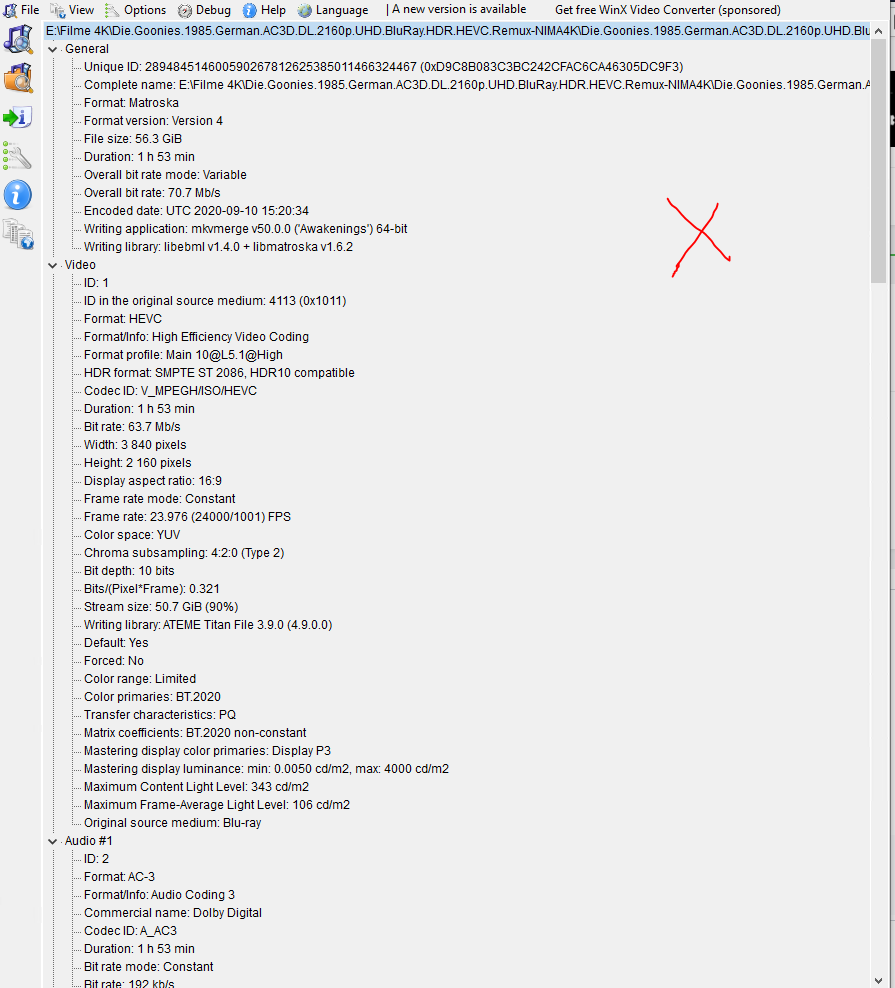
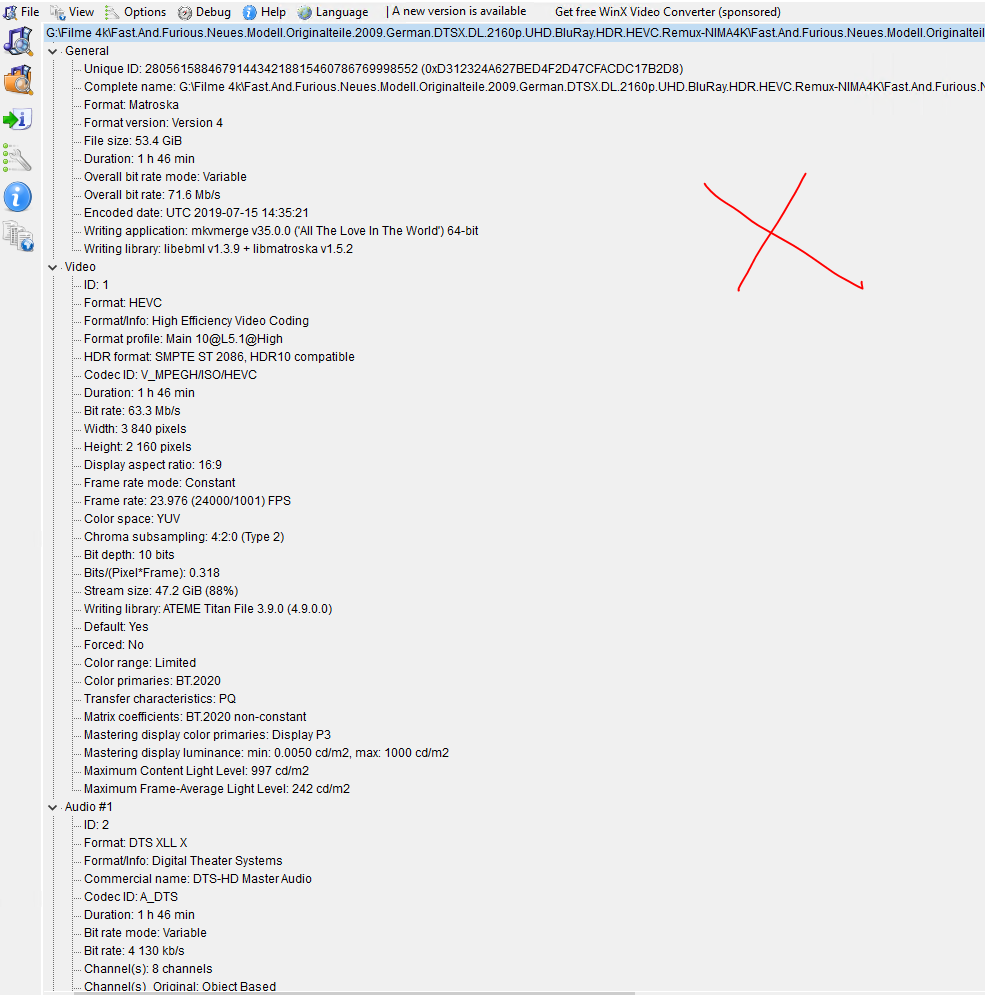
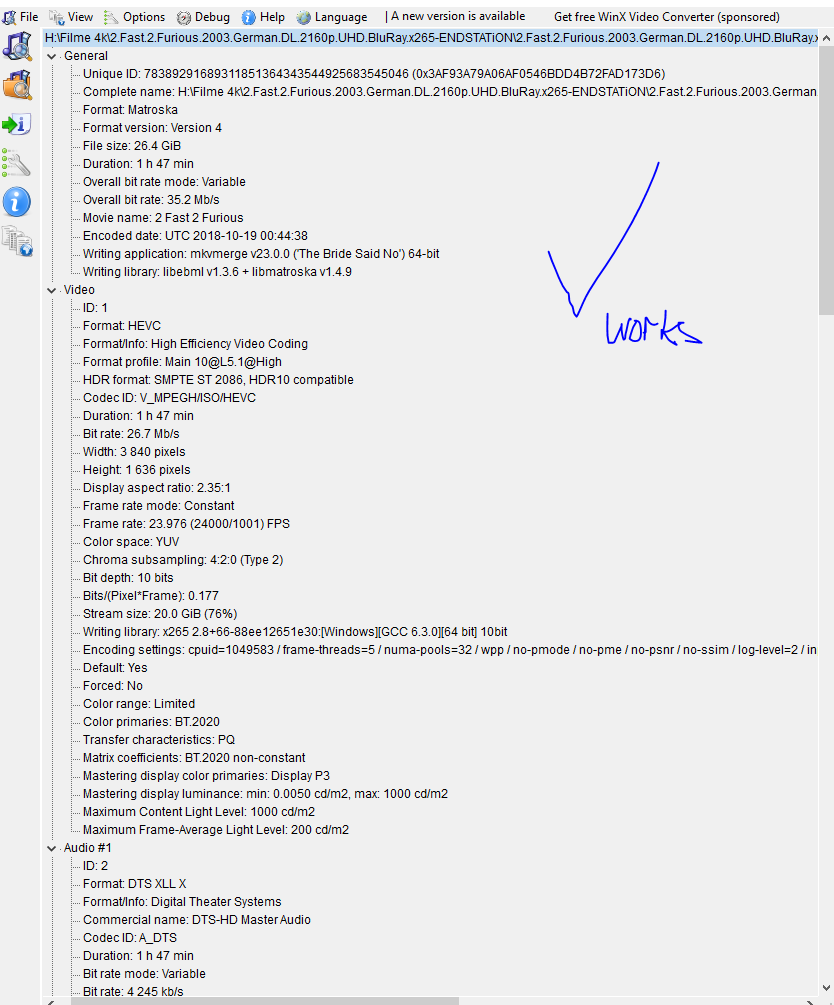
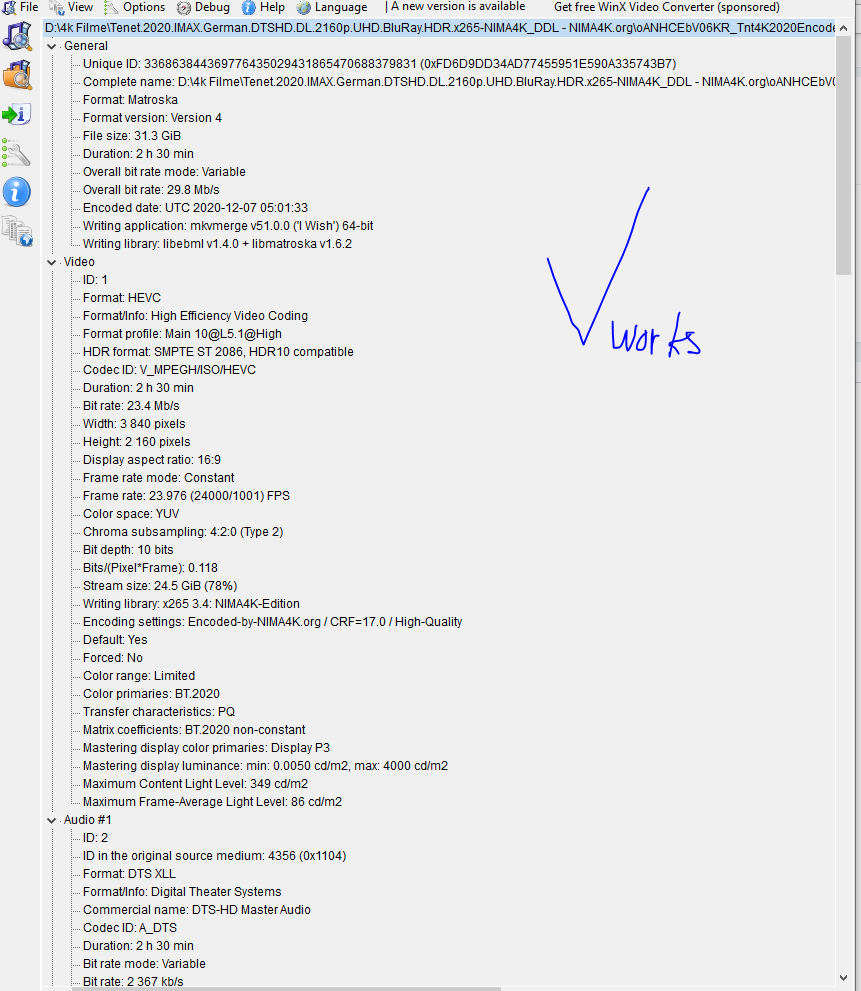
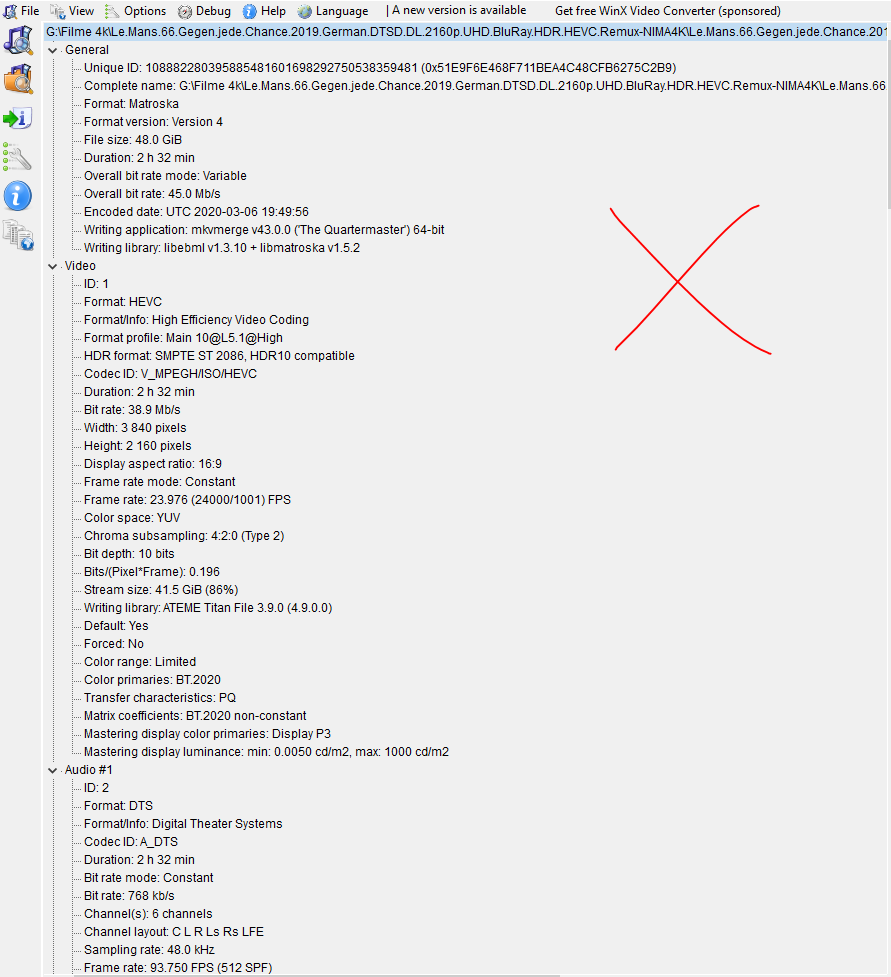
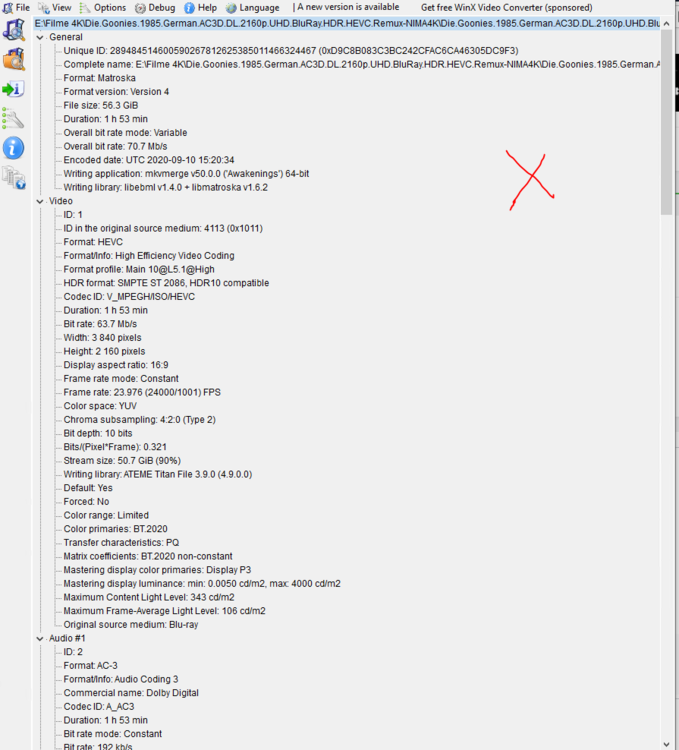
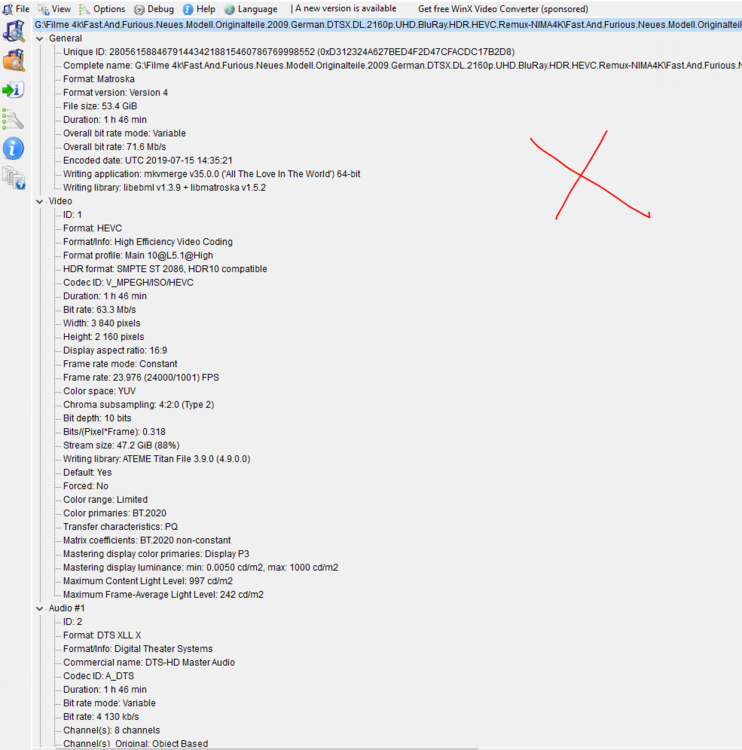
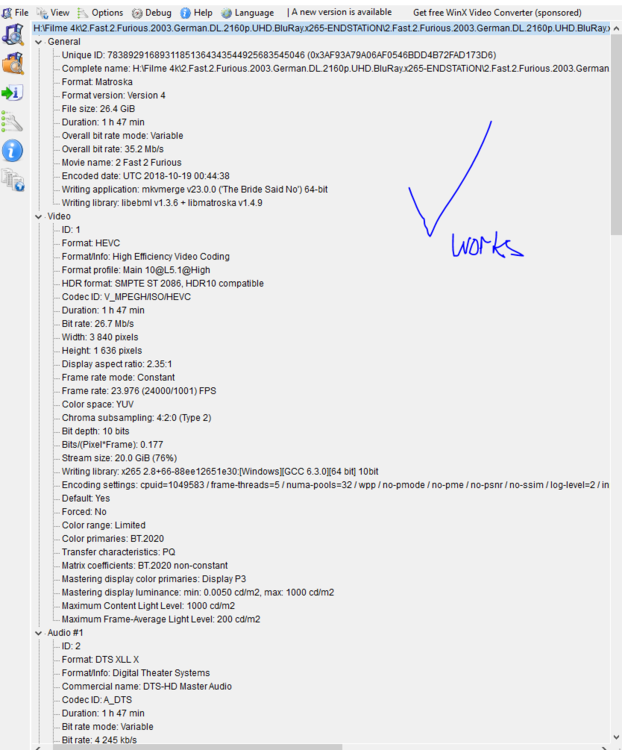
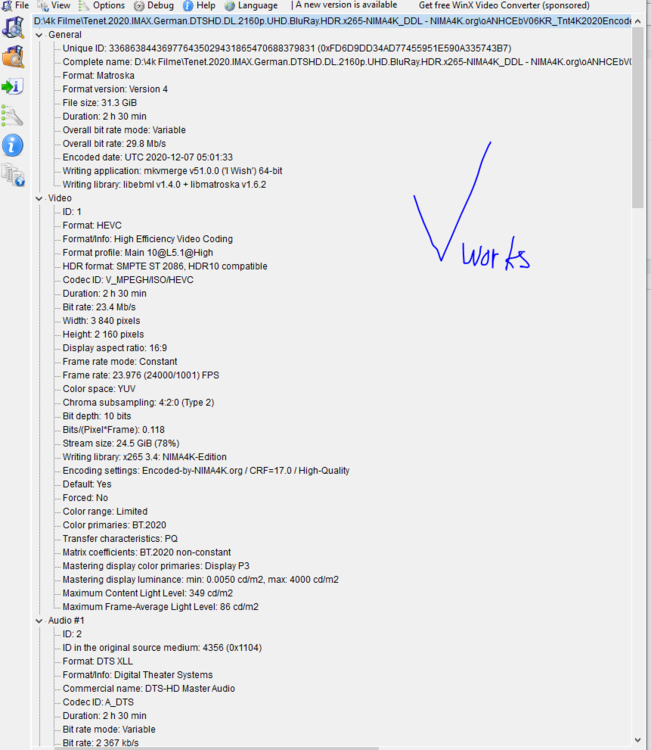
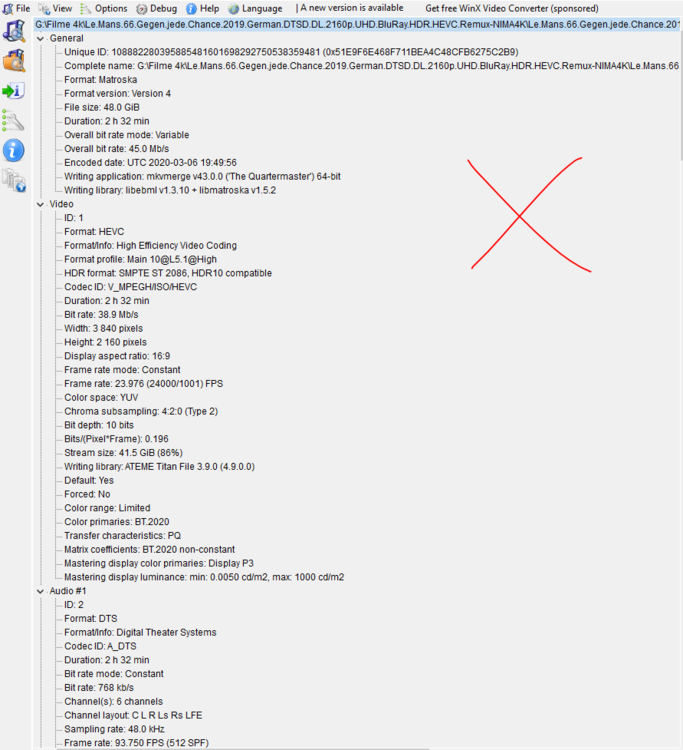
Hello thanks for your help, it happen only with hevc, but not with all hevc movies. In the case of the films where there is an X, the error occurs as a comparison which where it does not occur
 1 point
 -
Does that only happen with hevc input?1 point
-
Hi there, did you follow our hardware acceleration setup guide? https://support.emby.media/support/solutions/articles/44001160148-hardware-acceleration-overview1 point
-
I found an old topic discussing this but found no feature request topic so thought I would make one here. Series Next Up not showing Specials but viewing the Season does - Web App - Emby Community At the moment I am watching a series with many specials dotted in-between the episodes, for this reason I have grown to distrust the 'Next Up' tab as it will not show any specials and instead navigate to the Series folder and look within the Season itself to find my next episode (incl. specials). Hopefully one to think about for the future?1 point
-
Hi.. I don't understand the technical problems to add this feature.. I've emby configured to default the italian audio language so: - the file with italian audio are defaulted with this - the file without italian audio follows the file structure and order (ex Japanese only anime defaults to japanese audio and the first subtitle) Choosing a different default for every series or season can override the global default in the same way.. What I'm missing? Thx1 point
-
Hi. Glad it is working out for you and welcome back! Before Emby, I used MediaBrowser and before that (in like 2007) I had a 300 disc DVD changer.1 point
-
HDR Tone mapping when transcoding will be in Emby Server 4.6. Stay tuned to the beta channel over the next week if you'd like to help test.1 point
-
What is the criteria for a new release? How about, you know, the Release Date. We already have the data. If you look at all your movies you can sort them by release date OR last added. How is this complicated to understand? Sent from my SM-N960U using Tapatalk1 point
-
Actually this is something which is so obvious as to beg the question why it hasn't been implemented. Does the Dev have a partnership with the Timelord creator or something. I noticed he asks $6 to use his plugin. Has this not been implemented to help his revenue stream? Changing the added to date to the premier date works.... Unless you just added a bunch of movies and would like an easy way to look at them..... Which is now impossible. Sent from my SM-N960U using Tapatalk1 point
-
FULLY AGREED and well said my friend1 point
-
I also would like to request a "New Releases" tab on Homescreen and Suggested. I find it hard to believe this hasn't been implemented yet. It's cool having all your newly added movies available, but newly released is just as important.1 point
-
Hey peeps, Just a quick post as i am new to emby and in the middle of changing over from plex. when starting to add my movies to emby i have noticed that they is no tab for "newly released movies". when showing my family our new emby they all was asking the same and im very shocked this hasn't been already done, i have seen a lot of threads about this but i dont think people know what they are on about to a certain degree. ei sorting movie by date, using a plugin or spotlight etc, as you can see in the photo below from my plex server, i have NEWLY released movie and RECENTLY added movies, im not going to be buying emby just yet as i would like to test it for a bit first to see what its like. i love the amount of customization you can do along with the tv mode, these types of things smash plex outta the water. i would like to have my media server a bit like Netflix and emby is starting to do that very well but little things can go along way and really hope this gets added and maybe movie genres tabs too. ------- EDIT : sorry this was from my thread and have been pointed to this one as this one created first haha ------1 point
-
and i think this is why emby has failed at web app design, because designers here see mobile and tv apps as the same thing as web app design.1 point
-
Surely people know what it is when they launch the application called emby....1 point
-
-1 from me as well1 point
-
I personally can't stand "Live Tiles", so I'm with @@Waldonnis on this one. I wish YT never added them, as they are horrible, with no way to disable them. Sorry @@Pelon.1 point