Leaderboard




Popular Content
Showing content with the highest reputation on 04/03/21 in all areas
-
In 4.5 Artist does not come from local/folder structure. In 4.6 there are circumstances that it can be used. There can be multiple artists on a album/track but you have one artist level naming in said structure, so others artists have to be saved somewhere else. 4.6.0.7 - Music scanning rewrite3 points
-
With the multiple versions feature you get a pulldown in the web client to select the version. When you do, the other pulldowns for audio tracks and subtitles also change for that version. However the duration and the Ends At display remain the same even though the versions have different durations. Would it be possible to have those two fields in the display change with the chosen version? Thanks.2 points
-
Sorry if this is on another thread. Was wondering if there could be an option for watched media to not have a green check. Just an eye candy issue but I'd like the media cover art not to be covered with it. I'd just prefer to use the filter to see what is watched and unwatched. Thanks for all you do! I switched from Plex to Emby and found it to be a more beautiful and stable client!1 point
-
It occurred to me the other day that Emby's Movie and TV libraries treat watched/unwatched indicators in opposite ways. In the TV library, posters display a badge with the number of unwatched episodes on each series poster. No indicator means watched. In the Movie library, posters display a badge with a green checkmark when the movie has been watched. No indicator means unwatched. To summarize: TV: Indicator = UNWATCHED Movie: Indicator = WATCHED It would be great if these libraries could display watched/unwatched status indicators in a consistent manner. Personally I prefer the TV approach, where the indicator corresponds to an unwatched state, as it acts as a flag to draw your attention to something "new". So that would mean no green checkmark on watched movie posters, but instead something like a green star on unwatched movie posters. No change would be needed to the TV library behavior. Thoughts? Am I the only one whose OCD is upset by this?1 point
-
Hello. Would be great to be able to adjust subitiles delay in Emby Theatre or Web client like we can in VLC with "H" and "J" shortcuts (up and down). Thanks !1 point
-
Hi, your library settings related to downloading the subtitles are probably too restricting so you may want to review them.1 point
-
I wish it were that easy. You have to do it through their web form to request partner support. Then you can escalate your device and get the Beta firmware. The problem is Roku is adopting users into the Beta firmware that have never asked to be part of that program. They do not have enough Beta testers. So they go about silently adopting users and updating their devices. This caused the problem. We had to deduce okay it was a firmware update. Then figure out.. okay if you just use the Emby app they do not adopt you. They must have issues in some major app and if you use that app often enough you get adopted into the Beta firmware to help chase down issues as they watched your device crash. I am assume Netflix. People adopted in without being asked must use Netflix often. Roku wants to chase down crashes on Netflix using firmware version 10 they need users who use Netflix. That is my assumption and we get caught in the cross fire because Roku changed parts of their video capability reporting. The response of the CanDecodeVideo has changed. It no longer works like it did before. That caused the problem. We have firmware 10 now. The Beta application has been updated. What a wild bumpy ride it has been. A pot hole followed by a flat tire. It is our fault the tire went flat but it is Roku fault the road had the pot hole. If they had told us the pot hole was coming we would've fixed our tire. But this is all water under the bridge. History. We can now go back to comfort of watching on our Roku.1 point
-
For android devices that don't support av1 we embed a software decoder for it. We're going to switch to a different one that may perform a little bit better on android.1 point
-
ok, I know that ones. Probably I can inject the local trailers via sync. I've to think about it, cause the trailers must be updated on changed content. I've to perform a few tests to verify if it's possible to sync them together with movies (etc).1 point
-
It is in movie information and the "Trailer" button. And no I'm not using any nodes I simply put a trailer file into the movie directory and name it like below (for example): Moviename.mkv Moviename-trailer.mkv1 point
-
Look at the first post on the first page of this thread, their you will find always the newest experimental build.1 point
-
Experimental version always available on the first posting of this thread and must be install via sideload.1 point
-
All Emby is doing is providing unidentified filename since the information does not exist. I guess it could assume/guess everything after SxxExx is the Title. Just like you have to manually apply Airs During Season and Airs before Episode information if you want then to appear in specific season and position.1 point
-
Will be fixed in next version. Actually, this tooks 30 seconds Thanks for reporting.1 point
-
It's on my to do list. Thanks for the feedback.1 point
-
@quickmic Not terrible importend but the Backup function seems to be broken again. LOG1 point
-
Hi, I just sent it to Luke in PM. Thanks for looking into it. Cedric1 point
-
I believe we have this taken care of now. Can anyone with a device still on 10.0 please try the current beta of the app? Thanks! UPDATE: The beta is no longer necessary for this issue. Just make sure your normal Roku channel is up to date.1 point
-
New experimental version available: plugin.video.emby-next-gen-5.2.06-build 156 (ex26) I hope all progress update issues are fixed.1 point
-
The streaming is direct, and you can choose the limits (at the server, the user, and the client). If you choose to use Emby Connect, that only tells the client how to connect direct to your server, it doesn't do the streaming. Paul1 point
-
That is the dumbest thing I've ever heard! Poor design considerations from these manufacturers. Thanks for the great answer! I do have a follow-up question. Is it possible to install emby directly on my Denon avr? Or is there a emby only tv stick I can buy? I don't want all the smart apps in two different places.1 point
-
Confirming that after a week of use and several beta server updates where I had to run through this after each upgrade that I have encountered no issues with any functionality from this change.1 point
-
So now I just wanted to reproduce this in order to supply the contents of the browser debug console. I delete cache & cookies and restarted the browser to have a fresh session and logged in again. And suprise... the error didn't show up and it connected me to the server. Very strange. I've done exactly this before and it didn't help. Nevermind, I cannot reproduce this anymore. It's working now. Thanks anyway.1 point
-
Yes, thanks.1 point
-
Info: Latest experimental version still has issues with playprogress. I'm working on it...1 point
-
Removed my original post and have resubmitted as a new topic when I realized it was not as closely linked to this thread.1 point
-
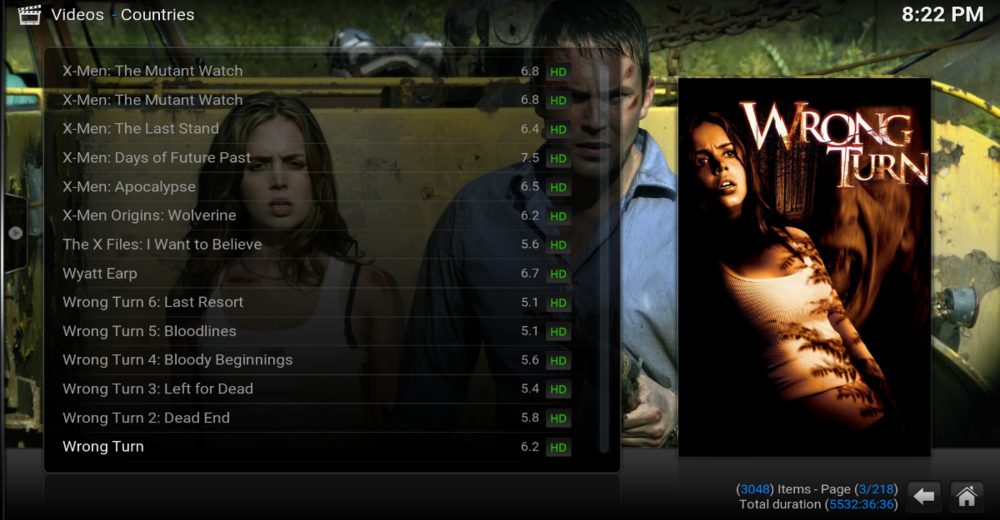
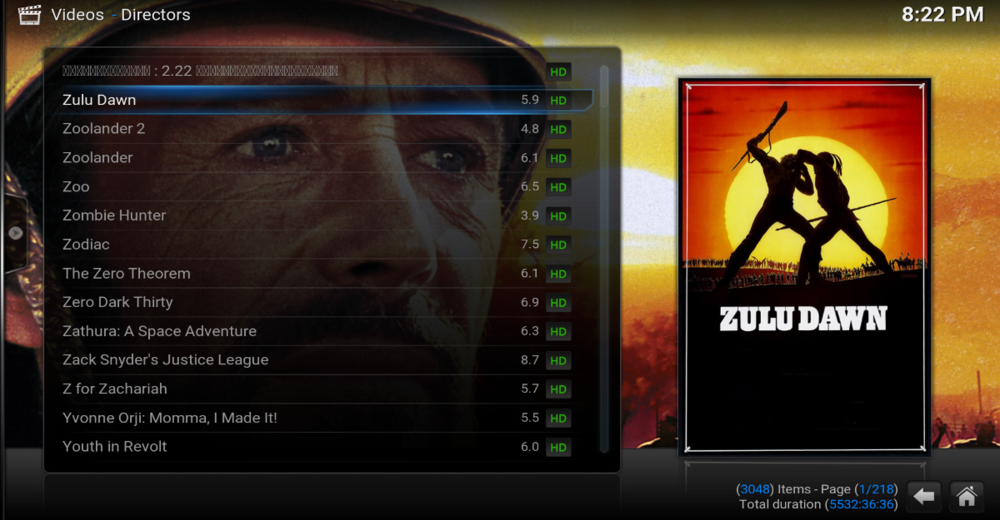
@Quickmic, I spotted a bug in the submenu for countries and studios, directors these three are reference to diff tag
 1 point
 -
There is something really going on, on your system then. All I did was drop dummy files in a flat folder structure with your naming and they were discovered by RTM and/or Library scan. Only thing I can think of is a database issue, but using new library/library paths should have resolved that. Minus setting up a remote session with @cayars, I am out of ideas. Are there any user access/parental controls being assigned to the user?1 point
-
@Abobaderwill take care of this for you.1 point
-
@rbjtech Have you seen this review of the Intel NUC 11 Pro. https://www.servethehome.com/intel-nuc-11-pro-review-tiger-canyon-nuc11tnki5/1 point
-
Yes, somewhere out here (probably in multiple places) there are discussions of just this issue. The thing stopping us from changing it is just that we've displayed things this way since the beginning and, in the past, when we've tried to change things that have been around that long it is met with a lot of resistance. I do feel we should eventually introduce some options to tailor this a bit better.1 point
-
That is incorrect. You can customize Sonarr view just about any way you want to show any information you want. Edit: To put things in perspective:
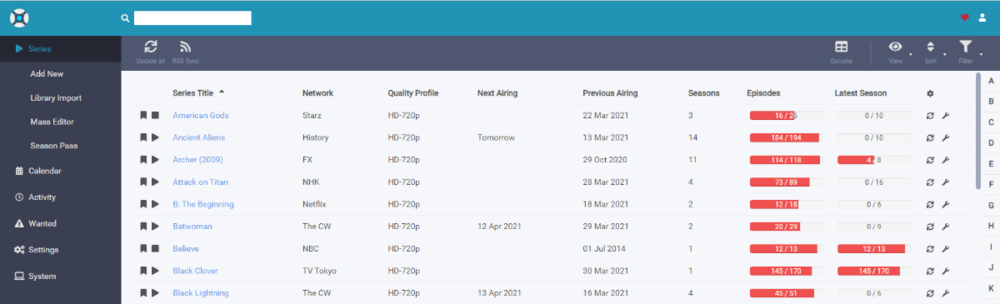 1 point
 -
The hd is : INTENSO USB3.0 5TB.1 point
-
Hi, yes, 204 is a normal and expected status code for some operations.1 point
-
Don’t think so. I change the layout immediately but it seems like settings is just at the far right or bottom like other skins. Am I misunderstanding the question? I’m out of town for a week so I’ll help with whatever I can until I get home to get hands on again.1 point
-
Can confirm this works on TrueNAS 12.0-U2.1 and Emby sees and uses mono 5.20 when running 5.6 beta. No issues with changing mono detected so far. Still testing functions.1 point