
Leaderboard




Popular Content
Showing content with the highest reputation on 03/21/21 in all areas
-
VERSION 6.2.22: Download link for manual update: https://github.com/MediaBrowser/plugin.video.emby/archive/refs/tags/6.2.22.zip Release Notes: https://github.com/MediaBrowser/plugin.video.emby/releases/tag/6.2.223 points
-
Using "Pre-Beta" build 5.2.03 things become to work nicely again. Testing/watching now for about two hours on FTV Cube, files with srt subs working and emby context menu is also working again. Nice! If I should help with some Logs for testing purposes, let me know.2 points
-
Thanks for the kindness. Yes, I code for Emby as a sidejob. No need to donate but very pleased for offering. Mostly I code on weekends and in the after hours. Always depends on the day jobs workload. Update: I'm still performing tests for the next release. I hope I can upload a new version in the afternoon. I also fixed some other issues beside SRT subtitles. e.g. the new content notification was broken since ever (also in 4.X versions). This should work in the next release. Also I'm tackling a threading issue. @TobyTentakel I think you know what I mean. I can reproduce the issue, I hope I find a solution.2 points
-
Hi Quicmick, Thanks as always, your efforts in keeping this app active is beyond commendable, I wish I to buy you coffee if only I know your PayPal account, I know you are doing this out of your freewill, also will encourage our lovers of e4k to do likewise as a token of appreciation. Cheers!2 points
-
Please read this post first. I was wondering if it would be possible to add something that would allow you to skip the intro to shows automatically while binge watching. When watching Netflix it does this for some shows, and im not sure if thats a feature of Netflix itself or a Chrome extension i use called "Flix Assist" but it would be a nice feature to have within Emby as well. and possibly even create a custom timed skip for specific shows1 point
-
Hi, This is a very similar issue to the one I posted about last year but didn't get resolved: https://emby.media/community/index.php?/topic/84524-streaming-issues-in-web-theatre-app/ Although I posted it as a live TV issue, it's actually the media itself that causes the problems. Basically, high definition content from a UK broadcast (either streamed or pre-recorded) won't play and causes the client to hang. This used to affect just Chromium web browsers but it now affects the Android mobile client too, since the switch to Exoplayer. I see Android TV is using Exoplayer too, but that client is able to fail over to transcoding and get the playback started after a long delay, whereas the mobile version now just hangs permanently like with the web browser issue I already reported. The cause seems to be the container: all of our OTA media in the UK is provided with a ts container, regardless of the codec or resolution. I have a hdhomerun antenna receiver and a Linux enigma satelllite receiver, both of which produce ts files from everything they receive. It's the HD broadcasts with 1080i or 1080p resolution and H264 encoding that always fail. If I load one of these problem files into Avidemux and make a copy with an mkv or mp4 container instead of ts (and without touching the encoding) then Emby will play the copy just fine on any platform. Please could this be looked at again? It's a much bigger deal now that it's affecting Android, because TV on a mobile device is one of our main reasons for using Emby around the home. I haven't attached any logs etc to this post yet, because there's a ton of supporting info in my old post above, including relevant media samples. I spent a lot of time trying to help work towards a solution last time, but it all came to nothing in the end. I also have iOS clients and, so far, there's stil no issues with those......but they still have libplayer at the moment. I know Exoplayer is supposed to be better, but not for this particular media. Could the server be made to switch containers on the fly as a workaround? Plex seem to have found a solution as they also use Exoplayer, but I'm not having any problem direct playing this media in their software (on the same devices). It can be solved! Please help.1 point
-
I'll have to look into that. With the current set of available data types which can be transfered between Python and Kodi core this is not possible. So there are two options: Extend the data types to support arbitrary dictionaries. Right now it's only possible to use dictionaries with key strings and either a string or a vector of string value. Pass the JSON data as a string and parse it again in Kodi core. Both have the disadvantage that the API is not very well defined because the API definition cannot enforce a specific layout of the dictionary or the JSON string. I have one question concerning your performance measurements: What properties are you setting using the ListItem.setProperties() method? That call is taking extremely long...1 point
-
Forgive me if this has already been requested; I couldn't find a thread specifically related. I think when a user downloads a playlist from a music library (on mobile devices), the downloaded content should be viewed as the said playlist. Currently, downloading a playlist results in all of the content within the playlist being broken up into its parent albums. This makes enjoying more than one downloaded playlist impossible. With just one, you can shuffle all of the separate albums for the same effect, but this isn't feasible as soon as you download a second playlist or other content.1 point
-
The issue was responded to, but was not actually addressed, the problem still exist. There doesn't seem to be a solution, I've just been "living" with it and keep having to go back and forth to have the guide re-appear.1 point
-
@Luke @quickmic should be a moderator of this kodi forum1 point
-
No it is not possible, that is what I was asking about above, you have all the info, I wonder if it would help if you could just set it all in one call or when constructing the ListItem. I suggested json as a way of passing structured data as I don't know how much overhead the ipc bridge adds for complex objects.1 point
-
Please disabled next aired plugin for a moment and test again.1 point
-
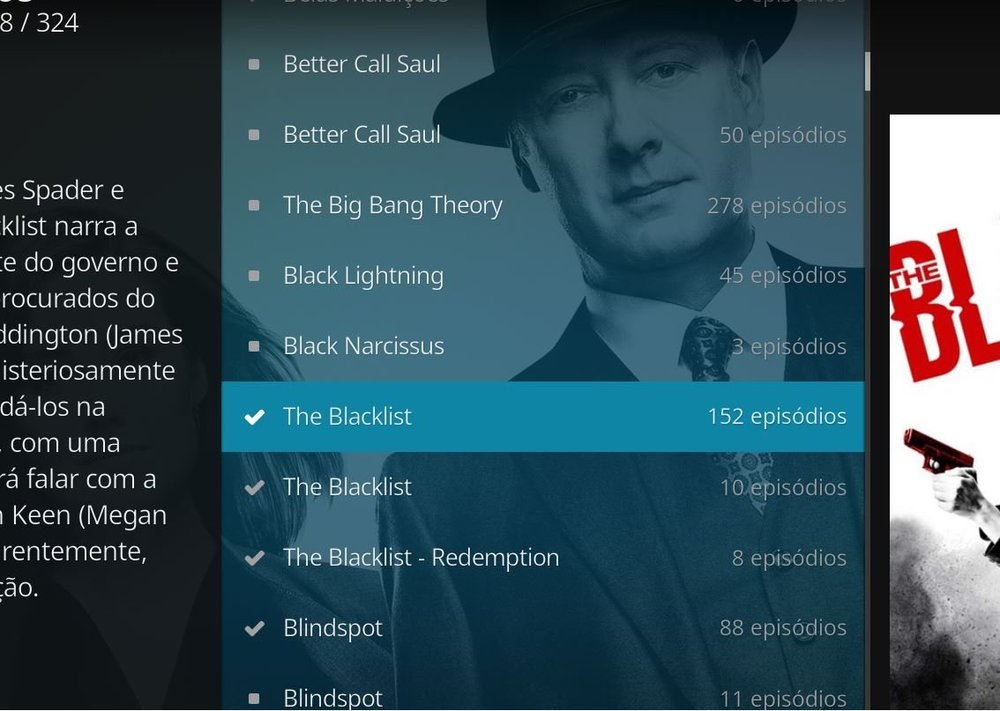
Synchronizing fast, now no longer gives errors when playing files to lock and close Kodi. The libraries continue to recognize it, even though it is not gathering all the seasons in the case of the series, but now they appear. Great evolution, when I correct the problem of the seasons of the series I can migrate to Kodi 19, I am just waiting for that. Good work and I appreciate the effort and dedication.
 1 point
 -
Yes that, but not on initial sync. Only on realtime sync. Emby server content is updated while Kodi is running. I only observed a reverse counting when Realtime updates were pushed while video is playing. While video playing, updates are queued. After playback stop, queue is processed and that's when it happened to my Kodi box.1 point
-
Progress, reverse counting... 100%...99%...98% Windows style ... I should declare it as a feature1 point
-
It should be the same as the official builds but with MediaImport as an added feature.1 point
-
I have started the Rockchip RK3399 build. It is the first time running that project so the depencies are being downloaded. It make an hour+ because some of the hosting servers are slow normally build Generic and Ras Pi 4, and I have builds for those. When the build is complete I will post it. Did you see the Kodi (MediaImport) builds in the link? There are builds for x86 / x64, ARMv7a / ARM64v8a and OSX / tvOS.1 point
-
Yes, also let me know if the connect to Emby server is still fine. As you had problems in the past and I changed two minor things in the login modules, I hope it's still fine. Also new content notification is now working.1 point
-
I presume he's telling me that because I'm only five years younger than Joe Biden my opinion on this doesn't count. Or something. Paul1 point
-
All is wel now! Also the playback of the previously trouble file is OK now. Thanks for the great support.1 point
-
Please try again.1 point
-
That is the error I'm getting when trying to manually install the plugin. I tried a few times, installed version is still 5.2.02 This is the full log https://paste.kodi.tv/rabezuruda.kodi1 point
-
Who are you talking to? You just responded to yourself.1 point
-
Thanks, mysterie solved then.1 point
-
That's the subtitle issue I mentioned. Will be fixed in next version.1 point
-
Thx for checking and replying that fast.1 point
-
I haven't tried that yet. I put it on the list1 point
-
That page is not actually a list of staff, it is just forum admins and moderators. I am not Emby staff, I am just a user, developer and contributor for some of the projects, I am not a member of the emby team. Xnappo was the original e4k addon dev, he ported a bunch of code over from the plex addon at the time, this was about 2015 I think. A few people helped out myself included and eventually I split off EmbyCon as a separate addon when the e4k addon started using syncing, I was not a fan of having to sync to the local kodi db so stuck with dynamic display. I think angelblue came in about 2016 to help out and ended up taking over the e4k addon completely in 2017 or 18. Anyway its probably good team emby has some skin in the kodi game now with a dev supporting the emby next gen addon.1 point
-
HDR processing when transcoding video; Music libraries become totally metadata driven. Paul1 point
-
"it will be damn fast" was mostly addressing the playback initialization. There is still lot of room for improvement. Currently I focusing on stabilization releasing a new stable version in the next weeks. I hope the next beta will be a big step into that direction. I think most of the known bug will be fixed (not the current limitations). There are still several pending.1 point
-
Should you need help testing a feature/providing logs, its the least I can do to return the favor. I'm getting quite handy at reinstalling E4K , but grasp a modest skillset compared to others around here Post # 0001 of this thread: promise kept, Check!
 1 point
 -
Ha ha in another life I was helping some user on computer safety forum, User had this in her sig: "Cleverly disguised as an adult" Aren't we all?1 point
-
would be nice to be possible to manualy add a function for server to add own skip intro and that displays at specific timeline like start end so that user can skip intro or opening. i guess it cant do it auto but would be nice if its possible (example like next episode)1 point
-
@LongMan @Montellese I had some time today to run some performance comparisons between the official build and the special build above. In general it is faster, especially for setCast as you mentioned but only marginally faster for some of the other function on ListItem that I use. The following data from 3 runs (to get an average) to extract python profile data from both the official build and the special build, the most important are the % numbers. If you want the raw profile data I still have it and can send it to you if you want. % Performance improvements: setProperties : 2.9% setInfo : 7.9% setCast : 23% setArt : 1.7% Average time in seconds for ListItem functions Official build Kodi 19 setProperties : 1.554 setInfo : 0.405 setCast : 0.291 setArt : 0.175 Special build Kodi 19 setProperties : 1.509 setInfo : 0.373 setCast : 0.224 setArt : 0.172 Data from runs Official Kodi 19 : Run 01 71400 1.502 0.000 1.502 0.000 {method 'setProperties' of 'xbmcgui.ListItem' objects} 10200 0.403 0.000 0.403 0.000 {method 'setInfo' of 'xbmcgui.ListItem' objects} 31700 0.338 0.000 0.338 0.000 {method 'addStreamInfo' of 'xbmcgui.ListItem' objects} 10200 0.284 0.000 0.284 0.000 {method 'setCast' of 'xbmcgui.ListItem' objects} 10200 0.170 0.000 0.170 0.000 {method 'setArt' of 'xbmcgui.ListItem' objects} 10200 0.011 0.000 0.011 0.000 {method 'setRating' of 'xbmcgui.ListItem' objects} 10200 0.005 0.000 0.005 0.000 {method 'setContentLookup' of 'xbmcgui.ListItem' objects} Official Kodi 19 : Run 02 71400 1.596 0.000 1.596 0.000 {method 'setProperties' of 'xbmcgui.ListItem' objects} 10200 0.414 0.000 0.414 0.000 {method 'setInfo' of 'xbmcgui.ListItem' objects} 31700 0.350 0.000 0.350 0.000 {method 'addStreamInfo' of 'xbmcgui.ListItem' objects} 10200 0.299 0.000 0.299 0.000 {method 'setCast' of 'xbmcgui.ListItem' objects} 10200 0.180 0.000 0.180 0.000 {method 'setArt' of 'xbmcgui.ListItem' objects} 10200 0.012 0.000 0.012 0.000 {method 'setRating' of 'xbmcgui.ListItem' objects} 10200 0.006 0.000 0.006 0.000 {method 'setContentLookup' of 'xbmcgui.ListItem' objects} Official Kodi 19 : Run 03 71400 1.565 0.000 1.565 0.000 {method 'setProperties' of 'xbmcgui.ListItem' objects} 10200 0.397 0.000 0.397 0.000 {method 'setInfo' of 'xbmcgui.ListItem' objects} 31700 0.356 0.000 0.356 0.000 {method 'addStreamInfo' of 'xbmcgui.ListItem' objects} 10200 0.289 0.000 0.289 0.000 {method 'setCast' of 'xbmcgui.ListItem' objects} 10200 0.176 0.000 0.176 0.000 {method 'setArt' of 'xbmcgui.ListItem' objects} 10200 0.011 0.000 0.011 0.000 {method 'setRating' of 'xbmcgui.ListItem' objects} 10200 0.005 0.000 0.005 0.000 {method 'setContentLookup' of 'xbmcgui.ListItem' objects} Special Build Kodi 19 : Run 01 71400 1.516 0.000 1.516 0.000 {method 'setProperties' of 'xbmcgui.ListItem' objects} 10200 0.379 0.000 0.379 0.000 {method 'setInfo' of 'xbmcgui.ListItem' objects} 31700 0.333 0.000 0.333 0.000 {method 'addStreamInfo' of 'xbmcgui.ListItem' objects} 10200 0.228 0.000 0.228 0.000 {method 'setCast' of 'xbmcgui.ListItem' objects} 10200 0.174 0.000 0.174 0.000 {method 'setArt' of 'xbmcgui.ListItem' objects} 10200 0.012 0.000 0.012 0.000 {method 'setRating' of 'xbmcgui.ListItem' objects} 10200 0.005 0.000 0.005 0.000 {method 'setContentLookup' of 'xbmcgui.ListItem' objects} Special Build Kodi 19 : Run 02 71400 1.512 0.000 1.512 0.000 {method 'setProperties' of 'xbmcgui.ListItem' objects} 10200 0.369 0.000 0.369 0.000 {method 'setInfo' of 'xbmcgui.ListItem' objects} 31700 0.326 0.000 0.326 0.000 {method 'addStreamInfo' of 'xbmcgui.ListItem' objects} 10200 0.220 0.000 0.220 0.000 {method 'setCast' of 'xbmcgui.ListItem' objects} 10200 0.170 0.000 0.170 0.000 {method 'setArt' of 'xbmcgui.ListItem' objects} 10200 0.012 0.000 0.012 0.000 {method 'setRating' of 'xbmcgui.ListItem' objects} 10200 0.005 0.000 0.005 0.000 {method 'setContentLookup' of 'xbmcgui.ListItem' objects} Special Build Kodi 19 : Run 03 71400 1.498 0.000 1.498 0.000 {method 'setProperties' of 'xbmcgui.ListItem' objects} 10200 0.372 0.000 0.372 0.000 {method 'setInfo' of 'xbmcgui.ListItem' objects} 31700 0.335 0.000 0.335 0.000 {method 'addStreamInfo' of 'xbmcgui.ListItem' objects} 10200 0.225 0.000 0.225 0.000 {method 'setCast' of 'xbmcgui.ListItem' objects} 10200 0.171 0.000 0.171 0.000 {method 'setArt' of 'xbmcgui.ListItem' objects} 10200 0.011 0.000 0.011 0.000 {method 'setRating' of 'xbmcgui.ListItem' objects} 10200 0.005 0.000 0.005 0.000 {method 'setContentLookup' of 'xbmcgui.ListItem' objects}1 point
-
Hopefully soon.1 point
-
Hi, stay tuned, automatic intro detection might be possible in future updates. thanks.1 point
-
Premiere key is tracked to a email yes but that has nothing to do with Connect. example my Happy2Play-test account can be attached to my local your account and I would use that username on Connect to login to my server via Connect. Just like adding additional users to your server, they all have there own Connect/Forum account with their email address.1 point
-
I asked maybe a year or so ago about the ability to add branding to the server. Heck, make it premiere users only - or lifetime users only. Stick a powered by emby somewhere on the page. [MYSERVERLOGO] powered by Emby1 point
-
+1 for this, that's what I did it works great1 point
-
if you are trying to create a new ID with same email ? whats wrong with the current ID?1 point
-
With that many drives - you need to look for a LSI SAS controller - likely multiple 12 way or 16 way cards. Assuming these are SATA drives, you can buy a SAS connector that fans out to the SATA drives or ideally get a SAS backplane for each enclosure. 2nd hand controllers from server hardware is your best bet, but it will need a bit of research to ensure what you are buying will work with your brand/capacity of disks - and some are locked. If you have lots of PCIe slots, then you could go for multiple 6 way SATA3 cards, but this is not ideal and your sata cabling and SATA power will become a mess really quick.1 point
-
I stopped Netflix library export as well as automatic backup. Then reinstalled normal emby addon. Other than emby-next-gen, the initial sync goes without any problem. Until now, all is working as expected. Let's see if the Netflix and backup addons caused the problems...1 point
-
Problem solved, uninstalled and reinstalled thanks1 point
-
I am terrified at the prospect of switching #1 tv data provider, having 2.3K shows. I would need insurance that existing stuff is not tampered with.1 point
-
LG generally takes about 4-6 weeks to review (which is fine), however, they will fail submissions for the most minor of reasons - for example, imagine a minor defect that only occurs on one model year, that sort of thing. And other times they won't take the time to understand how things work and they'll fail the submission because they think something isn't working. On top of that they also have a policy that after a certain number of consecutive rejections, they will remove your app from the store altogether. So it's that threat that makes it a stressful and delicate process and it is the primary reason why there are sometimes gaps in updates. But I an assure, we are working on it.1 point
-
Hi EBR, Do we have an ETA on that ?1 point
-
Yes it's possible for the future. Thanks for the feedback.1 point
-
For me IPv6 access works perfekt(DSLite and native IPv6), but notice that you can only access emby from other IPv6 machines. When you try to access from your smartphone, it might not work. Because your Mobile ISP have not implemented ipv6 for now and use only IPv4. Test it with: https://ipv6-test.com/ on your Smartphone/Client You have not to Port forward something on Server site, rather than set a Firewall Rule to access the emby "webserver listen port" Test it with following URL in your Browser: http(s)://[YOURSERVERIPV6]:serverport If you wish to access your server from "old IPv4 machines/ISP's" then you need a 4to6 Tunnel or a "Portmapper" in Germany the best way is to use www.Feste-IP.net Hope it helps...1 point
-
Thank you so much @@loomes you solved the problem I was struggling with for the last two nights. chown root:render /dev/dri/* simply did the trick. To summarize and in case somebody would be interested in replicating what I did (with the latest and updated version of Proxmox, Debian and Emby compared to the previous post in this thread that are a couple of years old now), here is a step by step procedure (considering that you have Proxmox installed with a LXC container running Debian 10) : On the Proxmox 6.1 Host # apt install vainfo # vainfo error: can't connect to X server! libva info: VA-API version 1.4.0 libva info: va_getDriverName() returns 0 libva info: Trying to open /usr/lib/x86_64-linux-gnu/dri/i965_drv_video.so libva info: Found init function __vaDriverInit_1_4 libva info: va_openDriver() returns 0 vainfo: VA-API version: 1.4 (libva 2.4.0) vainfo: Driver version: Intel i965 driver for Intel(R) Coffee Lake - 2.3.0 vainfo: Supported profile and entrypoints VAProfileMPEG2Simple : VAEntrypointVLD VAProfileMPEG2Simple : VAEntrypointEncSlice VAProfileMPEG2Main : VAEntrypointVLD VAProfileMPEG2Main : VAEntrypointEncSlice VAProfileH264ConstrainedBaseline: VAEntrypointVLD VAProfileH264ConstrainedBaseline: VAEntrypointEncSlice VAProfileH264ConstrainedBaseline: VAEntrypointEncSliceLP VAProfileH264Main : VAEntrypointVLD VAProfileH264Main : VAEntrypointEncSlice VAProfileH264Main : VAEntrypointEncSliceLP VAProfileH264High : VAEntrypointVLD VAProfileH264High : VAEntrypointEncSlice VAProfileH264High : VAEntrypointEncSliceLP VAProfileH264MultiviewHigh : VAEntrypointVLD VAProfileH264StereoHigh : VAEntrypointVLD VAProfileVC1Simple : VAEntrypointVLD VAProfileVC1Main : VAEntrypointVLD VAProfileVC1Advanced : VAEntrypointVLD VAProfileNone : VAEntrypointVideoProc VAProfileJPEGBaseline : VAEntrypointVLD VAProfileJPEGBaseline : VAEntrypointEncPicture VAProfileVP8Version0_3 : VAEntrypointVLD VAProfileHEVCMain : VAEntrypointVLD VAProfileHEVCMain10 : VAEntrypointVLD VAProfileVP9Profile0 : VAEntrypointVLD VAProfileVP9Profile2 : VAEntrypointVLD # ls -la /dev/dri/ total 0 drwxr-xr-x 3 root root 100 Jan 28 21:42 . drwxr-xr-x 20 root root 4620 Jan 30 15:55 .. drwxr-xr-x 2 root root 80 Jan 28 21:42 by-path crw-rw---- 1 root video 226, 0 Jan 28 21:42 card0 crw-rw---- 1 root render 226, 128 Jan 28 21:42 renderD128 # nano /etc/pve/lxc/102.conf #added these two lines at the end lxc.cgroup.devices.allow: c 226:128 rwm lxc.mount.entry: /dev/dri/renderD128 dev/dri/renderD128 none bind,optional,create=file In the Emby LXC container running Debian 10 # apt-get update # apt-get upgrade # wget https://github.com/MediaBrowser/Emby.Releases/releases/download/4.3.1.0/emby-server-deb_4.3.1.0_amd64.deb # dpkg -i emby-server-deb_4.3.1.0_amd64.deb # sudo usermod -aG video emby # ls -la /dev/dri/total 0 drwxr-xr-x 2 root root 60 Jan 30 15:04 . drwxr-xr-x 7 root root 480 Jan 30 15:04 .. crw-rw---- 1 root postdrop 226, 128 Jan 28 20:42 renderD128 # chown root:render /dev/dri/* # ls -la /dev/dri/total 0 drwxr-xr-x 2 root root 60 Jan 30 20:14 . drwxr-xr-x 7 root root 480 Jan 30 20:14 .. crw-rw---- 1 root render 226, 128 Jan 28 20:42 renderD128 Then restart Emby server and everything will work fluently ! I love Emby and its community1 point
-
Ahh, so in other words you and Biden have a lot in common.0 points

















