Leaderboard




Popular Content
Showing content with the highest reputation on 03/18/21 in all areas
-
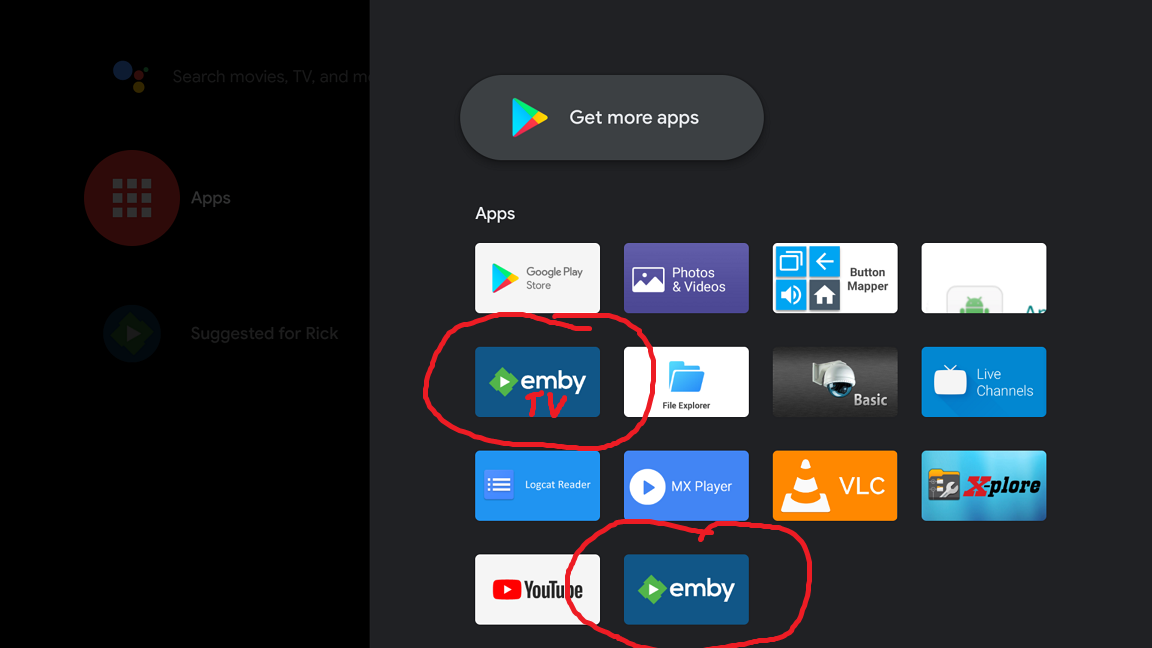
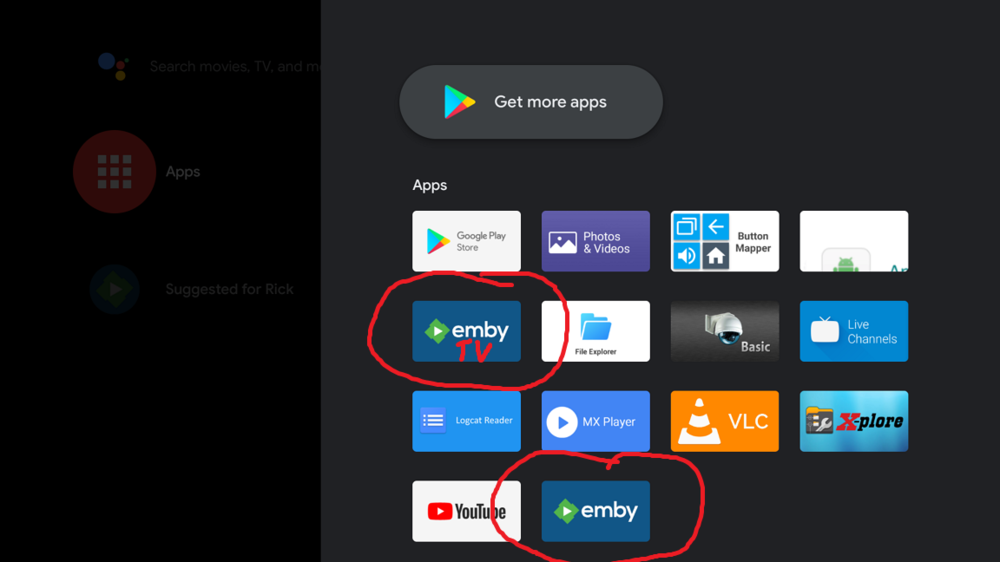
Sort of related, but can you modify one of the two icons because they are exactly the same. At least until when/if the two are ever merged. Add the word TV or change the color, or something
 3 points
 -
At the moment I fix all issues I can reproduce and there are (still) several. I hope it covers also (your) issue, but not directly addressed yet.2 points
-
Emby for iOS 2.0.3 has been released. Here are the highlights: Improved CarPlay browsing Fix duplicate devices displayed in Emby Server activity Various subtitle fixes Add support for multi-select filtering Fix genre screen occasionally being empty depending on where you came from Restore death date on person detail screen Improve dynamic data refreshing on detail screen Add home videos landing screen option View the full article2 points
-
I understand a library can be sorted by date added. Sometimes I can add a large number of files. Would be nice to filter to added last 7 days, last 30 days, 90 days, or specified date range. In a large library, the filter would allow for a cleaner sort by title.2 points
-
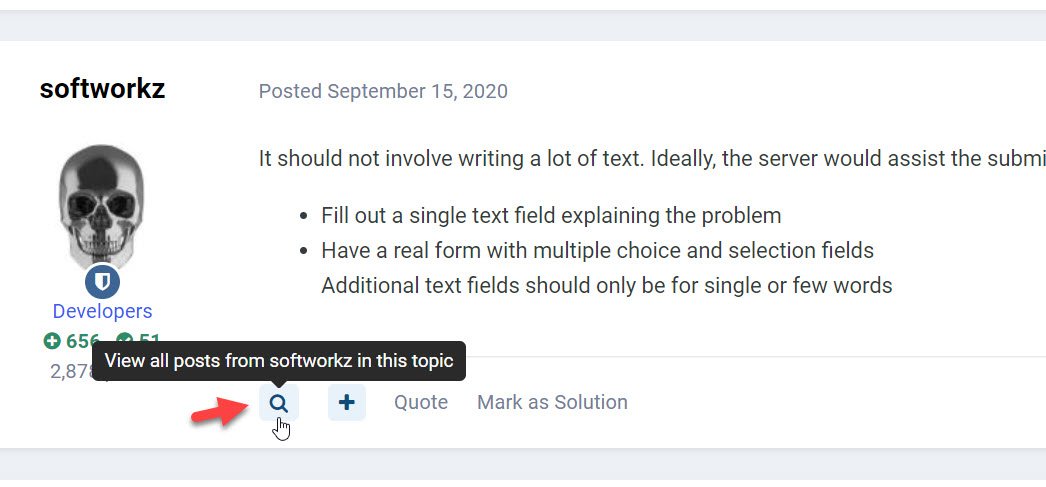
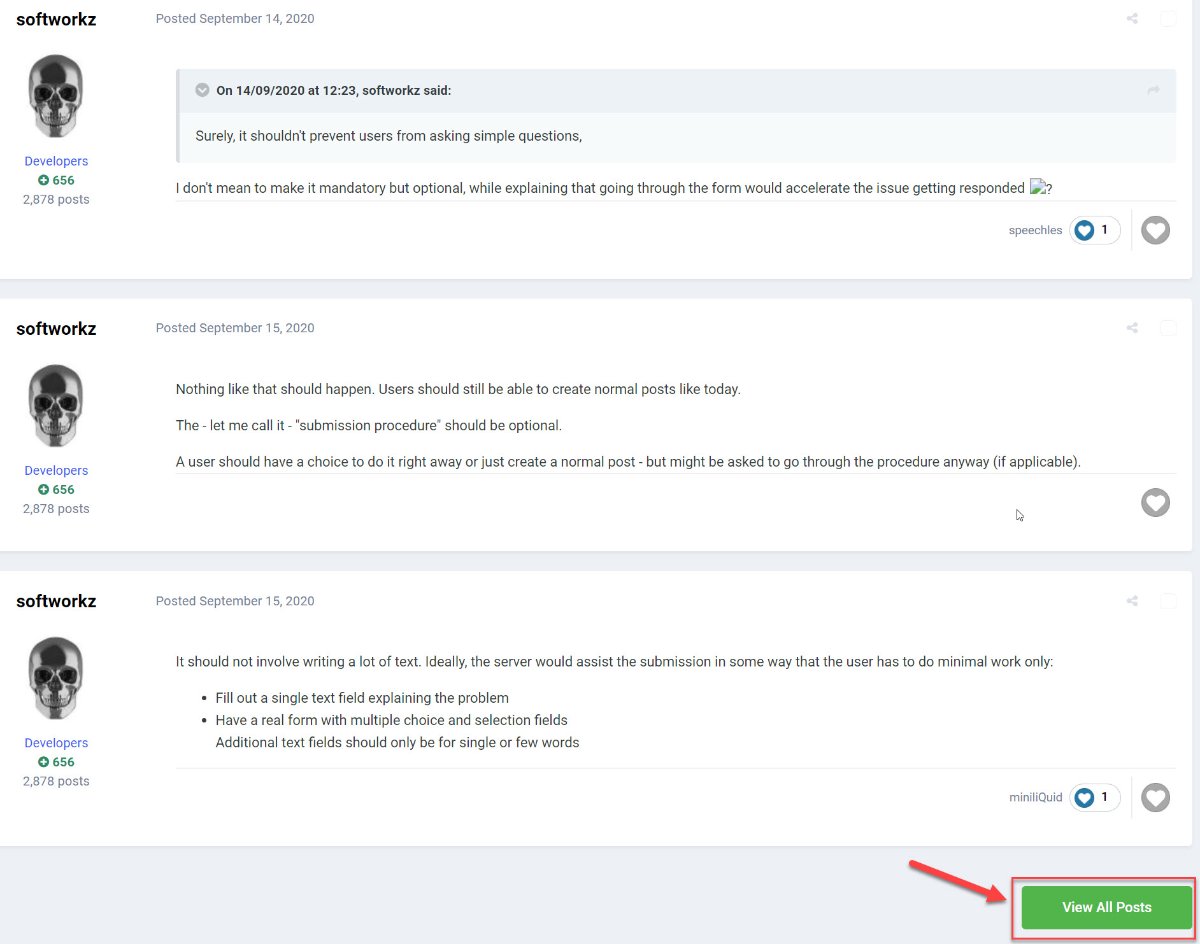
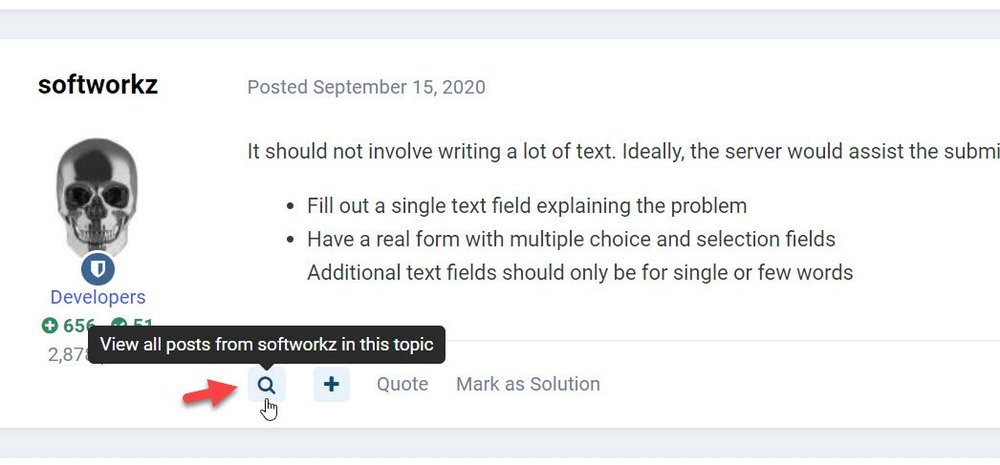
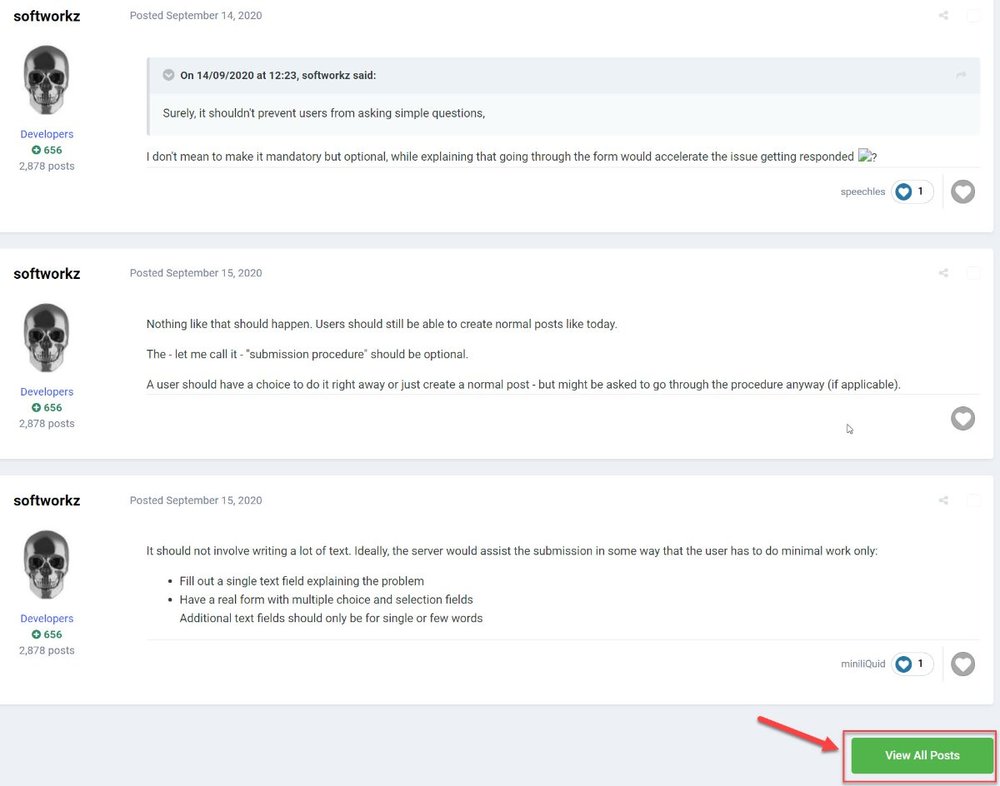
"User Posts in Topic", as it been requested, to use it as the image: It will simply show all the post of the user in that topic, when done, click on "view all posts"
 2 points
 -
For me it doesn't, you focus on the screen so the lights just kind of extend the feel a bit but you don't focus on them.2 points
-
Install The Emby Discord plugin can be installed using the Emby Server plugin catalog. It requires Emby Server version 4.8+. Contribute https://github.com/MediaBrowser/Emby.Notifications.Discord1 point
-
Be able to create playlist based on a certain criteria, like genre and or year, in order to create a dynamic playlist that it refreshes automatically when new content is added. This way you can for example, create a tv comedy playlist from the 90's, or a new sci-fi Movies playlist. Some other criteria for rules could be the rating, watched/unwantched, score, tags, language, audio codec, etc The possibilities could be endless1 point
-
As I mention in a related post, I love the additional subfolders for Movie Extras (eg, Shorts, Scenes, Interviews, etc.)! It would be awesome to extend this functionality to TV Series as well. Specifically to add support for many/all of the same folders supported for Movie Extras, eg, extras specials shorts scenes featurettes behind the scenes deleted scenes interviews trailers As well as any additional folders that get added in the future (eg, hopefully Galleries). Support Placement of "Extras" Folders Within Each Season Folder, Plus A Naming Scheme to Link A Particular Extras Folder with a Specific Episode (eg, "\Season 1\E1 - Deleted Scenes\" for episode 1 deleted scenes): I want to clarify that it would be great if these various "extras" folder types could reside within each Season folder. So for example, within a Season 1 folder we could then have an "Extras" folder, a "Deleted Scenes" folder, a "Featurettes" folder, etc. And furthermore, that we could designate a particular folder to refer to a specific episode (eg, "\Season 1\E1 - Deleted Scenes\" for episode 1 deleted scenes). See more below, particularly why I think this would be so useful: https://emby.media/community/index.php?/topic/55915-emby-server-theater-additional-extrasspecial-folder-types-for-tv-series-similar-to-movies/&do=findComment&comment=587195 Thanks for your consideration! PS - If this is something you might like to see implemented, be sure to "Like" this top/first post (as well as any subsequent posts in this thread that highlight particular aspects of what you are interested in) -- "Liking" the top/first post helps the Devs to know how much interest there is in a given Feature Request.1 point
-
Because I am in Canada i cannot install the Samsung app in the app store. This is a pain in the *** because every time there is a release of the emby developer app i have to go through the procedure of download app, put on USB key, delete old app on tv and reinstall. My question is, why are we exempted in Canada, and is there any way around this? Frank1 point
-
Hello all, it would be really helpful to have a data field at the metadata, which contain the original film name. on my HD the file name corresponds to the name of the film as it was released here in Germany. That means, i have to search the orginal name to get the right info from imdb. But if I do that, then I lose the connection between file name and metadata. In this context, it would be great if the sortname is automatically filled greeting Taurec1 point
-
It would be cool to allow Emby server users to comment what they think about a media piece. This could be shown on the top portion of a media info's page. Perhaps right under description, to encourage more user engagement.1 point
-
Is it possible to add a bitrate for users that are direct(whatever) something? It's good info, and readily available. Thanks1 point
-
Permission issues are one of the biggest issues we troubleshoot in this section. Thankfully, with the release of FreeNAS 11.3 they've implemented a new featured called the ACL Manager. With this new feature, configuring permissions for your jails has never been easier! I've done up a quick how-to guide and attached. This is only for new jails created in 11.3. Anybody upgrading from an older version of FreeNAS that already has Emby installed will not need to follow this guide as they'd have already configured permissions under the old system. Emby File Permission Setup FreeNAS 11.3.pdf NOTE: To access the ACL in TrueNAS 12.0+ the location has changed slightly. You must go to Storage -> Pools, click the 3 dots beside your pool, select Edit Permissions. This will put you into the ACL Manager. All other steps are the same. I no longer use TrueNAS so I don't have screenshots, but anybody is free to update this document and provide screen shots if needed.1 point
-
FROM THE OFFICIAL REDDIT THREAD Thought I'd share. This is a great resource for Emby and hopefully in the future it can be implemented automatically.1 point
-
Emby for iOS 2.0.3 has been released. Here are the highlights: Improved CarPlay browsing Fix duplicate devices displayed in Emby Server activity Various subtitle fixes Add support for multi-select filtering Fix genre screen occasionally being empty depending on where you came from Restore death date on person detail screen Improve dynamic data refreshing on detail screen Add home videos landing screen option1 point
-
Some special episodes lack information in the "Airs during season" and "Airs before episode" fields in the "Special Episode Info" of the "Edit Metadata" window, those episodes are organized in a separate "Additional Specials" section of the TVDB database and they usually lack the aforementioned data, however, they always have an "aired date" that could be used as a second option to put those unsorted episodes into its corresponding position inside the season they belong as long as the "Display specials within seasons they aired in" option is checked in the "Advanced" tab of the media library tab. Thank you.1 point
-
I use the shuffle all option in my TV Shows quite a lot, but for a few shows I have a lot of specials/webisodes/featurettes and the like that can result in the shuffle all function becoming "polluted" with content I don't necessarily want to rewatch again. My current workaround is to use the .ignore file feature in my specials folder to exclude the content from Emby all together or only shuffle a specific season depending on the show (both not ideal), but an option to exclude specials/season 0 folders when using shuffle all would be an awesome addition! Thanks, AD1 point
-
but thank you!1 point
-
I purchased a Vizio P65Q9-H1 and it comes as close to the holy grail of device that I have so far, EXCEPT, and that is a big except, it does NOT have an Emby app. I could toss all my boxes and use that one device and ONE REMOTE, but it will never happen.. I will probably still be looking for that elusive holy grail until the day I die.....1 point
-
If you're asking if you can merge the content from two separate servers and display it all at once without switching servers, that is not currently possible. The closest you can get to that, like you mentioned in the OP, is adding multiple servers to your Emby client and switching between them.1 point
-
Thanks, that's how it works! $mu = 'http://myembyserver:8096/users/' + $uid + '/items?AnyProviderIdEquals=imdb.tt1798684&Recursive=true&api_key=' + $apikey Invoke-WebRequest -Uri $mu -Method Get -ContentType "application/json" StatusCode : 200 StatusDescription : OK Content : {"Items":[{"Name":"Southpaw","ServerId":"721f2a80d300464984d9a0e141800e84","Id":"30969","RunTimeTicks":7455499000 RawContent : HTTP/1.1 200 OK Access-Control-Allow-Headers: Accept, Accept-Language, Authorization, Cache-Control, Content-Disposition, Content-Encoding, Content-Language, Content-Length, Content-MD5, Content-Rang... Forms : {} Headers : {[Access-Control-Allow-Headers, Accept, Accept-Language, Authorization, Cache-Control, Content-Disposition, Content-Encoding, Content-Language, Content-Length, Content-MD5, Content-Range, Content-Type, Date, Host, Transfer-Encoding, Want-Digest, X-MediaBrowser-Token, X-Emby-Token, X-Emby-Client, X-Emby-Client-Version, X-Emby-Device-Id, X-Emby-Device-Name, X-Emby-Authorization], [Access-Control-Allow-Methods, GET, POST, PUT, DELETE, PATCH, OPTIONS], [Access-Control-Allow-Origin, *], [Content-Length, 780]...} Images : {} InputFields : {} Links : {} ParsedHtml : mshtml.HTMLDocumentClass RawContentLength : 780 I don't know why I used imdbid, sorry for that and thanks again for your support.1 point
-
No but if you store your files in H.265 then they can often be direct played in H.265 and if transcoding needs to take place will use.h.264.1 point
-
No, it is NOT the holy grail for me, but perhaps for others. Are you aware that the Shield was born as a gaming machine only?? It only shipped with a game pad. ONLY did Nvidia realize that people were using it as a media player, did they create a media remote for it.1 point
-
Thanks all, @cayars fixed it. Apparently my service was geolocked. All it needed was the "User Agent" to be changed to "VLC/3.0.3". Thanks so much!1 point
-
New experimental version: It addresses Login issues and some sync issues. Known Bugs (related to that matter): Crash if Emby server is not up on Kodi startup, Crash on Emby Server shutdown. plugin.video.emby-next-gen-5.2.02-build 159 (ex17).zip1 point
-
yep, the same1 point
-
You can tag the Season 0 (Specials) and then exclude this in your channel condition. Something like this: reality && !realityspecials1 point
-
One of those grey areas as you say it works without transcoding, but the manual says it is above supported specs.1 point
-
Thanks, I will switch to epg.best in the future. But nevertheless I hope that Emby guide data will be available in germany as well.1 point
-
Thank you so much for this plugin as it's awesome and excellent work on it. I am wondering if it's possible to exclude the specials from a tv series. I currently have used the tag field to identify 'reality' for the reality channel. I've tagged each series at the top level with 'reality' but I would like to exclude the special episodes from the channel. Is there a way to exclude Specials via the channel config or will I have to remove that tag from the top level of the series and tag each season individually? Any help is appreciated, Thank you again for this plugin.1 point
-
It won't. It will only be used in certain apps where it is most likely to succeed.1 point
-
Yes I can see if on the next screen...just seei g if it was possible before the next screen1 point
-
Agree reaction in case you did not notice it and it a positive one.
 1 point
 -
Yes; in a roundabout way, I did manage to get those channels showing up again. I'm not completely sure why what I did worked, but I created a duplicate entry for that channel, and that somehow made the original start showing up...Special thanks to @kanipek for all of the help over PM.1 point
-
So it's apparently fixed? That was only 5 months to bring back a previously working feature. I love Emby but you guys do need to do better than that when something is broken in the stable server that previously worked.1 point
-
Hi, I switched from Emby for Kodi to emby-next-gen recently. I'm still on Kodi 18.9. Now there's an issue with syncing or saving the playback progress for videos. When I stop playback it seems the progress of the video is shown correctly on the Kodi UI, but when I restart Kodi it's set back to an earlier point or even not set at all for the video. Apart from this I have no issues so far. Thank you for your effort.1 point
-
ayup, I'd be a bit sad but totally willing to give up years of data to perform this migration if thats what it took to maintain supportability in the future.1 point
-
Hi, yes chrome does not support hevc.1 point
-
An update to Emby for Apple TV is currently rolling out. Here are the highlights: tvOS user support. App data is now stored per user on Apple TV MPV is now the default player when the app is freshly installed Filtering by favorite Live TV Channels is now available in the Channels tab of Live TV You can now sort Live TV Channels in the Channels tab of Live TV Live TV, Movies, Shows, Music and Home search screens have been updated to align with the webapp. You may see additional item types returned on these screens now TV Channels and Songs now display on the Home favorites menu Improved handling of Genres, Studios and Tags in search results Native Player Audio content in M4A containers should direct play Program information when playing a channel is displayed in the OSD Live TV Info in the OSD refreshes automatically If you're controlling the app remotely you can now mute / unmute MPV MPV now uses "bwdif" for when playing interlaced content. Program information when playing a channel is displayed in the OSD Live TV Info in the OSD refreshes automatically Tabs in OSD now match the orderding of the native player Tabs in OSD are now hidden when appropriate instead of disabled to match native player Look and feel updates to OSD and transport/seek bar to match native player Bug Fixes Fixed a bug that prevented Live TV Series recording settings from being changed Fixed a bug in MPV where the menu button would not work to stop playback Fixed a bug that stopped playback when using MPV when invoking Control Center Fixed a bug that prevented the ability to change music quality settings1 point
-
An update to Emby for Apple TV is currently rolling out. Here are the highlights: tvOS user support. App data is now stored per user on Apple TV MPV is now the default player when the app is freshly installed Filtering by favorite Live TV Channels is now available in the Channels tab of Live TV You can now sort Live TV Channels in the Channels tab of Live TV Live TV, Movies, Shows, Music and Home search screens have been updated to align with the webapp. You may see additional item types returned on these screens now TV Channels and Songs now display on the Home favorites menu Improved handling of Genres, Studios and Tags in search results Native Player Audio content in M4A containers should direct play Program information when playing a channel is displayed in the OSD Live TV Info in the OSD refreshes automatically If you're controlling the app remotely you can now mute / unmute MPV MPV now uses "bwdif" for when playing interlaced content. Program information when playing a channel is displayed in the OSD Live TV Info in the OSD refreshes automatically Tabs in OSD now match the orderding of the native player Tabs in OSD are now hidden when appropriate instead of disabled to match native player Look and feel updates to OSD and transport/seek bar to match native player Bug Fixes Fixed a bug that prevented Live TV Series recording settings from being changed Fixed a bug in MPV where the menu button would not work to stop playback Fixed a bug that stopped playback when using MPV when invoking Control Center Fixed a bug that prevented the ability to change music quality settings View the full article1 point
-
Its funny there is so much talk over this. I bought a lifetime emby subscription over a year ago now. Its well worth the money. There is nothing out there that is free that does what emby does. The closest competition is plex and even there if you want it to do what emby charges for they charge for it as well. The differance is support. The guys here at emby actually provide prompt informative support. Not only that they listen to customer suggestions and i have seen many of the suggestions posted in the suggestions / features thread actually make it into the build. They really dont ask for a lot of money in the grand scheme of things.1 point
-
YOU will be back see you soon1 point
-
Unfortunately we don't just yet, though it's still on our list! Once more information is available, we'll be posting it and advertising it through our official channels :) Correct! We're using the TMDb API in order to have posters match directly with a movie/show/person/collection/company/etc.. while not turning into yet another metadata provider :)1 point
-
Often times when I see "Reason for transcodng: Media bitrate exceeds limit." in the info I wonder, what kind of internet connection do they have? I know this can cover multiple scenarios like bandwidth limit set for user, server, client side quality setting, as well as AUTO bandwidth detection... Can you PLEASE add to the dashboard the returned client bandwidth capabilities? The value you are getting from the client that tells emby its bandwidth abilities. While you are at it tighten up the spaces between lines on the transcode items, and align the results to the right instead of center.. MAYBE SOMETHING LIKE THIS :1 point
-
The app should be able to detect or know if a device supports h.265 and simply request that if it's configured. You need h.265 hardware on both ends, but many people have this now or are not too far away from it considering that the last 3 generations of quicksync do it and as many nvidia generations as well. I would very very very much prefer h.265 streaming to my clients because many are not on my LAN. 1/2 the bitrate is really enticing.1 point
-
Curious as to how this is progressing - this is personally my #1 potential enhancement since ISPs hate to give bumps to upload speeds. Thanks!1 point
-
To gauge interest... What if you had the ability to "Forget" a series for the purposes of Next Up display. That is, it would no longer show in Next Up - unless you watched another episode. Sometimes you maybe watch a series for a while and, even though there is more of it or more is made later, maybe it isn't as good as the earlier seasons or maybe you just don't have time for it anymore. So you'd like it to quit showing up in your Next Up list so it is less cluttered and you can focus on the series you are actually watching now. If you start watching it again, the "forget" would be forgotten and it would start to show up in Next Up again.1 point
-
Currently one of the transcoding reasons is Max bitrate exceeds limit. What I want to know as a server admin. Is it because the auto limit detection selected that limit or was it manually selected by the user. Maybe have something like: Max bitrate exceeds limit (Auto) Max bitrate exceeds limit (Manual) or Max bitrate exceeds limit (User) Or something to that effect.1 point
-
I live in Sweden and want my metadata on Swedish. But I would like to keep the name of the movie in English. Most of the times the translation of the movie name is pretty bad, and no one knows what movie it is. So keeping the names in English and getting the resty of the metadata, where available, in Swedish would be great. Also, as it is now, since not all movies have metadata in Swedish, I get a movie list with mixed Swedish/English names. Dont look very good. Would look better with only English names. Maybe related to the original request.1 point