Leaderboard




Popular Content
Showing content with the highest reputation on 02/20/21 in all areas
-
Probably with a tag.2 points
-
It works fine in the release version 4.5.2 but a change was made in the server to transcode all interlaced content delivered via HLS. Apple has additional requirements on top of the official HLS spec that doesn't allow interlaced content in HLS delivery but no other devices that I'm aware of have this restriction. Previous to this change it always worked fine in Theater, Roku, Android & Xbox. Browsers will need it deinterlaced but always have. Nothing new here that wasn't already mentioned. The problem with this change shows up in many threads from audio sync issues caused by transcoding, dropped frames, lack of closed captioning (lost with a transcode) and a biggie for sports fans which is loss of temporal resolution. Most devices can take a 29.97 interlaced content and create two frames from it (one for odd lines, one frame for even lines) which displays as 59.94. This is known as frame doubling. When the server does deinterlacing it's basically throwing out the even lines and only using the odds lines so half the "temporal resolution" is lost which causes sports and action movies to look jerky and fast pans have a stair stepper look as half the picture is gone. Sports are unwatchable for me like this. I know in my house hold I've had to stop using Emby for Live TV as my father who's basically deaf requires Closed Captions and we're huge sports junkies so can't stand watching any interlaced channels like this. So the change caused double trouble for us.2 points
-
Anything above 4.5.2 is broken so the stable server is broken. I was successful rolling back from .3 to .2 to get CC's back but shortly after that, .4 installed itself even though I had it set to not do so. Rolling back from .4 to .2 was still broken. Since then I have been experimenting with the beta server for the HDR but am hoping this fix was snuck in somehow. Either way, it needs to be fixed.2 points
-
To help with the tracking of feature requests and allow users to easily find and vote on features they would like to see I have started a master list. Please keep all feature specific discussions to their respective threads. Don't forget to cast your vote by liking the first post in the thread. If any of the features are complete, information is out of date, or is missing completely please post in this thread and I will update the list. Server Features 100+ Likes Centralized Authentication Functionality (LDAP/SSO/HTML Header/RADIUS) 40-100 Likes Integrate Trakt Recommendations Option to ignore media in scans Forget a series in Next Up User Groups Smart Playlists Copy user / user templates (Duplicate: User Groups) POOL Multiple m3u Tuners - No Double or Duplicate Channels Additional Extras/Special Folder Types for TV Series (similar to Movies) Hide Empty Folders Google Drive as source Include Collection information on movie's title screen Import playlists Set simultaneous connect limit for users Web client to remember "Tab" 20-40 Likes Multi-Cast Support Merge libraries from multiple servers Anonymised Logs Bitrate on admin page Down for maintenance Paginated full search results instead of arbitary 30 result limit MySQL Support Configurable collections folder Auto Delete Watched after "N" Days Watchlist PseudoTV Emby style! 2-Factor Authentication (2FA) Channel groups for live tv Chapter images in media folder Server dashboard max bit rate exceeds limit clarification. Recommend movies or shows to other users Auto Organize Movies as well as TV Live TV Deinterlace Method Option 10-20 Likes Live TV Commercials file support "Galleries" Movie Extras Folder Show Intro Skip Option Watching Together (Duplicate: Multi-Cast Support) Client Bandwidth Feedback Bulk Meta Data Editor Implement Metacritic ratings and allow Enable/Disable ratings option in settings Download Subtitles during playback SHow only "Unwatched" in "Because you like...." Collections and Genres in Search results Transcode in H265 Add a specific content type for classical music Book server/reader incorporation Audiobook support Recently Watched Allow user comments on media "Resume" for playback of active recordings Lyrics for Music Recordings That Fail - Listing and/or notification Include tags in search results Preemptively cache images Metadata - original film name "Select All" / "Deselect All" Options with Multiselect on Server Webapp Offset transcoding - Separate Transcoding Server Ability to view by Actor or Studio Nested Collections Change information when version is changed Server Dashboard: Link to Media which is currently beeing played Recording indicator Animated gif support Kill current transcode/streaming sessions from the server [iPTV] Ability to watch PiP (picture in picture) two channels More Filter/Sort Options Multiple Resolutions for TV shows Ability to group movie versions together and choose which to play Send Message To Logged In Users Max streaming rate per user Are you still watching? Thumbnails during scrubbing Profile visibility different within LAN than from WAN Client Features 100+ Likes 40-100 Likes Adjust subtitle delay 20- 40 Likes Gapless Playback Reposition Extras above Cast and Crew, so you can see they are there without having to scroll down Show splash screen whilst Emby Theater is updating Go back to the minimalist OSD while watching.. 10-20 Likes ability to adjust playback speed Random Movie view on homescreen (Roku, Android TV, others?) View channel guide while watching live tv Subtitle size and color Music virtualization on screen Android Mobile - Android Auto Programmable Remote Keymapping Plugin Features 100+ Likes 40-100 Likes 20-40 Likes 10-20 Likes1 point
-
1. Search by letter function (A, B C) Currently when selecting "Music" users get their whole library. This is very difficult to navigate, especially while driving! Bizarrely, this function already exists for playlists. When you pull one up in Android Auto that has a lot of tracks, you do get a "Search by letter" function at the top. Why does this not exist for the library as a whole? 2. The option to restrict the library to only those artists that have tracks downloaded This would solve streaming problems and make it easier to navigate the library because it would be a smaller selection of artists. Currently using Embly Server 4.5 and Android Auto 6.0.6153334 and Emby for Android 3.1.73.1 point
-
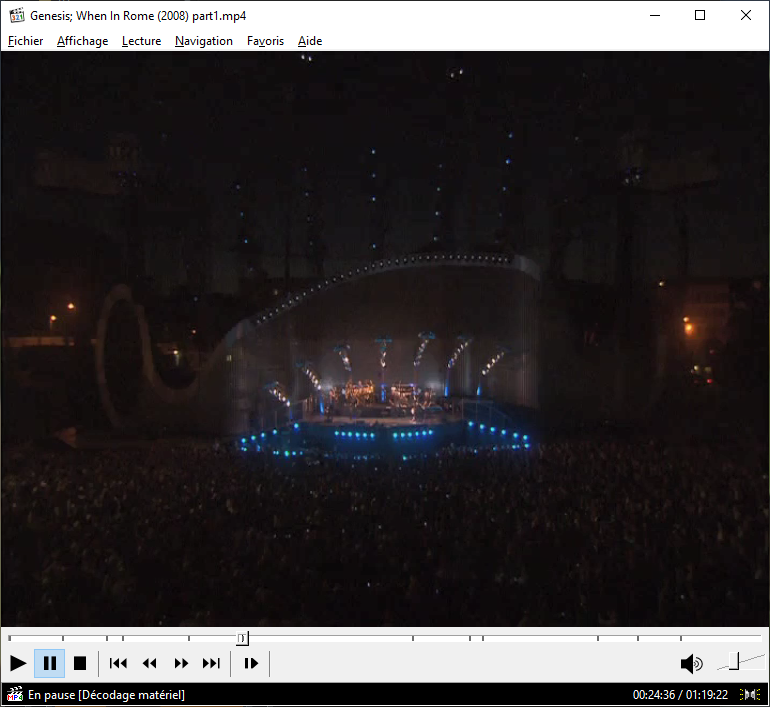
A quick feature request: Useable Chapters support, like most other media player have been offering all along. Screenshot of MPC; chapters are displayed as little indents in the timeline, and back and forward arrows jump to next or previous chapters I am much surprised it is not already mentioned in the tracking list.
 1 point
 -
As it stands, when I click on a movie, I can see the main movie poster, and then a long row of the cast and crew. If I don't scroll down, I don't know there are Extras for that particular movie. Since very few of my movies actually have extras, I don't always think to check and see if they are there. Extras should be similar to "Additional Parts" in the sense that they should be listed ABOVE the cast and crew. There needs to be a visual break in the uniformity if there is something extra, so that the user knows it is there and not just another single file movie. There is currently no visual indication (other than scrolling down) to show that a movie has extras. EDIT: What it looks like now: https://imgur.com/SpnRbIh What I am describing: https://imgur.com/Ek5okca If there are no extras for the movie, it will look exactly like the first picture, with the cast and crew at the top. Would you rather see at a glance that there are extras, or would you rather have the bottom of your screen filled with foreheads?1 point
-
So a question for @softworkz most likely. I've been playing around with ffmpeg with the TM filters trying to get Tone Mapped chapter thumbnails created in the .bif's. I can't seem to use the TM filter in the image extractor in ffmpeg - ffmpeg is reporting that this function cannot use the filter. I have got it 'working' if I simply do a TM conversion to a thumbnail resolution video (to rapidly increase it's conversion speed) and then re-run the thumbnail extract on that to produce the 'SDR/tone mapped' images. Then delete the TM video file. I was hoping to do it all in a single ffmpeg command. It's obviously not urgent - but the 'washed out' thumbnail images on an SDR display are nagging me .. Any thoughts ?1 point
-
ok, then I'm not sure what's the actual problem. It was tested on Nvidia Shield 2019 Pro with Kodi 19 RC1 by @marcmv1 A complete new installation of Kodi might help. As you have lot's of incompatible add-ons, it's probably the best approach.1 point
-
I'll be checking this out, thanks! It may serve my needs!1 point
-
Q-Droid, that sounds about right. Lucky accident I guess we could say.1 point
-
So based on that it misidentified the stream and plays it correctly. Since there's no such thing as ATSC OTA 1080p it's playing it right by playing it wrong. Go figure...1 point
-
I think I'm recreating this and will work on a fix.1 point
-
Any tag? That seems not all that useful to me actually... However, you may want to check out this new 3rd party plug-in in development.1 point
-
Ignore Connect - you don't need to use it (in fact, your Connect login is the same as your forum login). You can simply connect to your server and log in as your user on it - you must have that working before you can use Connect anyway. That's easy at home, any instructions you want are given in: https://support.emby.media/support/solutions/articles/44001849007-connectivity If you are wanting to access from outside home, Connect won't help you - that's not what it does. You need to know your external IP address (maybe getting a domain name to make things a little easier), and to open the necessary port (8096 by default) in your router, or maybe forward 80 to 8096 to save having to specify it. Instructions are here: https://support.emby.media/support/solutions/articles/44002137137-remote-setup The above is about using http for access. If you want to go the last step and make external access secure, using https, you must have a domain name, and you need to get a certificate. Come back to the forum when normal access is working and ask about that if you want it. Paul1 point
-
I figured out why I was sometimes having titles turn up in Continue Watching. If you turn the TV off while watching Virtual TV, it doesn't clear the resume point. You have to actually exit playback first.1 point
-
welcome to the emby world1 point
-
My suggestion is to just leave it alone until the server is updated in a coming beta.1 point
-
stable repo -> If there are no critical issues reported, next weekend.1 point
-
sorry, I had a lot to do last days. I will check changings of default user and come back. Thanks for your support1 point
-
1 point
-
The thread is up to date.1 point
-
And now there is! https://github.com/wouterdebie/locast2dvr/wiki/eqpaisley's-newbie-guide-to-locast2dvr1 point
-
Sure, I'll post when they're ready.1 point
-
I don't get it. Why do you need such auth for a PERSONAL MEDIA server? This isn't email, your banking, financial or health records but TV, movies and shows. If you follow proper security guidelines the password you use for Emby is ONLY used for Emby. Of course you can setup Emby to only work on LAN and not remotely if you like. You could then setup OpenVPN server if you like and add Oath to that very easily for remote use and you have the level of authentication YOU PERSONALLY need. The normal public doesn't need the hassle of 2 factor auth for accessing a media server where no personal information worth stealing resides.1 point
-
That WILL create negative issues for a lot of people.1 point
-
Yes, I'm aware the options don't do anything currently which is the issues. Fantastic news it's being addressed!!!1 point
-
You're both right. The options are there but they no longer work with the current server. We will address it in 4.6.1 point
-
Hard to say, maybe a little? IS it going to be possible to use custom icons later maybe? (jpg/png) Good plugin1 point
-
I agree. I knew that it probably wont work, but would be nice if pointed out clearly. Right now, I have an AMD potato gpu on my Emby server and an Nvidia 1080ti waiting for switch, but it is on water cooling. Now seeking for air cooler because there is no way I could sleep when water would be in my server1 point
-
Anime4K Anime4K is a set of open-source, high-quality real-time anime upscaling/denoising algorithms that can be implemented in any programming language. The simplicity and speed of Anime4K allows the user to watch upscaled anime in real time, as we believe in preserving original content and promoting freedom of choice for all anime fans. Re-encoding anime into 4K should be avoided as it is non-reversible, potentially damages original content by introducing artifacts, takes up to O(n2) more disk space and more importantly, does so without any meaningful decrease in entropy (lost information is lost). Disclaimer: All art assets used are for demonstration and educational purposes. All rights are reserved to their original owners. If you (as a person or a company) own the art and do not wish it to be associated with this project, please contact us at anime4k.upscale@gmail.com and we will gladly take it down. v3 The monolithic Anime4K shader is broken into modular components, allowing customization for specific types of anime and/or personal taste. What's new: A complete overhaul of the algorithm(s) for speed, quality and efficiency. Real-time, high quality line art CNN upscalers. (6 variants) Line art deblurring shaders. ("blind deconvolution" and DTD shader) Denoising algorithms. (Bilateral Mode and CNN variants) Blind resampling artifact reduction algorithms. (For badly resampled anime.) Experimental line darkening and line thinning algorithm. (For perceptual quality. We perceive thinner/darker lines as perceptually higher quality, even if it might not be the case.) Installation Instructions for GLSL/MPV More information about each shader. Real-Time Denoising (Experimental, WIP) The upcoming version 3.2 will focus on denoising. One version (Heavy-CNN-L) of the experimental denoiser is released for preview. This version is for heavily compressed video. Note that it will likely change/improve upon release. The main focus will be speed, while also keeping a good quality. The new denoisers are/will be trained using a mix of the SYNLA Dataset, DIV2K Dataset, In-The-Wild Images and a tiny subset of the Danbooru2019 Dataset. *Note: Here it is evident that PSNR is not always the best indicator of perceived image quality. The waifu2x denoiser looks shaper, but hallucinates many artifacts, especially near line edges. Real-Time Upscalers Comparison The new Anime4K upscalers were trained using the SYNLA Dataset. They were designed to be extremely efficient at using GPU shader cores (extremely thin, densely connected CNNs). All three versions outperform NGU and FSRCNNX both in upscale quality and speed while also keeping the number of parameters low, as seen in the test image below. This test image was not part of the training dataset, nor is it used as validation for hyperparameter tuning. Performance benchmarks are based on 1080p->4K upscaling and were performed using an AMD Vega 64 GPU. The low resolution (LR) images are generated using the average area downscaling operation, which is the correct downscaling operation when we want to avoid using low pass filtering. Low pass filtering with bicubic/lanczos downscaling works well for natural images, but will destroy fine details in line art. The operation used is equivalent to interpolation = INTER_AREA in OpenCV and -sws_flags area in FFmpeg. Note that this operation is only equivalent to bilinear if and only if the downscaling ratio is exactly 2. The correctness of average area downscaling is especially apparent as Anime4K-L was trained on average area downscaling only, and it generalizes well on unseen bicubic/lanczos degradation (24.94->24.81dB), while FSRCNNX-8-LineArt and waifu2x-CUNet were trained on bicubic/lanczos degradation only and do not generalize well for the unseen average area downscaling. PSNR of (24.93->24.47dB) and (26.02->25.61dB) respectively. Bicubic/lanczos downscaling preserves edge sharpess better than average area downscaling. This artificial sharpness does not represent well the distribution of true LR images (images that were originally low resolution and did not pass through a bicubic/lanczos filter). Link to results file. It has also come to our attention that many anime might have been suboptimally downscaled using the aforementioned low pass + bicubic method, as it is the default operation of FFmpeg. We will tackle this problem in v3.3 (after the v3.2 denoising update) by training the neural network with many different downscaling operations. Comparison Table First in each category is highlighted in brackets. Algorithm x2 PSNR (dB) ↑ Runtime @4K (ms) ↓ Parameters ↓ Bilinear 23.03 0 0 ravu-r4 24.09 3.6 41.4k FSRCNNX-16 24.57 30.4 10.5k NGU-Sharp-High 24.69 11 ? Anime4K-M 24.73 [1.5] [1.6k] Anime4K-L 24.94 2.5 2.9k Anime4K-UL [25.14] 10.7 15.9k waifu2x-CUNet [25.61]* >1000 1283.3k Link to results file *waifu2x is technically first in PSNR, but it is not a realtime algorithm and is 80 times larger than Anime4K-UL. It is included only for comparison purposes. The complete images from this comparison can be found under results/Comparisons/Bird. *FSRCNNX-56 failed to launch when playing back 1080p video. Projects that use Anime4K Note that they might be using an outdated version of Anime4K. There have been significant quality improvements since v3. https://github.com/yeataro/TD-Anime4K (Anime4K for TouchDesigner) https://github.com/keijiro/UnityAnime4K (Anime4K for Unity) https://github.com/net2cn/Anime4KSharp (Anime4K Re-Implemented in C#) https://github.com/andraantariksa/Anime4K-rs (Anime4K Re-Implemented in Rust) https://github.com/TianZerL/Anime4KCPP (Anime4K & more algorithms implemented in C++) https://github.com/k4yt3x/video2x (Anime Video Upscaling Pipeline)1 point
-
Bonjour , j'avais posté un topic en anglais , je me permets de le remettre ici dans la section française car 2 de mes connaissances (qui ne parlent pas anglais du tout ) m'ont demandés comment j'avais fait. PROBLÈME RENCONTRE : Emby ignore les articles de la langue anglaise ( a , an , the ) lors du tri des films, des séries , mais PAS ceux de la langue française ( le , la , les , l', un, une , à ) Exemple : Le film "L'Age de Glace" se trouve à la lettre L et non à la lettre A. SOLUTION : Il faut modifié le fichier system.xml ( emplacement : Emby-Server\config\ ). Pour cela , je vous déconseille d'utiliser le Notepad , mais plutôt un éditeur de fichier xml comme XML Copy Editor ( logiciel open source gratuit ). Lien pour le télécharment de XML copy editor : http://xml-copy-editor.sourceforge.net/ Dans system.xml , 1) Dans la section <SortReplaceCharacters> rajoutez cette ligne : <string>'</string> 2) Dans la section <SortRemoveWords> rajoutez ces lignes : <string>l</string> <string>le</string> <string>la</string> <string>les</string> <string>un</string> <string>une</string> <string>à</string> Après ces modifications , retirer vos répertoires de la médiathèque , puis ajoutez les de nouveau pour que les modifications prennent effets. N.B : Avant de retirer les répertoires de votre médiathèque , si vous ne voulez pas perdre les status vus de vos médias, synchronisez votre médiathèque avec le plugin Trak.tv . P.S : Si un administrateur veut bien corriger , compléter ou épingler ce topic , je n'y vois aucun soucis. Je remercie également les personnes qui m'ont aidées dans le topic anglais à résoudre ce problème. SI VOUS AVEZ APPRECIEZ MON POSTE ? METTEZ UN LIKE SVP Fait le 15/07/2017 par Alex451 point
-
You can't disable it in 4.5, but you will be able to in 4.6.1 point
-
There are several topics but just make a backup of original system.xml make your edits with your preferred program (I use Notepad++). Shut down Emby Make changes Start Emby Do a library scan About alphabetical order of libraries - EmbyServer 4.4.2.0 - General/Windows - Emby Community1 point
-
This needs to be something selectable by the end user. How many people pay $200 for apple TV when you can get perfectly fine results from a sub-$100 AndroidTV device? On top of that, Apple isn't even going to sell streaming devices going forward. Why is Emby doing this to satisfy a minority of users to the dismay of the rest of the users?1 point
-
Thanks for the explanation. I understand about the commercial use thing, but you guys sell a 45 device and a 75 device license, so those of us that pay for those licenses may ask for stuff like this from time to time to make larger use cases easier on us. If you guys don't want people to use it for those device limits, probably shouldn't sell that option. I've been going through the devices and labeling them though as you mentioned before. Bit of a pain but good for the short term. Bigger question... I've got the Emby for Android client v3.1.73 on my phone. It's the latest version from the Google play store. Is that the version with the unlock capability without removing the premiere server key? Or is the version with that option in beta right now? If the option is in Emby for Android v3.1.73, would you mind shooting me a pm on where it is? I can't find it. It's probably right under my nose if it's there. The androidtv/fireos versions are real easy to unlock. Thank you for the responses btw. I may not like them, but I appreciate your time to respond. Lol1 point
-
No, you would need a full backup of that entire library. But not sure how much difference written metadata vs embedded metadata will make since we are talking about music.1 point
-
It's in the addon menu under manage libraries1 point
-
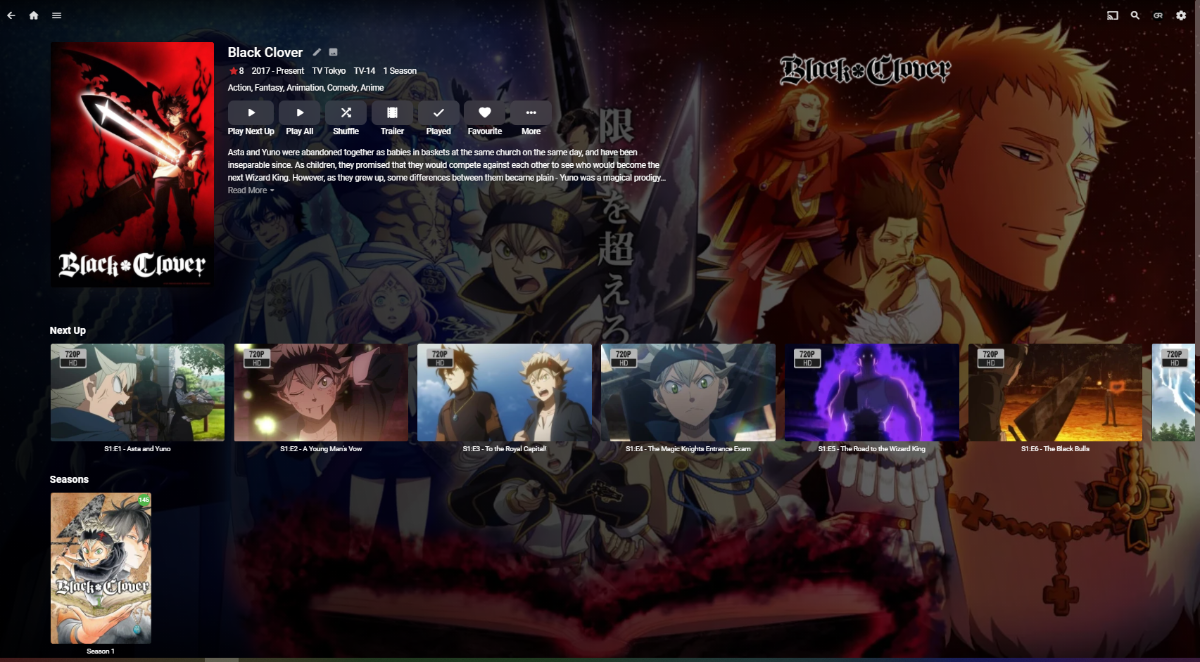
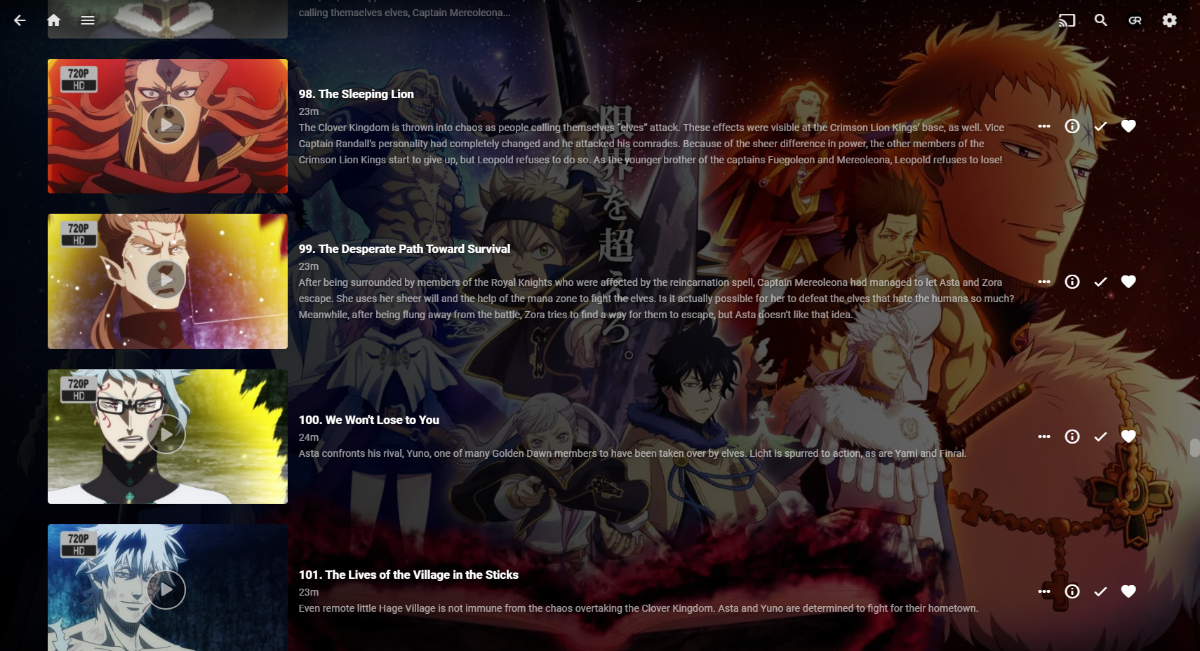
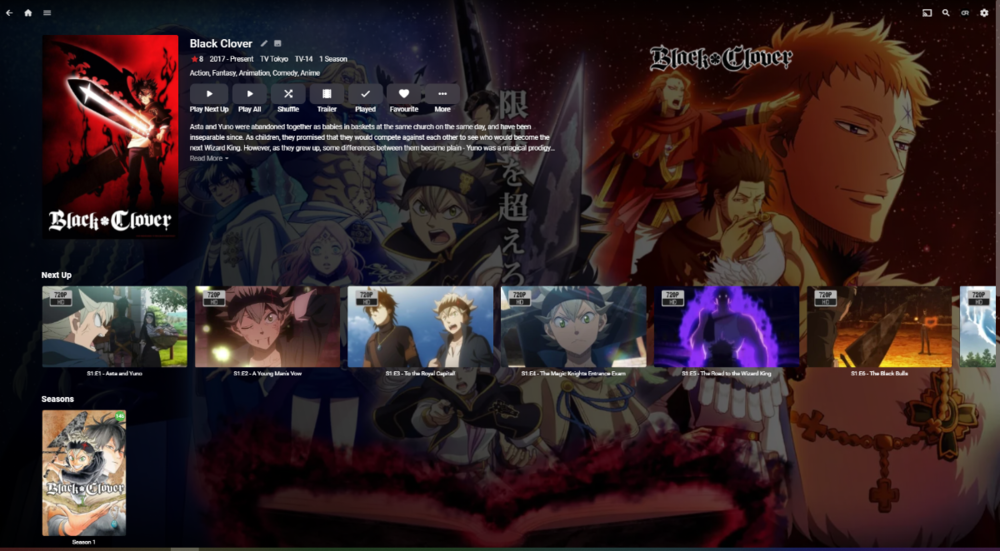
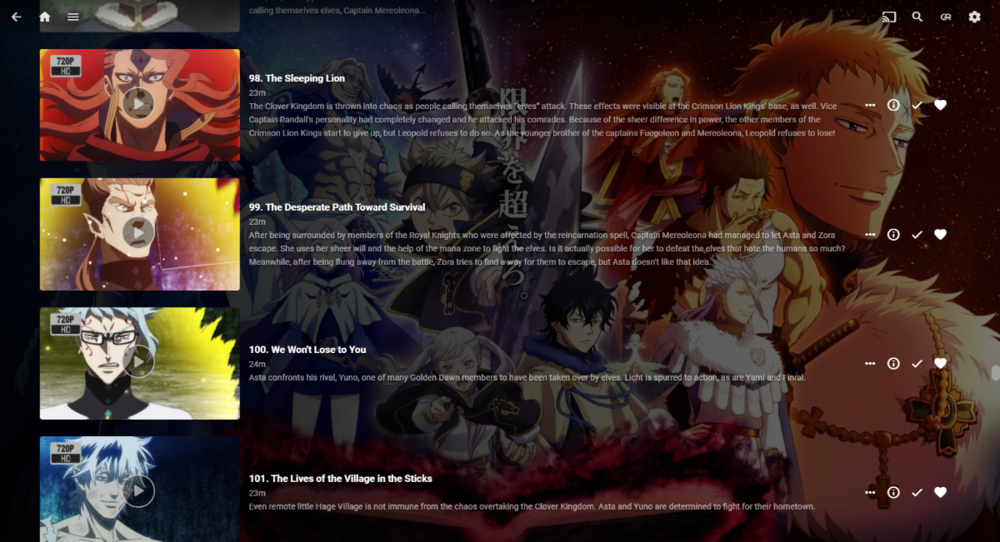
Junior's got 145 episodes of that with TVDB meta-provider, all Season 1, looking fine at random check, including those 100+ ones. Must be naming issue.
 1 point
 -
What do these look like on disc? https://www.thetvdb.com/series/black-clover/allseasons/official This shows episodes listed to 165 so info should be available.1 point
-
This is awesome news! Now... can you also get the folks on the Apple TV side working on that too? hahaha1 point
-
I absolutely love this plugin but for one tiny little thing. Would there be any chance of changing the "Box Sets" overlay to say "Collections" or "Collection" instead and align with everything else? The Emby menu says collections as does all the poster art so it just seems a little out of place to have it say Box Sets.1 point
-
Bulk Meta Data Editor is over 40 now.1 point
-
Yes, it is quite nice which makes it all the more disappointing that it's absent on many of the other client platforms.1 point
-
In Emby Server 4.6, we'll add a library option to allow passing the adult option to MovieDb searches to allow adult metadata to be utilized.1 point
-
We will correct it so that you can use Emby again.1 point
-
I think you might be referring to Aereo TV that was based out of NY city who got shut down. Locast is a bit different (in theory) and so far has dodged law suits (been a few). They recently switched to what I'd call a forced donation model of $5/month to not get their "advertisements" and 15 minute "time outs". Sounds like a subscription plan in every way to me. So in order to use Locast you need to cough up a $5/month "donation" or it frankly doesn't work and stops which will drive you nuts. SiliconDust (maker of the HDHomeRun tuners) had a service that is now defunct. It was designed so you had to have one of their ATSC tuners and could receive your normal OTA channels PLUS with a subscription pull down national network channels. To any software these streams (mostly) looked like other HDHomeRun channels. They never really got the quality correct and were battling issues technical issues (ie interlaced and compression artifacts) but ended up having to shut the service down as the company they purchased from wasn't authorized to sell to them. It was around $35 for 45 channels or so. Here's a read: https://www.digitaltrends.com/home-theater/hdhomerun-cancels-live-tv-streaming-sevice-premium-tv/ There is another service commonly known as TV Everywhere or TVE for short. TVE is a legal service ran by networks and providers jointly. In order to access TVE you need to have an authorized account with a cable provider and you only get channels that are part of your plan so you're paying for this service on your cable bill. You generally do not get local channels but the national channels (CNN, FoxNews, Hallmark, NBA, NFL, ESPNs, etc). The advantage to this is that streams are pulled from the broadcast network sites and you do not need a hardware tuner. There is not a limit that I know of of how many streams you can use at one time (I've had more than a dozen in use). You do not get all station in your cable package and will not get DRMed channels. I'm on Comcast/Xfinity and via my Comcast login get around 150 channels plus some fluff channels not used. These days with "triple play plans" it's difficult to get residential Internet without a cable bundle so you likely have access to TVE if you are a US cable customer. A combination of Locast and TVE will likely get you 175 to 200 channels assuming you're in a market that Locast covers (about 43% of the population right now). In order to easily get the Locast and TVE channels via an M3U file to use in Emby will require another piece of software and it has a monthly charge of around $8 (handles all Locast and TVE integration). But for $8+5=$13 and your cable authorized login you get a lot of channels and the quality is very good. This could be a very good way to try Emby Live TV as you don't need to purchase hardware based tuners and can easily record 4 local channels from Locast as well as many network stations (I don't know the upper limit if there is one). Kind of like an unlimited tuner. Also since these streams are authorized by your cable company they shouldn't pose any problems for you to use as they are part of the service you're paying for and are LEGAL streams. The thing to worry about however with any type of IPTV or streaming setup is the bandwidth you use if you have an ISP imposed cap on usage. Light to moderate usage likely isn't going to be a problem but it's not the best method for heavy use and will never replace dedicated HW based OTA & Cable tuners. To me this is an ideal "backup" service or 2nd/3rd tuner. If you have an OTA and/or cable tuner it's a great way to get a couple extra Live TV or DVR recordings without purchasing additional tuners. Since it's all software based it also works great on a portable Emby system as well. I use this on my notebook. I can take several hundred media files in Movies and TV Shows libraries with me, but if I want to watch Live TV I can as well without the need for HW tuners which is great on a portable system.1 point
-
And that is your personal preference, and i totally get that. I would prefer to have SOME visual indicator that there are extras, and that is my personal preference. If 95% of your movies have a cast directly below the movie, and suddenly you come across one that has extras there instead, human nature would be to investigate by scrolling down to see whats up, where you would immediately see the cast with a single down click. I get why your head went there, but a person would have to be pretty thick to not click down at least once to see why it was different. This argument doesn't really track for the curiosity of basic human nature. I don't know what extras you are getting, but literally every movie I have that actually has extras has at least 4. Deleted scenes, gag reel, alternate endings, one-shots (i.e. all the marvel movies), director introductions, making- of featurettes, etc. I went through last night and used the 'inspect elements' feature in chrome, found the 2 tiny chunks of code that control this, and swapped them around. This took me less than 20 minutes to figure out and implement, and I don't even code. For folks like you that are experts at this, and know the code inside and out, this should take no time at all to work out. Why not add in a checkbox somewhere in the settings that says "Display extras directly below movie" (or something descriptive like that) and when it is enabled, it flips it so that the extras show above cast and crew? Keep it turned off by default. For those of us that want it, it is easily enabled. For those that don't, it is already off. This should take very little time, and would give the user options for those that prefer to actually see they have extras.1 point
-
Salut ! Je me permets d'insister sur le fait que c'est une EXCELLENTE idée ! En espérant qu'elle n'est pas oubliée depuis 2 ans... Merci a l’équipe;1 point
-
Très intéressant il serait vraiment utile que ça soit intégré directement à l'application pour ne pas avoir à faire cette modification qui peut être galère pour certaine personne et selon les cas. Merci beaucoup pour cette tutoriel !1 point