Leaderboard




Popular Content
Showing content with the highest reputation on 01/30/21 in all areas
-
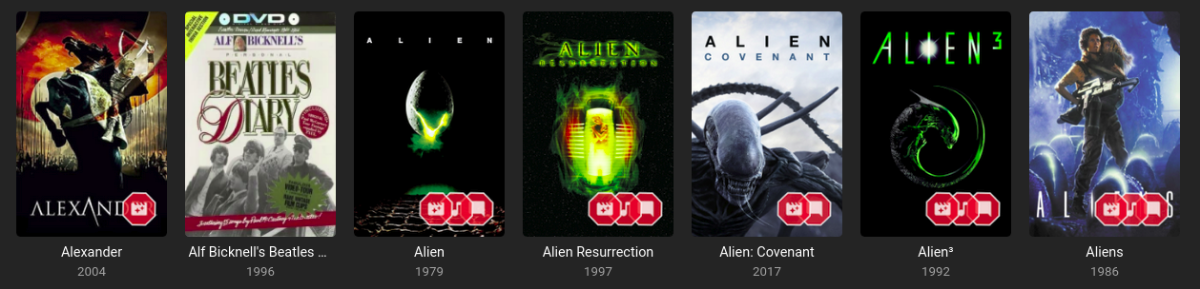
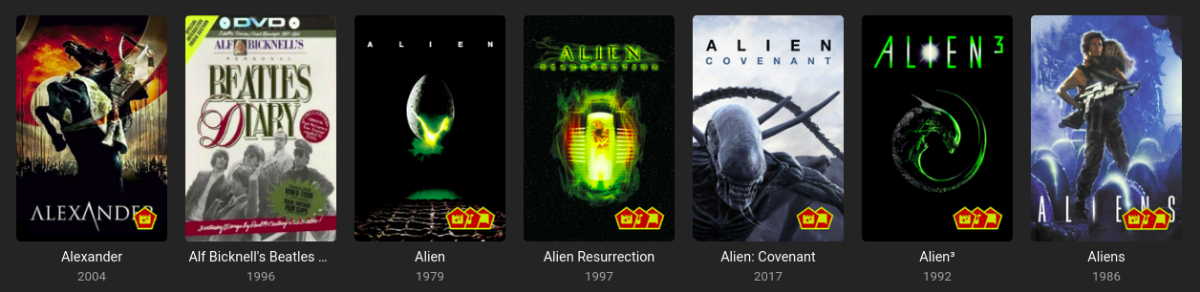
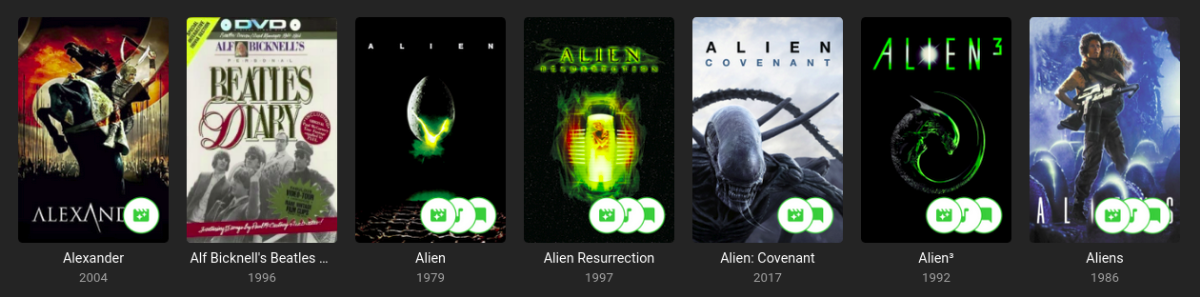
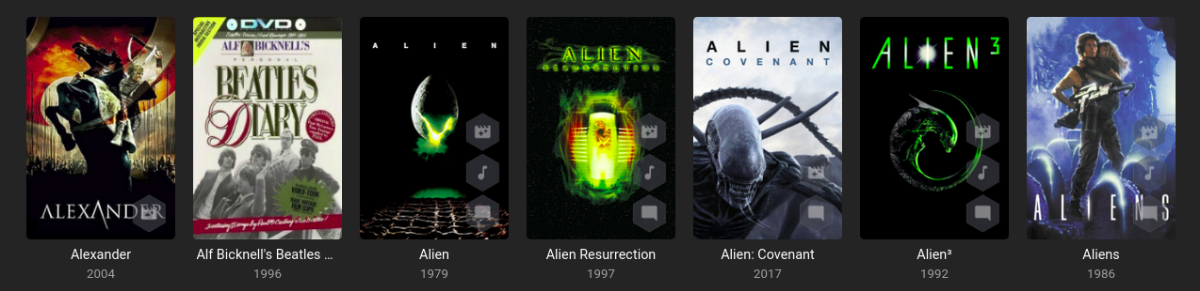
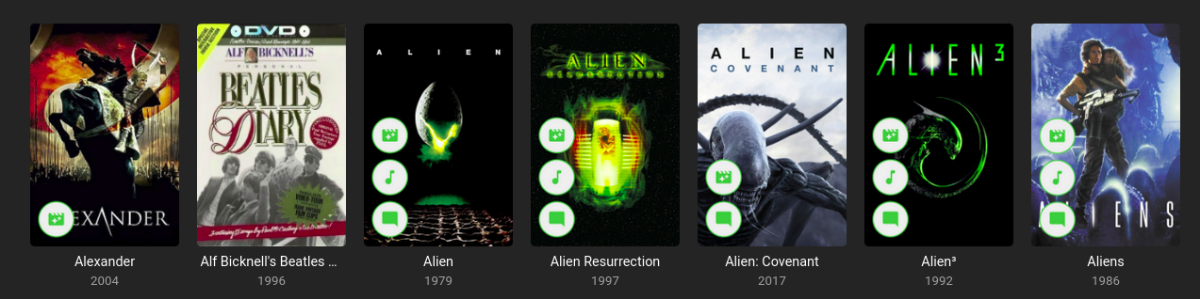
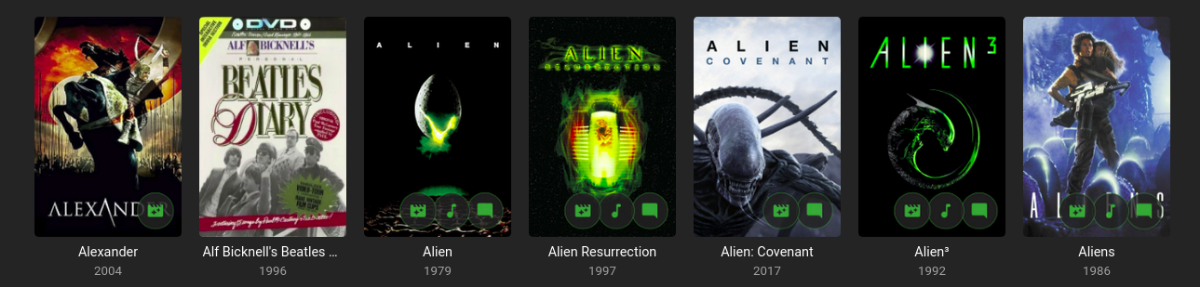
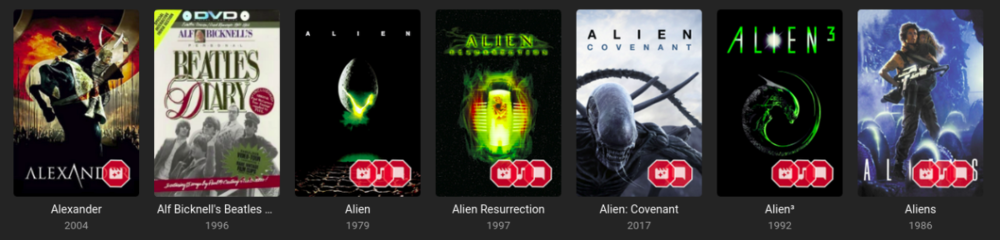
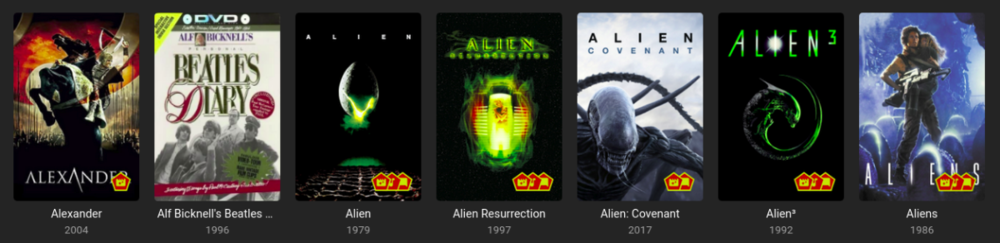
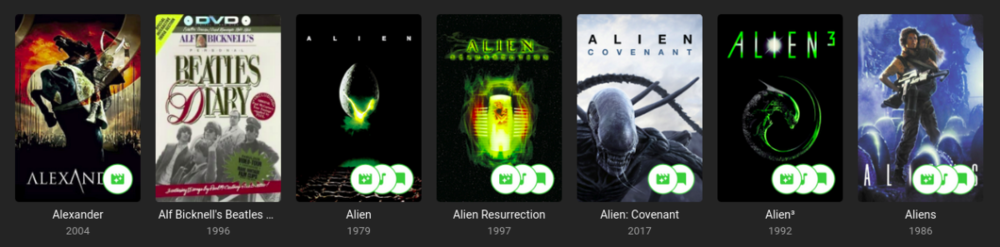
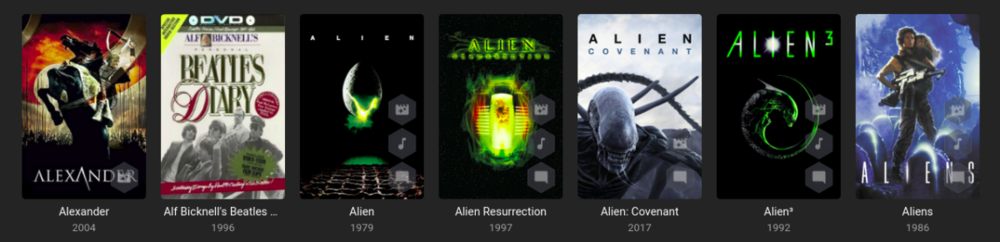
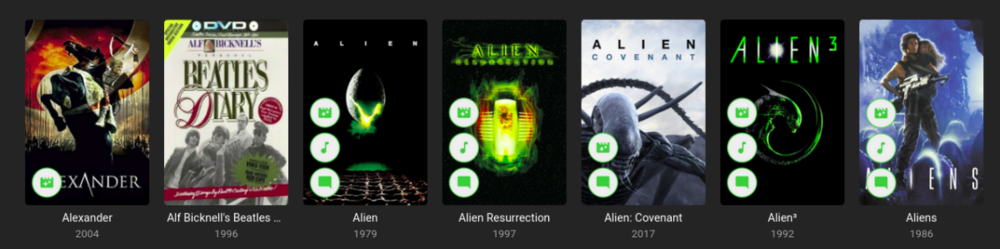
Iconic is an image enhancer that helps you turn Rules about your media into Icon Badges on your Movie and TV images. Iconic offers flexible Badge positioning, opacity, size, color, spacing, etc. Just configure, save and refresh your movie list or item view to see your new Badges. Installation Iconic can be installed through the Emby catalog. You can find it under the 'General' category. The free version of Iconic will show up to one icon for each movie. Rules are checked in the order they appear in your configuration. If you're a Premiere user, you have the option to register Iconic to remove the one icon limit. Version History v2.7.1 Resolve MediaStream property key UI regression v2.7.0 UI Refactor to make developer life easier and speed up new feature development Add HDR rule for Movies, Extras, and Episodes Initial rule support for Music Albums with Tag support v2.6.0 Add match type option (Any, All) for filename rule when using multiple values. v2.5.0 Compatibility Update for Emby 4.8.7 Backend changes to improve developer quality of life v2.4.1.1 Properly bypass unsupported image types v2.4.1 Fix error when no supported image encoders are available Improve support check performance when item type is not enhanceable v2.4.0 Excludes Trailers, Theme Songs, Theme Videos, Additional Parts from 'Any' Extras rule option Adds support for Collections rule to Episodes v2.3.0 Finalize support for 4.8 stable Add SDH subtitle rule v2.2.0 Filename rule now supports NOT(!) values Filename rule now supports multiple values (|) Fix - Folder specifier was inconsistent v2.1.2 Fix issue with some rules passing/failing in different UI contexts. v2.1.1 Fix regression in Folder Specifier v2.1.0 Newly Added Rule - Show an Icon based on # months since Library Added date New Release Rule - Show an Icon based on # months since Item Premiere date Status Rule for TV Shows - Show an Icon based on a show's Continuing/Ended Status Folder Specifier for Movies and TV Libraries - Optionally restrict rules to Library subfolder(s) MediaStream Rule - CodecTag Property added to property options Collection Rule - Updated to support any collection wildcard (*) Material Icons - Updated with more icons v2.0.0 - Support for per Library configuration - Initial support for TV: Show, Season, Episode - Initial support for Collections - Adds support for Movie Extras - Optimizations to improve image load times **Existing 1.x users will need to recreate their configurations in 2.0. [emby-path]/plugins/configurations/Iconic.xml can be used as a reference to more easily recreate 1.x configurations in the 2.x UI. v1.1.1 - Compatibility update for Emby 4.6 v1.1.0 - Adds limited support for Emby builds utilizing ImageMagickSharp - Adds Collection Rule Type - Adds MultiVersion Rule Type v1.0.2 - Gracefully handle unsupported platforms v1.0.1 - Fix multi-rule deletion bug - Update internal Emby libraries v1.0.0 - Initial Release ------------------------------------------------------------------------------ Updated Beta 0.9.2.1 - Faster image processing through more efficient font management Updated Beta 0.9.2.0 - Now supports separate badge and icon opacities - Tweaks to badge drawing to improve quality - Only draw badge border when the stroke is greater than 0 - Only draw badge when opacity is greater than 0 - Modularize javascript for maintainability and development efficiency. Updated Beta 0.9.1.5 - Prevent committing of a MediaStream Rule with duplicate Property Keys. - Add helper text and color on hover to bring attention to the Icon Selector for Rules. - Optimize rule analysis: Finally figured out a way to run the analysis once, cache the results, and discard after writing without the parallel processing requests clashing. Updated Beta 0.9.2.0 - Add Continue Watching Rule Type - Optimize rule analysis: Finally figured out a way to run the analysis once, cache the results, and discard after writing without the parallel processing requests clashing. Updated Beta 0.9.1.4 - Normalize badge size and spacing across image types Updated Beta 0.9.1.3 - Fix badges not rendering for some Movies: Removed some legacy code that could interfere with the rule analysis Updated Beta 0.9.1.2 - Fix font rendering in Windows: Windows didn't like the WOFF font format, so now providing an OTF fallback. Updated Beta 0.9.1.1 - Better support for the active theme: This fixes an issue where the Icons in the selector list could 'disappear' as white text on a white background. - Prevent occasional null errors in the log Updated Beta 0.9.1.0 - This version adds a FileName Rule type and adds Resolution as a MediaStream Property option. --------------------- The Iconic Beta 0.9.0.0 is attached here. **It is tested against Emby 4.5.4 only.** Again, please try it out if you're interested and let me know if something doesn't work, could work better, or if you have any questions.
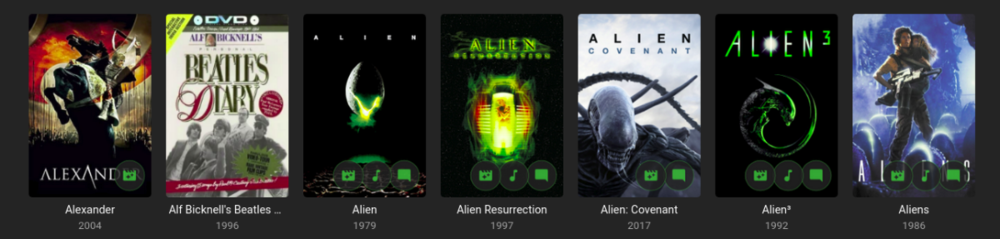
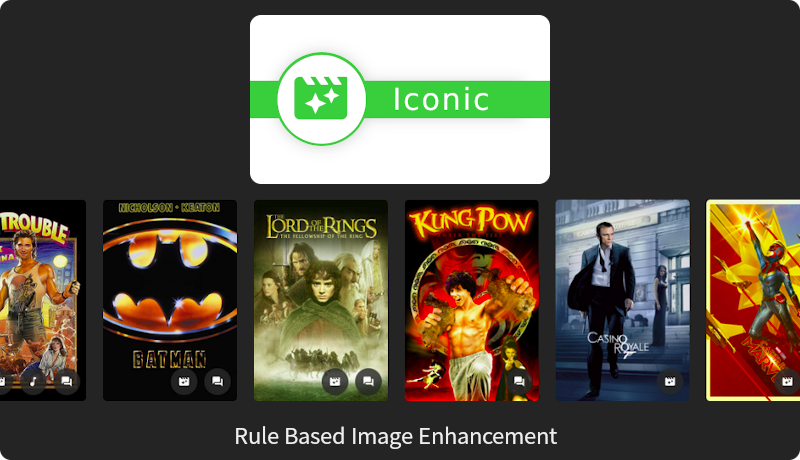 4 points
 -
To make any computer the most secure, just turn it off and unplug it. Thanks.4 points
-
I'm running Emby on a Synology DS416play, which can transcode H.264 4K, but not HEVC 4K. I believe many systems are similar in these capabilities. Currently, if a user tries to transcode a 4K HEVC video, my entire system will hang. It would be brilliant if it was possible to disable 4K HEVC transcoding, and only allow direct streams for this format.2 points
-
then personally i think the simplicity of autologon outweighs the limit risks. but your decision at the end of the day2 points
-
I had a small script that I ran hourly that would delete any file whose creation time was over 90 minutes ago. I don't record movies off TV and did not feel I needed to be ablt to rewind a live tv session more than 90 minutes. Can't find it now, but wouldn't be hard to recreate. On the hung HDHR streams, I haven't had this in a long time, but I did find a small script I use to check to see if my HDHR has any tuners in use at a time I knew there shouldn't be any. If there were any tuners in use at that time, restart emby. This would free the locked HDHR tuners and obviously purging the ever-growing temp files. It is a hack work-around, but I can share it if anyone is interested.2 points
-
Yeah, we can wait and are waiting patiently. I'm not complaining just sharing so others that have the same problem realize it's not isolated and also that it is BEING RESOLVED in the new Live TV. I surmise most of us here love Emby and support it even when it goes awry, I know I do. I knew of the potential problems when I bought Premiere but I did anyway because I also knew there was a new version of Live TV around the corner which should resolve all the issues I'm having.....I even gladly bought a 1 GB SSD for the fat lady to chew on while I wait Before I was using Emby just to watch my content throughout the house on my Firesticks and I love it and it only gets better all the time, I was using NextPVR for recordings even though it was not perfect but once I tried Emby Live TV I knew the NextPVR was going to be in my rear view mirror. Even though I have had lots of problems I know it is short term and even though I'm patiently waiting for the new version of LiveTV my personality is not going to allow me to not at least try and solve some of the issues I'm having. Emby's integration and presentation on my Firestick makes it why I prefer it for recording even with the issues. Emby can't be beat because the team involved are great and very responsive even when they know there is no solution right away because the problem is at the core of the code....which they are working to replace. The support for this product is top notch and I have received so much personal help that I am constantly learning and hope someday I can help others more as I understand more. I feel so lucky to have found Emby.....I'm going nowhere.2 points
-
Why? You're going to be severely limited on what games you can play. This is a stupid idea. Think of how many of your family and friends who have no clue about how these things work and all the headaches you as a server hoster will have to deal with explaining to them the ins and outs (or you could just deny them access to that portion). Build them a pi, load an SD card and be done with it.2 points
-
Didn't even notice...2 points
-
.. It's not a great idea to do this from a security pov, especially if the user is an Admin. I would personally spend the time setting Emby up as a service with it's own Service Account with delayed start, auto restart etc. That way, emby will be running without anybody needing to be logged on and should survive a MS patch episode ...2 points
-
I mentioned it in another thread, but thought I'd put it here since this looks like a new section--just for posterity. Would like to have a bulk meta data editor function. For example, if I have 750 videos whose producing studio is the same, I want to select those videos and apply the name of the studio to those videos. Similarly, if there is a custom tag I want to apply to a subset of those movies, I want to be able to select them in bulk and apply the tag to those videos (instead of selecting them one by one).1 point
-
Be able to create playlist based on a certain criteria, like genre and or year, in order to create a dynamic playlist that it refreshes automatically when new content is added. This way you can for example, create a tv comedy playlist from the 90's, or a new sci-fi Movies playlist. Some other criteria for rules could be the rating, watched/unwantched, score, tags, language, audio codec, etc The possibilities could be endless1 point
-
Guys, The ebook side of Emby/MediaBrowser has been long stalled or rather stagnated. I would like to offer up a couple of suggestions. Many people use calibre as an ebook/comic book tool for scraping data and general management of their collection already. This program is absolutely astonishing in its ability to pull metadata from post calibre scans, as well as draw in metadata from the file source and/or directory structure. http://vaemendis.net/ubooquity/ Its a self contained .jar server/reader combination. And honestly I am very impressed by it's small footprint and wide range of abilities. The other option is COPS , which was written specifically with calibre in mind. It is open source, so making it work with emby I would think would be fairly easy. https://blog.slucas.fr/projects/calibre-opds-php-server/ Ever since the original release of MediaBrowser's bookshelf I have always wanted something that would allow me to 'read' my collection, rather than being basically nothing more than a place-set for images of books I own. I am sure that those who mainly have audiobooks are thrilled with bookshelf , but it's nothing more than an extension of the music library IMHO, not new features. We can have both right? Here I give you two suggestions free of charge.. Just because I love you, and Emby Personally I plan on running the Ubooquity Server along side of Emby from now on, just because of it's massive functionality and tiny footprint. But I sure hope that someone decides -- "yeah, ebook support should be in here too" and do something about it - rather than allow this now very very ancient issue to continue to remain an issue. And so I don't have to have 20 different ports open, some with SSL support - some not, because Emby isn't delivering the 'complete package'. (Please take some of this with humor, I know you have your hands full with improvements/bugs/suggestions/requests)1 point
-
Similar to this old post, I'm suggesting a tab that would be titled Watchlist and could be placed in between Suggestions and Favorites. The functionality would pretty much be a copy of Favorites, just with a + symbol added next to the heart and other symbols that let you favorite a movie etc. The previous post had mentioned extra functionality such as automatically removing a movie from Watchlist after it has been watched. This would be nice, but is unnecessary because after watching a movie you can simply click the + symbol a second time to remove it from Watchlist. I would imagine this would be very easy to implement as a rebranded copy of Favorites. Adding other features could come later. Edit: added link to old post1 point
-
I am switching over from a Win7 box running MBC to Chromecast dongles. With the Win7 box I had a HDMI to Cat6 setup that allowed me to stream to up to 4 displays/TVs simultaneously. It was great while it lasted, but involved stapling cables to the ceiling to run it from room to room - plus it has borked Can there be an option to multi-cast to several receivers at once? i.e. simultaneously play to Chromecast dongles in my office and living room and kitchen simultaneously so i can walk from room to room without stopping and restarting the movie or show all the time? I realize that bandwidth could POTENTIALLY be an issue, but i have a fill gigabit network and a multi-port NAS so that really is the least of my worries... Thank you!1 point
-
I love the additional subfolders for Movie Extras (eg, Shorts, Scenes, Interviews, etc.)! I would like to propose an additional folder: "Galleries". Within the Galleries folder the user would place subfolders (only one level of nesting) and each subfolder could contain any images the user chooses. Then, Emby would display the subfolder name as an Extra (in Emby Theater) and opening that extra would launch an image gallery of the containing images. For example: Movies\Disney\The Sword In The Stone (1963)\Galleries\Scrapbook Movies\Disney\The Sword In The Stone (1963)\Galleries\Film Facts "Scrapbook" is what would be listed among other Extras in Emby Theater, and the Scrapbook folder contains various images to be displayed in a slideshow that the user can navigate with their left/right arrows. This feature request is motivated by the following related post: https://emby.media/community/index.php?/topic/55912-video-ts-folder-no-longer-recognized-in-movie-extras-folder/ Basically, sometimes there are extras such as image galleries and text content which are only available via the DVD menu. I have found that I can use FFMPEG to extract all the frames from a video file, and so use that on the appropriate VOB file from the original DVD. Then I can use VisiPics to delete all the duplicates, resulting in content I can then sort into folders (eg, Concept Art, Storyboards, etc.). All I need is for there to be the above support for a Galleries extras folder, which could contain multiple subfolders (only one level deep), each containing images to be displayed as image galleries in Emby Theater, etc. Thanks for your consideration! PS - If this is something you might like to see implemented, be sure to "Like" this top/first post (as well as any subsequent posts in this thread that highlight particular aspects of what you are interested in) -- "Liking" the top/first post helps the Devs to know how much interest there is in a given Feature Request.1 point
-
As I mention in a related post, I love the additional subfolders for Movie Extras (eg, Shorts, Scenes, Interviews, etc.)! It would be awesome to extend this functionality to TV Series as well. Specifically to add support for many/all of the same folders supported for Movie Extras, eg, extras specials shorts scenes featurettes behind the scenes deleted scenes interviews trailers As well as any additional folders that get added in the future (eg, hopefully Galleries). Support Placement of "Extras" Folders Within Each Season Folder, Plus A Naming Scheme to Link A Particular Extras Folder with a Specific Episode (eg, "\Season 1\E1 - Deleted Scenes\" for episode 1 deleted scenes): I want to clarify that it would be great if these various "extras" folder types could reside within each Season folder. So for example, within a Season 1 folder we could then have an "Extras" folder, a "Deleted Scenes" folder, a "Featurettes" folder, etc. And furthermore, that we could designate a particular folder to refer to a specific episode (eg, "\Season 1\E1 - Deleted Scenes\" for episode 1 deleted scenes). See more below, particularly why I think this would be so useful: https://emby.media/community/index.php?/topic/55915-emby-server-theater-additional-extrasspecial-folder-types-for-tv-series-similar-to-movies/&do=findComment&comment=587195 Thanks for your consideration! PS - If this is something you might like to see implemented, be sure to "Like" this top/first post (as well as any subsequent posts in this thread that highlight particular aspects of what you are interested in) -- "Liking" the top/first post helps the Devs to know how much interest there is in a given Feature Request.1 point
-
A checkbox in the server settings somewhere to hide the domain and IP address in log files so they can be uploaded for troubleshooting without needing to be edited.1 point
-
Hello. Would be great to be able to adjust subitiles delay in Emby Theatre or Web client like we can in VLC with "H" and "J" shortcuts (up and down). Thanks !1 point
-
It would be cool to allow Emby server users to comment what they think about a media piece. This could be shown on the top portion of a media info's page. Perhaps right under description, to encourage more user engagement.1 point
-
Hi Guys, I recently moved from Kodi with MySQL for lack of proper multi user management and server side support, I have to say I'm impressed with Emby. Together with the Kodi Plugin it really takes the solution to a whole new level, count me in among the supporters! One feature I would like to see is the ability to recommend movies or shows to other users: I share my Library with close friends and family but it is a big library so they are always calling me to recommend them a movie to watch. It would be really cool if after watching a movie I can click a Recommend button and choose the users I think would like the movie, then it is displayed on their suggested movies at the top with the name of the user who recommended it... Sorry if there is something like this is already there, I am new to the interface and don't fully know it but could not find such feature... Thanks!1 point
-
hey what I'm really missing is support for audiobooks. Simply saving the resume point for those mp3s would be absolutely enough, no need to fetch metadata etc.1 point
-
Short summery, 4.x.has some design flaws (not just bugs) which results in awful workarounds and sometimes slow performance (e.g. Widgets).1 point
-
This thing here based on the old Addon but with many optimizations. Start a Playback of a Video File, its super fast compared to the 4x version of E4K.1 point
-
i put xteve, the vpn and a little script that pulls down and does some initial editing of the m3u on a virtual machine with a £5 windows licence off ebay running in Hyper V. i wasnt very successful with tunnelling/selective routing and this works well with a kill switch on the VPN too1 point
-
i did similar except i use xteve as the proxy rather than nextpvr. its just much simpler and lightweight.1 point
-
The problem with RDP is not its present insecurity - yes, like most systems it's had vulnerabilities, which have been corrected. But the problem is the sheer number of badly maintained systems out there which are either running vulnerable versions, because they've not been updated, or (more likely, and) the number of systems which continue to use inadequate passwords. If your system is fully up to date and you use a decent password, you'll be fine. After all, at least it is fully encrypted, unlike VNC, for example. I guess I'd be happy to accept the guidance of the University of Berkeley on this matter. Paul1 point
-
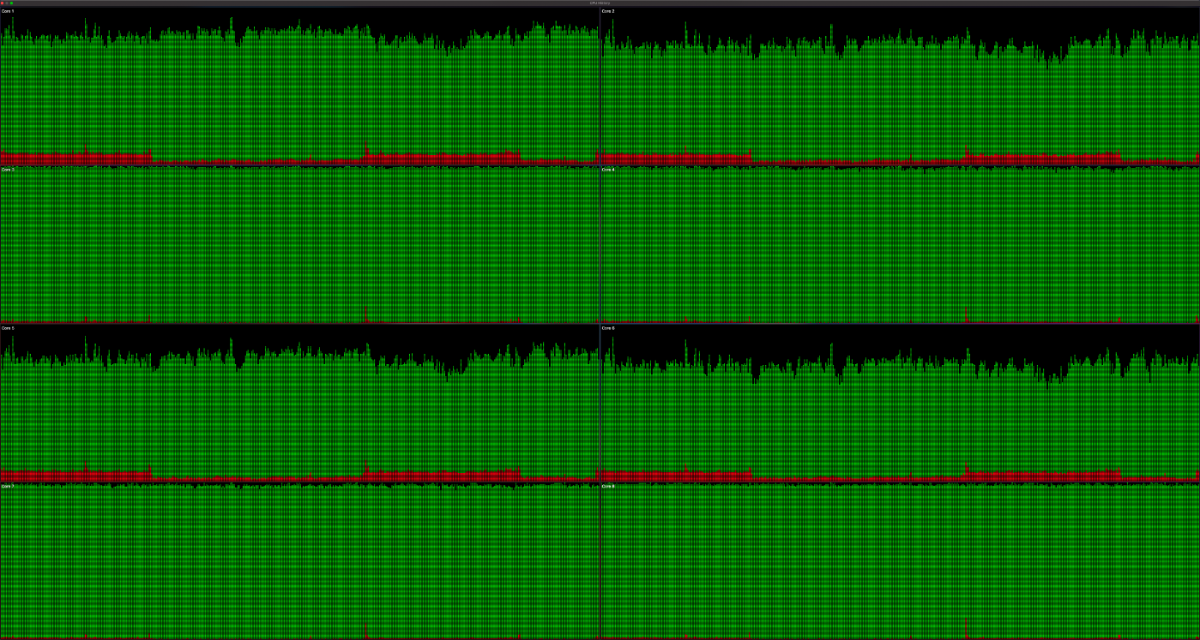
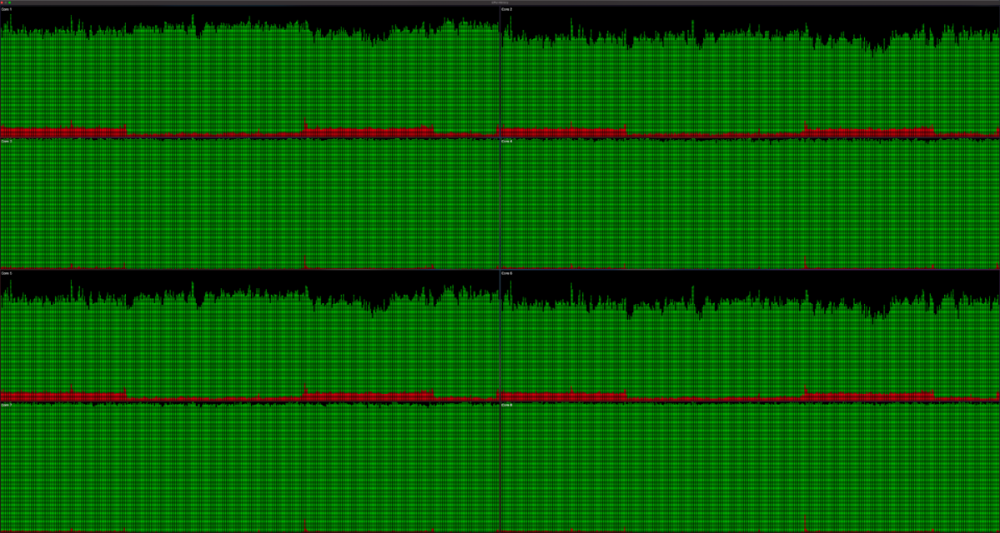
Actually I could have the cores wrong, either way I attached what it looked like from the system monitor view.
 1 point
 -
But if the rating is equal shouldn't the image with more votes come first? Order by rating then by votes!?1 point
-
Ahh yes you're right - I guess I was confusing votes with actual rating1 point
-
Yes that will work too.1 point
-
No it isn't, that looks well sorted to me.1 point
-
You can, just run a regular library scan afterwards.1 point
-
I think this is Win TV software not clearing, not Emby? @Jason'sEmbycan you confirm? @Ronstang A lot of your problem likely is the old hardware being used through a proxy. I'm surely not saying Emby shouldn't handle it better but most running HDHomeRuns don't have this issue. On my personal system I typically won't have any hung sessions or if it happens it's like once a month. Every recording done via tuner is perfect. I can't remember the last time I had a failed recording unless it was a Baltimore station 75+ miles away with a low signal. With that said I do use SSD for transcoding and as my recording directory to keep IO fast.1 point
-
That's because Emby eats resources like a fat lady eats pie. I don't have to restart my server any more, I simply stopped using it to watch live TV, I only record and as soon as a recording stops it releases that tuner's temp file. If you watch TV on the other hand it never lets go until you run out of space. I keep hearing you have to back out of the channel properly which I always did but the tuner was never released.1 point
-
Yes, Iconic is separate from CoverArt, but is compatible with it if you want to use both. And my main server is also a Synology, so hopefully, I solved any issues there before you'll see them.1 point
-
neither did I... lol1 point
-
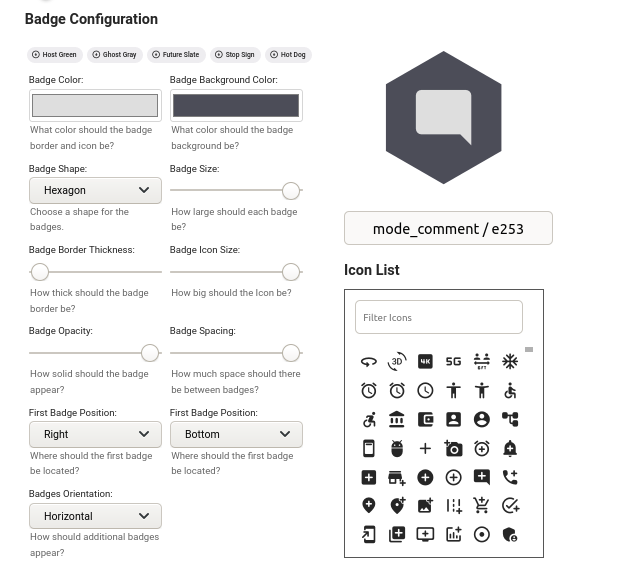
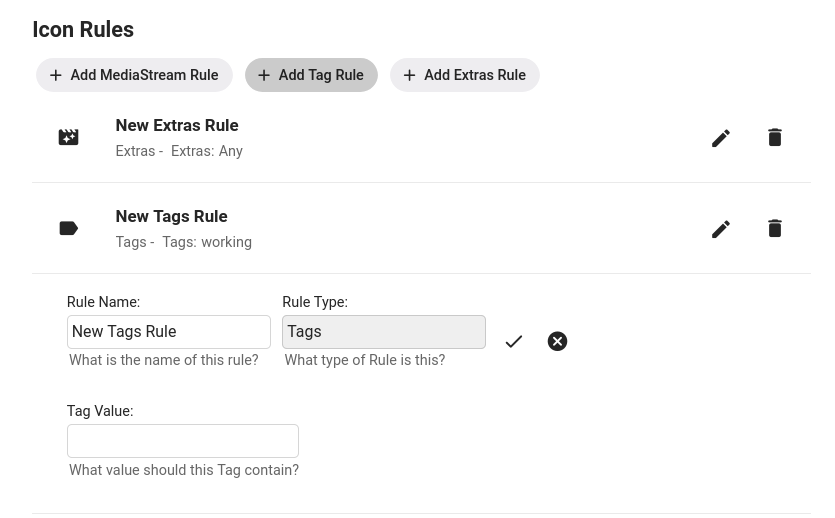
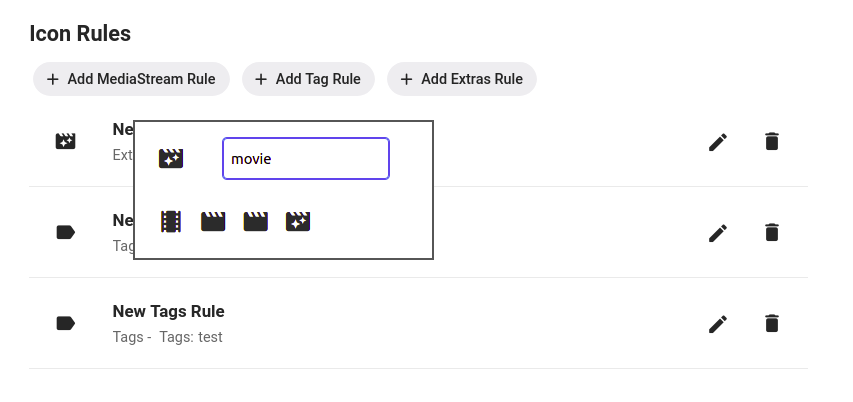
Using Iconic Configuration Badges: Rules: Selecting a Rule Icon: Rules Adding a MediaStream Rule Adding an Extras Rule Tags Rules are case sensitive and will check each Tag on a movie to see if it *contains* the text you put in the Tag Value field. This means a movie with the tag 'My Great Tag' will match a rule that has a Tag Value of 'Great', but not one that has a value of 'great'. Adding a Filename Rule Filename Rules will check the path+filename for each version file associated with a Movie to see if it *contains* the text you put in the FileName Value field. This is useful for cases where you have metadata about your movies incorporated into your filenames. Adding a MultiVersion Rule The MultiVersion rule will match when a movie item contains multiple versions. Adding a Collection Rule Collection Rules will match a movie if it is part of the Collection or Playlist you provide in the Collection Name field. Image Caching For image caching, Iconic will generate an item's badge-ed image once, then let Emby serve up cached versions after that...until you either save the configuration again...or something on the item changes that causes one or more of the rules results to flip for that image. So, if you need to regenerate your badges you can just re-save your configuration. That will signal to Iconic to regenerate any movie image the next time it's requested. And, If you want to get back to your non Iconic enhanced images, you can set Active to off in the configuration and save. I have noticed some of the apps have their own local caching mechanisms, and may hang on to an enhanced image longer than the web app will. The best approach for me when testing is to use the browser and have developer tools open/caching turned off.
 1 point
 -
nslookup emby.yourdomain.tv1 point
-
 Have you tried putting the same pfx in a different place/path? It sounds like ownership/permission might be different when created from a Cygwin shell. Check/change the attributes from the Windows side. Make sure the full path is accessible by the user running Emby.1 point
 -
Keypoint there being "if the user is Admin". With proper setup in the other areas, hardly an issue.1 point
-
true - thats actually what i do. type netplwiz in the start/search menu and enable auto login for your username1 point
-
Right - my bad - so set the Movies Recording path in the DVR to 'E:\Films' in the OP's case.1 point
-
As said here: http://emby.media/community/index.php?/topic/27727-Where-are-Chapter-images-stored? Where are Chapter images stored? Really like to see the possibility to have chapter images in in the media folders in a subfolder called e.g. chapters. Same thing like with spare backdrops. Gesendet von meinem HTC One M8 mit Tapatalk1 point
-
I was extremely surprised to find that there is a statically coded limit set on search results in the web client especially when I found it's set so low as 30. For anyone with large libraries this makes the search almost useless. I have over 100 albums with the phrase "Now that's what I call music" in them. Trying to search those to give a limited subset of my music collection in order to check through them returned 30 of them and an apparently random 30 at that. I've manually upped the limit on my server to 130 in the javascript for now, but that's not exactly an ideal scenario and will get reset every time I upgrade. Please guys, let's have full paginated search results for any search term entered as with just about any other search system in the world. Please Pretty please with bells on?1 point
-
Hi, there's currently no way to do this without disabling all video transcoding for a particular user, but it's probably a good idea to add.1 point
-
Hi, i'd love that search engine look for tags in complement with the filenames. For example i'd like to tag all my family "ski" videos so when i search for the work "ski" they are listed. Or is there an alternative to do that with the actual features ? Regards1 point
-
Is it possible to code Emby for tizen the way it is on android tv and lg? There you can jump to the timeline of a movie and fast forward to every place during the movie you want. The 30 sec. jumps on Tizen are really annoying... It is nearly impossible to move 1h forward since it really takes forever to get there.. Thanks in advance1 point
-
I want to clarify that it would be great if these various "extras" folder types could reside within each Season folder. So for example, within a Season 1 folder we could then have an "Extras" folder, a "Deleted Scenes" folder, a "Featurettes" folder, etc. I don't see this as replacing the current Season 0 functionality, but rather being really useful for the various TV extras for which there is no TVDB entry. When an extra has a TVDB entry then naming it appropriately (so that it gets identified correctly) and sticking it in the Season 0 folder is definitely the way to go. But it would be super-useful if we could have various extras folders residing within each Season folder, and then that various extras content be automatically displayed at the end of that season's content (probably after any Season 0 content that applies to that season). This would be sooooo much faster than having to edit the metadata for each item when you're dealing with things like deleted scenes that are specific to a particular season. Actually, while I'm wishing for things it would be further nifty if we could even define these various extras folders (which reside within a given Season folder) to refer to a specific episode. So the idea would be that "\TV_SHOW_NAME (2005)\Season 1\Deleted Scenes\" would be Deleted Scenes for all of Season 1 (and so display at the end of Season 1's episodes), and then something like "\TV_SHOW_NAME (2005)\Season 1\E1 - Deleted Scenes\" would be Deleted Scenes specifically for Episode 1 of Season 1 (and thus could be displayed after Episode 1 automatically). The goal with all of this is be able to more easily add various TV extras which don't have metadata (because of not residing in the TVDB) and have them better organized in how they're displayed without having to manually edit a ton of metadata. If I have 6 Deleted Scenes for an episode it is way faster to be able to just name a single folder properly and put the files there than to have to edit the metadata for each file in order for it to show up in a useful place within the episode order. Thanks for your consideration!1 point
-
Thanks for the confirmation. Yeah, down is not a bad idea. It is just up that would be potentially problematic.1 point