Leaderboard




Popular Content
Showing content with the highest reputation on 12/12/20 in all areas
-
Yes, this is the problem. The best I could do is look at the height of the media item and ensure the subs are located within this height. This will be a problem if the black bars are encoded in the file, which I don't think is often the case. Worst case, it will look the same as now, and for most media without the black bars encoded, it will look more like you want. It won't be perfect, but definitely closer, more often. Is this typically where subs are located on other clients (Shield?), over the content and out of the black bars? I find text over the image can be hard to read and prefer them in the bottom, but I don't use subs a lot, so I can imagine that those that use them often may like them to be more centered. Which clients have the ability to adjust the subs? I can look at how that's implemented. It will really depend on what @Lukewants for consistency across clients.1 point
-
Yes, i have checked it... Together with @cayars1 point
-
The UK postcode has many options within the format. But all you need to know is that after 2, 3, or 4 characters (of which the first is a letter and the last is a digit) there is a space, and that in this case everything from that space on is to be discarded if the user has typed it. Paul1 point
-
Right now it is still syncing (although displaying wrong info at the top, e.g. "Synchronizing 'Sampler'..." but then showing lots of artists and tracks in the line below that are definitely not in the "Sampler" library. I'll check if it has finished tomorrow morning and report.1 point
-
Well it should work, but the mem issues are not tackled yet. I'll release a new version tomorrow. No DB changes will be required for new version, so if sync works, you can keep it.1 point
-
Same for me as Cayars, we both switched to GTX 1650s the same week and although I can run 4 encode jobs simultaneously I only run 2 to leave other resources free on the machine and the file size is just a little bigger with GPU over CPU encoding but the quality is pretty much the same at similar bitrates. In my opinion using a little more space is acceptable that I use an eighth the time to encode.1 point
-
So why doesn't my Shield remux DTS or DD+ to DD connected to my Sonos Beam1 point
-
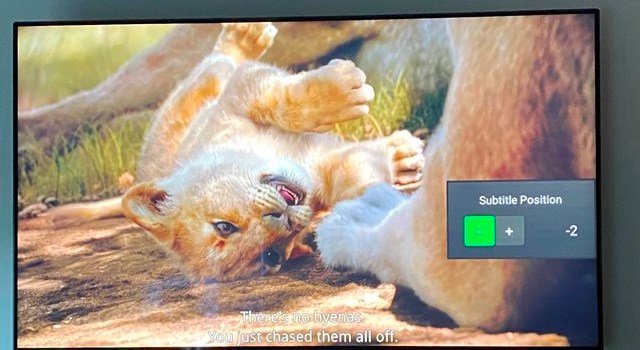
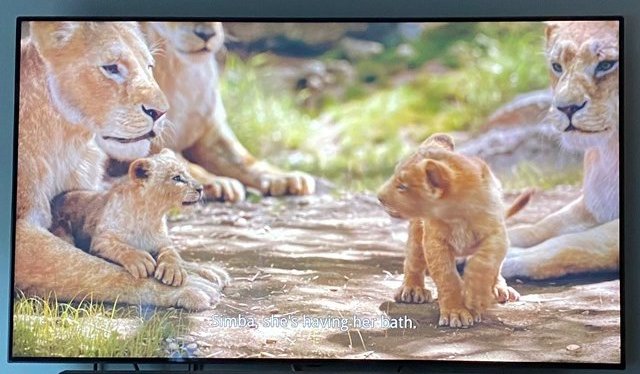
Yes, i understand original subs can't be moved. Thank you. For my understanding: The server is on the Nvidia Shield Pro and does all the work, like transcoding. I can play movies with PSG subs downstairs while using the Shield app (All of my REMUX movies with PGS subs can DirectPlay without transcoding.) But i can't play movies with PSG subs upstairs while using the Samsung app, so is it due the client then? Would a Nvidia Shield TV (basic edition, for just the client app) solve the problem for transcoding the PSG subs? I attached a photo of the position of the subtitles where i'm using the Shield app. I would like to have the same position on the Samsung app client. Subtitle position -2 on the Shield app, is the same as the Samsung app. So can you adjust it +2 ? Thank you, i understand.
 1 point
 -
In his picture that's where I want them Or, maybe a little higher on a IMAX movie where the picture takes up the whole screen. How would the Samsung app know where the picture ends and the black bars start with a remuxed movie (with black bars)? The file would be 3840*2160 with black bars, but the picture part could almost be anything down to 3840*1600. In that case either the user defines the position in their subs (ASS can do that), or the client would need to have an option to move them on the fly as the resolution of the picture part will differ with every movie.1 point
-
Sorry, I was editing my reply when you answered. On the Shield PGS can be rendered, but they can't be moved because the position is defined in the file. Just like some ASS have the position defined and can't be moved. The Shield client can only move the position of subs with no position defined (SRT, some ASS, etc). I don't have any other device which can render PGS so they need to be burned in to keep the formatting, or convert on the fly which can cause issues T1 point
-
I prefer my subtitles in the picture. I'm one to believe that if your eyes have to constantly move down to the black area to read the text then you miss more of the picture than when the text is in the picture. Your brain will actually fill in what little is covered. However, it can be hard to read sometimes if there's snow or something else toward the bottom and the text is white. Some of the other clients have an option on the OSD to move the position of the subs with a popup and a +,- key to raise/lower the height while the movie is playing. However, it only works with subtitles which don't have a predefined position right in the file. PGS and some ASS have the position in the file and can't be moved. It also only works if you didn't reencode your movie and crop the black bars off. The black has to be part of the video in order to move it down there.1 point
-
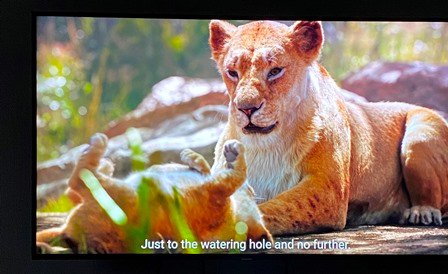
Thank you SamEs for the nice explanation. I tried to extract the subtitles but it takes ages to do only one. And i got a lot of movies with PGS subs.. I can DirectPlay, PGS subs on my Nvidia Shield, downstairs, so without transcoding. It this because of the Shield? Below you can see how low the subtitles are, this is for every movie. If it's possible i would like to have the variable option for the subtitles Thank you sir
 1 point
 -
if you have nfo's saved - just edit them and add what you need to the end of the title - via bash etc rescan should pick up the changes1 point
-
one way to do it - but is a manual process or would need scripting or via sql i have two movie libraries and my 4k movies have (4k) added to the name/title in emby via editing the metadata
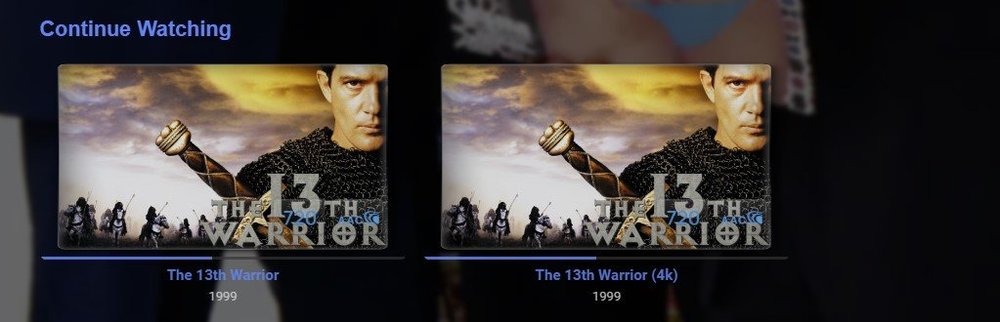 1 point
 -
Something like this button.listItem[data-id="sync"] {display: none;}1 point
-
PGS subs will always require transcoding. Better to find a suitable external sub file, or use something like SubtitleEdit which can extract the PGS subs, performs OCR and creates a perfectly timed srt file. You may need to got through and correct a few things the OCR misses, but that's half the fun! You should be able to get most things to DirectPlay on the Samsung. The main limitations will lossless TrueHD, DTS and PGS subs. In each case, use an alternate audio track and find an external subtitle file. As much as you can keep DirectPlay as the format, the happier you'l be with the performance. If you're trying to play PGS subs, then this is possibly causing conversion from HEVC->h264, which will be slow depending on your hardware. With regards to subtitle position (for non-PGS subs) that has been raised previously and I can change it, but it's not user adjustable. If the preference is to keep it in the movie frame, (not in the black-bars) then that can be achieved. In this case, do you think the position should be variable (ie: subs are lower when the content is full screen without black bars) or should they always be in the same location? What about content that is 16:9 with black bars in the encoding? In this case, the subs will be in the black bars. @FrostByte, @filthyfreak Thoughts on subs position?1 point
-
Thanks, I'm all upgraded to 4.5.3. Have a nice holiday!1 point
-
Hi, yes this is a good idea and something we can look at. Thanks for the feedback.1 point
-
In the case of media with multiple titles in different languages it would be nice if emby could make the show searchable by the alternate titles as long as they are known. For instance, it would be nice if I could have a show or movie where the title is in a different language, and then still be able to search for it by it's English title equivalent.1 point
-
Thanks and there doesn't appear to be an update beyond what we are using now so we'll keep an eye on it.1 point
-
Major steps forward here! Mainly here: https://github.com/chefbennyj1/Emby.IntroSkip/blob/master/IntroSkip/IntroDetectionScheduledTask.cs#L38 Oh my!1 point
-
Thank you for the suggestions. But I think the biggest issue was that my hard drive in the server was dying. New drive and full reinstall of everything seems to have fixed it1 point
-
Provide more info: 1. Your infrastructure, server, clients, network... 2. Live TV source 3. Playback mode: Local/Remote and Direct Play/Direct Streaming/Remuxing/Transcoding 4. Provide logs: Server, streaming sessions, transcoding sessions.. The more information the better help you will get1 point
-
That's like taking 10 billion steps backwards, I absolutely hate that piece of shit. Jeff bezos could not afford to pay me to use that steaming pile of trash.1 point
-
Thanks for the feedback.1 point
-
That is in config files under the server's program data folder, /config/users1 point
-
Hi I don't know if this is bug or not supported feature, My primary language in Emby is CZECH, and usually, I search movie with both options, English name and Czech name Now is only option due this save movie name with both languages, but why? Is it no choice to search with original movie name? Thanks1 point