Leaderboard




Popular Content
Showing content with the highest reputation on 11/15/20 in all areas
-
Can FireTV Cube handle that bitrate? Fire TV 3rd gen can handle up to 20 Mbps, but I can't that info for FireTV Cube.2 points
-
I made a new app from scratch. It just started closed alpha testing. Currently it only supports Plex as backend, but Emby support is coming. You can see more on reddit.com/r/AbooApp2 points
-
I worry about that myself. I read something about that also. Problem is how much work do you want to do to earn a "free" $11/year subscription? Personal opinion only here, but I think this is a mistake. If they wanted to go paid, they should have adopted a model similar to Open Subtitles where it's still free but with limits and with a contribution gets you more requests each day.2 points
-
Not that I know what I am doing but I can cut and paste with the best of them. Still don't really understand Github. @chowbok is this what you are looking for. Attached plugin update changing Resolution to Width and Height columns (sortable) and adding SortName to Movies. ***This version currently has cangroup for new columns width and height false.
 2 points
 -
I mentioned it in another thread, but thought I'd put it here since this looks like a new section--just for posterity. Would like to have a bulk meta data editor function. For example, if I have 750 videos whose producing studio is the same, I want to select those videos and apply the name of the studio to those videos. Similarly, if there is a custom tag I want to apply to a subset of those movies, I want to be able to select them in bulk and apply the tag to those videos (instead of selecting them one by one).1 point
-
Please add these two filters to Movie filter view: - Decades - Country1 point
-
I am switching over from a Win7 box running MBC to Chromecast dongles. With the Win7 box I had a HDMI to Cat6 setup that allowed me to stream to up to 4 displays/TVs simultaneously. It was great while it lasted, but involved stapling cables to the ceiling to run it from room to room - plus it has borked Can there be an option to multi-cast to several receivers at once? i.e. simultaneously play to Chromecast dongles in my office and living room and kitchen simultaneously so i can walk from room to room without stopping and restarting the movie or show all the time? I realize that bandwidth could POTENTIALLY be an issue, but i have a fill gigabit network and a multi-port NAS so that really is the least of my worries... Thank you!1 point
-
If you go to an individual Movie or show, and click on Edit subtitles, there is an option to return only Forced subtitles. This option is not available in subtitle configuration in the Library section. Would be great if this could be added there, so only download forced subtitles for shows/movies. Or better would be to add it as an option of "Forced subtitles for language matching audio language". Seems most of this functionality is already in place, just needs to be linked up. If it helps, I would like to offer a bounty on this option. I can personally add $100 to bounty for it.1 point
-
It would be nice if MBS could incorporate a Commercials.XML file generated from Comskip or ShowAnalyzer and use this to automatically skip over commercials in the web client. Ideally, I'd like to see this work like DVRMSToolbox's DTBAddin. You would have a setting in LiveTV for commercials location. During a media scan, it would match the .XML file name to a recorded TV file and generate the appropriate commercial markers based in the commercials files. When streaming from the web client, it would use this data to automatically bypass the commercials, but allow the user to go back if section was marked incorrectly. Option 1: Translate the commercials file into the chapter/scene markers. Users could manually skip to the next scene. Option 2: Make special commercial markers and automatically skip like DTBAddin Maybe this could expand later where you could have MBS scan files as well.1 point
-
Please read this post first. I was wondering if it would be possible to add something that would allow you to skip the intro to shows automatically while binge watching. When watching Netflix it does this for some shows, and im not sure if thats a feature of Netflix itself or a Chrome extension i use called "Flix Assist" but it would be a nice feature to have within Emby as well. and possibly even create a custom timed skip for specific shows1 point
-
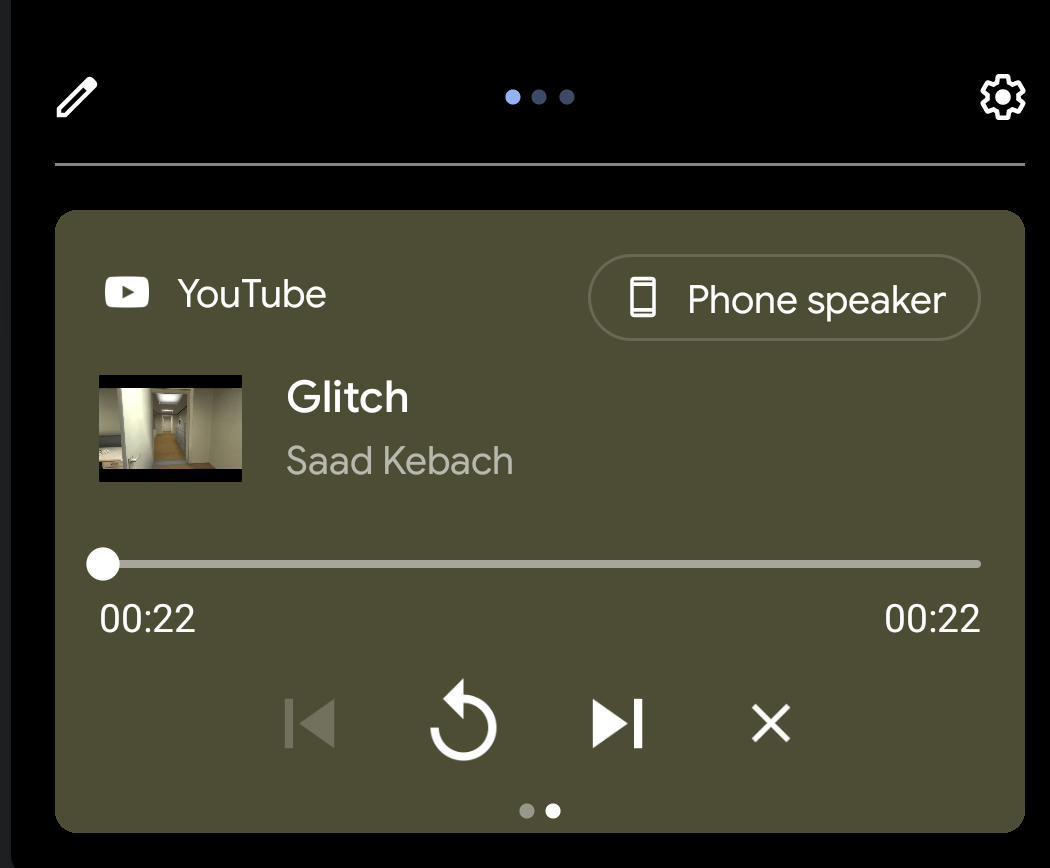
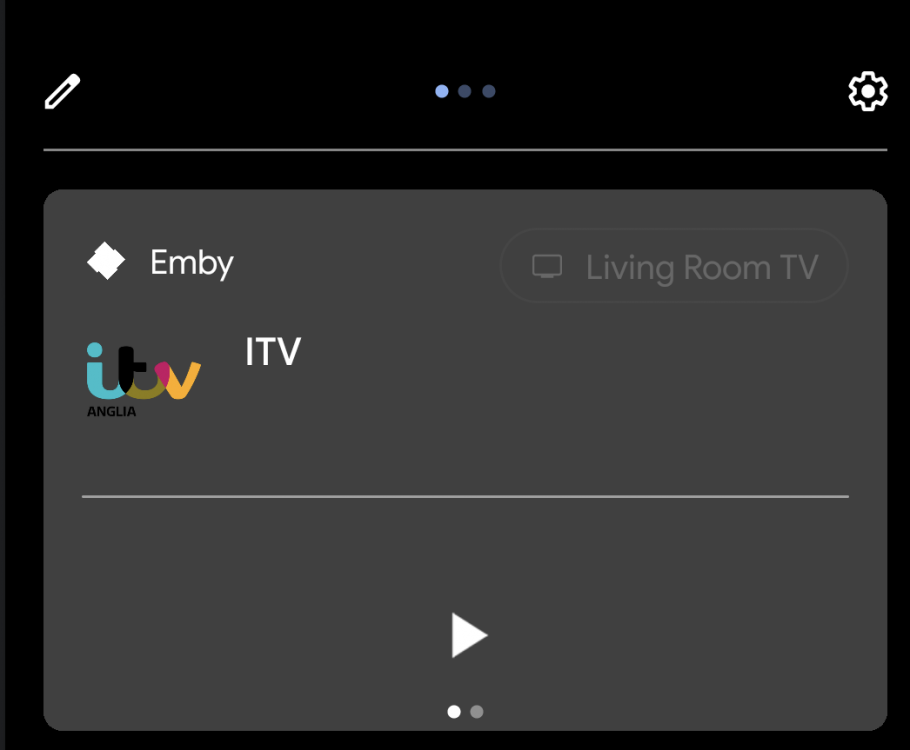
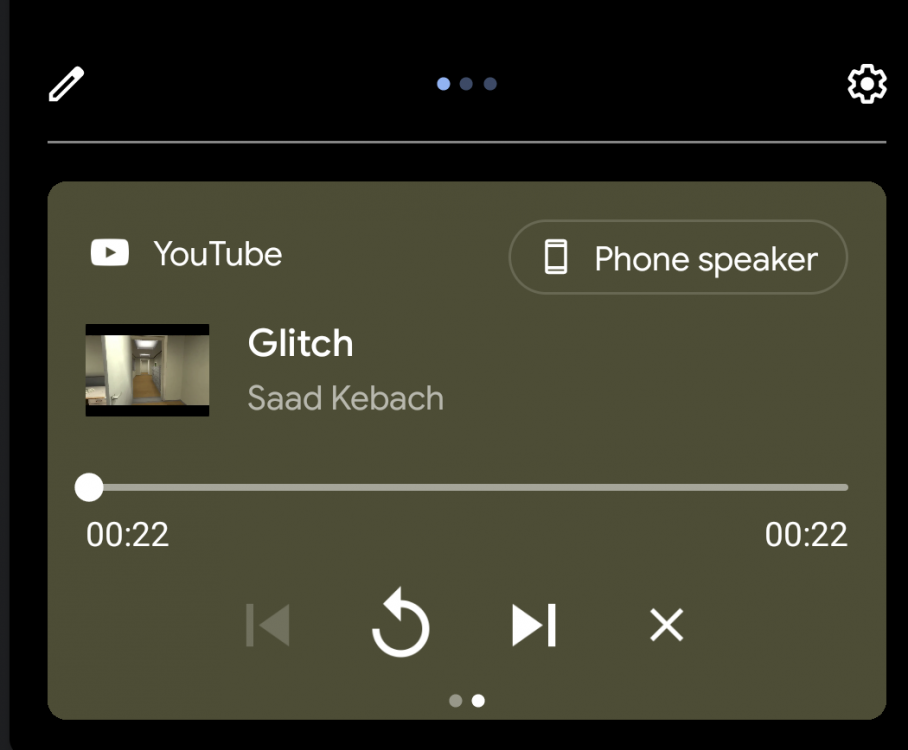
Can we get a close button on the Android app notification? Currently all other media player apps (Youtube, spotify, netflix etc) all have a small X on the notification to close the app. Emby doesn't and sometimes even after I have finished watching something and closed the app the notification will still there until I force close the app. Attached images show the Emby and Youtube app notifications
 1 point
 -
Looks like I needed this: Every item I add to a channel, I have to ignore if in the other channels. foreach (var movie in mediaItems.OfType<Movie>().OrderBy(x => x.Name)) { if (channels.Select(x => x.ParentId).Contains(movie.Parent.ParentId)) { logger.Info($"Skipped Movie {movie.Name} from {movie.Parent.Name}"); continue; }1 point
-
@cayars thank you for the offer, which I'll gladly take up. Will PM you now1 point
-
Thanks a ton to cayars Took a look at my installation and found that I had configured it to write to the same folder as media contents which is in fact read-only - Made some modifications to the installation and voila, pictures downloading! Really appreciate it mate, thanks!1 point
-
You can access the log files right from the web admin. There is a logs menu choice. Once you open that there are options to the right of each log and one of them is a download. If you like I can do a remote support session with you via TeamViewer to take a look at your setup and make any suggestions to help you get this fixed up. If interested send me a PM.1 point
-
Yes, with Nvidia Shield 217 and 2019 Pro (not 2019 Tube), I can play movies at 70 Mbps.1 point
-
RTFM?1 point
-
When you play this what does the stats for nerds screen show? Is it direct playing or streaming?1 point
-
I've recently done the TrueNAS upgrade. From what I can see in the plugins section, there is no official iXsystems plugin, but there is a community plugin and it's showing it's on version 4.5.2.0 which is the most recent stable version, so I'd say you should be good installing the community plugin, although I have not tried this myself.1 point
-
Same problem. However I installed same file on 2 tv below Samsung KS8009 - German market Samsung TU8079 - German market problem with Samsung UE43M5670 - German market - I installed one of the versions from this topic and it works1 point
-
Replace the HDD with an SSD.1 point
-
Yes. Seems to be a known problem: https://gitlab.freedesktop.org/mesa/mesa/-/issues/3117 Firmware-Downgrade https://www.mail-archive.com/debian-x@lists.debian.org/msg135687.html Kernel-Patches https://git.kernel.org/pub/scm/linux/kernel/git/next/linux-next.git/commit/drivers/gpu/drm/amd/amdgpu/amdgpu_vcn.c?id=bd718638b8513e20a481a67f37a8acc1ebf2d957 https://git.kernel.org/pub/scm/linux/kernel/git/next/linux-next.git/commit/drivers/gpu/drm/amd/amdgpu/amdgpu_vcn.c?id=e3b41d82dabaf6f1da94df8339afeee66e9b1a7e Debian Bugs: 921004: https://bugs.debian.org/cgi-bin/bugreport.cgi?bug=921004 921114: https://bugs.debian.org/cgi-bin/bugreport.cgi?bug=921114 921145: https://bugs.debian.org/cgi-bin/bugreport.cgi?bug=9211451 point
-
You can either buy premiere or pay the unlock fee for the android TV client. The Android TV client is not free. We're ALL playing back our own local media.1 point
-
You use either the D-pad and press left to rewind and right to fast-forward. This will put the player into manual seek mode where you can advance to the point you like manually. Or you can press the rewind or fast-forward keys directly. This will put the player into automatic seek mode where it will automatically advance. If you press the button multiple times it will increase the automatic seek time from 1x to 2x to 3x and back to 1x. This allows you to get where you want without needing to press or hold keys repeatedly. Like @Happy2Play mentions if you enable BIF images this will allow you to see thumbnails of the seek points visually as you go. Without the BIF you will just see the last image on screen and a seek bar. There will be no thumbnails during seek without BIF generated.1 point
-
Locast changed something that broke locast2plex, but they already pushed out a new version of locast2plex to fix it https://github.com/tgorgdotcom/locast2plex/issues/128 To install this, I had to use python 3.8.6. Need python 3 now, they said it won't work with python 2. Installed python 3.8.6 in a easy to find path not the default one, and for all users. Download locast2plex zip file from github and unzip to a new directory. Need to download zip file from here https://github.com/tgorgdotcom/locast2plex click green code button, then download zip and unzip. run "nssm edit locast2plex" where locast2plex is my service name, and running in administrator command.com window. change directory to where nssm is installed. In nssm config screen, changed path and startup directory to point to new version's directory of locast2plex run "nssm start locast2plex", but then it didn't start until I coped the config.ini from the original locast2plex directory to the new version one. I restarted PC to make sure everything was reset. In Emby, deleted tuner from emby server, Live TV sources. Then add again as HD homerun at ip address 192.168.xxx.xxx:6077 where the xxx's are the server ip's address. It found the new tuner, added it, and now locast works again.1 point
-
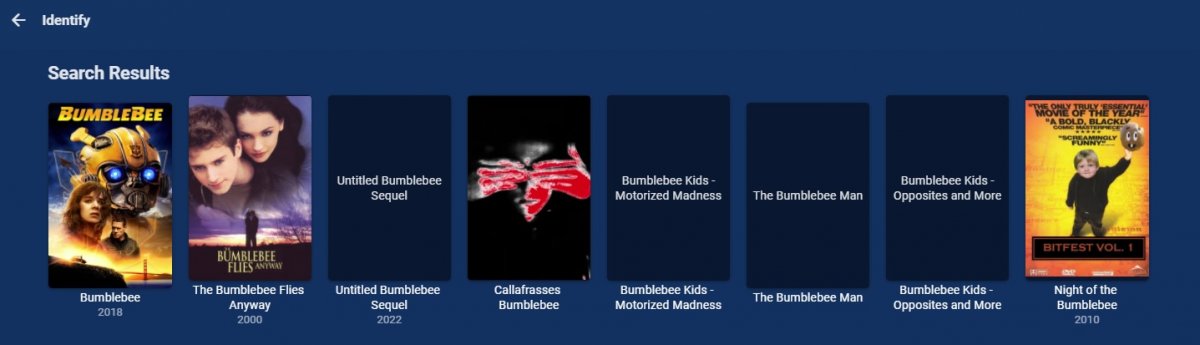
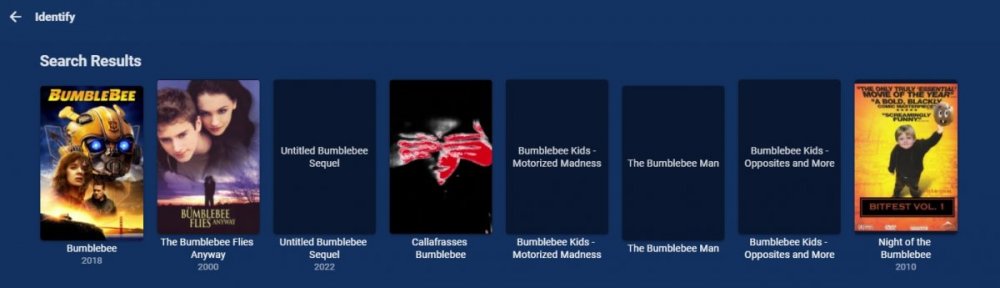
The issue is Search shows a image but the next screen is broken. This is reproducible on all media I have tested on. Not sure as the url to the image appears to be correct, when I copy and fix the / coding. http://homeserver:8096/emby/Items/RemoteSearch/Image?imageUrl=https%3A%2F%2Fimage.tmdb.org%2Ft%2Fp%2Foriginal%2Ffw02ONlDhrYjTSZV8XO6hhU3ds3.jpg&ProviderName=TheMovieDb https://image.tmdb.org/t/p/original/fw02ONlDhrYjTSZV8XO6hhU3ds3.jpg 4.5.2.0/4.6.0.5
 1 point
 -
Either of you if you're still having an issue. Thanks.1 point
-
Client unlocks apply to app stores so if they come from different app stores, they will require separate unlocks.1 point
-
Thanks for the feedback. We'll get an update out to the store.1 point
-
Can you please try this version: https://www.dropbox.com/s/u1obwrckg4lkjc8/emby-android-google-armeabi-v7a-release.apk?dl=0 Thanks.1 point
-
Hi, try removing the anime plugin. Then restart the server and try again. Please see if that helps. Thanks!1 point
-
I understand what you mean now. The Roku app only uses the first (index 0) backdrop image. We will fix this. It will rotate the same as FireTV. Apologies it isn't doing that already.1 point
-
Hi. In addition to using the * button on your remote, you can click on the 'cog' icon at the top right of the library screen. Please let us know if this answers your questions.1 point
-
When you say you see "Suggestions" this isn't actually the home screen. You mean the library view. To change the landing tab on the library view press the star * button when in the library view. You can set a default landing tab or enter the application settings. This is what you meant? Or did you mean the home screen?1 point
-
I would like add separate sections for the different type of bumpers. Trivia, Intro, Device Silence, Audio Codex, Rating, Video Codex, and Outro would be the categories. I figured it would be a nice plug-in to try my hand at.1 point
-
Habe den Fehler gefunden. Problem war ein Inplace Browser, den ich genutzt habe um auf die WebUI zuzugreifen. Im Firefox funktioniert es so wie es sein soll. - Problem also gelöst. Problem war halt OSI Layer 81 point
-
In terms of something that would be easier for us to support, what if we had someone whip up a standalone app that can receive webhook notifications from the Emby webhooks feature, and then launch scripts of your choice depending on the notification? In other words, it would essentially act as a passthrough from webhook to command line. Then, as you need more new notifications, or more data attached to them, we simply add them to webhooks and everybody wins, both the webhooks crowd and the scripting crowd.1 point
-
Being able to stop watching an active recording and resume where I left off, either later or on another device, is a key feature. The resume function on previously recorded files works great. Providing this same capability for active recordings would be great. Sports provide an easy scenario. I usually start watching 30 to 60 minutes after the start of the game so that I can skip over a lot of the dead time (commercials, time outs, etc.) and focus on the game. Over the course of a 3+ hour game, I inevitably have interruptions and often move my watching from one device to another. Today, the only way to support this is to stop/re-start recording, effectively creating a "resume" point. While effective, it's an annoying process. Enabling "resume" on playback of active recordings would make this seamless.1 point
-
I'm currently setting the "unsafely-treat-insecure-origin-as-secure" flag in chrome so that I can use my chromecast with a local server without https - go to chrome://flags/#unsafely-treat-insecure-origin-as-secure - enable unsafely-treat-insecure-origin-as-secure - add http://<EMBY_SERVER_IP>:8096 - restart browser1 point