Leaderboard




Popular Content
Showing content with the highest reputation on 11/11/20 in all areas
-
Maintenance Window: 11pm Eastern Time on Nov 16 - 2am Eastern Time on Nov 17 It is time for another back-end system upgrade to keep up with software that we use. All Emby back end systems may be unavailable during the window above. We hope for the actual downtime to be less than one hour but want to provide warning for a larger time frame just in case. This may affect Emby Connect and initial Premiere validations. Most operations will be unaffected. Thanks.4 points
-
I believe that the issue is that the current method we use for HLS streaming is not optimised (or recommended) for 4K content. Whenever HLS is used for playback (DirectStream or Transcode) some 4K or HEVC video streams have issues being segmented, which results in the issues you have described. There is always a lot of work going on in the background on the server to improve transcode and directstream playback, so I'm sure in this will be improved over time.2 points
-
Hey guys, thank you so much for your concern Ive been working flat out and moving house and things have been crazy! I will be back into this very soon thpugh and I am so excited to be back2 points
-
Be able to create playlist based on a certain criteria, like genre and or year, in order to create a dynamic playlist that it refreshes automatically when new content is added. This way you can for example, create a tv comedy playlist from the 90's, or a new sci-fi Movies playlist. Some other criteria for rules could be the rating, watched/unwantched, score, tags, language, audio codec, etc The possibilities could be endless1 point
-
While Emby already has recommendations built in based on previously watched items I find they are not all that helpful. They seem to be based on genre only, for example, because you watched a comedy here are other comedies in your library. I do like how the also directed by/appear in recommendations work though. What would be great is if Emby could incorporate Trakt's recommendations as they are much more sophisticated. Trakt's recommendations are not only based off of what you have previously watched but also what your Trakt friends and other Trakt users have watched. It takes user ratings and trending/popular media into account. Ideally Emby would include full Trakt integration allowing users to rate media after watching, view lists and recommendations, and view upcoming media all from within Emby but for now I think recommendations would be a nice addition. Trakt has the potential to give Emby that community feel and allow users to discover new media, find something to watch, and recommend media to other users. http://docs.trakt.apiary.io/#reference/recommendations1 point
-
For clients that can use 3rd party remotes (ie Android TV) I'd like the ability to use a remote of my choosing and be able to map my remote to functions in Emby. We should be able to keymap all important functions such as EPG popup in video, stats for nerds, RW, FF, jump back 10, 30, 60 seconds, jump forward 10, 30, 60 seconds, etc. We should be able to use the number keys to enter 3 or 4 digit channels for TV channel changes. Basically any function available in the UI should have a key mapping associated with it so we can use it with advanced remotes. The remote is our gateway to using Emby and the more functionality we have to customize this for our use the better and easier it is for us to use. Being able to map your own remote is a long standing tradition with many other system and is a long overdue addition needed in Emby. If you agree, don't forget to like this post.1 point
-
Don't know how many of you know what PseudoTV is on Kodi but basically it is a plugin that allows you to create an EPG full of your own custom TV channels using your entire media library into one big channel surfing experience on your library. Emby, I believe, would be amazing for this and really make it stand out if something like this was official supported as the only support for something like this is a little plugin on Kodi. Features: Create custom TV channels using smart filters (e.g. 500 random movies that are from 2010 and newer and genre is Horror, 25 random tv episodes that are from Fox network). Allow creation of an unlimited number of channels using these filters and assign them channel numbers Automatically generate an EPG/TV Guide using all of these custom channels and randomly assign the scheduled program at a specific time Allow sorting of the channel shows (random, in order, asc, desc) Allow channels like FX to play both TV shows from FX but also incorporate movies at specific time periods like primetime movies Allow trailers to play in between shows as well as Channel Bumpers/intro videos Allow integration with Live TV using PVR Allow YouTube channels, USTVNOW, Playon perhaps? Ability to add a logo to your custom channels Background updating that would auto generate / update all the channels and shows after a specific period of time And so on1 point
-
My present chassis is only 16 bay, and it's filled. I'm looking to upgrade to this Supermicro Coraid. https://www.theserverstore.com/Supermicro-Coraid-36-Bay-4U-SRX6300-W-X9DRH-iF_p_901.html Anyone got experience with this or something similar? I see that the fans are controlled by the motherboard. Are these things loud? I'm expecting them to be, and if so, I'll replace them. Are the PSU fans also loud? Supermicro are known to be built well, which is what's attracting me to it. I also like the look of this thing. I could just add drives to my server box, but I wanted to keep the storage separate. Part of the decision is the rails for the Norcotek boxes I have are rubbish, and I would like to move away from the Norcotek stuff.1 point
-
Hi Team, can we get the fabulous option to prefer the logo over the cover in the detail view in the other apps, like we have it in Android TV App, too? Thx for considering1 point
-
Nothing other than win TV is no longer needed with the version in development. This is already done. Sorry but can't give an ETA on it's release as some parts are still missing and being coded as I type this.1 point
-
Maintenance Window: 4am GMT/UTC Time on Nov 17 - 7am GMT/UTC Time on Nov 17 I believe this is correct for GMT/UTC time from eastern. I believe you are 5 hours ahead of eastern. Hope this is correct.1 point
-
I am not even talking about them. I am talking in general and not basing it on anything yet. This is entirely conceptual as to why a media service would even need to tell you the weather. The only reason I can see is to give severe weather alerts. I am just here for the popcorn and the cold drinks. I am all out of popcorn and cold drinks.1 point
-
Hi. Thanks a lot for the tip. I'll try it right now. Hope it fixes the issue on my raspberry pi. Much appreciated your advice.1 point
-
<redacted.. impossibly dense conversation was here>1 point
-
@ebr Would you mind adding GMT/UTC to these posts? I honestly have no idea what the Eastern time zone is...1 point
-
Assuming you use Emby to delete the item...1 point
-
Oh wow **** it then lol. 4K Blu ray support and no Dolby Vision / Atmos?1 point
-
Good day, I will lock this thread now, since we will do another upgrade (please see the blog/announcement) about this. I will start new thread when we done the upgrade. Thanks. My best1 point
-
I'd love it too.1 point
-
When it comes to color it depends how your computer is connected to the TV. There is RGB Full and RGB Limited. TVs use RGB Limited and the graphics card likely switches to this if it identifies it is connected to a TV. Switching to RGB Full makes the desktop colors not seem so washed out if your TV supports it. I also remember playing with actual color settings and it is recommended to use YCbCr 4:4:4 from what I've read but I seriously suggest you do some research on your own based on your specific equipment. The problem you describe with lack of sharpness on the computer is the same thing I experience on my computer monitor when viewing movies and is likely related to pixel density. When I am editing and testing videos on this machine I ignore the quality because it is much lower on the computer monitor than the TV, especially a 4K TV. I see jagged edges on people and other moving objects viewed on the computer monitor but they are not present on the TV....and I have a good video card. This issue seems to be hit or miss and to be honest if I didn't have a cable box and a 6 tuner cable card and could switch back and forth watching the same show the difference may not have been so obvious. If someone had never had anything but a computer hooked up to their TV they may not realize some of the issues. The best suggestion I can make is do some research, play with your video card settings based on what you find out and after that you may want to try and calibrate your TV to the computer with it's new settings. This way you may have a perfect picture or not but you should be closer to what you want. Like I said....I gave up, I have all Sony TVs which arguably have some of the best picture quality and color on the market and I was never happy until I switched over to the Firestick as my input device.....and these days the new gen are always on sale....I just bought three more 4K ones for about $25 a piece. I'm sorry I can't be of further help but it's been years since I messed with this as I gave up out of frustration and just used my cable box. All my recorded content just sat on my computer for years until I found Emby and started using my Xbox then migrating to the Firestick which doesn't require transcoding on most content.1 point
-
FYI, by changing the folder names on the server by removing the spaces and then removing each library and adding the newly named ones back, solved the subtitles issue. Many thanks to Happy2Play, cayars, and Luke for all their assistance!1 point
-
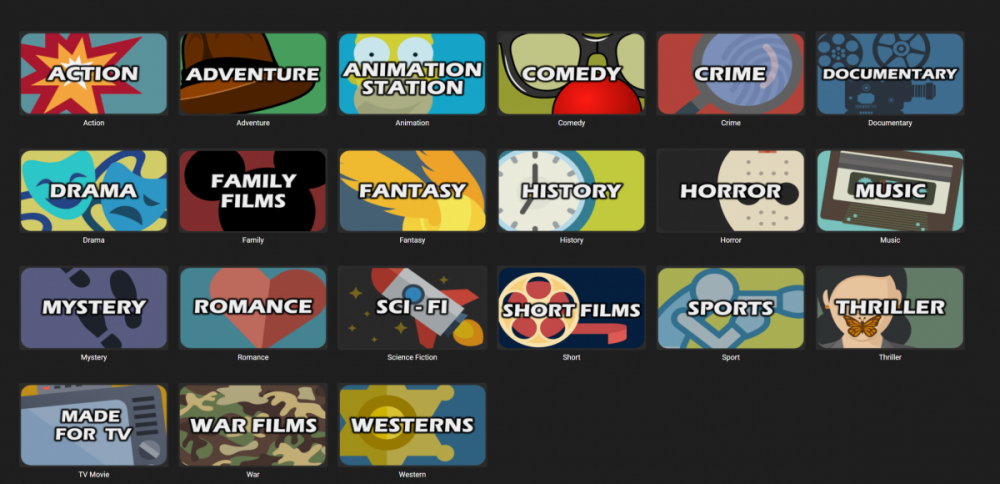
Hi @PuffyToesToo this works no need to change label. Appreciate it so much. If you have the one for Animation Station with just the label "Animation" it would be great. Look at my full setup below.
 1 point
 -
It isn't just about what the AVR can support. The entire chain needs to support it - including the Android device.1 point
-
It was already disabled in Kodi. I did turn off port forwarding in Emby server which cleared a lot of errors from the Emby log. Not sure if that would have any correlation to the Kodi issues. I also tweaked a few settings in Kodi. I'll keep an eye on this and see if the issue reoccurs.1 point
-
yeah i bought a 2U one as a £100 experiment. took it for re-cycling a couple of weeks ago. far too loud for me to deal with. i did try to replace the fans but i was ending up throwing more money after bad and never going to achieve anything useful with it1 point
-
My SuperMicro is off as I don't currently have a use for it. It is loud on boot, as are all enterprise servers, but it does quieten down after that.1 point
-
i have HP Servers and they are loud! as its enterprise grade kit - its likely to be very loud - at startup especially - may calm down at bit once booted replacing the fans is likely to be a challenge as they will not be standard fans and have none standard connectors - as in not the connectors you are used to with domestic fans for normal pc's - removing a fan or two when running is likely to cause it to run the fans flat out - as it will see it as a failure and default into running remaining fans flat out to protect the server even if the temps are fine. I experimented with some quieter fans - involved a soldering iron and wire strippers was successful - but a major PIA - in the end i bought a Li-Lian case which they dont make anymore that allows me to easily put 30+ drives in and takes normal fans etc etc You might be able to replace the fans with better options but the management chip may not accept them as they may have additional sensors that it needs to see or some id it understands to recognise them etc PSu fans might be noisy but i think any noise they make will be drowned out by the main fans @CBers and @Spaceboy have super micro servers - IIRC they are off as they make too much noise! If you have a separate room it can live in and you can shut the door etc - then you may be ok1 point
-
This is a better option. I only need a single HBA and I can use my existing mobo etc. And save a bunch of money. https://www.theserverstore.com/Supermicro-4U-36-Bay-Barebone-Server_p_1004.html1 point
-
Dont Trancode... That will be ok..1 point
-
There are a lot of variables at play here. Have you plugged the Mini-PC into your TV via HDMI ? How is that in comparison to the touch screen ? There are two 'colour spaces' that should be selectable - Auto should do it for you - but ensure that if you are using a 'Monitor' then you should select the 'PC' colour space, if using a TV, then select 'TV'. This will basically improve and deepen the blacks - it should not really effect the overall quality. On the Windows PC, ensure you have the 'Native' resolution set - this basically means that Windows itself is not doing any scaling. Ensure the video is not being transcoded when playing - look in the 'stats for nerds' on the Emby Client - It should say Direct Play or Direct Stream - either are fine. I would also look at the PC Graphics drivers to ensure they are not playing with the video feed and trying to 'enhance' it and making a very poor job of it.1 point
-
This is not an Emby problem but one inherent to the PC being displayed on the TV in my experience. The desktop displayed on my TV has always looked nice but the minute I play a recorded TV show or even live TV the picture is sup par to my cable box. It has always seemed a little washed out and dark. I even tried more expensive video cards and played with the video settings and could never get the picture anywhere near the quality of that of my cable box. If you do some research there are some settings based on how the video card handles color that you can manipulate to make it better (I don't remember exactly as I gave up years ago) but in my experience this is only a partial improvement. This was such a problem for me I never used my PC as a way to watch TV or recorded movies for years. Yes, occasionally when I was working on something in the den I would have a TV window open in the corner but I really didn't care about the quality because I was busy doing other things....but using my PC as the entertainment system I originally built it to be was something I simply would no do as the quality was just not there. For me this all changed with Emby. Once I got the server working and my library built and organized I started using my Xbox 360 as a media extender and the picture quality was just like my cable box. The Xbox had limitations so I switched over to Firestick 4Ks and bought the app and now not only is Emby easier to use the picture quality is superb compared to the PC displayed on the TV and much easier to use.....plus I can use it on all my TVs now. I'm sorry I didn't help you solve your problem.....I've always had the same problem so I gave up on the PC and moved on.1 point
-
Not sure if you ever got it to work or not but I was having the same trouble. Open emby on your Samsung TV go in to your settings, sound, expert settings, change digital output audio to PCM. Hope this helps1 point
-
As Luke already pointed out but I want to re-iterate - this is absolutely untrue.1 point
-
@bonbonking that's really not true at all, and you can see for yourself by looking at the commit histories on the repositories. Let's take the server repository for example: https://github.com/MediaBrowser/Emby/graphs/contributors From some quick math, our paid staff was responsible for roughly 98% of the commits, and I am solely responsible for 95% of them alone. You'll see similar numbers in the other repositories. By the way, guess where the majority of our paid staff comes from: community members and volunteer contributors. Over the years we've rewarded and hired our community members who have shown interest, strong technical ability and initiative to get involved. So really, we are not bad people. We're just a team of software developer (and others) who are trying to earn a living.1 point
-
They have to be open source since that's the license they inherited with the source code. They have no choice over the matter. It of course will work ok at the server level as it's built on an older version of Emby. But Emby has improved many things from that version such is the transcoding engine, now customized version of Exo player, etc. Jellyfin has some nice things for sure but it's no V5 Emby. Around the corner is a new Live TV that will be game changing for many Live TV users. Of course those are server features. Emby has really nice apps and clients which are in a completely different level of functionality to those from Jellyfin which falls way short in this regard. Anyone using Live TV in the US, CA or UK is most likely paying for Guide Data which is included with Emby. The lifetime license of Emby for those users actually pays for itself. Some people also feel like purchasing an Emby Premiere License is a worthwhile investment and they feel it's worth compensating developers for the work they do. Emby in turn is adding people to the project to help it's customers as well. Heck we even do remote help with people. As far as the last line I quoted. My question to you is, why are you hear then? Go do your work on Jellyfin and enjoy the Emby Fruits you got for free. Maybe a thank you?1 point
-
+1 would be nice to have it for music as well.1 point
-
New version 0.9.0 in the starting post: Channels: Changed the order of channel content type and library folder selection to compensate problems with the sorting option. (@pmac) Also renamed some of the sort options to make the expected result more clear. Playback: Fixed playback start position for channels with bumpers Added new global playback option that allows you to start the following or current program from the beginning if the program start time is in a specified tolerance Added new playback mode "Playlist" This is something i wanted to do for a long time and i think it's really outstanding. But like every good thing, this will also have some downsides: - Doesn't work with the m3u export function, this will fallback to ffmpeg based continous playback instead - Doesn't work with Chromecast yet - You will loose the ability to use number imput to switch to other channels and you cannot open the onscreen live tv guide (Please support this feature request so some of you will get at least the chance to open the guide) But on the other hand the positive things of this playback mode are really great: + Should work flawlessly with every native Emby app, even with a Roku (@AboveUnrefined). Android TV needs version 1.8.39 or newer. If it does not play at all, report it here. If it starts playing but not with the correct program or start position, then it is a problem of the app like here. + No ffmpeg needed. It's directly playing the videos from your library. So when the Emby app supports this, it will direct play every video, audio or subtitle codec. + You can pause the video without a temporary transcoding file. You can seek back and forth in the current program. You even can jump back and forth between past and future programs of the same channel. (@hstamas) Under the general playback options of the plugin is a new setting especially for this playback mode that allows you to choose if the "Watched" state is only set for the user who is watching the program or also for the user that you have set to create the channels. In most cases it should be enough to clear the browser cache, re-evaluate the options and save them once again.1 point
-
Hello, I'm new to Emby having come from Plex. I'm having trouble connecting one of my TVs to a server. I have connected a different TV no problem, but others are just stuck in a connection loop. It goes to the select server page, if I click "sign in with Emby connect", it gives me a pin to enter - once entered it takes me back to the select server screen. I definitely have a s ever set up correctly , what am I doing wrong?1 point
-
I'll see what I can do. I've pieced it from around the web. I'll do what I can to provide some instructions and links to the info I found. I always wondered though.... why does Emby use the single certificate rather than the default cer and key files that are most often provided. I'm sure there is a reason for that. I just don't know what it is. Other web applications I've used just provide an interface for you to select those files and "upload" them.1 point
-
There is currently no setting to control this. The only thing guaranteed to have it update is restarting the server. We should probably have it trigger based on network events in addition to the hourly schedule.1 point
-
Sorry on a new portable Windows server I have no issue changing Album Artist 2 to Album Artist 3 and it appearing, then changing it back to Album Artist 2 and it appearing.0 points