Leaderboard




Popular Content
Showing content with the highest reputation on 09/22/20 in all areas
-
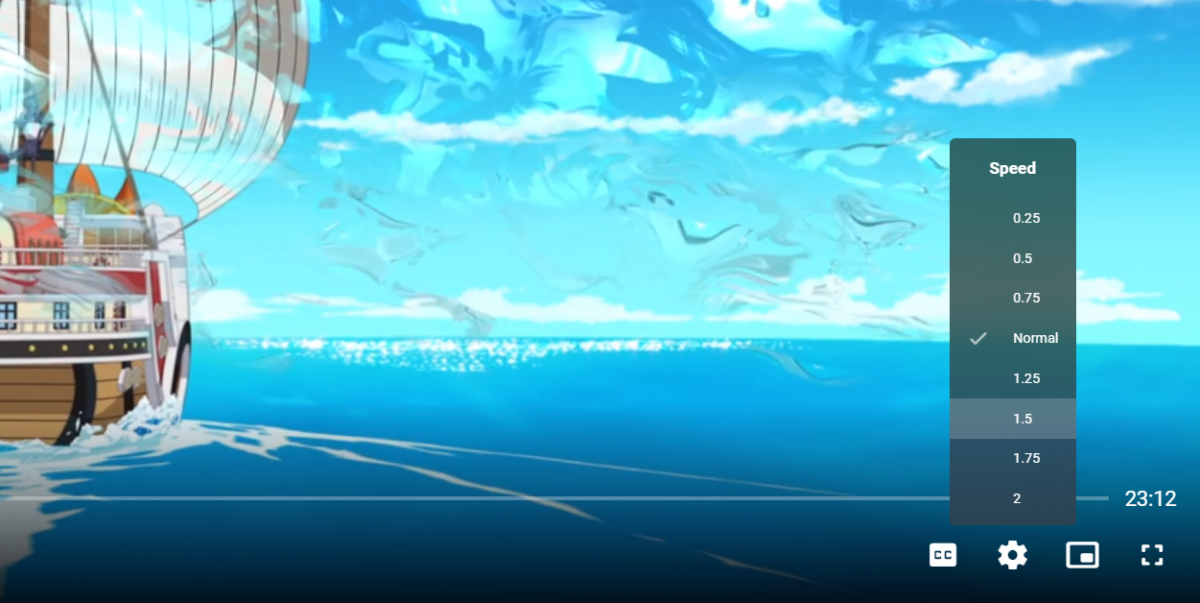
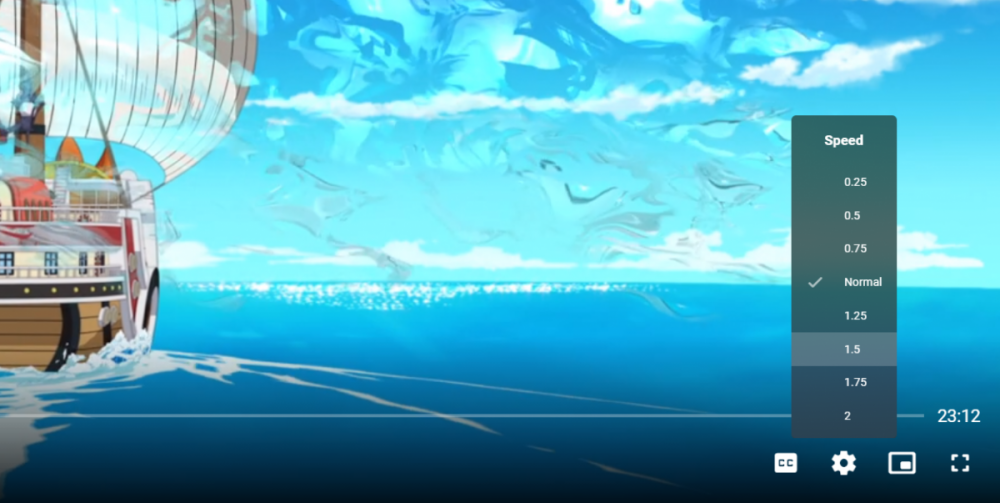
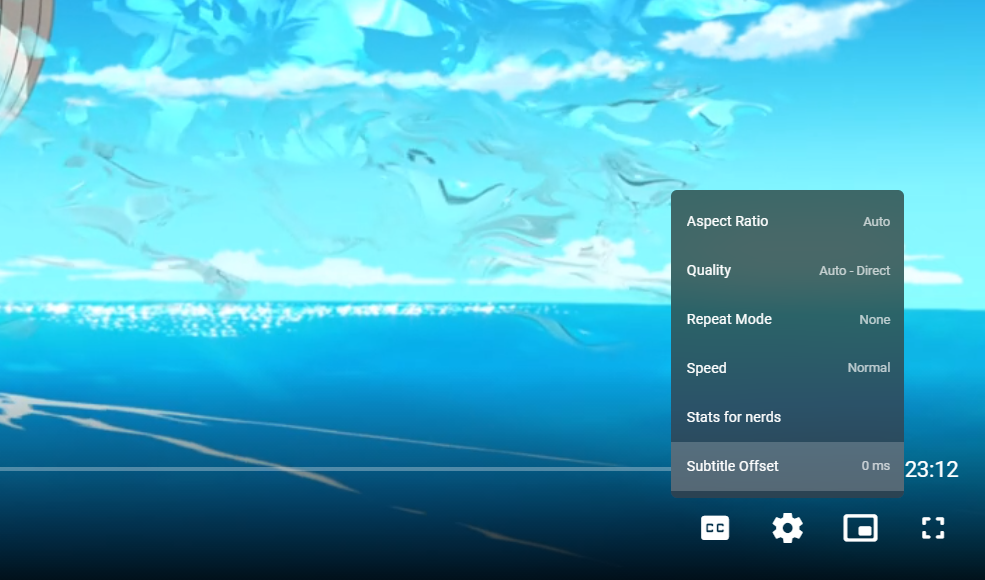
Subtitle Offset You can now adjust subtitle offsets directly in the web app video player. Look for this in other Emby apps in the near future. Playback Speed You can now adjust playback speed directly in the web app video player. Look for this in other Emby apps in the near future. New Install & Update Process for Synology Going forward, there is a new procedure for installing and updating Emby Server on Synology. Please follow the instructions on the download page of our website. This will bring the following benefits: Built with .NET Core (no more mono runtime) Improved support for hardware accelerated transcoding Spk's will be available for download and manual installation like other platforms Spk's for both the stable and beta releases will always be immediately available at the same time as other platforms. Bugs Resolved Fix Nvidia color conversion from mjpeg with yuvj422p Fix Nvidia level calculation Fix Live TV radio playback Fix pageup/pagedown in Emby web app Fix admin editing settings for other user Fix transcoding of m4v files Fix space bar during video playback with Vivaldi browser Fix intermittent active recordings display problem Fix multi-select refresh metadata Fix automatic restart to avoid attempting to restart multiple times Fix download jobs getting duplicated Fix extras with multi-version movies Fix adding playlist to a playlist Fix season 0 items out of order Fix manual metadata edits of movie extras being lost Fix active sessions filter Fix add to collections/playlists menu getting cut off in certain situations Fix certain situations where an admin editing another user's profile would not be able to see all options Fix H264 preset configuration Fix rotation of dynamic images Fix crash when uploading jfjf user image Fix India and Kazakhstan parental ratings Fix the list of available parental rating choices in the metadata editor when the library metadata language differs from the server default Fix HD Homerun with TVHeadend Fix second theme song being played in foreground Fix occasional errant scrollbar on video detail screen Fix configuring series settings right after creating series Fix query with AlternateMediaSources Fix rare transcoding failures when media info is absent Fix cinema mode with local trailers that don't have a rating Fix multi-select delete option not showing Fix content type being lost for restored libraries Fix videos that were split apart getting rejoined on next scan Fix remote content (strm files) ignoring quality setting Other Improvements Support adjusting subtitle offset in web app video player Support adjusting playback rate in web app video player Update to .NET Core runtime 3.1.7 Re-activate http2 features Improve scrolling performance in Live TV guide Improve http server performance by consolidating layers of data flow Improve database performance via index adjustments Reduce database writes when saving new items and refreshing metadata Improve conversion chances of downloaded txt format subtitles Add mmal into ffmpeg builds for RPI Handle multiple addresses in x-forwarded-for Allow include tags to override parental rating restriction Alac playback fixes Opera browser playback fixes API: require admin to get full server configuration Improve image downloader presentation Improve scrolling performance in Live TV guide Support embedded creation_time in exif data for videos API: Require admin rights to get all users list API: Require admin rights to get list of detected hardware transcoders Improve cleanup of missing episodes Ignore unsupported subtitle formats when searching for downloads Support other folder as alias to extras Add au/ra artist exception Support .aax audio files Adjust backdrop image save file names Support tags in people queries Improve performance of adding to collections Add audio language filters Add subtitle language filters Ignore @Recently-Snapshot for QNAP Disable missing episodes for dvd and absolute order Incorporate resume into Ends at display Show music videos for artist Add favorite channels Improve codec selection when streaming with Edge browser Minor freshening up of dark themes Rtsp fixes Add green subtitle color option Don't download subtitles for disc placeholders Improve Denmark rating options Support yyyyMMdd episode by date format Improve multi-version display names Improve recovery from bad image urls Allow left menu to be pinned as a sidebar Allow left menu sections to be collapsible Various fixes for adding items to playlists Avoid duplicate terms in version display name Support backdrops on list screen Remove background overlay from context menus5 points
-
Playback Speed You can now adjust playback speed directly in the web app video player. Look for this in other Emby apps in the near future. Subtitle Offset You can now adjust subtitle offsets directly in the web app video player. Look for this in other Emby apps in the near future. New Install & Update Process for Synology Going forward, there is a new procedure for installing and updating Emby Server on Synology. Please follow the instructions on the download page of our website. This will bring the following benefits: Built with .NET Core (no more mono runtime) Improved support for hardware accelerated transcoding Spk's will be available for download and manual installation like other platforms Spk's for both the stable and beta releases will always be immediately available at the same time as other platforms. Bugs Resolved Fix Nvidia color conversion from mjpeg with yuvj422p Fix Nvidia level calculation Fix Live TV radio playback Fix pageup/pagedown in Emby web app Fix admin editing settings for other user Fix transcoding of m4v files Fix space bar during video playback with Vivaldi browser Fix intermittent active recordings display problem Fix multi-select refresh metadata Fix automatic restart to avoid attempting to restart multiple times Fix download jobs getting duplicated Fix extras with multi-version movies Fix adding playlist to a playlist Fix season 0 items out of order Fix manual metadata edits of movie extras being lost Fix active sessions filter Fix add to collections/playlists menu getting cut off in certain situations Fix certain situations where an admin editing another user's profile would not be able to see all options Fix H264 preset configuration Fix rotation of dynamic images Fix crash when uploading jfjf user image Fix India and Kazakhstan parental ratings Fix the list of available parental rating choices in the metadata editor when the library metadata language differs from the server default Fix HD Homerun with TVHeadend Fix second theme song being played in foreground Fix occasional errant scrollbar on video detail screen Fix configuring series settings right after creating series Fix query with AlternateMediaSources Fix rare transcoding failures when media info is absent Fix cinema mode with local trailers that don't have a rating Fix multi-select delete option not showing Fix content type being lost for restored libraries Fix videos that were split apart getting rejoined on next scan Fix remote content (strm files) ignoring quality setting Other Improvements Support adjusting subtitle offset in web app video player Support adjusting playback rate in web app video player Update to .NET Core runtime 3.1.7 Re-activate http2 features Improve scrolling performance in Live TV guide Improve http server performance by consolidating layers of data flow Improve database performance via index adjustments Reduce database writes when saving new items and refreshing metadata Improve conversion chances of downloaded txt format subtitles Add mmal into ffmpeg builds for RPI Handle multiple addresses in x-forwarded-for Allow include tags to override parental rating restriction Alac playback fixes Opera browser playback fixes API: require admin to get full server configuration Improve image downloader presentation Improve scrolling performance in Live TV guide Support embedded creation_time in exif data for videos API: Require admin rights to get all users list API: Require admin rights to get list of detected hardware transcoders Improve cleanup of missing episodes Ignore unsupported subtitle formats when searching for downloads Support other folder as alias to extras Add au/ra artist exception Support .aax audio files Adjust backdrop image save file names Support tags in people queries Improve performance of adding to collections Add audio language filters Add subtitle language filters Ignore @Recently-Snapshot for QNAP Disable missing episodes for dvd and absolute order Incorporate resume into Ends at display Show music videos for artist Add favorite channels Improve codec selection when streaming with Edge browser Minor freshening up of dark themes Rtsp fixes Add green subtitle color option Don't download subtitles for disc placeholders Improve Denmark rating options Support yyyyMMdd episode by date format Improve multi-version display names Improve recovery from bad image urls Allow left menu to be pinned as a sidebar Allow left menu sections to be collapsible Various fixes for adding items to playlists Avoid duplicate terms in version display name Support backdrops on list screen Remove background overlay from context menus View the full article
 4 points
 -
So you can use the x64 package. I'm going to update the download page to make it easier to determine which package to use depending on your model.2 points
-
I found another advantage to using Channels DVR as a backend using M3U ... You can watch the same channel in EMBY and Channels APP using the same tuner. It will not us an additional tuner.2 points
-
looks good for strm files, too. Thanks!2 points
-
The playback issue should be fixed now. It should work with any possible configuration. You can test with enabled "developer mode" in "advanced" settings of emby4kodi and reboot. Please let me know, if you find issues. @Riggs This is a different topic, I'll look into playlists. If you have further questions, please open a new thread or use this one:2 points
-
Be able to create playlist based on a certain criteria, like genre and or year, in order to create a dynamic playlist that it refreshes automatically when new content is added. This way you can for example, create a tv comedy playlist from the 90's, or a new sci-fi Movies playlist. Some other criteria for rules could be the rating, watched/unwantched, score, tags, language, audio codec, etc The possibilities could be endless1 point
-
Already had a domain with a Let's Encrypt security certificate. Got Duck DNS by going to their website signing in with Twitter and providing a prefix (name) that goes in front of the duckdns.org web address. Installed Duckdns on my desktop where Emby is installed. It runs continuously providing your desktop ip address to prefix.duckdns.org. Test by changing your remote WAN access in Emby server, to prefix.duckdns.org, port 8096 and using your phone app, pointing to http://prefix.duckdns.org, port 8096. Login to your domain Host and using their DNS Zone Editor (or similar) add a Cname entry for WWW.your domain.com (net, biz whatever) pointing at prefix.duckdns.org. Go to ZeroSSL.com to use their FREE SSL Certificate Wizard. Type in yourdomain.com into top right box. On the bottom left check DNS Verification and the 2 tight agreement boxes. Click Next to get your CSR and then next again to get your private key. Click Next. Two Verification file will be provided, one for .yourdomain.com (root domain) and one for www.yourdomain.com. These need to be uploaded to your domain. Use the same DNS editor at your domain Host as you did to enter a Cname entry. This time look for the text section. Cut and past the two _acme-challenge "domain TXT Records" as Text file names into the DNS editor and the corresponding values, as shown on the ZeroSSL verification screen. Once uploaded and saved it can take up to an hour for this to be visible for the last step. You can see if the files have populated your dns by using a command prompt and typing nslookup -q=TXT XXX. where XXX is one of the "domain TXT Record" file names. Do it for both records. Once you see they have both populated, click Next. You should have 2 downloads available. One is your certificate and on is your account key. Download them both to a folder on your desktop. Go to sslshopper.com next and look for ssl converter. Change "Type to Convert to" to PFX/PKCS#12. Leave everything else as is. Upload your certificate and account key. Click Convert Certificate and you should then be able to down load your .pfx file into a folder on your desktop. Go to the Emby Server Dashboard. Expert, Advanced tab. (Emby Server 4.0.2) Assuming you're working from default setup, Change the Public HTTPs port number to 443. Enter yourdomain.com into "External domain" box. Provide the path for your .pfx file in the "Custom ssl certificate box". One last thing you need to do is get into your routers control panel and port forward the external port 443 to internal port 8920. You can check open ports using CanYouSeeMe.org Now you should be able to enter https://www.yourdomain.com, port 443 into Emby app on your phone to see your server.1 point
-
@Luke Why does the Settings Theme resets on every Stable release? I look after 5 other people's Emby server and whenever I log on to check the update was OK, the Settings Theme has reset to LIGHT. The main theme (DARK) stays, but not the settings. Please resolve this.1 point
-
Got a notification for a server upgrade this morning so I ran it. I tried the "restart" function via both the Chrome Android web version (4.4.3.48) and the Android app (3.1.38) and neither worked on 4.5.0.50. If I right-click Emby in the system tray from the server itself and choose 'restart' it works as it's supposed to.1 point
-
After upgrading Emby server to the latest version (4.5.0.50) I am getting a "ERR_HTTP2_INADEQUATE_TRANSPORT_SECURITY" 01 Chrome and a "Error code: NS_ERROR_NET_INADEQUATE_SECURITY" in Firefox. I think its related to the change log item of enabling HTTP/2, but could be wrong. Any way I can disable this to help test it out? I can access the server on the standard 8096 port. Chrome 85 FireFox 80 Windows Server 2012R21 point
-
Yes it is.1 point
-
This is the new norm, at least until we're listed in the Synology app store and then you can use that. That's something we are simultaneously working on. But the sideload spk's will always be available for those who don't want to wait for release to go through the Synology review process, as well as those who test the beta builds.1 point
-
So happy to see this in the web app now! I mainly need it for android/chromecast, is that on the horizon ?1 point
-
It should be resolved for you as well on the beta channel in the next day or two. We'll also get this into a 4.5.1 update next week. Thanks.1 point
-
DS216play is armv71 point
-
Yes, I do get the message to browse the usb, but the installation does not start. I am going to try the “universal solution” and restart to factory settings. I’ll let you know.1 point
-
As the title says, I would find it useful and I'm sure others too, that when in the main menu (or seasons menu) for a show, if there was some info if the show is continuing of if it ended.. can always do red lettering for "ended" and green for "continuing". looking at the main menu for shows this could be easily added next to the title maybe?1 point
-
wow, thanks for that fast answer. This was fast and helped :). It is now configurable through the Plugins menu. :)1 point
-
I checked the XML file and I can see the problem, thanks for the tip...1 point
-
1 point
-
1 point
-
1 point
-
No, instances are created on demand.1 point
-
1 point
-
1 point
-
1 point
-
Here are a few more. Will continue to post as time allows.
 1 point
 -
Emby will always direct play whenever possible so there's nothing you need to do to avoid transcoding.1 point
-
Possibly a few years ago, but Stable is stable enough for me to leave it as it is. They've been running Stable now for at least 2 years.1 point
-
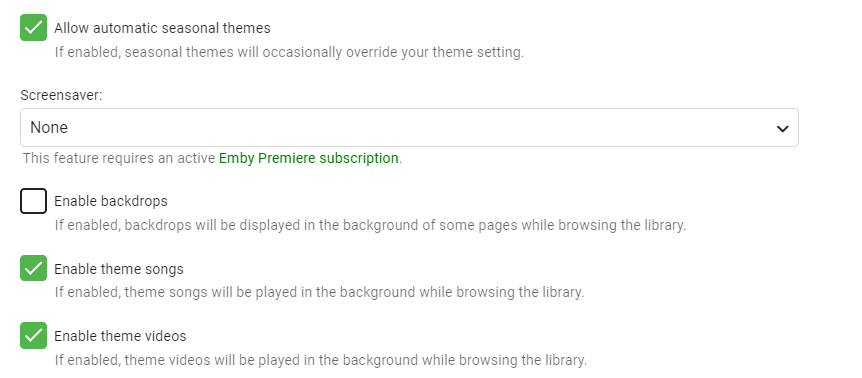
Also, whilst we are talking about things resetting, these options keep resetting as well: I always turn OFF "Allow automatic seasonal themes", "Enable theme songs" and "Enable theme videos" and turn ON "Enable backdrops", but these always get reset on an Stable upgrade. Before anyone suggests that I have cleared cookies etc., I haven't.
 1 point
 -
Hi, I'm not sure about that. I would ask the developer in the thread in this forum for the plugin.1 point
-
Thanks, no playback issues1 point
-
4.3.1.0 worked perfectly. Updated to 4.5.0.50 no glitching during recording so far.1 point
-
I would just grab the last few most recent ones. thanks.1 point
-
The three emby server logs. thanks.1 point
-
Hi there, can you please attach the emby server log from when this happens? Thanks.1 point
-
Sorry, I've been away from my desk for a while and just got the notification. No, it did not resolve itself. However, I did find a work around that works for me. I created a wake shortcut that I could pin to my taskbar. I then use the windows media center remote software (I forget the name but if pressed I can look it for you) to change the registry keys to assign a button I am not using on the remote to press Windows+1 and it runs the wake command to the server. Then I either Alt+Tab back to Emby and connect to the server if Emby was open or I hit the Windows Media Center button (also mapped via the software) and Emby starts up and logs in automatically. So, no, whatever Windows did in the update killed the functionality of Emby being able to wake the server when a call process runs on my Win10 clients via Emby Theater (either the App or the .exe). It has not come back, whether I roll back to 19xx or not. It has also not been fixed with a patch in Windows, either. I have another client that I am set on Insider Preview and that one still is unable to function as Emby intended and used to do. I am almost positive this was a permissions "fix" MS put out there as my windows 10 machines all thought they were on Public networks and stopped Network Discover and other things after the v2004 update. If you'd like help on how to create batch file to run the MC-WOL program, create a functioning desktop shortcut to run it, to pin it to the task bar, and have it all done via WMC-style remote control, I'd be happy to write up how I figured it out with help from Dr. Google.1 point
-
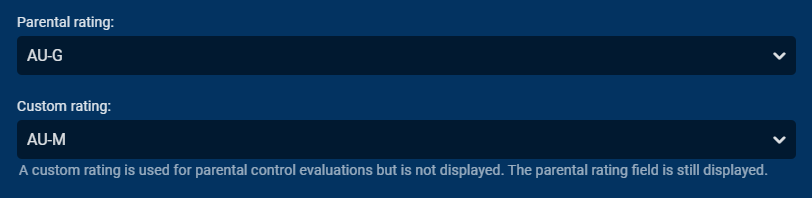
This is what 'Custom Ratings' are for. You don't touch the main rating, but simply add a custom rating that you believe is more appropriate
 1 point
 -
Yes but it has platform specific enhancements that rely on Windows components (in this case). I would have thought it would be smart enough to not try to use http2 on a version of windows where it might not work, so we'll just have to disable it ourselves.1 point
-
Para las configuraciones (usuarios, bibliotecas, etc) hay un plugin para eso en el catalogo el plugin se llama "Server Configuration Backup". Sin embargo este plugin NO respaldara los metadatos. Con respecto a los metadatos yo en lo personal los guardo dentro de la misma carpeta de medios, precisamente para facilitarme el trabajo cuando cambio o reinstalo el servidor. Verifica si ya se encuentran los metadatos dentro de las carpetas de tus series y peliculas, busca junto al archivo de vídeo si hay archivos adicionales con extenciones .nfo y/o .xml ademas de archivos de imagenes con nombres como "backdrop, poster, logo, landscape, etc..." Si este es el caso no tienes que hacer nada mas, cuando se escaneen las carpetas automaticamente usara los metadatos dentro de las carpetas de medios. Si por el contrario en tus carpetas de medios no se encuentran estos archivos la cosa es un tanto mas complicada, la opción para guardar los metadatos e imágenes en las carpetas de medios se encuentra dentro de las configuraciones de cada Biblioteca. Pero si no los tienes configurados y los activas no se moverán automáticamente desde el servidor a las carpetas de medios, para ello tendrás que ejecutar un escaneo de biblioteca y dar la opción de "Reemplazar los metadatos existentes". También dentro de la opciones avanzadas de la sección de biblioteca puedes elegir un directorio donde se guardaran todos los metadatos. Pero como he dicho antes, te recomiendo guardar los metadatos en el mismo directorio de medios, te facilitara mucho las cosas a futuro.1 point
-
Okay terminology then Studio is not a boxset/collection it is still a list. But you should get your request when Emby adds Smart Playlists. There is a plugin in the plugin section right now if you want to take a look.1 point
-
I got the same but a simple reboot of the PC sorted it out.1 point
-
In a loop. Keeps saying upgrading, restart Emby server. I restart both from Chrome or directly from server tray icon. It will not upgrade. stays on 4.3.0.26 asking to restart.1 point
-
Sent at 7:49 from herki thanks1 point
-
Thank you very much. I was able to resolve my issues.1 point
-
4.1.20 Stable Changelog: https://github.com/MediaBrowser/plugin.video.emby/releases/tag/4.1.201 point
-
Yes It's possible for the future. Thanks.1 point
-
This is in active development and TESTING so it will be soonish.1 point
-
Thanks for the feedback.1 point