Leaderboard




Popular Content
Showing content with the highest reputation on 09/20/20 in all areas
-
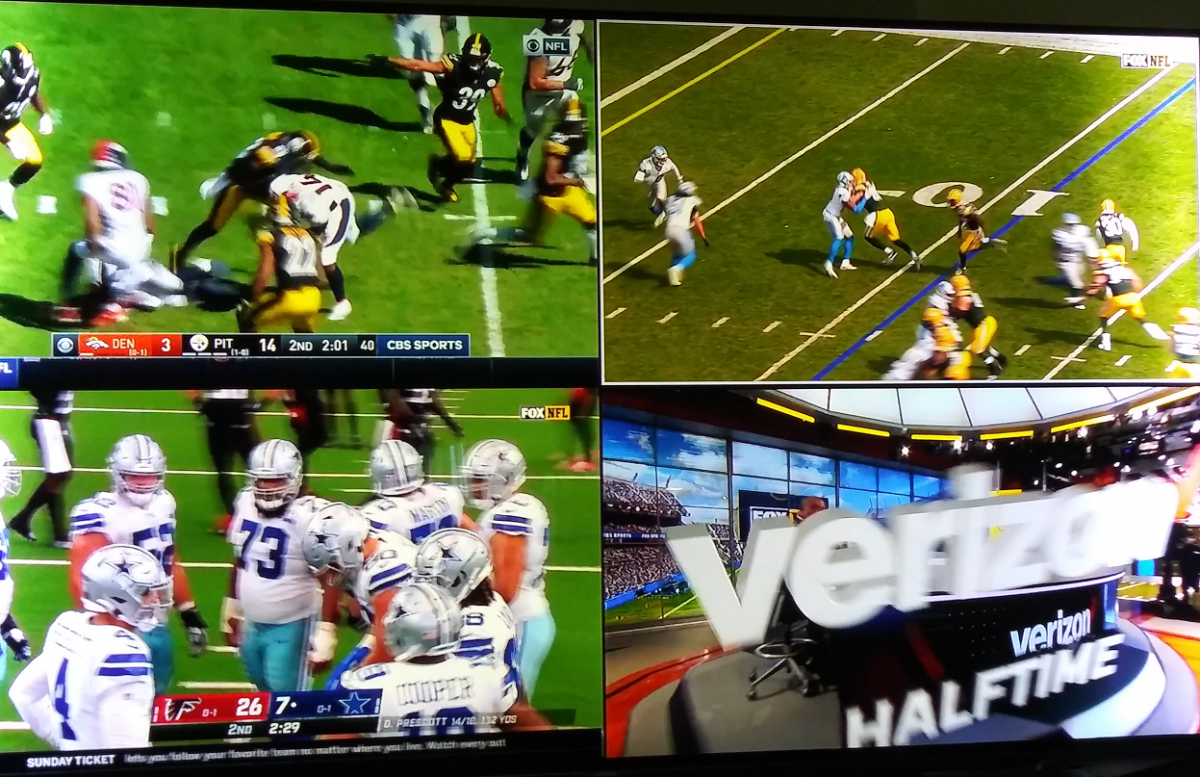
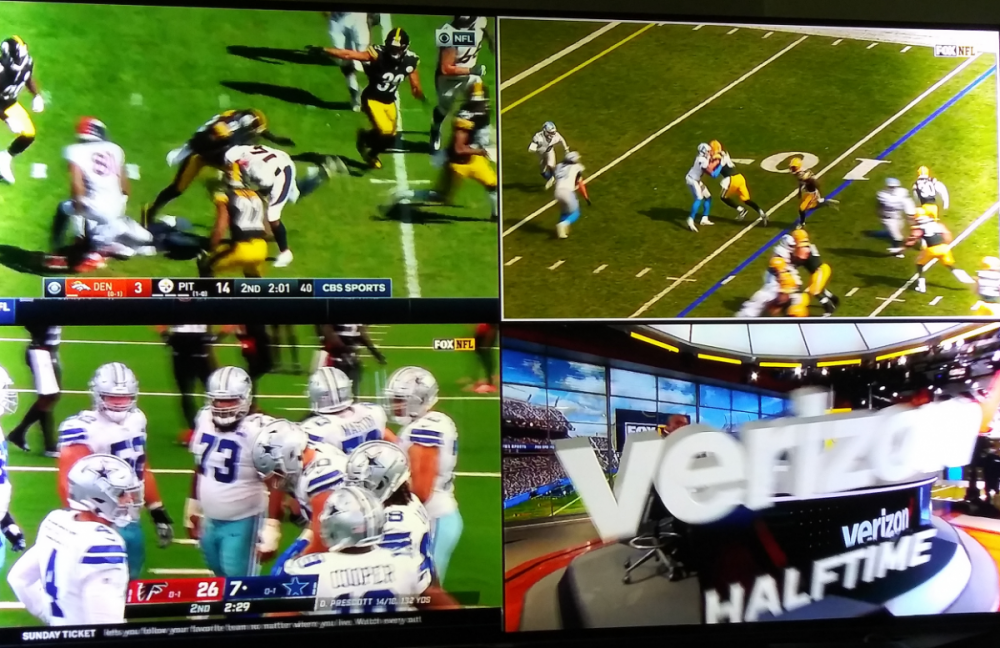
It's so good to be back in football season! Getting my fix, 4 at a time. Who needs to go to a sports bar?
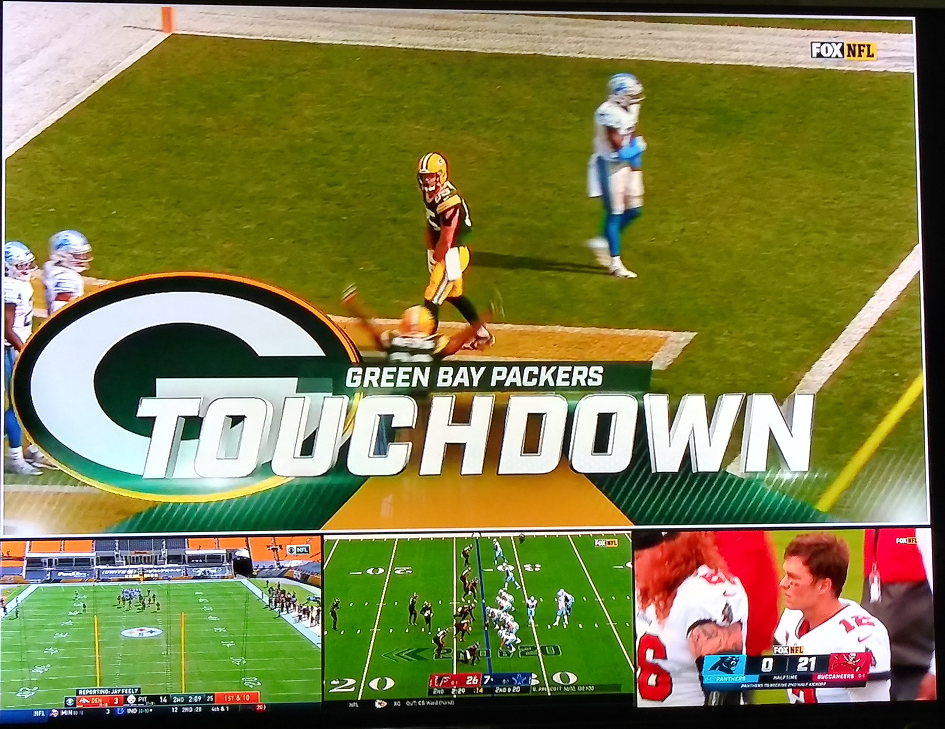 2 points
 -
the 'Next Up' section on the 'Suggestions' tab of the library where you want to see only 4K or SD, etc The home screen is giving you a combined view of all of the different versions, you need to view them from their individual libraries if you want a single view of only one quality (version)2 points
-
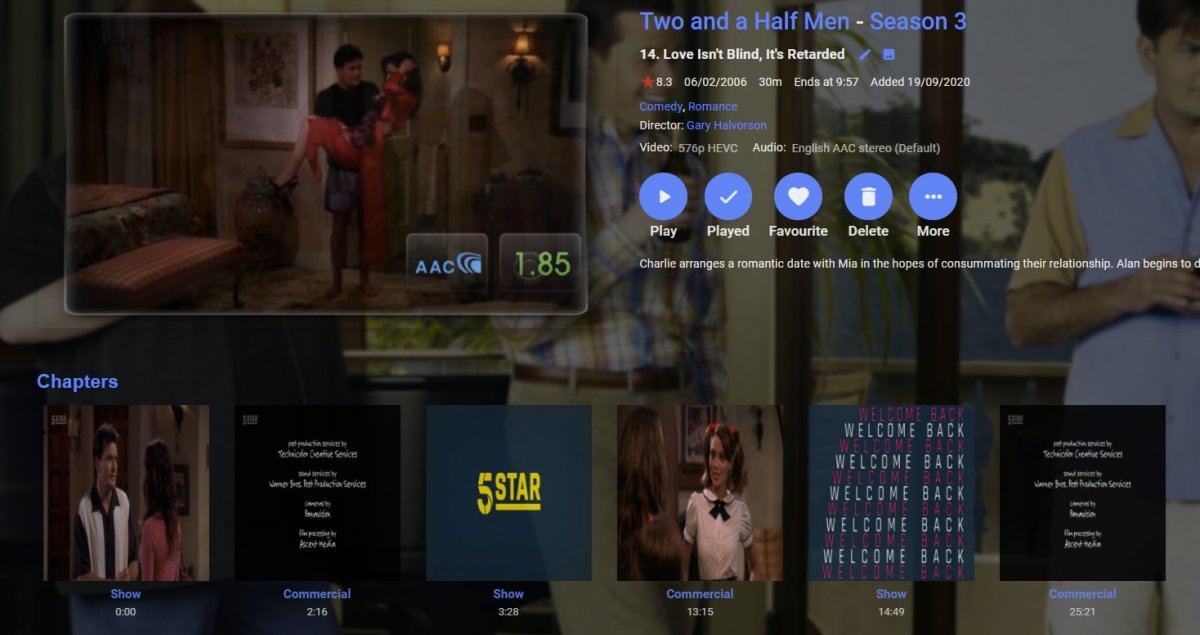
For Info - this can be done via Emby using the DVR Post Processing option I use a script (i wrote) to run comskip against a recording to find the commercials and then add in the chapter markers - they show up in emby fine and you can then skip commercials via the chapter list - been doing it for a year or two. I did consider cutting the commercial chapters out at the sametime - but comskip is not that accurate (varies by channel in the Uk at least) - its good not perfect - and for me i am unlikely to keep these recordings very long but it could be done if you dont mind missing a few seconds either way etc. Also comskip can miss identify sometimes and you could lose chunks of a show/movie - so chapter markers work better for me. Yes not everybody can write a script to do this but its - possible With pre and post padding of 3 mins initial chapter is the previous show, then com break, then into this episode with com break in the middle and final chapter when show ends etc etc Ignore the square chapter images - just a function of dodgy channel i chose to do a test record on and Emby....
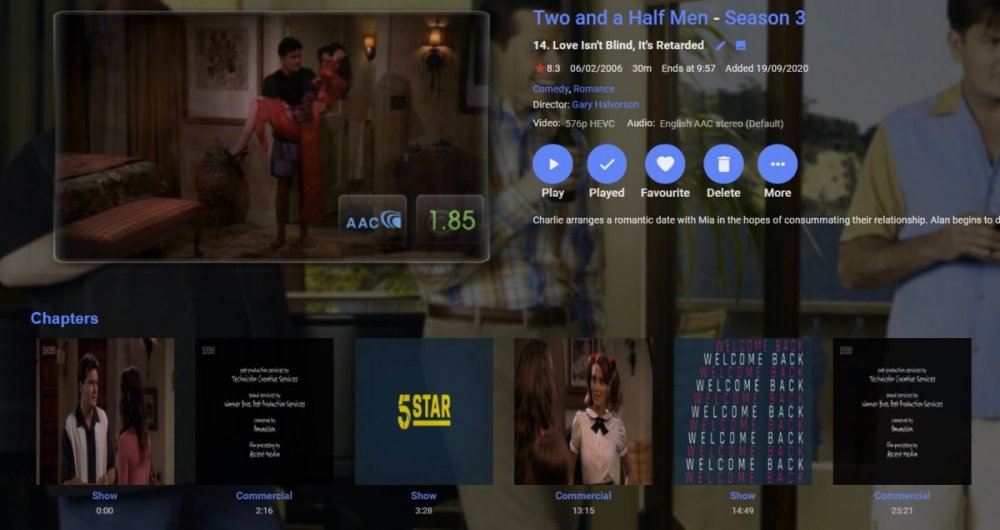 2 points
 -
I'm running Emby on a Synology DS416play, which can transcode H.264 4K, but not HEVC 4K. I believe many systems are similar in these capabilities. Currently, if a user tries to transcode a 4K HEVC video, my entire system will hang. It would be brilliant if it was possible to disable 4K HEVC transcoding, and only allow direct streams for this format.1 point
-
I would like to have the ability to check if a movie is already in my library before scheduling a recording in the DVR. The only way to do it now is to make a search. This mean going from on screen to another. It is already possible to not record an episode of a serie that already exist in the library. A similar option should be available for movie, One suggestion is to have a seach display on screen when scheduling the recording of a movie, in order to inform if the movie is already in the library or not. Hope this help!1 point
-
Hi, Since I am using more and more TMDb, (since tvdb is more and more a mess), I am missing a very important feature. tvdb had the feature of grouping stuff into aired, DVD and absolute, which is supported by emby. TMDb had also this feature. See this example for "La casa de papel" (Money Heist, Haus des Geldes): The Original Order is allways the "aired order" of the original country. "La casa de papel" was originaly released by "Antena 3" and was taken over by Netflix, which results in different episodes ordering, which is a mess. They solved it in episode grouping. This feature is missing from emby, but it's integrated in their API and is allready supported in other apps, like kodi. At least, Banana a TMDb Mod claims it, that it's supported by Kodi: https://www.themoviedb.org/tv/71446-la-casa-de-papel/discuss/5e7032d84f9a99001152704f?page=1#5eb76872ca7ec6001f7c53cb Is it possible to add this feature into emby? It is the last scraping feature, I really really miss for TMDb on emby. It adds much flexibility and is overall a much better solution, than on tvdb with their aired, dvd and absolute order. Another great example is Dragonball Super: As you see, it adds much more flexibility for different regions over the world. It's in my own eyes a must have for emby!

 1 point
 -
It would be nice if MBS could incorporate a Commercials.XML file generated from Comskip or ShowAnalyzer and use this to automatically skip over commercials in the web client. Ideally, I'd like to see this work like DVRMSToolbox's DTBAddin. You would have a setting in LiveTV for commercials location. During a media scan, it would match the .XML file name to a recorded TV file and generate the appropriate commercial markers based in the commercials files. When streaming from the web client, it would use this data to automatically bypass the commercials, but allow the user to go back if section was marked incorrectly. Option 1: Translate the commercials file into the chapter/scene markers. Users could manually skip to the next scene. Option 2: Make special commercial markers and automatically skip like DTBAddin Maybe this could expand later where you could have MBS scan files as well.1 point
-
Hi, no, not currently. It's a nice idea for the future though.1 point
-
HI! sorry to hear you still having troubles .... have you tried updating your TV's firmware? here is link to samsung support firmware update for your TV.... https://www.samsung.com/us/support/owners/product/2012-led-smart-tv-es6100-series?redir=UE46ES6100 I was browsing my samsung tv's settings, (i have UN32J5500 model, almost as old as yours!), i noticed there is a security section. apps network services can be blocked here. Menu->System->Smart Security. maybe it's blocking you?1 point
-
Yep Thanks to all who responded1 point
-
@JulesC read our previous comments1 point
-
I was going to post one with Brady throwing a touchdown but there was a commercial in one window. Besides the 4 being viewed 2 other were also being recorded from OTA including my local team (Eagles). I'll get to skip commercials watching them play later tonight in all their sucky glory. LOL1 point
-
the first one would be unspeakable dumb in a media server environment1 point
-
I don't know what model your Samsung TV is, I have a Q80R and it looks like the firmware for this isn't released yet, but it's planned for the not too distant future (see link). https://us.community.samsung.com/t5/Qled-and-Frame/Q80R-Firmware-update-1361-0-Still-NO-eARC/td-p/1302424#.X2eqTaedimw.link1 point
-
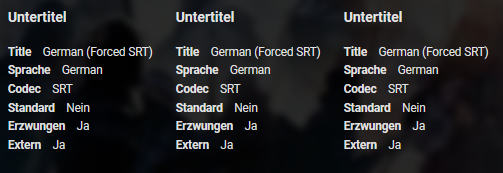
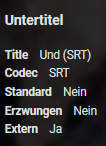
takes just a couple of secs to check that up by yourself, all 3 language variant correctly get identified ger.forced.srt || de.forced.srt || german.forced.srt omiting any language tag correctly defaults to undefiend full language written only works in english, should also be stated somewhere, but thats a general problem, cause you don't use localized language names anywhere, use the english ones, cluttery, buy hey its emby and that that happens, if you dont know how this all have to look like: commentary.default.srt, grabbl83.forced.srt <-- completely wrong language, that much for "you can write anything you want" || deutsch.forced.srt (localized version of "german") <-- seems correct for german speaking ones, but no app will pick the "wrong" language so time to finally update the wiki im always staggered how much background check up basic things need here
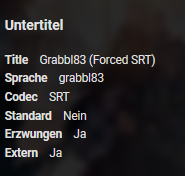
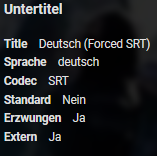
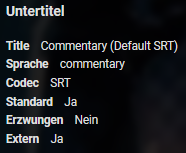 1 point
 -
Adding this bug here but I can create a new topic if need be: the watched status checkbox isn't appearing per-episode in the season view of TV shows.1 point
-
I absolutely didn't want to be rude. I'm just saying we talked about different things. Thanks with the last post you were very clear. Regards1 point
-
Alright, got it boss1 point
-
Okay, that's an interesting idea but perhaps it would just be better if we remembered ones you chose previously because you may automatically download a certain set but manually look for others. The very first time you'd have to scroll the list but, after that, the ones you chose would be right there.1 point
-
Known server bug in 4.4.3.0 when using the Server Configuration Backup plugin that is resolved in 4.5.x.x . There is a hack for the plugin putting content type .collection files in backed up library folders before restoring.1 point
-
Hi, instead of doing that, why not use the IPTV plugin and input the specific URL of the camera in that. This is what a lot of us do.1 point
-
Yep, If you have high bitrate 4k videos, this is the way.. Great little device for the price!1 point
-
There needs to be a way on the XBox to move the location of the subtitles up and down. I use this with a projector and it sometimes has them off the bottom of the screen. Font/size and things would be nice, but at minimum some kind of +/- 0 for the location needs to be available. Simply locking it to the bottom of the video is not sufficient.1 point
-
Remove the strings or replace the full node with <SortRemoveWords />. Sorry not familiar with the platform for shutdown or startup.1 point
-
Thank you very much everyone for your help, in the end I was able to solve this issue. Regards1 point
-
In that case an HDMI splitter can often be used for the best of both worlds. What bugs me in our "budget" world is that manufactures compromise a high end TV because it will cost $20 to $50 more in license fees. A high end 4K TV without proper audio to match picture quality just sucks on many levels! Not everyone has a theater setup in every room they have a 4K TV. It's one thing to have a nice audio system in the living room, but should people have to do the same in the bedroom to playback the same media?1 point
-
I don't think what I've said is misleading at all. Emby will for the most part honor your naming any way you want for display. Happy2Play asked and I agree we need clarification (so I can update KB) of how abbreviations are used in the code. IE is Spanish, es, spa all the same and used if user has selected "Spanish". I DO want to clarify this in the KB but need to know myself! It's not a big deal for those who manually select subs but does matter for those who have selected a language to use by default. So after we find out I'll take a pass at the KB making changes and you guys can tell me if it's clear or needs more detail. We'll get it correct!1 point
-
alucryd is out until next week. My guess is the system user that the file browser is running under does not have permission to view the folder, so if you can resolve that then I would think that would take care of it.1 point
-
You won't regret it at all. It IS a Chromecast device and so much more. Besides being able to run apps quickly you also have voice control built in with Google Assistant so things like "What is the weather", "How is the traffic to work" plus lots more are available https://assistant.google.com/platforms/tv/ as a bonus and can even be done while watching a movie or show in Emby.1 point
-
Don't know if this is of any use (probably nothing new) - https://www.trustedreviews.com/how-to/hdmi-earc-sonos-arc-40350311 point
-
Just connect directly to the sonos. Why use ARC at all?1 point
-
Nothing in that statement is technically incorrect, I just think they just conveniently left out the additional sentence of "Sonos Arc must be connected to HDMI eARC (or to the sending device directly) to support TrueHD". If you can connect Shield->Sonos->TV then that may work. But I don't know how much difference you're going to hear on a soundbar anyway...1 point
-
Agree with the first part. Second part I was answering that at the same time you were asking See my previous post. I assume the "official" app can do that, otherwise use windows to set the scenes and use huetro.1 point
-
I havent found a Feature Requests for this, correct me if im wrong. It will be nice to have something in the guide that show you that you already have a movie in your library. That can be in detail screen before you click record or on the main guide page.1 point
-
Resistance is futile... You guys are just going to cause yourselves more problems down the road trying to block updates. The suggestions really aren't that big of a deal. Just scroll by and ignore them if you wish. Or, maybe, you'll actually catch a glimpse of something interesting and find some new entertainment.1 point
-
fyi, I pushed a patch for kodi today. This will overwrite the manual modification as soon as applied.1 point
-
As much as I love Emby, it's why I connected Emby to Infuse on Apple TV to play all files. Great support of HDR and I have yet to have one movie freeze or buffer on me. I know this is truly a work around until Emby offers native HDR support for the Apple TV, but it does work very well. I understand that it's a major overhaul to get this in, but it is something that a lot of people want as everyone's 4k/HDR libraries are growing.1 point
-
I am not sure precisely what you mean however - In some brief testing recording 4 different channels it uses unit (1) tuner 0 then tuner 1, moves to another unit (2) Tuner 0 then tuner 1. Viewing one of recording channels (using Shield) it does not use an additional tuner.1 point
-
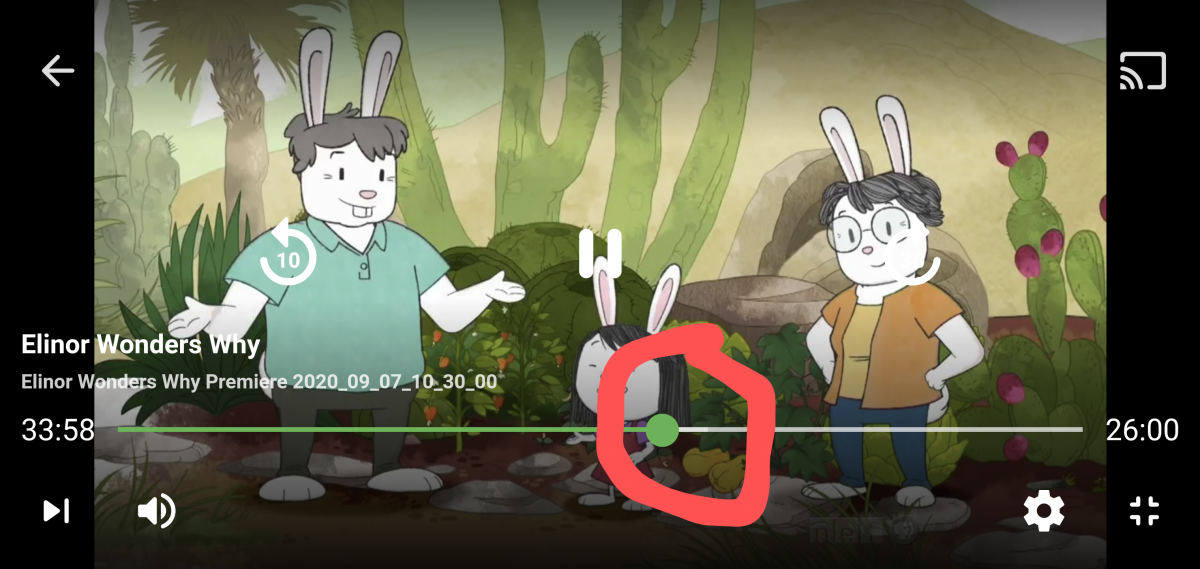
Hi @Luke and fellas. Please look at the attached screenshot and see the circled area. Is that "white" little area the amount buffered? I believe it is. Will you please change the buffered color to a different color like orange, blue, anything other than white on white or green on green please? It would allow the user to see how much is buffered MUCH more easily. Thanks
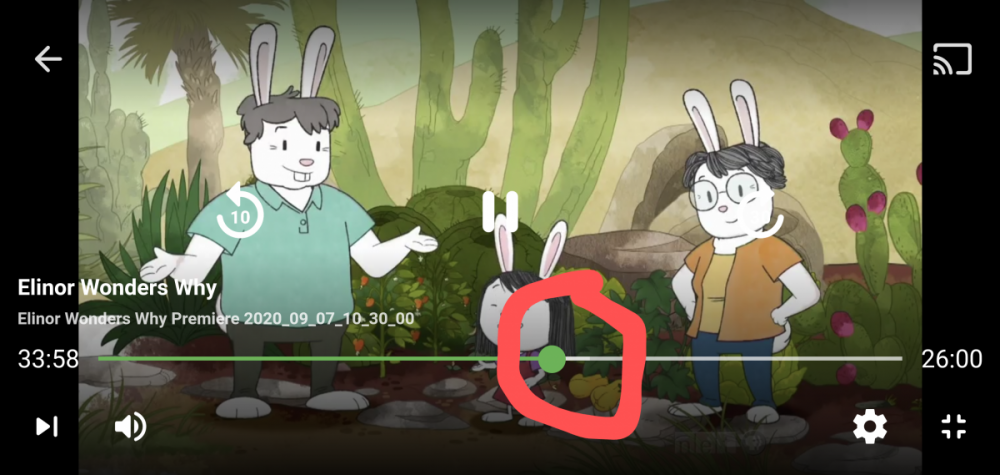 1 point
 -
@Luke the subtitle offset feature in 4.5.0.27 works quite well in my limited testing. Great work, thank you. Will there be the possibility of 'saving' the offset for that media, so that other users do not have to adjust it in future?1 point
-
Sounds promising Abo i thought you were only 211 point
-
Hi, we don't currently have a command line option for that, but it's not a bad idea to add.1 point
-
Then............. Something breaks and you can't get anything to scrape now. And the log files aren't being particularly helpful (likely because one's self is still half asleep and having a hard time making complete sentences, lol)1 point
-
That means that tab is producing audio of some sort.1 point
-
Not yet, sorry. We have to build a special hack for this and we haven't completed it yet. Hopefully soon. Thanks for the feedback.1 point