Leaderboard




Popular Content
Showing content with the highest reputation on 09/07/20 in all areas
-
Reason for not seeing the version is that Vicpa has the beta build, the 4.6.575 is still in certification at Microsoft for public release. Will let you know once its available.3 points
-
New version 0.8.5 in the starting post: General: fixed a bug with Emby user names that have special characters when getting user folders fixed an exception at Guide Refresh with empty bumpers folder create transcoding folder if missing Export web API: added option to convert lossless audio to AC3 (default on) added option to choose program image format (default thumb, otherwise poster) changed playback stop method that recognizes client disconnects while streaming Channels: support "Season" less folder structures for tv shows support of conditional logical operators for Genres and Tags condition cache database query results to speed up Guide Refresh times added global option to supend the creation of new program data while doing a Guide Refresh Playback: Moved global "Single Playback" option to channel specific option ...and a little bonus Sorry, for this version you have to delete any existing VirtualTV.xml configuration file! Edit: I had to remove the new version from the start post because of a very small but annoying bug. Will re-upload it within 24 hours.3 points
-
Having started using the download to... option one thing thats a major PIA is having to pick the options you want everytime you use it i.e. it looks like this everytime when i would like this We dont have any settings to control this - unless i missed it somewhere But if it could save the user preference at least for the browser session that would be an improvement or save it to user preferences
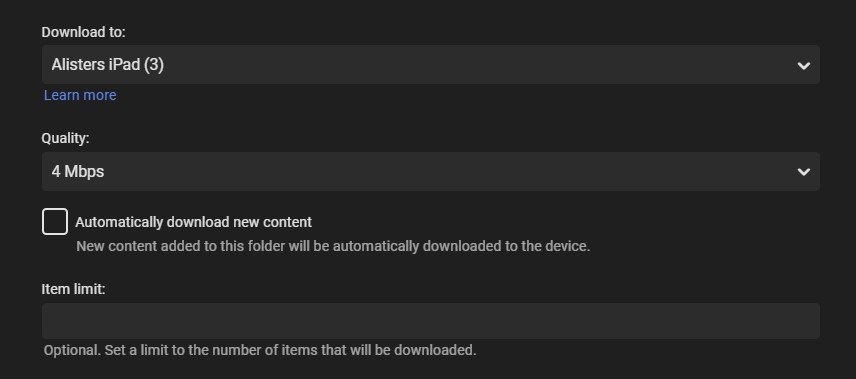
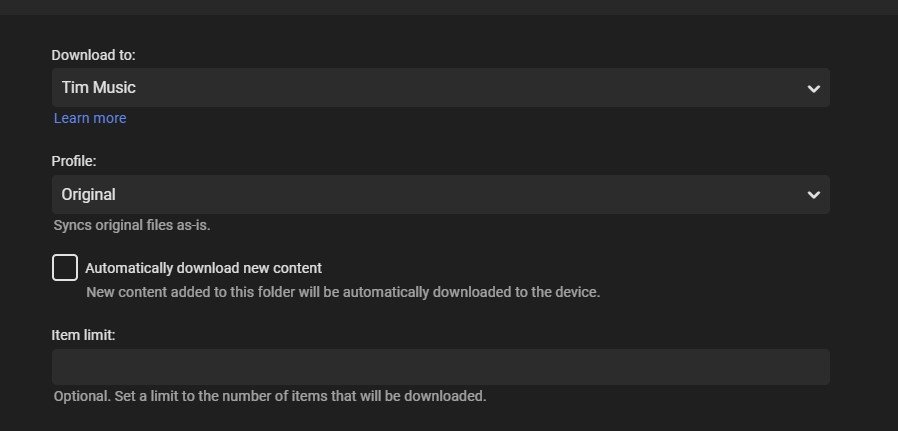 2 points
 -
Done!2 points
-
I don't use Theme videos plugin, but having it installed produced the issue in this topic. But your updates resolved that issue, so we are trying to find out what issues @bugmafia007 is having.2 points
-
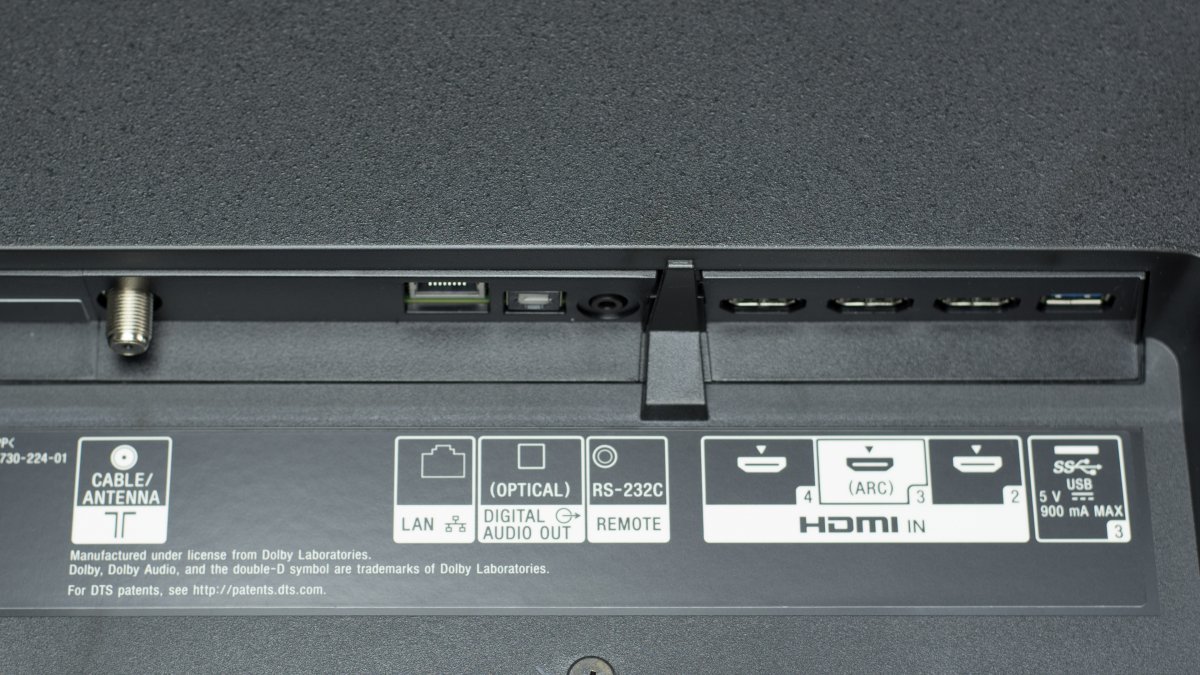
Yes, you have an HDMI out, it's labeled as ARC. Optical out is very limited. Just connect that HDMI to your AVR TV in and all is automatic. Something similar to this, in this case HDMI 3 is the ARC output.
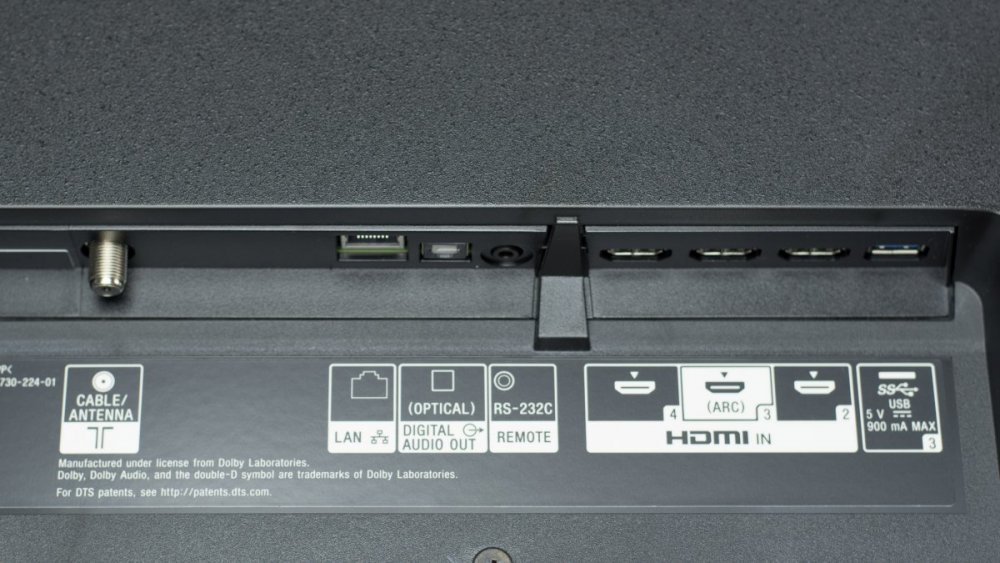 2 points
 -
Pretty simple suggestion. I have multiple users for my Emby server. If I want to do continuous maintenance on the media, I have to tell everyone. some of them are harder to reach than others ( i.e. no Facebook or Skype chat etc. ) It would be great if say... on the admin panel, I could hit a check box that enables 'maintenance mode', where the server still runs does everything as normal, but instead of the login screen it displays a maintenance page saying the server is unavailable. Even better if I were able to directly put a reason in a text box that would then display on the login screen as well. Not really sure what others would think of this, but for me it would be quite helpful. mostly if I want to make sure no one is trying to access content I know won't work until I've done a full library scan again. Thanks for reading. -Kyle1 point
-
MKVs are capable of having multiple video streams inside of it. Some BluRays make use of multiple video streams, like animated films where some content like signs is translated to different languages. Or some films do have several video streams with additional content like a "before-CGI" version of the movie. Or you can choose of 2D video vs. 3D video. Kodi will support this in "Krypton" (version 17). http://forum.kodi.tv/showthread.php?tid=216672 So this works, when using "Direct Play". But not in other Emby-Apps or when transcoding. You can choose audio, you can choose subtitles, but not video. So it would be nice to have a "picker" for the video stream in Emby apps1 point
-
Hello, Perhaps I am not the first one to ask this question but it will be very cool if this feature could be implemented. I have 2 servers one at home and the other at work. ( and soon a third one...) So I have a movies library called movies on each server. I would like to see all the movies from a single 'virtual server location' when I use the app (ios or android ) where I will see only one movies library containing movies informations from the movie library at work and the movie library at home. It's an aggregation of movies informations from the movie library at work and the movie library at home. In fact when a user have multiple servers it will be perfect if another choice in the server list called "all servers" for example appears automatically with a merge of media informations from librairies with the same name on different servers.1 point
-
Please read this post first. I was wondering if it would be possible to add something that would allow you to skip the intro to shows automatically while binge watching. When watching Netflix it does this for some shows, and im not sure if thats a feature of Netflix itself or a Chrome extension i use called "Flix Assist" but it would be a nice feature to have within Emby as well. and possibly even create a custom timed skip for specific shows1 point
-
Hello. Would be great to be able to adjust subitiles delay in Emby Theatre or Web client like we can in VLC with "H" and "J" shortcuts (up and down). Thanks !1 point
-
To gauge interest... What if you had the ability to "Forget" a series for the purposes of Next Up display. That is, it would no longer show in Next Up - unless you watched another episode. Sometimes you maybe watch a series for a while and, even though there is more of it or more is made later, maybe it isn't as good as the earlier seasons or maybe you just don't have time for it anymore. So you'd like it to quit showing up in your Next Up list so it is less cluttered and you can focus on the series you are actually watching now. If you start watching it again, the "forget" would be forgotten and it would start to show up in Next Up again.1 point
-
Are you sure? Mixed content does not have this option. Movies/TV has the option on the three dot menu when you enter the library. Unless this is a Restore bug mentioned in previous post.1 point
-
What is the library content type? My guess would be the bug in 4.4.3.0 that does not restore proper content type, that is resolved in 4.5+. Will attach workaround topic as soon as I find it again. Libraries need removed and restored again with .collection files (assuming this is the issue) https://emby.media/community/index.php?/topic/80502-backup-plugin-not-restoring-library-properly/&do=findComment&comment=8844341 point
-
Hi there, where are you looking for it?1 point
-
Maybe a "time spinner?" Actually the "cougars" I know are neither fast or particularly responsive. But they are aggressive. It is important to know because, in this over informed era, everyone seems to want to know everything about everyone. This is most apparent in the press: "There are laws to protect the freedom of the press's speech, but none that are worth anything to protect the people from the press." Mark Twain1 point
-
Just try. I've done that several times in Android phones.1 point
-
Maybe the minimum resume time is not reached. That's configured in the Library. If you are using non paid app and you are not Premiere, with 1 minute playback, you will hardly reach the minimum resume time1 point
-
It was all @cayars https://emby.media/community/index.php?/topic/89337-reports-plugin-not-woking/&do=findComment&comment=9168821 point
-
But she would then have to stay logged in with his google account.1 point
-
Asumiría que elevar el límite de transmisión por encima de 6Mbs podría ayudar, pero la quema de subtítulos seguirá siendo un problema. Parece que el hardware tarda unos 30 segundos en ponerse al día para presentar los medios a gran velocidad. Deshabilitar la limitación de transcodificación también puede ayudar I would assume raising the the stream limit above 6Mbs could help but burning in subtitles will still be a issue. I looks like it is taking about 30s for the hardware to get up to speed to present the media at speed. Disabling transcode throttling may help also VideoBitrate=5552001&AudioBitrate=448000 01:15:07.299 Stream mapping: 01:15:07.299 Stream #0:0 (h264_cuvid) -> subtitles 01:15:07.299 subtitles -> Stream #0:0 (h264_nvenc) 01:15:07.299 Stream #0:2 -> #0:1 (copy)1 point
-
Hi. Yes, this should be corrected in the current beta. Thanks.1 point
-
They are too bypass it as it only using the modified url link + credentials common know as injection scripting language for gaining access to the actually media steam work around actual web page site it self, it basically the same principle as with game cheats.1 point
-
So what is you explanation for that phenomenon? Cloning? Impersonation? Time portal allowing multiple copies? A rift in the fabric of the universe? Mass hypnosis? Enquiring minds want to know.1 point
-
I have to disagree. For one thing, swapping out half your entire setup is not really a solution, and Roku handles subtitles just fine. It was the transcode throttling setting in Emby Server that was causing issues, which took me a while to discover since it's not obviously related to subtitles. But they work perfectly now. And btw, even when my QNAP does have to transcode (in most cases, it's just audio anyway), I don't experience any problems with that either.1 point
-
More than likely, something is blocking validation of the key. Please try the below and provide the server log from when you completed those steps if they do not resolve the issue. My Emby Key Says it is Invalid or Missing1 point
-
https://community.getchannels.com/t/use-channels-dvr-as-a-tuner-for-emby/22486/21 point
-
.. plus of course there is no way you could consider @Luke as just one person - there must be at least 10 of him to answer as many questions as he does ...1 point
-
The problem with that IPTV service is that they are getting shut down left and right fast then ever it to just another cat and mouse game every week you see it torrentfreak web site, I don't like it any more then you do but I really hope that SiliconDust is working on bring back Premium TV service that only hope. But I had go to on Steaming it most likely be Youtube to better DVR1 point
-
Yes, in Emby I see the 192.168 address now instead of the WAN address and the show/hide users on local network is working as expected. Not that attached other than the fact that I've been all Netgear for almost 2 decades. But, I could switch. At this point it really seems like extremely bad timing and I got the router at the same time as a bad firmware update. If that's not the case though, yea, I'll either return it for something else, or set up my old router to connect to the modem and change the Orbi to an access point. That would actually spread out my WiFi signal better anyways.1 point
-
Oh, ya. I forgot I was on beta also. So probably explains why I see it in both stores too doh!!1 point
-
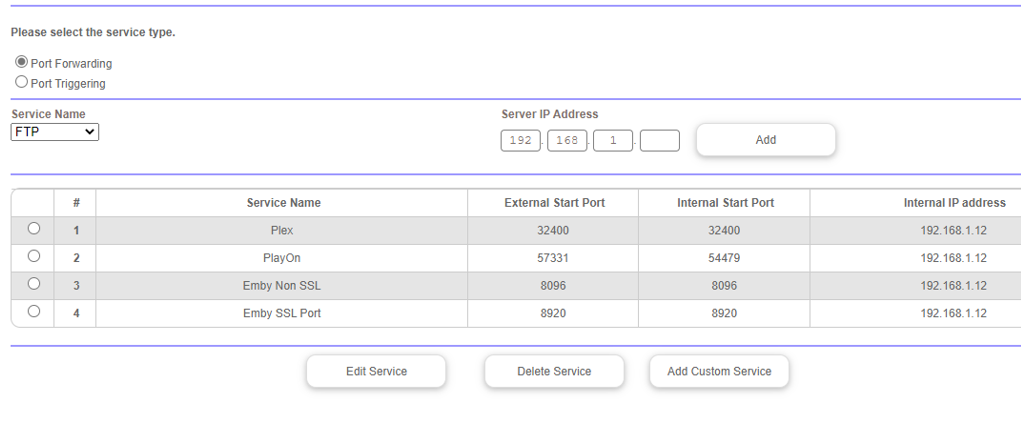
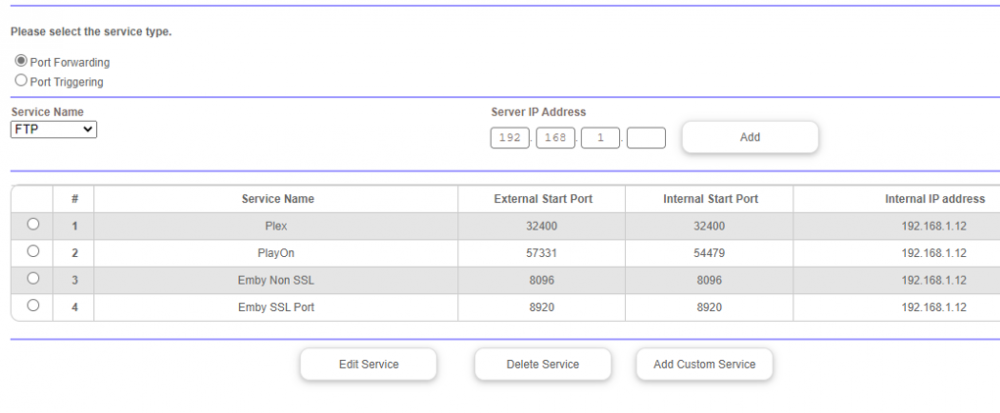
Yes, it fixes the WiFi issue. All my wireless devices show up connecting with a local IP when using port triggering. Thanks, definitely seems like a bug then. Here's my port forwarding page. Which overview page are you referring to?
 1 point
 -
Take a look at this: https://support.emby.media/support/solutions/articles/44001159034-quick-start And then: https://support.emby.media/support/solutions/articles/440011592431 point
-
Thats what I've done and thats what seems to work. Definite improvement compared to previous, but basically the same as just playing the alternative DTS 5.1 soundtrack I have anyway, which isn't a huge surprise I guess...1 point
-
Thanks for the feedback. No, you can wait for the update. Just checking, if you had issues with this fix so far. Actually it's very good, you have tested on Windows. I have only Linux systems, Raspberry Libreelec and Vero4K OSMC.1 point
-
Hello, no issues at all on my Windows dev machine and I've restarted Kodi on that 10s of times since I made the change you suggested. I have not tried it on any of my 'live' Kodi Raspberry Pi boxes for fear of family reprisal if it didn't work. Do you want me to do try it there too, or am I good to wait for the update? It's no bother if this is worth doing to give you confidence.1 point
-
Yes it's something we'll be looking at revamping in upcoming updates. Thanks for the feedback.1 point
-
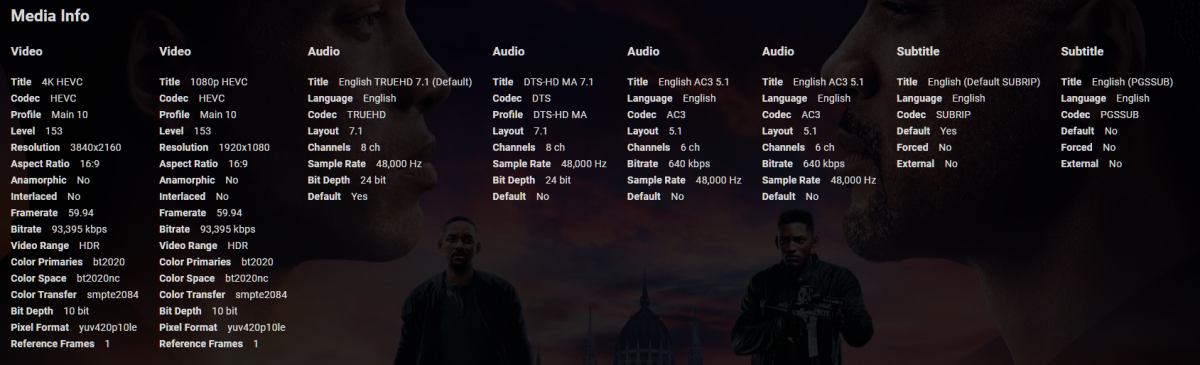
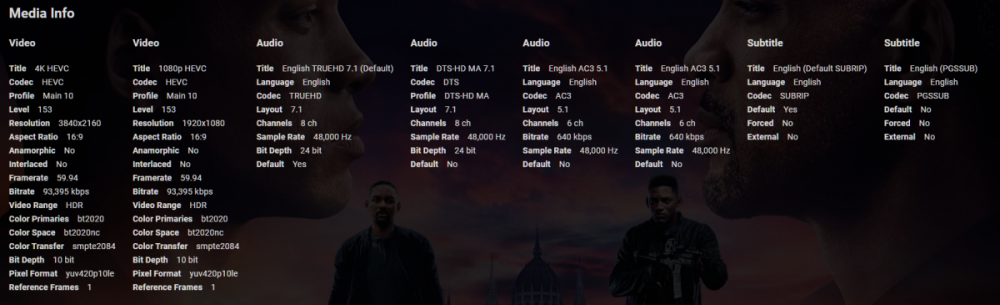
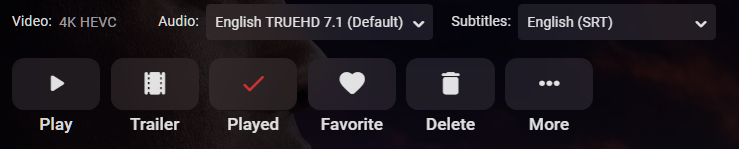
It would be great to have the video stream selectable - same as is audio now. It appears to be getting more common to embed alternative streams (such as 1080p) alongside a UHD stream particularly within MKV's containers. This feature would allow us to select a 'best stream' for a given device, an example recently being my Samsung TV not handling 60fps which was the default stream in the MKV. A 1080p was available also but could not be selected, so my server had to transcode a large UHD high-framerate source file - pretty chunky cpu work which it struggled with and was not necessary.
 1 point
 -
Ah - I searched to check but didn’t find it. Back in 2017! I think we’ll see more of multiple video streams - and I get @Luke’s comment on keeping it simple. However with 8k, 4k, 1080 and multiple variations particularly frame rate now studios are pushing boundaries, I suspect we’ll see more of these MKVs. Perhaps worth a reconsider.1 point
-
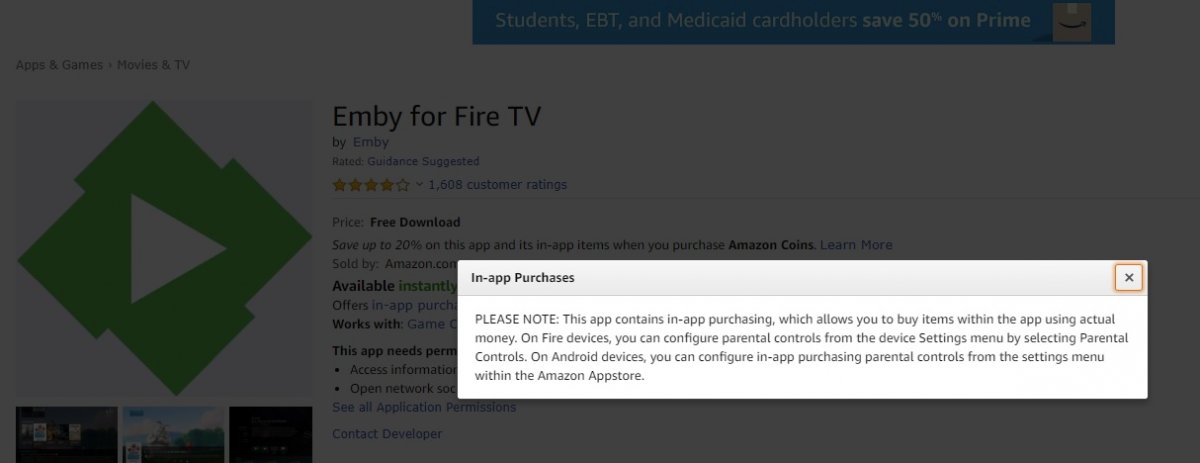
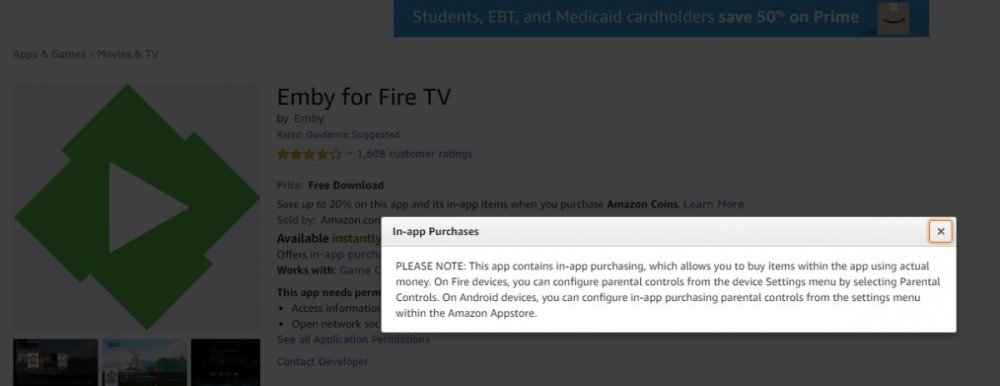
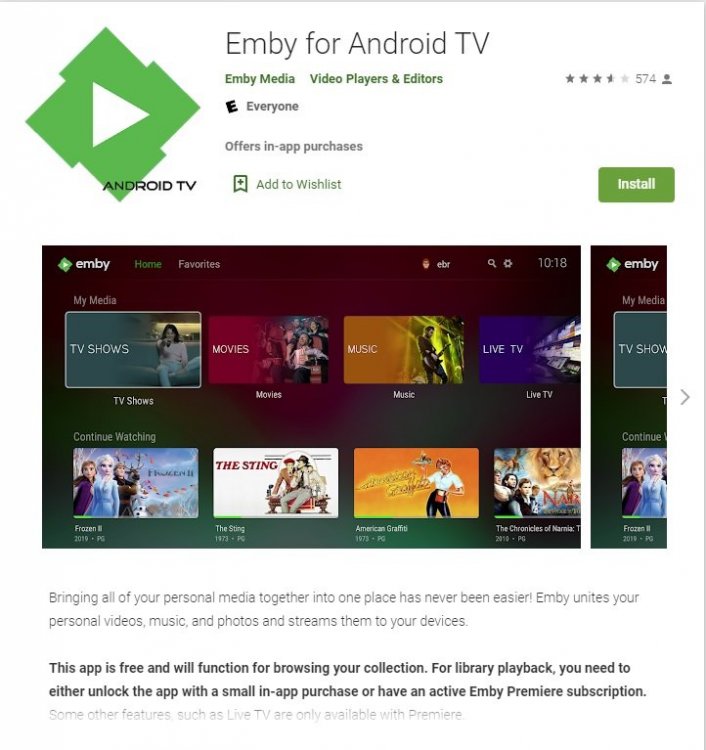
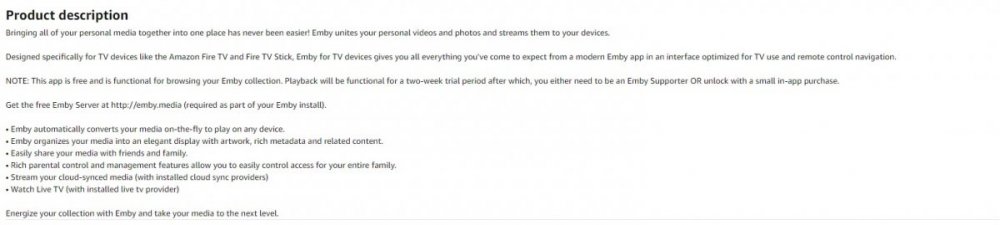
Google and Amazon store show this.
 1 point
 -
You do not eARC at all -> from Shield to Soundbar to any HDMI input of the TV.1 point
-
Oh well, I'm not an audio connoisseur (which also has the advantage of being cheap), but I now get a significantly improved effort and I almost get my socks blown of in a higher-fi way1 point
-
People are still moaning on Samsung forums about updating and abandoning stuff as soon as the new model comes out, etc, etc. So no update so far, probably not ever. I seem to get DTS 5.1, if thats what you're talking about, the rear speakers are definitely working for that (and now for HD with it switched off in the app). Might possibly try rearranging cables but its not a just reach round the back job, so... So the sound in general is pretty reasonable to me now, so far, touch wood. Not sure if I'd notice the difference with lossless audio tbh anyway.1 point
-
The Sony X900F has a bug with extracting the core from DTS-HD MA audio. But that is needed because as you probably now already, DTS-HD is not possible via ARC.1 point
-
Because playback progress status is imported from Trakt, take a look to this tool to check your playback progress in Trakt, there you can reset playback progress: https://sharkykh.github.io/tppm/1 point
-
Take a look at the Zotac minis. https://www.zotac.com/us/product/mini_pcs/all1 point
-
Yes this will be going into our version soon. Thanks for the feedback.1 point
-
We could tell you but we'd have to kill you...1 point
-
Apple CarPlay support will be coming in the next update to the Emby iOS app !1 point
-
Everything is private. We don't send any information about your media library to any external location.1 point