Leaderboard




Popular Content
Showing content with the highest reputation on 07/03/20 in all areas
-
thanks to all, got the Pro and it's pretty impressive. Plays Dolby Atmos no problem. Can't wait for movie night3 points
-
Ok..an update .."cayars" connected to my PC and did his magic..now the scan work much faster.. Cayars is a:2 points
-
I'd really like to have 2 Factor Authentication added to the login screen. It's just this (optional) extra layer of security to help secure the server (which, especially if people use camera uploads) contains pretty private data. There are for every type of programming language quite a few libraries available, so implementation on a server shouldn't be too hard to realise1 point
-
I mentioned it in another thread, but thought I'd put it here since this looks like a new section--just for posterity. Would like to have a bulk meta data editor function. For example, if I have 750 videos whose producing studio is the same, I want to select those videos and apply the name of the studio to those videos. Similarly, if there is a custom tag I want to apply to a subset of those movies, I want to be able to select them in bulk and apply the tag to those videos (instead of selecting them one by one).1 point
-
Hi I would really like to be able to send some custom notifications to my users For example, i would like to be able to send a notification like : -"What content would you like to see added on Emby this week ? https://www.strawpoll.me/#####" -"Blabla Season3 is coming next week !" -"Server will be down for maintenance tonight" A little notification icon on the top right corner would be awesome. I looked in the Feature Requests list but i did'nt find anything like that. Thanks for reading, and for this amazing software.1 point
-
I would suggest to add the possibility to filter the library by languages, i.e. - Allow to filter for the audio and/or subtitle language. Regards Max ( Request taken from a former github issue: https://github.com/MediaBrowser/Emby/issues/1782#event-982356301 )1 point
-
Please read this post first. I was wondering if it would be possible to add something that would allow you to skip the intro to shows automatically while binge watching. When watching Netflix it does this for some shows, and im not sure if thats a feature of Netflix itself or a Chrome extension i use called "Flix Assist" but it would be a nice feature to have within Emby as well. and possibly even create a custom timed skip for specific shows1 point
-
Hello. Would be great to be able to adjust subitiles delay in Emby Theatre or Web client like we can in VLC with "H" and "J" shortcuts (up and down). Thanks !1 point
-
hey what I'm really missing is support for audiobooks. Simply saving the resume point for those mp3s would be absolutely enough, no need to fetch metadata etc.1 point
-
Often times when I see "Reason for transcodng: Media bitrate exceeds limit." in the info I wonder, what kind of internet connection do they have? I know this can cover multiple scenarios like bandwidth limit set for user, server, client side quality setting, as well as AUTO bandwidth detection... Can you PLEASE add to the dashboard the returned client bandwidth capabilities? The value you are getting from the client that tells emby its bandwidth abilities. While you are at it tighten up the spaces between lines on the transcode items, and align the results to the right instead of center.. MAYBE SOMETHING LIKE THIS :1 point
-
Hi Guys, Apologies if this has been asked before, I did try searching before hand but could not find anything. on the android app when you press up the small guide pops up, can we please have an option on the app to choose between small and main guide? Or switch completely from small guide to main guide. Thanks.1 point
-
Hi. Our server is in .Net. More information here: https://github.com/MediaBrowser/Emby/wiki/How-to-build-a-Server-Plugin1 point
-
Hi. I'm glad you figured it out. We did ask you if you had enabled that specific option in your library setup in the beginning of this thread :).1 point
-
Every library had thumbnail generation turn on during scanning. So we changed that for each library and restarted the scan. That's it.1 point
-
It's a matter of YOUR preference. For example if using nvidia by default will only allow 2 streams. So without throttling and someone started to play something your system would convert the whole movie/show as fast as possible and free up the stream. Thus you would have 2 streams available again. Downside is the spike on the hardware which may not matter. But if you start to watch something and then stop you may still continue to process the whole file. An advantage of getting the whole file processed quickly is when watching sports or things you've recorded with advertisement and halftimes, etc that now can be forwarded much faster since it's already been transcoded. So basically try it both ways as see which way you prefer or what works best for you. I think most people run it throttled.1 point
-
Scan 100% finished!!!! Thank You all especially to "CAYARS" This forum and EMBY simply rocks !!!i just uninstalled plex after 7-8 years i think Gracias .1 point
-
On LG it's a little tricky because we think it is a webos platform defect. I'm not sure if we can work around it but we'll look into what might be possible. Thanks.1 point
-
Sonarr for TV, Radarr for movies. It can even be setup to auto download. Have fun! Sent from my SM-G965W using Tapatalk1 point
-
I have been ramping up my collections of foreign films, and my current method of keeping them organized is manually moving them to their own, "Foreign Films" folder. I would like to request that the current filter option include either by individual languages, or perhaps a, "native, non-native" based upon the language chosen at server setup. Thanks for considering this for future releases!1 point
-
Hi, I would like suggest the following new feature(s): 1) Statistics of transcode values (complete and per device) 2) Ability to set multible transcode values for pre transcoding all content with lowest priority 3) Ability to trigger transcoding of a movie/TV-show with higher priority to get it faster 4) Auto choose the best fit pre-transcoded version With this you can use low powered servers handle high quality movies for high quality players and use the same "original" file to view it on lower powered systems or over low speed networks. Kind regards, Tolotos1 point
-
This is really the issue here. A comprehensive list is just so large that it creates performance problems and in reality has little use - you end up needing to search in that list anyway - which you can already do. Having said that, it isn't out of the question that this will come back at some point.1 point
-
You'll have to edit the file paths - but all the metadata I have for this is attached. collection.xml

 1 point
 -
Is this the first time you’ve come across crusher? He wants all his very specific requirements and problems resolved while providing absolutely no information whatsoever and being completely unwilling to do anything that might help narrow down a solution. There’s a reason why no one responds to his threads anymore Good luck [emoji23]1 point
-
Put another way. you need to check the username and permission you run Emby under and make sure this user has read/write privs to the media.1 point
-
Until someone figure out the "TrustFailure" all Emby outgoing connections will continue to fail is my guess.1 point
-
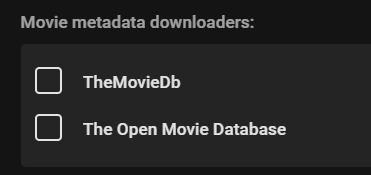
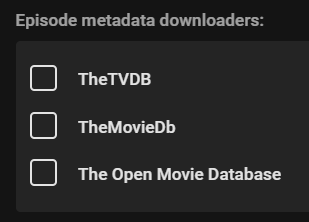
Hi, Are you saying you don't want Emby to process these videos upon import? If so, you would just disable any metadata providers in the settings for this Library. Hope this helps, apologies if I did not understand your question correctly.
 1 point
 -
Someone needs to create a facebook event for this.1 point
-
Doubt if many people care about this, but think it would be preferable if missing actors were represented by say a black silhouette on a dark grey background instead of the brightly coloured rectangles - they just stick out so much, especially in tv series guest actors - If not, maybe Scenes and Cast & Crew could be swapped.1 point
-
Drop passwords. Use magic links. https://magic.link/ This should probably be added as an optional feature to emby, both local logins and emby connect logins. Edit: if you want to see this magic in action, hubs.mozilla.com is currently using it.1 point
-
I would stay away from the tube if you're playing a lot of 4k. There's another thread here with many people complaining. Less memory and it's only 32 bit Sent from my SM-J737V using Tapatalk1 point
-
You can learn about Collections in our knowledge base: https://support.emby.media/support/solutions/articles/44001159487-collections1 point
-
We will see where you are at tomorrow1 point
-
Whether or not you can access your external address from within your network depends on your router, and whether it can do loopback (aka "hairpin" I believe). I don't recall ever seeing a setting for this, so it's most likely simply a matter of what router you have - but maybe some have a setting for it. My router (Draytek Vigor) has it as standard with no setting required or possible. A possible solution for your desktop is to put the external name with the internal address into a "hosts" file; but that won't fix things for your phone. You could have a browser bookmark for the internal address in the browser on your phone and use that when at home instead of the app. But loopback is best if possible; I can go back and forth, in and out of my house, switching between wifi and 4G without a single glitch. Of course, the padlock is not important when you are at home using your own server. Paul1 point
-
Think I have resolved it, seems the QNAP interface was not setting the perms correctly, I ssh'd in to the NAS and set the perms manually with good ol' chmod and all seems okay now. Thanks.1 point
-
We are working on it.1 point
-
Here is what I have got so far mirroring the dashboard links and adding some styling. home.html See the "Personal-Links" div. This will give you something to work with, and modify. div class="view flex flex-direction-column withTabs"> <div class="tabContent flex flex-grow" data-index="0" style="overflow: hidden;"> <div is="emby-scroller" data-horizontal="false" data-centerfocus="true" data-navcommands="card" data-forcescrollbar="true" class="scrollFrameY flex flex-direction-column flex-grow focuscontainer-down" data-bindheader="true"> <div class="Personal-Links" style="top:120px;text-align:center;position:relative;"> <a is="emby-linkbutton" class="button-link" href="https://emby.media" target="_blank" style="margin: 0 .7em;">Emby</a> <a is="emby-linkbutton" class="button-link" href="https://emby.media/community" target="_blank" style="margin: 0 .7em;">${LinkCommunity}</a> <a is="emby-linkbutton" class="button-link" href="https://github.com/MediaBrowser" target="_blank" style="margin: 0 .7em;">${LinkGithub}</a> <a is="emby-linkbutton" class="button-link swaggerLink" target="_blank" href="#" style="margin: 0 .7em;">${LinkApi}</a> </div> <div class="scrollSlider flex-grow padded-top-page sections"> </div> <div class="padded-bottom-page"></div> </div> </div> <div class="tabContent flex flex-grow" data-index="1" style="overflow: hidden;"> <div is="emby-scroller" data-horizontal="false" data-centerfocus="true" data-navcommands="card" data-forcescrollbar="true" class="scrollFrameY flex flex-direction-column flex-grow focuscontainer-down" data-bindheader="true"> <div class="scrollSlider flex-grow padded-top-page sections"> </div> <div class="padded-bottom-page"></div> </div> </div> </div>1 point
-
It's impossible to tell what's wrong without looking at your code, but you should do something like this: <a is="emby-linkbutton" href="https://google.com" target="_blank" type="button" class="raised block btnSelectServer"> <span>Whatever Button</span> </a> the href attribute is the URL to open target="_blank" will open it in a new tab, you can remove that if you want1 point
-
Como dito acima, o Emby não vai detectar essas informações se o filme não for executado alguma vez. Porém, vale lembrar, o strm deve conter o link para o arquivo "bruto" para que possa ser extraído as informações de áudio. Um teste rápido: se executar o strm no VLC e ele der a opção de selecionar o canal de áudio, o Emby também o fará (após a primeira execução). Isto é, você tem um link que fornece o arquivo bruto.1 point
-
So I assume the same goes with .noScrollY div.headerLeft [title="Back"] {display: none;} and there is no real way to handle that annoying arrow on the login screen?1 point
-
Auto Box Sets Automatic Box Sets will create box sets (collections) for all the movies in your library that are associated with collections on TMDb. How it works Auto Box Sets works by creating new entities in your file system that are recognized by MB as box sets (also called collections in other products) and linking them to your actual movies using the new "Collections" facility built into the server. This will then create these box set entities for you in Media Browser and they can be accessed by any of the clients. These new collections will be created in the automatic "Collections" media folder visible from any client and editable from the metadata editor. The plug-in relies on the MB Server metadata fetching. It will only work fully if you have "Allow Internet Providers" turned on. Configuration The only configuration is to tell the plug-in how many of the containing movies must exist in your collection for it to automatically create that collection. The default is 2. This keeps you from having a bunch of collections with only one movie in them. When combined with the ability to automatically collapse your movies into collections (box sets) in the client apps, this should give you a very hands-off way to see all your content organized into collections. Troubleshooting The plug-in isn't creating any box sets Be sure the configured minimum number of movies is reasonable. Be sure your movies that should be in box sets contain the TMDb collection id The plug-in isn't creating some box sets that I think it should Be sure the movies in this collection have a TMDb collection id. Be sure you have at least the configured minimum number of movies in this collection within your library Some of my box sets are showing up twice If you manually created folders with the old [boxset] tag or with collection.xml files in them then you need to remove these. This plug-in is designed to automatically generate these folders for your entire library. You don't need the manual ones anymore. If you want custom collections, you can use the server's facility to create them now. I am seeing a box set called "MB Auto Set" in my library Confirm the metadata for the movies that are showing in this set have a valid TMDb collection id. TMDb recently removed a lot of box sets that existed on their site previously and, consequently, there are a lot of items that may now have invalid ids associated with them. Delete the invalid TMDb collection Id from these movies and then re-run the box set creation using the button on the config page.1 point