Leaderboard




Popular Content
Showing content with the highest reputation on 06/16/20 in all areas
-
Fixed.2 points
-
Actually @chef, the plugin originally DID operate on rooms and lights. It was very cumbersome and awkward and I was asked by several people to switch it to scenes instead as it is much simpler conceptually, and it is what scenes were designed for in the first place That group based source code is here. https://github.com/nxenos83/emby.plugin.HueControl/releases/tag/v0.12 points
-
I dont want to OT this thread but I have a major interest in this whole topic as I have invested quite considerable effort getting multi device multi user with auth working (primarily so that I can centrally apply parental controls). I found that EmbyCon needed more CPU grunt than my low end Amlogic players could provide and when the library scaled it often resulted in impractically long delays for the GUI (long enough to make users think it had crashed). Happy to get into this real time (IRC/discord) or in another thread.2 points
-
-= PLEASE UP VOTE & PROMOTE THIS REQUEST IF YOU WOULD LIKE THIS FEATURE =- DO THIS BY CLICKING THE "LIKE" BUTTON ON THIS POST REQUEST: Properly pool multiple M3u IPTV sources, so when adding more than one with the exact same M3u emby treats them as one source with however many "Concurrent Streams" you set for each. https://emby.media/community/index.php?/topic/63725-multiple-iptv-tuners-double-channels/?p=636718 https://emby.media/community/index.php?/topic/59607-duplicate-channels-one-tuner/?p=607031 https://emby.media/community/index.php?/topic/57420-multiple-identical-m3u-tuners-without-duplicate-channels/?p=560949 Basically once M3u #1 has used all 5 of its tuners, I then need to start using the login info that is within M3u #2... once those 5 tuners are used (now all 10 tuners), then emby issues "no tuners available". This is how emby treats HDhomeruns today, so it can't be to difficult. @@snodrog742 @@manolodf @@robrhedrick @@cayars1 point
-
It would be great to be able to configure channel groups in LiveTV, which can be selected in the guide view (maybe as tabs) so that we can more quickly navigate to preferred channels using the d-pad. Perhaps start with Favorites by default, but be able to add custom groups (similar to collections) which we can add channels to (Network, Premium, Basic Cable, Kids, News etc.).1 point
-
For clients that can use 3rd party remotes (ie Android TV) I'd like the ability to use a remote of my choosing and be able to map my remote to functions in Emby. We should be able to keymap all important functions such as EPG popup in video, stats for nerds, RW, FF, jump back 10, 30, 60 seconds, jump forward 10, 30, 60 seconds, etc. We should be able to use the number keys to enter 3 or 4 digit channels for TV channel changes. Basically any function available in the UI should have a key mapping associated with it so we can use it with advanced remotes. The remote is our gateway to using Emby and the more functionality we have to customize this for our use the better and easier it is for us to use. Being able to map your own remote is a long standing tradition with many other system and is a long overdue addition needed in Emby. If you agree, don't forget to like this post.1 point
-
One of the nice things about MBC is that empty TV folders (after the latest show is deleted) are hidden. This makes Emby look very smart. I know @@ebr wants to get rid of this feature from MBC as he sees that this is better as a server feature that can be applied to all clients. I agree. So what does it take to get this useful feature into the Emby server? I'm hoping that asking nicely is enough, I'm also hoping that enough other users consider this feature useful enough ot include in the server. How about it, @@Luke?1 point
-
This is more of a "wouldnt it be cool if it did this...." It would be nice to keep the live tv stream active in a small picture in the corner of the screen and view the channel guide in full screen. For instance, I am watching a live show and want to look at what comes on next or on another channel without closing the show I am currently watching. Sent from my VS988 using Tapatalk1 point
-
Title should be "Dont allow seeking into the future for live tv". When watching live TV, please don't allow seeking past the end of the live stream as it breaks the playback (android, not tested others). When the user seeks into the future, the playback should just play from the live feed. Maybe add a 'live' button that can be pressed? Please take a look at how youtube deals with seeking in live feeds. Its much more intruative. Something like how youtube deals with it would be great. At least add a 'back to live feed' button.1 point
-
I had no issue either with this option on Chrome on PC. I got the same results.1 point
-
I will reply later today about these issue. Thanks.1 point
-
I just find the real time handy. In my normal view of unread content I can look at the time of the top post (say 8.15am), refresh the view and know I only need to check out the thread from that time (8.15) upwards.1 point
-
I have not tested Kodi but from reading the Nvidia forums they had this issue as well, a recent post seems to indicate this may be working now but cant confirm. I run both and Plex had the same stuttering issue for me as well. If you still have the Tube, I changed it to use VLC as an external player and that seems to work fine for playback, there was the odd time where on stopping a movie the tube crashes and you have to close the apps down so not really a long term fix. This was with 60Mb/s files, what happens if I throw a 100Mb/s file at it, I wouldnt be confident that long term this would keep up if its having issues now. Attempting to get a refund now on the Tube as its advertised as a 4K HDR player where clearly its not.1 point
-
Correct! I can't say that right now. We haven't done more investigation on this so far.1 point
-
All resolved via email1 point
-
I have not seen any new error messages in the past two weeks, and everything seems to be working as is should. Thanks for the offer to help.1 point
-
"Resistance is futile" LOL You really do want to start converting your files as compatibility across many different apps (not talking Emby) will suffer. People right now want streaming formats, not static formats for media players. You may want to look into Kodi and Theater as they both offer the features you are asking for.1 point
-
@Luke yes everything that was shown as seen on the mac is shown as seen on Windows. I restored only the "already seen" part of the Mac on Windows and I made sure that the users on Windows have exactly the same name as on the mac1 point
-
Not only that, does that purchase count all devices as one device against the device limit or is each device tracked by MAC ID or other method?1 point
-
Now I need to install firefox on my Arch .. ok let me test later today.1 point
-
Please post forum issue regarding the new forum here https://emby.media/community/index.php?/topic/87220-regarding-the-forum-upgrade/ So I can keep up. Regarding the time, it with 24 hours, after that it display the normal, what the problem here?1 point
-
Yeah, we had this already until version 3.5.1 point
-
Okay, what we can do (for the meantime) is add extra data to the scene selection to better outline which scene is which. Eventually we can group the information in the scene drop-down boxes, into room headings. This should help organize the information coming back from the API better and make the configuration more intuitive. I'll start on this right away.1 point
-
It is correct that the tube shield TV is the cheaper of the current Shield TV models, but I wouldn't call it cheap. It is as expensive as the previous generation shield TV, and considerably more expensive than other media products such as Fire TV stick. I have no issue with nVidia producing different product levels, but it is disingenuous at best that they failed to fully highlight the technical difference (e.g. that the tube only runs in 32bit mode) between the two models.1 point
-
Or the past! What's old is new again...............1 point
-
Purchasing the app when connected to a Premiere server is a way to have that device not count as a Premiere device. So, yes, even with Live TV.1 point
-
Hover over the line "Posted 7 hours ago"...1 point
-
Hi. No. You can simply give them the address of your server and their credentials and they can use those directly. Emby Connect is just a convenience for this.1 point
-
Ahhh, good to know...Chrome over here.1 point
-
As in -
 1 point
 -
found the response documentation so no need to edit ..will add a loop with a wait state to next version. https://support.integromat.com/hc/en-us/articles/360006249313-Webhooks?mobile_site=true Sent from my SM-G955F using Tapatalk1 point
-
Thanks this worked - both show as selected but the most recent selection seems to be the one that has taken effect. Thanks a mill1 point
-
You can have many different sources (cable, OTA, IPTV) and combinations of them and many different EPG sources for them as well. In Emby you can add a guide source and make it available for all tuners or only selected tuners. What you can't do easily in Emby is remove an incorrect guide to channel match. You can change it to another guide channel however. @mark-in-dallas he could also be using just one IPTV source but had to pick three different EPG souces to match that lineup. Quite common in the states to: 1. East Coast Feed 2. West Coast Feed 3. Your local lineup1 point
-
If I understand correctly, you would also be using 3 separate TV Sources too then, correct? If so and there are channels that overlap, do you have the ability to remove the incorrectly identified channel from the source? If that is the case and you do not have the ability to remove the overlapping channel from the source that incorrectly mapped it, one of the guru's may be able to tell you how to remove it from the database, but that's well beyond me. I'm also going to guess that at least one of those sources is an M3U file or link? If that that is the case and you are using the URL provided by the IPTV provider, what you could do, and what I've done myself is to download the M3U file and create separate M3U files with different channel lineups that can then by associated with different EPG Sources. It's a bit of a pain, but it only need to be done one time. I also use a third party provider that allows me to hide or delete channels that I don't want and reorder the ones that I do, and creates an M3U link with the channel lineup. There are only a couple of channels that I wasn't able to map to a single EPG Source, and for those channels I hid them in the third party app and created individual M3U files for those channels and mapped them to a different source.1 point
-
I have no experience with the Shield, but I believe to ensure you don't hit other limitations, it's important to buy the Shield TV Pro, and not the regular Shield TV1 point
-
Some 4k content will do this when the audio is converted. This is because the video stream still needs to be chopped up and sent in segments with the converted audio stream. I suspect it is HEVC/x265 that you are using and it really needs a different streaming approach as far as I'm aware, so audio conversion doesn't always work for this type of content. It is not just HDR10+ that is an issue1 point
-
Just to make it clear to all, all the members avatars are hosting in our server, we do not use third-party to host images.1 point
-
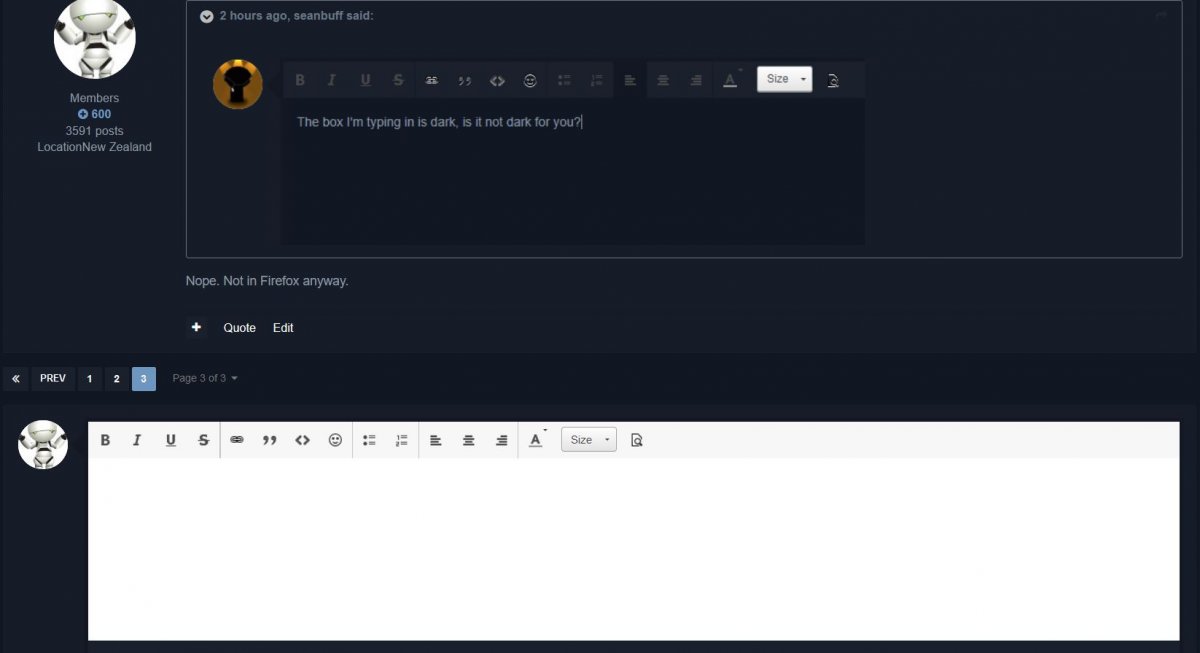
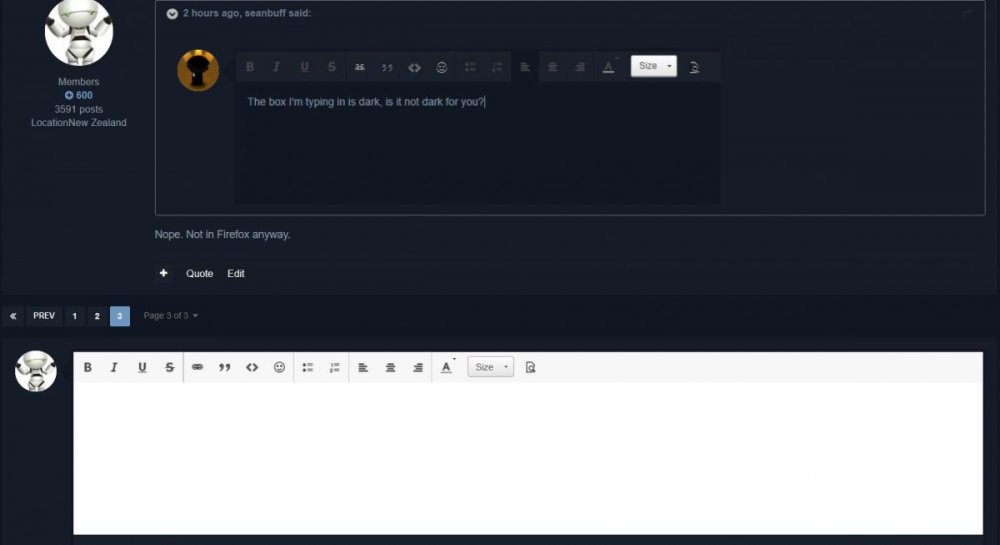
As someone mentioned, would like to have the list of people reading the thread back. Would also like actual times back, as in - posted at/last post 8:15pm. Now there's a dark theme, think it would be better if the box I am typing this in could also be dark. The Location, on the left, needs a space, as in not 'LocationTulsa'.1 point
-
No need to try and remove it (difficult) if you have already identified the correct channel it should be. Just go the guide that has it, Edit the channel guides for that channel and select the correct one. This will overwrite the incorrect entry. Let us know if you have any trouble after trying this.1 point
-
@cayars1 point
-
Yes, any themes will apply to mobile/tablet theme.1 point
-
What does "ugly" or "pretty" even mean here? I presume it relates to some people's view of fashion in interfaces. Paul1 point
-
Yes we are looking into improving it. Thanks for the feedback.1 point
-
Hopefully he'll be back with an accompanying fanfare and a resounding 'ah 'ave reyturned' in a heavy French accent...1 point
-
I don't, at one point I was processing my emby recordings manually after mcebuddy cut the ads. But that was before I set mcebuddy to do the encoding as well.1 point
-
Yah but not completely sure than it's rellated with Tone-Map , but my HDR10 is very bad looks like bland colors instead of original colors, it result in poor quality (Brightness/Dark) colors are very different from the exoplayer where i guess than it do not tone-map on HDR10 not sure at all if it's rellated witht the tone-map but for sure the colors seems more poor than on an VLC player or others like exoplayer. The colors on HDR10 is BLAND like the skin 21 fox intro logo etc... Not sure if the therm Bland is the right appropriate but still for this way.1 point