All Activity
- Past hour
-
 paroxa1 joined the community
 -
 xohixa joined the community
 -
 dunas817 joined the community
 -
 yoyawo joined the community
 -
 Nanilton santos de Brito joined the community
 -
 nelson38 joined the community
 -
 kaxide2 joined the community
 -
 murp23cand joined the community
 -
 Adrididiwivi joined the community
 -
 Kellong joined the community
 -

Does Emby store the tvdb notes "Season Finale"/"Series Finale"?
Kyouma replied to Kyouma's topic in General/Windows
Could i retrieve this information through the emby api or does it need to be added to the database first? - Today
-
Organizations that are concerned about these IP based certs can create policies to restrict to Domain Validation (DV) or higher. They wouldn't have to blacklist the CA, ISRG in this instance. Even DV certs don't add that much protection since anyone can get a subdomain with a DDNS service or even free Cloudflare. For Emby users I see this as an option for those who rely on Emby Connect, don't have a domain and would like to benefit from end-to-end TLS/HTTPS without having to learn or follow the usual path to HTTPS. As for the rest I do see how this could open the door for bad actors against whom the only safeguard currently in place is a bad cert error in a browser or auto HTTPS failing to connect. But with free domains or options like Cloudflare some are likely presenting "valid" endpoints already.
-

Hide Playlists from Included In & Group Albums by Release Type + Decade
user24 replied to user24's topic in Web App CSS
The tags may be similar, but they could have technical differences, so I can send a few of each - then you can try out whatever you want to. From the table below .mp3 uses ID3v2 and .flac uses Vorbis. https://picard-docs.musicbrainz.org/en/latest/appendices/tag_mapping.html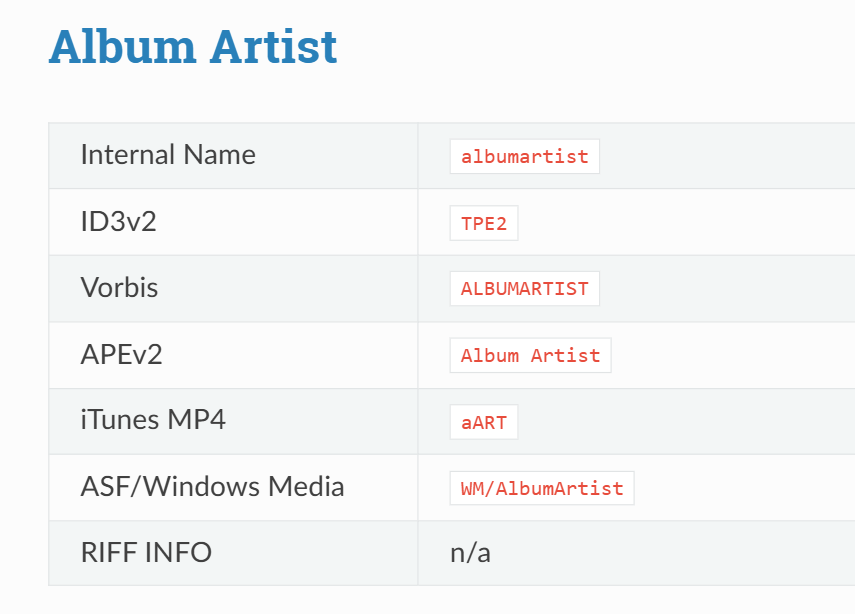
-

Hide Playlists from Included In & Group Albums by Release Type + Decade
GrimReaper replied to user24's topic in Web App CSS
FLAC will do as well, if it has same tags. No need to get into much specifics, I just need to see the layout/structure so I can reproduce. -
 The Sort Album (SortName) metadata tag is correctly respected when viewing the "Audiobooks" tab in the main library. However, this logic appears to be broken or ignored on the Author (Artist) page. Current Behavior: Main Library View: Books are sorted correctly according to the Sort Album tag. Author Page: Books are displayed in "Newest to Oldest" order (Release Date Descending). Author -> "Albums": The sorting here is also questionable. It currently appears to follow the Release Date (Ascending), which in my specific case matches the Sort Album order. However, it is unconfirmed whether this tab actually respects the Sort Album tag or simply defaults to "Date: Oldest first". The Core Issue: For audiobook series, "Newest to Oldest" sorting is counter-intuitive. If an author has multiple series released out of chronological order, the Author page becomes disorganized because it ignores the Sort Album / SortName field. Steps to reproduce: Main Library View. Verify the order is correct in the main Audiobooks library. Navigate to the Author’s page. Observe that books are sorted by date (newest first), ignoring the sort tag. Check the "Albums" under the Author — it needs verification whether it follows the Sort Album tag or just the date. Expected behavior: The SortName (Sort Album) tag should be the primary sorting key across all views (Main Library, Author page, and Albums tab) to ensure series continuity.
 -
Hide Playlists from Included In & Group Albums by Release Type + Decade
user24 replied to user24's topic in Web App CSS
Sure, not a problem - I'll be able to do it within next 12 hours. I only have FLAC files, but I can make up a small set of both .flac and comparable .mp3 if that will be useful? Standard tags plus RELEASETYPE, ROONTRACKTAG and ROONALBUMTAG. I'll also send you details of my music library set-up and and can also make a general post here about music tagging workflow, if that would be useful - I can make it a short "Executive Summary" as best as I can! -
Be sure to also set the Settings theme to "Same as Main theme" I still have overriding those on my Todo list. I'll try to finish that up in the next day or two. It's like the one annoyance I have left.
-

Emby Android TV app not sign in at all
colorstmg replied to colorstmg's topic in Android TV / Fire TV
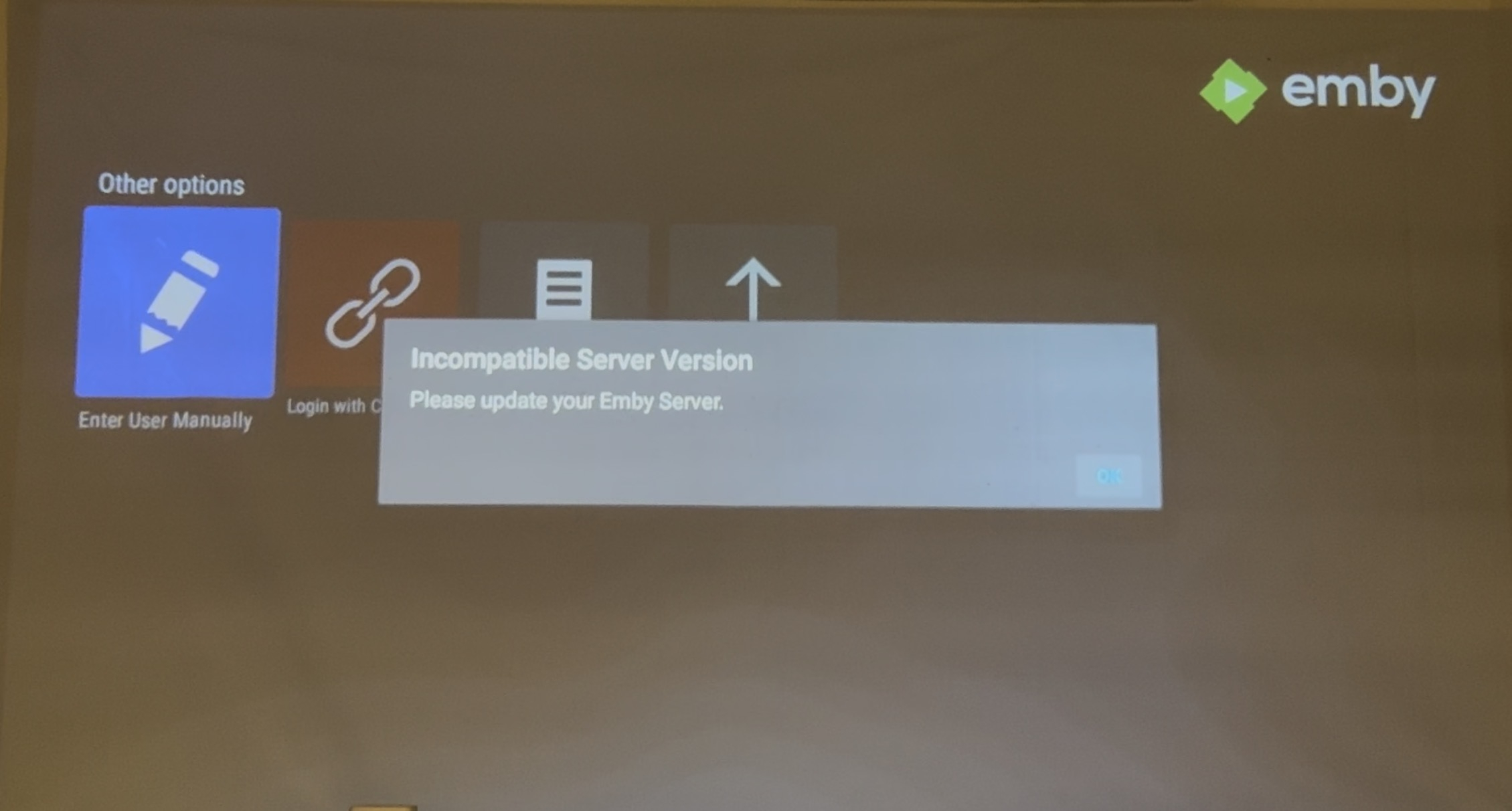
I sent the logs again after playing some videos and stopped. Also I noticed that the beta version not smooth as older stable version in playback. -
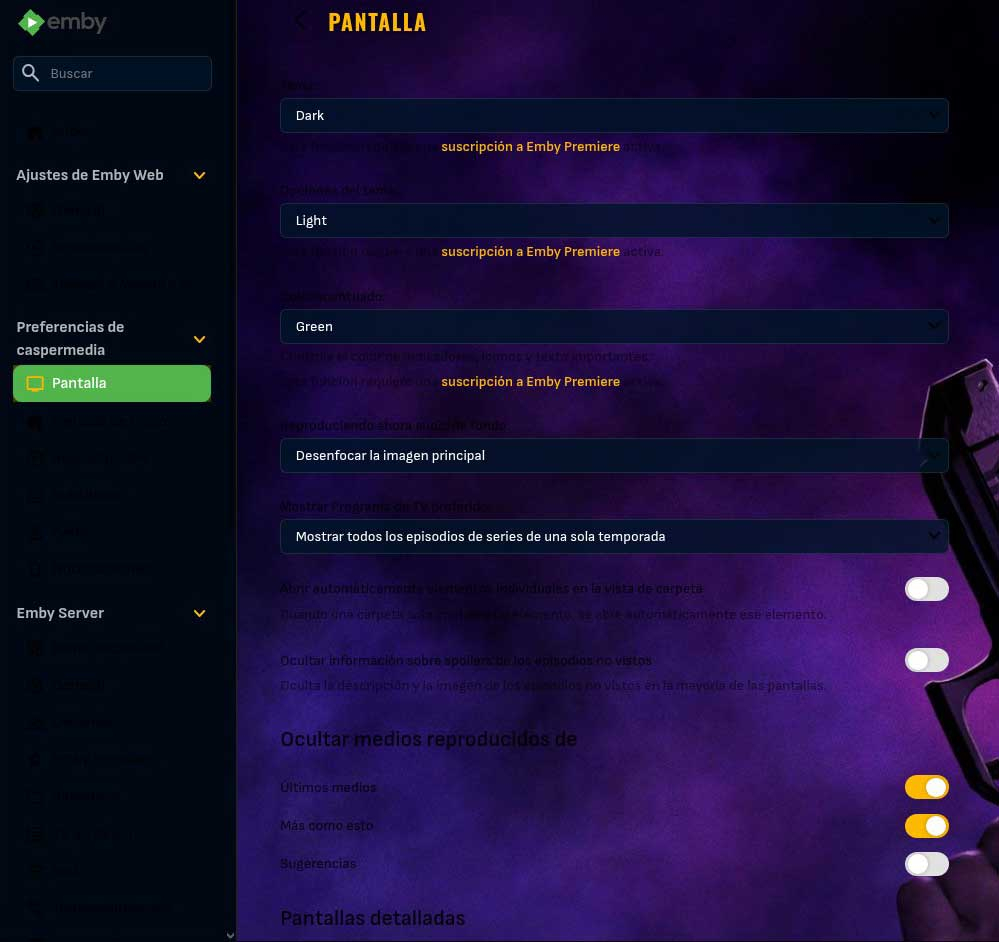
Hi, In Opera and Firefox, it looks like this in the configuration part
-
Check out MetaExtractor community plugin, don't know if music is included. @yocker
- 1 reply
-
- 1
-

-
Very sorry, I messed up the unwatched play count indicators on the base theme, this should fix that. Emby Navy and Gold v3.19.css
-
Your log is full of websocket errors because that connection is being refused. Whatever is causing that is likely what is interfering with the version check and the auto login. You said you can login so can you please try sending the app log after a successful login?
-
What is the best way to save images that you upload to Emby that will survive a reuild that does not involve saving the emby-server profile? I am currently on TrueNas Core, which uses freebsd, and plan to migrate to TrueNas Scale in the near future. I assume I will need to rebuild my emby-server after the migration of data since TrueNAS Scale is linux based and that a transfer of a server based in freebsd will not work in that situation. Is there a way to protect images that I have uploaded to Emby over time (some concert photos that I have taken myself, some grabbed images to complete missing images from Emby scans)? Related question -- I have been trying to get Emby to save all images to my media folders, but I cannot find them in the media folders after refreshing metadata and repeating a library scan (at least for Music artists). It has been saving Movies images and nfos without problems. I have also tried placing new images into old folders for extrathumbs created in the past when I was playing around with Kodi -- I moved the pictures to the artist's folder and placed them in the extrathumbs folder and renamed them thumb#, but a rescan did not pick up the new images. I hope there is an easy answer to this issue. I can always just re-upload the images after rebuilding the server on Scale, but I have done that so many times in the past I would like to avoid having to do it again.
-

My Fire TV won't connect to my Emby Server running on my old phone.
Liami10 replied to Liami10's topic in Android Server
Hello again, so I managed to fix my issue . I knew it was something really stupid. I had to turn off battery optimization for the server app on the host so that it can run in the background. Anyways thanks anyway for everyone helping and have a nice Easter -

Emby Connect does not find my server via automatic IP detection
ebr replied to toooo's topic in General/Windows
Hi. Let's re-evaluate once you correct the cert problem. There is no "magic" in Connect. It is nothing but a lookup service so that you don't have to know the IP address. -
Interesting decision from Letsencrypt, I'm usually all-in when it comes to encrypting everything but surely this is just enabling bad actors from also enabling on the fly certs for whatever they're up to!? I know they're not the first to do this, but they are free and support automation. I can see organisations just blanket blacklisting their certs to deal with this. As for projects like emby it sounds pretty good, unless of course your IP is very dynamic
-
Yes, everything is on the same network. My PC Atmos Amp and TV
-

Emby Connect does not find my server via automatic IP detection
toooo posted a topic in General/Windows
@ebr starting a separate topic to troubleshoot Emby Connect. Using the automatic server IP detection - instead of entering a domain name on the network settings page - Emby Connect is unable to find my server. Summarized below are configuration and testing combinations. The underlined bits are the ones that do not behave as expected, but are a main purpose of Emby Connect, as I understand it. I am not concerned with the certificate issue yet, as I am intending to use letsencrypt's newly available "short-term" certificates that are IP-based rather than domain-name-based. A. Using server's automatic IP detection (no domain entered on server): With only my secure port exposed externally Emby Connect does not connect (using https://IP:8920) Navigating directly to http://IP:8196 does not connect (expected) Navigating directly to https://IP:8920 connects, but certificate does not match domain (expected) Navigating to http://domain:8196 does not connect (expected) Navigating to https://domain:8920 connects, certificate is good With both ports exposed externally Emby Connect does not connect (using https://IP:8920) Navigating directly to http://IP:8196 redirects to https://IP:8920 Navigating directly to https://IP:8920 connects, but certificate does not match domain (expected) Navigating to http://domain:8196 redirects to https://IP:8920 Navigating to https://domain:8920 connects, certificate is good B. Using domain entered into my server: With only my secure port exposed externally Emby Connect connects (using https://domain:8920) Navigating directly to http://IP:8196 does not connect (expected) Navigating directly to https://IP:8920 connects, but certificate does not match domain (expected) Navigating to http://domain:8196 does not connect (expected) Navigating to https://domain:8920 connects, certificate is good With both ports exposed externally Emby Connect connects (using https://domain:8920) Navigating directly to http://IP:8196 redirects to https://IP:8920 Navigating directly to https://IP:8920 connects, but certificate does not match domain (expected) Navigating to http://domain:8196 redirects to https://IP:8920 Navigating to https://domain:8920 connects, certificate is good ---- Router config 8920 @modem -> 8920 @router -> 8920 @server ; UDP & TCP 8196 @modem -> 8196 @router -> 8196 @server ; UDP & TCP ; insecure port (this forwarding is turned ON/OFF during troubleshooting) ---- Server config (entering or clearing the domain name is the only troubleshooting I do in the server settings) ---- Using Emby Connect (https://IP:8920), server does not connect. ---- Navigating to https://IP:8920 directly (same as Emby Connect), server connects, but the certificate does not match since it is associated with my domain and not my IP.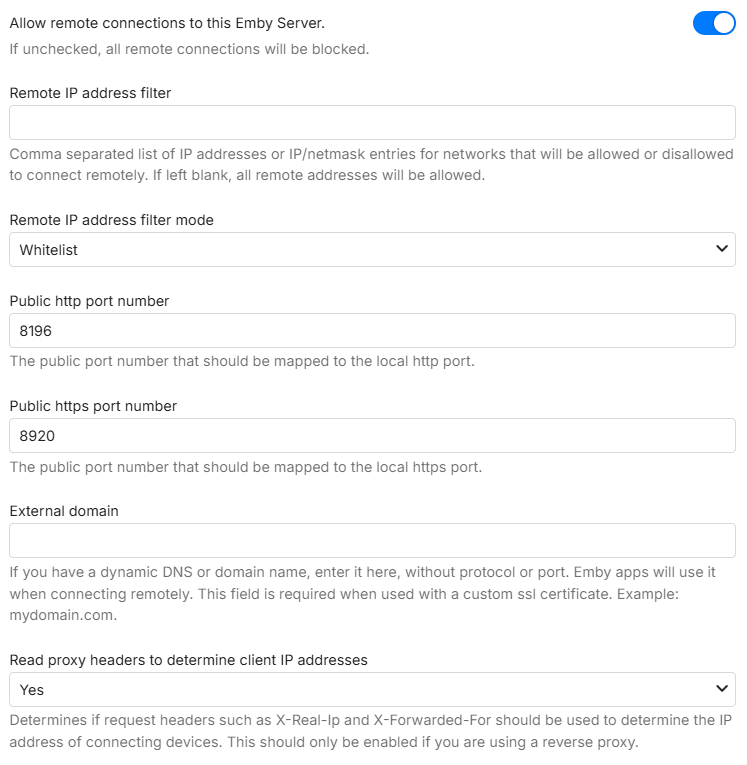
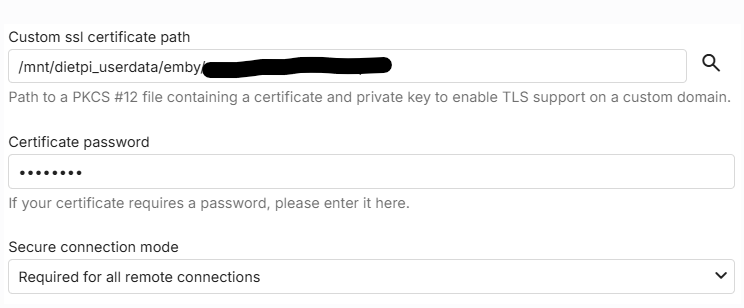
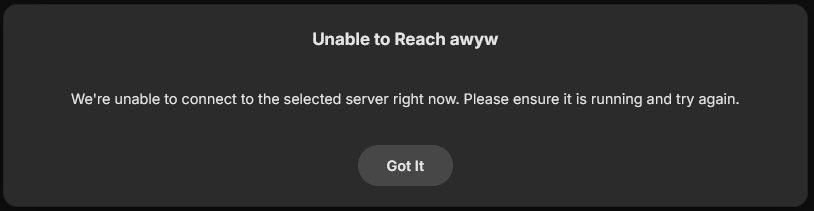
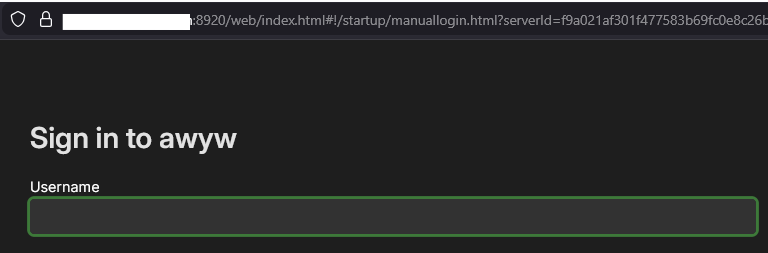

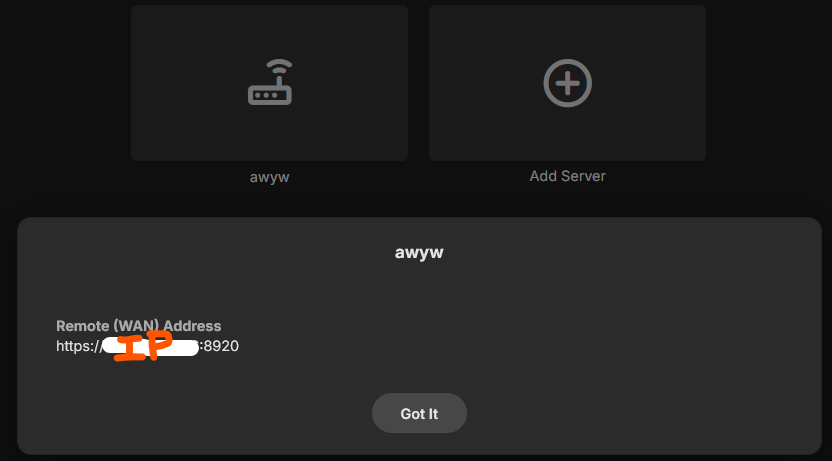
-
Well, I rebooted my router and the port forwarding rule disappeared but I still can't log on. Note: The page loads if I use default port 8096 but it walks me thru setting up as a new instance, so something's not right.
-
When I set up my music library I named all my cover art as the folder name dot jpg. They all display fine on the emby dashboard and on the emby roku app. I just got a WiiM ultra which can display cover are, but it doesn't understand that naming format. It wants the cover art to be named literally "album.jpg" or "cover.jpg". There are also a number of other alternatives. When I do that, the WiiM ultra sees the cover are but the emby app starts displaying the cover art as a collage of four copies of the cover. Does anyone know why emby is doing this or how to work around it? Thanks.
-

My random thoughts on emby and the forum
Apotropaic replied to Apotropaic's topic in Non-Emby General Discussion
Hi Vis, I think I might need to expand the sub-forums I frequent, it might just be that the things I'm interested in are just not that cool and interesting anymore. As I said I'm not trying to criticise emby in any way, I do agree the core UI needs to remain consistent and adding the wrong thing jeopardises the community. Maybe the UI is too good in that even though there were changes I couldn't even notice them after being away for a few years!! The CSS work you've done is pretty amazing, I'm also looking forward to the new customisable home pages. I've stayed away from the Beta versions as I've just not had the time to deal with it or have the resource available. -
Emby Android TV app not sign in at all
colorstmg replied to colorstmg's topic in Android TV / Fire TV
I’ve just sent the log after the issue occurred. I was using a domain name that couldflare proxied, but it seems that either the domain name itself or the direct IP:8920 as the server address is causing the same problem. My username in Emby is “colors.” IMG_6047.mov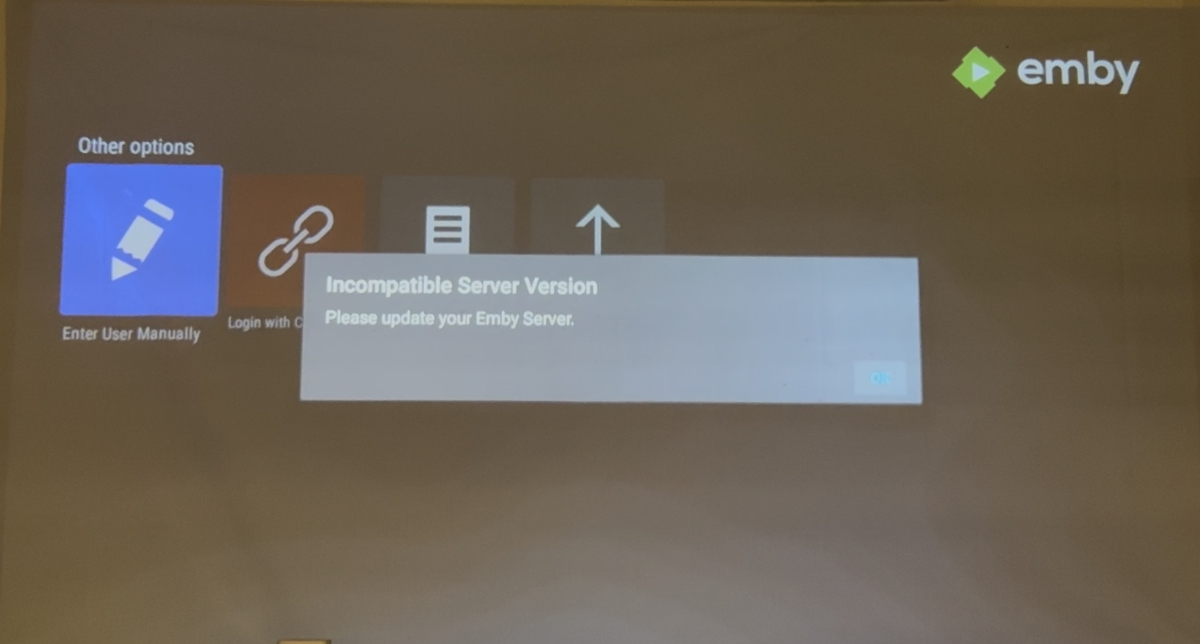
-
Hide Playlists from Included In & Group Albums by Release Type + Decade
GrimReaper replied to user24's topic in Web App CSS
@user24When you have a minute, send me in PM few mp3s that have all the tags embedded, in particular that ROONALBUMTAG (as said, I know zip about music and I'm not too keen to educate myself, as I'm perpetually lacking time for all of my own inteterests to begin with) together with screenshot/description of your library structure, I have an idea and wanna try something that might spare you few months of manual tagging within Emby, but need something to test it on. -
On what platform are you installing Emby? I had it on a Raspberry Pi 5 before reinstalling, and I installed and updated it manually from the terminal, and now I do it from Docker. Nothing has ever updated automatically for me; I have to do it myself. And unfortunately, I've resigned myself to the fact that LG users are being abandoned; we'll end up migrating to another platform. I'm not saying the Emby team will fix problems instantly, but at least they should notify us of the status or offer alternative configurations, instead of spending three months saying it will be fixed in the next update.
-
I note that my router keeps showing the following port forwarding rule that I didn't request: UPnP IGD 8096 TCP 192.168.1.68 8096 Always