All Activity
- Past hour
-
 Carlosgs08 joined the community
 -
 iiiiam_tray joined the community
 -
 tarik8766 joined the community
 -
Purpose and Function Clean Person TMDB|TVDB IDs (maximise agreement, remove disagreement). Split and Merge Persons, change media attribution between persons. Identify corrections for TMDB|TVDB providers. Clean Person Metadata Folder (all folders which dont belong to a person are removed) Caches TVDB|TMDB responses. Small sandbox segregation of library for faster initial testing over limited scope. Acknowledgement Uses TVDB and TMDB APIs/Data.. Notes This one was tough and i think ive ended up with at best a white elephant. I went down the route of seeing peple through the lense of their media attributions. There is no point of truth to hang your hat on and there are alot of errors on the providers, the plugin attempts to find clusters of consistent signals and stitch TMDB|TVDB info together with a score/confidence, and overlay that back over the current emby configuration to look for agreement and disagreement. Once the media and then IDs are associated robustly to persons (persons are 'clean'), it should be trivial to clean the metadata folder to match the persons. If there is an appetite and testing proves some value, i will improve but its broken me for now. Getting Started Test on backup server, at a minimum backup library.db and \metadata\people folder before testing. You need to assign a TVDB and TMDB api key in the config (I just asked for them and was sent) Run evidence gathering task. (will take hours) Manually curate "Problem Cases", cases without automated solutions. Run En Masse Correction task for automated repair of simple cases (after a lot of testing of a smal sandbox). Run Folder cleaner task. (does not respect sandbox, covers entire library) 2026-08-28 23-36-22.mp4 Disclaimers Vibe coded with Claude, backup database and people metadata folder before 1st use, until tested. folders in \metadata\people are targetted for deletion and persons are edited and removed. The SQLite database will get large ~ 50 times size of Emby database Download https://github.com/ginjaninja1/PersonCleaner 0.1.16.0PersonCleaner.dll Changes Known issues Suggestions and Issues welcome. GenericEdit UI rendering failures for dxgrid, tab/shift tab will restore ui elements if lost. Probably should have built own ui in html/js. Not tested with \people\letter\person folder layout. Very early days for metadata folder cleaner. Very early with limited testing. No library filter Roadmap See if this has legs Other Info Plugin stores data in \programdata\data\personcleaner-v2 (good to know if you want to reset/uninstall)
-
 josemitchell joined the community
 -
nah, it forces my direct played content do get transcoded (hable). DTS/TrueHD, so it is working, like before. If i remove the permission to transcode from the LG client/user, its still stops after like 5 secs in. Can we get LG client release notes, pls? ffmpeg-transcode-12230807-4d28-4b07-b72e-e3c0928ed11c_1.txt ffmpeg-transcode-fe4bf8cf-ae42-46ad-94d3-cefcfdfeace1_1.txt ffmpeg-remux-21e497f6-4b64-4e5a-b4aa-f9531a65fac0_1.txt embyserver.txt
-
 cesarvalencia5 joined the community
 -
 Augaber joined the community
 -
 jhonmosquera joined the community
 -

Emby Android TV subtitle position at the bottom of screen
kron0s replied to Youthanasia's topic in Feature Requests
Subs look great there actually but it doesn't pass-thru my Atmos to my receiver. There's always something missing. -
 MedinaMichelle2216 joined the community
 -
 Sila_saleh joined the community
 -
 Djibril15 joined the community
 - Yesterday
-
Your two pictures are using different CA treatment styles so they aren't very comparable. Still, simply refreshing the metadata should update the treatment style. I think the actual issue here is this: Each item only has one primary image so, if the HD-only user is the first one to request the primary image even after you've added another resolution, they won't see it (and neither will CA) so the treatment stays at just HD. If you did a metadata refresh from a user that can see the 4K versions, then it will get the 4K treatment. CA looks for the highest resolution version and chooses the treatment based on that. Different users aren't going to see different treatments or images.
-

Emby Android TV subtitle position at the bottom of screen
yzxvw replied to Youthanasia's topic in Feature Requests
try Yamby -
Ah, I see. To me, that sounds like a bug because it shouldn't be any version in the playlist but, rather, the item.
-
Emby Android TV subtitle position at the bottom of screen
kron0s replied to Youthanasia's topic in Feature Requests
Can we get this feature added? it's been a few years since requested.. subs over the video when there's space in the black bar area is really not great. -
 Hello, I am having an issue with hardware HDR-to-SDR tone mapping in Emby Server on Linux. Hardware: GPU: Intel Arc A310 (DG2) Host platform: Intel Z170 BAR2 size: 1 GB maximum on this platform Resizable BAR cannot be increased to 4 GB on this system GPU device: /dev/dri/renderD129 Software: Ubuntu Kernel: 7.0.0-30-generic Emby Server: 4.9.5.0 Official Docker image: emby/embyserver:latest Firefox client on Windows Input: HEVC Main 10 1920x800 Dolby Vision Profile 8.1 / HDR10-compatible EAC3 5.1 audio The source plays correctly when hardware tone mapping is disabled. QSV decoding and encoding also work correctly. However, when Emby selects QuickSync ExtraT/OpenCL tone mapping, FFmpeg fails during QSV-to-OpenCL mapping: WARNING: Small BAR detected for device 0000:03:00.0 Failed to get number of OpenCL platforms: -1001 Failed to create derived device context Error while processing the decoded data Conversion failed The selected processing pipeline is: HEVC_QSV hwmap -> OpenCL tonemap_opencl hwmap -> QSV HEVC_QSV After this failure, Emby falls back to software decoding and x265 encoding. Performance drops to approximately 0.4x realtime, even though the Arc A310 handles QSV transcoding easily. When tone mapping is disabled, the same GPU performs the transcode at several times realtime. I also tested a newer Intel OpenCL runtime (NEO 26.31) in a separate container. OpenCL platform detection works there despite the 1 GB BAR, but the QSV/OpenCL media-sharing path still fails. Could the official Emby Docker image be updated to include a newer Intel Graphics Compute Runtime and a compatible FFmpeg/ QSV OpenCL media-sharing configuration? Important clarification: Increasing the BAR to 4 GB is not possible on this motherboard. The 1 GB BAR is therefore expected and must be supported. QSV decode/encode itself works; only the OpenCL tone-mapping path fails. As a workaround I currently have hardware tone mapping disabled, which makes playback work but removes HDR-to-SDR conversion. I can provide the complete Emby and FFmpeg logs if needed.
 -
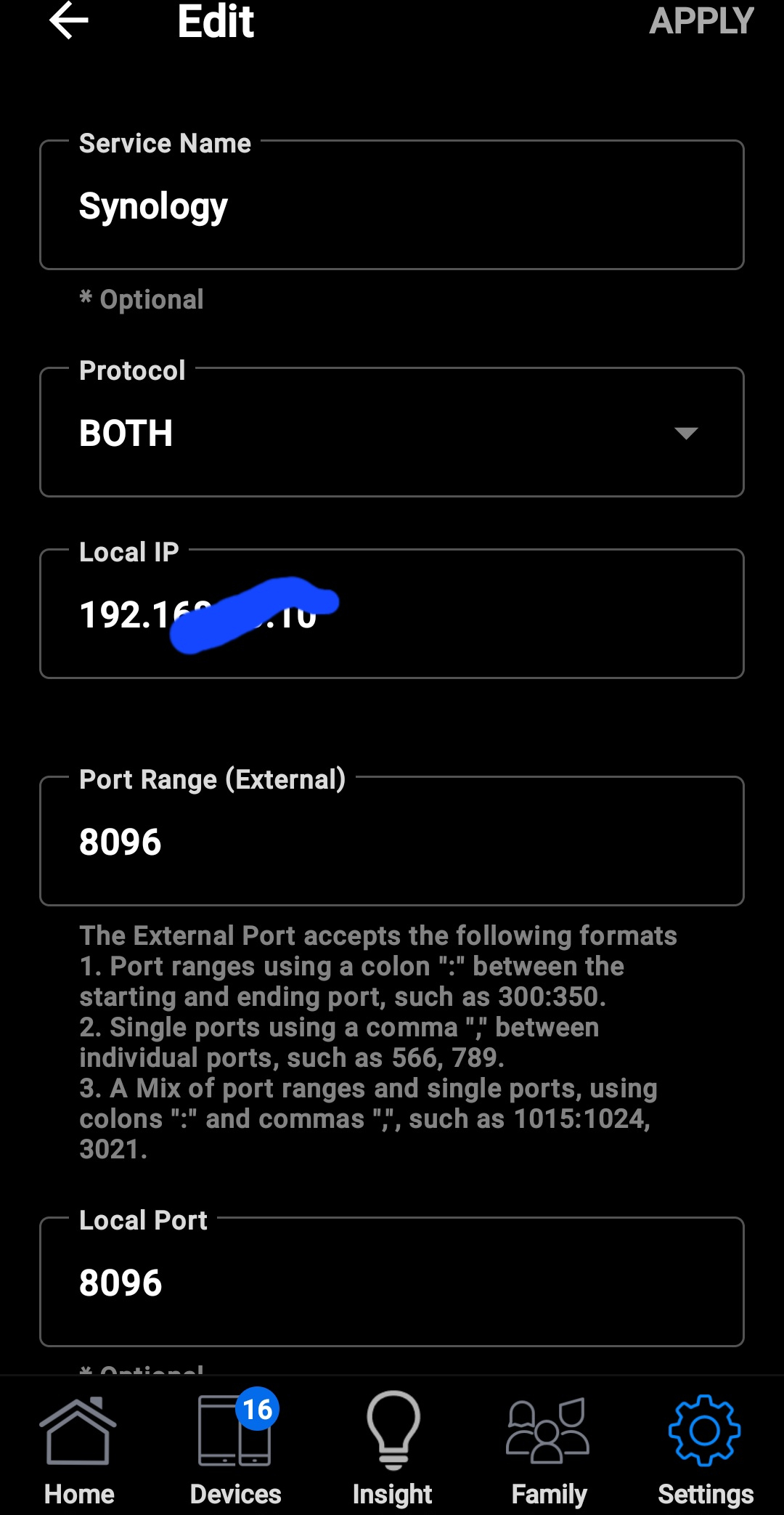
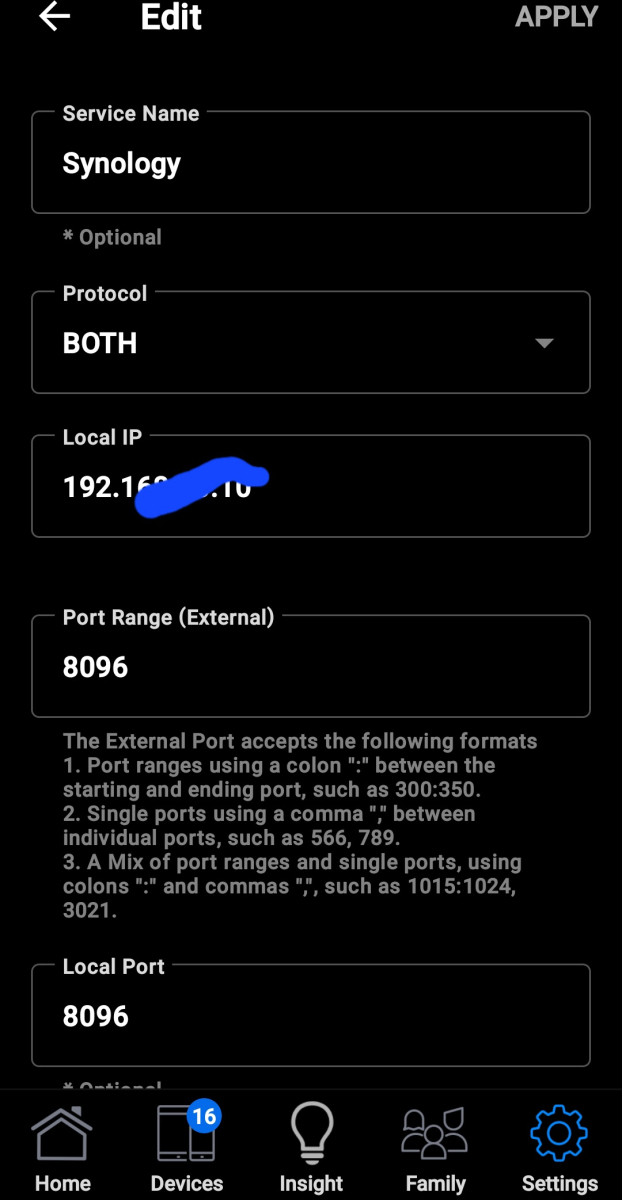
Sorry, I am trying to login from my android phone, I have a ds218 +, which is hard wired with a satic ip, if I am on my network it's find I can't login if I'm not on my network. Router settings is attached in picture thanks
-
Zoo, That's not enough info. What hardware, app or web browser are you using? Are you trying to connect with a direct Ethernet cable to the server, via Wifi? What are you router settings and firewall permissions? Local IP 192... works if you are on the same router / network, otherwise access remotely needs to use the other real IP address. Which are you trying to use when you say remotely. You cannot access remotely from another Internet access point using 192... address.
-
I have been trying for weeks to get access remotely. I have the port forward, my nas has a static ip. I have triple check the settings. What am I missing? Thanks for any help
-
This is correct. LG don't allow apps to pass uncompressed audio such as TrueHD out via eARC. It needs to be transcoded (so best to avoid TrueHD altogether)
-
But that's exactly how I am using it here:
-

Android TV - Live TV Guide - Automatically Play Currently Airing Show
Deihmos replied to DavidS1977's topic in Feature Requests
Not all my remotes have a play button and that's a bit cumbersome to use. I really wish there was a way to play directly. There could be a setting. I recall Kodi having this option. -
OK we are looking into it. Thanks.
-

HLS segment list is computed from the container's declared duration and is never checked against the media.
Luke replied to vdatanet's topic in Developer API
What about the 220 segment? Not the last one. -
I will look into it about the server Date/Time Locale. Because on my side it shows the european time. I have a few of those with created 1.1.1 too... these dates come directly from Emby and are not a plugin error.
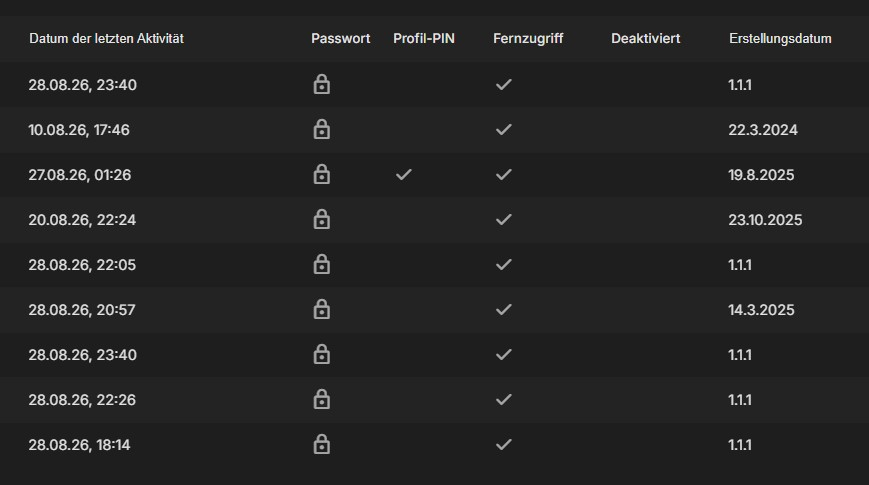
-

ElegantEmby - Dark Rounded Theme for Emby Web
MediaEmby1968 replied to Pejamas's topic in Web App CSS
Nice topic, I had already seen this topic on the internet. But some questions - How can I make the movie tabs wider, they seem narrow and elongated to me. - Also how to change the color of the seen and unseen icon Thank you -

HLS segment list is computed from the container's declared duration and is never checked against the media.
vdatanet replied to vdatanet's topic in Developer API
Following up on my own post, because I went back for the ffmpeg logs afterwards and they contain the mechanism. I attached them (ffmpeg-segment-211.txt — two runs from the same session, sanitised as described in its header). Short version: ffmpeg announces a segment when it opens the NEXT one, so the last segment of any run is never announced — and from the outside it looks like that announcement is what releases a segment to the client. The announcement lines look like this: SegmentComplete=video:0 Index=211 ... Duration=6.027000 filename=C7DAFF_210.mp4 Index=N+1 announcing filename=_N.mp4. Here are three requests from one session, on the 21-minute file from my last post, whose playlist has 212 entries (0..211): segment 106 -> full remux, no seek 212 SegmentComplete lines 200 segment 210 -> full remux, no seek 211 lines, last announces _210.mp4 200 segment 211 -> restart with -ss 00:21:06.000 -start_number 211 ZERO SegmentComplete lines never answered Across every ffmpeg log this server wrote, filename=C7DAFF_211.mp4 appears in zero SegmentComplete lines. C7DAFF_210.mp4 appears in one. Even the full remux that did write 211 ends like this: 21:04:59.046 SegmentComplete=... filename=C7DAFF_210.mp4 [hls] Opening '.../C7DAFF_211.mp4.tmp' for writing [hls] Opening '.../C7DAFF.m3u8.tmp' for writing EXIT It opens 211 and the run ends without announcing it. And the restart for 211 did its job: it wrote C7DAFF_211.mp4 — 1,657,212 bytes, 134 frames, 5.494 s — in about 10 ms at 361x, rewrote the session playlist with that one entry AND an #EXT-X-ENDLIST, and exited with code 0, 96 ms after the request arrived. ffmpeg declared the work finished in its own playlist. The server then held the request for 90 seconds and sent nothing. Two corrections I owe you on my own post from yesterday. First, I said the wait was for a completion signal "from a process that is already gone". The process being gone is not the cause: the signal is never emitted for the last segment of a run, whether the process is alive or dead. Second, I implied the restarts themselves were the problem. They aren't — segments 106 and 210 went through exactly the same restart path minutes earlier and both returned 200. What saves them is that the run continued past them, so they got announced. Which also ties this to the arithmetic at the top of the thread, and I think it's the whole bug in one sentence: because the segment list is computed from the declared duration, the last entry always sits at or past the end of the media, so it is always the final segment of whatever run produces it — and the final segment of a run is never announced. The same shape explains the 500s on short files: when the whole remux takes milliseconds, every segment requested is the last one of its run. If the wait treated EOF — or an exit code of 0, or ffmpeg's own ENDLIST, all three of which are present here — as completing the final segment, I believe every case in this thread would serve. The file is already on disk when the wait begins. Happy to run this against the next build, or to pull any other log from the same session. ffmpeg-segment-211.txt -

TV Show Status — TMDB-powered Returning/Ended/Cancelled badges for series
GrimReaper replied to Blueskies278's topic in Plugins
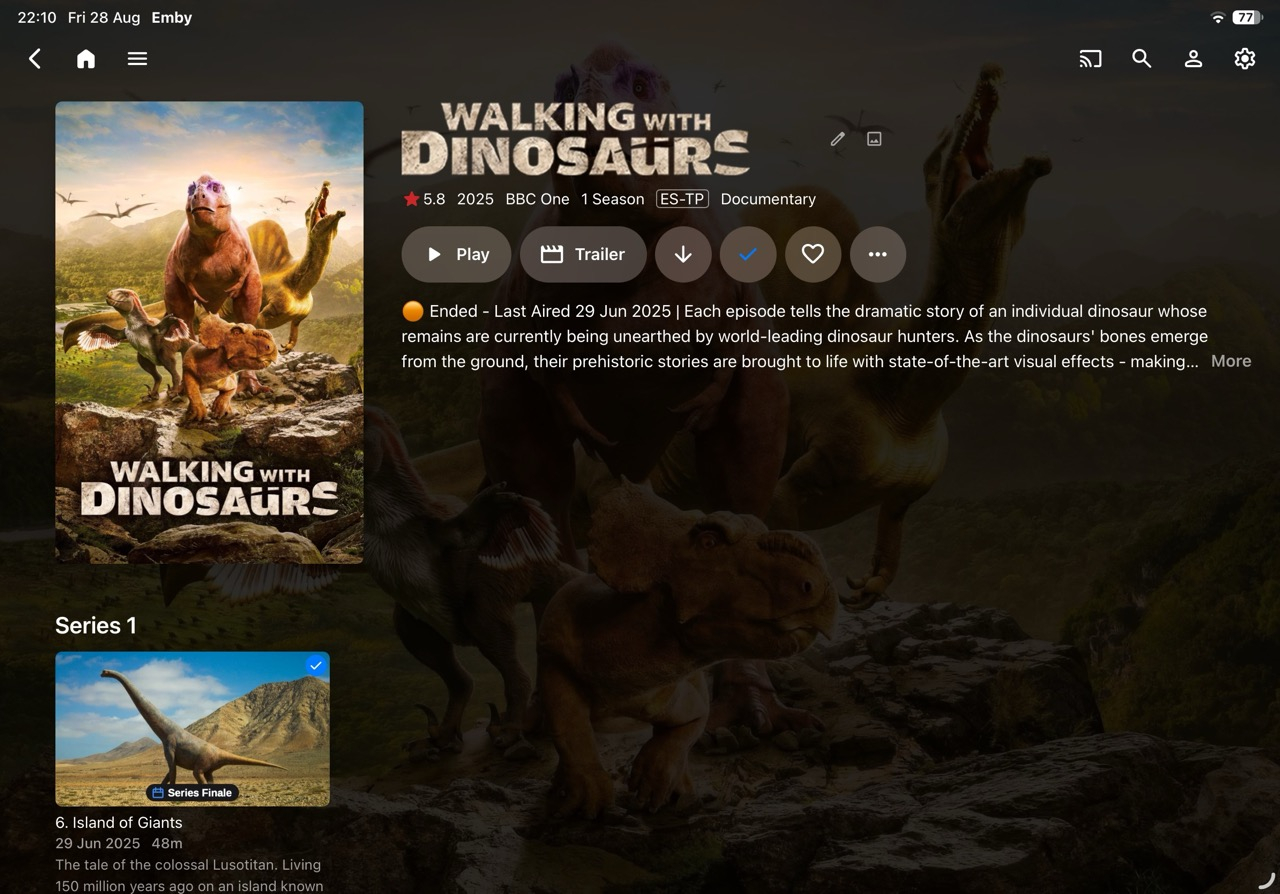
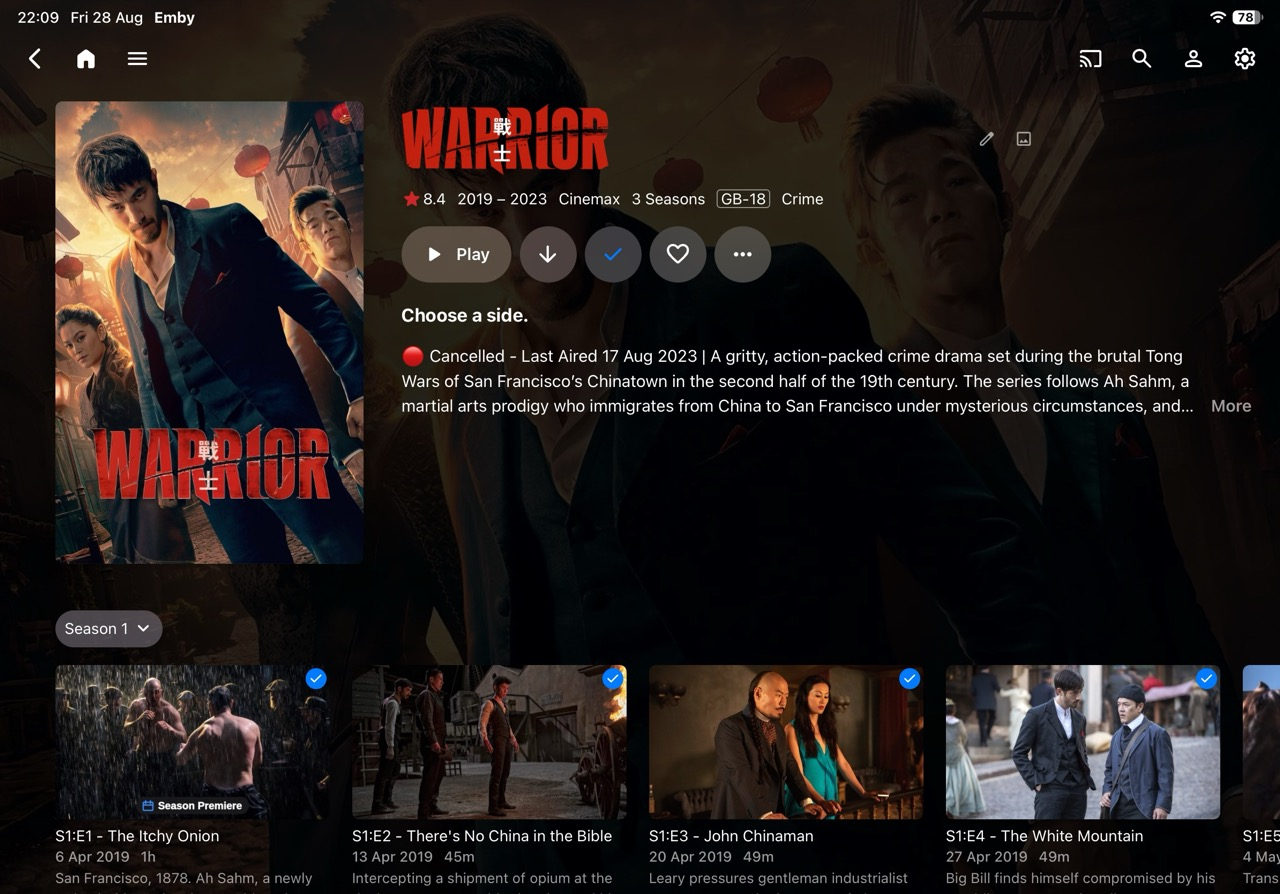
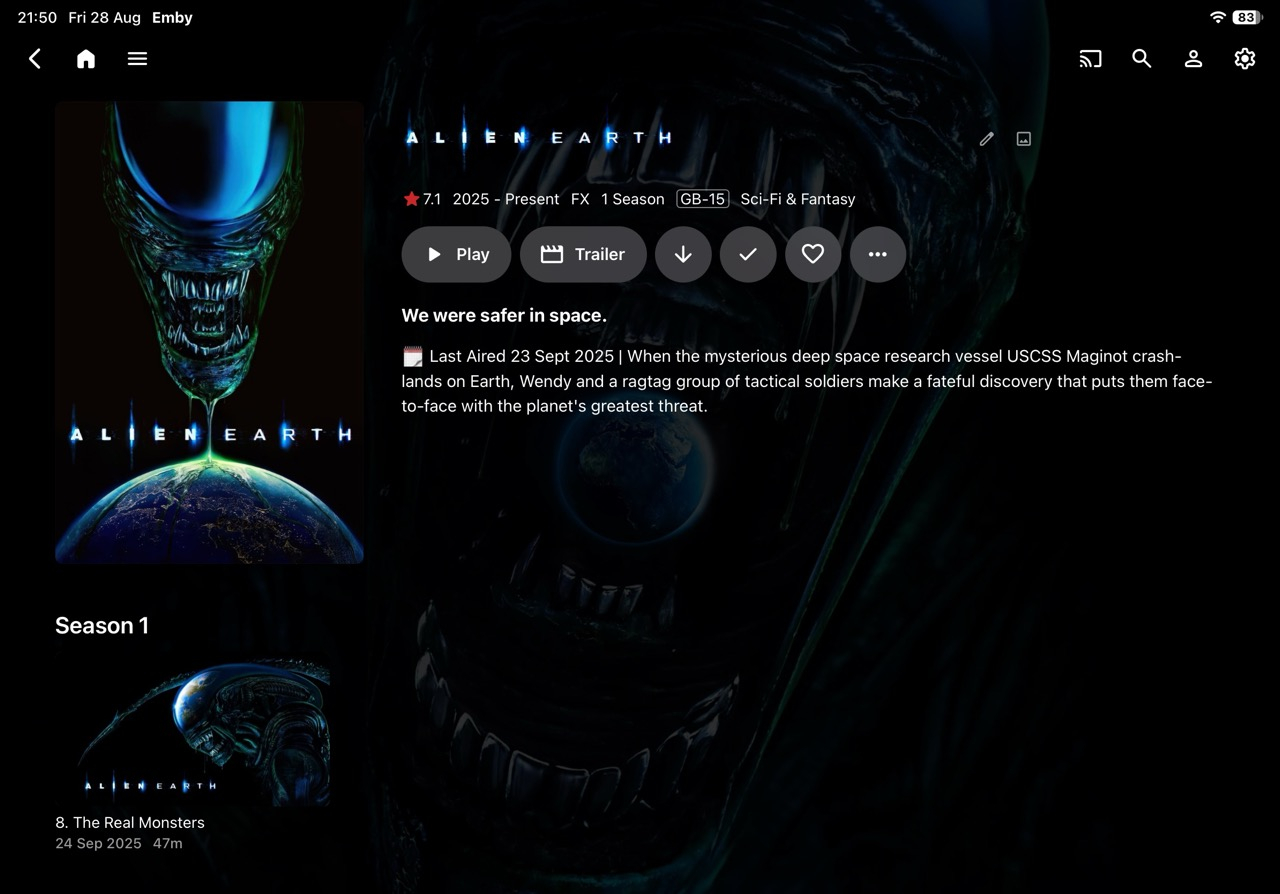
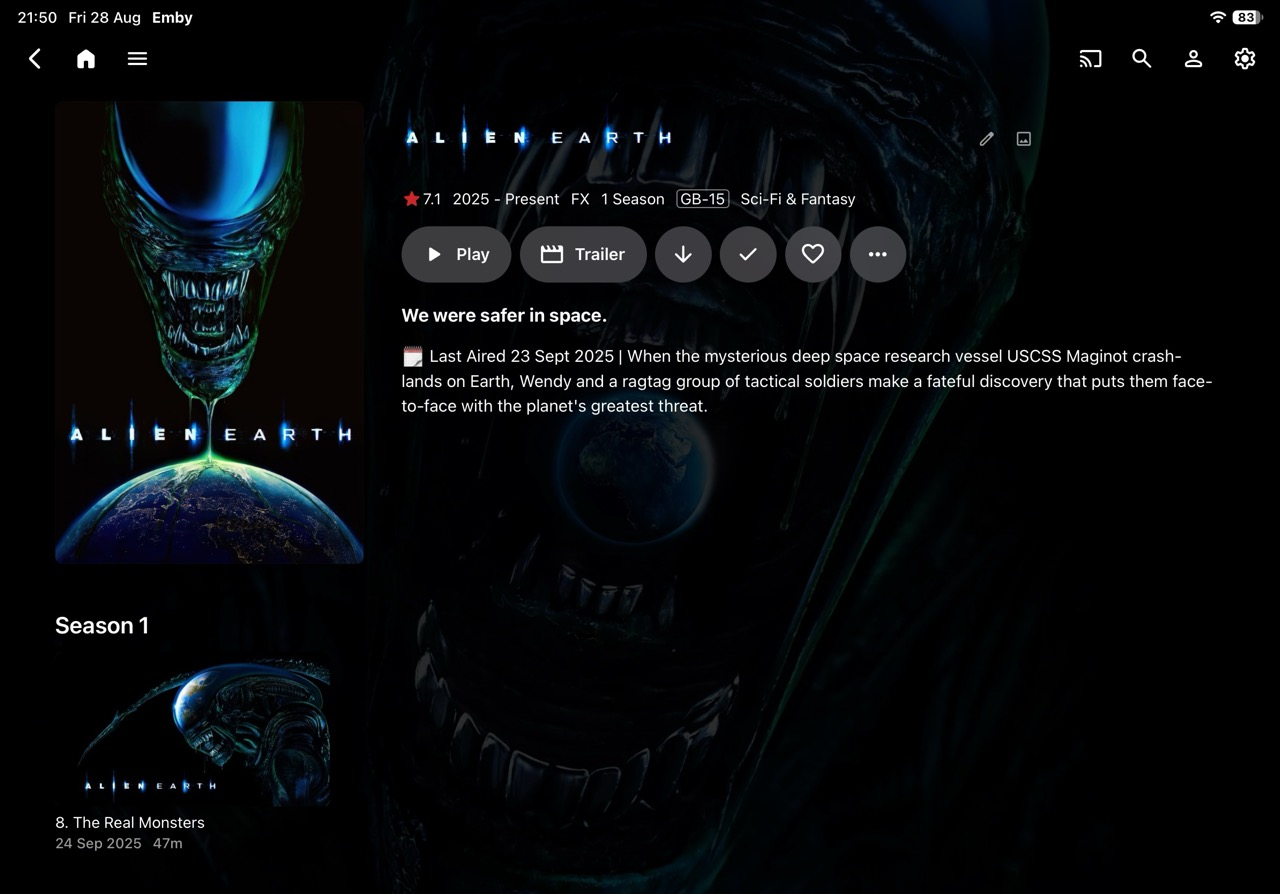
Looking good, like the "Series finale" and: -
Could you make it so server Date/Time Locale is respected, i.e. not US date formats? Also, abt. 50-60% of my users have Date Created as 1/1/1?
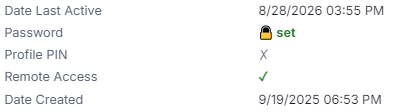


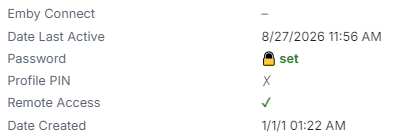
-

TV Show Status — TMDB-powered Returning/Ended/Cancelled badges for series
Blueskies278 replied to Blueskies278's topic in Plugins
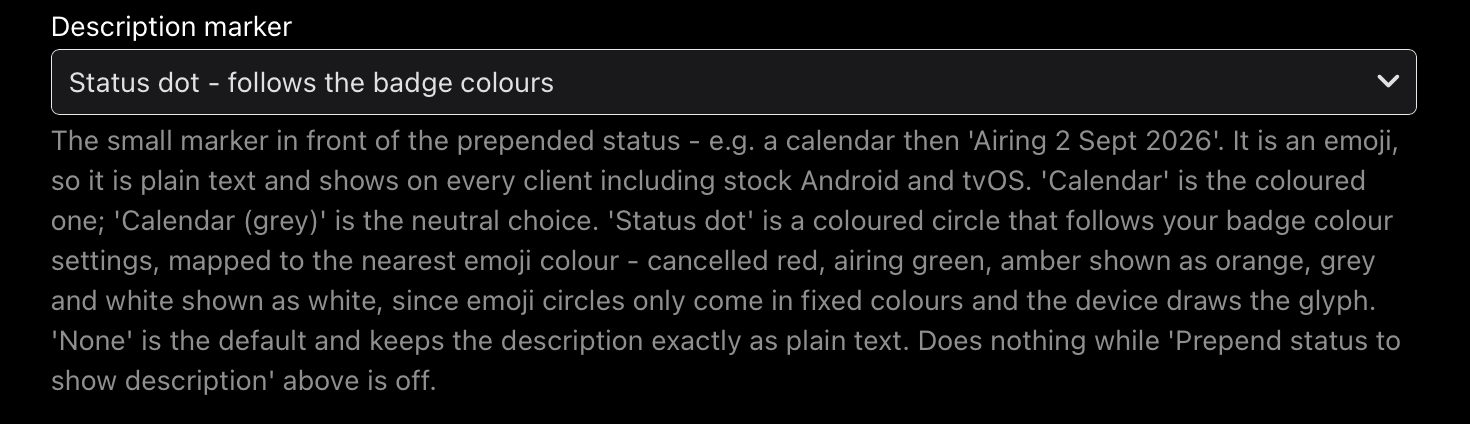
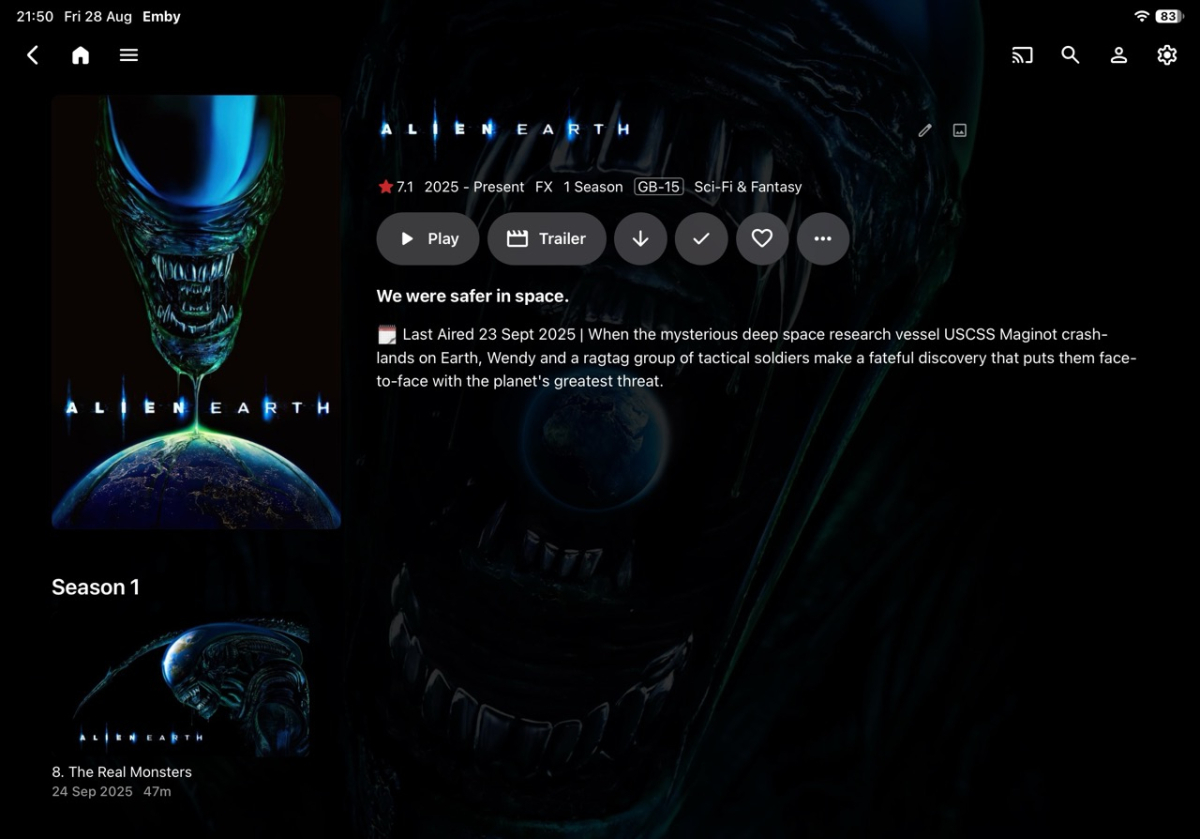
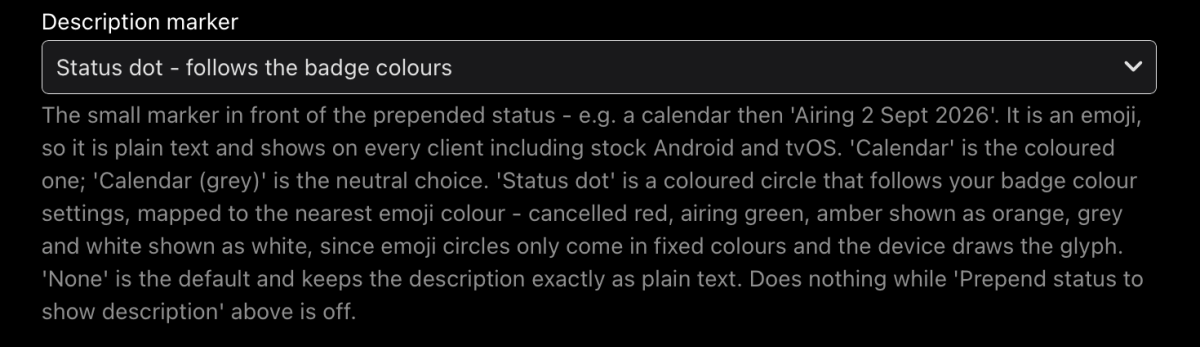
TV Show Status Release Notes Changes 2.5.99.0 Fix Upcoming badges showing the show's next air date instead of each episode's own date Fix two badges appearing on posters when the overlay and web badges were both on Fix badges only appearing after visiting a show first, and disappearing again on the way back Fix badges never clearing from a card once drawn Add "Season Premiere" on the Upcoming list, on every client including Android TV, Fire TV and tvOS Add an optional calendar or coloured status dot in front of the status in show descriptions, which shows on every client. Off unless you choose one Add a colour setting for the Season Premiere badge Add a setting to show "Returning" instead of a date on the badge Add separate settings for library cards and the Upcoming list, so either can be badged on its own Add a setting to switch the web badges off inside the Emby app while keeping them in a browser Add a setting to turn off status badges on posters Change the Upcoming badge to read the day heading Emby prints above each card, so it always matches Limitations Season Premiere on the Upcoming list appears on every card of that show while the new season is coming, not only the first episode. One picture serves every card and cannot tell them apart. Only the web browser gets it per-episode There is no "Only Complete" option for the Upcoming list. Complete means nothing further is scheduled, and a show only appears in Upcoming because something is scheduled Air dates and Season Premiere on Upcoming cards are web browser only Turning "Prepend status to show description" on can produce two badges on a poster. Leave it off for now With Emby's "Hide spoiler information from unwatched episodes" on, unwatched episodes show the series artwork, so you see the show's badge rather than an episode one Episodes with no artwork of their own borrow the series picture, and the series badge comes with it Your library's thumbnail view and the Upcoming list request the same image, so a badge in one appears in the other. Poster view is the only layout that separates them The calendar and status dot in descriptions are emojis, so each device draws them in its own style and their colours cannot be changed Changing a setting may not update artwork you have already viewed. Refresh metadata on the show, or wait for Emby to re-read it "Draw badges on library cards" is web browser only, and is ignored while the poster overlay is on Ended defaults to amber on new installs only. Existing installs keep whatever they had This is probably my last update for a couple of weeks EmbyTVShowStatus.dll TVShowStatus-Settings-Reference.pdf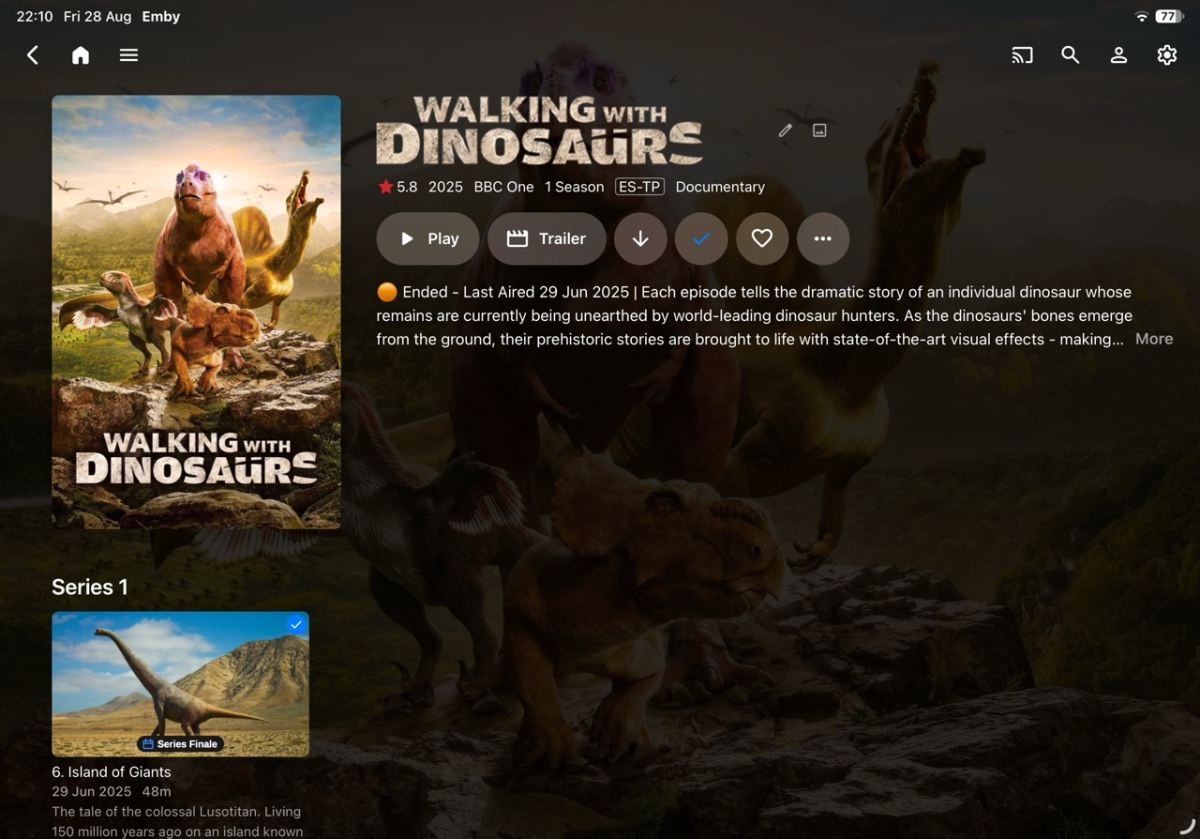
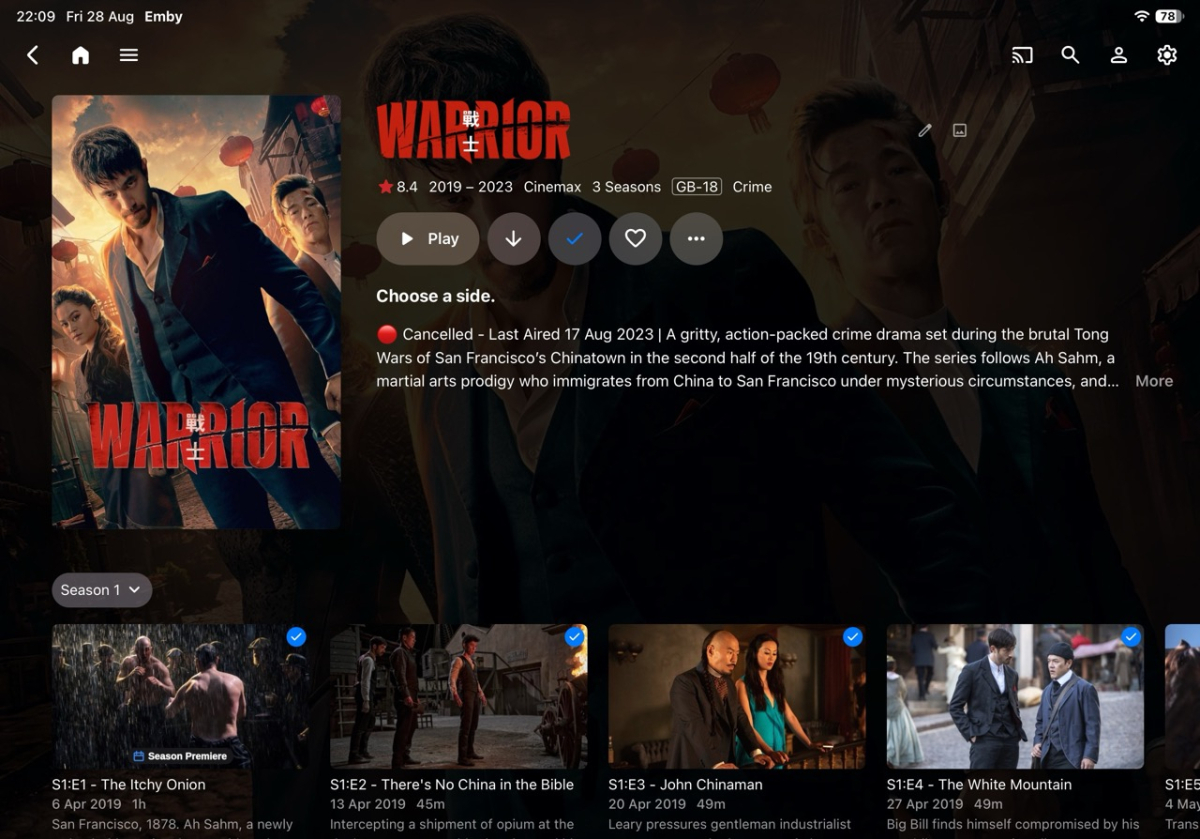
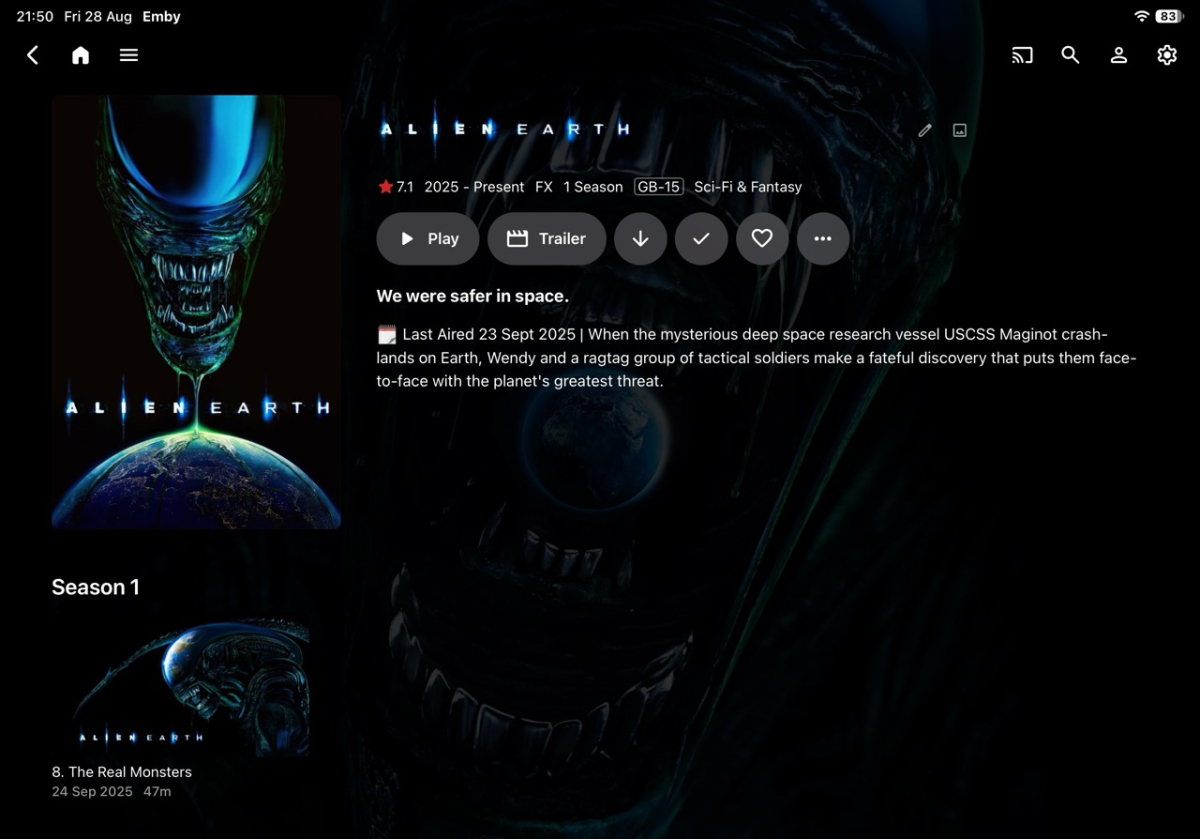
-
HLS segment list is computed from the container's declared duration and is never checked against the media.
vdatanet replied to vdatanet's topic in Developer API
I tried the latest build — 4.10.0.29, the current beta tag. Same setup as my codecs measurements in the other thread: a fresh install in a disposable container, nothing carried over from my server. Two sources: a real 21-minute TV episode (MKV, h264 + AC-3, 906 MB) that has been failing at the end for me for a year, and synthetic MKVs built for the purpose. Everything below comes from the server's own log and from the files in its transcoding-temp directory. The short answer: the segment is not served yet. But I can now show exactly where it stops, and the arithmetic and the stuck tail turn out to be two halves of one mechanism. 1) The list is still computed from the declared duration. The episode's container declares 1269.280 s; its last video packet is stamped 1268.184 s (ffprobe, read to EOF). The playlist the beta serves: 212 segments, all #EXTINF:6.0000 -> 1272.00 s promised That is the declared duration rounded up to whole segments — about 3.8 s promised past the last frame. A 60-second synthetic MKV whose Segment Info duration I patched to 90 s gets 15 × 6.0 s; re-encoded it gets 30 × 3.0 s. Always the declared 90, never the real 60. 2) The tail on the real episode (video copied, fMP4 segments), step by step: - during the remux: segments 0, 106, 210 -> all 200 - ffmpeg finishes on its own; the transcoding-temp directory holds all 212 segment files, 211 included - GET segment 211 -> the request never completes. The server held it for 90 seconds until my client gave up. Its own log, one request id end to end: 21:05:07.760 GET .../hls1/main/211.mp4 21:05:07.760 Starting transcoding because currentTranscodingIndex=null 21:05:07.856 ProcessRun 'StreamTranscode 011ceb' Process exited with code 0 21:06:37.769 Response completed after client disconnected. Time: 90009ms The file it was asked for was complete on disk before the request arrived, and the ffmpeg restarted to produce it exited cleanly 96 ms in. The response never came. 3) The same thing as a 500 instead of a hang, on the patched synthetic (30 segments promised, 20 producible): after ffmpeg's clean exit, segment 19 — real, sitting on disk — returns 500. So do 20 and 29, and every retry. The 500 body is FfRunException: Error starting ffmpeg wrapping an ffmpeg log that ends in a normal, complete run with exit code 0. And the extreme case, which takes the declared duration out of the picture entirely: a 3 MB MKV with an honest 60-second duration remuxes in about 25 ms — faster than the startup watchdog — and every segment request, init.mp4 included, returns that same 500, forever. So what it looks like from the outside: segment availability is decided from the state of the transcoding process, not from what is in the transcoding directory. While ffmpeg is alive, everything serves. Once it has exited — and near the end of the media it exits quickly, because there is little left to do — a clean exit is read as "Error starting ffmpeg", or, on the fMP4 path, the last segment waits on a completion signal from a process that is already gone. The declared-duration arithmetic then guarantees that every player ends its session inside exactly that zone — which I believe is this thread, the step-back 500s on a segment that had been served 200 minutes earlier, the sessions stuck at end of file, and the streams that never end server-side, all at once. At the moment of every 500 and of the hang above, everything needed was already on disk: the segment file, ffmpeg's own playlist with ENDLIST, exit code 0. If the wait checked the directory before concluding, and treated a clean exit as completion rather than as a startup failure, I believe every case above would serve. If the segment fix wasn't meant to be in 4.10.0.29 yet, happy to rerun all of this against the next build — the whole setup takes a few minutes and none of it touches my real server. -
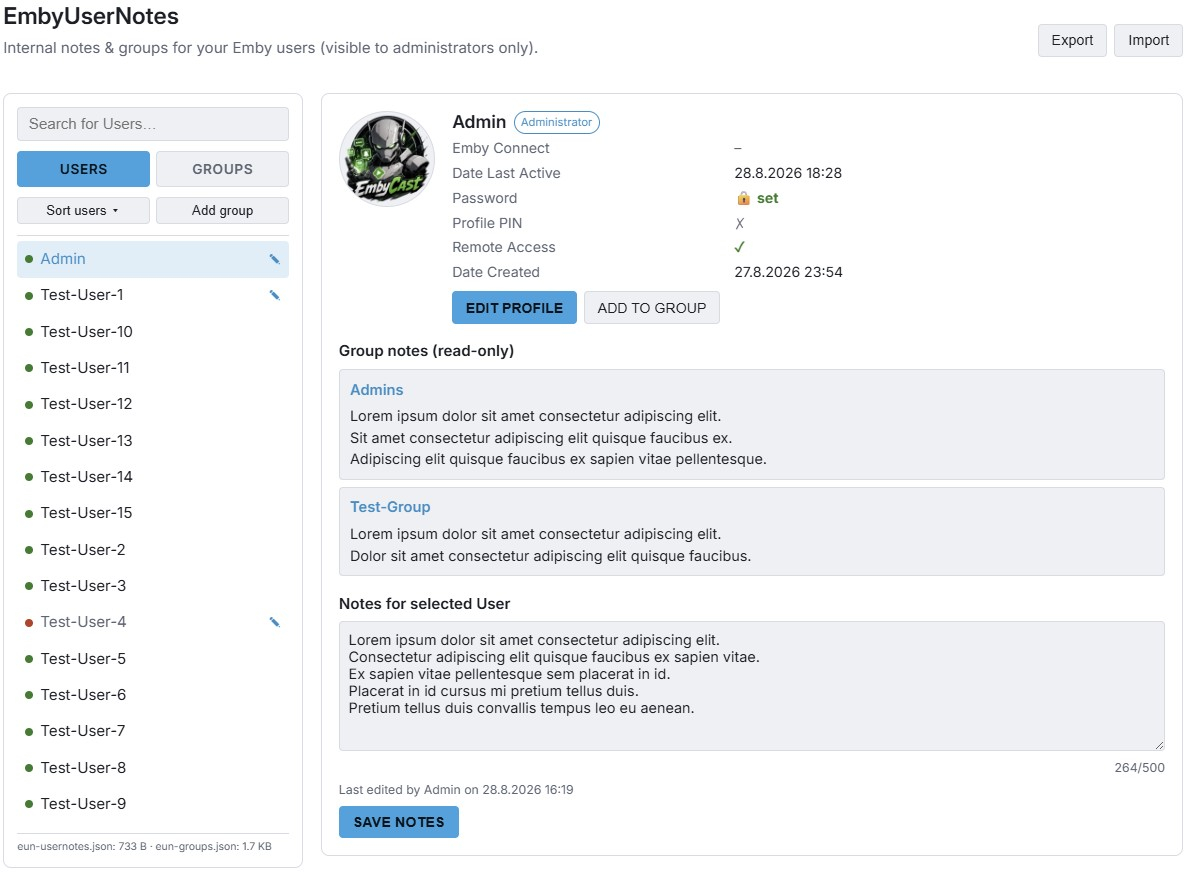
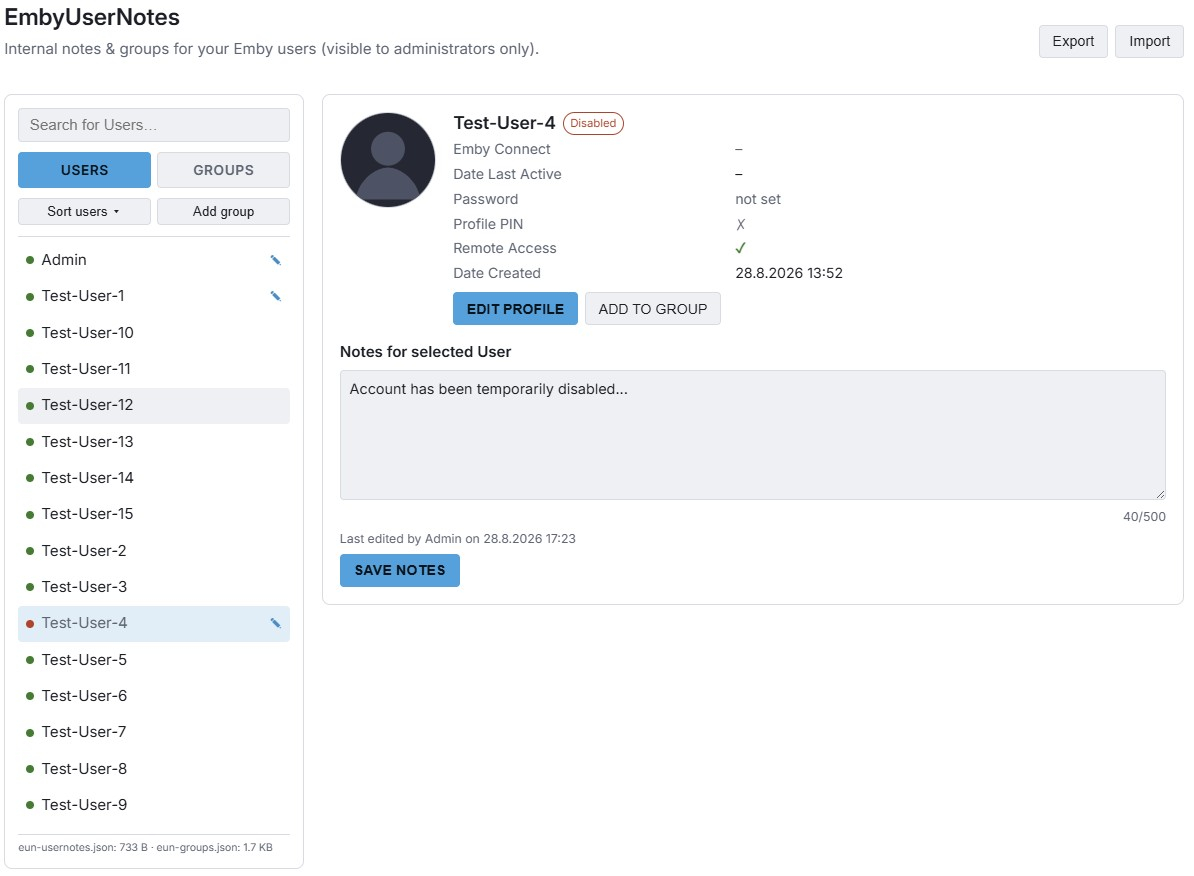
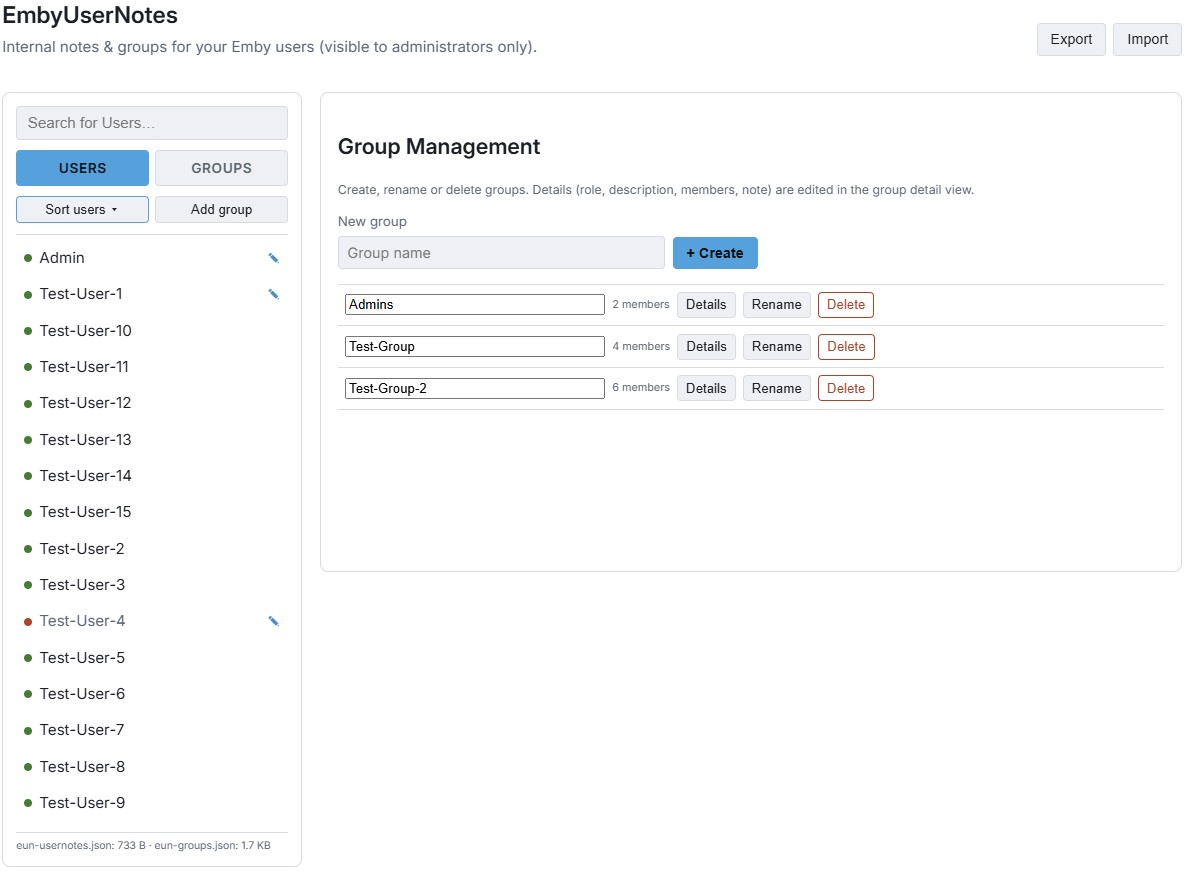
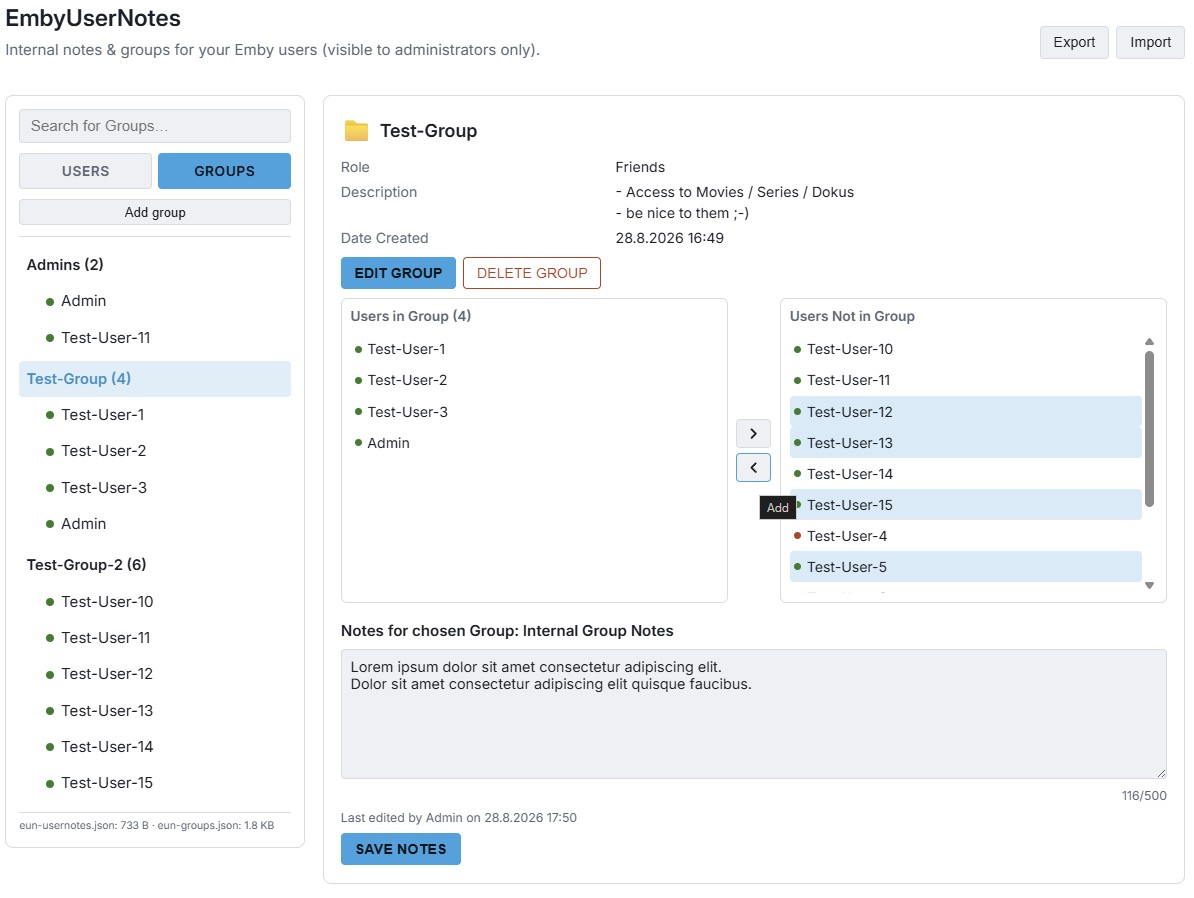
Hey everyone, Inspired by a feature request (Have an admin notes section under each user account), I built EmbyUserNotes (EUN) - a lightweight, admin-only plugin for internal notes on users and custom user groups, with CSV export/import for backup. Here are some screenshots: How to test: 1. Download EmbyUserNotes.dll below. 2. Copy it into your Emby Server "plugins" folder. 3. Restart Emby Server, then open Dashboard -> "User Notes". Security & privacy: - Admin-only, enforced server-side on every route - Never writes to Emby's own database - only reads existing user data (incl. avatar) the same way the built-in Dashboard does. - Notes are plain text only, no rich text/HTML formatting - keeps things simple and safe. - "EDIT PROFILE" links straight to Emby's own official user-edit page for the selected user. Export / Import: The export generates a single .zip file containing 3 CSV files (groups, group members, and user notes). While built-in validation checks are included, manually editing and importing modified CSV files is at your own risk. This is a fully working beta version, but since it's just a side project, further development will depend on community interest. If you'd like to help test this release, your feedback is welcome! EmbyUserNotes.dll