All Activity
- Past hour
-

LDAP Authentication Issue: QNAP Active Directory - "Invalid username or password"
Luke replied to kayzer699's topic in QNAP
Hi there, please attach the Emby server log from when the problem occurred: How to Report a Problem Thanks! -
STRM files with HLS proxy - Windows app instant start/stop cycle, DirectPlayError fallback fails
Luke replied to Meeko's topic in Windows & Xbox
Hi there, please attach the Emby server log from when the problem occurred: How to Report a Problem Thanks! -
Hi, yes I agree this would be a helpful addition. Thanks.
-
I'm sorry. I don't understand the response, though I do appreciate your taking time to respond.
-
 19424715 joined the community
 - Yesterday
-
Hi, when there credentials fails locally it does attempt them with Emby connect.
-
@sa2000
-
Is the installation program asking me to add the ip address in the window label as folder? If so, when I enter the address it tells me "Error. Could not be found" Thank you. David
-
 Py3c joined the community
 -
 SergeyF joined the community
 -
Thank you. I may have to check on creating NFS connections. Right now, I have my smb connection mounted and the mount listed as a start up action, so if my Mac Mini restarts for any reason at all, the smb connection will reload automatically. But NFS might be even better. Thanks for the ideas.
-
 manuelram2 joined the community
 -
 jhonjairosw joined the community
 -
 oscarnaranjos joined the community
 -

Emby on ROKU has suddenly started almost constant buffering
TechowlTim replied to TechowlTim's topic in Roku
I created a temp folder on the boot drive of the media server and put some of the files recovered from the RAID array in the folder and they played fine. No buffering whatsoever. The problem was definitely with the drives. Working on building a new media server with 2 3TB drives configured normally. No RAID arrays or external drive boxes this time. - Techowl - -
The OTA guide 36054 has wrong data for WBMM 22.3-MT. This should be MeTVToons, but the current data in the guide is very far removed from that - not even close. Needlelss to say, I can't access any of the programs on this channel via EMBY. I can access them just fine using the HomeRun HD app. The other channels work fine in Emby. The irony is, the channel is labeled correctly. It's just that the shows in the guide are all wrong.
-
 Renad0929 joined the community
 -
I'm using Seerr with Emby, it doesn't support emby connect logins. However, users of Emby are able to use their emby-connect credentials to authenticate via Seer's "log in with emby" option which doesn't yet support emby connect directly (https://github.com/seerr-team/seerr/pull/943) Is emby-server proxying the auth requests to emby-connect transparently?
-
Honestly its pretty cheap in my opinion. 1 or 2 euros/month and you get a lot of possibilities! https://docs.mdblist.com/docs/supporter Yeah, i see your point. Maybe you can look into the smart playlist plugin? That will create a collection using a lot of the available metadata. For the next release of AutoTag i have created an option to use already excisting collection as a source, so you can then easily tag the items from a collection. Already ready for the next release. Expect to release/comple it by tomorrow.
-
@Lukecare you chime in here? Are there any plans to have this issue resolved in an upcoming update?
-
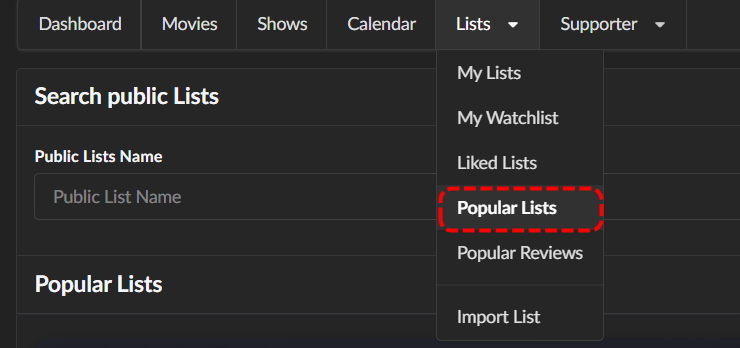
MDBList is free if all you use are the public lists, which there are many great and well maintained lists for almost anything I've ever searched for Once you found a list you like, all you need is the public URL to pop into AutoTag.
-
Hi there, let's look at an example. Please attach the information requested in how to report a media playback issue. Thanks!
-
playback is often paused, crashes, freezes but for a specific user (its the wife-BIG problem :))
Luke replied to Zeltak's topic in MacOS
Hi, also what example are we focusing on here? -
No Trailers on Samsung TV app - taking ages for release still on 2.2.5
Luke replied to Robnaeyaert's topic in Samsung Smart TV
We do bug them every couple weeks and ask for status updates. -
This appears to have worked.
- 1 reply
-
- 1
-

-
This issue has popped up again, but not as duplicate songs, but as duplicate movies. The difference with this duplication is that the entries themselves have different ID's. There are two files, but four entries: { "MediaSources": [ { "Chapters": [], "Protocol": "File", "Id": "mediasource_163617", "Path": "L:\\Media\\Movies\\Return To Silent Hill (2026)\\Return To Silent Hill (2026) - 4K - 1080p.mkv", "Type": "Grouping", "Container": "mkv", "Size": 2970407785, "Name": "4K - 1080p", "IsRemote": false, "HasMixedProtocols": false, "RunTimeTicks": 63395410000, "SupportsTranscoding": true, "SupportsDirectStream": true, "SupportsDirectPlay": true, "IsInfiniteStream": false, "RequiresOpening": false, "RequiresClosing": false, "RequiresLooping": false, "SupportsProbing": true, "MediaStreams": [], "Formats": [], "Bitrate": 3748420, "RequiredHttpHeaders": {}, "AddApiKeyToDirectStreamUrl": false, "ReadAtNativeFramerate": false, "DefaultAudioStreamIndex": 1, "ItemId": "163617" }, { "Chapters": [], "Protocol": "File", "Id": "mediasource_164028", "Path": "L:\\Media\\Movies\\Return To Silent Hill (2026)\\Return To Silent Hill (2026) - 4K - 1080p.mkv", "Type": "Grouping", "Container": "mkv", "Size": 2970407785, "Name": "4K - 1080p", "IsRemote": false, "HasMixedProtocols": false, "RunTimeTicks": 63395410000, "SupportsTranscoding": true, "SupportsDirectStream": true, "SupportsDirectPlay": true, "IsInfiniteStream": false, "RequiresOpening": false, "RequiresClosing": false, "RequiresLooping": false, "SupportsProbing": true, "MediaStreams": [], "Formats": [], "Bitrate": 3748420, "RequiredHttpHeaders": {}, "AddApiKeyToDirectStreamUrl": false, "ReadAtNativeFramerate": false, "DefaultAudioStreamIndex": 1, "ItemId": "164028" }, { "Chapters": [], "Protocol": "File", "Id": "mediasource_163614", "Path": "L:\\Media\\Movies\\Return To Silent Hill (2026)\\Return To Silent Hill (2026) - 4K.mp4", "Type": "Default", "Container": "mp4", "Size": 12077211445, "Name": "4K", "IsRemote": false, "HasMixedProtocols": false, "RunTimeTicks": 63395410000, "SupportsTranscoding": true, "SupportsDirectStream": false, "SupportsDirectPlay": false, "IsInfiniteStream": false, "RequiresOpening": false, "RequiresClosing": false, "RequiresLooping": false, "SupportsProbing": true, "MediaStreams": [], "Formats": [], "Bitrate": 15240486, "RequiredHttpHeaders": {}, "AddApiKeyToDirectStreamUrl": false, "TranscodingSubProtocol": "hls", "TranscodingContainer": "ts", "ReadAtNativeFramerate": false, "DefaultAudioStreamIndex": 1, "DefaultSubtitleStreamIndex": 49, "ItemId": "163614" }, { "Chapters": [], "Protocol": "File", "Id": "mediasource_163615", "Path": "L:\\Media\\Movies\\Return To Silent Hill (2026)\\Return To Silent Hill (2026) - 4K.mp4", "Type": "Grouping", "Container": "mp4", "Size": 12077211445, "Name": "4K", "IsRemote": false, "HasMixedProtocols": false, "RunTimeTicks": 63395410000, "SupportsTranscoding": true, "SupportsDirectStream": false, "SupportsDirectPlay": false, "IsInfiniteStream": false, "RequiresOpening": false, "RequiresClosing": false, "RequiresLooping": false, "SupportsProbing": true, "MediaStreams": [], "Formats": [], "Bitrate": 15240486, "RequiredHttpHeaders": {}, "AddApiKeyToDirectStreamUrl": false, "TranscodingSubProtocol": "hls", "TranscodingContainer": "ts", "ReadAtNativeFramerate": false, "DefaultAudioStreamIndex": 1, "DefaultSubtitleStreamIndex": 49, "ItemId": "163615" } ], "PlaySessionId": "e52ab26c31c3464294fa65c7a12f5920" } I still had to rename the 4k - 1080p.mp4 to 1080p.mp4 so I did and now there's 2 duplicates and 1 correct and 1 non-existant item: { "MediaSources": [ { "Protocol": "File", "Id": "mediasource_163617", "Path": "L:\\Media\\Movies\\Return To Silent Hill (2026)\\Return To Silent Hill (2026) - 4K - 1080p.mkv", "Type": "Grouping", "Container": "mkv", "Size": 2970407785, "Name": "4K - 1080p", "IsRemote": false, "HasMixedProtocols": false, "RunTimeTicks": 63395410000, "SupportsTranscoding": true, "SupportsDirectStream": true, "SupportsDirectPlay": true, "IsInfiniteStream": false, "RequiresOpening": false, "RequiresClosing": false, "RequiresLooping": false, "SupportsProbing": true, "Formats": [], "Bitrate": 3748420, "RequiredHttpHeaders": {}, "AddApiKeyToDirectStreamUrl": false, "ReadAtNativeFramerate": false, "DefaultAudioStreamIndex": 1, "ItemId": "163617" }, { "Protocol": "File", "Id": "mediasource_165176", "Path": "L:\\Media\\Movies\\Return To Silent Hill (2026)\\Return To Silent Hill (2026) - 1080p.mkv", "Type": "Grouping", "Container": "mkv", "Size": 2970407785, "Name": "1080p", "IsRemote": false, "HasMixedProtocols": false, "RunTimeTicks": 63395410000, "SupportsTranscoding": true, "SupportsDirectStream": true, "SupportsDirectPlay": true, "IsInfiniteStream": false, "RequiresOpening": false, "RequiresClosing": false, "RequiresLooping": false, "SupportsProbing": true, "Formats": [], "Bitrate": 3748420, "RequiredHttpHeaders": {}, "AddApiKeyToDirectStreamUrl": false, "ReadAtNativeFramerate": false, "DefaultAudioStreamIndex": 1, "DefaultSubtitleStreamIndex": 3, "ItemId": "165176" }, { "Protocol": "File", "Id": "mediasource_163614", "Path": "L:\\Media\\Movies\\Return To Silent Hill (2026)\\Return To Silent Hill (2026) - 4K.mp4", "Type": "Default", "Container": "mp4", "Size": 12077211445, "Name": "4K", "IsRemote": false, "HasMixedProtocols": false, "RunTimeTicks": 63395410000, "SupportsTranscoding": true, "SupportsDirectStream": false, "SupportsDirectPlay": false, "IsInfiniteStream": false, "RequiresOpening": false, "RequiresClosing": false, "RequiresLooping": false, "SupportsProbing": true, "Formats": [], "Bitrate": 15240486, "RequiredHttpHeaders": {}, "AddApiKeyToDirectStreamUrl": false, "TranscodingSubProtocol": "hls", "TranscodingContainer": "ts", "ReadAtNativeFramerate": false, "DefaultAudioStreamIndex": 1, "DefaultSubtitleStreamIndex": 49, "ItemId": "163614" }, { "Protocol": "File", "Id": "mediasource_163615", "Path": "L:\\Media\\Movies\\Return To Silent Hill (2026)\\Return To Silent Hill (2026) - 4K.mp4", "Type": "Grouping", "Container": "mp4", "Size": 12077211445, "Name": "4K", "IsRemote": false, "HasMixedProtocols": false, "RunTimeTicks": 63395410000, "SupportsTranscoding": true, "SupportsDirectStream": false, "SupportsDirectPlay": false, "IsInfiniteStream": false, "RequiresOpening": false, "RequiresClosing": false, "RequiresLooping": false, "SupportsProbing": true, "Formats": [], "Bitrate": 15240486, "RequiredHttpHeaders": {}, "AddApiKeyToDirectStreamUrl": false, "TranscodingSubProtocol": "hls", "TranscodingContainer": "ts", "ReadAtNativeFramerate": false, "DefaultAudioStreamIndex": 1, "DefaultSubtitleStreamIndex": 49, "ItemId": "163615" } ], "PlaySessionId": "4722e65722dc4301bb64e84ab5090d0c" } @ebr@Lukedo you guys happen to have any idea what's going on, causing these duplicates? These seem to occur much more often with items that have been recently added to Emby rather than older items as well. Has the item/media discovery changed since the last update(s) perhaps?
-
Would love to see this added! There is a new "Xtream Tuner" Live TV plugin for Emby being tested that's just waiting to use this feature.
-
@visproductionsubtitles aside, how do you explain that there is no audio when playing Come Fly With Me when there is only external srt subtitle present? This is what Emby supports.
-
I cannot fathom how someone can suggest, that the preferred fix is to (manually or with scripting) demux, alter and remux every single video file that we have and will ever acquire in the future. That is not happening, and I will be moving to Jellyfin or Plex within the week if this isn't fixed by then. I can't watch anything, unless I set it to transcode, which breaks HDR for most files, and besides my server hardware is simply not beefy enough to transcode 4K HDR with subtitle burn-in on top. With so much of the good content coming out having non-English speaking roles or such a terrible audio mix that you can't hear what is said half the time, subtitles are critical for the viewing experience. Waiting months for functioning subtitles is crazy for a media server service, regardless of whether it's LG or Emby that is at fault. FYI: I haven't updated my TV since I installed the last version, so it has to be Emby that has messed something up. I always update the TV and Emby app at the same time precisely for this reason.
-

No Trailers on Samsung TV app - taking ages for release still on 2.2.5
Robnaeyaert replied to Robnaeyaert's topic in Samsung Smart TV
@FrostByteand @Lukethis wouldn’t be so bad if it wasn’t taking months and months for samsung to do anything. My TV aint that old it’s a 2022 Art Frame which I paid a pretty penny for. Feels we are being treated like second class citizens by Samsung as all we want is our trailers back and via an easy to install App Store process to avoid constant sideloads. Not too much to ask I thought. Any help on leaning on Samsung appreciated -
Well, from what was said upthread it sounds like MDBList costs a bit of money, and then the time to go through and curate it all...which, as I said, seems pointless when Emby already has the information I'm trying to use. I have a lot of my own subgenres that I've added, on top of everything Emby has already scraped, and things like the date media was added to my server are obviously not going to be available to an external source. If the horror spotlight is all I have for scheduled, sure, but once you start adding more scheduled spotlights the scheduling for the fallback becomes pretty unwieldy. Oscars spotlight early in the year, maybe birthday spotlights for some of my favorite actors and directors, horror in October, noir in November, Christmas/New Year's... But then, if there's no way to tag things using the Emby metadata, I'm not sure how many of those are even feasible. Yeah, I was going to bring that up too. Everything is just labeled as “spotlight” at the moment so it's basically impossible to know what's what.
-
When version 2.2.9 be available in samsung store
Luke replied to groenator's topic in Samsung Smart TV
Hi, we have an update in Samsung review. If you want to update now you can grab the usb build from our website.