All Activity
- Past hour
-
 SydneyChan joined the community
 -
 zhufangjian joined the community
 -
 kashamoo joined the community
 -
 gila123 joined the community
 -
 erawn joined the community
 -
 isablxo joined the community
 -
 moi1212n9 joined the community
 -
 Daniel arch joined the community
 -
 umsd_rashid@2531 joined the community
 -

Emby + YouTube .strm link not working on Android TV app v2.1.43
Boni340 replied to Boni340's topic in Android TV / Fire TV
you can see it here how it played https://mega.nz/file/XPohRQjL#RgzDD8kHVZ42j1ou_x6PSSFKzi0gshWZIoj9fSXAAE8 -
That prevents Emby overwriting the changes, but it still doesn't get Emby to ingest the changes. The whole point of saving NFO metadata is to have the server use it, but it's just overwriting the NFO with whatever it already has.
-
Style inconsistencies in plugins can be frustrating, especially when artwork or cover elements render differently across themes or layouts. Sometimes the issue comes from how the plugin handles image scaling or CSS overrides from the theme itself. I ran into a similar situation while testing layouts for a small project, and it helped to compare how visual elements behave across different sections of a site. For example, while experimenting with layouts I looked at some fashion product pages like https://apricocia.com where image presentation stays consistent across collections and listings. Observing structured layouts like that can sometimes give ideas on how to standardize image styling within plugins.
-
Emby + YouTube .strm link not working on Android TV app v2.1.43
Boni340 replied to Boni340's topic in Android TV / Fire TV
Hi, I installed the standard Emby version 3.5.30 (emby-android-google-armeabi-v7a-release.apk from the GitHub releases page). In this version I can play STRM files that contain YouTube links. However, the playback has lag delays and buffering every 5 seconds... I tested it with this link: https://www.youtube.com/watch?v=DgQi9B0trqI The internet speed test on my streamer shows about 96 Mbps, and it is connected using an Ethernet cable, not WiFi. The video is played using Direct Play. On my computer, the same video plays in 1080p without any lag or freezing. I also tested 4K videos using the YouTube app on the same streamer, and they play without any problems, no lag and no buffering. So it does not seem to be a hardware or internet speed issue. - Today
-
J'ai trouvé le coupable. Une m3U qui s'actualisait tout le temps (et elle est down pour l'instant). J'ai fait du tri dans mes plugins aussi.
-
embyserver.txt
-
I use selfhosted Wireguard my self. No need for 2fa for me when only i have the keys. Other users that use my VPN have their own network and shares so can't harm anything. Different needs for different uses ofc.
-
thats if you use tailscale i guess. i use openvpn with 2fa. nothing touches my internal network. all done on opnsense
-
VPN is typically easy to set up and a click of a button to connect once set up. IMO the most amount of work is opening the port for it if not using tailscale.
-
using 2 factor auth vpn i disagree. extra work compared
-
@Lukeyes.
-

New/upcoming movies/tv series. What media do You use?
Luke replied to PeteGul's topic in Non-Emby General Discussion
Hi, what about the Upcoming TV section in Emby apps? -
Subtitle accent encoding issue (DÉCÉDÉ instead of décédé)
Luke replied to Barbare's topic in General/Windows
Hi there, let's look at an example. Please attach the information requested in how to report a media playback issue. Thanks! -
What about with other text fields?
-
Are you using the plugin now?
-
Try refreshing the metadata on the show, not the genre.
-
Reliable way to identify a single playback session via API?
Luke replied to Cr8iveLosr's topic in Developer API
Hi, what makes you say that? -
Intermittent "No Compatible Streams..." Error (STRM files)
Luke replied to sundevil67's topic in Web App
The url provided sent back a 404 not found response. -
The Emby Universal Installer does not work with Fedora 43
Luke replied to fritz.the.cat's topic in Linux & Raspberry Pi
Thanks for following up. We'll take a look at it. -

Subtitle accent encoding issue (DÉCÉDÉ instead of décédé)
Barbare posted a topic in General/Windows
Hello, For about three months now I have been experiencing an issue with subtitles. I believe this might be related to a recent update. Across all my videos, accented characters in subtitles are now displayed incorrectly. For example: DÉCÉDÉ instead of décédé I also tested videos that I had already watched before and that definitely had no issue at the time, and now the subtitles are affected as well. After doing some research, it appears to be related to a subtitle encoding issue. I managed to fix the problem for one file by manually changing the encoding, but it took several hours. Considering the size of my library, it is unfortunately not realistic to repeat this process manually for every file. So I would like to ask: Is this a known issue? Could it be related to a recent update? Is there any way to fix this globally? For reference: I watch using an LG TV and also the Emby Windows client the issue is identical on both devices I also installed the latest beta version before posting here to check whether the problem had already been fixed, but it still persists. Thank you in advance if anyone can confirm whether a solution exists. Best regards. French version : Bonjour, Depuis environ trois mois, je rencontre un problème avec les sous-titres. Je pense que cela pourrait être lié à une mise à jour récente. Sur toutes mes vidéos, les accents dans les sous-titres sont devenus incorrects. Par exemple : DÉCÉDÉ au lieu de décédé J’ai testé sur des vidéos que j’avais déjà regardées auparavant et dont je suis certain qu’il n’y avait aucun problème à l’époque, et maintenant les sous-titres sont également affectés. Après quelques recherches, il semble que cela soit lié à un problème d’encodage des sous-titres. J’ai réussi à corriger le problème sur un fichier en modifiant l’encodage, mais cela m’a pris plusieurs heures. Vu la taille de ma bibliothèque, il ne m’est malheureusement pas possible de faire cette manipulation manuellement sur chaque fichier. Je voulais donc savoir : Est-ce un problème connu ? Est-ce lié à une mise à jour récente ? Existe-t-il une solution pour corriger cela globalement ? Pour information : je regarde via un téléviseur LG ainsi que via le client Emby sous Windows le problème est identique sur les deux appareils J’ai également installé la dernière version bêta afin de vérifier si le problème était déjà corrigé avant de poster ici, mais le problème est toujours présent. Merci d’avance si quelqu’un peut me dire si une solution existe. Cordialement.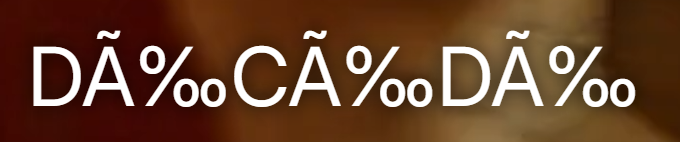
-

LG 1.0.50 breaks horizontal scrolling on homescreen
Dog_Bronson replied to unisoft's topic in LG Smart TV
Approaching middle of March, and still no fix. Any clue on when this could be addressed in an update? -

Intermittent "No Compatible Streams..." Error (STRM files)
sundevil67 replied to sundevil67's topic in Web App
This is making me mental. Is there any other reason why it wouldn't see the file there one minute, but then see it the next? That is what is happening - the same episode will work, then it won't, & back again. -

Emby + YouTube .strm link not working on Android TV app v2.1.43
FrostByte replied to Boni340's topic in Android TV / Fire TV
Boni340, that's not what ebr asked. He asked if you could try the "standard" Emby app, not the AndroidTV app (beta 2.1.43 or stable 2.1.29). Try searching for "Emb" (without the "y") in the Android store (it should list 2 apps), or download the apk from the link below https://github.com/MediaBrowser/Emby.Releases/tree/master/android Version should be 3.5.30. Both the AndroidTV and the standard Android app can be installed at the same time. So, no need to uninstall the AndroidTV app. When installed the icon should look the one with the arrow below.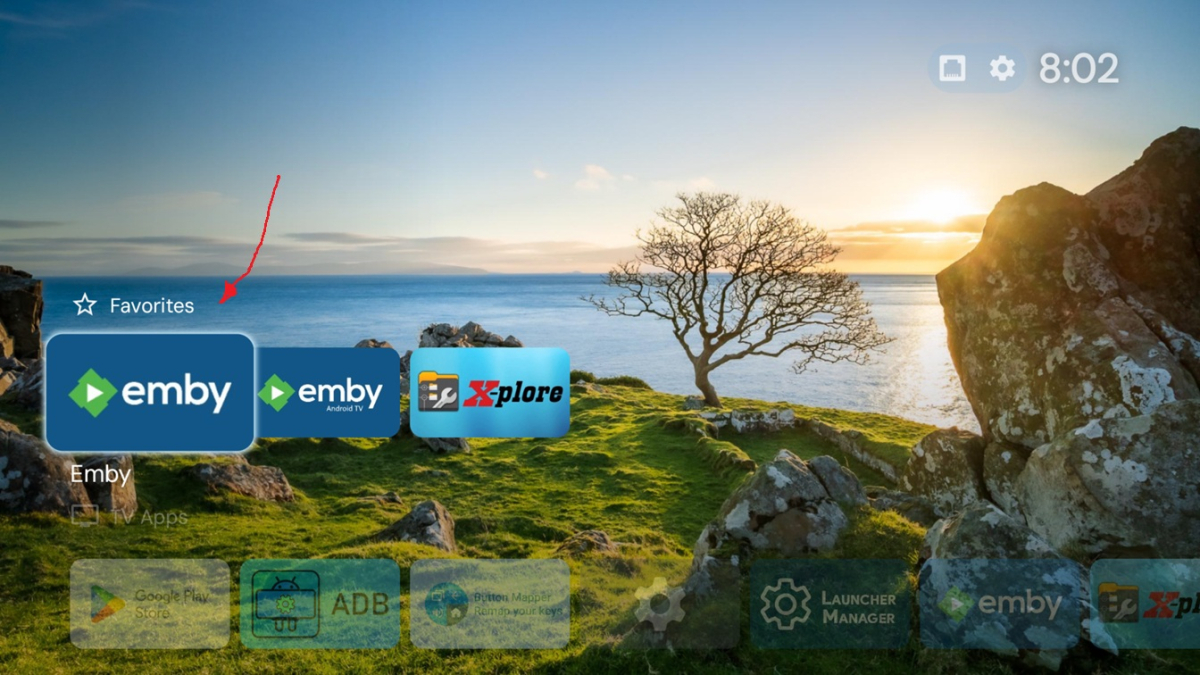
- Yesterday
-
I turned my TV off for 5mins then the issue was fixed. Before I made this post I was turning my TV off and on for 10secs at a time. Not sure what triggered it, hopefully doesnt reoccur.
-

Rated R Movie - with a Fan Edit as a PG-13 version
michaeltruncale replied to michaeltruncale's topic in General/Windows
Thanks, found the “split apart” button after scrolling. Didn’t know that was there. Thank you!