All Activity
- Past hour
-
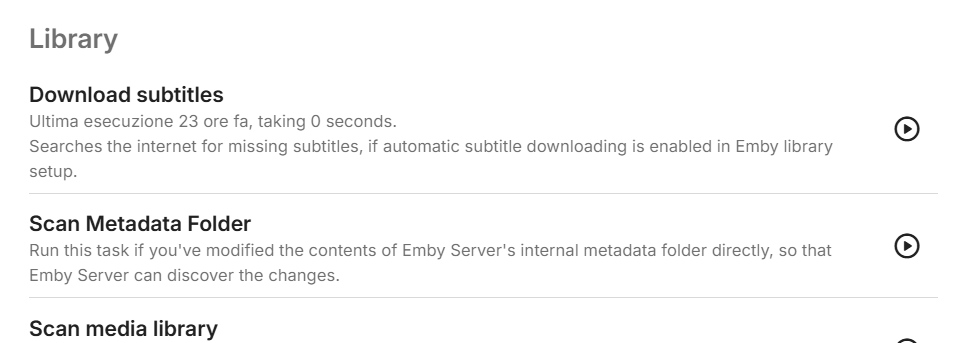
wow che stupido era proprio in bella vista. scusami, mi sto trasferendo da jellyfin e li era già impostata. grazie infinite!!!
-
No, this isn't true. Whatever is spinning up the drives is something else.
-
 verde6 joined the community
 -
How would it know until it fetches it?
-
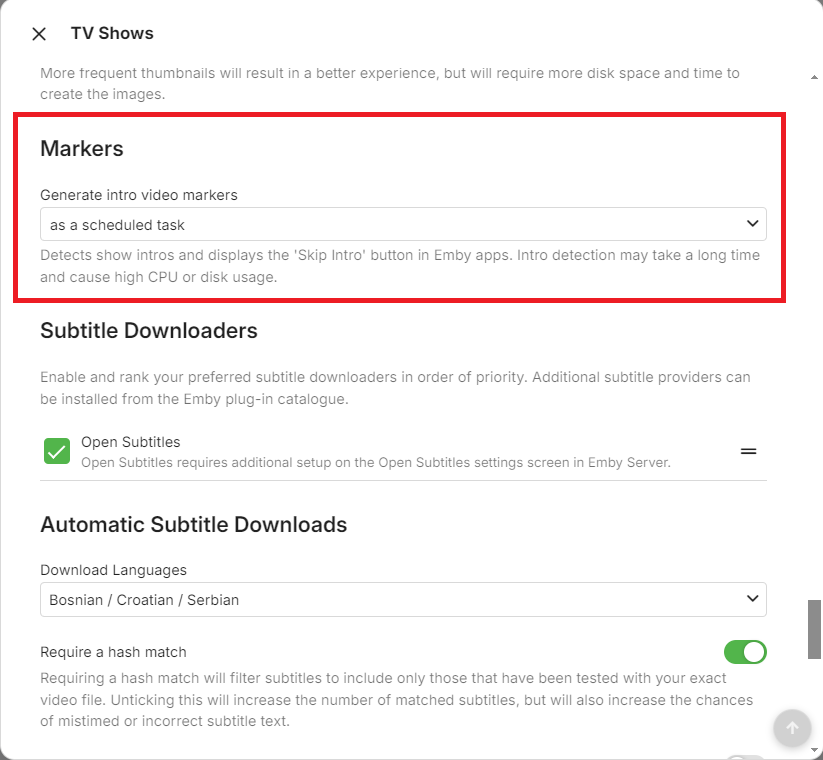
You need to enable Intro detection in your library first.
-
 josealberoolmed joined the community
 -
 marinyg joined the community
 -
not show
-
 Vinyooo joined the community
 -
I was just hoping that if the NFO file already had the latest metadata, and that there technically weren't any new metadata online, then it wouldn't try and fetch it again, thereby trying to save the new metadata to the NFO file as well, resulting in the drive spinning up. I guess I wasn't aware of it always pulling the latest metadata whenever you visit a details page.
-
No, sorry, I meant that when I disable the NFO saving, it stops the drives from spinning up. It of course still refreshes the metadata.
-

embyforkodi (next-gen) 12.X.X support
Diedrich replied to quickmic's topic in Emby For Kodi Next Gen
I've installed/re-installed the E4K Next Gen add-on multiple times while getting the Ugoos setup. At one point I was successful at showing the Emby Plugin - Vantage Point (by Cheesegeezer) trailers prior to my movie playing. Vantage Point allows you to play custom trailers that match codec criteria: In my case I have a folder with MPA intros that will play the PG-13 (or corresponding MPA rating) intro video prior to the movie starting. Anyways, I can't find the setting in E4K Next Gen that allows "Enable Cinema Intros". Could you point me to the correct setting, please? Vantage Point: Ratings: -
 rana003 joined the community
 -
this is not true. whether you enable nfo saving or not has no bearing on whether refreshing metadata will use the internet.
-
Well that's what refresh metadata does. If you don't want any internet metadata then use the library options to disable it.
-
Just the .mkv file itself, and the related .nfo file. The weird thing is, is that I went through all the libraries and refreshed the metadata with a "Search for missing metadata" scan. But apparently it still seems to want to get the latest metadata online. Or they may actually be newer metadata out there, since I updated a week or so ago. If I disable the "Metadata Savers" for NFO then it naturally doesn't happen anymore. Would be great if I didn't have to disable it, but the solution for now seems to be to disable it, and then enable it for the library that I'm adding media to before adding and scanning.
-
-
Can you record a video? Thanks.
-

Remote access to Emby Server as admin via VPN issues
Luke replied to jerkrl's topic in General/Windows
You don't have to do anything to enable remote access for a user. It's only if you want to take it away. -
 Proto7159 joined the community
 -
Hi @vbrille HI there, can you please provide a specific example? How to Report a Problem Thanks !
-
Emby for Android TV: Move "Subtitle Offset" popup to top of screen
Luke replied to Viper_21's topic in Feature Requests
OK we'll look at improving it. Thanks. -
 frasal joined the community
 -
 Omkar iuhh joined the community
 -
 Wnn45544554Wnn joined the community
 -
Hi, what exactly did you click, where? Can you please provide a specific example? How to Report a Problem Thanks !
-
It's a combination of both.
-
@Gilbe2026please let us know if this helps you resolve your issue. Thanks.
-
It's hard to say. I don't see anything obvious. What are the contents of the movie folder?
-
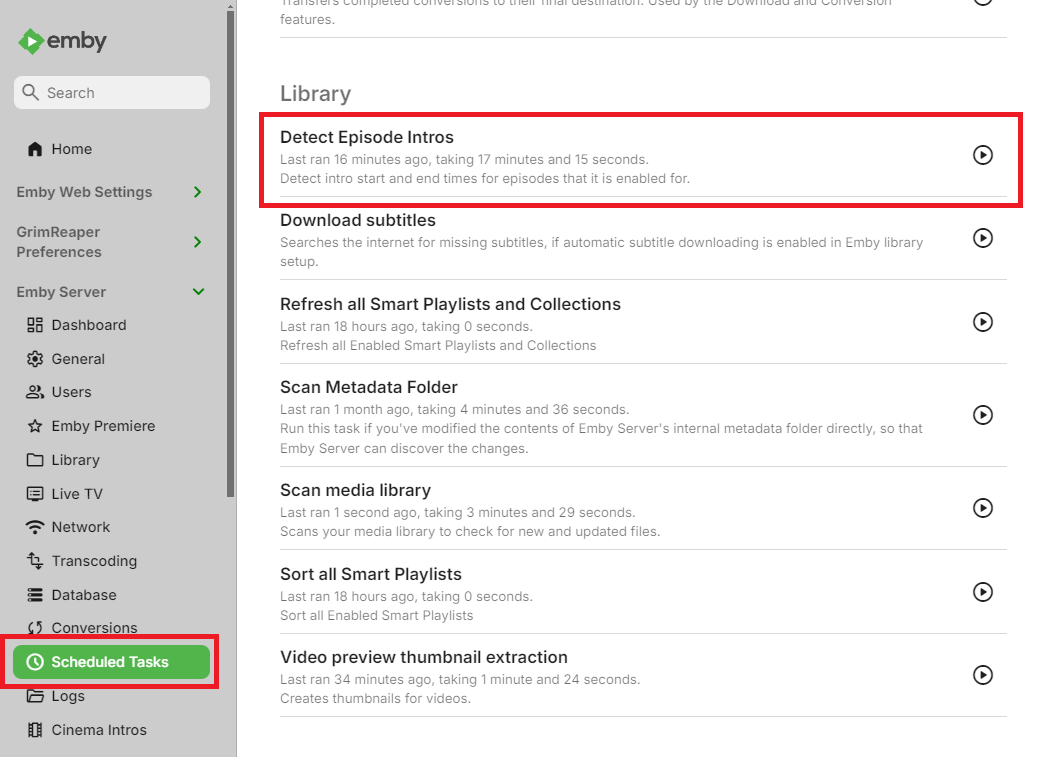
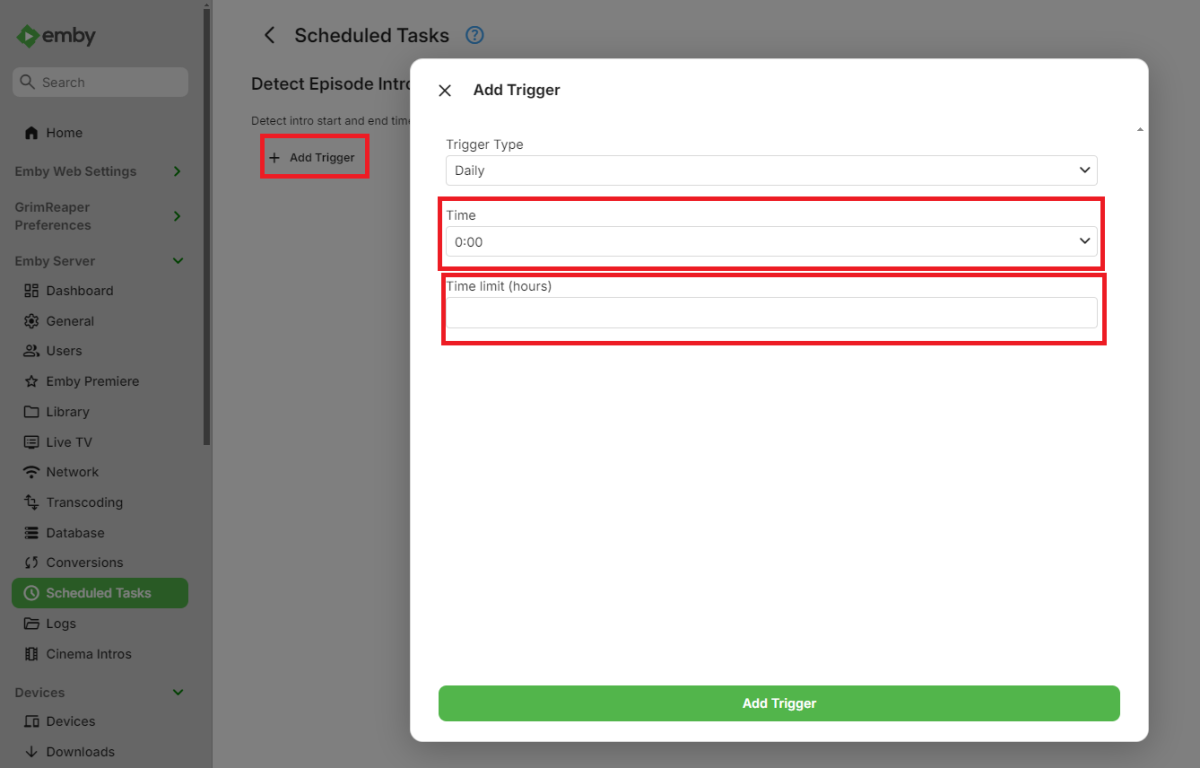
Ciao a tutti, come da titolo. Non vedo nelle opzioni pianificate la possibilità di cercare le intro e i crediti in un orario in particolare e per un tempo limite. E' importantissima questa funzionalità per saturare le risorse, mi interessa impostare un orario e impostare quanto tempo deve cercare. Per favore...
-
Hi Aleas, I Used the app "Cursor" (with AI integration) to try to fix the cut-off issue with the oval shaped photo's after pasting the CSS file content into Cursor. It did work for me Here is what Cursor gave me: Fix applied (cast text no longer cut off) The clipping was caused by the oval border-radius being applied to the entire cast card (.peopleSection .card), which also contains the text. I changed it so: Only the portrait image stays oval The card wrapper is square and allows overflow, so text can’t be masked Here are the relevant lines in your CSS now: /* --- Cast Portraits (Oval) --- */ /* IMPORTANT: Do NOT round the whole card (it clips the text). */ .peopleSection .card, .personCard, .peopleSection .cardPadder-portrait, .peopleSection .cardBox, .personCard .cardBox { border-radius: 0 !important; overflow: visible !important; } /* Round ONLY the portrait image containers. */ .peopleSection .cardContent-background, .peopleSection .cardImageContainer { /* This creates the oval by making the height greater than the width */ border-radius: 50% / 40% !important; } .peopleSection .cardContent-background, .peopleSection .cardImageContainer { box-shadow: 0px 10px 25px rgba(0, 0, 0, 0.7) !important; border-radius: 999px !important; /* Ensures the container follows the oval */ overflow: hidden !important; } /* ... */ /* Optional: Centers the text perfectly under the ovals */ .peopleSection .cardText { text-align: center !important; width: 100%; } /* Safety: ensure cast text area is never clipped */ .peopleSection .cardText, .peopleSection .cardText-first, .peopleSection .cardText-secondary { overflow: visible !important; text-overflow: clip !important; }
- Today
-
Hi Luke, Apologies for the late reply, as I didn't have access to the server. I've attached the server log with debug logging enabled, and this time the spin up happened at 17:59:16 in unRAID. In the log I would guess you'd need to look at 17:59:16.109 when it starts fetching the movie that I clicked on, but I could be mistaken. Please let me know if there's anything else I can provide embyserver_with_debug_logging.txt
-
Thank you for your input. I have looked more into it and found the canton gle series. Was looking at the gle 90 ar 5.1.2 set, which could also land just at 2k if I'm patient and lucky with the discounts. These do look more future proof thanks to having Dolby atmos integrated, but I'm currently unsure if it is enough of a quality bump to justify it. What do you think would be the best av reciever for the gle 90 ar set? The canton smart amp 5.1 v2 was selling for 300 once, so I was aiming for that. Does it fare well vs the Yamaha? What do you think?