All Activity
- Past hour
-
 mimakilee joined the community
 -
 yanayamar joined the community
 -

"Preferred channel image source" only works when guide data source is enabled for all tuners
someperson posted a topic in General/Windows
If you add an M3U tuner with the "preferred channel image source" set to "M3U" and then assign a guide data source to that tuner, the logos from the guide data will override the M3U. The only way to make the "preferred channel image source" feature work seems to be to enable the guide data source for all tuners and then add the M3U, but having it enabled for all tuners is not always desirable. Is there any workaround for this? -
 atheking123 joined the community
 -

Timed Out - Error in TheMovieDb / getting available plugin updates
Luke replied to Endymion's topic in General/Windows
Yes that only got added recently. When I responded in December it might have only been in the beta channel at that time. But yes you are right. -
Hi there, please attach the Emby server log from when the problem occurred: How to Report a Problem Thanks!
-
Can you please provide a new log example of that? Thanks.
-
I cannot add Jury Duty Presents Company Retreat . Am I doing something wrong or is it missing on the database?
Luke replied to GabrielPhoto's topic in General/Windows
@GabrielPhotohas the response from @Happy2Playhelped? -
Emby Android Server USB Drive Can't Read Directory
Luke replied to jscheeren's topic in Android Server
Hi, what device have you installed on? -
 hagay84 joined the community
 -
iPad trouble logging in through WireGuard connection
Luke replied to C.S.'s topic in Apple iOS / macOS
Hi, does the local address that you want to use match what is displayed on the server dashboard? -
 mickcroxall joined the community
 -
 stefanie605 joined the community
 -
 lin080 joined the community
 -
 SHOCKWAVE26 joined the community
 -
 17173131 joined the community
 -

FR: Option to sort music into groups (e.g. Albums, Live, Single, etc.)
user24 replied to MindBullet's topic in Feature Requests
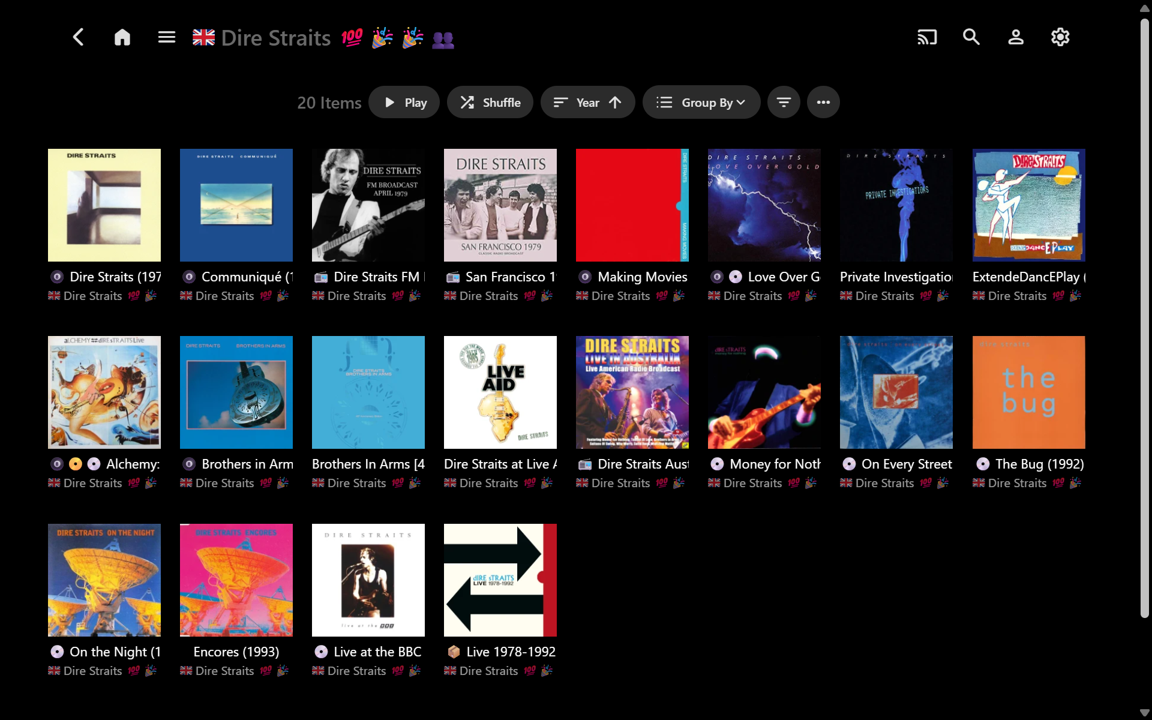
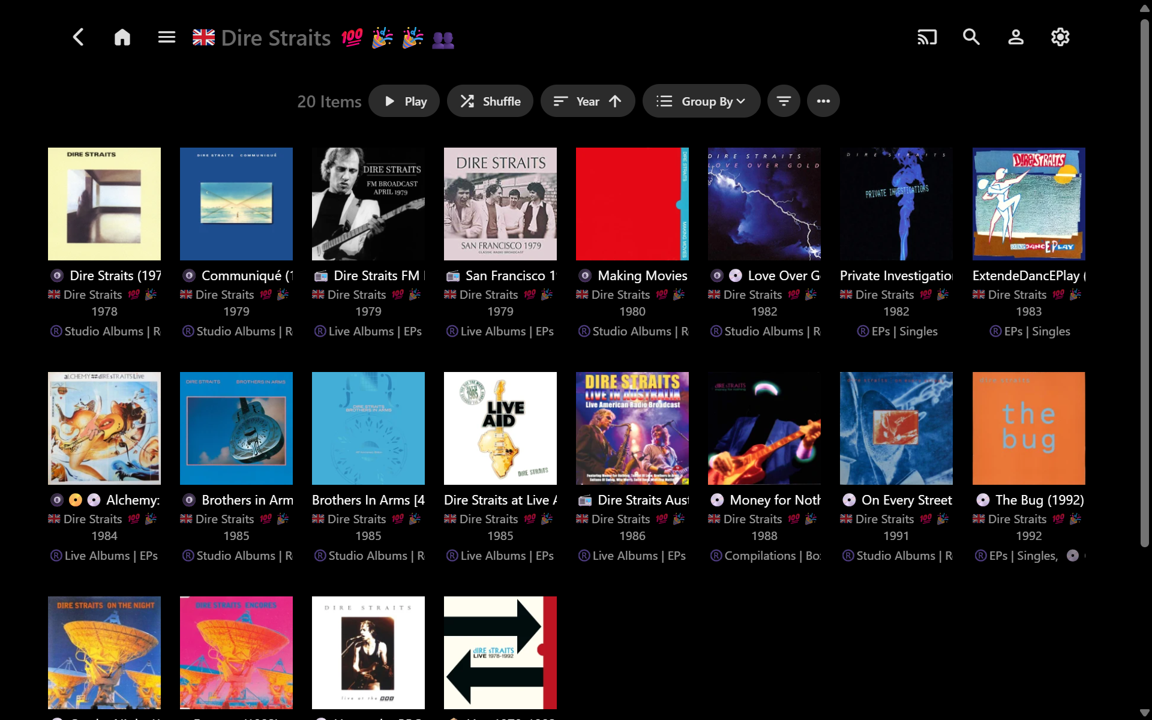
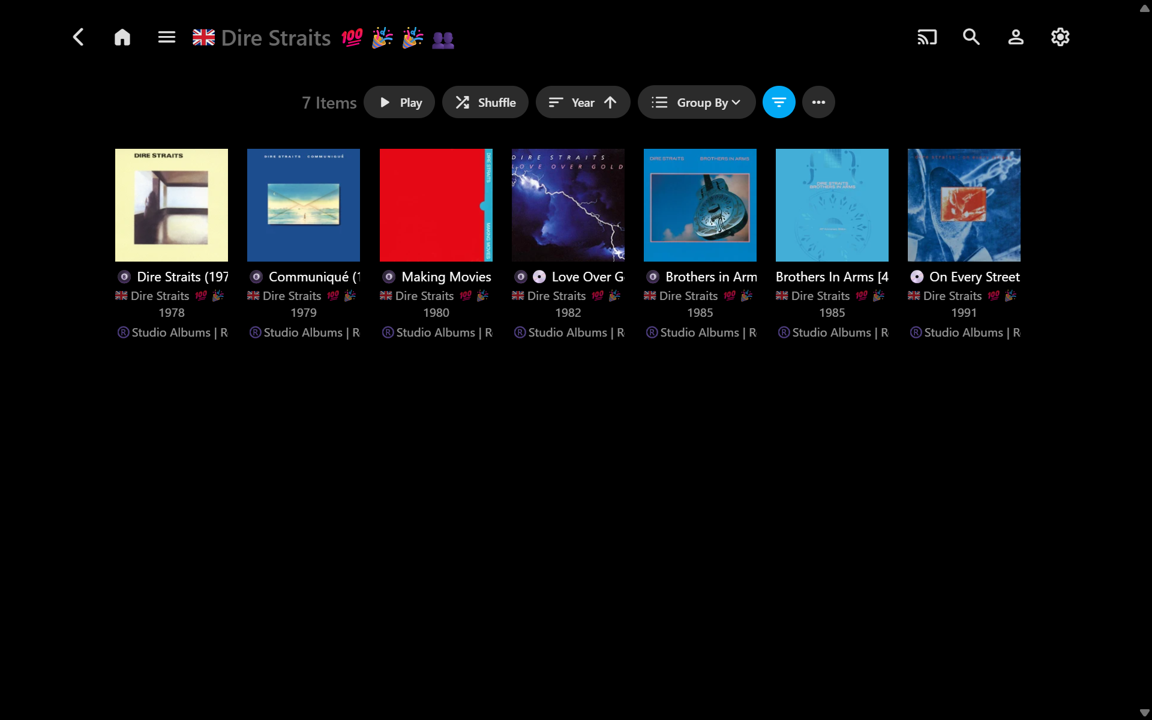
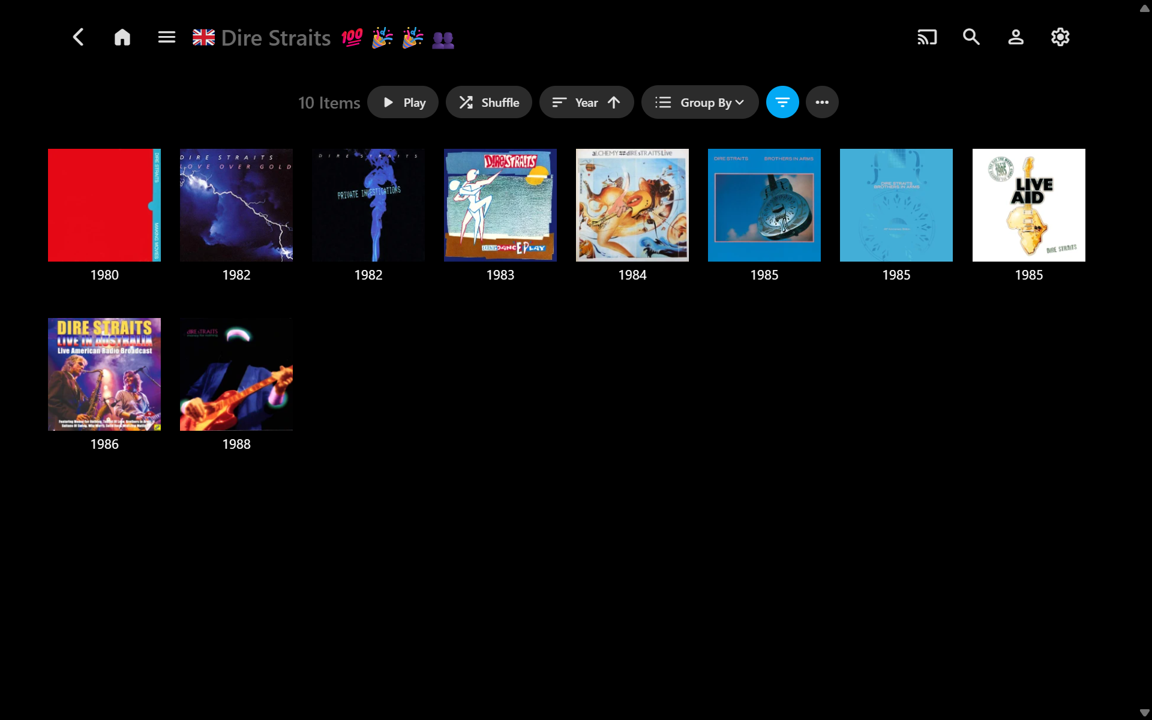
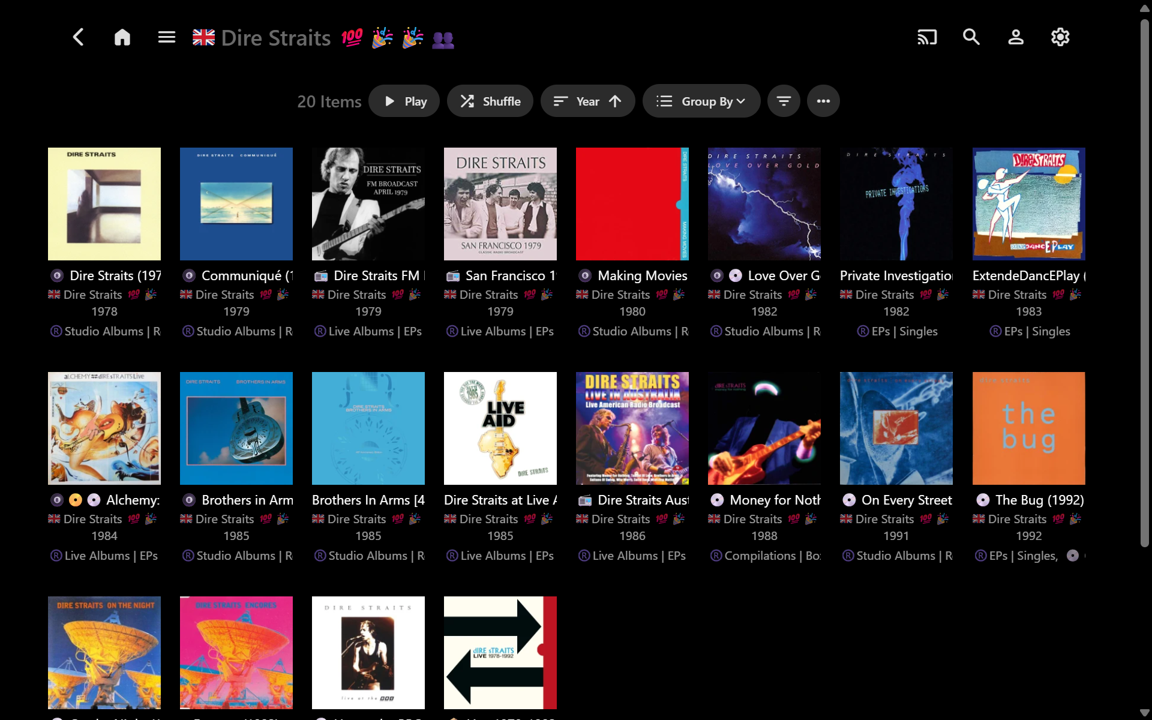
Well, after being nicely distracted on another extremely worthwhile Emby project for a week, I’ve now started using this ‘for real’ on my music library. For anyone interested, here’s a new example, but from the perspective of: useful information vs useless clutter. ease-of-use vs difficulty-of-use. the enormous potential of the “Group By” function, beyond Collections. (All screenshots below are uncropped full-screen, for direct comparison.) The most decluttered view of an Album Artist’s Album page would have all the text fields turned off. This gives a very ‘clean’ view, but there is no supplementary information at all, so you really have to ‘know’ your Album covers!!! A useful side-advantage is more Albums can be seen at once, without scrolling (e.g.): Showing the Album Title is therefore usually needed, but when this is turned on, the Album Arist is also shown by default. There is no separate Album Artist field in the Settings to turn on/off. I think this fixed default may be somewhat redundant because the Album Artist is shown at the top of the page and the Album Artist is typically the same for all the Albums (unless there is more than one, for shared Albums): (Yeah, I use emojis in my text strings – some will likely hate it - I have tried various options that put icons on the Cover Art, but I like the Cover Art with nothing overlaid. All examples shown are just as relevant without the emojis.) I usually also want to know Year and Release Type (currently custom Album Tag) though. These can be turned on and shown. But then the information turns into clutter because the text blocks are almost the same size as the Cover Art... and the info is truncated (e.g.): T All the required info might now be 'at my fingertips', but it becomes visual overload. Where do I want to look??? (e.g.) Exactly how manty Studio Albums are there and when were they released...???... well, I can apply a Filter for this: That’s a reasonably useful sparse information view, but now I immediately decide I want to see all the Albums for the 1980s, but without any extra text clutter at all. It can be done – that’s a 10-selection Year Filter though, plus a change of View Settings: Now it’s very easy to see the years, but in removing the Album Artist sub-text, I have lost the titles again. And, if I now want to see the 1990s in full, that’s another 10-selection Year Filter! I won't bother for now... So let’s reset back to having all the info on display: With the albums_groupby.js script I can select an uncluttered custom Release Type order very easily. “Studio Albums” can be quickly seen and it is trivial to scroll down to “Live Albums” and more... The titles and years are there, but the redundant Album Artist text is gone (e.g.): Changing from “Release Type” to “Decade” is very fast. There are no multi-selection Filters to set up. Scrolling through the Decades is also possible - they can be sorted ascending or descending as well: When I first commented about this Release Type feature (2+ years ago) I initially thought it might only have limited usefulness, depending upon the number of Albums per Album Artist (e.g. If there are only a few Albums then there may not be much point in grouping them). But having used the customised grouping option for just a little while, I think it would be a “killer music feature” for Emby to implement. I think Emby would very likely come up with something better than what the competition already has... Thanks for considering! ...(In the meantime, I don’t think there is any obvious downside to importing embedded RELEASETYPE tags into Emby Album Tags now, along with using albums_groupby.js for fast uncluttered organisation within Emby.)...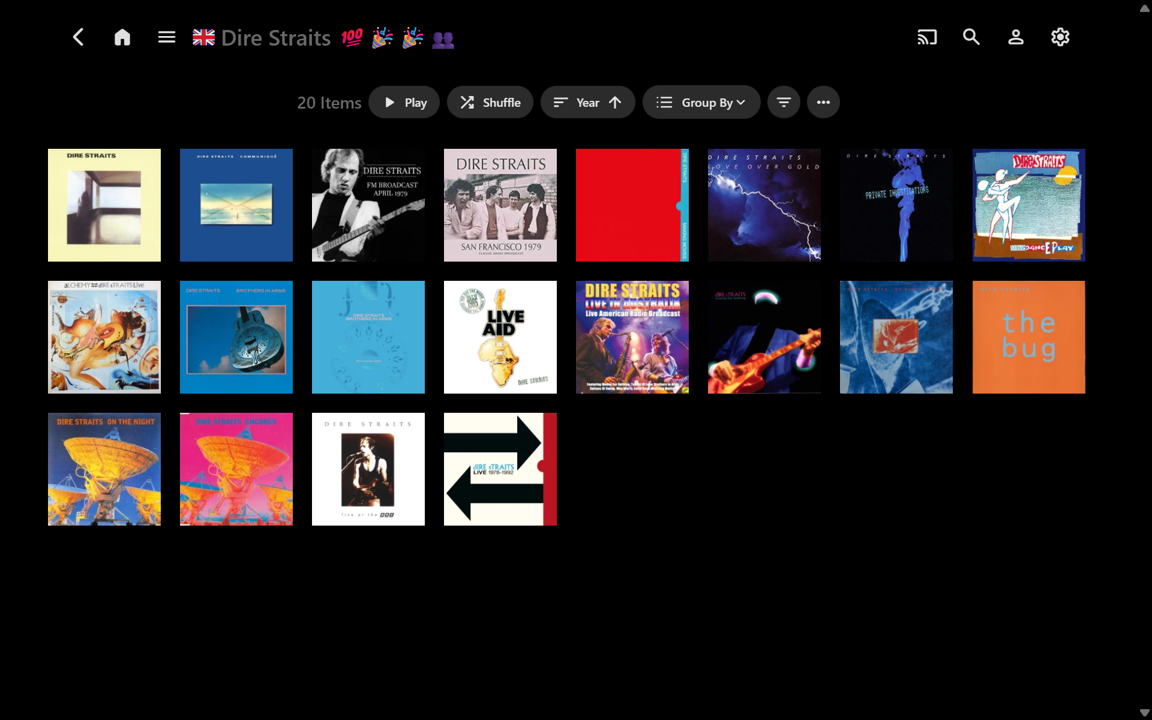
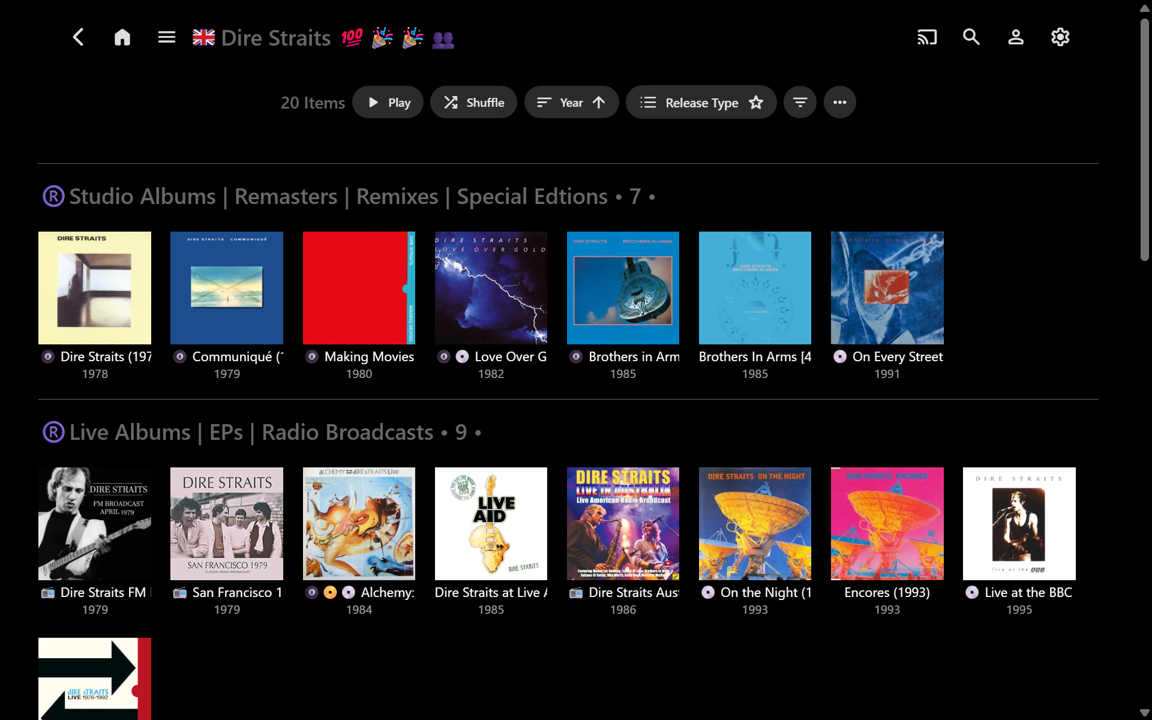
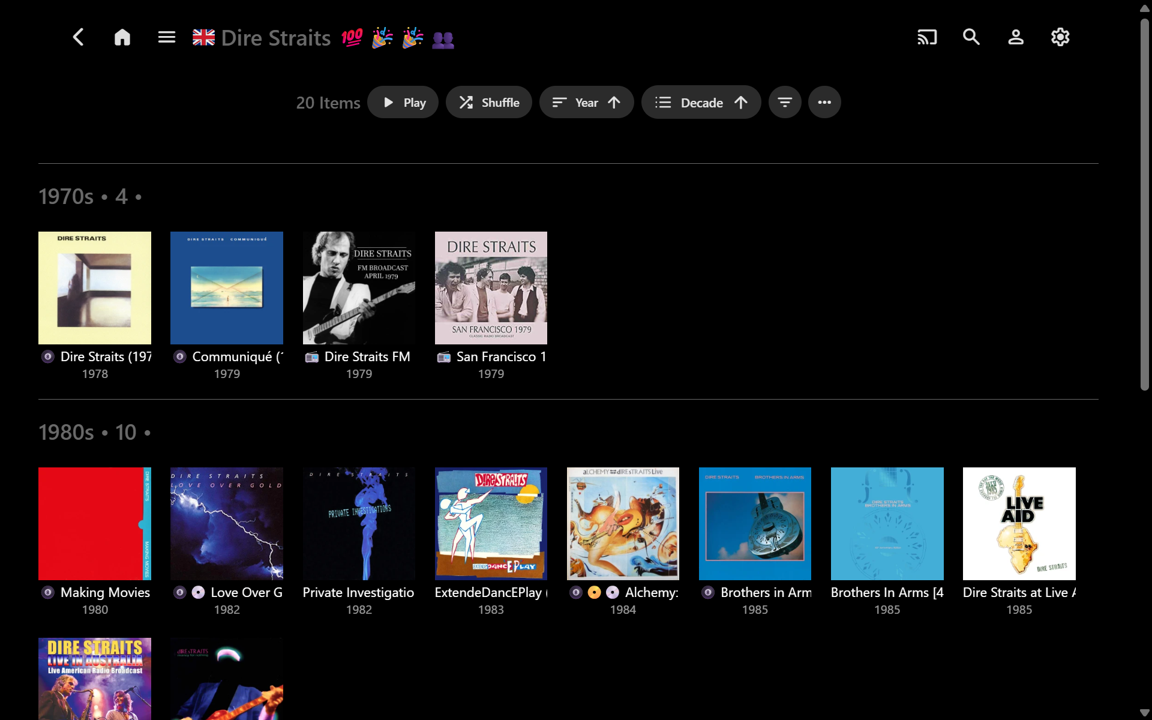
-
 Parth24 joined the community
 -
Are you certain that you've toggled nfo to be written? You should see nfo file in the root of a series folder as well as the season folders. if you see images then it wouldn't be a permissions issue. For the image manipulation i'd expect a library scan would pick that up but possibly the real time monitor might as well.

- Today
-
Hmmm - it seems that nfo files only apply to video files - I was assuming they would apply to any media item. I guess that begs the question of how Emby handles image file renaming and/or movement of an image file to a different media folder: should it be expected that metadata will preserved in either of those scenarios?
-
I am new to Emby but have spent a fair amount of time familiarizing myself with the software as well as testing. I would like to store metadata in the media folders as .nfo files, but am for the life of me unable to get this feature to work. I have: - configured the library in question to read and write the nfo files - ticked "Save artwork into media folders" - restarted the server after the config change - modified metadata for an individual photo followed by running a metadata refresh for that item but I am unable to see the nfo in the media folder. (I have also tried to change exporer settings to show hidden files just in case it was hidden, but no luck.) Finally I ran a search on the entire file system for "*.nfo" but not a single file was found. Could it be inadequate folder permissions? - If so, how should I modify the permissions? Apart from this, I am quite impressed with Emby in comparison to other products I have tested. Any help would be highly appreciated.
-

Trakt plugin not allowing to connect to Emby.
dvitale71 replied to GabbaGool's topic in Third Party Apps
I just watched an episode (actually several) and nothing updated on Trakt. -

Timed Out - Error in TheMovieDb / getting available plugin updates
Chobimera replied to Endymion's topic in General/Windows
Why not rather restrict the "Network request protocol" to IPv4 in Emby settings? As it seems to only affect Emby (at least on my system AFAIK) this would certainly be the better approach, right? -

Emby Android Server USB Drive Can't Read Directory
lhpereira replied to jscheeren's topic in Android Server
Hello everyone, allow me bring this topic back. I've installed Emby (4.9.3.0) on android 11 cellphone and had the same problem, with a external drive attached in USB, i cant map a library folder path. Google Files, CX File Explorer, EX File Explorer all can see and access the external drive, but not Emby. Can i have some help? -

Multi movie naming - hide part of file name from version drop down
abuthemagician posted a topic in General/Windows
I understand how multi-version naming works, but is there a way to hide part of the file name? For instance I have 1080p and 4k versions of lets says Jaws. The two files are named: Jaws (1975) - 1080p (BluRay x265 10bit HDR) Jaws (1975) - 4k (BluRay x265 10bit HDR) Is there a way to hide everything in the parentheses after the quality from showing in emby when you pick a version? Currently it shows up as: 1080p (BluRay x265 10bit HDR) 4k (BluRay x265 10bit HDR) And I'd rather just see 1080p 4k Thanks in advance. I tried to search for this but it's hard to figure out what search terms to use. -
Have a read of this: Live TV Setup Then you can ask more specific questions if you still have any.
-
Do you mean live TV like this? I use a HDHomerun tuner and with a premium account you get the data for the TV Guide. Very easy setup with an antenna in the attic connected to it I get like 65 channels in the greater Washington DC area.
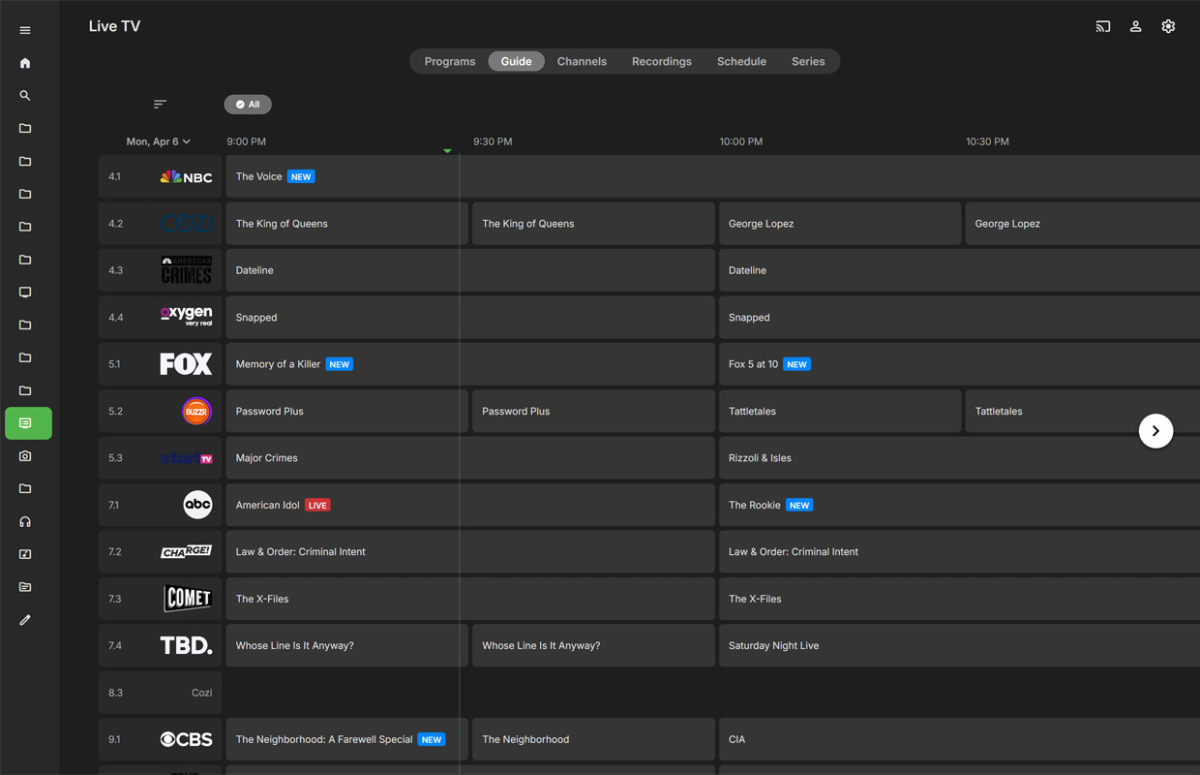
-

I cannot add Jury Duty Presents Company Retreat . Am I doing something wrong or is it missing on the database?
GabrielPhoto replied to GabrielPhoto's topic in General/Windows
You clearly know what I meant...no need to be a Ted Mosby about it...
-
Thanks @visproductionfor the feedback I’ll be checking this further in the next couple of days and let you know. Best regards my friend
-
How would you convert them? Do you have a software to propose or Emby server can do it? I’ll be waiting for your further instructions @Happy2Play Best regards, Max
-
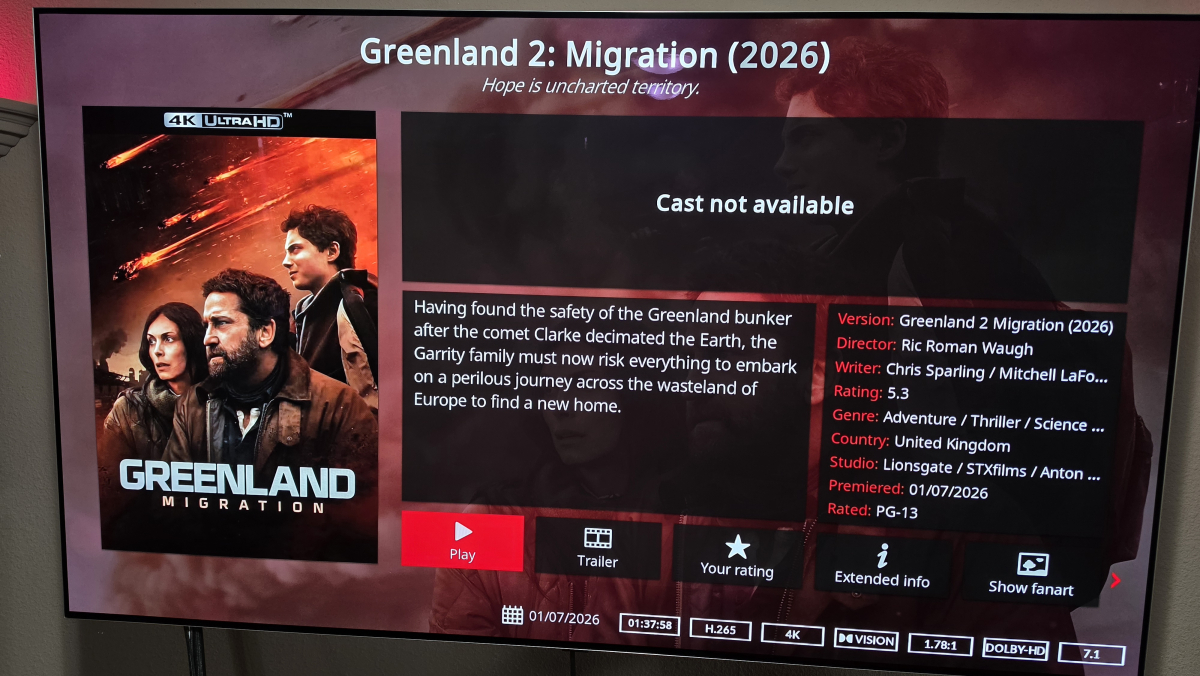
I am not getting any actor info since updating to the latest E4KNG. I haven't made any changes other than just updating x.x.16. Not sure what else it could be. EDIT: Rebooted, restarted Kodi did not work. But logging off profile to my wife's profile and back did refresh the actor section Either way, all good now.
-
1/2 disabling will handle the rest. You said it failed them so disabling them won't, so it'll deal with it 3. I don't need you to check anything but the logs are advising you to. As I say, i call on emby to give me a list of media items with missing themes within the category and act accordingly, if they're failing to recognise themes are there and in place then it would suggest something is wrong with your emby configuration which is blocking them from being detected? Maybe permissions? 4, no, I want the weight of the whole logs, like I say, I can make them debug and maybe even a split but it seems pointless as it highlights a problem I've already addressed with mf and my intentions to move from them anyway and it's only a log, given the immediate definition of a log, it's serving exactly as it should imo
-
Live TV. Sorry really new.
-
Can Emby still do tv guide or whatever it is called ? Like kinda look like youtube tv streaming service ? It is the part where not just streaming content I guess. No idea. Sorry.
-
1 & 2: will disable it, but does this mean i should re download all theme songs/etc as the volume will change between them now? 3: not sure what you want me to check? the series this is happening to plays fine, emby shows no errors and seems aware of all the files, has not been added recently (year+ ago) nor the directory changed. 4. maybe it would make more sense to catch the exception and simply log a single line of "DownloadPlugin: failed to download media for XXXXX at url YYYYY due to ZZZZZZ" rather then an entire stack trace as it doesn't seem to be an error/exceptional event warranting it so much as an expected behaviour dealing with the fact these links die? that would reduce the size of the log entry as well not stand out as an error that needs to be fixed.