All Activity
- Past hour
-
 hhhiii joined the community
 -
 Amy1989 joined the community
 -

Plugin: EmbyCredits, detect end credits and add auto skip.
yocker replied to yocker's topic in Plugins
Beta if people want to help test. I've been testing and re-testing this for a while now and i seem to have gotten the auto-restore fixed so that time stamps gets restores after Emby removes them. Would love more to test it so it's sure to be bug free. WARNING!!! This is a beta and there might be bugs, as always use at your own risk. EmbyCredits.dll
-
 RebaneKitsune joined the community
 -
 Msharimh joined the community
 -
 ComposedT joined the community
 -
 Nailuorenou joined the community
 -
 Ekwak joined the community
 -
 MichaKo7 joined the community
 -
 MiguelAguilar joined the community
 -
Attached embyserver-63909634366.txt
-
And if you don’t choose media type at all? I don’t have any high hopes it will pick up the music videos, the plugin is built with movies and shows in mind. But I believe it to be an easy fix to add support for music and music videos. I’ll look into it!
-
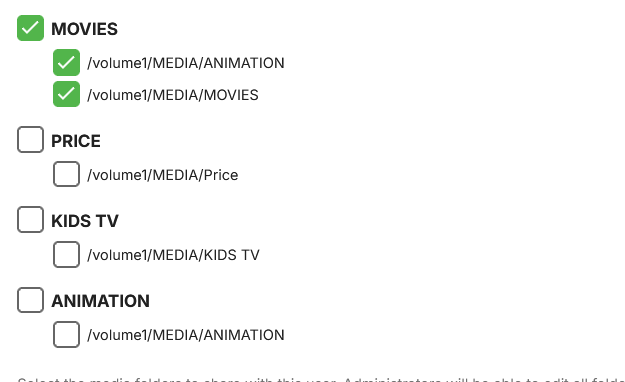
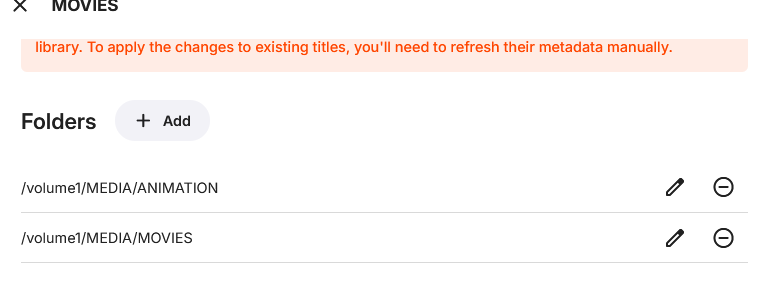
I figured it out..it was based on USER ACCESS.. I unchecked the ANIMATION under the users and it went away but still able to access the animation movies under the MOVIES tab... .issue resolved
- Today
-

Next episode of show removed from continue watching after deleting previous episodes
jhipolito94 replied to tOLJY's topic in General/Windows
I'm very interested in this feature. It hasn't been implemented yet, has it? -
Actually in that setup, it shouldn't show at all - are you positive you don't have another library called ANIMATION?
-
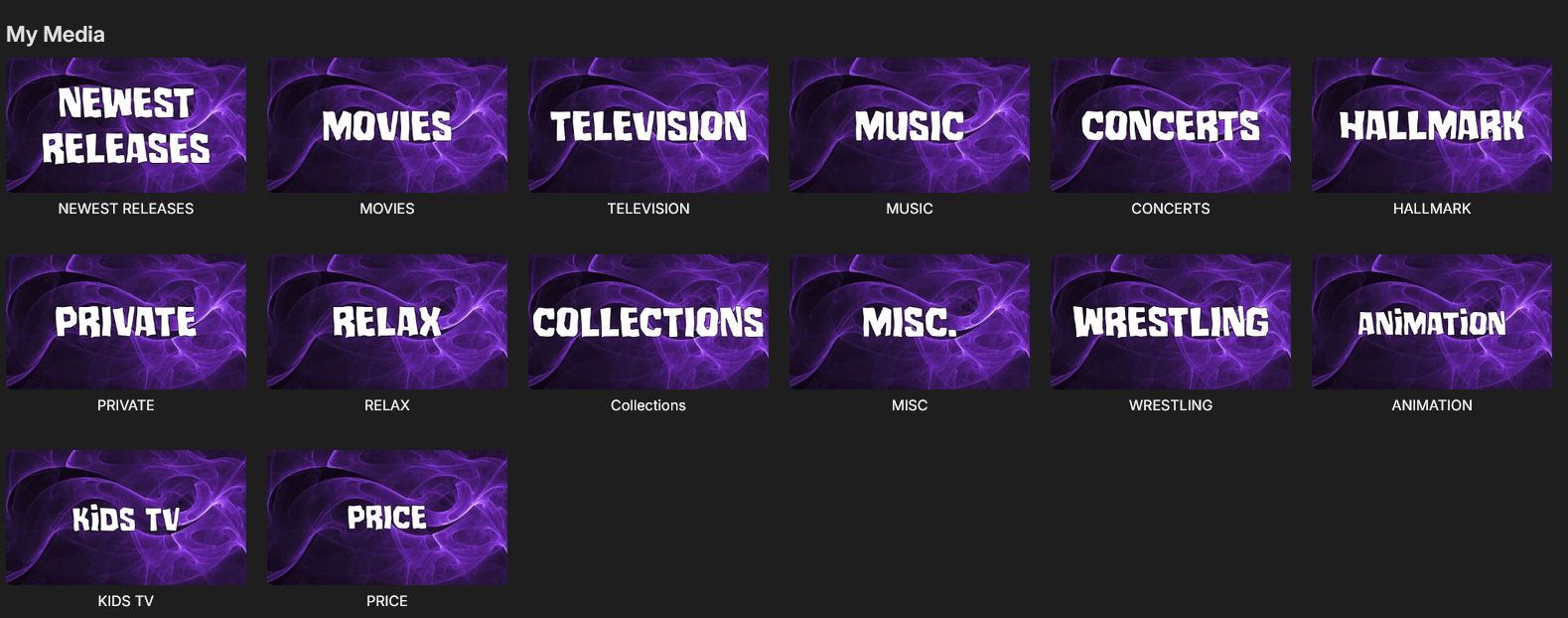
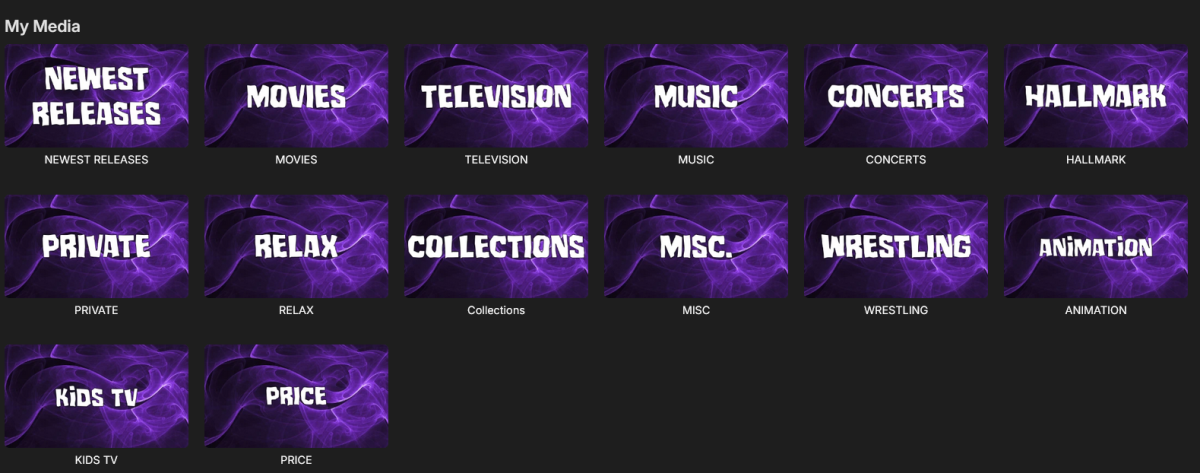
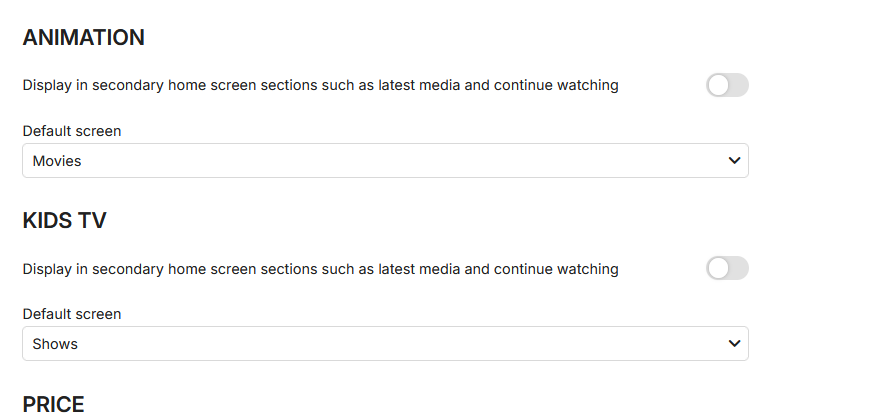
I have a folder that I added to the MOVIES folder called ANIMATION... However is there any way to NOT have it show up under MY MEDIA..merge with the movies; YES, just not show under MY MEDIA? I have unchecked under the HOME SCREEN options... Any idea??
-
So it is not possible to workaround it. I have to separate my extras between to three movies in some way. That was my way around before too but i did hope there would be another solution. Thank you for your answers. Kind Regards
-

Add "Remove from Collection" to the three-dot menu on a collection in the "Included In" section
crusher11 replied to crusher11's topic in Feature Requests
But that's the whole reason I bumped this thread: -

Add "Remove from Collection" to the three-dot menu on a collection in the "Included In" section
Happy2Play replied to crusher11's topic in Feature Requests
True but that is not the same request. -
Everyting3.1 is the name of the server
-
Sorry for the delayed response. I got no matches when I did a dry run for titles of music videos in my library. Music Video is not included as a media type Artist or Album are also not listed If you need some dummy files and nfos to test, I could provide some. Hopefully I can find some for an artist that you find interesting.
-
Devs will need logs. They can't do anything with out them.
-
Add "Remove from Collection" to the three-dot menu on a collection in the "Included In" section
crusher11 replied to crusher11's topic in Feature Requests
It's there for collections (in which case this should have been marked as completed), but it's not there for playlists. -
Around the same time tonight, two users to the message "Your account has exceeded the maximum streaming limit set by your Emby Server administrator. Please contact them for assistance." Neither had a streaming session going. I rebooted the server and had the users reboot their clients. Is there a way to troubleshoot this? I have a lifetime license.
-
Add "Remove from Collection" to the three-dot menu on a collection in the "Included In" section
Happy2Play replied to crusher11's topic in Feature Requests
What do you mean? It is there in my test in 4.10.0.6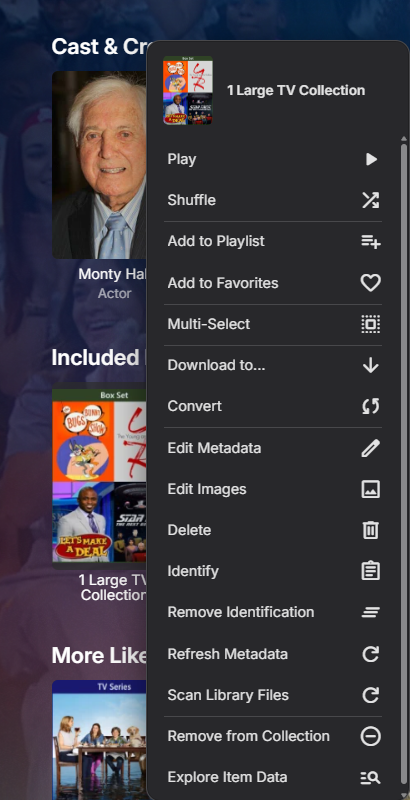
-
Add "Remove from Collection" to the three-dot menu on a collection in the "Included In" section
crusher11 replied to crusher11's topic in Feature Requests
@Luke? -

Trakt get PIN failure - Error 502 Bad Gateway -Cloudflare
rlp122 replied to rlp122's topic in Plugins
Working now. Thanks! -

Lousy Image Quality for Posters & Actors on Samsung OLED TV
Luke replied to Elmangomez's topic in Samsung Smart TV
HI there, can you please provide a specific example? How to Report a Problem Thanks ! -
The one called just "Emby"
-
Hi, Presently the music Included In section on the individual Artist pages shows both Collections and Playlists. Ideally, I would like them both shown on their own separate rows, but was wondering, as a first step, if there was a simple way to just hide the Playlists using CSS? When looking at the CSS of the div.appearsOnLIstsSection, it seems that an underlying Collection and Playlist have an identical structure, so it doesnt seem possible to differentiate and target just Playlists? Is there anything obvious/easy that I am missing or do I need other method beyond CSS? Thanks!
-

Internal Links to Emby albums, playlists, collections, etc
user24 replied to JBloom91's topic in Feature Requests
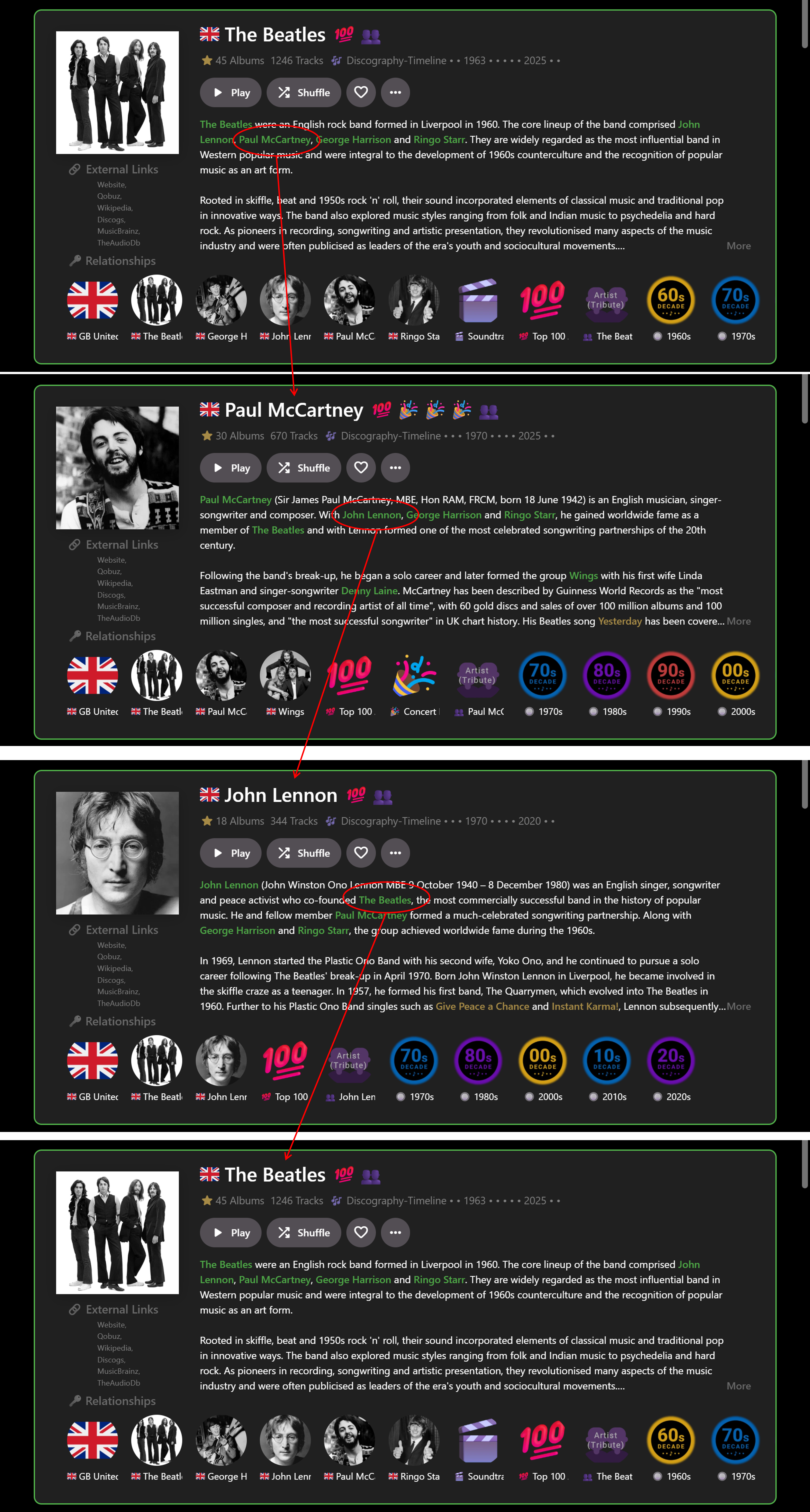
… I’ve recently been experimenting with this a bit more and figured out a way to get it partially working on a limited basis for the web app in Chrome, for my own use: With custom HTML/CSS added within Emby: Use HTML to tag the required entities in the Overview you want to link to (e.g.) <b>Artist</b> (as per my previous post). Use CSS to color highlight the entities (as per my previous post). With custom JavaScript, run from a browser extension: Find the <b>Artist</b> tags. Use a look-up table to map the Artist names to their Artist ID numbers. Create internal links from the Artist ID numbers. All of the above is relatively straightforward BUT the tricky part is that Emby web client is a Single Page Application using Document Object Module processes (I think this is the correct technical terminology). Therefore ‘back’ navigation can easily break the links, so auto page refreshes are needed to rerun the Javascript and restore the links. It really needs a plugin – but that is way beyond what I can figure out myself! Anyway, even with my limited experimenting the result, so far, is a GAME-CHANGER for me. No longer is Emby constrained by (mostly) tree-like branch structure browsing e.g. Genre>Artist>Album>Song>Back>Back>Back. Now I have a Roon-like user experience for music e.g. Artist>Artist>Artist>Artist… in whatever order reading the Overviews takes me. E.g.: When I find more time, I may extend this from just Artists to Albums and Songs? I don't want to post any code that isn't robust and I also don't want to give any detail tips that may help anyone implement dangerous linking. But perhaps the idea has merit for future good features. For a wider proper implementation by Emby it may mean looking at all the Overviews and matching text strings to IDs across the whole range of options. I guess this would be a large task to implement across all the apps…??? Cheers!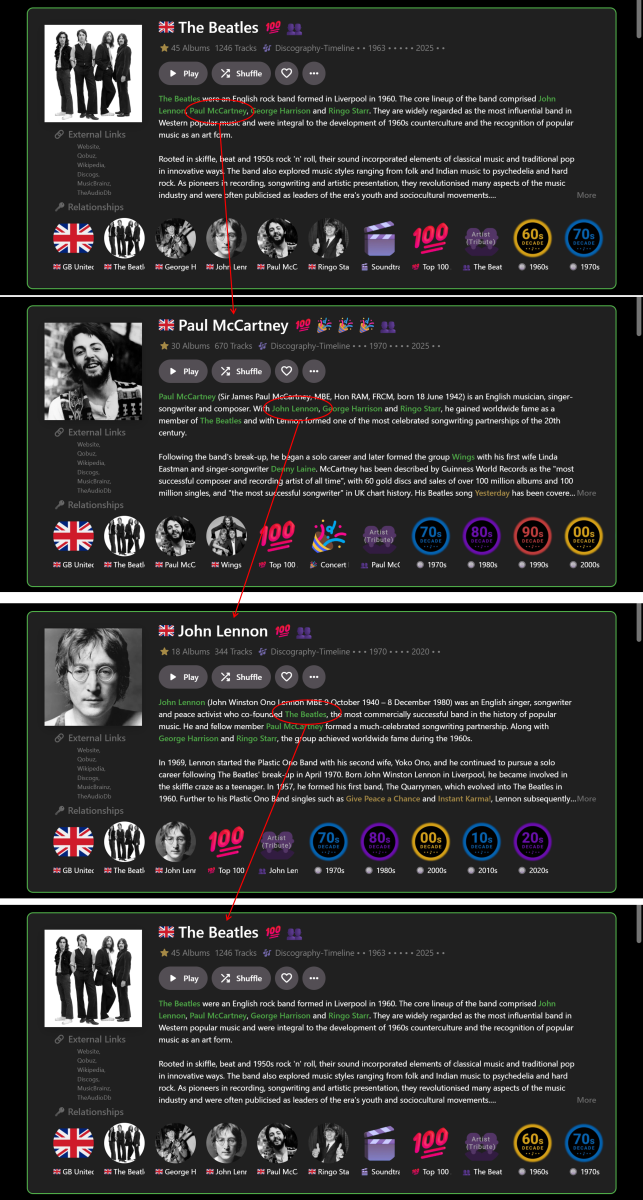
-
Thanks. As above, found my usual problem - stupidity. In File Explorer I have the right folders to edit this stuff pinned, but I forgot/didn't realise they were actually pointing to older versions of the server...
-
Yes as I scrolled to show it showing the second 12 items (24). As for logo it could be the logo itself as my example is Emby logo with color change but image is exact same size/resolution. As my resolution is below 2200px it uses the second number.
-

Live TV - M3U Tuner - Channel Name = EPG-ID + Channel Number?
Apotropaic replied to meowmix's topic in Live TV
No worries, if you need any help with it just let me know.