All Activity
- Past hour
-
 Shirel the qeen joined the community
 -
 73nda joined the community
 -
Nope... No additional services, just a basic router with no recent changes, same internet /wifi setup has been in place over 12 mths and as mentioned other devices in the house can connect to Emby with no issues Also just confirmed, removing the remote steaming settings on the server has not helped /changed anything
-
 asdfglan joined the community
 -
 wzh000519 joined the community
 -
Also just to recap... The user can log into an LG TV or a Fire TV in the same house and have no issues with playback, so I don't think it's a user policy issue either, but happy to try it
-
amadiswow joined the community
-
Thanks Is the client side running anything like PiHole, or anything else recently that might be blocking or affecting network traffic. It's like the media requests/response from the TV is getting blocked
-
I never quite got my head around reverse proxy, kind of wanted to... So just port forwarding in router ... Can try removing the limit, may not get an answer until tomorrow
-
 Pranav gshshs joined the community
 -
 Aromora joined the community
 -
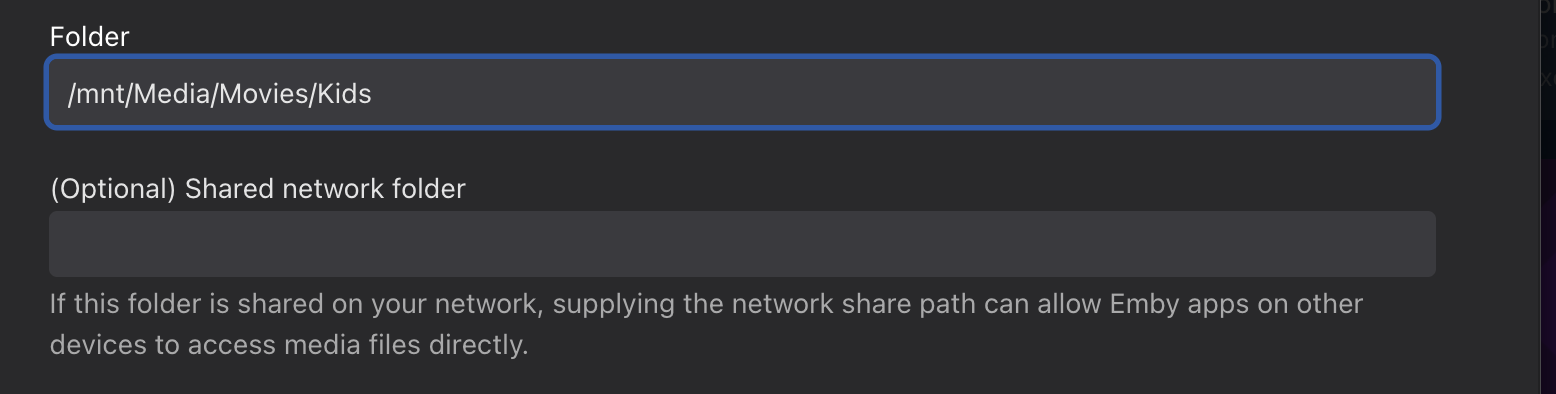
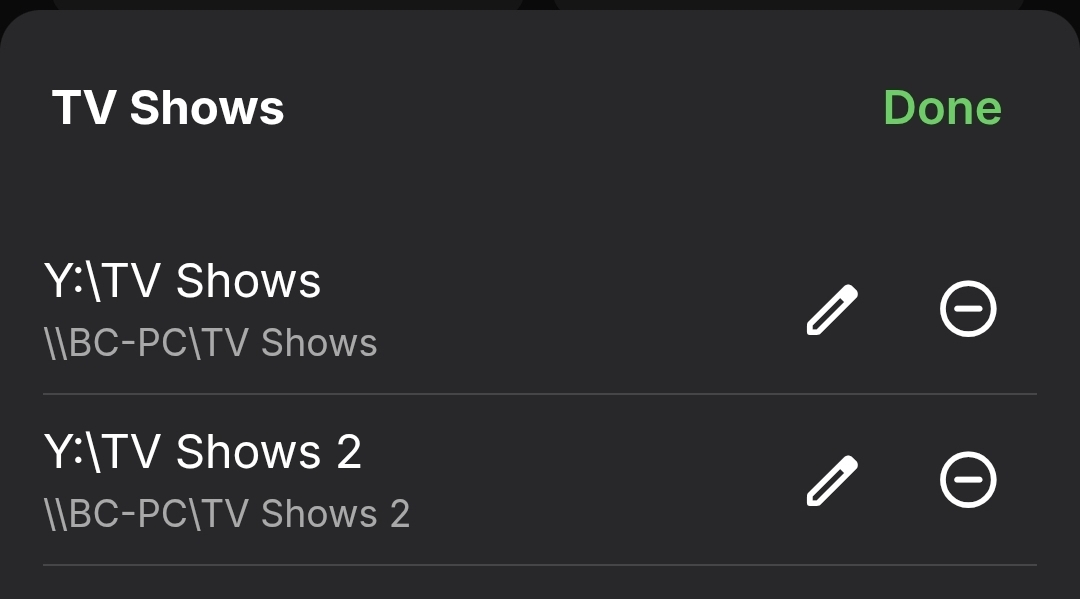
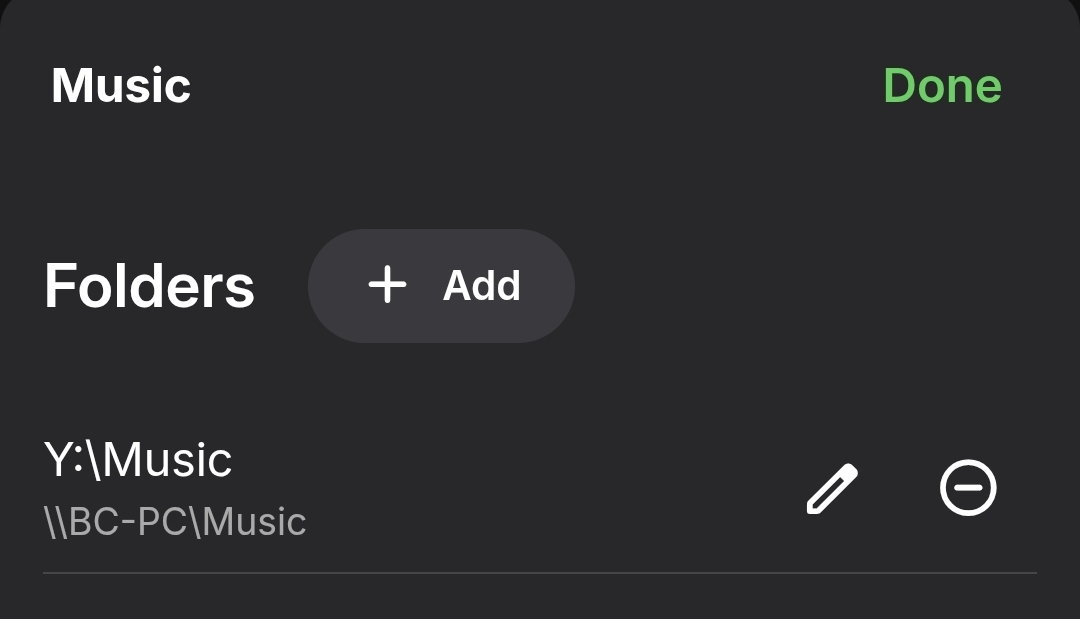
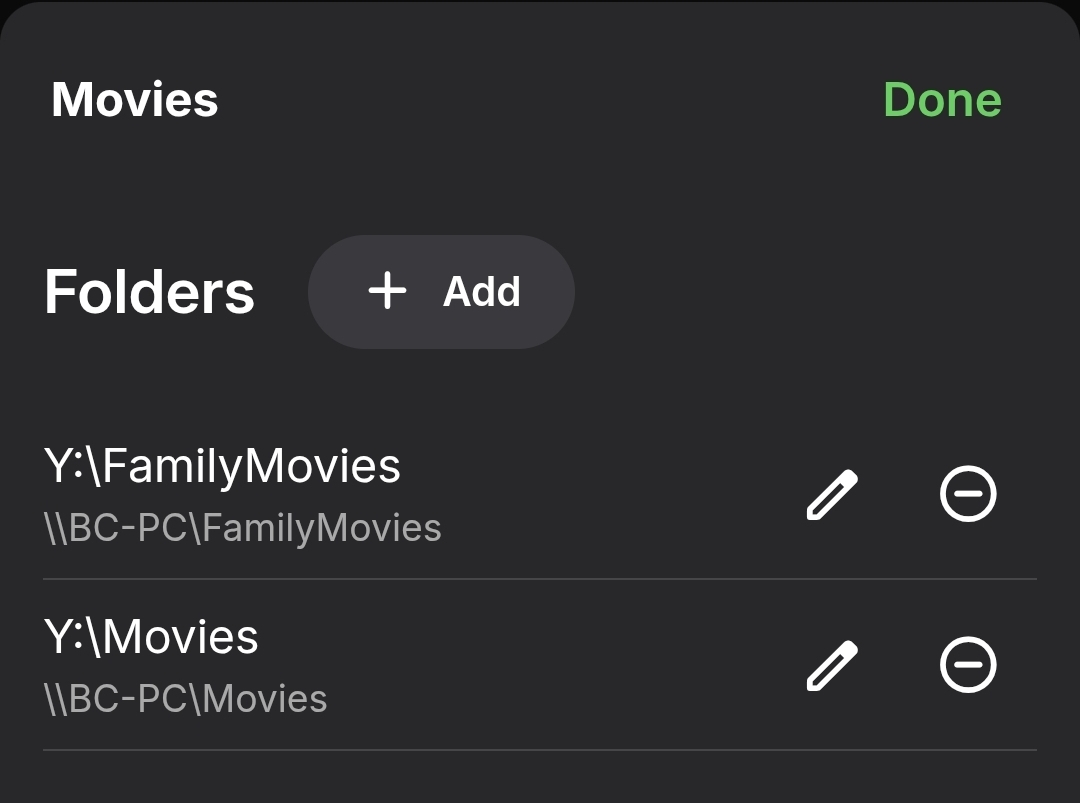
Like this, has been for years
-
Do you use a reverse proxy or just standard port forwarding?
-
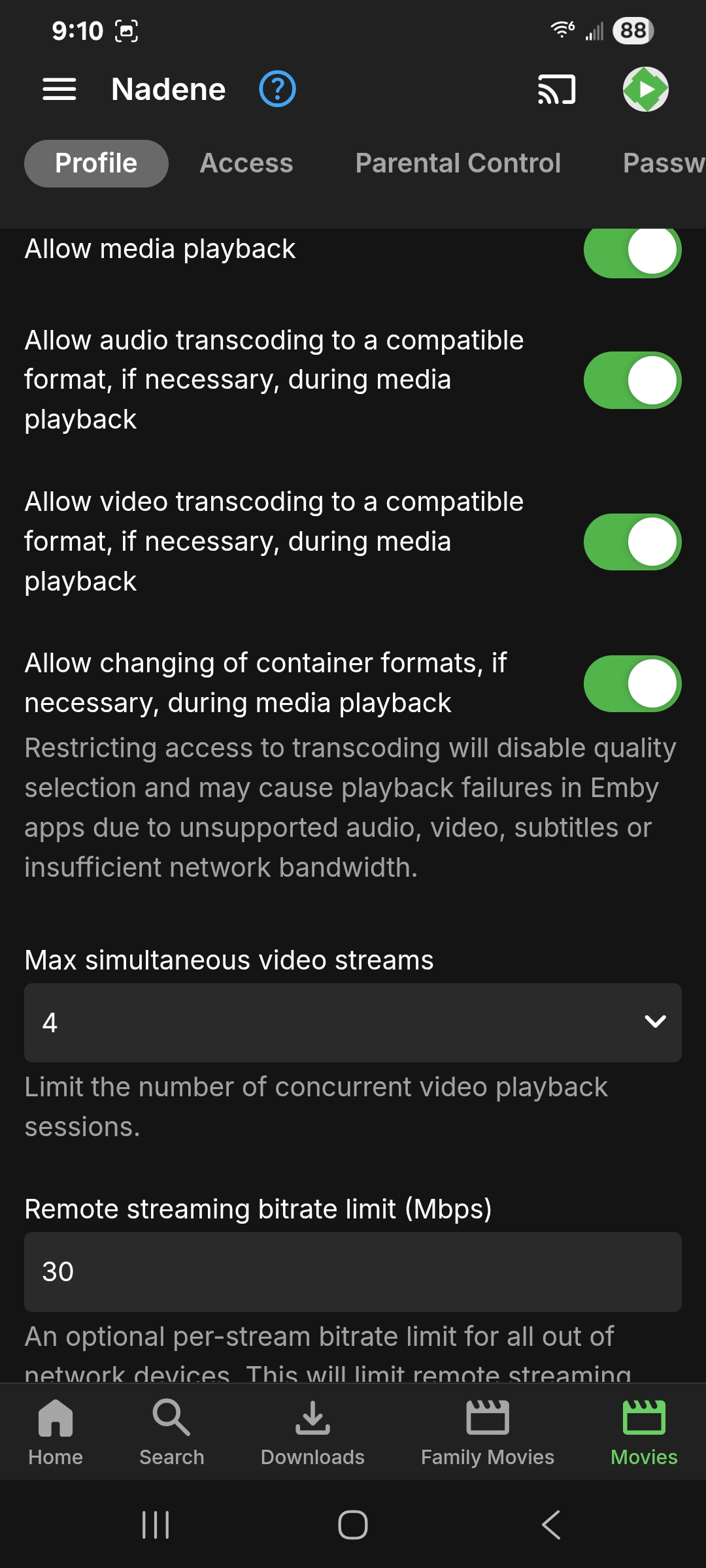
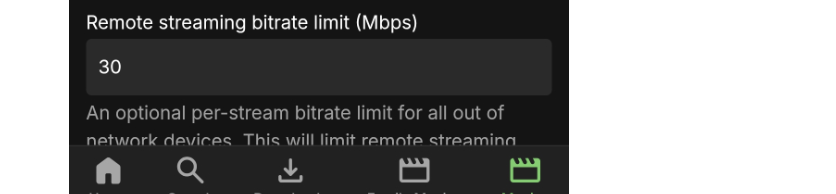
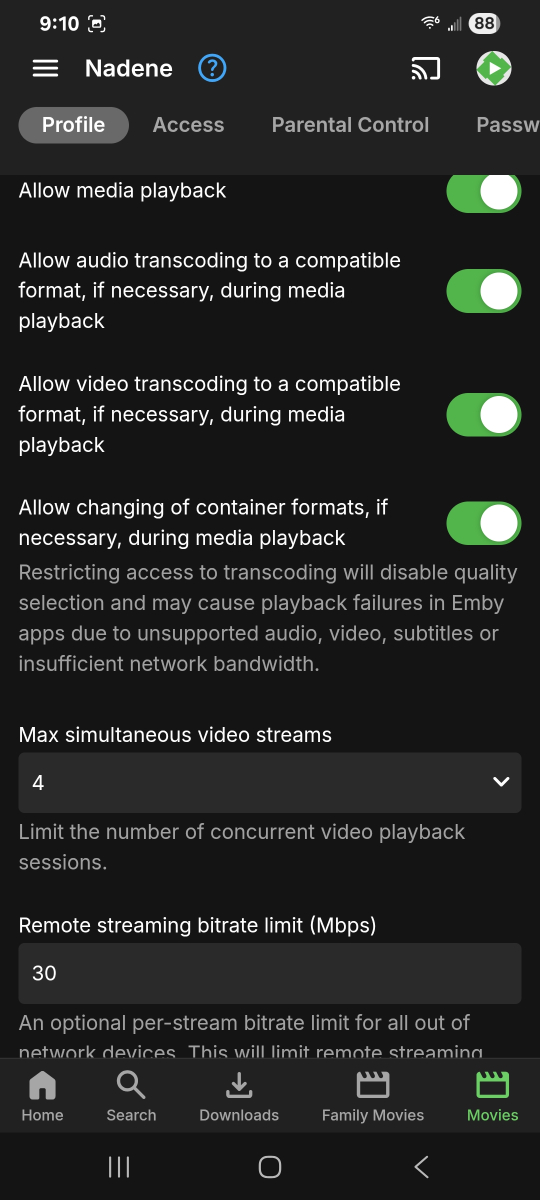
Can you also try removing this limit for a test?
-
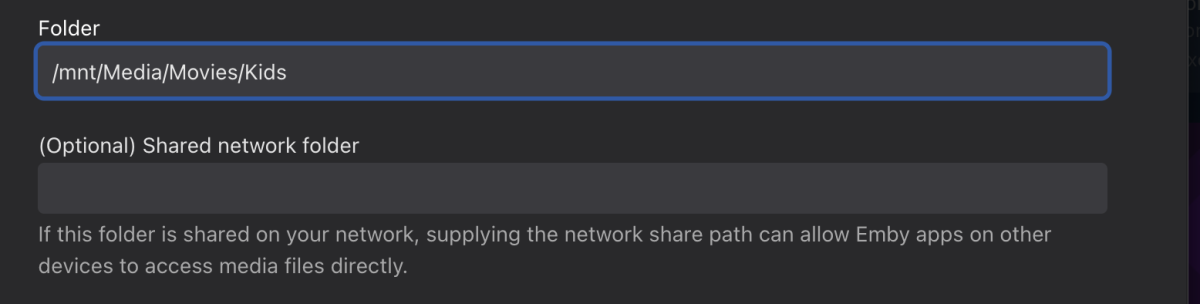
Do you set the Shared Network path on folders in your library or do you leave it blank?
-
 Haydor joined the community
 -
 qtbun joined the community
 -

Live TV After pausing can not fast forward or rewind
hmitch replied to yaggermr's topic in Android TV / Fire TV
I actually found a solution that works based on another post I found. I did force transcoding on the client like the user above and it can successfully seek while a show is recording. I can confirm the same issue they are having the the CC not working, but it is not a huge deal for me because we mostly use the live recordings for sports. -
I need to add language selection; the pop-up window is useful, but it's currently in French. I need to fix the HTML export. I need to add the duration next to the movie size.
-
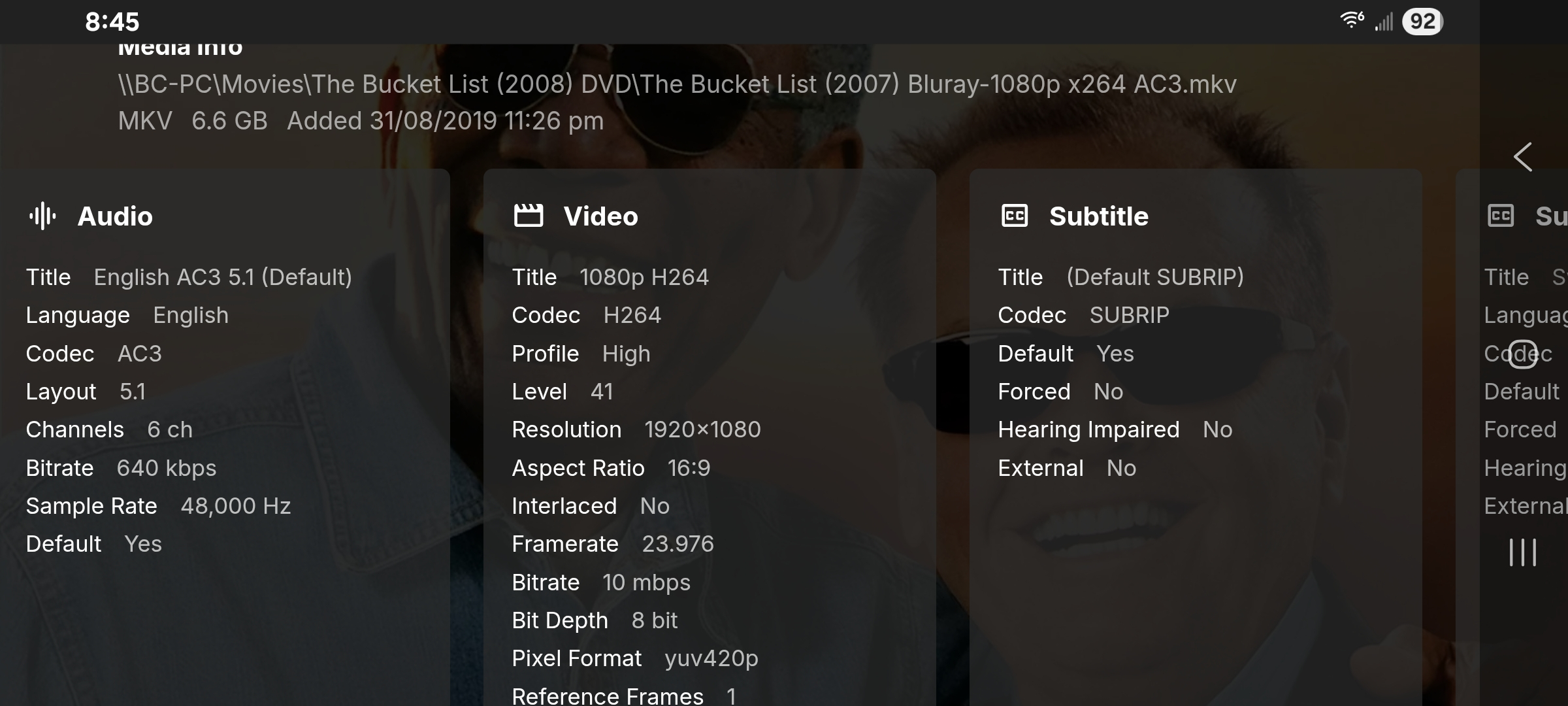
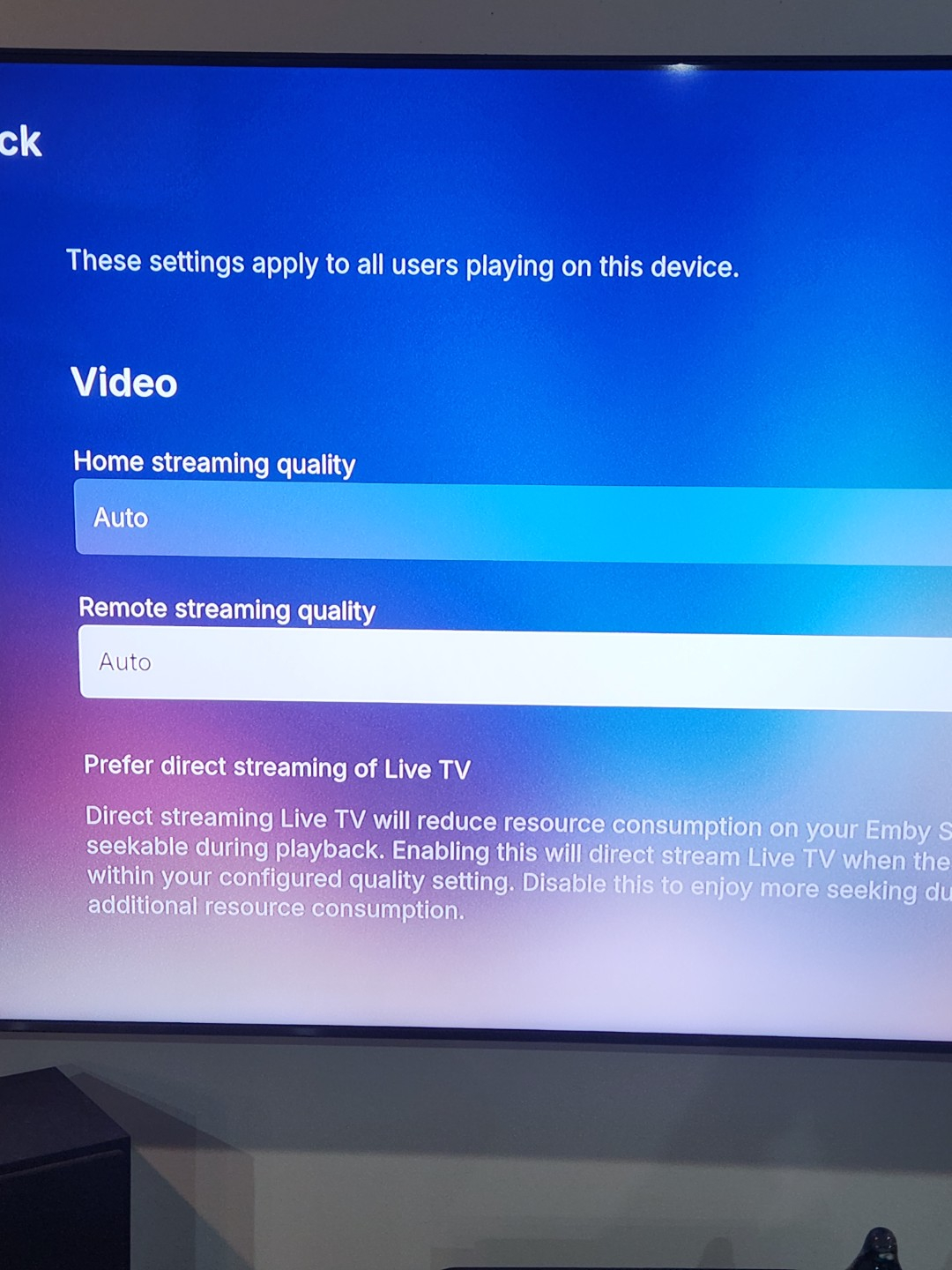
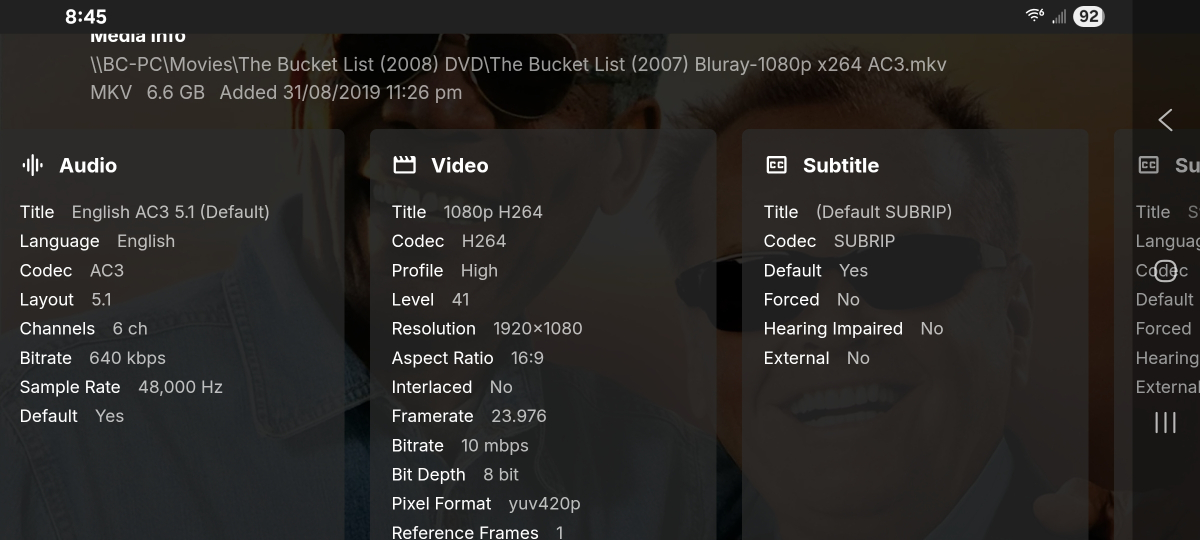
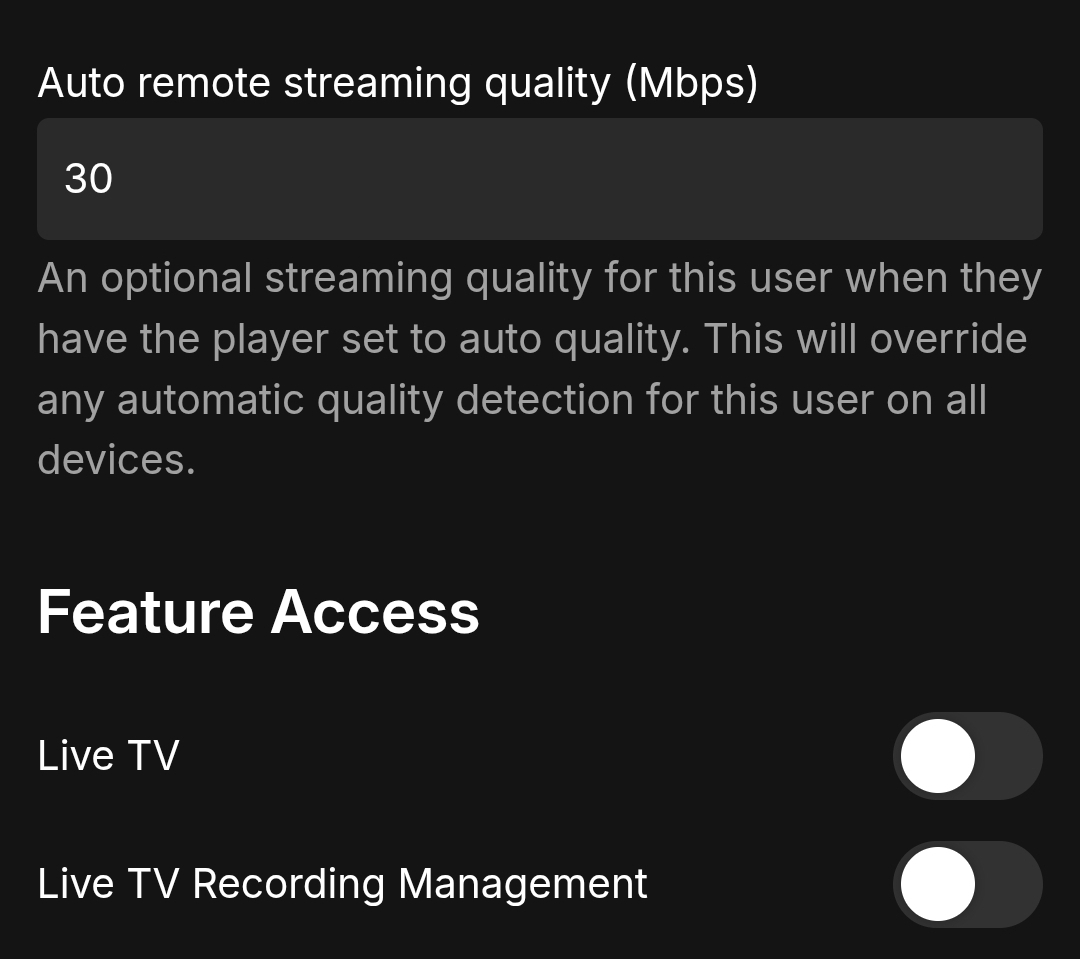
Hi Sam, Thanks again, for looking into this ... I looked at the playback attempts from earlier today and the file that the log is referring to IS a basic 1080p mkv with Ac-3, so it should just direct play... I've attached a screenshot for the media info from Emby. Also for reference, I can't even play a basic MP3 music file, the same non playback behaviour happens... I have other friends who can connect remotely to the server and the transcoding works perfectly the way it's setup. I can turn off the hardware transcoding if you think it's necessary, but 3 or 4 other clients including my phone, all transcode with no issues. Also I sent the screenshot earlier of the playback settings on the client, it was set to auto, here's the playback settings for the user on the server
-
Any update on this one?
-
 Guy132 joined the community
 -
Thanks for sharing
-
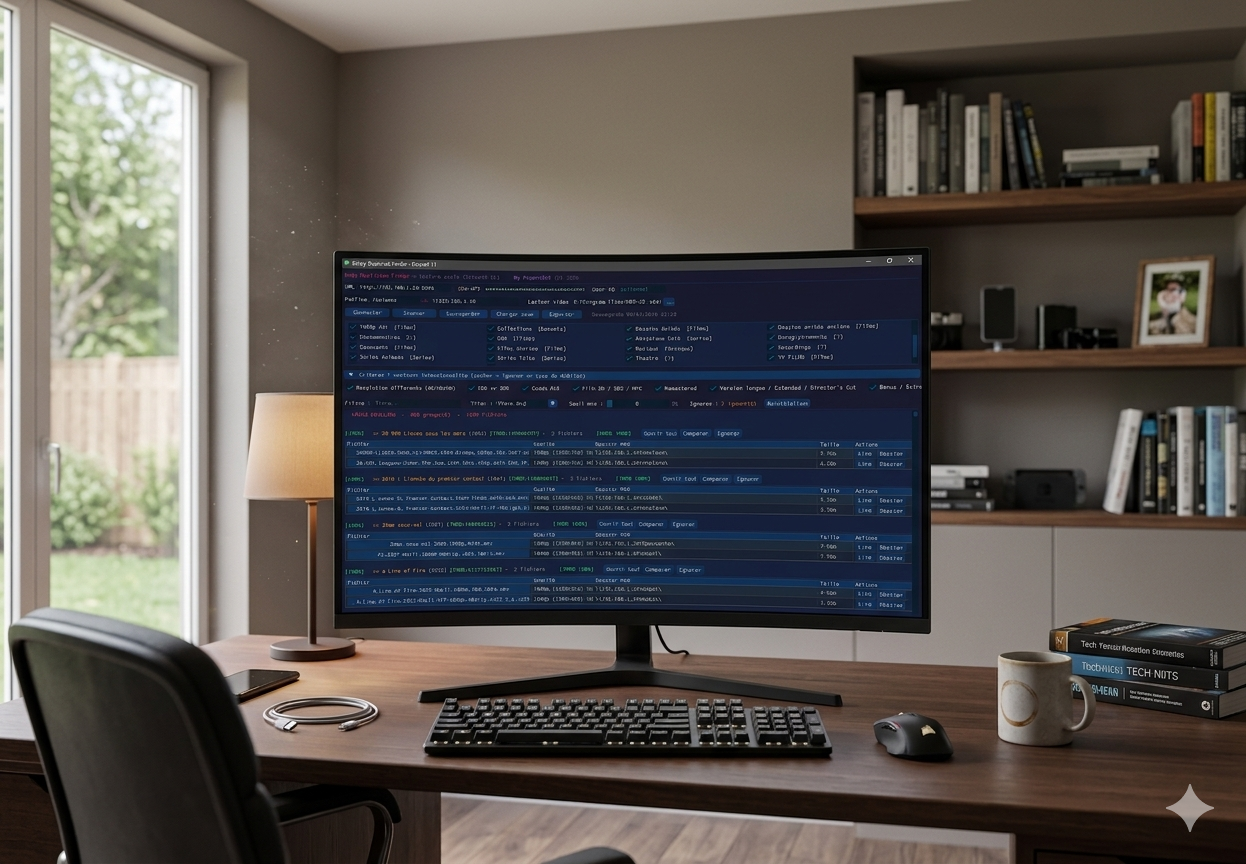
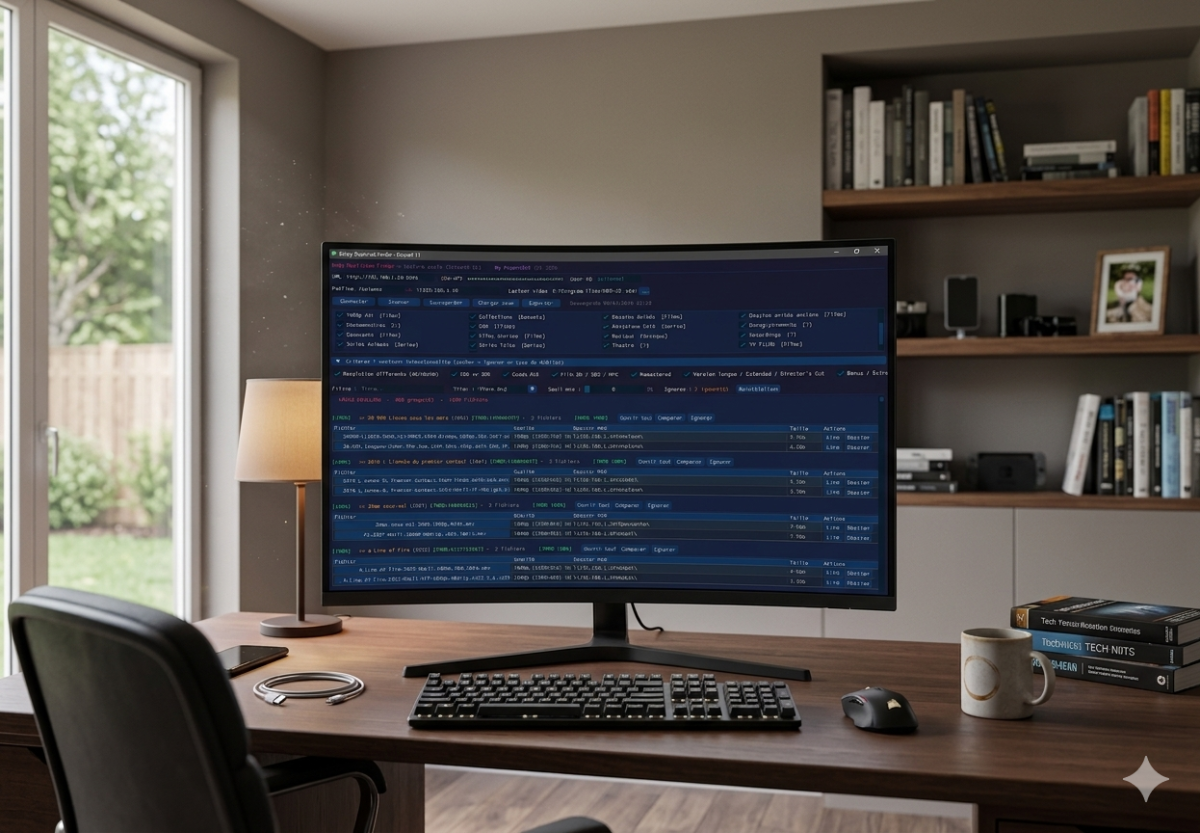
[APP] Emby Duplicate Finder – Clean up your library with ease (DirectX 11), TESTED ONLY ON SYNOLOGY ! Hi everyone, I’m excited to share Emby Duplicate Finder, a lightweight utility designed for those who (like me) end up with unwanted duplicates—whether it's different resolutions, forgotten Director's Cuts, or accidental re-downloads—and want to tidy up their library quickly. The app uses the official Emby API to scan your libraries and presents duplicates in a clean, modern interface. Key Features Ultra-Smooth Interface: Built with Dear PyGui and rendered via DirectX 11 (hardware acceleration). Safety First (Read-Only): The script does not delete anything. It identifies duplicates and gives you the information, but you retain full control. Local-First: No data leaves your network. Everything stays between your PC and your Emby server. Smart Scanning: Compares filenames and metadata to group similar versions together. IMDB ID: Generation of duplicate groupings relative to the IMDB ID, and a similarity rate if the IMDB ID is different. Quick Action: Includes buttons to open the Windows folder of a specific file directly for manual verification or deletion. Auto-Save: Your settings (IP, API Key, paths) are automatically saved to a small config file so you don't have to re-enter them every time. Prerequisites Emby API Key: Generate one in Dashboard > Advanced > API Keys. Windows: Required for the DirectX 11 rendering. Python 3.7+ (if running the script version). How to use it? Launch the application. (python or binarie) In the Configuration tab, enter your server IP and API Key. Click Connect, then Scan. Use the filters (Resolution, HDR vs SDR, Codecs) to refine the results. Browse the list and manage your files directly through your file explorer. Embyduplicatefinder Release Version Beta · Popov2026/Emby-Duplicate-Finder-DirectX-11-Dear-PyGui- Note: This project was born from a passionate collaboration between a user and AI. Feel free to share your feedback or suggest new features! PS: Your suggestions for improvements are welcome, but there are two things I wouldn't change: -Read-only on Emby Server, -local connection only (NO INTERNET). Best regards. the html export doesn't work corretly, il must work on it. emby_doublons_dpg.exe
-
Hi I've just come across a strange bug which has happened with the last 2 movies added to my library. The movies show that they have 2 different files, except it's the exact same file. Same path, name, size, added date - everything. I've verified that there is only the one file present, and tried scanning library files. I then tried to delete one of the movies from the library, which resulted in only one of the file versions disappearing, but the movie still existing and still showing the "duplicate" icon. The actual file disappeared too, which indicates that the other file is a "ghost" file somehow. I'm not really sure where to look here, so I'd greatly appreciate any pointers!
- Today
-
Yes, I tried my channels with the new "Native Playback (Live)" option, but nothing has changed; when I quickly switch between channels, the LiveTV still crashes.
-
Thanks for all the info. Something doesn't make sense with this. We'll have to try and get back to basics. Just to eliminate this as possibly being a problem. Can you please try and find where this is being limited, it could be in the playback settings on the client? Can you please turn off the hardware acceleration Transcoding option on the server and do some tests. Please test with a basic mkv file with a h264 1080p video and ac3 audio track, and ensure subtitles are all off. Does anything play, or is it just items that need transcoding due to TrueHD/DTS/bitrate that is the problem? Let's try and get something DirectPlaying, then we can work from there.
-

embyforkodi (next-gen) 12.X.X support
quickmic replied to quickmic's topic in Emby For Kodi Next Gen
New PUBLIC TESTING version available 12.4.16: Delta changelog 12.4.15 -> 12.4.16 add new Boxset info to Kodi database fix 3d metadata flags add new Kodi database strHdrDetail field fix subtitle metadata in Kodi database add translations fix artwork changes fix dates (production year) Comment: This version might be tagged as beta -

Emby 2.0.3 Apple TV 4K – Emby app crashes during playback (Direct Play) with no server errors
Eliran replied to Eliran's topic in Apple TV
just an update , i take it back it didn't solve the problem watched a movie now after about 15 minutes crashed again..so EMBY Team we would love some inpout. -
Also potentially of note, changing the remote streaming quality settings to something like 4K-60 makes no difference to playback
-
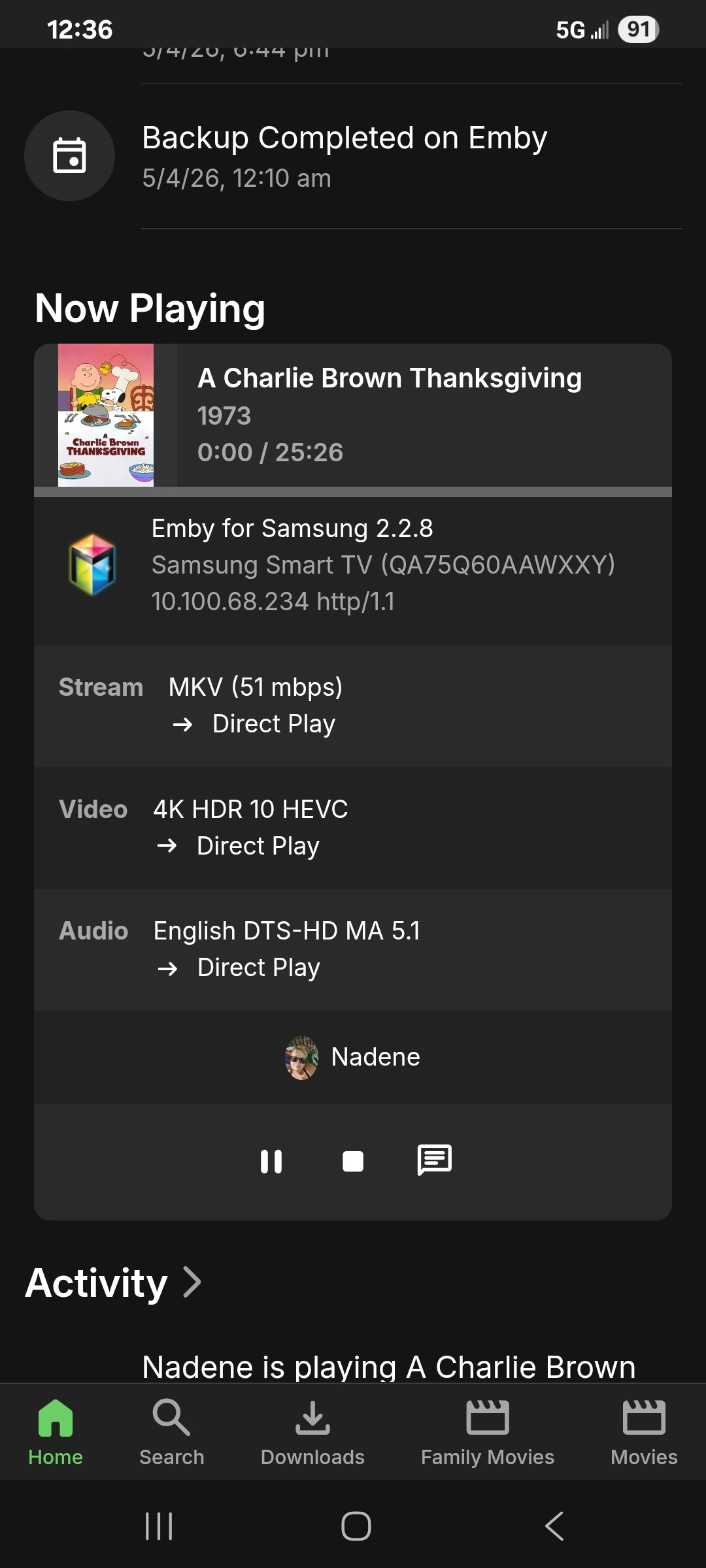
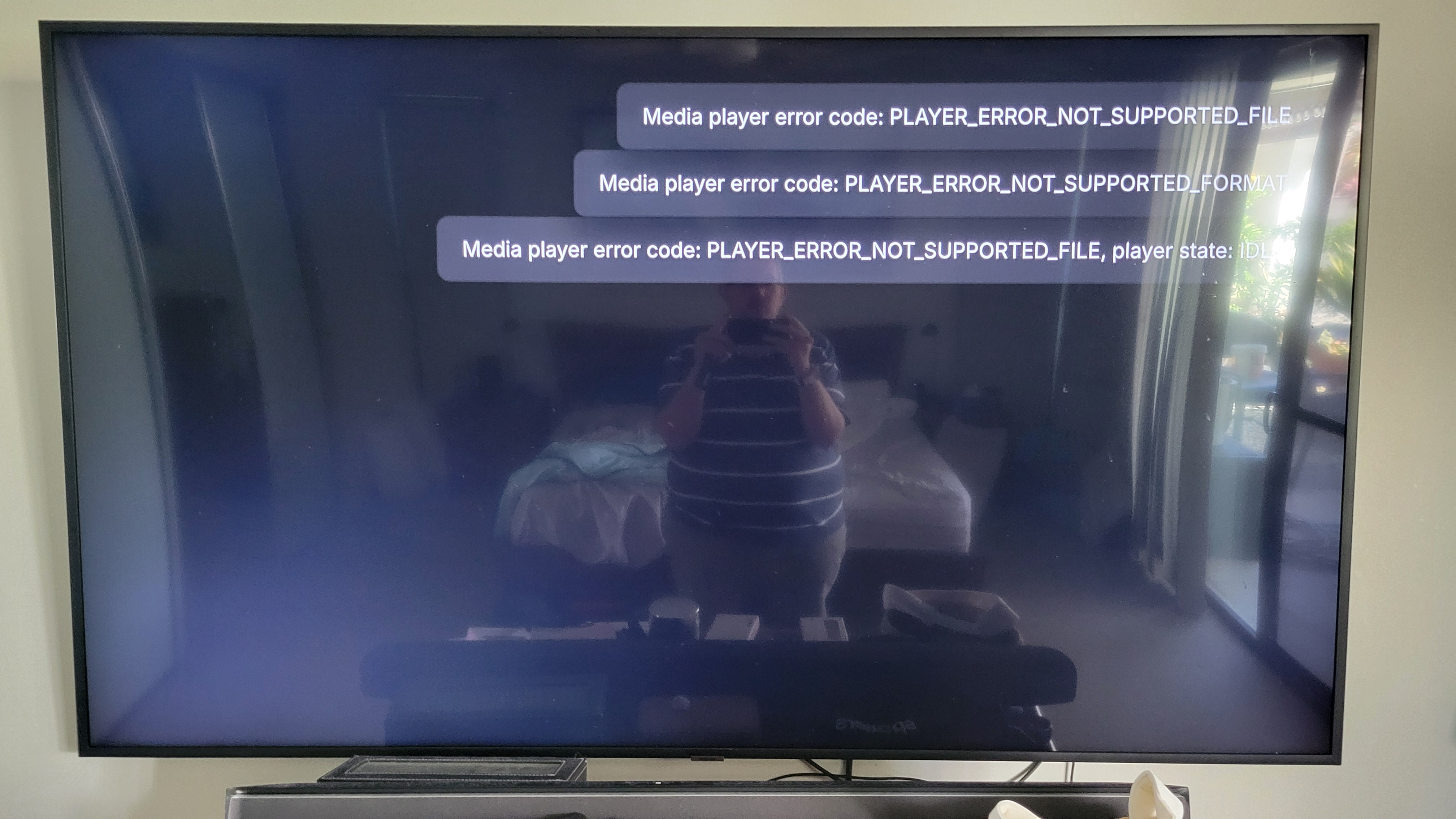
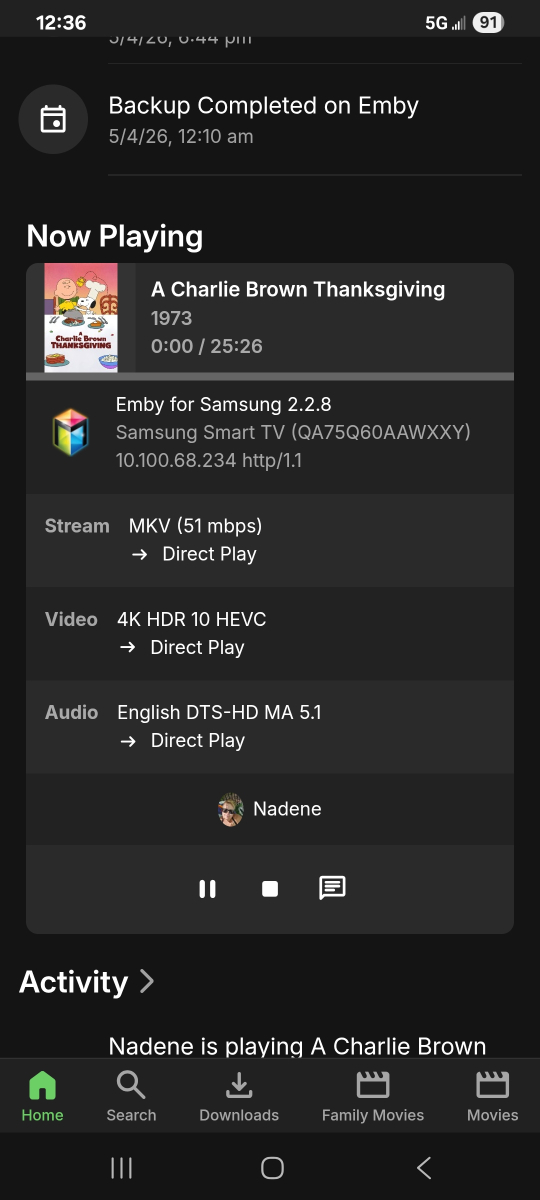
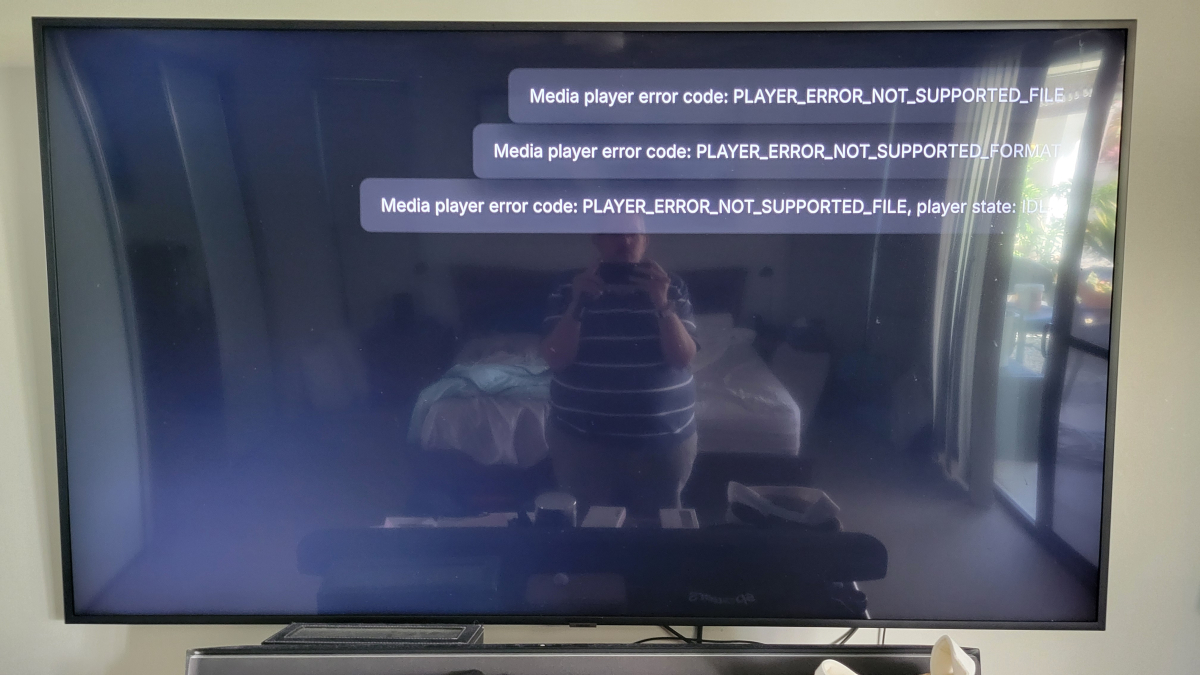
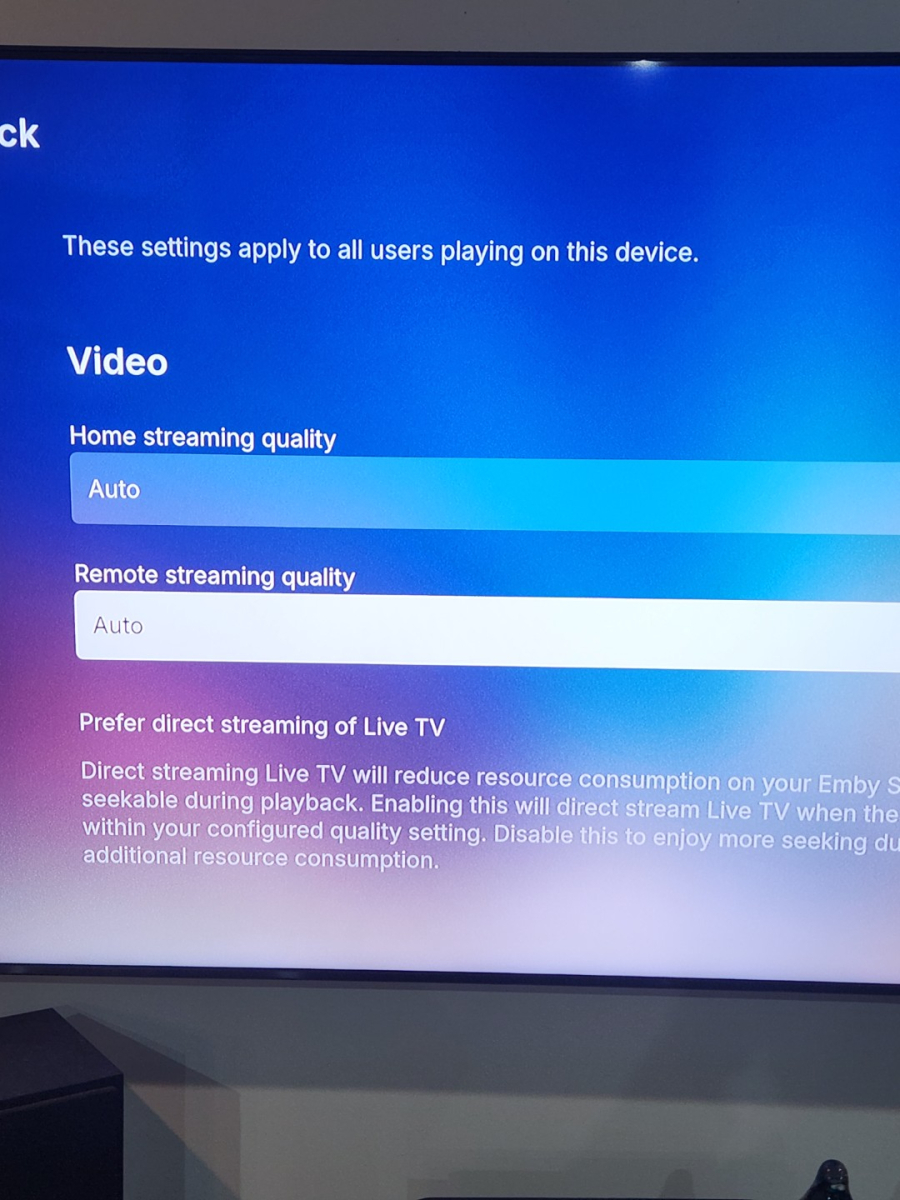
Ok ... So i uninstalled Emby client from both Samsung TV's, powered off units at wall for 5 mins approx. - Powered TV back on, installed Emby client 2.2.28 from store, created connection via http://########.net , port 8096 on both TV's - Clients connect ok to server, navigate no issues, but same behaviour in regards to playback. I then disabled SSL connections on server, enabled debug logging and restarted server. Still no playback of any media... spinning circle for minute or so, then either a black screen and then 'no compatible streams' message or it just bounces back to media selection page I then went into Diagnostic options, enabled force transcoding, updated transcoding logs to debug attempted playback - no go For reference, i grabbed a screenshot from my phone, looking at the server dashboard after forcing transcoding and it still says its attempting direct play even tho from my understanding the audio codec alone should make it transcode On the other TV, which is an older UA75RU7100, i was getting this error message, this was at 12:48 today I have had a quick look through the log (attached), but don't really know to read them properly, i did see a number of bitrate exceeded errors, so just thought it was worth noting the app settings for the QA75Q60AA TV were set to auto for remote streaming Hope this all makes sense, if there is anything else you want me to try, please let me know... but at this point, no SSL is involved and these two clients just won't playback anything. Regards Brett embyserver 06-04-26.txt
-
Might this be relevant? Paul
-
I built the plugin with movies and series in mind, music was added later on. I’m guessing music etc isn’t included because I overlooked it in the cleanup menu. this is a theory and I have to look at the code if this is included or not. Either way, this is on the “to-fix”list! We can still put tags on collection, that’s not the problem. The problem is that Emby Home Screen UI won’t show these items as we want to. Unless I have missed something with later version? With the first 4.10 beta we could do this, but then it was removed. Both me and the creator of Acdb plugin has requested they would bring it back. I think I understand.. Let me know if this doesn’t answer your question You can make a Home Screen section with individual play states. The plugin mimics the Emby menu for this, so if you go to the Home Screen section tab you will see “play states”. If set to unplayed it show on individual basis on the Home Screen. so for example you make a new tag/collection named “movies you must watch”, all movies that the individual user already have seen will be hidden on the home screen. But if the user go into the collection all movies will be displayed. But if you want to create an individual “my list” you will probably need to create one per user. (Recommend using playlist as source for this) To summarize: yes, the plugin works the way you describe. The Home Screen tab in the plugin mirrors the menu and settings from the native Emby. change a setting in the plugin - it also shanges in embys settings, and vice versa.
-
Emby 2.0.3 Apple TV 4K – Emby app crashes during playback (Direct Play) with no server errors
Eliran replied to Eliran's topic in Apple TV
Hi , I'm the one who posted this issue , last night apple tv version 2.0.5(3) dropped (auto updated) and it seemed to fix the crash problem, i watched two full episodes in total of about 2 hours straight no crashes , can the EMBY Team please give us a brief as of what was the issue and was it specifically addressed in that release ? thank you , write if it helped you too Emby Windows server version is 4.9.3.0 (not sure if it was updated too) -

Emby server/client - ReplayGain or R128 volume normalization support for music
nlrobert replied to Espen JQ's topic in Feature Requests
I would appreciate this too! Have finally a good audio setup with Emby on a Android TV device connected to my amplifier, playing FLAC files, but now noticing the volume differences.