All Activity
- Past hour
-
 Joan_tarres joined the community
 -
 amitabh1010 joined the community
 -
 Galorone38 joined the community
 -
 OutdoorsyAF joined the community
 -
 Jaypasdefesse joined the community
 -
 laularsen joined the community
 -
 罗思远 joined the community
 -
 tangtang33033 joined the community
 -
 dkadams joined the community
 -
 CokeLife joined the community
 -
Thank you so much for the work on this. It is next level amazing and brought me fully to EMBY....
-

LG TV showing spinner on every video and wouldn't play...
tunaz replied to tunaz's topic in LG Smart TV
Infinite Loading Spinner on LG WebOS (43UF7787-ZA) - No Playback Started Description I have been using Emby Server for a long time without any issues across all my devices. However, recently, without any changes to my setup, I encountered a playback issue specifically on my LG Smart TV (Model: 43UF7787-ZA, WebOS). When I try to play any video media, a loading spinner appears on the screen and stays there indefinitely. The media never starts playing. Steps to Reproduce Open the Emby app on LG Smart TV. Navigate to any video library. Select a movie or TV show. Click the "Play" button. An infinite loading spinner appears, and playback does not initiate. What I have tried so far: Searched community forums and tested various configuration changes (none worked). (Logout, Delete LG App, Turn off and then install again, change file type etc.) Updated the Emby LG app to version 1.0.50. Updated the Emby Server to version 4.10.0.3 Beta. Verified that playback still works perfectly on other devices (Web, Mobile, etc.). System Information LG TV Model: 43UF7787-ZA LG App Version: 1.0.50 Emby Server Version: 4.10.0.3 Beta Custom CSS: None (or disabled for testing). By the way here is the chown result of "/var/lib/emby/transcoding-temp" drwxrwxrwx 2 emby emby 4096 Feb 22 18:27 /var/lib/emby/transcoding-temp ffmpeg-transcode-d5efbebf-faa6-4c5f-8992-4afcfcb39ac0_1.txt embyserver.txt -
@jriker1I've gone strictly to M3u. There are many providers out there or if you are willing to do the work you can manage your own system. I pretty much replicated everything I used to do with youtubeTV and have it in Emby. There are shortcomings at times where shows will stop for one reason or another, however I don't spend that much time trying to determine if its the provider who stopped sending data or is something local. I refresh my screen when that happens for live shows and it works for me. It can be frustrating for others who want a seamless experience but again it works for me.
-

Subtitles on new version (v1.0.49) show strange characters
nanuk replied to hspantera's topic in LG Smart TV
I'm using Windows Version of Emby Server Version 4.9.3.0 and have the exact same probs with the subtitles using the LG Emby app -
embyserver.txt is not a log ?
-

Pixelated/Blurry/Discolored Playback on Roku when Transcoding
Xalactic replied to Xalactic's topic in General/Windows
Not knowing what's causing an issue does not necessarily mean being unable to replicate it. No one even said they couldn't replicate it. You came in here and started saying that. This has been a two year issue because that's how slow the Emby team has been. Who are you anyway? You're trying to spin it around and make me seem like the problem because I didn't just give up right away. If Emby doesn't want to support the burn in feature, they should drop it. Somehow I'm the difficult one for wanting to see the issue fixed instead of just replacing my devices. Your post history is a lot of attitude and telling people that every issue is their fault. Again, I give up on this now and was only expressing frustration in how Emby handled this. You just want to argue - I'm done. -
It’s something they would do as part of app development for Emby.
-

Downloaded Files not showing thumbnails or skip intro option
Luke replied to manners15's topic in General/Windows
OK we’ll take another look at it. Thanks. -
Hi there, let's look at an example. Please attach the information requested in how to report a media playback issue. Thanks!
-
Iphone11 Chrome: PDF Rendering Blurry Issue & My approach to solving the problem
Luke replied to luguagua's topic in Web App
@Protected -
Thanks for following up.
-

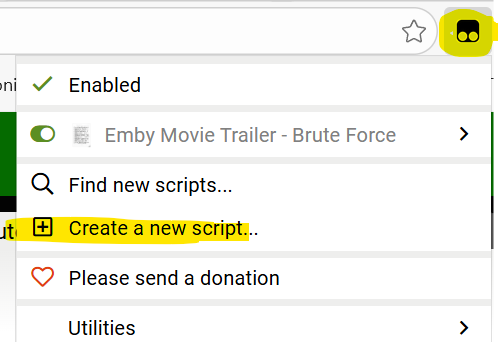
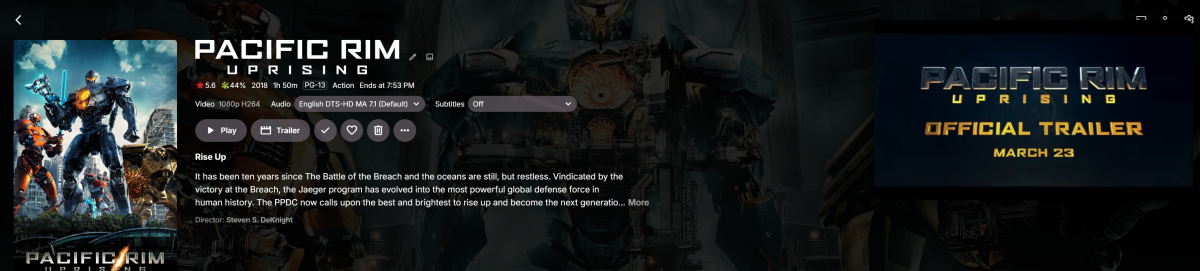
Auto play movie trailer inside folder - Spotlight like @sh0rty inspired
BIGDREY replied to BIGDREY's topic in Web App CSS
This no longer works for me. Not sure what broke it, but I don't want to spend hours on it.
-
LG TV showing spinner on every video and wouldn't play...
Luke replied to tunaz's topic in LG Smart TV
Hi there, let's look at an example. Please attach the information requested in how to report a media playback issue. Thanks! -
Hi there, please attach the Emby server log from when the problem occurred: How to Report a Problem Thanks!
-
Hi, yes try running a library scan.
-

Brilliant move: Locked out my admin account. Designflaw!
roockie1053262 replied to roockie1053262's topic in General/Windows
Thank you boss! -

Brilliant move: Locked out my admin account. Designflaw!
Abobader replied to roockie1053262's topic in General/Windows
Done. - Today
-
Bumping this. I noticed a few other threads around with a similar discussion. I know of the licensing issues faced by rockchip and FFmpeg. But would like to link here to other threads talking about this so as to make it easier for others to find this. If anyone like my has been searching for this, basically hang in there but don't expect anything soon...
-
Bonjour, j'ai un soucis, mon petit frere, qui a une connexion de bonne qualité (fibre) et une MIBOX xiaomi, a regulierement ce genre de message sur certains média : "Aucun média à lire" mais c'est tres aléatoire ces même medias arrive a être lu de temps en temps... dans la fin du rapport voir ce qui ce rapporte a la MIBOX et a la série "King & Conqueror" pour moi c'est du chinois. Merci de votre aide embyserver.txt
-

SRT subtitles not displaying, other unknown subtitles are displaying
speechles replied to davesurfer's topic in Roku
If you use the web app and click on the 3-dot menu you can "Edit Subtitles". It will open the subtitle download panel. On the panel find the big "Search" button and click it. Then below it will list these subtitles. You need to be accurate to ensure it syncs properly. This is why it lists common filenames. You can experiment to find the best match. The server will perform a hash-match when attempting to download them with the scheduled task on the server. All of this is using OpenSubtitles mind you. The icons on the right side are for "Preview" and "Download". You can preview them before you download them to your Emby server to make sure you have the correct subtitle. Otherwise you would need to manually extract that subtitle if it is embedded and then look inside it. They should just be text files with markup just like html/xml. You can easily see which one is correct before downloading them. After downloading it the beauty is it is now an external srt file. It isn't baked into the file. It doesn't have the same restrictions as embedded subtitles might. In other words, external srt are far more reliable on the Roku than using embedded subtitles. You will have much better luck this way.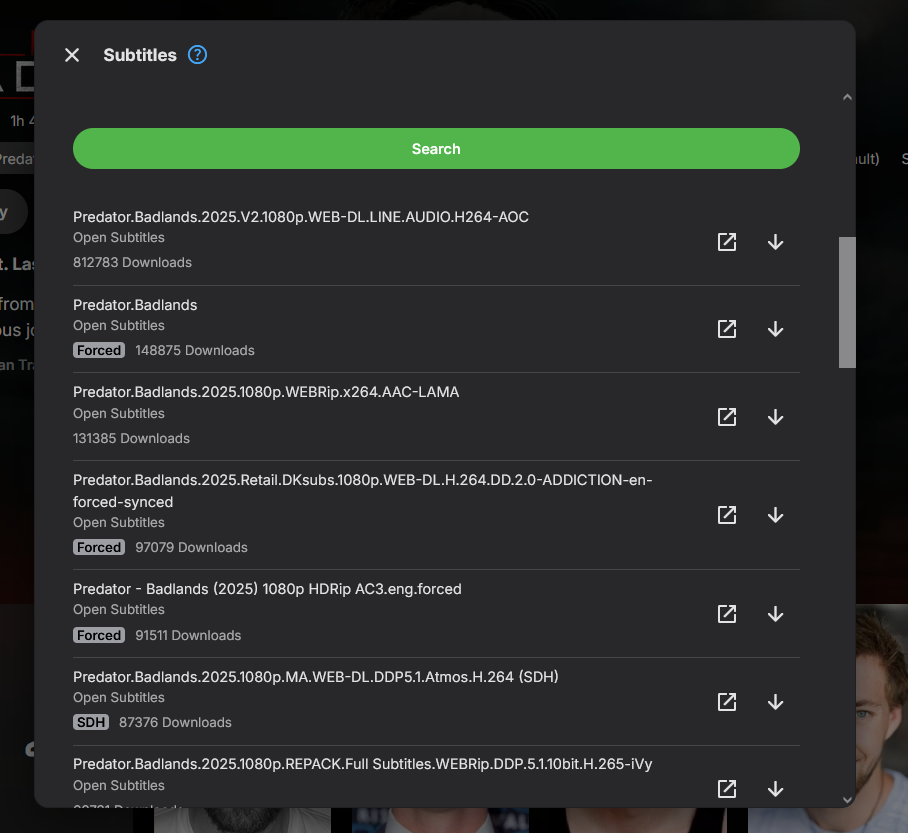
-

Emby 4.8.10.0 - multiple movie versions not properly managed
Dan64 replied to Dan64's topic in General/Windows
Today I moved to Emby v4.9.3.0, and now are created chapters thumbnails for each movie version. This is the perfect solution! Thanks, Dan -
Convert the iso video content to mp4 or mkv video files. Menus will not be converted and cannot be used anyway, with Emby. https://duckduckgo.com/?q=convert+ISO+to+video+file&ia=web === I like using AVIDemux as a 3rd party encoder. For DVD content, it is possible to directly merge the media content VOB files to a new VOB video, simply by concatinating the VOB files. I've written these steps up on my blu-ray info page: blu-ray content does not have this issue. https://www.producerelease.com/blu-ray/brsales.htm#VOBDVDcopy https://www.producerelease.com/blu-ray/brsales.htm#combineVOBfiles Any orginal DVD content will also need to have media height conversion from 0.9 pixel to square pixels. You may need to adjust differently for a wide screen DVD. I use AVIDemux software to handle the video resizing to the correct height, to match the original aspect ratio. You can find the aspect ratio for each commerical media, by joining imdb.com, logging in and scrolling to the bottom of the content media page. https://www.producerelease.com/blu-ray/parcalc.htm If you leave the VOB file without pixel height correction, Emby will playback the content and look squeezed. For DVD's, the best fix for media playback with Emby is to actually convert from the DVD 0.9 pixel ratio to square pixel and save a new media copy in the correct square pixel size. You can choose the h.264 codec and AAC audio in a .mp4 wrapped video file at a high quality encoding setting, but moderate compression size. These codecs in a media would not require transcoding for Emby users, if you kept the bit rate under 2400 kbps. Option 3 on the info page, gives info and settings for AVIDemux 3rd party video encoder. https://www.producerelease.com/blu-ray/parcalc.htm#opt3 === Creating a media copy Typically, Emby transcoding creates larger media copies, because it needs to convert, per user, to match the user's playback software or TV app and be able to convert in real time. If you have a fast server, with a supported media encoder hardware card, then a quality conversion in real time is easier. With a slower server, real time conversions need to be made quickly and this can mean a much larger file. It takes longer to convert, with quality, to a smaller file. Converting a 2 hour media file with a slow server that needs 4 hours to make a quality coversion does not help the user who wants to watch the content right away. OK, the larger file can look good, but it also has to be sent to the remote user and that may not be possible, based on bandwidth connection speeds. When this combination happens, the transcoding steps down to lower quality. You can get a situation where a remote user, on a slower Internet connection, views 4K media in a lower quality, or the transcoding automatically steps down in size, or the playback just doesn't work. If you pre-convert to a high quality, lower bitrate and copy out to h.264 and AAC audio in a .mp4 file, then Emby transcoding probably only kicks in for users with slow connections. No transcoding, means the content can playback directly for most everyone. Since you may need to convert each DVD video content anyway, I suggest you convert to that combination h.264, AAC audio in .mp4 and set the convertor to the highest quality. This approach is not popular, because it takes extra time and quality .mp4 content is larger than h.265 .mkv video files, but you have to make a copy, anyway, for DVD content to get the correct aspect ratio. Hope that makes sense and helps.
-
I've had the same problem with almost every Olympic event. I resorted to editing each events nfo file manually by going to tvdb, finding the "season", "episode", and tvdb number. Once I did that, the events showed correctly. I wish I knew why the nfo was generated with the wrong info.
-
Hi, is it possible to add an option to export only a certain path within a library? Lets say movie library contains /ToSort and /Archive and i just want to export stuff to /Archive Great plugin, really love it!
-
Is this by design?