All Activity
- Past hour
-
I want to say the same. Came to the forum to search for the issue that I thought to be a bug to find out it is a feature. Confusing.
-
 ArjunV joined the community
 -
Created a couple, still a no show.
-
What site page?
-
 uleon9840803 joined the community
 -
Got all of them fails (one by one! ), looking good.
-
 千古冷 joined the community
 -
 guillermola434 joined the community
 -
 Abk19 joined the community
 -
 Wlrks joined the community
 -
 Teobcn joined the community
 -

Collage Manager Plugin: Per-Library Automatic Collage Refresh [Emby 4.10.1.0]
Jrod696 posted a topic in Plugins
I created a plugin for Emby Server 4.10.1.0 that fixes the current library collage issue where Emby can retain orphaned item IDs and continue referencing posters for media that is no longer present in the library. The plugin rebuilds each enabled library collage using only posters from media that currently exists in that library. It also adds configurable collage rotation with independent settings for each library. Available selection methods are: Newest Recently Added Random Because the setting is per library, you can use different behavior across your server. For example, one Movies library could show the newest titles while TV Shows use a random selection. Libraries you do not want the plugin to manage can remain disabled. Automatic Scheduled Refresh The plugin automatically registers a scheduled Emby task that refreshes configured library collages every day at: 1:30 AM server time Once configured, no manual collage rebuild is required. Installation This version has currently only been tested on: Emby Server 4.10.1.0 on Windows Installation: Shut down Emby Server. Copy Emby.CollageManager.dll into the Emby plugins folder. Start Emby Server. Open the Emby plugin settings. Open Collage Manager. Enable the libraries you want the plugin to manage and select the desired collage method for each one. Press Save. The plugin registers itself automatically when Emby starts. Important All libraries are disabled by default. Installing the plugin will not immediately begin changing library artwork. You must open the Collage Manager settings page and explicitly enable each library you want it to control. This was intentional so that simply installing the plugin does not unexpectedly replace artwork across every library on the server. The plugin does not modify the Emby library database, and it does not delete, move, rename, or alter any media files. Its scope is limited to selecting valid items from the existing library and rebuilding the library collage artwork through Emby. Download Download the attached: Emby.CollageManager.dll Shut down Emby, place the DLL in the plugins directory, restart the server, configure Collage Manager from the plugin settings page, and press Save when finished. Emby.CollageManager.dll -
 alvin988 joined the community
 -
 gener5862 joined the community
 -

Completed Show Missing Collection Items
Smitty018210 replied to Tolerant's topic in Feature Requests
Is this info exposed in api? or only in app? -

Home Cinema Control (HCC): Emby library UI with OPPO/Chinoppo local playback
tousled replied to tousled's topic in Third Party Apps
Hello! Thank you very much for using it, and I’m glad it’s working well for you! Yes, that’s something I tried to do at the time – to make the Chinoppo turn on by itself without you having to use the remote control – but it was something I didn’t manage to do, because it didn’t respond to any API commands. Or, at least, I couldn’t find one -
Ok I would try creating a new playlist and see if that gets it to show up.
- Today
-
That's set to All, and everything in there including playlists is ticked.
-
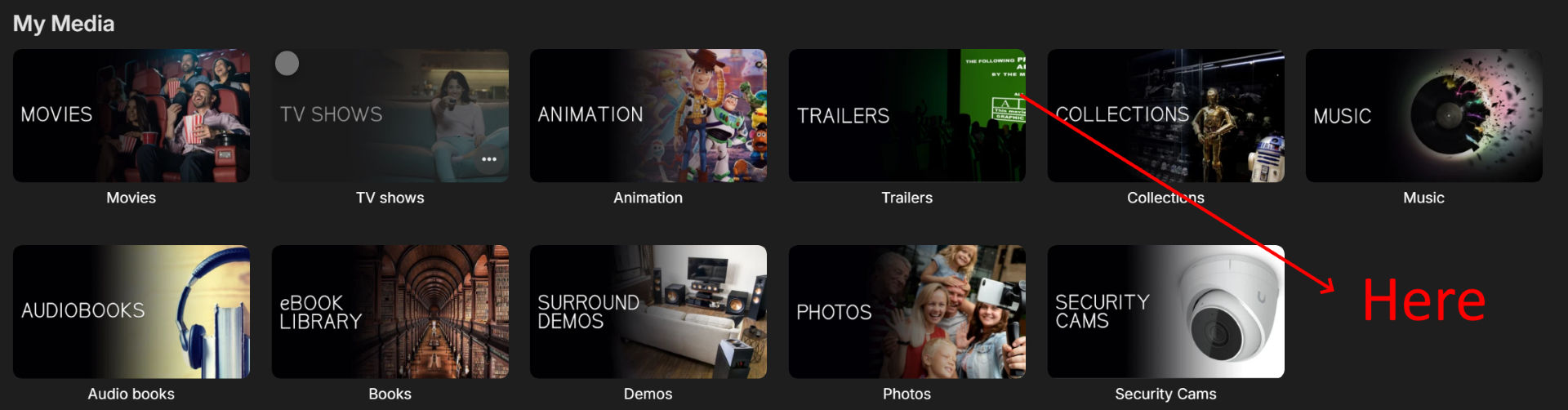
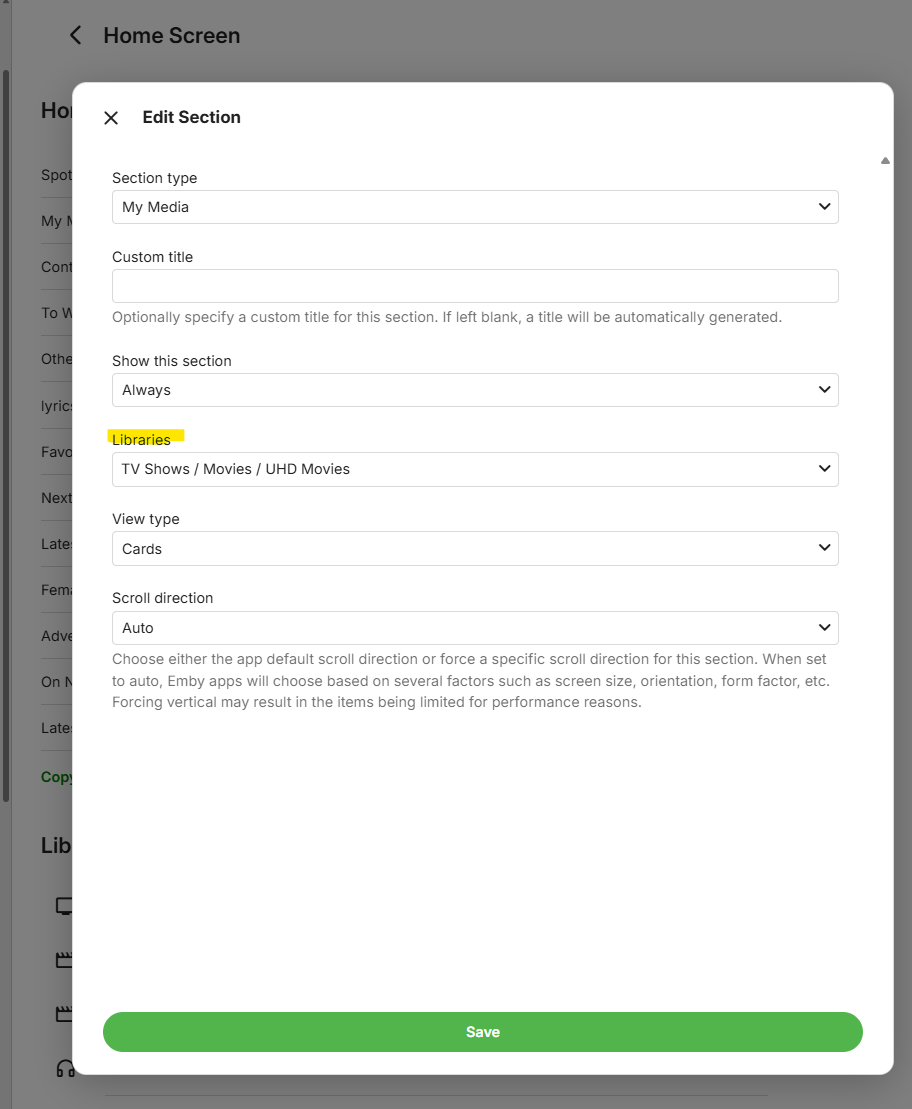
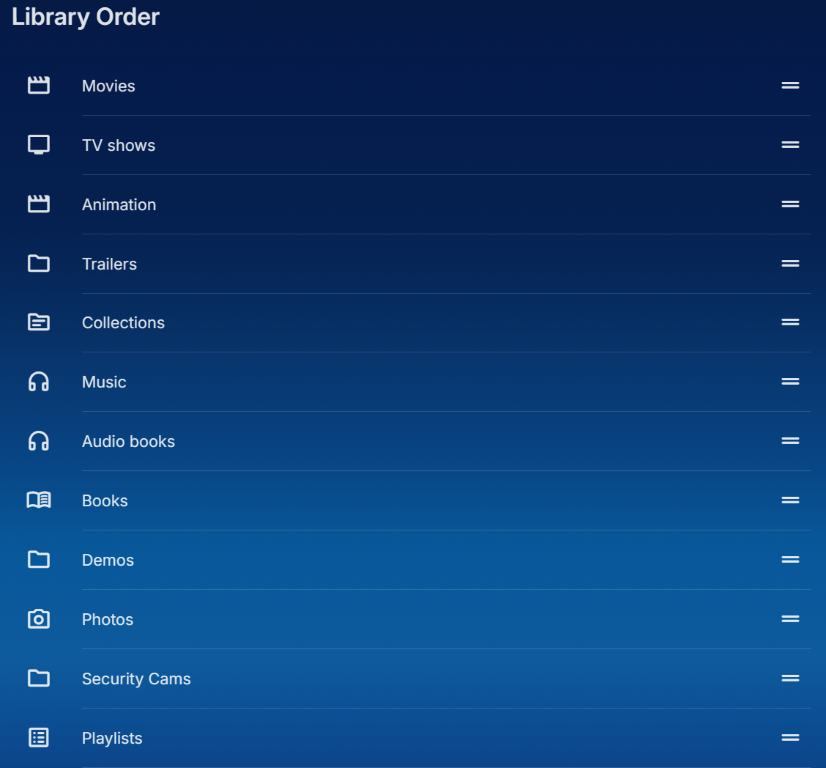
User Settings -> Home Screen -> My Media row:
-
Hi ebr, you'll have to be a bit clearer on what you mean there. You talking about in Library in server settings, or from within my user profile somewhere?
-
@GrimReaper I think the errors caused the plugin to mark the cache as invalid/out of date.
-
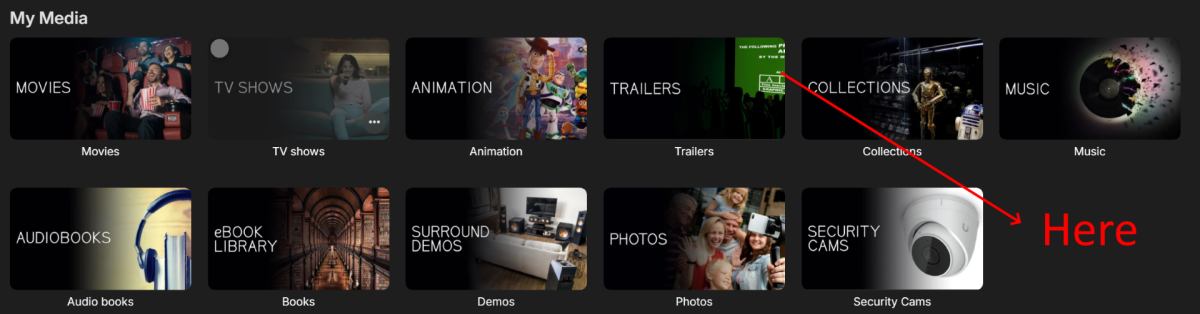
Collections are global. For your visibility issue, what libraries are defined for your "My Media" row?
-
הדף של האתר תקוע. לא מצליח להיכנס
-
Can you share a collection with another user?
-
-
LOL for me it was few hours ago, during this morning's test:
-
Sorted some of those errors in case plugins didn't particularly liked something on the image: Will check the rest.
-
The cache hasn't been reset on server reboot for a while. Hmm.. wonder what's wrong, no words on my side. Will look into it.
-
Hi, can you try clearing browsing data and see if that helps?
-
Right because it isn't really related to how the collection was created.
-
By then he will still stay it's possible in the future But we won't be alive to see this future
-

Clipping feature, easily create clips of your favorite shows to share
ebr replied to billxsand's topic in Feature Requests
Hi, there's already an open request for this or something functionally equivalent. Please join in and contribute to the existing discussion at: -
Unfortunately still getting some clashes, on initial run 169 CoverArt errors: Subsequent run was quite fast, 4+ minutes, with again 169 failed: Though tbh 169 images out of 157,000 is negligible, what bothers me more is log flooded with errors. When tracing random few of those images that failed, none of them are images that EmbyIcons should treat/place an icon on, so not sure why it is trying to draw on them - or it's just caching all the images it finds (which would be awesome)? I'm also unclear why it is failing on those images at all, they were there this morning as well when there were no fails reported. Anyway, not a big deal, would be nice to sort those errors, but even if not - I'll survive. Good to see that on server restart cache doesn't get wiped anymore, thanks:
-
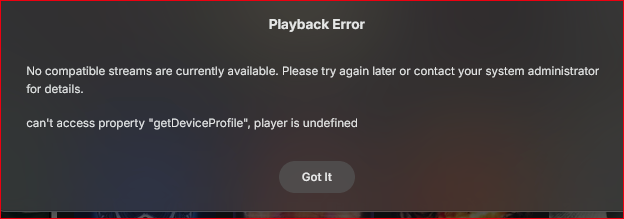
Playback Error No compatible streams are currently available. Please try again later or contact your system administrator for details. can't access property "getDeviceProfile", player is undefined Web app > Music > Shuffle embyserver.txt