All Activity
- Past hour
-
 Ririawan joined the community
 -
hi is there a possibility to slightly change the size of the covers? for my skin arctic zephire reloaded this standard is not as beautiful as it could be...I saw that with other skins as well. maybe just adding some px would solve that? thanks
-
 chenjianhan joined the community
 -
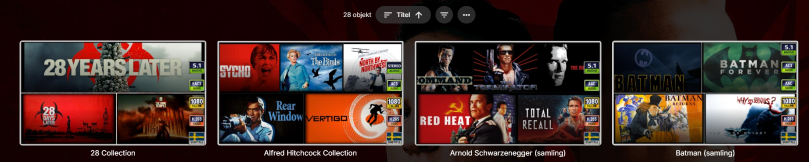
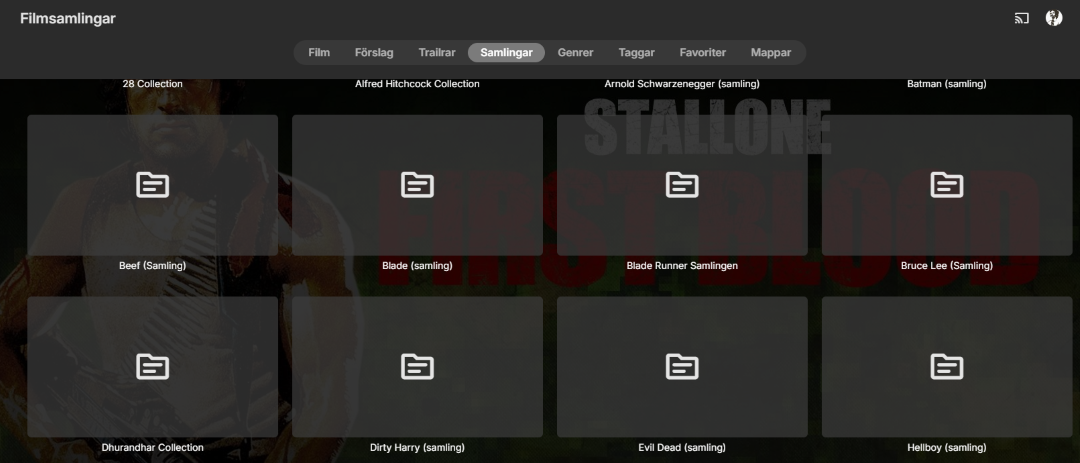
Hi! I have custom library images made for the "front wiev" in regards to the librarys and also one of the librarys wich is my collection folder. I change them on my win 11 server manually, and those are then visual on all my apps (Android Universal) on my phone and Nvidia Shield aswell as Android TV app on the same shield like so: But it changes back to: I have disabled all fetching of metadata in the library settings on my server but this still happens. I seem to recall that there was a setting to "show library folders as a picture" but i cant seem to find it and disable it if that was the solution. This is also applied to my collections from my collection folder (Filmsamlingar in front-wiev librarys) from: to: I havent been able to figure out why this occurs and when, i have tried to pinpoint when it happens by running manual metadata scans and library updates and that doesnt break it so im all out of clues, any help would be appreciated. This reproduces itself to all connected apps. N/


-
 Harel777 joined the community
 -
 Lordkinbot joined the community
 -
 zezjir joined the community
 -
 Maher105078 joined the community
 -
 MEMIN10 joined the community
 -
 Eternity57 joined the community
 -
 Hammam007 joined the community
 -
 Harukaido joined the community
 -

Plugin: EmbyCredits, detect end credits and add auto skip.
yocker replied to yocker's topic in Plugins
Added a new beta to the catalog (v2.6.6.0) Changed a few FFMpeg arguments plus added "-hwaccel qsv" as fallback. This *SHOULD* work and the fallback makes ffmpeg automatically try it self if everything else fails. Just so people don't think it's a major problem (should ofc. be fixed anyway!!) Vaapi in this instance will work and is just as fast as the hardware acceleration is only for extracting images and nothing else. -
Hi, The playback device is ugoos am9 pro. Client is latest emby for android and emby for android tv. Both of them has following issues: 1. Purple color when playing DV Profile 5 content, even the box do support it. 2. Hi-end audio codecs are down mixed to AC3 but not passthrough, even all my devices support that. Tried with some third party client app like Moonfin, Yamby, all of them work fine without above two issues. Please, think about to upgrade the playback engine of emby client! Looking to other popular playback apps in the market, they are widely include at least two playback engine into the app - the native media3 core, and the mpv core.
- Today
-
I missed that. Thanks much!
-
@dcatiany plans to make this open source?
-
@LukeAny closer to finding a permanent fix to this 2-year bug Thanks
-

Plugin: EmbyCredits, detect end credits and add auto skip.
Babatom replied to yocker's topic in Plugins
It works for me with linuxserver. There was an ffmpeg update in the new beta. -
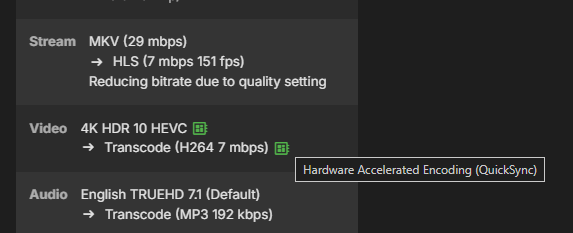
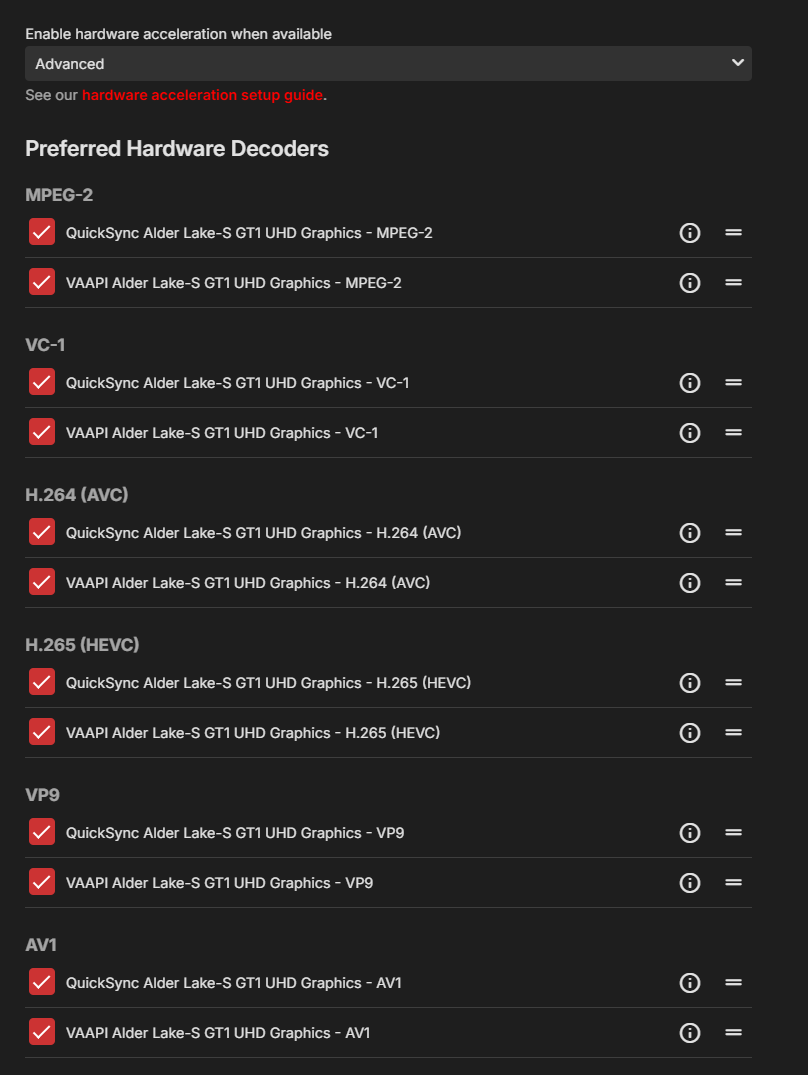
This works but not with nvidia gpu and dont show in here.
-
Hi team I've hit a wall trying to get my docker install of emby working with gpu transcoding. I;ve got all the package working and both cli on server and in container cli all see the card. nvidia-container-runtime or the legacy nvidia-docker2 are all installed as well. Connecting to emby... Shell: /bin/sh, User: root / # / # ls /dev/nvidia* /dev/nvidia-modeset /dev/nvidia-uvm /dev/nvidia-uvm-tools /dev/nvidia0 /dev/nvidiactl nvidia-smi +-----------------------------------------------------------------------------------------+ | NVIDIA-SMI 580.126.20 Driver Version: 580.126.20 CUDA Version: 13.0 | +-----------------------------------------+------------------------+----------------------+ | GPU Name Persistence-M | Bus-Id Disp.A | Volatile Uncorr. ECC | | Fan Temp Perf Pwr:Usage/Cap | Memory-Usage | GPU-Util Compute M. | | | | MIG M. | |=========================================+========================+======================| | 0 NVIDIA RTX A2000 Off | 00000000:01:00.0 Off | Off | | 30% 28C P8 6W / 70W | 0MiB / 6138MiB | 0% Default | | | | N/A | +-----------------------------------------+------------------------+----------------------+ +-----------------------------------------------------------------------------------------+ | Processes: | | GPU GI CI PID Type Process name GPU Memory | | ID ID Usage | |=========================================================================================| | No running processes found | +-----------------------------------------------------------------------------------------+ nvidia-container-cli info NVRM version: 580.126.20 CUDA version: 13.0 Device Index: 0 Device Minor: 0 Model: NVIDIA RTX A2000 Brand: NvidiaRTX GPU UUID: GPU-6ba078af-51d7-13c5-a9c3-4070981db16a Bus Location: 00000000:01:00.0 Architecture: 8.6 I think it has something to do with the docker compose. services: emby: image: emby/embyserver:latest container_name: emby runtime: nvidia # Expose NVIDIA GPUs hostname: emby environment: PUID: "1000" PGID: "1000" GIDLIST: "993" TZ: "xxxx" NVIDIA_VISIBLE_DEVICES: "all" NVIDIA_DRIVER_CAPABILITIES: "compute,video,utility" labels: - "traefik.enable=true" - "traefik.http.routers.village-https.entrypoints=websecure" - "traefik.http.routers.village-https.rule=Host(`xxxx`)" - "traefik.http.routers.village-https.tls=true" - "traefik.http.routers.village-https.tls.certresolver=cloudflare" - "traefik.http.services.village.loadbalancer.server.port=8096" - "traefik.http.services.village.loadbalancer.passhostheader=true" volumes: - ./config:/config - /mnt/synology:/san-backups - /mnt/VillageFS:/VillageFS - /mnt/VillageFS2:/VillageFS2 ports: - "8096:8096" - "8920:8920" - "1900:1900/tcp" - "1900:1900/udp" - "7359:7359" # devices: # - /dev/dri:/dev/dri # VAAPI/NVDEC/NVENC render nodes restart: unless-stopped networks: - ggNet networks: ggNet: external: true Any help would be amazing thanks as its doing my head in... i know it will be something to do with the GID
-
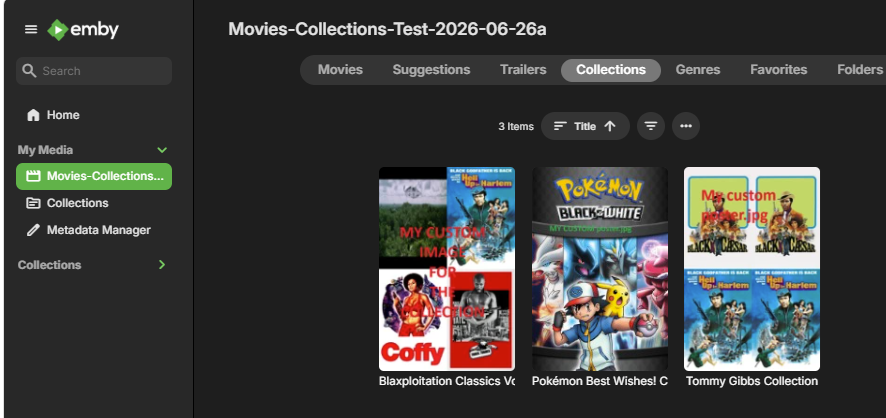
@a11an I have looked into having preset collections custom images and whilst we do not have functionality to pick images for collections automatically from a folder structure as you gave But I managed to get it to work and pick my custom images for the collections So for each movie, the nfo would have the collection name defined with different variations possible - either with a tmdbid for the collection or without I am going to use examples I had from other users This one with a tmdbid of 661028 for the collection <set tmdbcolid="661028"> <name>Pokémon Best Wishes! Collection</name> </set> and this one is an example where there is not a tmdbid <set> <name>Blaxploitation Classics Vol. 1</name> </set> Then you would create a folder for each collection named either with a tmdbid or without, depending how the set was defined So for these 2 examples, I would have folders for the collection images and collection.nfo named like this Blaxploitation Classics Vol. 1 and Pokémon Best Wishes! Collection-tmdb-661028 In these folders i have files like: poster.jpg, collection.nfo These collection named folders need to be copied into the metadata\collections folder under the Emby Server Data Folder Having a pre-existing collection folder there may change the timing when adding media / scanning / refreshing - so there may be some odd issues that crop up as this is not the normal way for collections to be created Update: Adding more info This is the structure under metadata\collections for my tests C:\USERS\EMBYTEST1\APPDATA\ROAMING\EMBY-SERVER\PROGRAMDATA\METADATA\COLLECTIONS ├───Blaxploitation Classics Vol. 1 │ collection.nfo │ poster.jpg │ ├───Pokémon Best Wishes! Collection-tmdb-661028 │ collection.nfo │ fanart.jpg │ poster.jpg │ └───Tommy Gibbs Collection-tmdb-534652 collection.nfo poster.jpg And this shows my custom images for the collections
-
BTW Bulky is Version 1.0.20.0 and my Emby Server is 4.9.1.90 for QNAP. Bulky was installed from the Plugins library
-
There seems to be a bug in Bulky where if you select multiple items - the single edit is always given regardless of which button your press (either Edit or Bulk Edit) To reproduce: - Select category (i.e. Movies) - Hit filter and add search criteria such as Genre - Comedy - Hit Apply and Bulky returns a list matching that criteria - Select one or more titles - Hitting Edit or Bulk Edit brings up the same single edit page (with only "1 of <number selected items>")
-

Pixelsmash Vulnerability in ffmpeg (CVE-2026-8461) - Is Emby vulnerable?
ruby362 replied to CHBMB's topic in General/Windows
Just confirming: Pre-release with fix now available.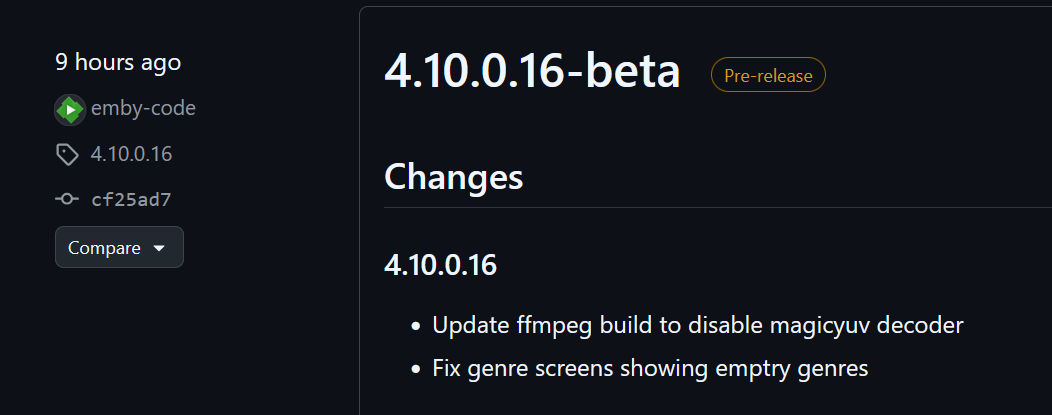
-
New Emby server Beta release, v4.10.0.16.
-
I would say that Emby is dead, there maybe will be some tweaks and such to keep the subscription money flowing, but I feel they do absolute minimum possible.
-
Hi, have you explored the user management section on your server? Users Parental Controls
-
Are there any parental controls built into EMBY? If not, I can make a suggestions. Within PLEX, you can choose which libraries are shared with a specific user. So, I put all movies to be shared with small children in a specific library. Then, I shared this and only this library with a child's account. I suppose you could also put your x-rated film in a specific library and NOT share it with specific accounts. Since x-rated content usually isn't published as a series, deviding content isn't an issue. For series, it's easy enough to create a "collection" of children friendly content and guide them to it. So, within EMBY, what is the way forward?
-
Plugin: EmbyCredits, detect end credits and add auto skip.
yocker replied to yocker's topic in Plugins
No, decided to not touch it before a new FFmpeg is added to Emby. Vaapi should work and is just as fast as QSV for detection as all that is done is extract images for Tesseract/PaddleOCR to handle. Quick question as you say QSV works for you in Emby, are you running the official Emby container or Linuxserver? Asking because i can't get QSV to work on my server and makes testing a QSV fix very hard. All that said, QSV *SHOULD* work as is when/if Emby has a working QSV since it uses the same FFmpeg as Emby. -

Micro-stutters with 25 FPS content on Apple TV Emby app
SultanOfTux replied to SultanOfTux's topic in Apple TV
Oh, I didn't even realize there was a new version. @Luke, what exactly was fixed? Unfortunately, I don't notice any difference—or only a minimal one. When I rewind 10 seconds, the playback sometimes becomes smoother again, and then starts stuttering again. So it's not consistent. Since other players don't have this problem, I'd rule out the TV itself. -

Only seeing recent released movies. Nothing else
80srule replied to 80srule's topic in Android TV / Fire TV
YEs it says all libraries. I just copy another account that has no issues so not sure. -

Only seeing recent released movies. Nothing else
Luke replied to 80srule's topic in Android TV / Fire TV
Hi, did you check what that user is granted access to? -
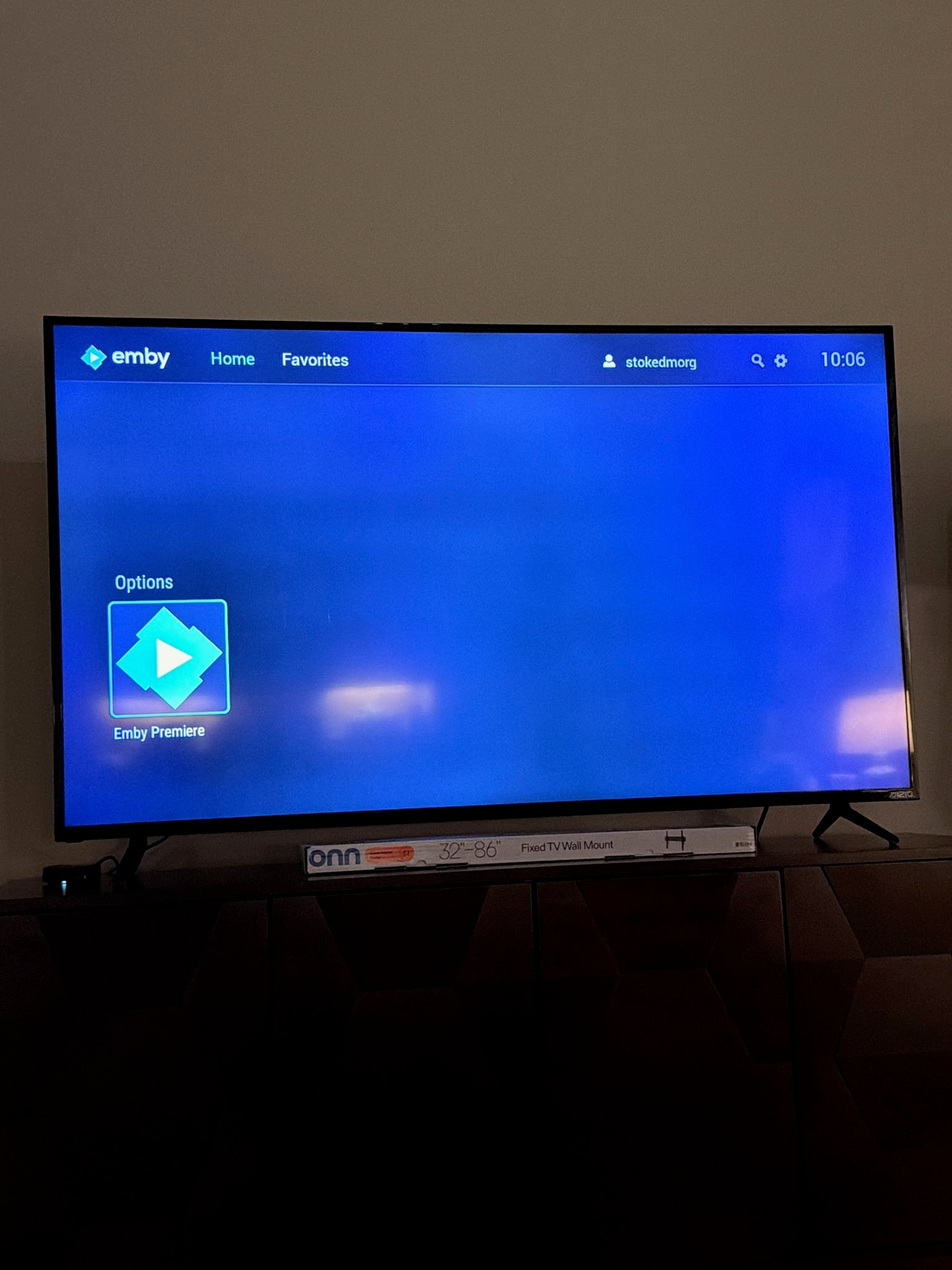
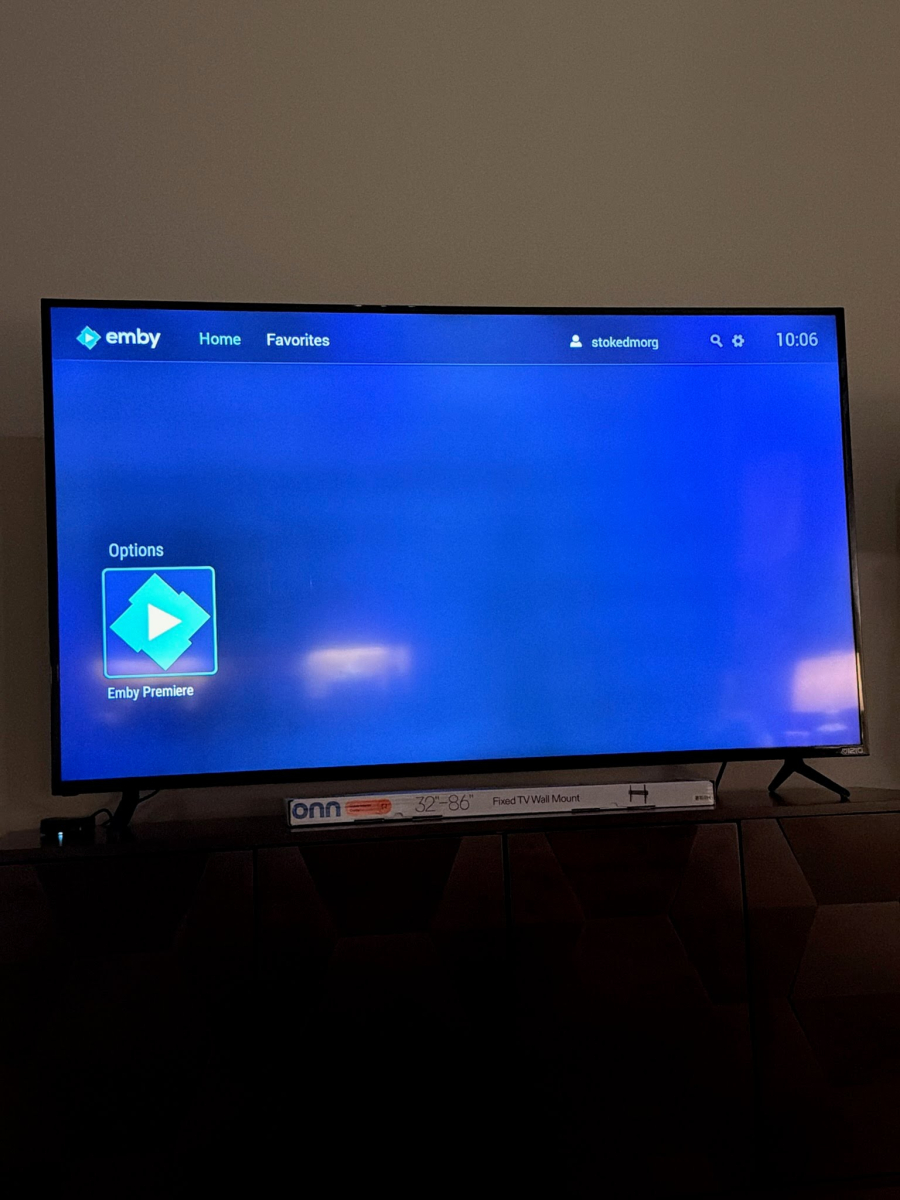
I’m trying to help my friend get set up and all they’re seeing is the recently released movies wrote and then this Emby premiere at the bottom nothing else. And it doesn’t matter if I turn the premiere on or off, it doesn’t change anything. this is on both the standard android and the android TV version 2.1.46 and I’m running this on a Google TV box
-

Some Help on Media Sorting With Genres vs Tags
snowypete replied to snowypete's topic in Non-Emby General Discussion
It's quite possible that’s what happened . I know these movies that have random Tag words in them are pretty old movies from years ago (pre 2022). One goes back as far as 2016 last modified (which would have been when I started setting up Emby). Both IMDB and TMDB certainly has keywords which match up and have probably been imported somehow as Tags. Although I haven't used a metadata program is years either (or for very long) as they rarely gave the results I was after without considerable manual input anyway. Maybe I tried a plugin too at one stage? Dunno. -
Ya me llego.Gracias