
All Activity
- Past hour
-
 umart9360905 joined the community
 -
 Alpha28 joined the community
 -
 Sahab joined the community
 -
 S1AY58HQ joined the community
 -
 Parker122 joined the community
 -
 RedPandaEBOBO joined the community
 -
 Yomarmejias joined the community
 -
 MooiSo joined the community
 -

Plugin: EmbyCredits, detect end credits and add auto skip.
Baenwort replied to yocker's topic in Plugins
The CPU used percentage isn't 30% as the FreeBSD htop command doesn't use 100% as the max but rather 100 x number of threads. If you look at the top of the htop window you will see most threads are under 30%. The CPU% column is the percent of a thread that is being used by that process. If a thread is using multiple threads fully then the percentage will show greater than 100. I've disabled that and we'll see what the new calculation for time remaining levels out at. -
 Nathan26 joined the community
 -
 ulata893613 joined the community
 -
The difference is that the loading dialog is delayed by 800ms, but in order to avoid it looking like a flicker, it will stay up for at least 300ms even if the operation completes sooner than that. So if your connection succeeds at 900ms, it will wait to 1100ms. Now that we have the 300ms hold, maybe we can bring the dialog delay back down to 600ms, because it is less likely that the connection will complete that fast, so therefore the hold will be less likely to occur.
-
What exactly do you mean by won't load?
- Today
-
Hi, please show the entire screenshot. thanks.
-

[Beta] ROMote – play your retro game collection in the browser (NES → PlayStation)
buba replied to digitalirony's topic in Plugins
Okay, friend, hopefully it will happen someday. For now, the plugin is fine. Thanks for replying -

[Beta] ROMote – play your retro game collection in the browser (NES → PlayStation)
digitalirony replied to digitalirony's topic in Plugins
That is the hope. But there is a lot of pieces that would have to fall in to place, and not all TVs would be compatible. But it would require that the devs of emby make some changes to emby core code for me to work on that. -
[Beta] ROMote – play your retro game collection in the browser (NES → PlayStation)
buba replied to digitalirony's topic in Plugins
@digitalironyHey friend, and in the future, will there be a way to use it on a TV box like Moonfin does? The Roommote plugin is great, but it would be awesome to use it on a TV box. -

4K HEVC shows as 1080p, think I can't find any setup to fix?
PeteGul replied to PeteGul's topic in Android
Both are turned on -

Plugin: EmbyCredits, detect end credits and add auto skip.
yocker replied to yocker's topic in Plugins
@Baenwort Looking at number of threads you have available for that CPU 30% usage sounds about right. The FFmpeg usage is actually rather bursty so any CPU monitoring tool might not report it right either. I can look into making some more "dedicated machine" settings to really let everything stretch it legs. Like for example increase batch size, looking into getting it to work with multiple tesseracts instances at once. Atm. it's set rather conservative to make sure it wouldn't bog down peoples servers when running. For now you can increase the speed a bit by disabling "Optimized Predictive Sampling in the OCR OCR Enhancements tab.
-
to put it politely. Sooo, I was creating collections in my libraries and see that the montage that is created is kinda oogly. It's distorted and not taking up the entire card size. What's going on? Example (from a 10-item collection):
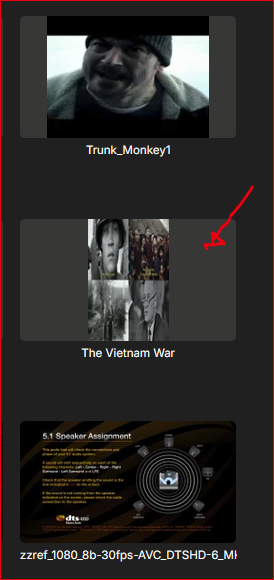
-
.47 is slower for me, so seems fitting you can't even connect now since mine was really fast before
-
I didn't mean to say it can't be done, that was just the most likely explanation. If the playback reporting plugin can do it, you should be able to do that as well. From a quick look: Downgrade System.Memory to 4.6.0 Remove Emby.ApiClient package (not needed, might contain conflicting types) Then start by trying to do the same what the playback_reporting plugin does
-

TV Show Status — TMDB-powered Returning/Ended/Cancelled badges for series
Kyouma replied to Blueskies278's topic in Plugins
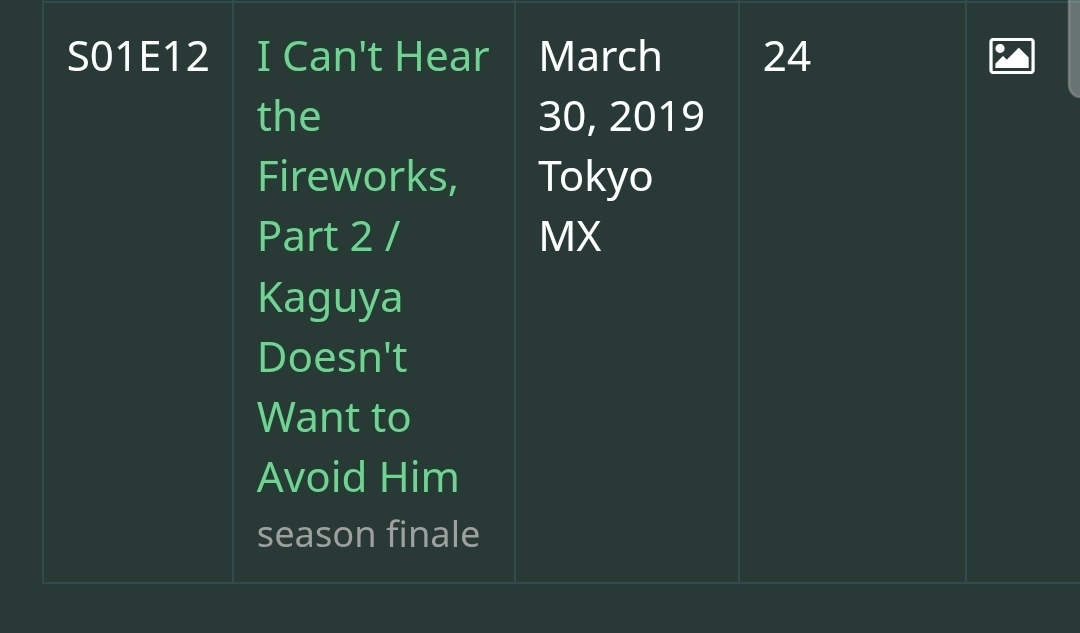
FYI both TMDB and TVDB have notes on the last episode with season finale, mid-season finale and series finale. One could use that to determine if a season has ended. The obvious choice would be TMDB as it has a free API, but in my experience the notes on TVDB are faster updated. With that being said, emby does receive this information already from TVDB, but does not store it in the DB. I have opened a feature request for it, if you want to contribute to it. Would be great to have this information within Emby. https://emby.media/community/topic/147108-please-add-the-tvdb-notes-series-finaleseason-finalemid-season-finale-to-the-database/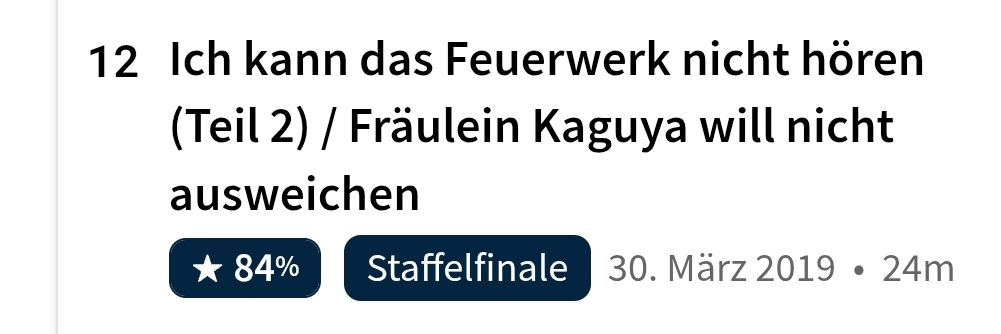
-

Playlists empty after migration to new box
kamikaze_worm86 replied to kamikaze_worm86's topic in General/Windows
@LukeManaged to fix it. Once you ammend the files. You must rescan the libary and then refresh meta data on the playlist. Thanks for your help -
Unfortunately that makes sense Is there an exposed ISQLManager ???? Im using the same SQL interface used in the playback_reporting plugin
-
https://github.com/towel42-com/Statistics2026 on the AllStatistics branch
-

Symfonium: Music player and cast with Emby support
Tolriq replied to Tolriq's topic in Tools and Utilities
Version 15.0.1 Notes: This is a major update of the internal audio engine. Please report any issues that arise. Please remember to update your written review on the Play Store. Your feedback is essential for improving the app’s ranking and helping secure Symfonium’s future. Added: Complete rewrite of the playback engine focused on audiophile Hi-Res playback: USB DACs, DAPs, bit-perfect output, native DSD/DoP, Hi-Res PCM, and 64-bit DSP. Huge thanks to HiBy for the device and SDK that started me on this quest. (And a special thanks to Joe, who helped a lot.) Native HiBy support: DSD, Hi-Res above 192 kHz, … (Experimental) Android 14+ bit-perfect USB mode (Experimental) USB exclusive mode for DACs, enabling native DSD, DoP, and Hi-Res PCM on many devices. (Experimental) Native high-quality DSD decoder. Added DST-compressed DSD and IFF/DSDIFF playback support. Native DSD playback on FiiO and iBasso DAPs. (Experimental) Most settings are now per device. Be sure to check them after the update. Added new output device settings for preferring hardware-accelerated codecs, bypassing processing, setting the maximum output sample rate, and more. Added a Fixed PCM output option. New audiophile-grade 64-bit DSP pipeline for local playback: ReplayGain, PEQ/GEQ, crossfeed, mono, skip silence, speed and pitch now run in Symfonium’s own high-precision path. Ported volume boost, bass boost, compressor, limiter, and virtualizer to new DSPs in Symfonium’s pipeline. (Experimental) New crossfeed DSP for a more natural headphone soundstage. (Experimental) Added a new All to DSD setting for devices with native DSD support. (Experimental) Added a new option to upsample PCM to the DAC maximum in exclusive mode. (Experimental) Be sure to check the tip program to help fund the hardware necessary to maintain these features. Added native ASF/WMA, AIF/AIFF, and WavPack/WV extractors for direct local playback. If some WMA, AIF/AIFF, or WV files still fail or sound wrong, please contact support with sample files. The app now supports Android 8, so it can work on older devices and DAPs. (Experimental) Added a new official website for sharing color themes, now playing styles, and full application styles. Tap Browse catalog from the relevant places in the app. Added a new custom tag parser option to ignore MusicBrainz IDs and avoid artist or album splits from inconsistent tags. Added a setting to use a separate default track action for audiobooks. Added a setting to disable weighted shuffle and use standard random shuffle. Added an Android Auto genre navigation setting to choose Albums, Artists, or Album artists. Added “label” and “album.label” as custom strings. Added a new setting to auto-rewind audiobooks after losing audio focus. Added a secondary connection maximum bitrate setting for compatible providers. Added a Subsonic provider option to control whether track thumbnails are preferred over album artwork. Added Subsonic provider support for OpenSubsonic sonicSimilarity extension. Added Subsonic provider support for OpenSubsonic grouping tags. Added Subsonic provider support for OpenSubsonic playbackReport extension, including playback speed reporting. Added Subsonic provider support for OpenSubsonic enhanced songLyrics, including word cues and translations. Added Subsonic provider support for OpenSubsonic work and movement metadata. Added Subsonic/Navidrome public share link support from the Share file action. Added Jellyfin Live TV radio tuner import support for internet radios. Added UPnP renderer capability detection to improve direct play and transcoding decisions, with a per-device setting to disable it if needed. Added Estonian translation. Thanks, Riho. Added custom text support for shortcut row headers. Added display options for the Tracks page: List, Single-line List, and Text-only List. Added artist user rating as a smart filter rule. Added support for file browsing to Android Auto. Added separate transparency controls for now playing cover icon overlays. Added option to disable click on home rows headers. Added an API command to load a saved equalizer profile by name. Added a setting to remember the last selected Smart flow mode and apply it to newly created media queues. Added Slovenian language. Thanks Romcek. Added possibility to toggle imported playlists mode between Online first and Offline first. Added automatic server playlist import for Plex, Emby, Jellyfin, Kodi, and Subsonic providers. Added support for Jellyfin 12. Changed: A complete rewrite of the internal audio engine to support many new features. Please report any issues. Most playback configuration settings (including EQ) are now per device and configured in Settings > Playback > Output settings. Note: the system tries to migrate your previous settings but may fail. Be sure to check the result. The option to limit to 48 kHz is now per device and allows you to select any supported sample rate. The Hi-Res support option was removed: Symfonium now automatically uses the best supported local output path. Skip silence and playback speed/pitch were rewritten for the new engine and now work in all modes. Please report any issues. The previous limiter setting in the PEQ and GEQ is now migrated to a separate limiter step in the Hi-Res DSP and needs to be reconfigured. Skip silence has moved to the per-output ‘Equalizer / DSP’ screen with a new Only for audiobooks option. The previous global skip silence setting is reset by this update, so re-enable it where needed. The app now supports Android 8. Please be sure to report any issues on that Android version. Exported smart playlists now embed their associated custom thumbnail. The interface now tries to show the active filters when filters hide all content. Symfonium now uses a better way to add playlists to Home to make sharing application styles easier. You need to unpin the playlists, then pin them again. Raised the simultaneous download limit to 8. Made a couple of performance improvements around playlist imports and large queues. Please report any regressions. The Add to playlist dialog now remembers its filter for each provider. Use the artist NFO name value as the artist name when the match is certain (prefer MusicBrainz IDs for this). Made some changes to the sync process to try to improve speed. Please report any issues if this causes problems on some servers due to increased load. Tweak eLRC parsing, more cases should now show syllable animations instead of word animations. Provide LRC files if there’s new issues. Tweaked a little the personal mixes in case of very disparate media numbers between the buckets. Fixed: Fixed custom Google Font weights not being applied correctly for variable fonts. Fixed errors when editing a provider using the Android Keystore for mTLS. Fixed downloads to the Downloads folder that were missing file extensions for Subsonic servers implementing the OpenSubsonic transcoding extension. Fixed possible media session update errors. Fixed Audiobookshelf provider support for private certificates. Fixed possible stale status when some filters did not refresh the interface after connection status changes. Improved WebDAV retry policies for some servers. Improved handling of some edge cases of server disconnects for SMB providers. Fixed possible playback state reporting issues with quick consecutive API calls. Fixed WMA track number handling in some cases. Fixed some MP3 gapless issues. Fixed some possible caching issues with Dropbox and pCloud providers. Fixed hidden smart playlists not keeping their hidden state during backup and restore. Fixed Syncthing .stversions folders being scanned by tag parser providers. Fixed possible issues with differential sync of very large Audiobookshelf libraries. Fixed some edge-case SMB reconnection issues. Fixed possible performance issue with some complex smart playlist merging. Fixed another possible Plex to Sonos transcoding issue. Fixed the wrong media possibly playing after drag and drop. Fixed a possible issue when casting to Plexamp. Fixed possible slow playback starts in some special cases with very large libraries. Fixed some artist smart filters issues. -

4K HEVC shows as 1080p, think I can't find any setup to fix?
ebr replied to PeteGul's topic in Android
Do you have refresh rate switching and/or match resolution enabled in the app settings? -
Sure please find it here embyserver (3).txt
-
Hi there, please attach the Emby server log from when the problem occurred: How to Report a Problem Thanks!
-
I've never understood why the Universal Android app takes so long to connect. The ATV app is so much quicker. I'm still on 3.4.45, but still over 30 seconds to get to the home screen. App log attached. Why does it try to connect to my server using the remote address? v3.5.47 won't load for me, as getting a java.io.IOException error. 2nd log attached. Sat Aug 22 20:43:29.374 GMT+01:00 2026 Error sending request to https://remote_addr/emby/system/info/public?format=json: Canceled java.io.IOException okhttp3.internal.http.RetryAndFollowUpInterceptor.intercept(RetryAndFollowUpInterceptor.kt:72) okhttp3.internal.http.RealInterceptorChain.proceed(RealInterceptorChain.kt:109) okhttp3.internal.connection.RealCall.getResponseWithInterceptorChain$okhttp(RealCall.kt:201) okhttp3.internal.connection.RealCall$AsyncCall.run(RealCall.kt:517) java.util.concurrent.ThreadPoolExecutor.runWorker(ThreadPoolExecutor.java:1167) java.util.concurrent.ThreadPoolExecutor$Worker.run(ThreadPoolExecutor.java:641) java.lang.Thread.run(Thread.java:923) emby_android_1787426987435.txt emby_android_1787427739587.txt
-
4K HEVC shows as 1080p, think I can't find any setup to fix?
PeteGul replied to PeteGul's topic in Android
Yes, avr and tv says 1080p. This movie (see attached file) plays as it should. And I think they are almost the same as far as I can see of MediaInfo MediaInfo2.txt -
It seems, neither "stats for nerds" nor emby server's main status page doesnt display the current transcoding method. Moreover transcoded stream starts perfect, but after a short (1-3mins) time it starts cracking: pause play pause play. Then I change the bitrate in firetv stick, and it starts playing smooth again for a short time and it collapses again. Im attaching here the transcode log from the server, @Lukeyou might see some useful insights from this. Please let me know your opinion! ffmpeg-transcode-b407e758-68d3-4573-880e-9c0692e0e3b4_1.txt
-
4K HEVC shows as 1080p, think I can't find any setup to fix?
ebr replied to PeteGul's topic in Android
Hi. Did you confirm via your TV menus what mode it is actually in? -
That's really not what versions are designed for. In fact those aren't versions of the same thing at all so that isn't even multiple editions. Those other two items are really extras...









