All Activity
- Past hour
-
 Dojainjenamama joined the community
 -
 salwam joined the community
 -

Plugin: EmbyCredits, detect end credits and add auto skip.
popy replied to yocker's topic in Plugins
Thx a lot for the hint. Tested the "Emby for Android" App on my Shield and Skip Credits (and also Intros) are working. Will consider switching to the main app (also when the devs are discussing to phase out the app). Yes, it seems it's not supported in the ATV app. Try the main app. It's working there. -
 Jacobb_hunt joined the community
 -
 Juanlorena joined the community
 -
 Gonzalo2222 joined the community
 -
 Nicks server joined the community
 -
 Abshocker joined the community
 -
 migigin joined the community
 -
 Happybaysomo joined the community
 -
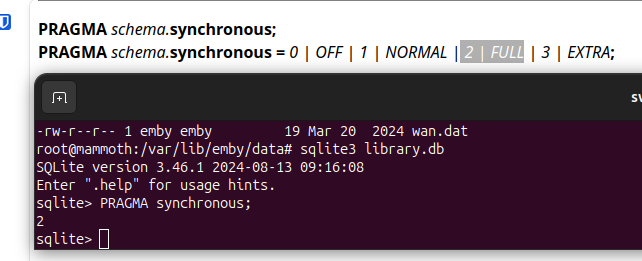
Well "When you run PRAGMA synchronous; in your terminal or SQL editor, you are only seeing the setting for your own connection, not Emby’s." No way to play much with the SQLite settings outside Emby then as I understand.
-
 Z_user joined the community
 -

Light Channel Logo Always Used On Dark Theme And Incorrect Light Channel Logo
Lid replied to Lid's topic in Emby Provided Guide Data
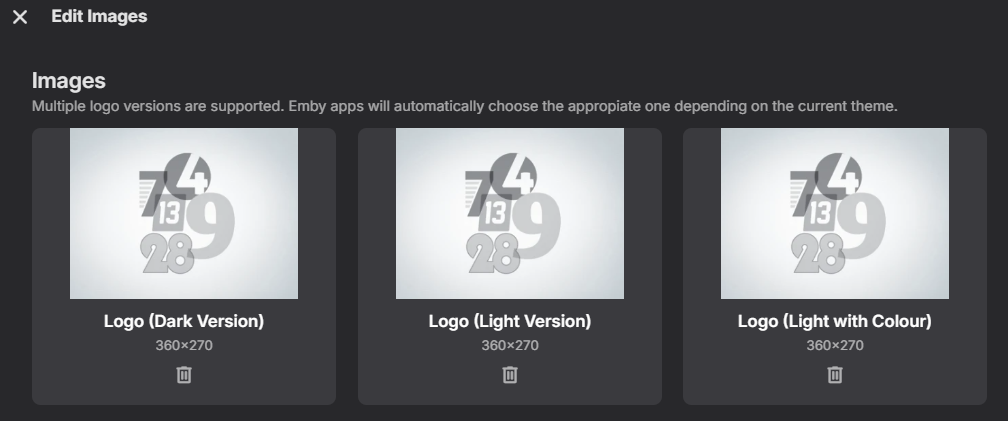
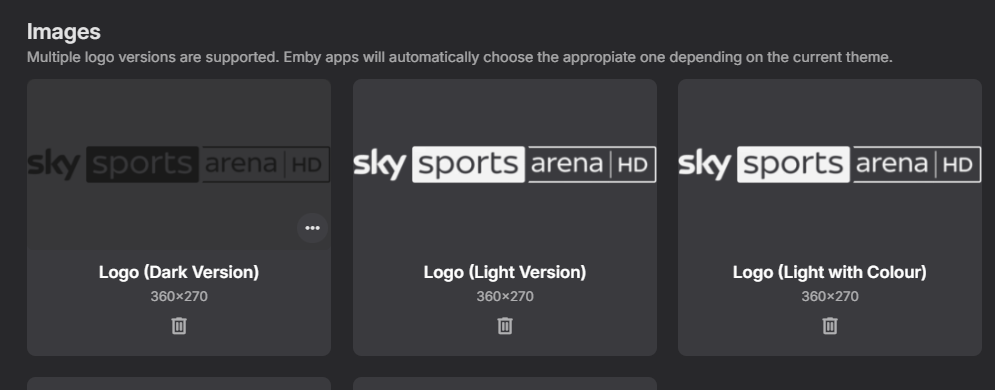
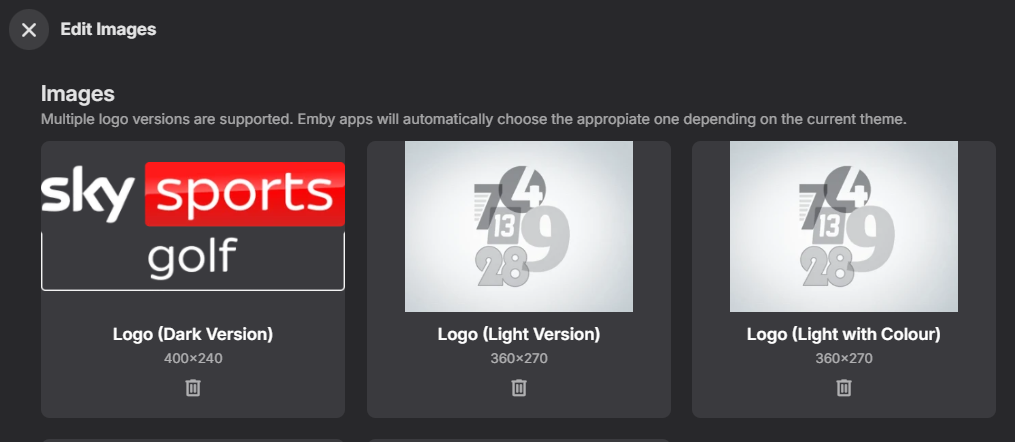
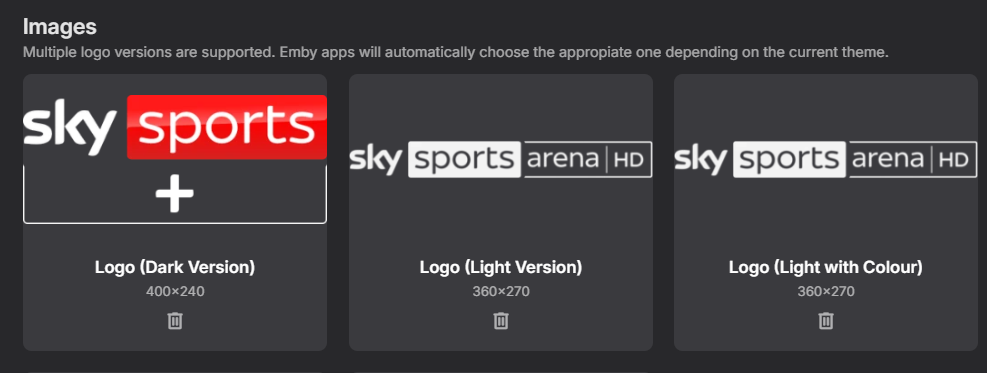
So I've done some more testing with this and it's kind of annoying as unless I am being stupid I can't get it to do exactly what I want. If I set the preferred channel image source of the M3U tuner file from Dispatacharr to be Guide Data Source. I assume this means it will use the Emby Guide data I have setup for the EPG data which is using Sky Q London GBR-1000197-DEFAULT When I do this two example channels which have incorrect images, I assume from Gracenote are Sky Sports Golf (406) which has the same weird image for light, dark and light with colour. And also Sky Sports + (404) which has different light and dark images but they are for Sky Sports Arena which I believe was the old channel name. I've tested both of the above by deleting all 3 images for each channel refreshing my browser to make sure no logo is displayed and then I have carried out a guide data refresh which then picks up the same 3 logos for each channel again. To try and get around these two issues, as well as the fact that I personally don't like the black or white logos which seem to be provided using the Emby Guide Data for most of the channels. I set the preferred channel image source to be my M3U file which contains the correct logos for Sky Sports Golf and Sky Sports + as well as containing, in my opinion better images in the traditional sky red, blue and white colours which work on both light and dark themes nicely. After setting the above to M3U , deleting the existing images for the example channels Golf and Sky Sport + and then carrying out a Guide Data refresh. Golf picks up the correct image from my M3U file and puts it under the dark logo but the light and light with colour logos are still populated with the incorrect image from Gracenote. And for Sky Sports + I also get the correct image for the dark logo from the M3U but the incorrect version for the light and light with colour logos. The problem I have is that I use the dark theme on everything as the light theme is way to bright to look at, which means even though I have a correct logo from my M3U file it isn't displayed. The same thing happens for a lot of other channels, although they aren't actually incorrect images like these examples, they are just the less appealing, in my opinion, white and black images and the only way I can get it to show the logos from my M3U file is to use the light theme for Emby. The weird thing is, if I replace all 3 images with the one I want. Then it works correctly as you would expect and shows the logo I want when using either the dark or light theme in Emby. I can manually run a guide data refresh multiple times and my manually uploaded images are retained. But it seems that something runs over night which replaces my manually added images as with the ones from Emby Data/Gracenote as each morning the images are wrong. Again, as with my other recent posts, I appreciate this is all fairly minor stuff and it's not really a fault or a bug of Emby. But just reporting things that I personally would find beneficial if they were changed. I guess there are two things to this for me. 1. The Gracenote data seems to have the incorrect images at least for Sky Sports Golf and Sky Sports +. I know we have the other post about Gracenote channel number duplication. So maybe they have some work to do on their side. 2. It would be good if in Emby we could either manually specify which image to use for the channel logo which overrides the choice based on theme. Or if there was some way to lock the image so once it's been manually changed nothing can replace it with an image from an automated process. Sorry for the super long reply. Just trying to give as much information as possible. Thanks again.

-
Hi, mmh except if I misunderstand something (which is possible), Emby does not apparently set synchronous to "normal" on my system (on the library.db file at least). emby-server is up while I print the synchronous value, so I guess it should display the value configured by the Emby database session. I don't have an idea about how much this would impact search performance though.
-

Plugin: EmbyCredits, detect end credits and add auto skip.
sydlexius replied to yocker's topic in Plugins
Okay, now I'm observing the same issues with "New Emby" on the Shield...it sees the chapter markers, but doesn't offer to skip credits. -
Plugin: EmbyCredits, detect end credits and add auto skip.
sydlexius replied to yocker's topic in Plugins
I don't have any suggestions, but I can state that episodes with detected Credits are showing up correctly in my Emby ATV release. Unfortunately, I don't get the pop-up to go to the next episode either. @ebrDoes the ATV app not support this? - Today
-
Okay I managed to greatly reduce this issue outside of my home network by changing the playback quality inside the Emby app. Apparently it's set to "automatic" by default and just raising it to the max (4 mbps) completely negates this specific issue. I also have audio which has quality greater than 4 mbps. Can we not add an option to these dropdowns "don't change quality" or something similar? I managed to pinpoint this specific issue because I noticed one of my users had their settings had been reverted to 1080p - 60 mbps everywhere.
-

Plugin: EmbyCredits, detect end credits and add auto skip.
yocker replied to yocker's topic in Plugins
Emby for Android TV might not support custom markers for the end credits. Try with the normal Emby app. Side note: The developers have talked about phasing out the Emby for Android TV for the normal Emby App instead so you might consider switching. -

Playlists in file system not appearing in Emby (4.9.3.0, Windows 10)
BaNanaBlocks replied to BaNanaBlocks's topic in General/Windows
No Sir. It has always been on Windows. I wish I could move the Library to my NAS where everything else resides, but the playlist library doesn't let you specify. I've scanned the files in the library a dozen times but the playlists just still won't display. -
[URGENT] Large Server (90TB) — Library Scans Stalling on Synology NAS
BaNanaBlocks replied to BaNanaBlocks's topic in General/Windows
Thank you Luke. Mama is fine today. Alzheimer's. You just never know when the lightning is going to strike. I appreciate your kind words! You have always been so kind and patient and it is much appreciated. -
So...it's not supported?
-
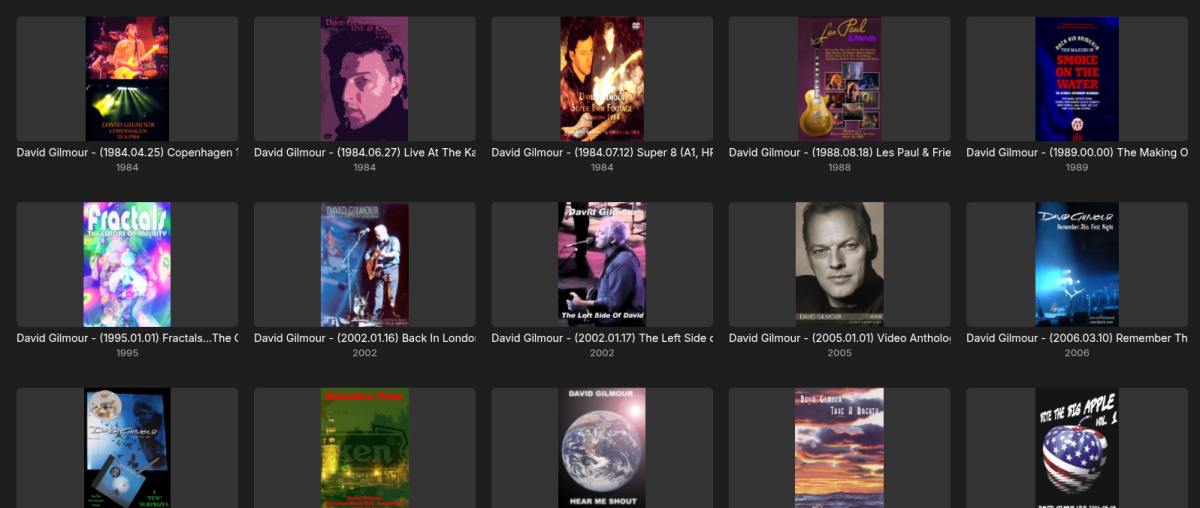
Could one just place a library setting to force the view to be portrait or landscape? How deep is this "first" page? I run my python script and have the majority of the first sort hits with good portrait posters. Still comes up the wrong way. Kev.
-
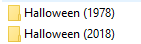
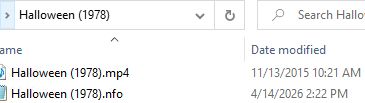
That is my question, how do I split them in Emby? I don't see any option to do that, there is only the drop down under the version. They are already split on the file system I tried selecting the edit metadata, but no matter which of the versions is selected, the metadata editor always shows the same 2018 file in the file path?
-
Plugin: EmbyCredits, detect end credits and add auto skip.
popy replied to yocker's topic in Plugins
Hey guys. Discovered this nice plugin and tested it with the OCR docker to get credit markers for a few episodes. It works in the web GUI and Emby for Android app on my smartphone (emby showing the pop-up at the detected time). Sadly, on my Nvidia Shields with Emby for AndroidTV the markers are not shown (~1 min before end on my example episode). Instead it shows the default pop-up at 30 secs before the end. Searched this thread for Android tv and also the ATV app options but found no solution. Maybe I missed a setting...? Any hints? Thx a lot for your efforts on this plugin!!!!! -
Hi, they probably have the same external ids somehow. What I would do is split them manually, and then use the identify feature on both versions once they are separated.
-
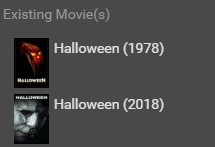
Radarr shows them both correctly separate as well:
-

embyforkodi (next-gen) 12.X.X support
e123enitan replied to quickmic's topic in Emby For Kodi Next Gen
As I am curious to know why log have several warnings and errors I used Ai analyzed log, please, note even with the Ai analysis I dont know what they mean let alone how to fixed them I’ll break this into real issues vs noise, then give you targeted fixes. What your log is really telling us 1) Emby addon is the main source of warnings From your snippet: EMBY.hooks.websocket That’s important. It means: Kodi core is fine The Emby for Kodi integration layer is doing most of the work And it’s also generating most warnings Root cause Your Emby addon is still using old Kodi APIs (ListItem) instead of: InfoTagVideo That’s why you see: ListItem.setInfo() is deprecated ListItem.setCast() is deprecated ListItem.addStreamInfo() is deprecated What this means technically Every time Emby builds a media item → it uses outdated calls Kodi logs a warning for each one That’s why you see duplicate warnings spam Impact Not a playback issue Not a lag cause (by itself) But adds overhead + log noise 2) Websocket spam (hidden performance clue) You have: UserDataChanged ItemSkipUpdate Root cause Emby server is pushing real-time updates via websocket Kodi receives them and decides whether to process or skip Why this matters If your full log shows a lot of: UserDataChanged Library updates Then you likely have: Frequent metadata sync Possibly triggered during playback or channel switching Impact Can cause UI lag / delays Especially on weaker systems or busy networks 3) Texture loading failure (real issue) Direct texture file loading failed for: resource.images.studios.coloured/Stanley Kubrick Productions / Metro-Goldwyn-Mayer.png Root cause (very likely) Bad metadata string from Emby: "Stanley Kubrick Productions / Metro-Goldwyn-Mayer" Kodi tries to match it to a single PNG → fails Why this happens Emby merges multiple studios into one string Kodi expects one studio = one image file Impact Missing artwork Minor UI slowdown when repeatedly failing to load textures 4) Hidden pattern in logs like yours (important) In setups like yours (Kodi + Emby + Live TV / streaming), these logs usually also include: A) HTTP / streaming delays Look for in your full log: CCurlFile::FillBuffer - timeout Open - failed with code 404/500 If present → network or backend issue PVR / Live TV lag clues Since you previously mentioned lag: Look for: PVRManager - Channel switch took X ms AddOnLog: pvr.* slow response That’s where real lag usually lives (not in your warnings) What is NOT your problem Let’s be clear: These are NOT causing lag: Deprecated API warnings Duplicate messages InfoTagVideo migration warnings They look scary, but they’re developer-level warnings only What you should fix (priority order) 1) Update Emby ecosystem (highest priority) Do this first: Update: Emby Server Emby for Kodi addon If possible, switch to: Emby Next Gen plugin (better Kodi 21/22 support) This alone will reduce: warnings websocket noise metadata issues 2) Fix artwork errors Do this: Reinstall: resource.images.studios.coloured Then clear cache: userdata/Database/Textures13.db userdata/Thumbnails/ 3) Reduce Emby websocket load (big hidden win) Inside Emby addon settings: Disable or reduce: Real-time updates Playback reporting frequency Library sync triggers This can noticeably improve: menu responsiveness channel switching 4) Clean metadata (important for your specific error) On Emby server: Check studios for affected items Fix entries like: Studio A / Studio B ➡ split them properly 5) If you’re chasing lag (important) Your current warnings are NOT the root cause. You should instead look for: buffering delays PVR backend latency HTTP/2 or streaming issues (you mentioned earlier) Bottom line Your log shows a modern Kodi + outdated addon API mismatch The real system looks like: Kodi = OK Emby = slightly outdated behavior Metadata = slightly messy Only artwork + websocket behavior are worth fixing right now If you want a real deep diagnosis Paste: 30–60 seconds of log during: channel switch OR playback start That’s where the real bottleneck shows up. -
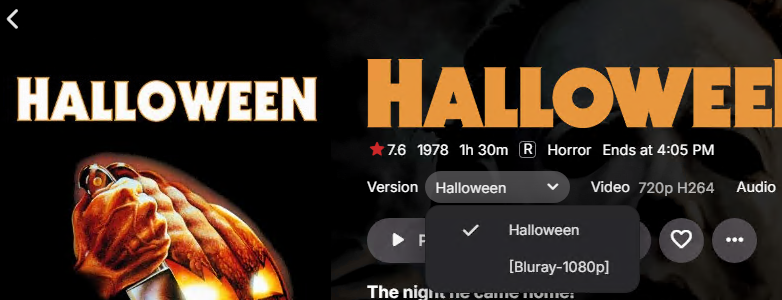
I have 2 Halloween movies: They are different movies: However Emby has them combined into 1 entry: the Halloween is the 1978 movie, the [Bluray-1080p] is actually the 2018 movie Not sure why or how this is happening? Since there is only 1 entry listing in Emby, I am unsure how to specify specific imdb ids for each movie? Strange thing is Halloween (2007) show correctly as a separate movie:

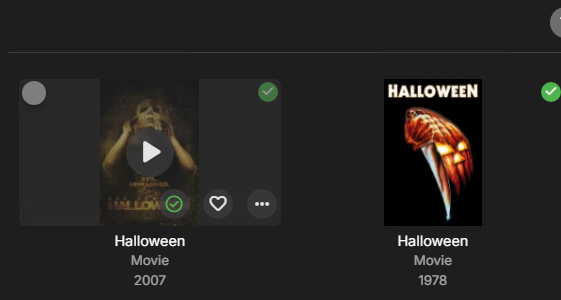


-
In case it helps, the Emby apps waits 5 minutes.
-

Subtitle Encoding Issue After Emby Premiere Activation
Luke replied to Andoo's topic in General/Windows
@Andoothe issue is resolved on the server beta channel and will be in the upcoming 4.9.5 server release. In case it helps in the future, Emby Server has a log anonymization feature to protect your data, and you can always send log files privately as well. Thanks. -
Download movie from server to Emby for Android - "ready to transfer" nothing happens.
Luke replied to Hazandhan's topic in Android
@Hazandhanhas it downloaded? -
No art or posters for anything including backdrops on roku app.
Luke replied to Error3972's topic in Roku
Hi there, please attach the Emby server log from when the problem occurred: How to Report a Problem Thanks! -
Can you give it another try?
-
Philips Titan OS 8 channel audio playback issues
Luke replied to geomusicmaker's topic in Other Smart TVs
This is the only way that Titan is providing right now. -
Home Videos library ignores Date Added from local NFO
Luke replied to TDriver's topic in General/Windows
HI there, can you please provide a specific example? How to Report a Problem Thanks !