All Activity
- Past hour
-
 Balcofer joined the community
 -
 wkii joined the community
 -
 ChenjJx joined the community
 -
 heavth joined the community
 -
 Piddy joined the community
 -
 Elena-05 joined the community
 -
 Moeku joined the community
 -
 JennAdams joined the community
 -
 MIKEPREMIUM joined the community
 -
 legscans joined the community
 -
Then you need a firewall to block, who you don't want to have access. If they are going in directly to your ip then CF can't help you.
-
Right, I want the domain to still work, obviously.
-
Yes, turn of port forwarding. But then you can't do remote sessions. Unless you setup a VPN or the like.
-
As I said to @pwhodges, is the Synology OS going to see attacks on Emby? Is there a way to block direct connections to my IP? I was under the impression that the CF/NGINX setup I followed was supposed to do that.
-
CF should not be you only security. That might not be tight enough. Hence your own firewall that can take the blows.
-
Curious what app it that? If its not on Emby's website, its a third party app, and not affiliated with Emby.
-
It's been a long time since I set it up so I've forgotten a lot of the config, but I have NGINX involved somewhere. I'm not sure where the ports forward to, that always confused me a bit TBH. My understanding is Emby now implements IP blocking after a certain number of failed attempts. I think I had fail2ban set up when I was running the server on my Windows machine but could never figure out how to set up something like that on Synology, then once Emby implemented it anyway I forgot about it.
-
yeah, I used to be a beta tester long ago but have been off for a while, I installed the beta. version and I now see it in the sidebar. thanks again.
-
Hmm so you just port forward to Emby via your router? If the above is correct then this is correct. Have you setup fail2ban or other have a prober firewall? I use a local firewall and have geo blocking inplace. You wont believe how many bots / script kiddies / other that hit my firewall everyday.
- Today
-

Stuck at Ready to Transfer (Windows Emby App)
mrtechnologist replied to mrtechnologist's topic in Windows & Xbox
There are no queue pending and I’ve tried downloading something. Still stuck with same issue. iOS emby app download straight away and i can see progress bar showing “Downloading 1 of 1”. Even when the download is still in progress, I can see the main cover art of the tv show that I’m downloading. Under My Media - Downloads. Windows emby app don’t show it at all while under “Ready to Transfer” and it will have a TV folder with nothing in it even when there’s no queue and no offline files at all. So windows emby app still stuck at ready to transfer. Another issue on windows Emby app is the settings of Downloads. Under Music download quality, no mater what I change to, it revert back to 320K. -

Any chance of supporting SUP and PGS subtitle?
visproduction replied to Tomxu's topic in General/Windows
OK, Just need a click on the All tools buton to get to SUP. https://subtitletools.com/convert-sup-to-srt-online It's handy, when you need it. -
Why are there so many problems with the Emby app from the Windows Store? I’ve had audio issues that I couldn't fix, and it won't automatically proceed to the next episode—it just gets stuck in a loop, even with looping turned off. However, if you download Emby Theater for Windows from https://github.com/MediaBrowser/emby-theater-windows/releases, all the problems disappear and everything works perfectly on the PC. This happens to both me and my friends—it only affects the PC version; the TV and mobile apps work fine. The Windows Store version is just crap. And the other one—why isn't it on the Emby website?
-

Stuck at Ready to Transfer (Windows Emby App)
Luke replied to mrtechnologist's topic in Windows & Xbox
Hi, try deleting your existing queued downloads and then after that try downloading something new. -
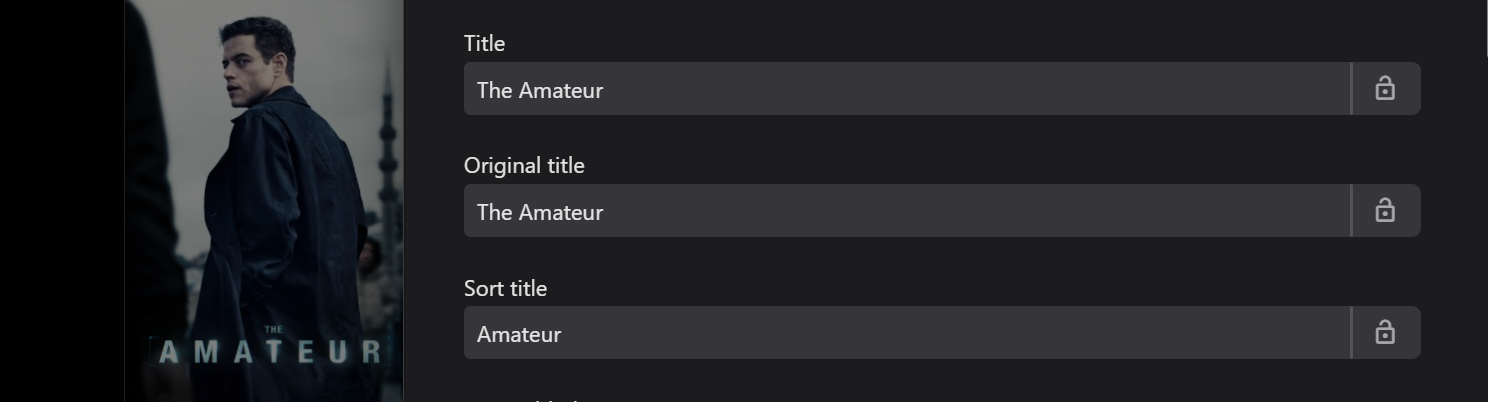
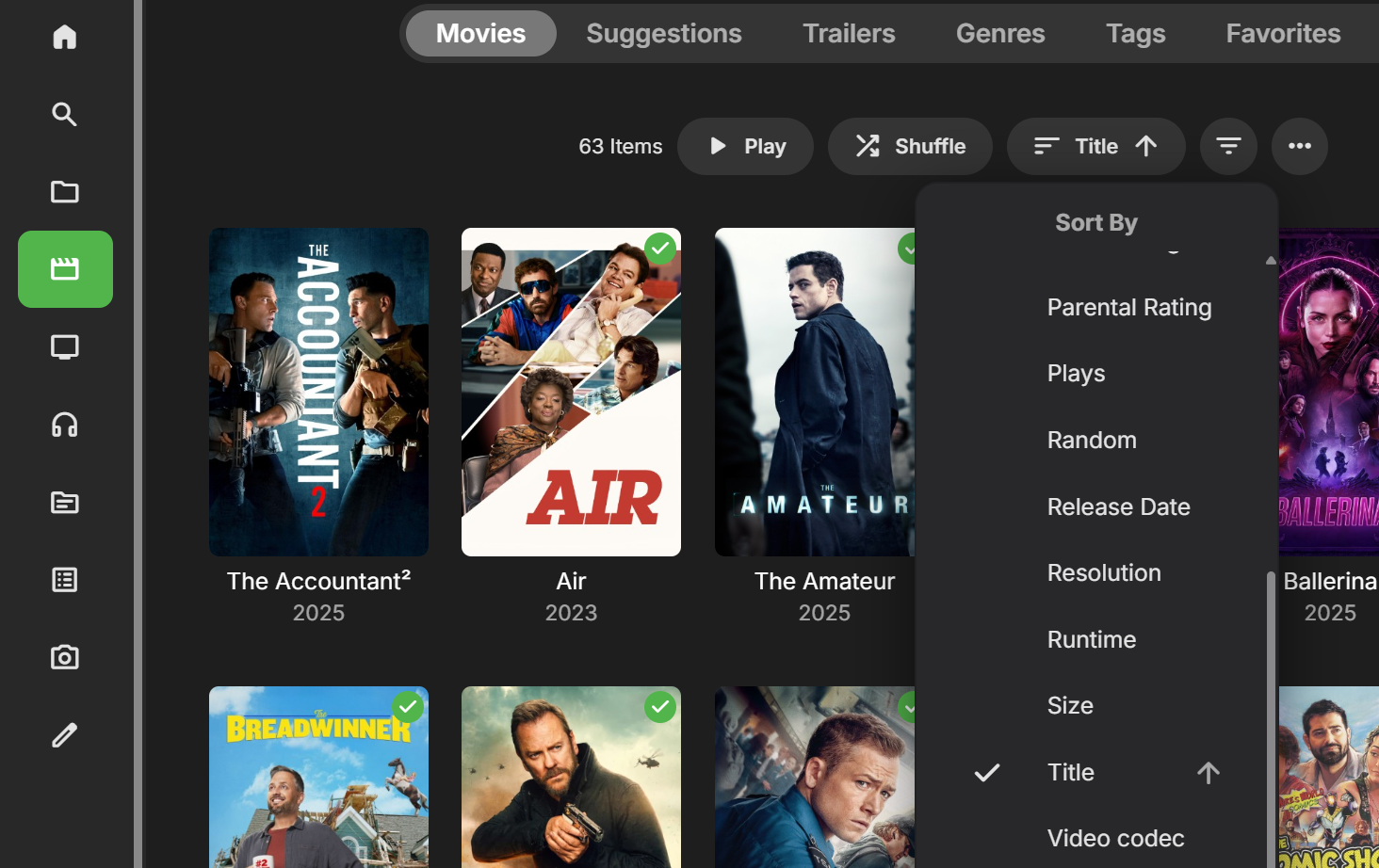
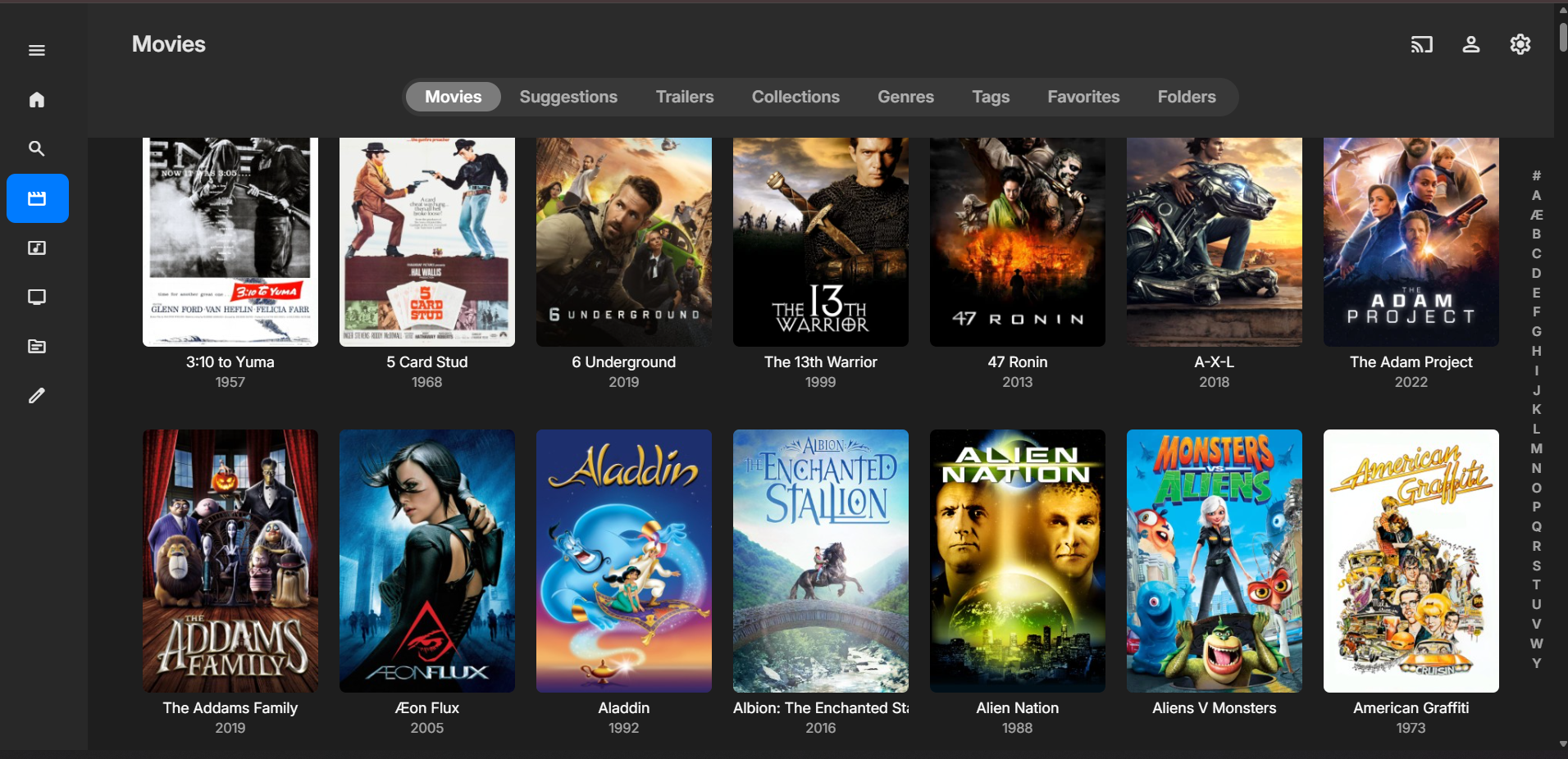
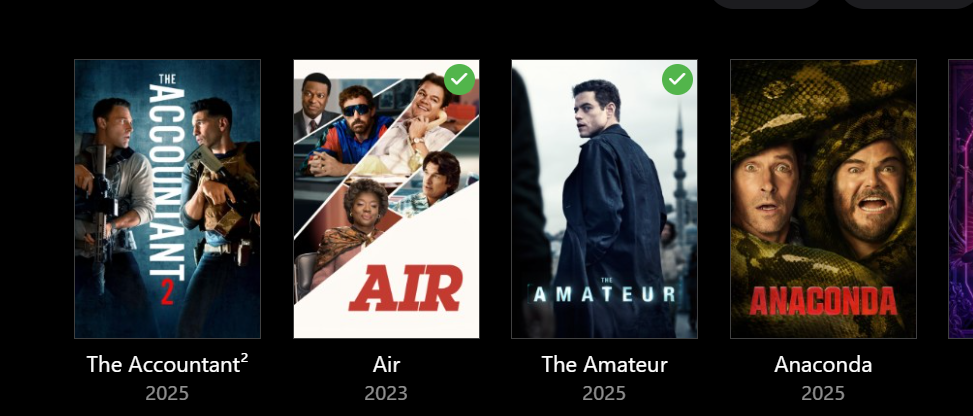
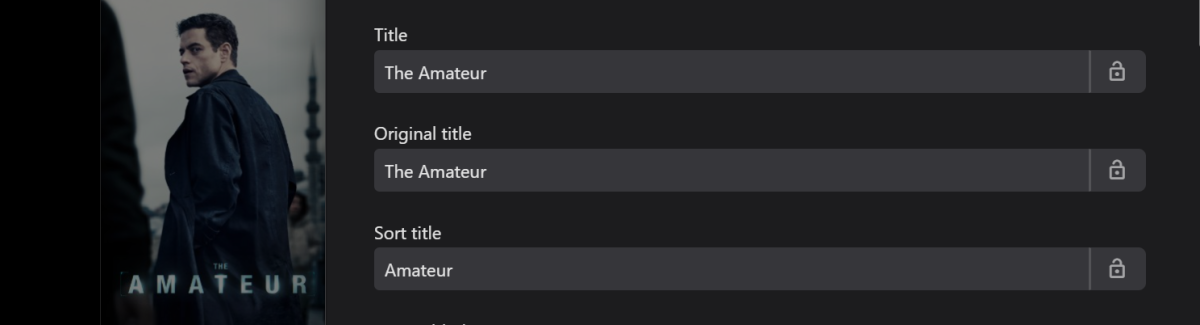
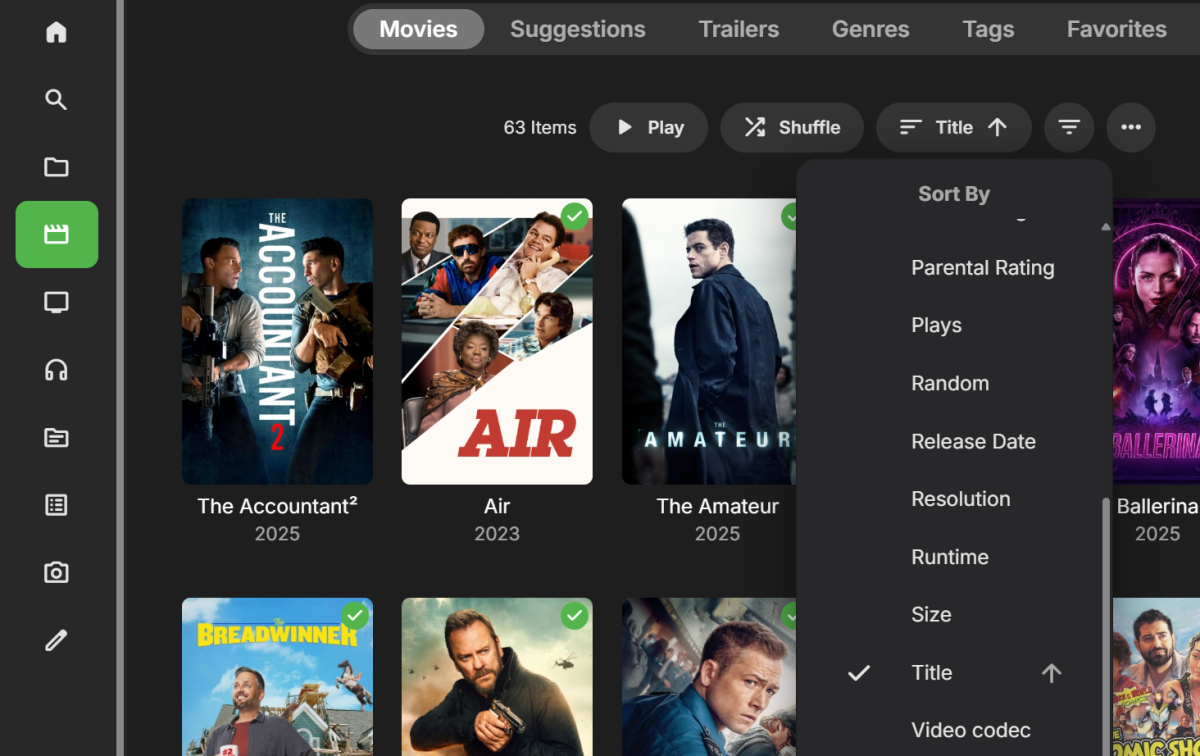
Emby sorts alphabetically using the "Sort Title" tag, but shows the "Title" tag. Emby automatically removes "The", "A" and some other prefixes from "Sort Title". Therefore "The Adam Project" in your example is likely sorting as "Adam Project". You can check this in the metadata editor for the individual movies. Here's a similar example from my library: You can change the "Sort Title" by adding "The" if you want these type of titles under "T". There are lots of sorting options that you should be able to access:
-
That should already be supported: If it ain't working for you: How to Report a Problem
-
Bonjour à tous , Nouveau dans le monde d'Emby , je souhaiterai après mes videos , pouvoir aussi lire bd et livre ... J'ai donc crée une mediathèque "Livre" , et y ai glissé quelques bd et livres pour voir . Alors , la bonne nouvelle , c'est qu'elle apparaissent bien , la moins bonne , c'est que lorsque j'essaye de les lire , je peux voir les Pdf , mais pour les autres , j'ai un message "erreur de lecture lors de l'execution de la requête , veuillez réessayer plus tard" , ai je manqué quelque chose ? merci de votre aide si quelqu'un peut répondre....
-
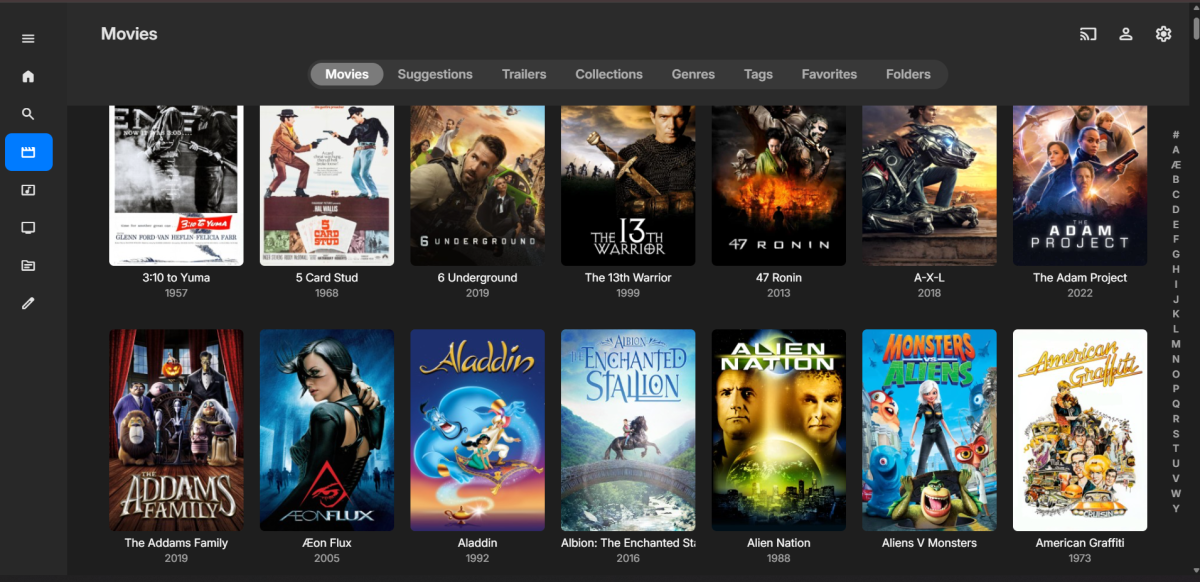
Attached is a screenshot of the sorting problem
-
You have to have a port open for the domain to work, no?
-
Also I looked and could not find a problem filed that the emby server sorts out of order. T's in a's, i.e.."the" in the c's basically not alphabetical. Can't find a setting for soring the library alphabetically or any other way/
-

Can't seem to figure out how to display m3u lists
daldana replied to JBerndt's topic in Windows & Xbox
Try this and see if it works for you. Edit your M3U, scroll down to Tags, then enter the name you want the M3U to be. Once the guide has finished refreshing, go into Live TV and you should see your new tag. Click on that and it should show just the channels in that M3U. -

Live TV - Emby - On Roku TV Sound is not synced with program.
speechles replied to GaryG's topic in Roku
Playback correction might help. Press down while playing an item. Move to the cog/gear and click it. Then choose the "Attempt Playback Correction" and it will try another playback method to attempt to fix it. You can use playback correction multiple times if the first time doesn't fix it. The second time should. -

Can't seem to figure out how to display m3u lists
JBerndt replied to JBerndt's topic in Windows & Xbox
I'm VERY new to this server... My question is; can I load multiple m3u sources and then on the app can I select which source I want to see? I have a number of m3u sources that I've added in. Do they all merge together? Or is there a way that I can select them from a list to view? -
Not if you are trying to have a family night and want to sit and listen to a good book with everyone. With your thinking why even have emby on the TV.
-
Stuck at Ready to Transfer (Windows Emby App)
mrtechnologist replied to mrtechnologist's topic in Windows & Xbox
Hi. I've updated the app via Microsoft Store app and the issue is still there. Still stuck at Ready to Transfer. Windows app version is 2.317.2.0 How to fix it? -

External subtitles (srt) reset after app suspended
sjsadowski replied to sjsadowski's topic in Android TV / Fire TV
com.mb.android 3.5.36 was what was downloaded from google play