All Activity
- Past hour
-
 Yasmin8177 joined the community
 -
 birdbird joined the community
 -
 Bishibaba joined the community
 -
 chalkyaaran joined the community
 -
 jair9203 joined the community
 -
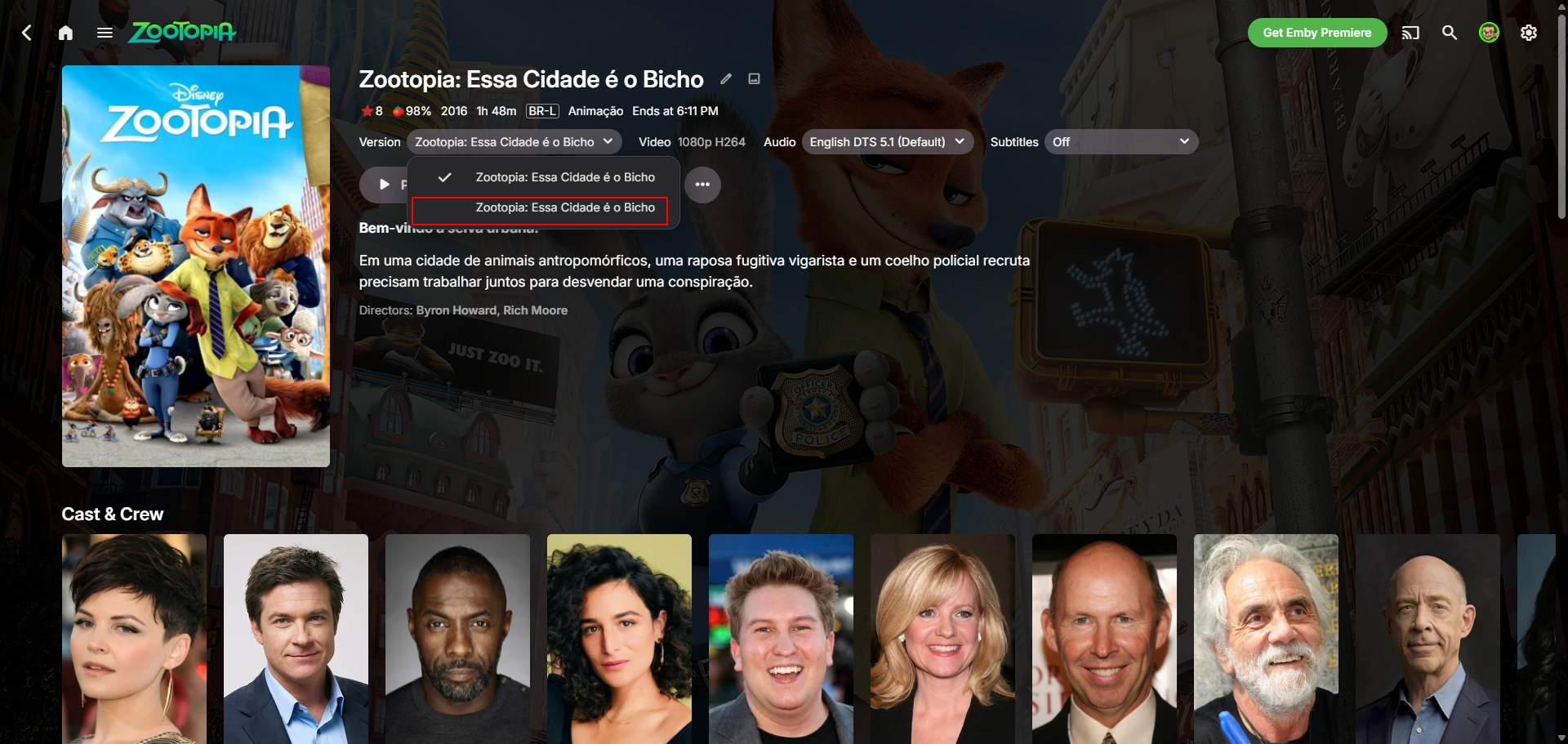
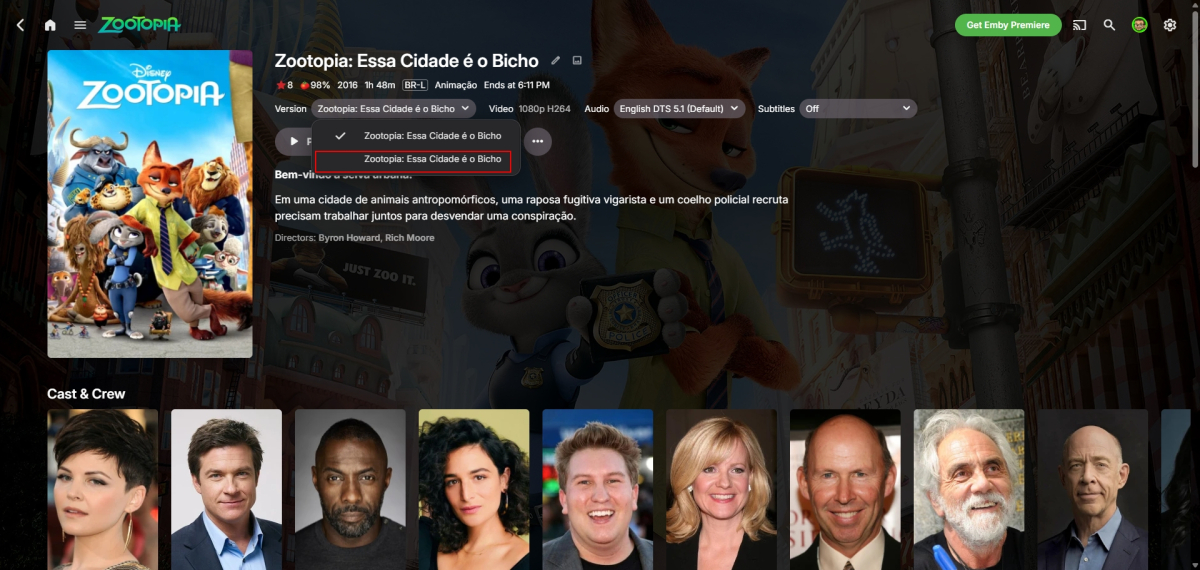
I found the problem: he's included in the first movie as if it were a "second version." How do we prevent that from ever happening?
-
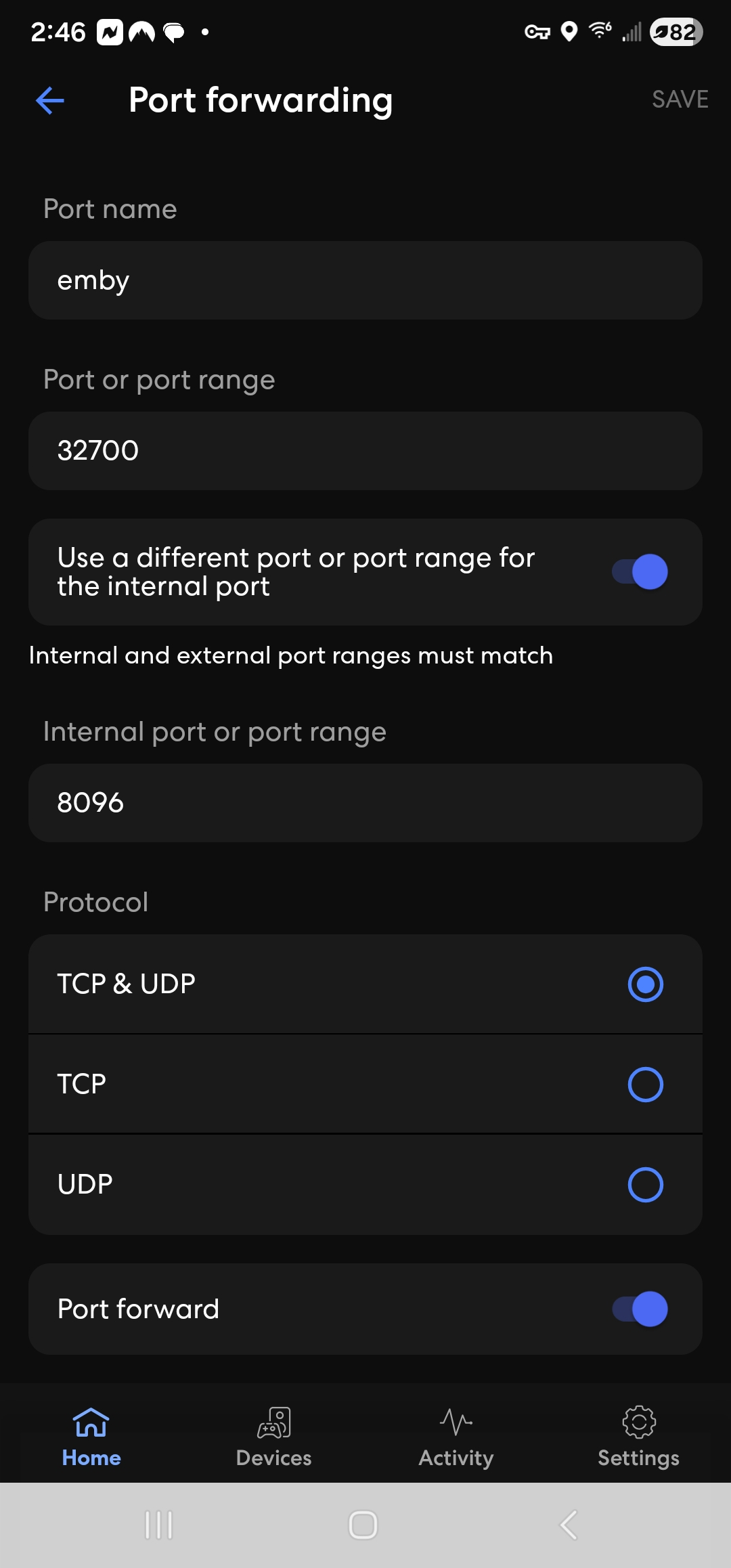
What is the local IP address of the emby server? Is it within the IP LAN subnet on the eero? Does the eeor app have a ping tool where you can ping that IP to see it gets through Does the eero need rebooting after setting up a port forward ?
-
 Ahmad saith joined the community
 -
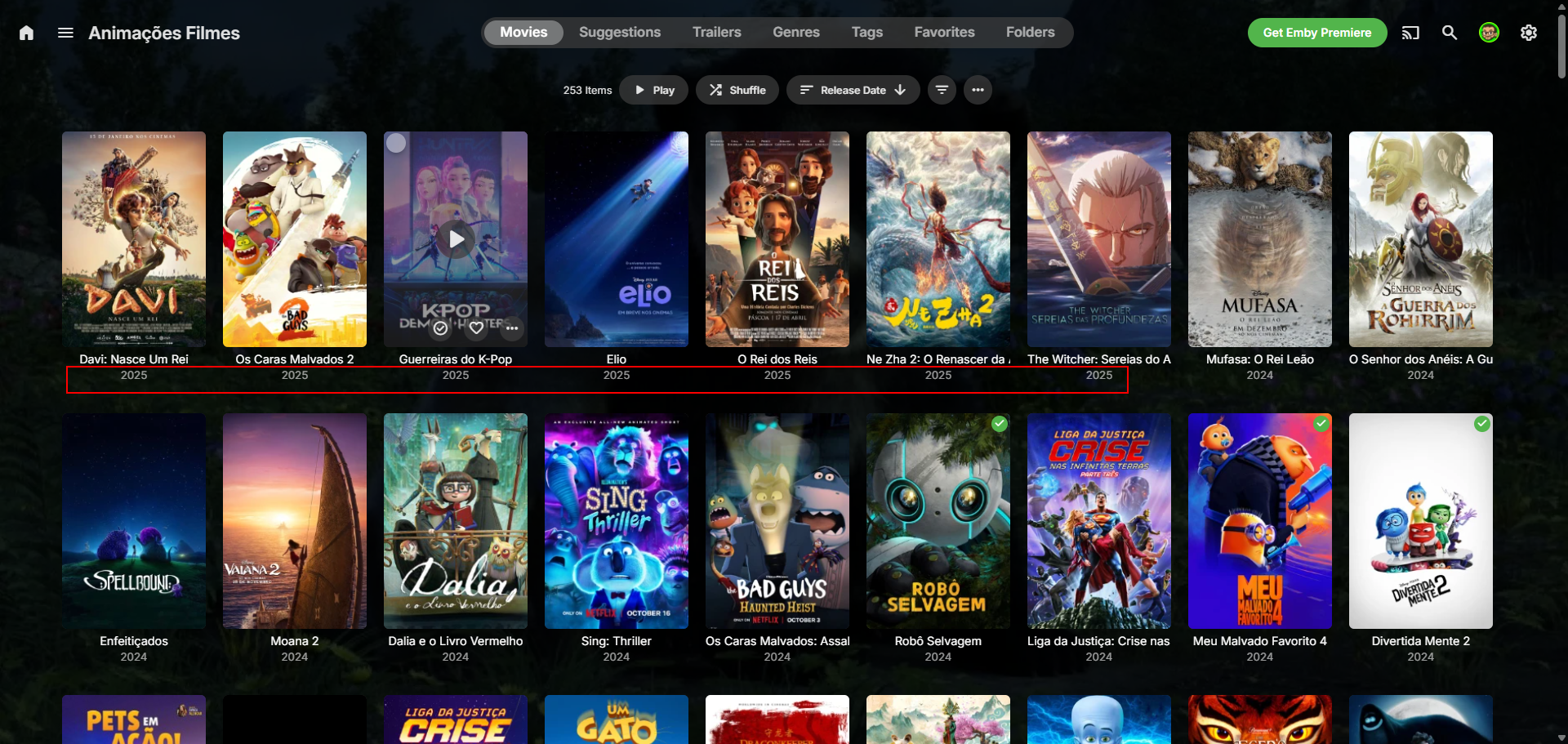
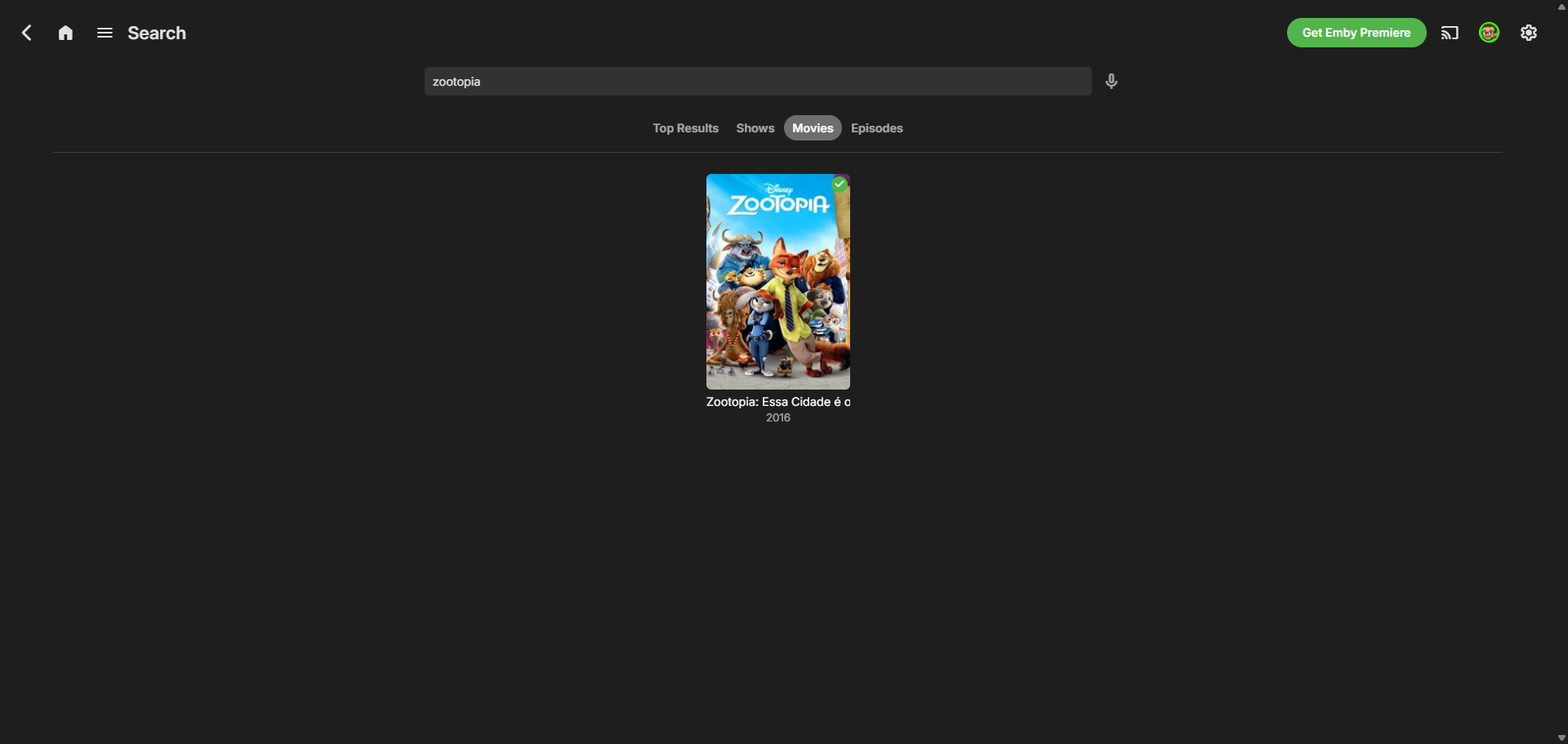
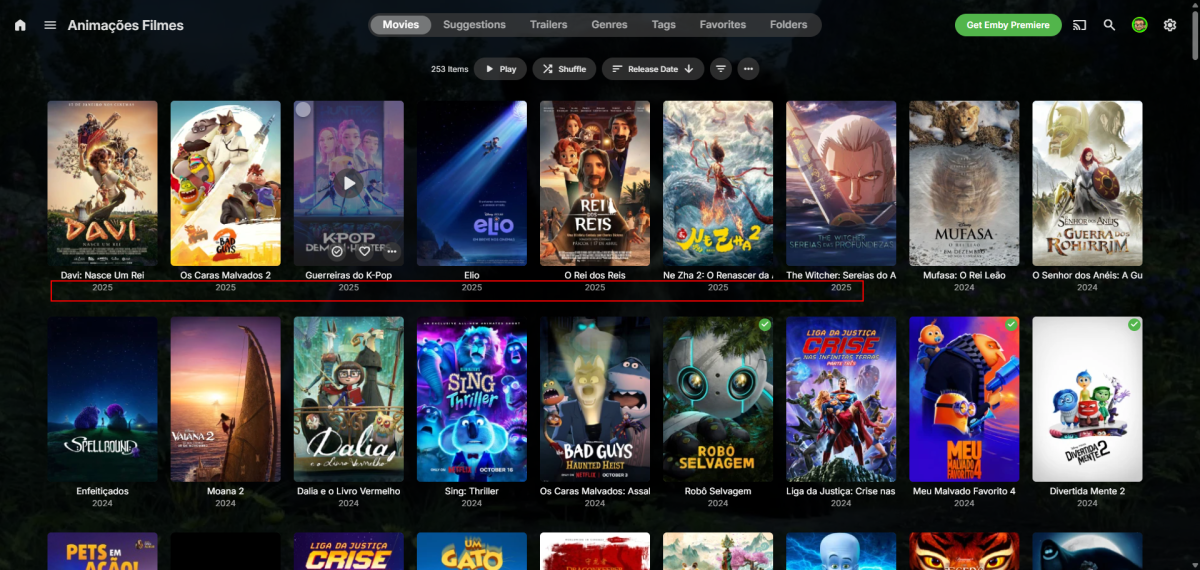
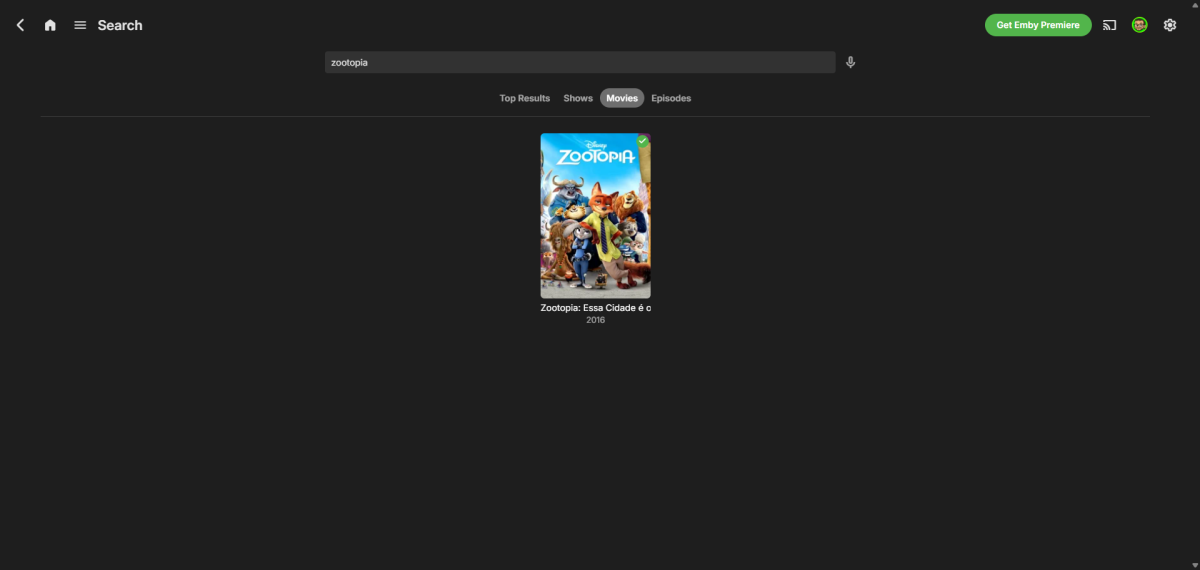
Because of this, it doesn't appear at the top, even though it's filtered by release date, and if you search, only the first movie appears... Oh, and usually when the file is found, it saves the thumbnails, folder, etc. of the movie in the folder, but only the video file is inside. Example below: movie 1 has the images, and movie 2 has nothing, which suggests that the metadata, etc., weren't uploaded. ribtherobot@RIB:~$ ls "/mnt/hde4TB_4/Filme/Animações/[2025] Zootopia 2" '[2025] Zootopia 2.mkv' ribtherobot@RIB:~$ ls "/mnt/hde4TB_4/Filme/Animações/[2016] Zootopia" '[2016] Zootopia.mkv' clearlogo.png fanart.jpg poster.jpg
-
Correct. It is still not connecting remotely. Not sure how much you have read prior. My pc is hard wired to a deco satellite. The main deco is connected to my eero in a different room. I adjusted the settings within deco as recommended yesterday.
-
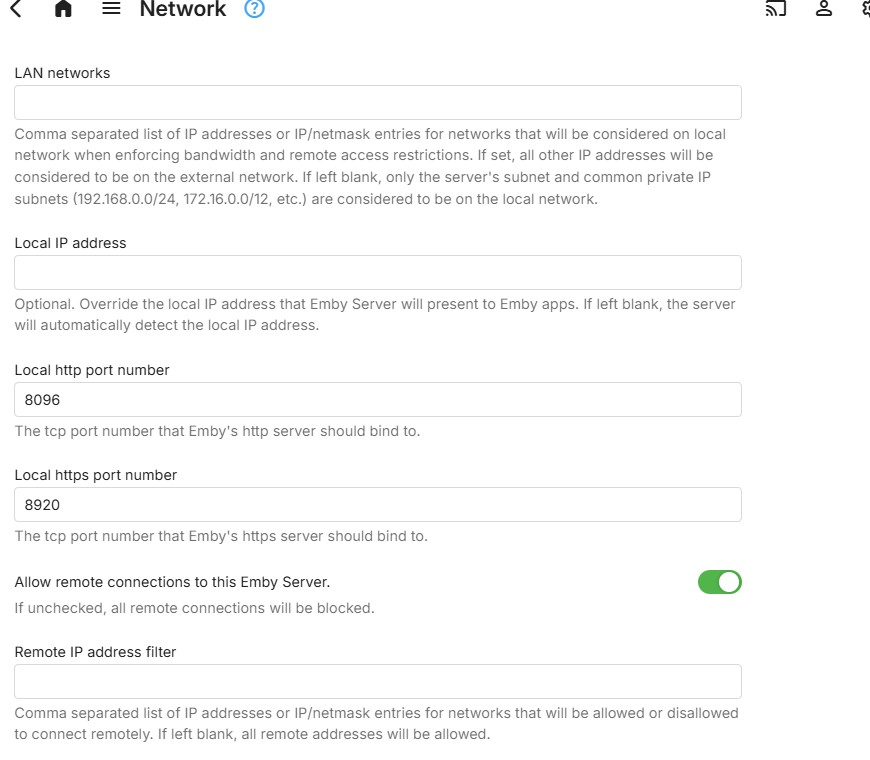
Once you change the http port in network settings, on the emby server settings dashboard, you should see your local IP address with port 8096 and your public ip address with port 32700 Running on http port 8096 Home (LAN) access: http://LOCAL-IP-ADDRESS:8096 Remote (WAN) access: http://PUBLIC-IP-ADDRESS:32700
-
 V.solanki joined the community
 -
 luis9020 joined the community
 -
 Rochelle Naidu joined the community
 -
 carrollccc joined the community
 -
-
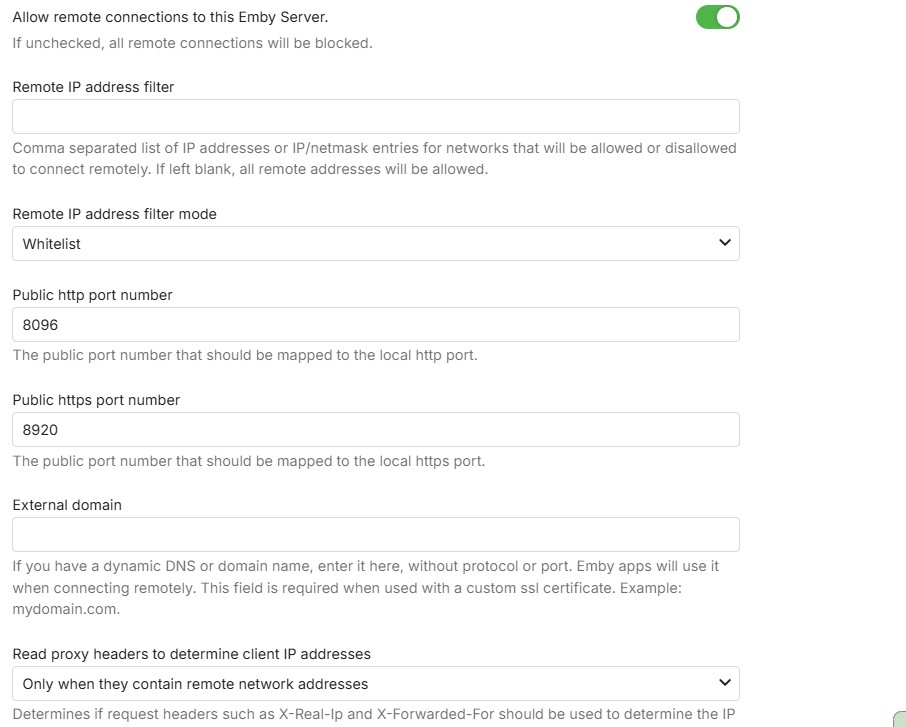
That is for https / secure connections and it is disabled - so no need to touch it
-
I've tried many ways, but no chance: it always group versions instead of display each one... On the library, there is an option called "Multi-version item detection", I put this to "none"... but no change... I guess its how it works...
-
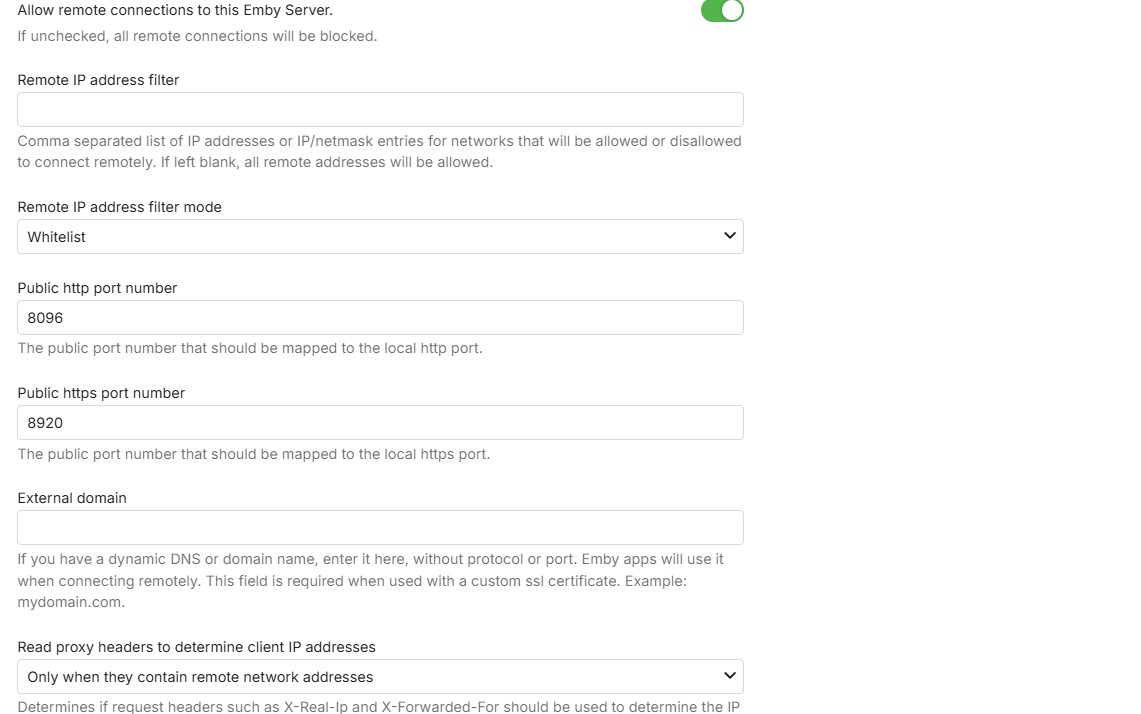
Okay. So the second Public row, keep it 8920?
-
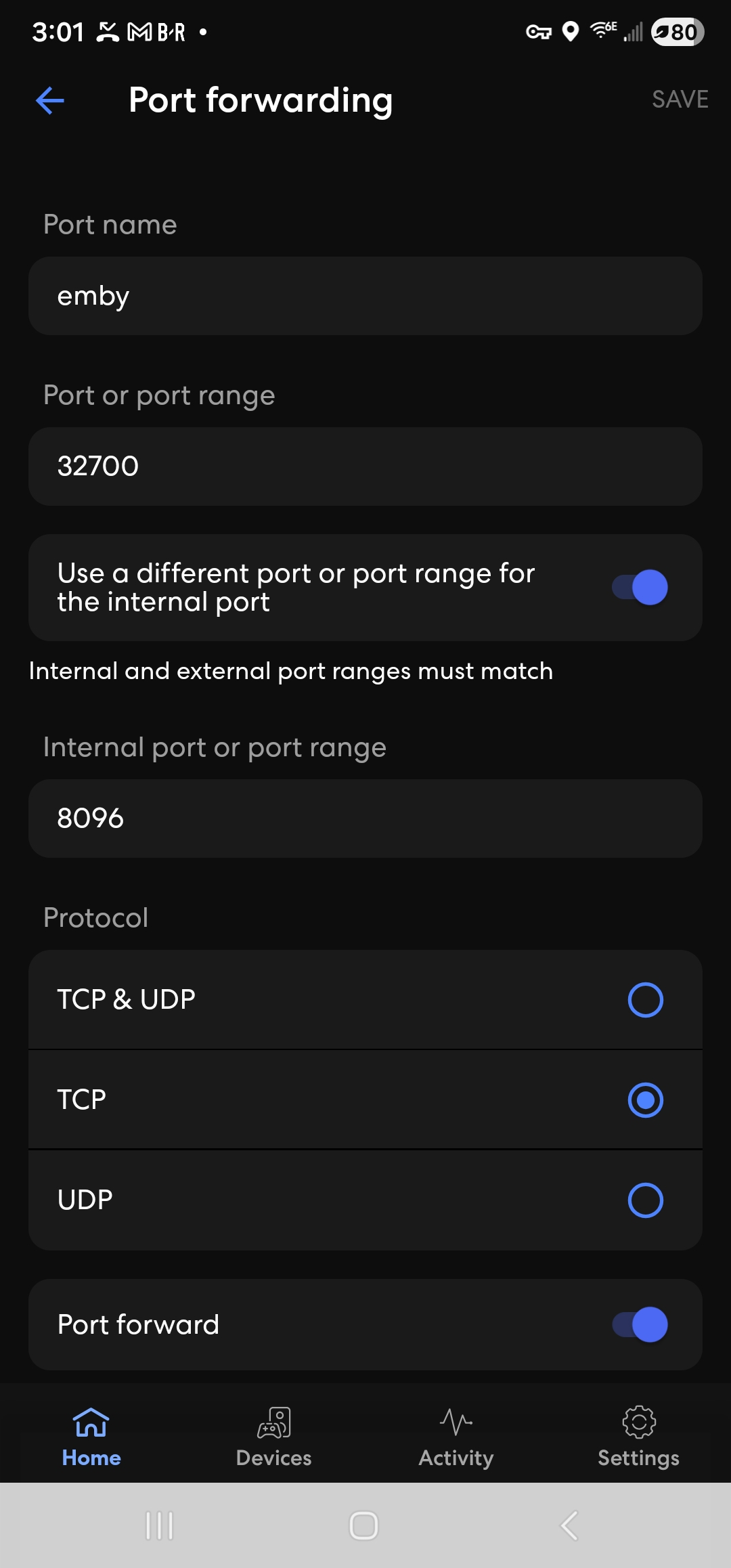
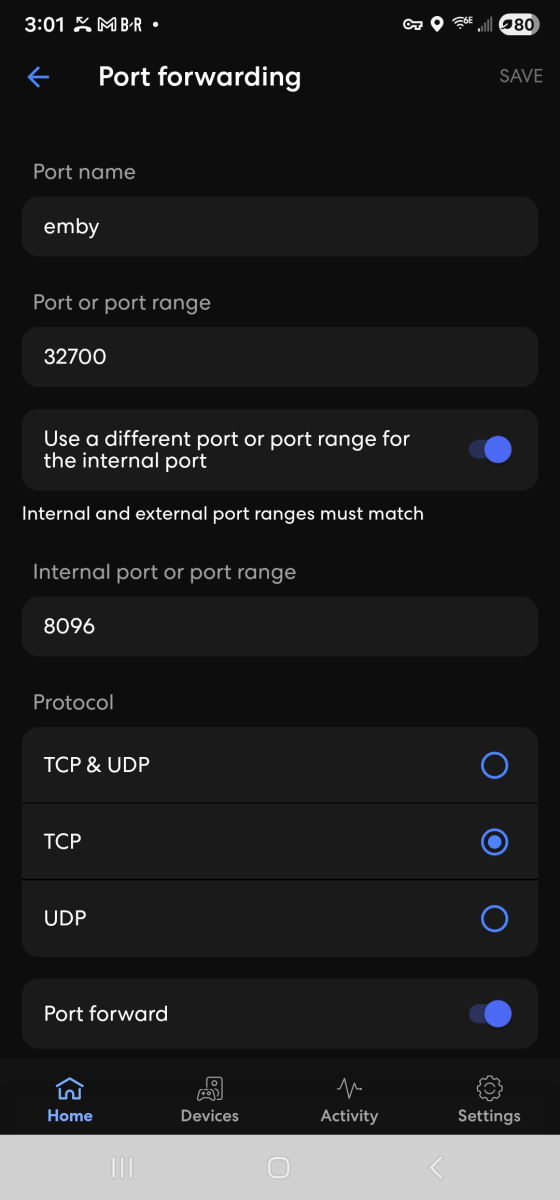
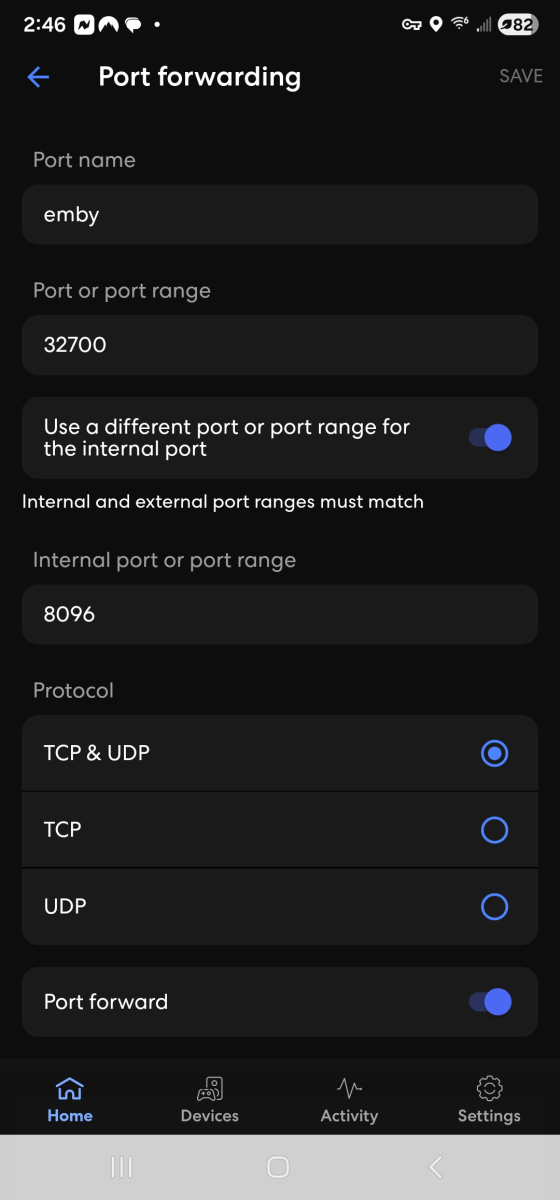
If you can get me a screenshot of the eero app with tcp only ticked and not with udp, i will use it as an example in the documentation
-
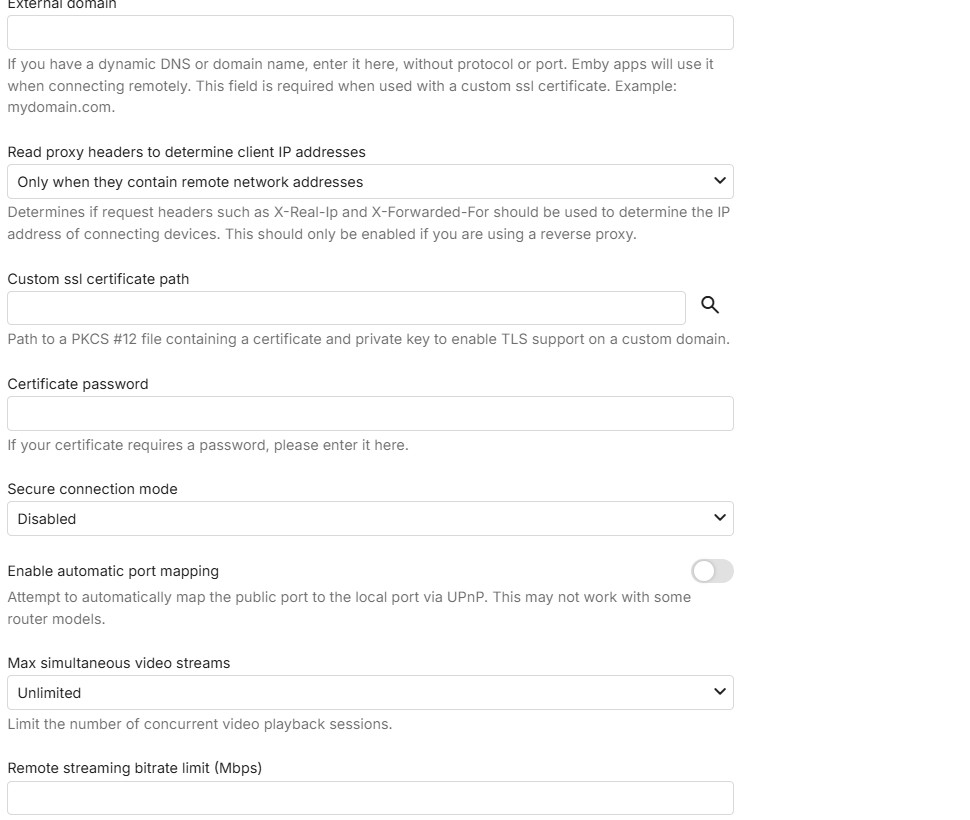
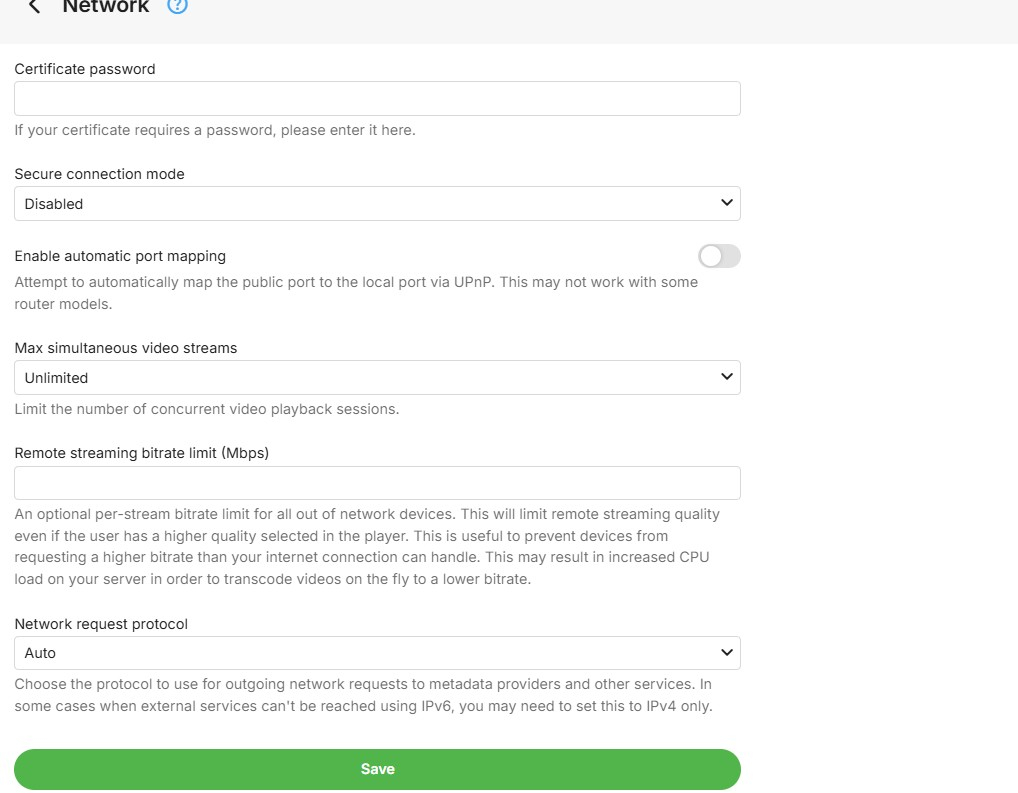
great - only one thing to change: Public http port number - change from 8096 to 32700 and save
-
-
that is good. you don't need to have udp for this - so sufficient for TCP to be ticked Lets check the server network settings - for ports and automatic mapping and secure connections
-
I adjusted it to this...
-
Hi Luke, no joy as of right now! I am not a bit techie so I am not entirely hopeful. But thank you so much for bearing with me!
-

The latest version 2.3.3 doesn't work
MediaEmby1968 replied to MediaEmby1968's topic in Samsung Smart TV
Thanks. I'll continue using version 2.2.8 of the TV for now. -

Add "Remove from Collection" to the three-dot menu on a collection in the "Included In" section
crusher11 replied to crusher11's topic in Feature Requests
What do you mean? -

Emby Version 4.9.3 - Get User Watched items for movies and episodes
Quincarter replied to Quincarter's topic in Developer API
Ayyyye what a legend. Thank you! That was it! I am not 100% sure i need all of these fields. But i got them in there now and i can trim it down for what i need. That was the key though. for those coming back later - here is my query and my params: /Users/{userid}/Items?Recursive=true&Filters=IsPlayed&SortBy=DatePlayed%2CSortName&SortOrder=Descending&IncludeItemTypes=Movie%2CEpisode&Limit=500&Fields=RunTimeTicks%2CSeriesId%2CSeriesProviderIds%2CProviderIds%2CGenres%2CImageTags%2CUserData%2CDateCreated%2CPremiereDate%2CDatePlayed%2CPrimaryImageAspectRatio%2CProductionYear%2CBasicSyncInfo%2CUserDataLastPlayedDate&ExcludeLocationTypes=Virtual&EnableImageTypes=Primary%2CBackdrop%2CThumb&ImageTypeLimit=1&EnableUserData=true const params = { Recursive: "true", Filters: "IsPlayed", SortBy: "DatePlayed,SortName", SortOrder: "Descending", IncludeItemTypes: "Movie,Episode", Limit: "500", Fields: "RunTimeTicks,SeriesId,SeriesProviderIds,ProviderIds,Genres,ImageTags,UserData,DateCreated,PremiereDate,DatePlayed,PrimaryImageAspectRatio,ProductionYear,BasicSyncInfo,UserDataLastPlayedDate", ExcludeLocationTypes: "Virtual", EnableImageTypes: "Primary,Backdrop,Thumb", ImageTypeLimit: "1", EnableUserData: "true", }; -

OpenSubtitles not working, shows "There was an error processing the request" error yet "Success" in Emby log
Luke replied to SolidSnake289's topic in General/Windows
HI, yes we are looking into this. Thanks. -
Emby Theater Beta (Electron) on Raspberry Pi 5: Stuck at logo with infinite loading bar
Luke replied to hukt_own_fonikz's topic in Linux & Raspberry Pi
Hi, how did you install the app? -
Add "Remove from Collection" to the three-dot menu on a collection in the "Included In" section
Luke replied to crusher11's topic in Feature Requests
Have you checked again to see if it's there? - Today
-
Hi, ,we'll take a look at it. Thanks.
-
Hi, what guide data are you using?
-
Stuck at Ready to Transfer (Windows Emby App)
Luke replied to mrtechnologist's topic in Windows & Xbox
HI there, can you please provide a specific example? How to Report a Problem Thanks ! -
What makes you think it's not finding zootopia 2?