All Activity
- Past hour
-
 cimax392 joined the community
 -
 nafhanaeem joined the community
 -
 dimax903 joined the community
 -
Try the reboots of all the decos with main deco first. Also restart emby server Also eero reboot sequence eero reboot main deco reboot satellite deco reboots emby server shutdown and relaunch What is the emby server running on ? platform? Any security software / firewall other than system default?
-
 dimax289 joined the community
 -
 damax483 joined the community
 -
 damax398 joined the community
 -
^
-
 Faby90 joined the community
 -

[BUG] The playback progress of ISO disc movies is not sync to the Emby server.
forbxy replied to chuwz's topic in Emby For Kodi Next Gen
Before the Emby Server team addresses this issue, could you please let me know if there is an API endpoint available that allows us to manually add or update the "RunTimeTicks" field for video items? -
Yes, the deco in the app is showing as Access Point still.
-
https://emby.media/support/articles/Movie-Naming.html
-
The decos should now be acting in passive mode as "Access Point" and all the network management for IP addresses should be by the eero. On the Deco app, when you click on Advanced settings, does it show operation mode as "Access Point" ? You could click on Reboot Deco in Settings / System - if the mode is correctly set to Access Point You could show them individually and reboot - starting with the main deco and then once that is operational, the satellite decos rebooted
-
 N1iFf joined the community
 -
 Epso64 joined the community
 -
[BUG] The playback progress of ISO disc movies is not sync to the Emby server.
forbxy replied to chuwz's topic in Emby For Kodi Next Gen
@quickmic @Luke I am absolutely certain this is a bug in the Emby Server. When local ISO files are added to the library, they are missing the "RunTimeTicks" field. Furthermore, the server ignores this field when clients send playback progress updates. Since Emby Server relies on both the total runtime and the current playback position to calculate playback progress, the absence of a total runtime causes the server to erroneously mark the item directly as "Played". This issue is not isolated to the Emby Next Gen client; it can easily be reproduced using the official iPhone client as well. The fix should be very simple: similar to how remote items are handled, the server simply needs to stop ignoring the total runtime sent by the client during playback progress syncs. For the record, my tests were conducted using the latest versions of the Emby Server, the official iPhone client, and the Emby-Next-Gen addon as of right now. -
Yes to the first two. Question, for the deco(s) connected to the eero and my pc, should port forward them?
-
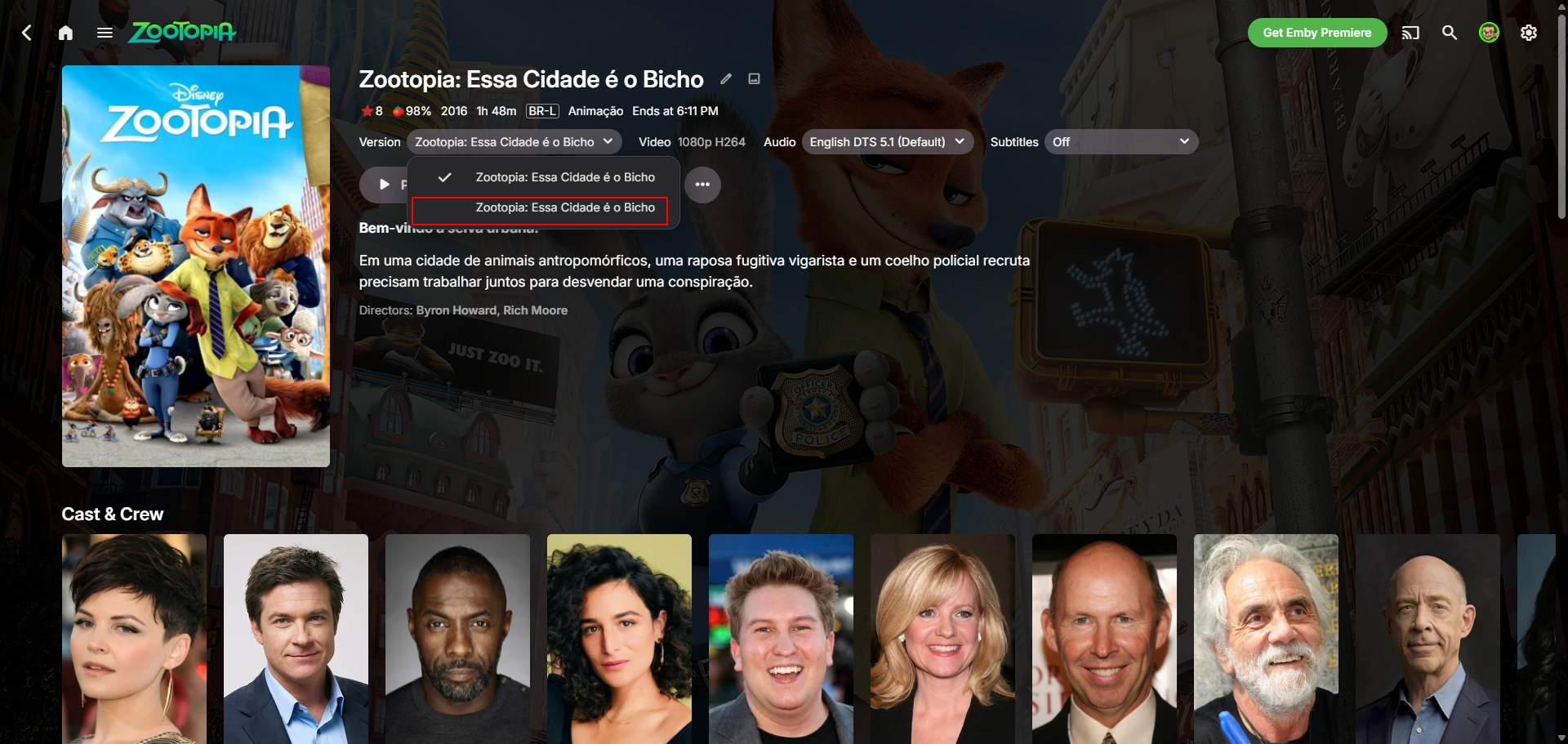
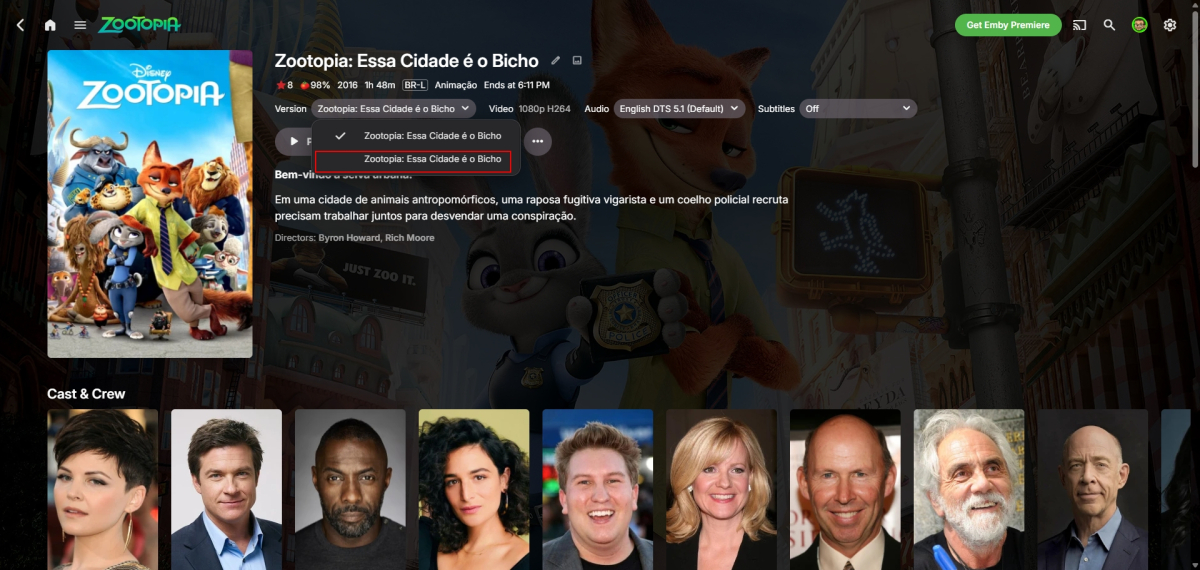
I found the problem: he's included in the first movie as if it were a "second version." How do we prevent that from ever happening?
-
What is the local IP address of the emby server? Is it within the IP LAN subnet on the eero? Does the eeor app have a ping tool where you can ping that IP to see it gets through Does the eero need rebooting after setting up a port forward ?
-
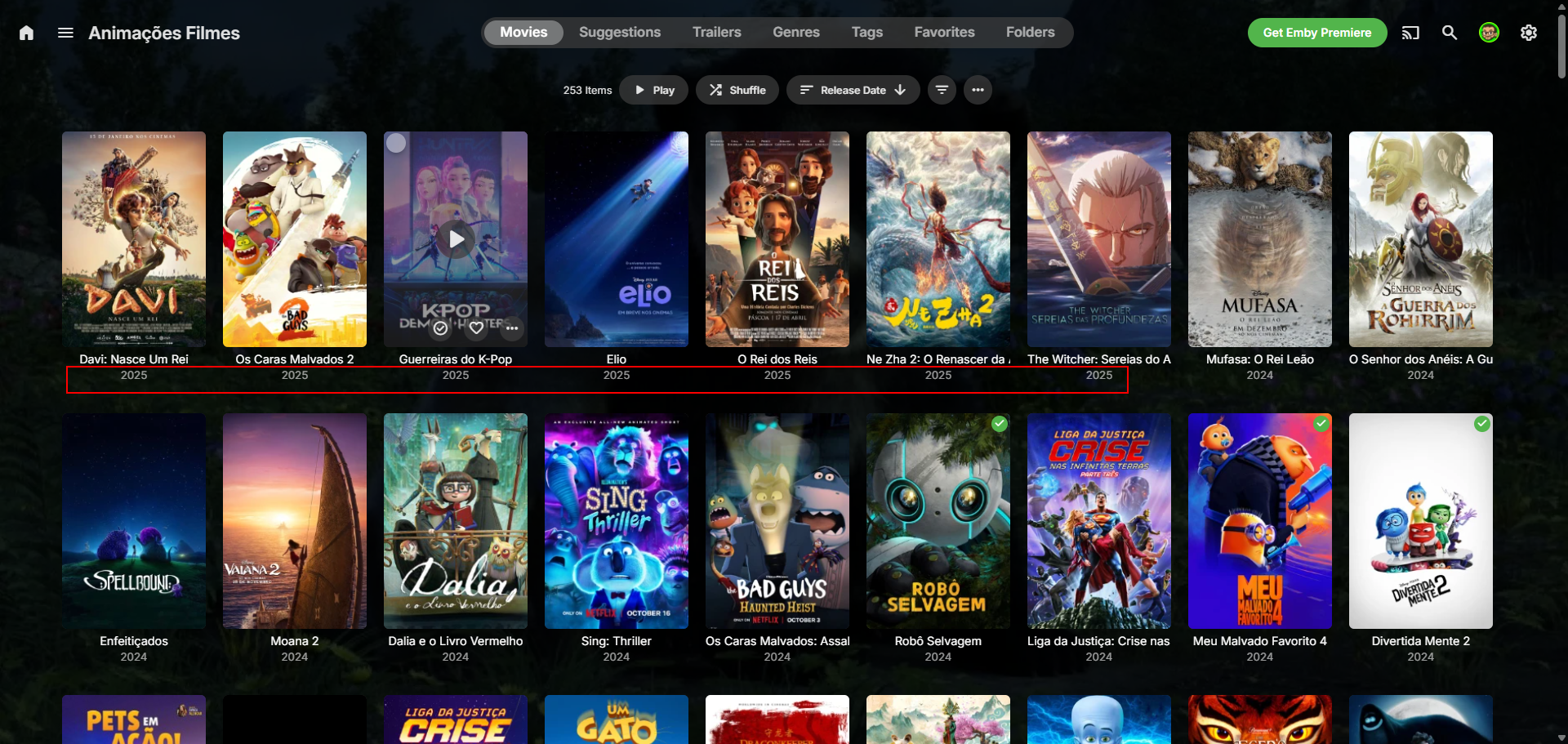
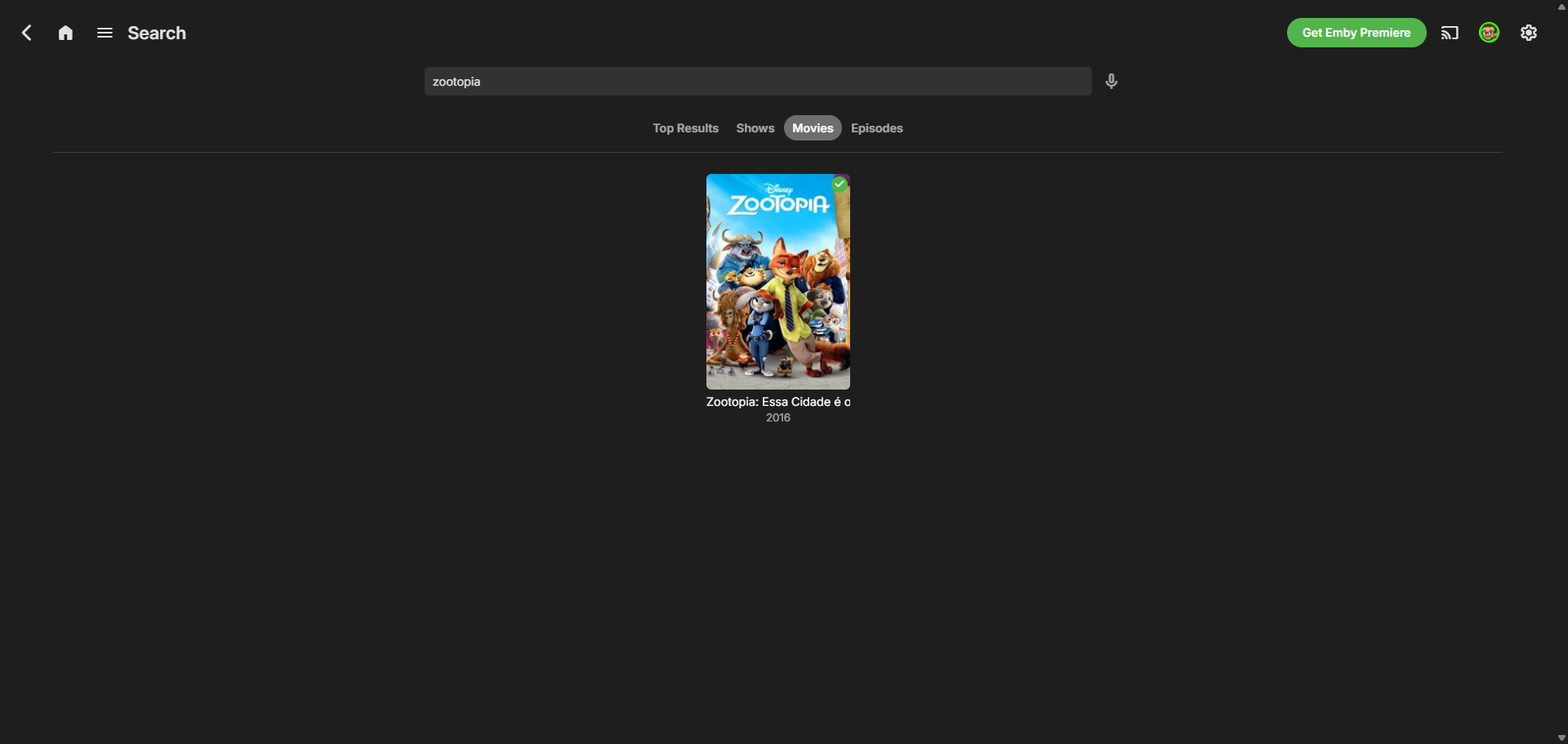
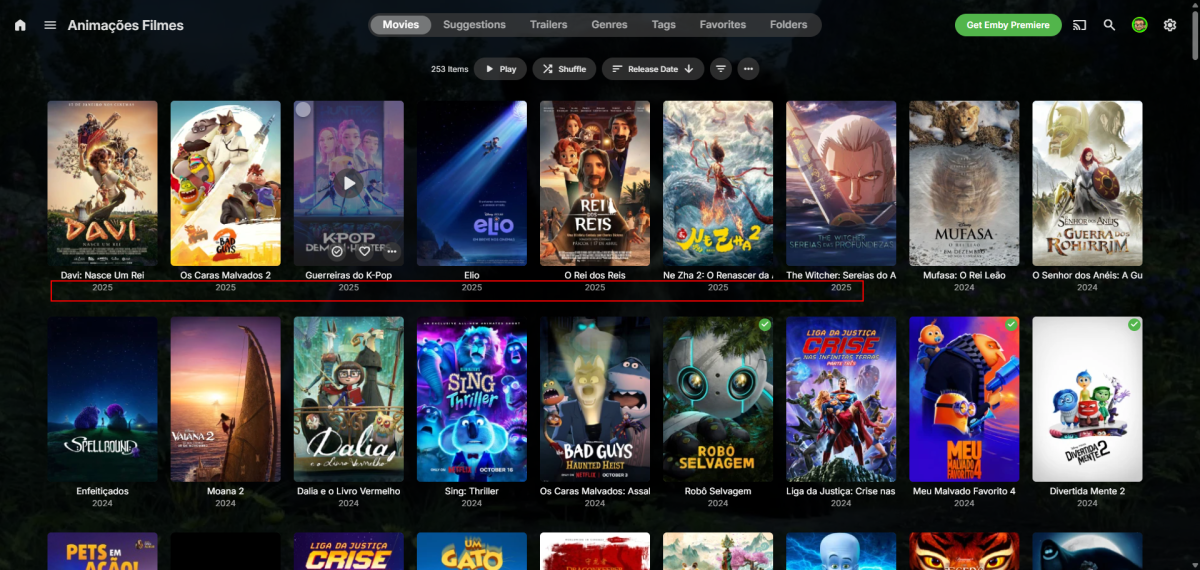
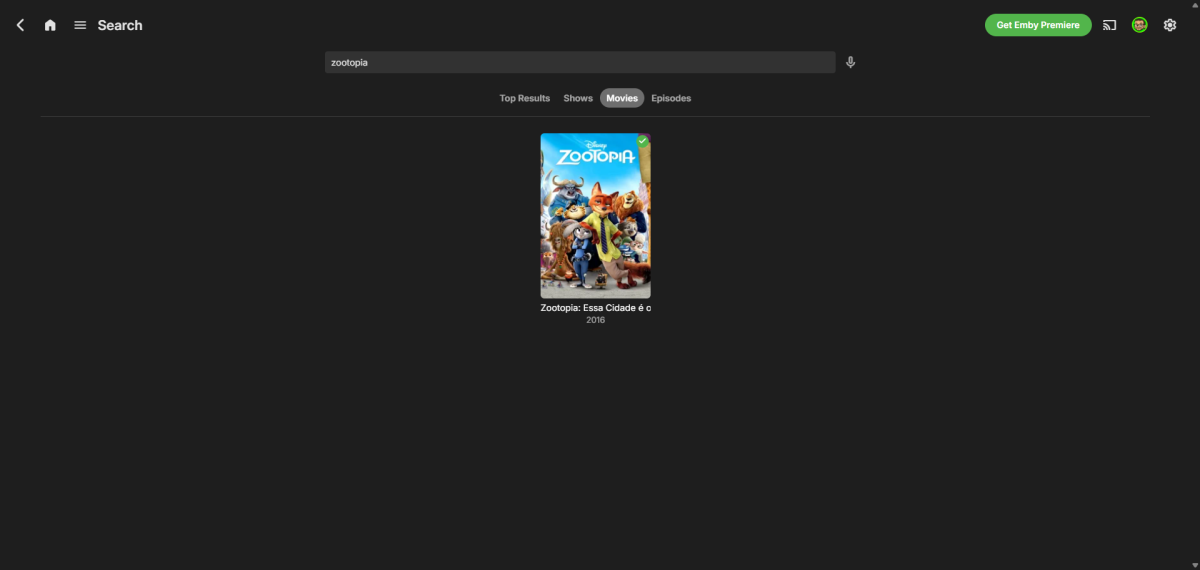
Because of this, it doesn't appear at the top, even though it's filtered by release date, and if you search, only the first movie appears... Oh, and usually when the file is found, it saves the thumbnails, folder, etc. of the movie in the folder, but only the video file is inside. Example below: movie 1 has the images, and movie 2 has nothing, which suggests that the metadata, etc., weren't uploaded. ribtherobot@RIB:~$ ls "/mnt/hde4TB_4/Filme/Animações/[2025] Zootopia 2" '[2025] Zootopia 2.mkv' ribtherobot@RIB:~$ ls "/mnt/hde4TB_4/Filme/Animações/[2016] Zootopia" '[2016] Zootopia.mkv' clearlogo.png fanart.jpg poster.jpg
-
Correct. It is still not connecting remotely. Not sure how much you have read prior. My pc is hard wired to a deco satellite. The main deco is connected to my eero in a different room. I adjusted the settings within deco as recommended yesterday.
-
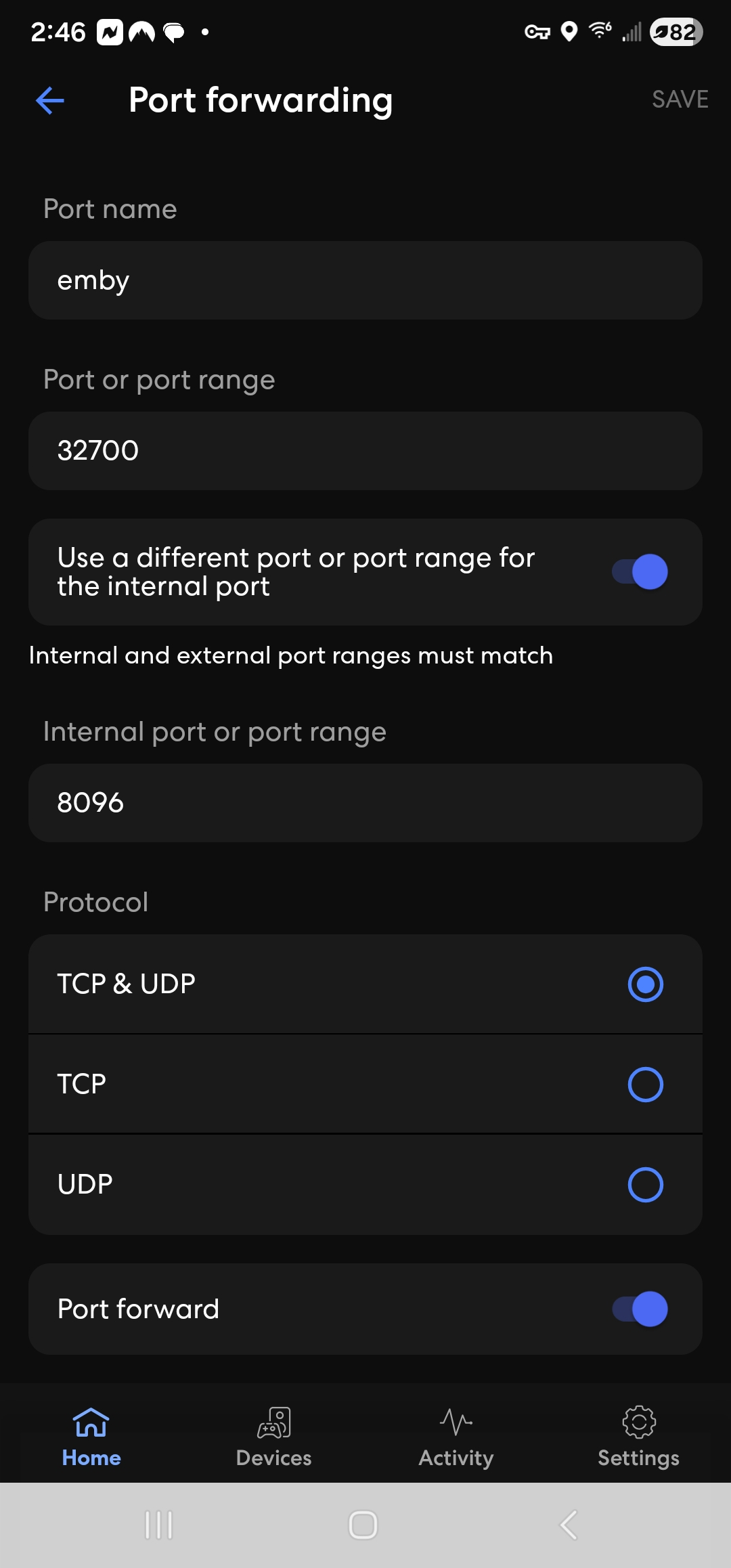
Once you change the http port in network settings, on the emby server settings dashboard, you should see your local IP address with port 8096 and your public ip address with port 32700 Running on http port 8096 Home (LAN) access: http://LOCAL-IP-ADDRESS:8096 Remote (WAN) access: http://PUBLIC-IP-ADDRESS:32700
-
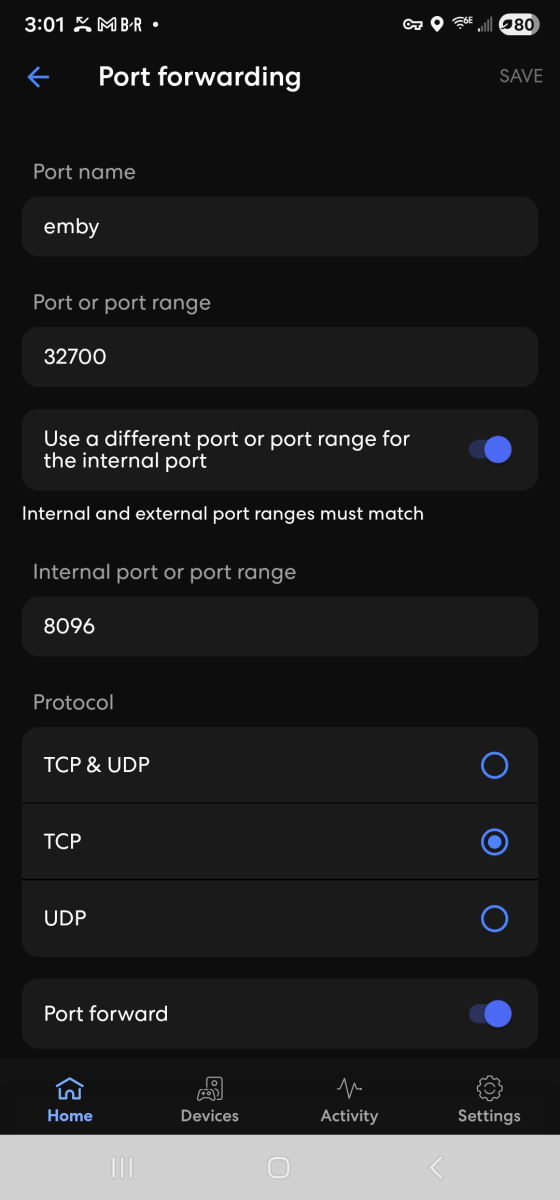
-
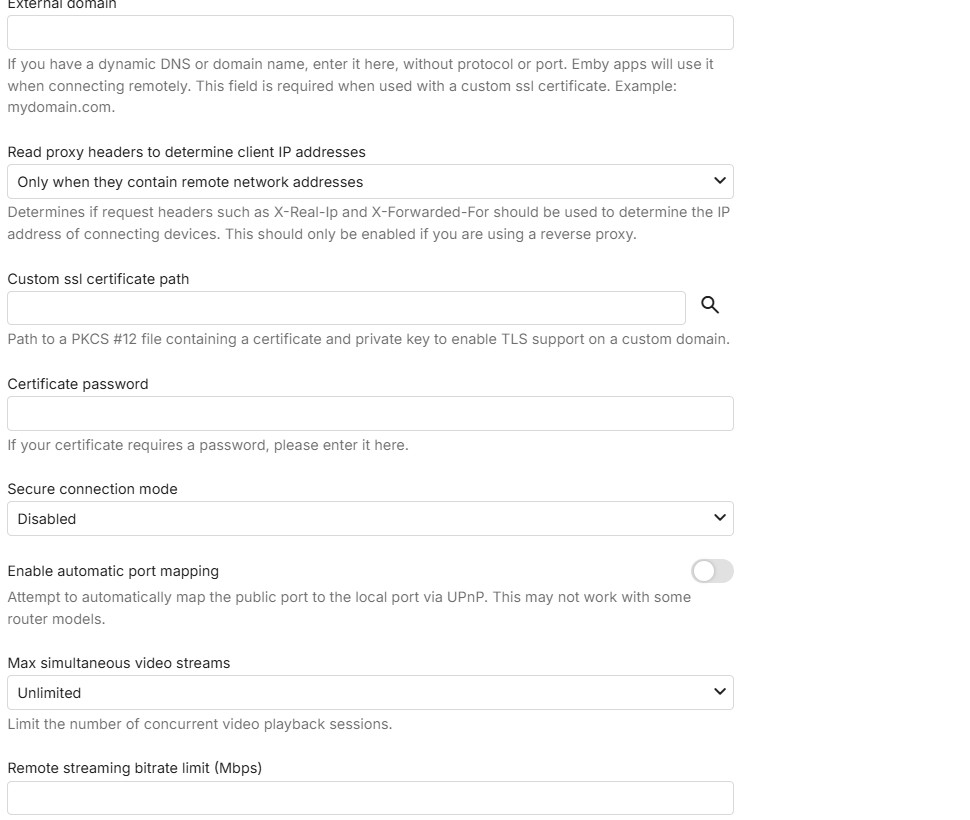
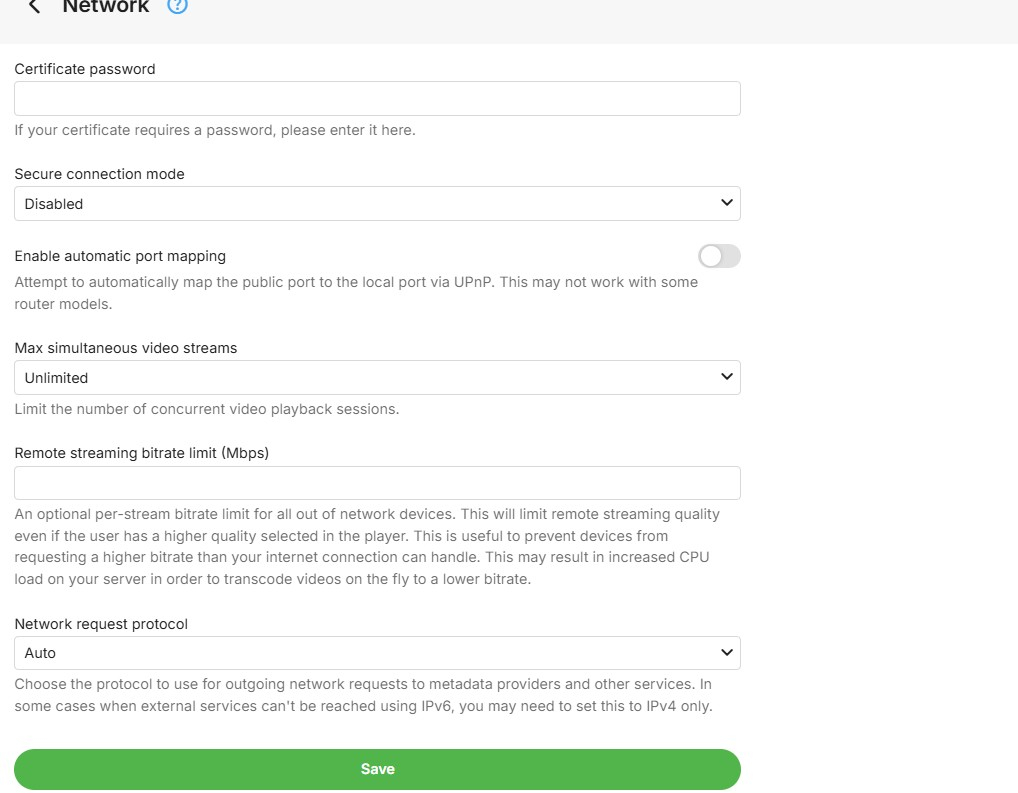
That is for https / secure connections and it is disabled - so no need to touch it
-
I've tried many ways, but no chance: it always group versions instead of display each one... On the library, there is an option called "Multi-version item detection", I put this to "none"... but no change... I guess its how it works...
-
Okay. So the second Public row, keep it 8920?
-
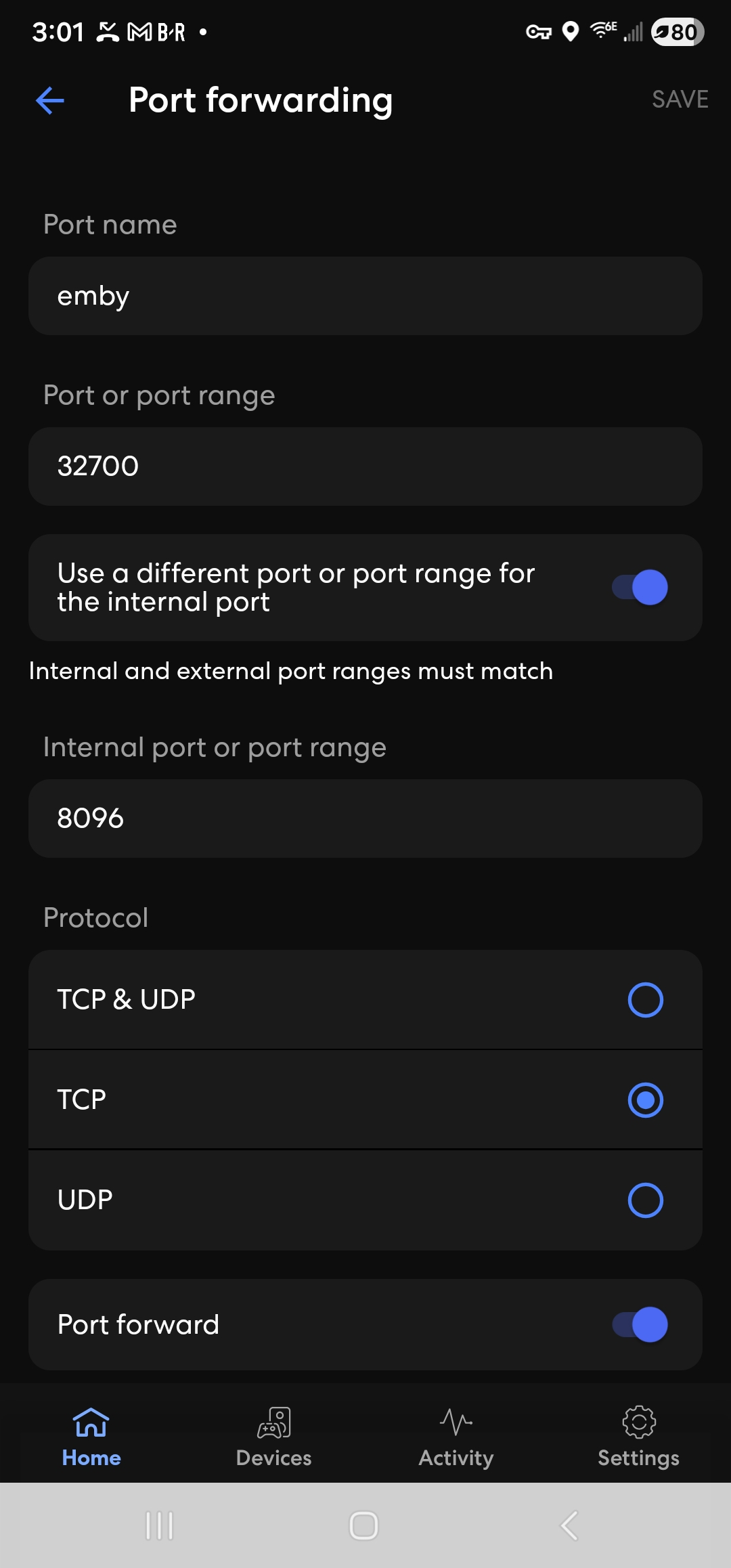
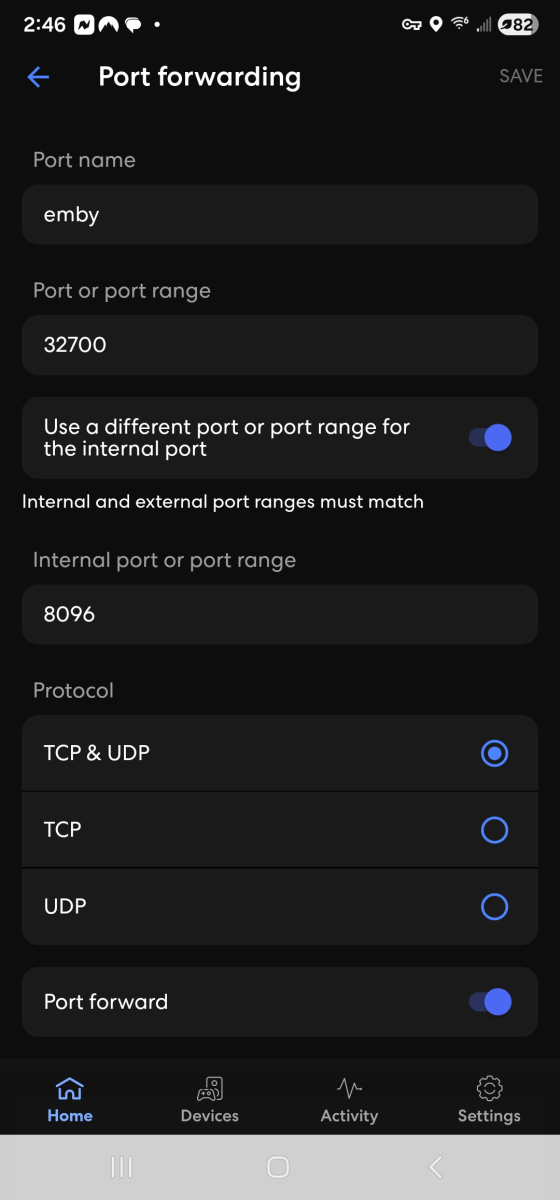
If you can get me a screenshot of the eero app with tcp only ticked and not with udp, i will use it as an example in the documentation
-
great - only one thing to change: Public http port number - change from 8096 to 32700 and save
-
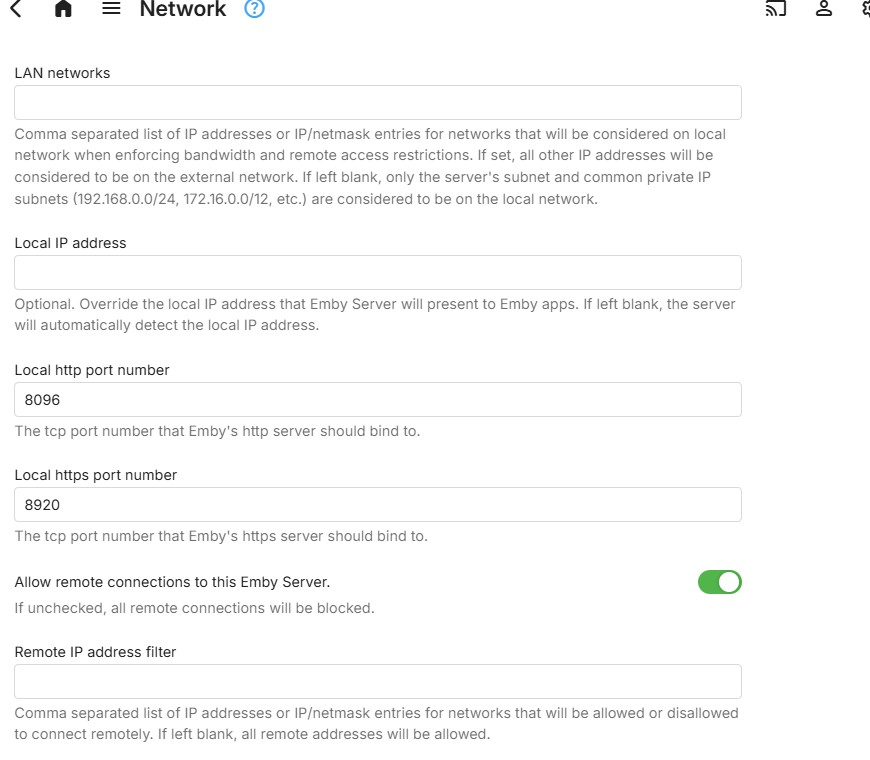
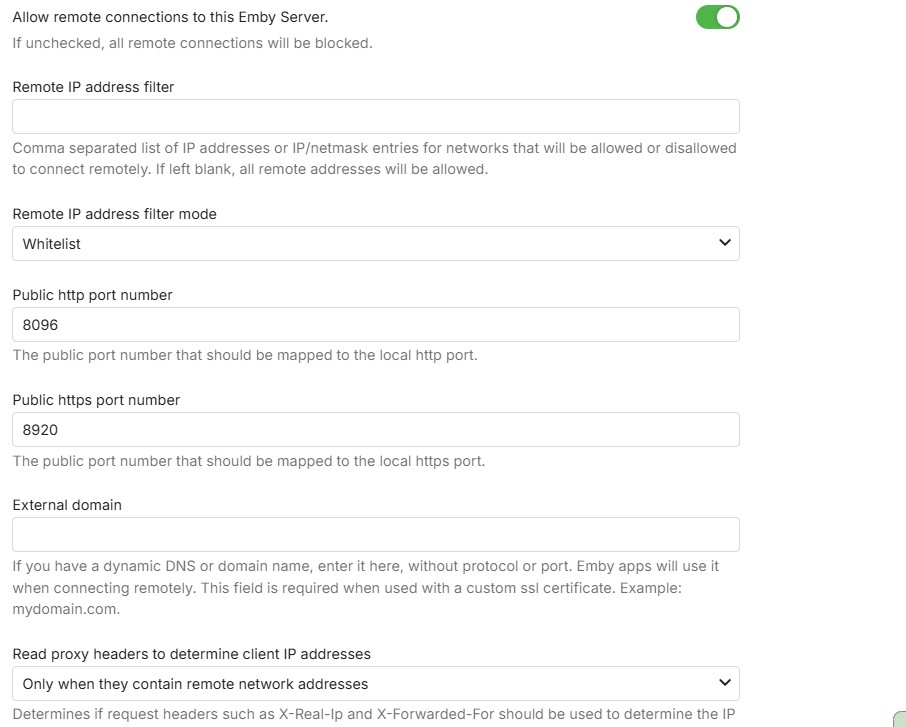
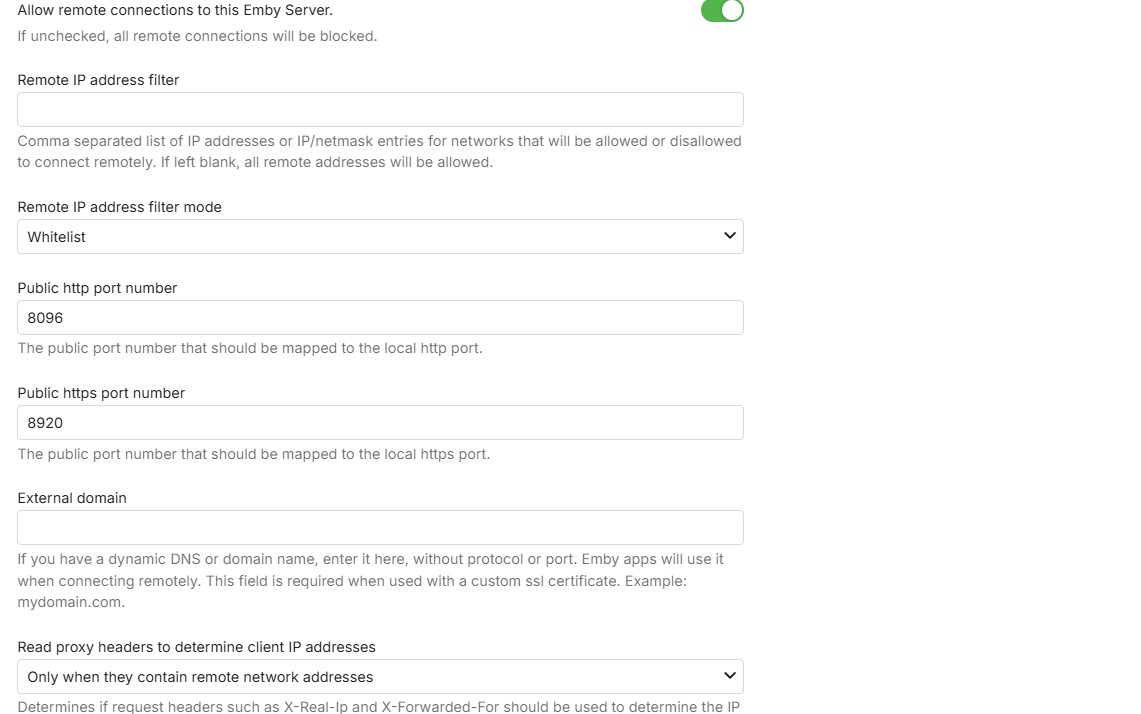
- Today
-
that is good. you don't need to have udp for this - so sufficient for TCP to be ticked Lets check the server network settings - for ports and automatic mapping and secure connections
-
I adjusted it to this...
-
Hi Luke, no joy as of right now! I am not a bit techie so I am not entirely hopeful. But thank you so much for bearing with me!
-

The latest version 2.3.3 doesn't work
MediaEmby1968 replied to MediaEmby1968's topic in Samsung Smart TV
Thanks. I'll continue using version 2.2.8 of the TV for now. -

Add "Remove from Collection" to the three-dot menu on a collection in the "Included In" section
crusher11 replied to crusher11's topic in Feature Requests
What do you mean?