All Activity
- Past hour
-

Separating Versions of Two Different Movies
crusher11 replied to kipstiles's topic in General/Windows
-
 Jordan18 joined the community
 -

🚀 EmbyVision OCR (GPU Edition) — NVIDIA GPU Accelerated OCR for Emby Credits Detector
EncryptedCity replied to EncryptedCity's topic in Tools and Utilities
In case anyone wants to try it out, there is also a new plugin for this EmbyVision OCR (GPU Edition) and (CPU Edition). It's Version 1.0.0.0. its coded to work with the latest beta version of Emby Version 4.10.0.22 beta. EmbyVisionCredits.dll -
 Zagu joined the community
 -
 CaptainPirate joined the community
 -
🚀 EmbyVision OCR (GPU Edition) — NVIDIA GPU Accelerated OCR for Emby Credits Detector
EncryptedCity replied to EncryptedCity's topic in Tools and Utilities
Yes, I see that now. "Here's a polished Emby Community forum post that would fit well in the Tools & Utilities section. It explains what the project is, who it's for, and gives users enough information to get started without overwhelming them." should not be there. I have been busy working on a new plugin, just checked the forum now. It won't let me edit it twice. -
 zzccgg27 joined the community
 -
 drops97 joined the community
 -
 anagarcia14 joined the community
 -
 成…… joined the community
 -

Please add a feature where Emby will retain data
JokerJ420 replied to JokerJ420's topic in Windows & Xbox
Thank you for the responses. I did use the backup and restore function but unfortunately it threw everything back onto the original drive which is full. It did restore many things but for some reason I still lost my collections. Again, I’m not placing blame for that it’s just upsetting. The URL option I am talking about is when you go to change or add an image to a movie or show it gives you the option to use a local file or URL. For many I used the URL option but for some reason it did not retain those but every movie and show that I downloaded or used a personal image on my PC, It retained. This was even after using the restore function. What I mean about using IMDB is for filling in the Metadata for movies and TV shows. For movies I believe (I don’t remember which setting) it allows you to put in the code linking it to IMDB and the rest of the services but for TV shows it only allows you to use TVDB and The Movie DB. Interestingly when you click the link to test those after putting in their respective numbers, it will take you to a /movie url on the site linking it to tv wrong things rather than the /TV section. if that is confusing my next reply I’ll include a few links and pictures. Just explaining it best I can. -
Jsjsjsjs
-
 Rioolooo joined the community
 -
 فهد الدهمشي joined the community
 -

Embeat — a native, music-only player for Emby (gapless, DLNA, offline)
vdatanet replied to vdatanet's topic in Third Party Apps
Update — Embeat Connect now plays to Sonos Version 1.2.0 is out. Short recap for anyone new to the thread: Embeat is a native iOS music-only player for Emby — gapless FLAC/ALAC direct play, offline downloads, DLNA, playlist management. €9.99/year, one month free, and it talks straight to your server with nothing of mine in between. Sonos, through Embeat Connect Embeat Connect (DLNA/UPnP) now finds Sonos speakers on your network and plays your library to them: queue, volume, position, and gapless across track boundaries, all driven from the phone. This took longer than I expected because a Sonos doesn't behave the way the UPnP spec suggests. It plays from its own queue rather than from the transport — which is why casting appeared to work while the Sonos app showed nothing playing — it announces itself twice under two different UDNs, and it silently ignores a stream that arrives without a Content-Length. Each of those was measured on a real speaker rather than reasoned about; every theory I had before measuring turned out to be wrong. Two limits worth knowing before you try it: Sonos accepts audio up to 48 kHz. Anything at 44.1 or 48 goes to the speaker untouched, as FLAC. Hi-res tracks are resampled by the server and streamed to the speaker as uncompressed PCM through a small proxy inside the app. There's no lossy re-encode, but it is a sample-rate conversion — I'd rather write that here than call the whole thing "lossless" and let you find out. The cap applies only on the way to the speaker. Playing on the phone itself is unchanged: direct play, whatever your files are. Playback fixes I had the audio engine independently audited and it turned up a set of real bugs, all fixed in this version: A short dropout at the start of a track, and playback failures on cellular data. Tracks that could hang while opening and never start, and a pause that could get stuck on "loading". Stream headers that weren't reaching the server on some requests. Seeking in FLAC reporting the wrong position, so the progress bar lied afterwards. Plugging in headphones mid-track could stop playback instead of switching output. Transferring to a DLNA renderer while paused could fail silently. Plus a handful of iPad interface fixes on top of the iPad support that shipped in 1.1.0. Requirements are unchanged: iPhone or iPad, iOS/iPadOS 18.4 or later. App Store: https://apps.apple.com/app/embeat/id6788410988 Site: https://embeat.media Bug reports and feedback: here or joan@vdata.net — I read everything. If you have a Sonos and a hi-res library, I'd particularly like to hear how it goes: that combination is the one with the most moving parts, and I've tested it on the speakers I own rather than on every model Sonos has ever shipped. Not affiliated with or endorsed by Emby or Sonos. Emby and Sonos are trademarks of their respective owners. -
 Kenneth11m joined the community
 - Today
-
I just installed a A380 GPU via unraid, was able to get it working with Tone Mapping under 4.9.1.90 only. Took me hours to figure it all out, and I'm watching this thread for updates. Thank you.
-
Embeat — a native, music-only player for Emby (gapless, DLNA, offline)
vdatanet replied to vdatanet's topic in Third Party Apps
Found it — and it's a bug on my side, not your setup. Thanks for the report, it was a good one. Embeat's iOS Info.plist allowed cleartext HTTP, but it also carried NSAllowsLocalNetworking. On iOS 10 and later that second key silently cancels the first one: App Transport Security falls back to its default and only permits cleartext to .local names and private ranges (192.168/16, 10/8, 172.16/12). Tailscale hands out addresses in 100.64.0.0/10, which iOS does not consider local — so http://100.x.y.z:8096 was blocked before it ever left the phone, while your 192.168.x.x address went through. That's exactly the asymmetry you saw, and why Safari and other clients had no trouble with the same IP. I reproduced it against my own Emby over Tailscale and the fix is in: removing that one key makes the connection work. It'll ship in the next update. Note it wasn't Tailscale-specific — any VPN, and any plain-HTTP server outside those private ranges, hit the same wall. In the meantime, if your Emby has HTTPS on 8920 with a certificate valid for a hostname you can resolve over Tailscale, that route works today. -
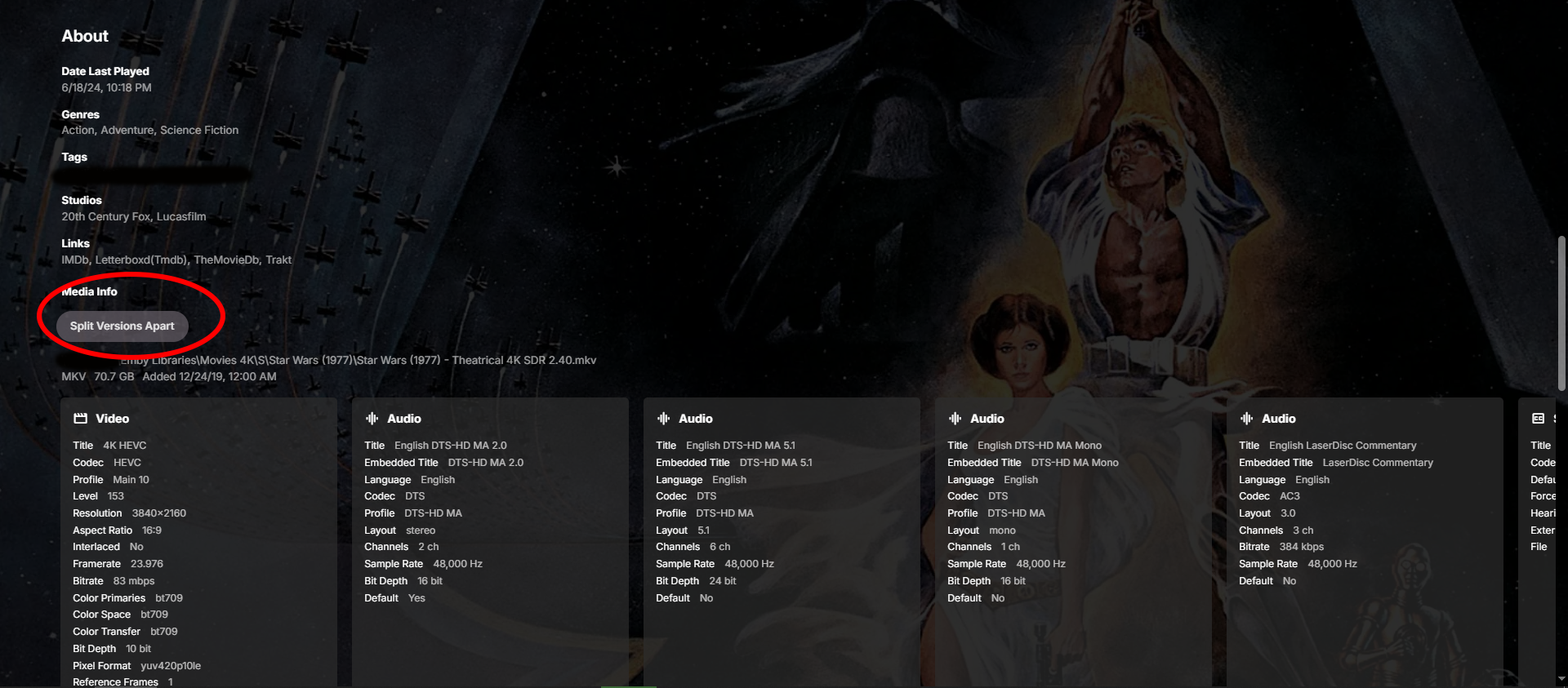
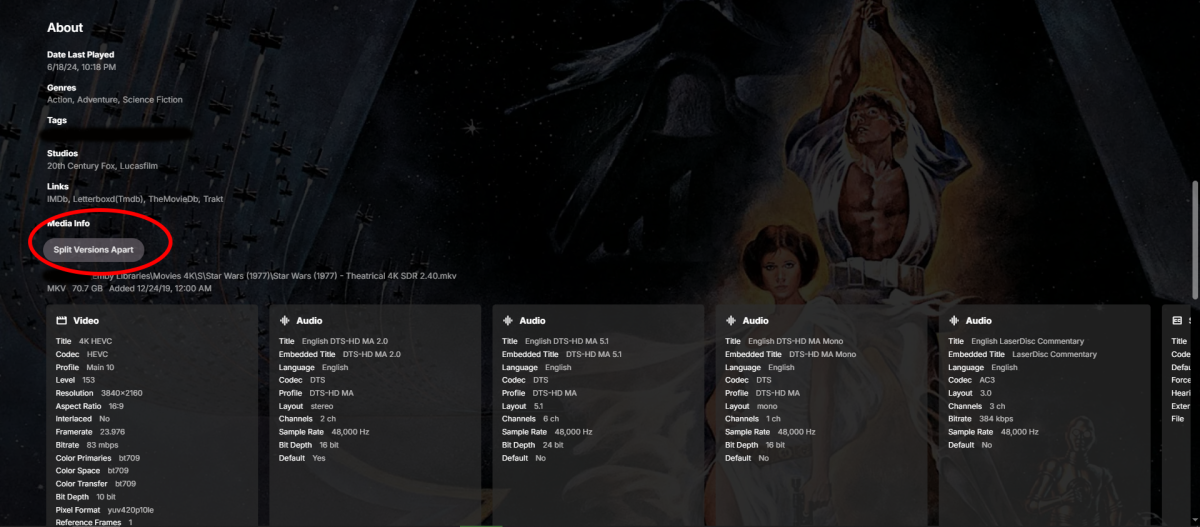
In my library, I have two different versions of the original Star Wars trilogy. One is the original three films in their theatric version and the other are the three films with their latest updated cut with new scenes and SFX. Emby has put these films under the same heading with the versioning options. I'd prefer if they were listed separately. How do I separate them?
-

AndroidTv update now black screen with av1/opus videos
suetlung replied to esaym153's topic in Android TV / Fire TV
I would like to just say I am having the same issue here. AV1 + OPUS + mkv resulting in black screen with audio, using internal EXO player. And using non "TV" version on my TV doesn't work, as I am not having premier licence on both my server and the TV -
@SamES
-

Embeat — a native, music-only player for Emby (gapless, DLNA, offline)
jasonmcroy replied to vdatanet's topic in Third Party Apps
This looks promising. However, I just installed on my iphone and I can connect on my wifi directly to my Emby server with my local IP address but I can't get it to connect if I use my tailscale IP. This same IP works fine on the Narjo app but I wanted to take yours for a spin to see if it could work out for me. Is there any particular reason it shouldn't connect? -

embyforkodi (next-gen) 12.X.X support
quickmic replied to quickmic's topic in Emby For Kodi Next Gen
Yes, they are synced if you selected them -> plugin menu -> "Manage libraries". -

Regarding the issue of 4.9.1.80 and the plugin Bluray Folder Support 1.0.3.0 recognizing BDMV original disc fi
LonelyCat replied to LonelyCat's topic in Synology
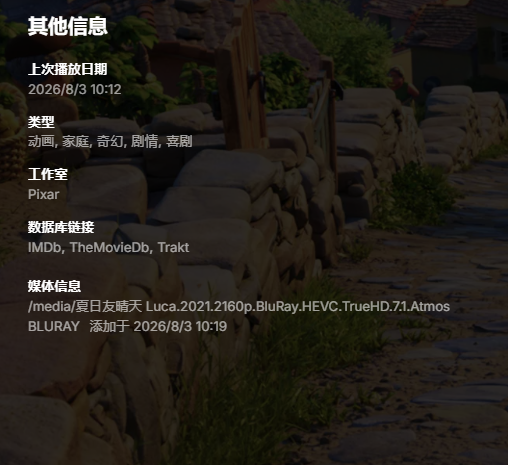
I have created a laster version of EMBYServer 4.9.5.0 and added media in ISO, BDMV, and MKV formats to the media library. Only MKV can recognize it, but BDMV still cannot recognize and play it. same NAS same bdmv on 4.8.10.0 can play on 4.9.5.0 ffmpeg-remux-1fd7f370-e736-4d2e-b146-7b1361318d55_1.txt ffmpeg-remux-8f8b0f27-7e97-435c-8863-fe0fa3111bee_1.txt ffmpeg-remux-253c61f0-79e4-420c-9bb9-9c6664e96c05_1.txt ffmpeg-remux-c3d88536-6e46-4a34-a57f-59bce150598b_1.txt embyserver (2).txt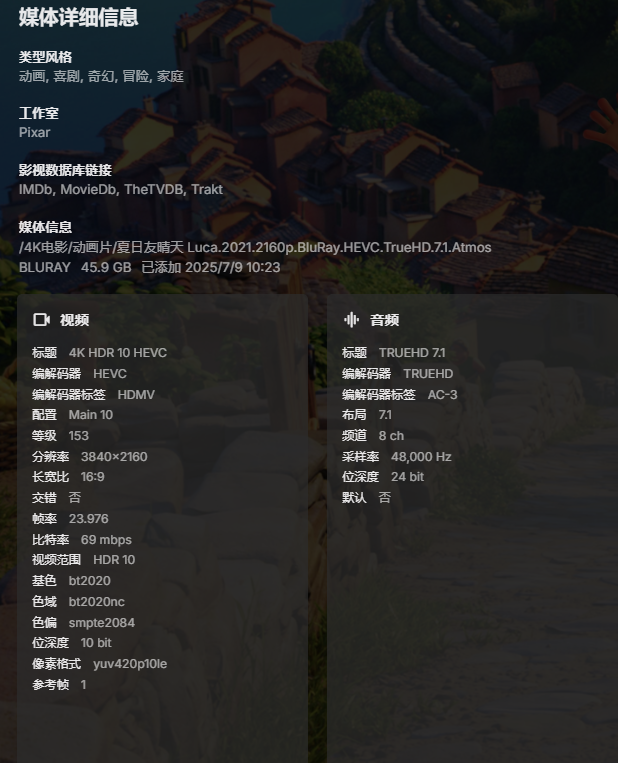
-
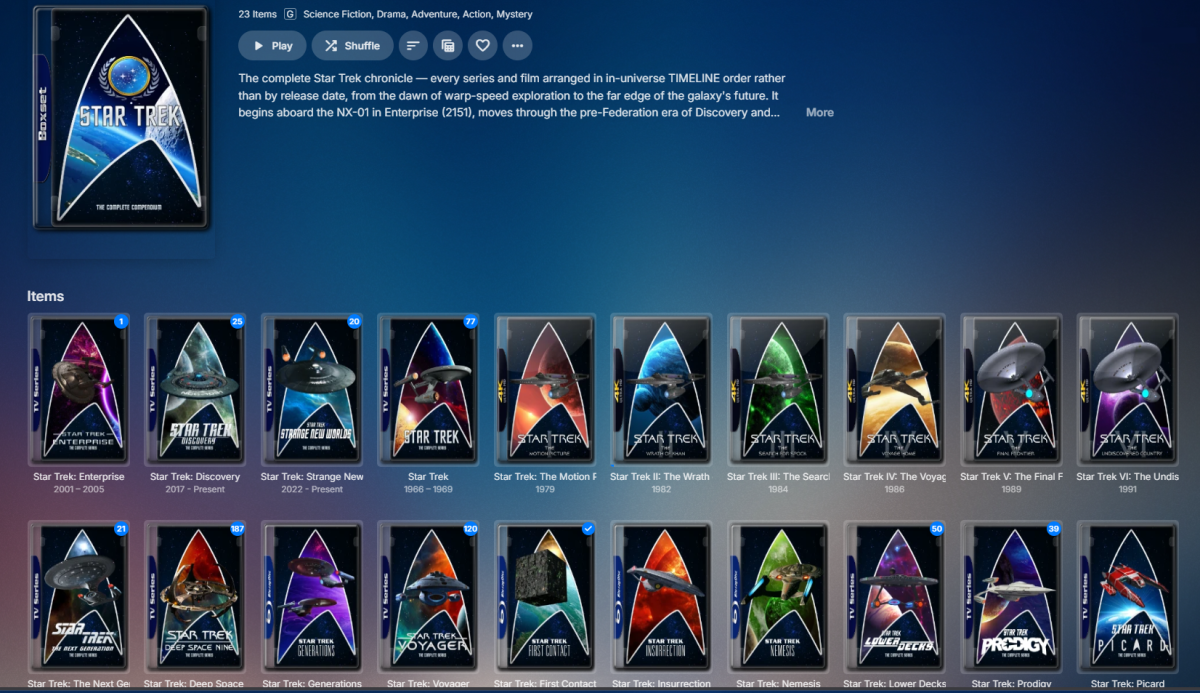
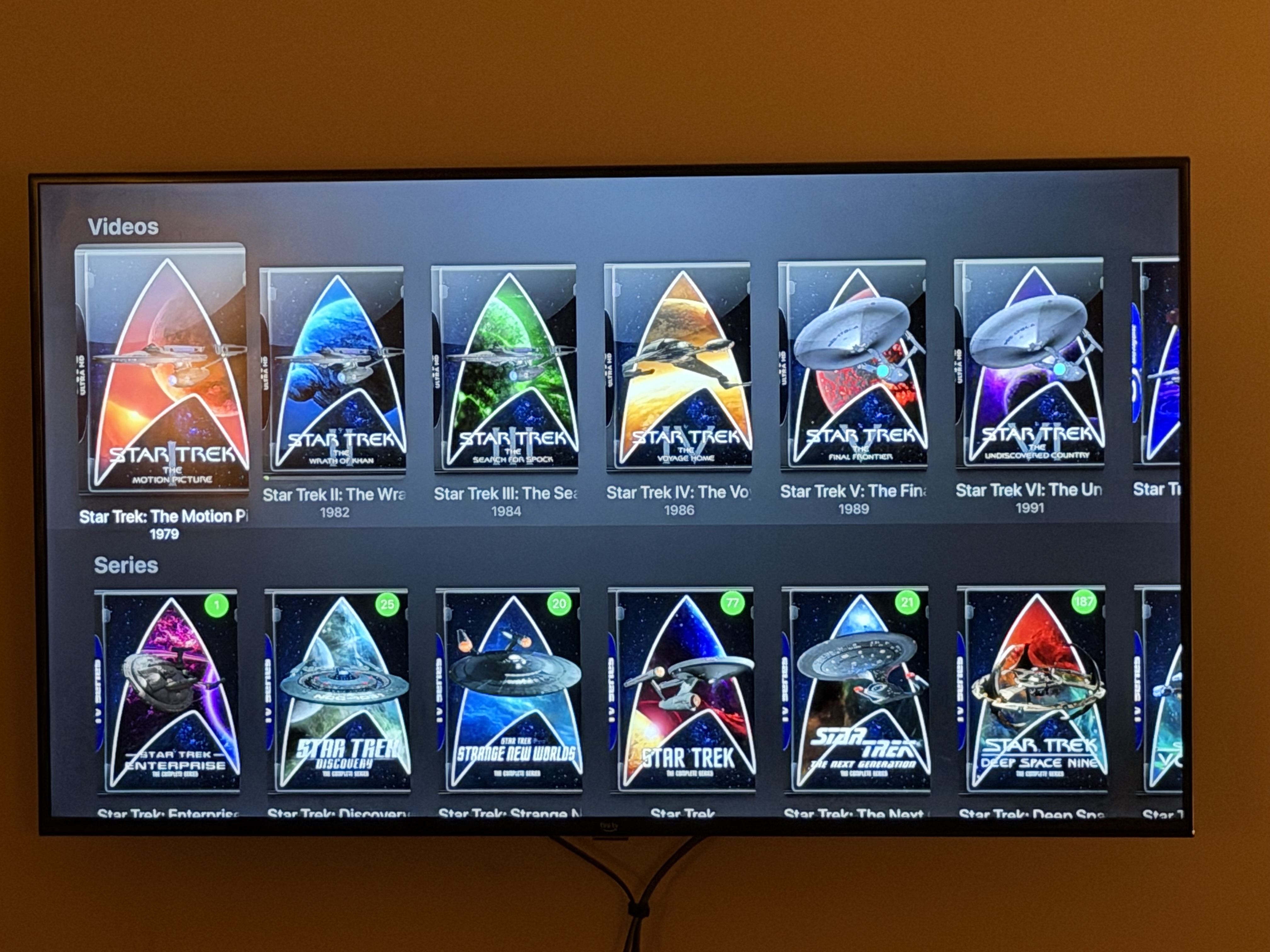
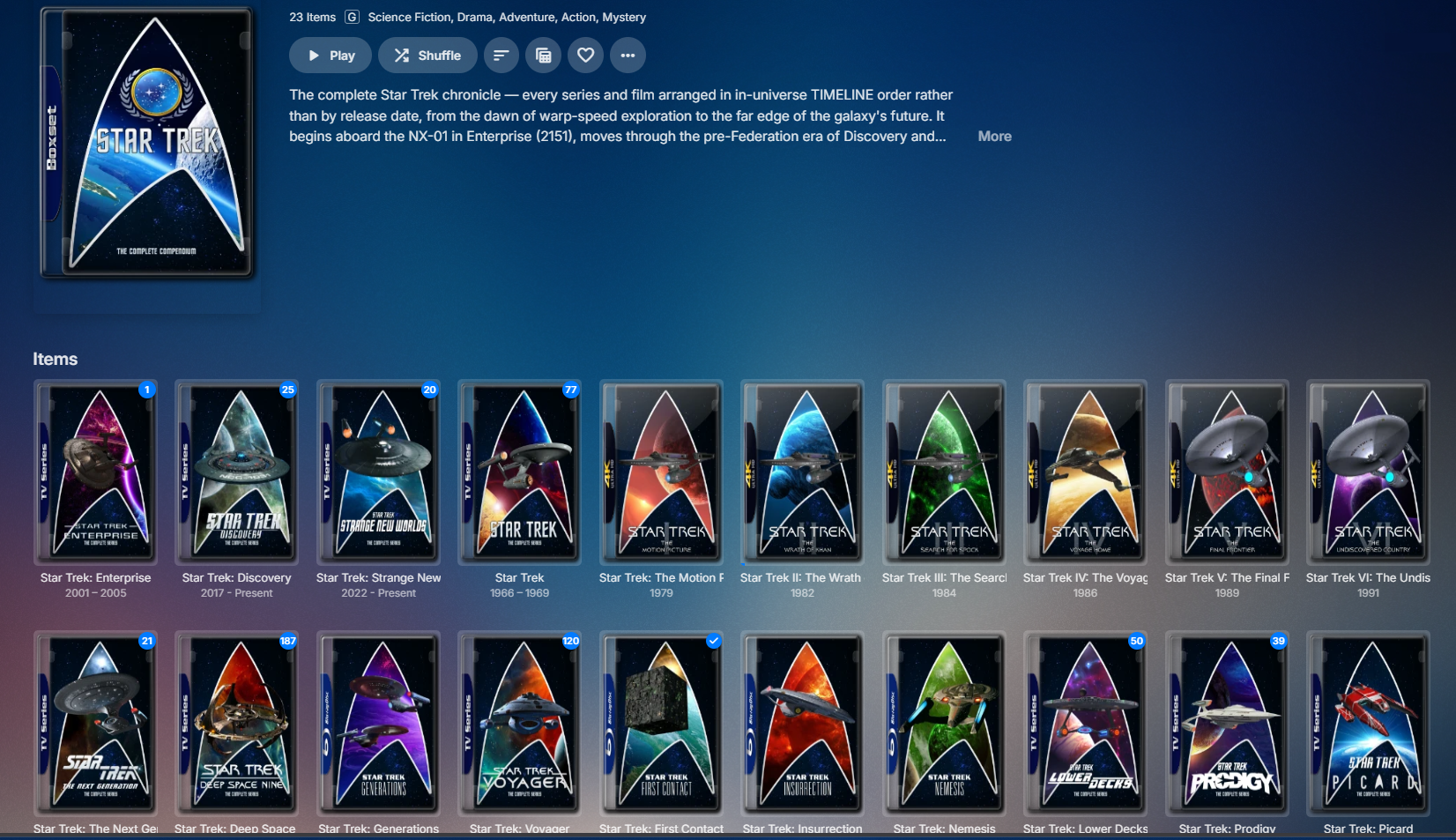
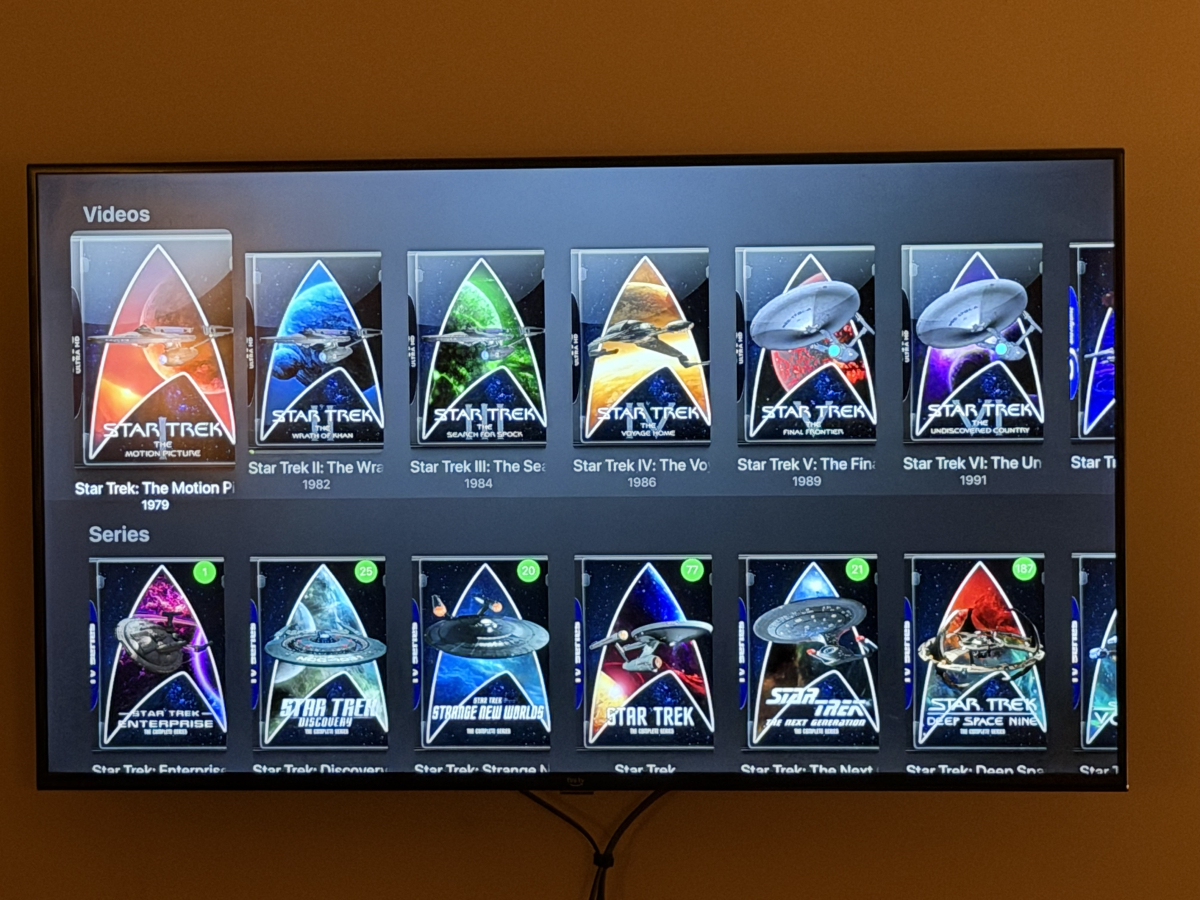
Yea, it won’t let me edit my post, so I’ll just have to comment again with the collection view on Apple TV. This is what I get on AppleTV As you can see, they get split by type then get usual sorting rather than just sorting properly. Ignore my question about collections sorted to top, that appears to be resolved on latest version
-

HW Tone Mapping Transcoding no longer works after updating to 4.9.1.80 (Synology 220+)
softworkz replied to rekit's topic in Synology
Well, did you enable tone mapping actually? -

Downloads stuck on "Ready to transfer" after movie quality conversion
Luke replied to Joaqim_Braga's topic in Android
Hi, try opening the app on the device and see if that gets it going. -
HW Tone Mapping Transcoding no longer works after updating to 4.9.1.80 (Synology 220+)
Luke replied to rekit's topic in Synology
Hi, there will be a new ffmpeg build on the server beta channel soon, so stay tuned for that. Thanks. -
Hi, can you add the atv screenshots? Thanks.
-
We used to have a param to have the server send back an estimated content length. I’ll have to check but that may have been ripped out as I think it was mainly ancient devices that needed it.
-
Hi, yes I agree this would make sense. Thanks.
-
LG webOS Emby App – Simplified and Traditional Chinese subtitles frequently fail to display or appear after se
Luke replied to Haibinsky's topic in LG Smart TV
Hi there, let's look at an example. Please attach the information requested in how to report a media playback issue. Thanks! -
Probably not needed, but here's my environment: Synology NAS running DSM 7.4.1 Emby server 4.10.0.22 nVidia Shield 2019 Pro and Shield experience 9.2.4, Projectivy loader AndroidTV app 2.1.51 happens with DTSHD, DTS, and TrueHD when I turn those codecs on it goes back to Direct both in SFN and OSD Shield --> HDMI --> Samsung Soundbar --> eARC --> Samsung TV
-
 am experiencing subtitle display issues on the latest version of the Emby app for LG webOS. The issue mainly affects Chinese subtitles, including both Simplified Chinese and Traditional Chinese subtitles. During playback, subtitles frequently fail to appear correctly. In some cases, subtitles are completely missing, while in other cases they only appear after the video has been playing for approximately 3–5 minutes. The problem occurs with different media files and subtitle tracks. English subtitles may also experience similar issues, but the problem is especially noticeable with Simplified Chinese and Traditional Chinese subtitles. The same video files and subtitle tracks work normally on other Emby clients, which suggests the issue may be related to the LG webOS Emby application, subtitle loading process, or subtitle rendering mechanism. Environment: Device: LG Smart TV Platform: LG webOS Emby App: Latest version available from LG Content Store Emby Server: Latest version Subtitle languages tested: Simplified Chinese, Traditional Chinese, English Steps to reproduce: Open a video with Chinese subtitle tracks in the Emby LG webOS app. Select Simplified Chinese or Traditional Chinese subtitles. Start playback. Observe subtitle behavior during playback. Expected behavior: Selected subtitles should load immediately and display correctly from the beginning of playback. Actual behavior: Simplified Chinese and Traditional Chinese subtitles often do not appear when playback starts. Sometimes subtitles only appear after 3–5 minutes of playback. In some cases, subtitles never appear. The issue happens repeatedly with different video files. Additional information: This issue seriously affects the viewing experience, especially for Chinese-speaking users. Since the same media files and subtitle tracks work correctly on other Emby clients, the problem appears to be specific to the LG webOS client. Please investigate the subtitle loading, character encoding support, and subtitle rendering process in the LG webOS Emby application, especially for Simplified Chinese and Traditional Chinese subtitles.
 -
NOTE: Post in progress, posting web portion from computer, will edit with AppleTV photos on my phone momentarily and will remove this message. Here is the collection view via the web browser: That's what I am aiming for on all devices. On Apple TV it looks like this: <ATV Collection photo here> As far as collections in movies library, on Web they are just sorted by sort title and intermix in as expected. On AppleTV all collections are grouped at the top rather than where they should fall in the list of titles. <ATV Movies collections photo here>